Is this your app?
Claim Safe Screen Share to manage its page, add your badge and see your traffic — free, and it stays free.
Cycling through all six. Tap any point to stop.
Measured on six things
A browser extension for real-time privacy protection during screen sharing and recording sessions.
Security
70SSL encryption and no data collection, but questionable trust score (66/100) and hidden ownership details.
Screenshots
1 / 4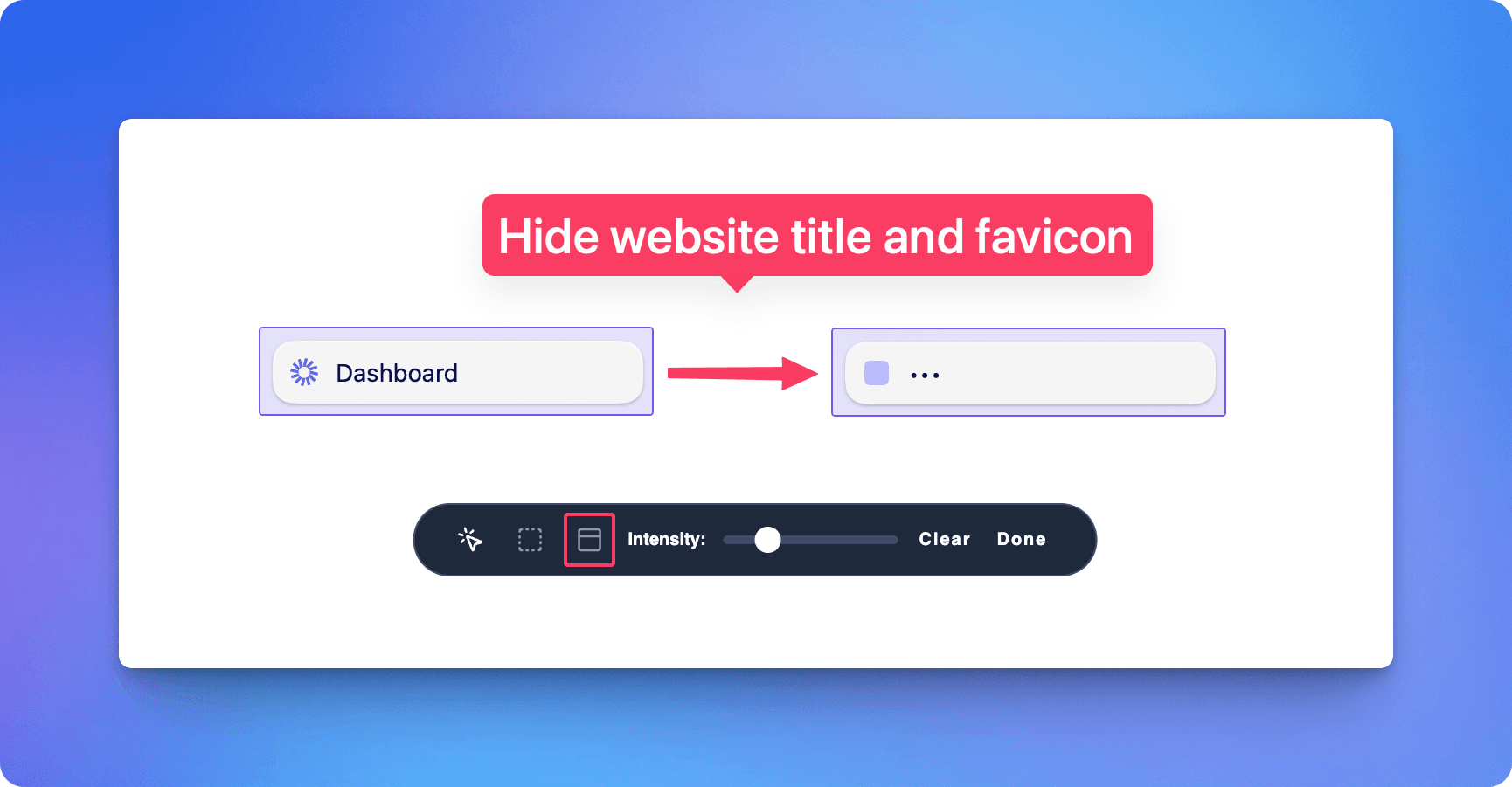
About this app
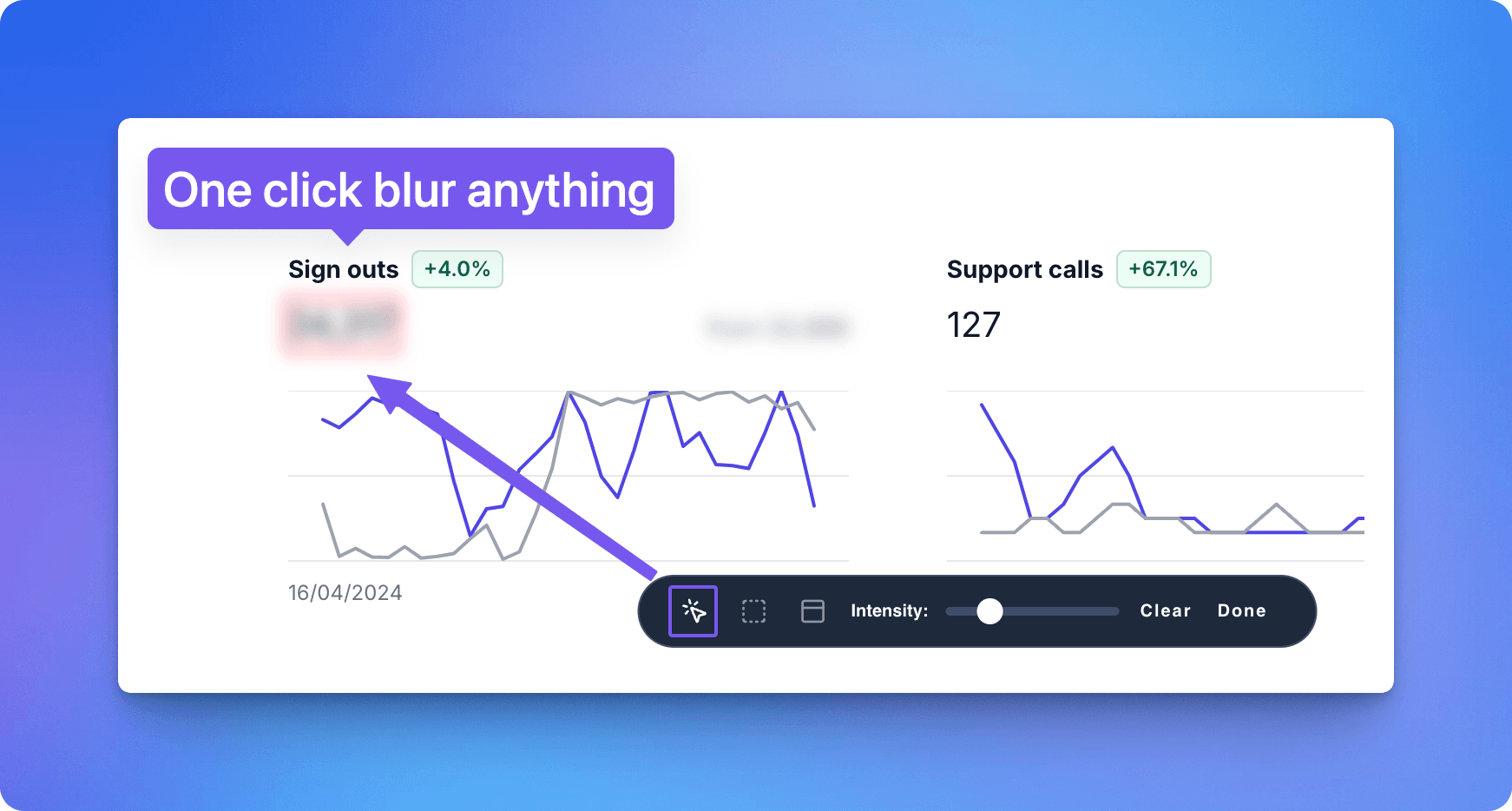
Safe Screen Share is a Chrome extension that helps users protect sensitive information by blurring it on the fly during screen sharing or recording. It's perfect for remote workers, educators, and content creators who need to avoid exposing personal data or confidential documents. Key features include one-click blurring, persistent settings across page reloads, customizable blur intensity, and compatibility with platforms like Zoom, Google Meet, and OBS. While it excels in functionality and ease of use, it has some drawbacks in accessibility and security transparency, but overall, it's a valuable tool for anyone prioritizing privacy without the hassle of manual editing.
Key features
- 1Lightweight 23KB extension with no noticeable lag during live screen sharing sessions.
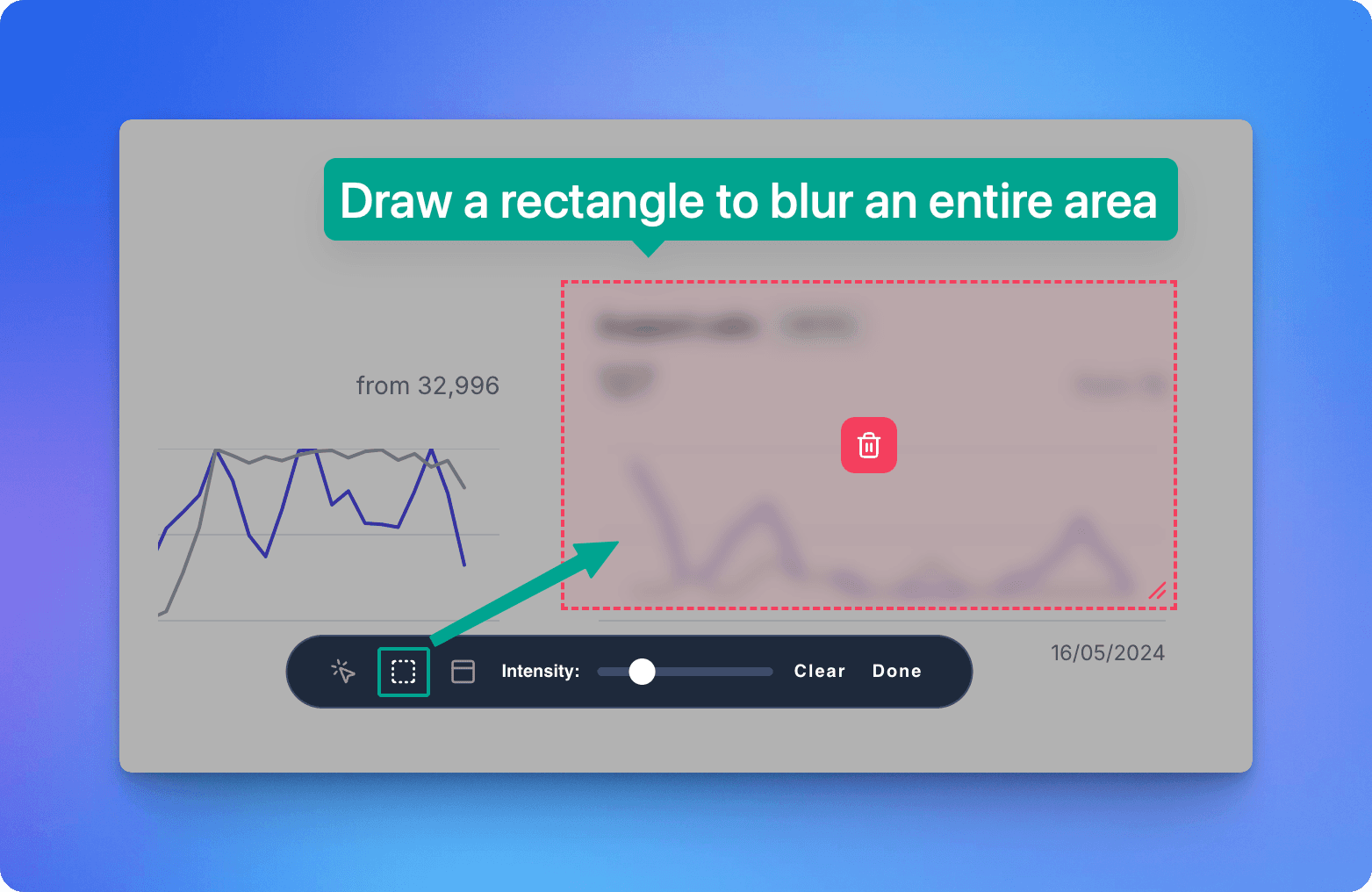
- 2One-click blurring and custom rectangle drawing for precise privacy control.
- 3SSL encryption and no data collection, providing reliable real-time protection.
Target customer profile
Drawn from the product itself, not from a survey.
Demographic
Remote workers
Pain points
Accidental exposure of personal tabs or data during video calls
Primary needs
Real-time privacy controls to prevent information leaks
Demographic
Educators and trainers
Pain points
Time-consuming manual editing of recorded content to blur sensitive parts
Primary needs
Streamlined screen sharing with instant blur capabilities
Demographic
Content creators
Pain points
Need for post-production editing to hide sensitive information in videos
Primary needs
On-the-fly blurring during live recordings to save time and effort
Scout Review
Written by AI from measured evidence, scored out of 100.
Safe Screen Share delivers exactly what it promises: reliable, real-time privacy protection during screen sharing sessions. The extension excels at its core functionality with minimal performance impact, making it ideal for remote workers, educators, and content creators who need instant blurring without post-production editing. While the security transparency issues and accessibility limitations are concerning, the practical benefits outweigh these drawbacks for most users. The tool fills a genuine gap in the market for quick, effortless privacy protection during video calls and recordings.
Measure by measure
Usability
80One-click blurring and custom rectangle drawing, intuitive for basic use but needs better onboarding.
Design
80Minimalist floating toolbar with adjustable blur intensity, functional but slightly dated interface design.
Speed
90Lightweight 23KB extension with no noticeable lag during live screen sharing sessions.
Security
70SSL encryption and no data collection, but questionable trust score (66/100) and hidden ownership details.
Accessibility
70English-only, no screen reader support or keyboard shortcuts, limited accessibility features.
Growth
80High demand for privacy tools but needs transparency improvements and broader feature set.
Improvement areas
- Address security transparency issues with hidden ownership details and low trust score.
- Enhance accessibility by adding multi-language support, screen reader compatibility, and keyboard shortcuts.
- Improve onboarding with embedded tutorials and a free trial to build user confidence.
Design & Usability
Safe Screen Share takes a minimalist approach to privacy protection with a floating toolbar that stays out of your way until needed. The interface prioritizes functionality over aesthetics, offering one-click blur activation and custom rectangle drawing for precise privacy control. While the adjustable blur intensity slider provides customization, the overall design feels slightly dated compared to modern Chrome extensions. Navigation is straightforward for basic tasks, but new users might struggle to discover advanced features like 'hide tab titles' without proper onboarding. The extension integrates smoothly with Chrome, though the license key requirement adds unnecessary friction to the setup process.
Speed & Security
Performance is where Safe Screen Share truly shines. The extension weighs in at a featherlight 23KB, ensuring no noticeable lag or performance impact during screen sharing sessions, even on older hardware. Security presents a mixed picture - while the app employs SSL encryption and doesn't collect sensitive user data, its ScamAdviser trust score of 66/100 raises legitimate concerns. The hidden ownership details and registrar's history with spam-linked domains create transparency issues that potential users should consider. However, the core privacy features work as advertised, providing reliable real-time protection without data sharing to third parties.
Accessibility & Growth
Accessibility is the app's weakest area, offering only English language support and no accommodations for screen readers or keyboard navigation. Users with motor impairments may struggle with the precision required for custom rectangle drawing. Despite these limitations, the growth potential remains strong due to increasing demand for privacy tools in remote work environments. The market need for real-time screen protection is undeniable, but Safe Screen Share must address its transparency issues and expand accessibility features to compete effectively. The lifetime pricing model and broad platform compatibility provide a solid foundation for future expansion.
Conclusion
If you're tired of manually blurring sensitive information or worrying about accidental data exposure during screen sharing, Safe Screen Share is worth trying. It's particularly valuable for professionals who frequently share their screens on platforms like Zoom, Google Meet, or OBS. Just be aware of the transparency concerns and consider starting with a shorter commitment until the developer addresses these issues. For real-time privacy protection that just works, this extension delivers where it matters most.
Suggestions for improvement
- The developer should prioritize publishing ownership details and security audits to address trust concerns.
- Adding multi-language support for Spanish, Mandarin, and French would significantly expand the user base.
- Implementing keyboard shortcuts and screen reader compatibility would improve accessibility.
- A 7-day free trial would help build confidence before requiring payment, and embedded tutorials would enhance the onboarding experience for new users.
- These improvements would transform a good tool into an essential one for privacy-conscious professionals.
Alternatives comparison
Named competitors, point by point. Nobody paid to appear here or to be left out.
 Safe Screen Share Safe Screen Share |  Loom Loom |  OBS with Plugins OBS with Plugins | |
|---|---|---|---|
| Real-time blurring during screen share | Yes | No (requires post-editing) | Yes (with plugins) |
| Browser extension compatibility | Chrome extension | Desktop application | Desktop software |
| Learning curve | Low | Medium | High (requires plugin setup) |
| Pricing model | Lifetime purchase available | Subscription-based | Free (open source) |
Loom
A screen recording tool that lacks live blurring features, requiring post-editing for privacy.
OBS with Plugins
Open-source software for screen recording that can be customized with plugins but has a steeper learning curve.
Comparing options? See Safe Screen Share alternatives, scored side by side
More Productivity apps
View all Productivity
Notion
92All-in-one AI workspace for docs, projects, and knowledge...

Qamarero
92An all-in-one hospitality software for restaurants and ba...

EmbedMyReviews
92White-label reputation management software for agencies s...

StoryPad
92Privacy-first open source journal app with a continuous t...

Puzzly – B2B Lead Generation & Sales Intelligence Platform
92Puzzly is an all-in-one B2B lead generation platform that...

The Stack Newsletter
92A weekly newsletter delivering curated tech jobs, intervi...

Vibe Coding Agent Skills
92A free, open-source platform offering 110 AI agent skills...

QRBliss
91Branded QR codes with AI Brand Sync, 15 free dynamic code...

Gerty
91Private, local AI assistant for Mac that runs offline

CC Switch
91Open-source desktop app for switching AI coding providers...

username.md
90One verified handle for your online identity, readable by...

PitchWhip
90AI cold call scripts & direct dials from LinkedIn


A platform dedicated to providing unbiased reviews of newly launched applications, analyzing everything from their features to their full potential.
info@scoutforge.net© 2026 Scoutforge. All rights reserved.
