

A platform dedicated to providing unbiased reviews of newly launched applications, analyzing everything from their features to their full potential.
info@scoutforge.net© 2026 Scoutforge. All rights reserved.
A platform dedicated to providing unbiased reviews of newly launched applications, analyzing everything from their features to their full potential.
info@scoutforge.net© 2026 Scoutforge. All rights reserved.
A platform dedicated to providing unbiased reviews of newly launched applications, analyzing everything from their features to their full potential.
info@scoutforge.net© 2026 Scoutforge. All rights reserved.
Cycling through all six. Tap any point to stop.
Measured on six things
Fast, secure screenshot app for AI agents with auto-blur ...
HTTPS is not enforced and HSTS is missing, which is concerning for a tool handling sensitive screenshots. No CSP or security headers. SPF and DMARC are present. No security page or compliance claims.
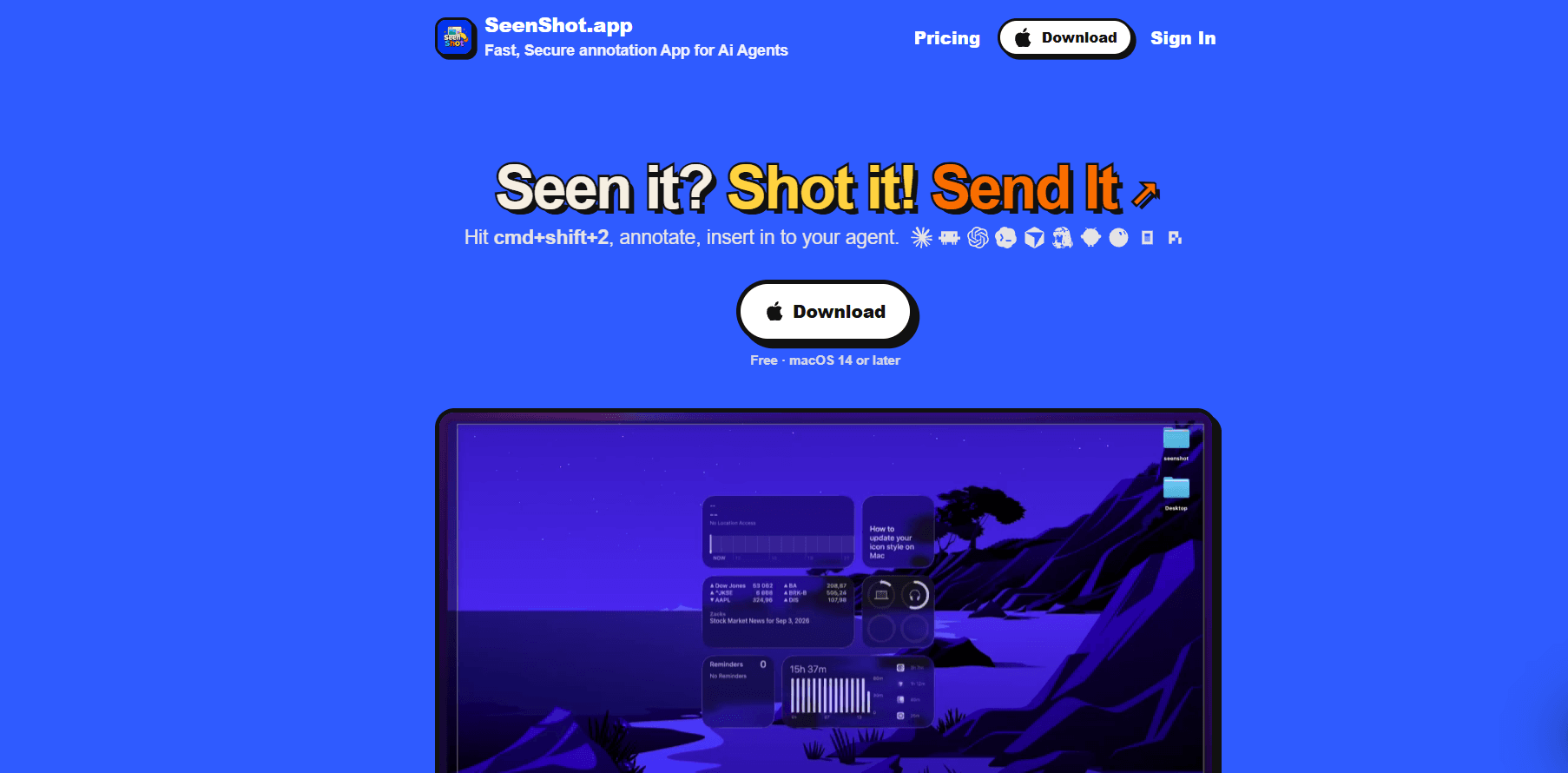
SeenShot.app is a free, lightweight macOS screenshot and annotation tool built specifically for the AI era, helping developers, designers, and creators provide precise visual feedback to AI agents while protecting sensitive data. It combines instant capture (hotkey cmd+shift+2), one-click annotation, and automatic blurring of faces, emails, passwords, and API keys—all processed offline on your Mac. Standout features include highlighting areas for AI attention, adding numbered steps, inserting a webcam selfie, and applying backgrounds for professional presentations. With seamless export to 10+ AI agents and shareable links, SeenShot streamlines workflow and enhances AI output quality. It's ideal for solo founders, UX/UI designers, and AI developers who frequently collaborate with AI assistants and need to safeguard sensitive information. SeenShot runs natively on Apple Silicon and Intel Macs, with Windows support in development.
Drawn from the product itself, not from a survey.
Demographic
Solo founders & indie hackers
Pain points
Wasting time on manual screenshot sharing; risk of leaking API keys or passwords to AI agents.
Primary needs
Quick, secure screenshot annotation and sharing tools that integrate seamlessly with AI workflows.
Demographic
UX/UI designers
Pain points
Providing clear visual feedback to AI or team members; avoiding back-and-forth with text-only descriptions.
Primary needs
Ability to highlight specific UI elements, add step-by-step annotations, and blur sensitive user data.
Demographic
AI developers & data scientists
Pain points
Feeding annotated screenshots to AI models without exposing PII; needing offline tools for privacy.
Primary needs
Offline auto-blur of sensitive data, one-click export to AI agents, and reliable macOS performance.
Written by AI from measured evidence, scored out of 100.
SeenShot is a free macOS screenshot and annotation tool built for the AI era, with offline auto-blur of sensitive data and one-click export to AI agents. The landing page is clean and modern, and the desktop performance is excellent. However, mobile speed lags, security headers are missing, and there's no documentation or onboarding. The product targets a real need and has a clear differentiator, but it's very early and needs to shore up its security and usability to compete with established players like CleanShot X and Shottr.
One-click download and simple pricing are good. But there's no visible onboarding, docs, or help center. The 'Wall of Love' is just feedback comments, not real user reviews. Onboarding to value is unclear.
Clean, modern dark landing page with a bold tagline and clear feature grid. The comparison table is dense but useful. Personal founder note adds character. Not groundbreaking, but polished for an indie tool.
Desktop Lighthouse score is a perfect 100, but mobile is 74 with a 6.6s LCP. CLS and TBT are excellent. The site is lightweight but mobile users will wait for the main content to load.
HTTPS is not enforced and HSTS is missing, which is concerning for a tool handling sensitive screenshots. No CSP or security headers. SPF and DMARC are present. No security page or compliance claims.
Lighthouse accessibility score is 96/100, with only a color contrast issue failing. No a11y statement or WCAG mention, but the site is responsive and likely keyboard-navigable. English-only.
Targets a real, growing need: secure screenshot annotation for AI agents. Offline auto-blur is a strong differentiator against CleanShot X and Shottr. Domain is 0.1 years old, so traction is zero, but the idea has room.
SeenShot's landing page is clean and modern, with a bold tagline and a clear feature grid. The comparison table is dense but useful for positioning against competitors. However, usability is held back by the lack of onboarding, documentation, or a help center. The 'Wall of Love' is just feedback comments, not verified user reviews. The download flow is one click, which is good, but there's no clear path to learn how to use the app beyond the homepage. For a tool aimed at developers and designers, better docs and a demo would go a long way.
Speed is a tale of two platforms: desktop Lighthouse is a perfect 100, but mobile scores 74 with a 6.6-second LCP. The site is lightweight and has zero layout shift, but mobile users will wait for the main content. Security is the weak spot: HTTPS is not enforced, HSTS is missing, and there are no security headers like CSP or frame protection. For a tool that handles sensitive screenshots and promises offline blurring, this is a red flag. SPF and DMARC are present, but there's no security page or compliance claims. This needs immediate attention.
Accessibility scores well at 96/100 on Lighthouse, with only a color contrast issue failing. There's no accessibility statement or WCAG mention, but the site is responsive and likely keyboard-navigable. Growth potential is solid: the product targets a real, growing need for secure screenshot annotation for AI agents. The offline auto-blur of sensitive data is a strong differentiator against established tools like CleanShot X and Shottr. The domain is only 0.1 years old, so traction is zero, but the idea has room to grow if execution improves.
Conclusion
SeenShot has a smart angle: secure, annotated screenshots for AI agents. The offline blur is a genuine differentiator, and the free tier is generous. But the lack of HTTPS enforcement on the site itself is a trust issue, and the absence of docs makes it hard to get started. If the team fixes security headers and adds proper documentation, this could be a strong niche tool. For now, it's a promising but rough early release.
Named competitors, point by point. Nobody paid to appear here or to be left out.
 SeenShot SeenShot |  CleanShot X CleanShot X |  Zight Zight |  Shottr Shottr | |
|---|---|---|---|---|
| Price | Free, $29/year, Lifetime $87 | Basic $35 once, Pro $10/user/mo billed annually | Free, Create $9.95/user/mo billed annually | Free (license on shottr.cc) |
| Auto-blur sensitive data | Yes (faces, emails, passwords, API keys, phones) | No | Yes (some data types) | Yes (faces, phones, emails) |
| One-click export to AI agents | Yes | No | No | No |
| Offline processing | Yes | Yes | No | Yes |
| Platform | macOS (Windows in development) | macOS | macOS, Windows, Web | macOS |
CleanShot X
A premium macOS screenshot and screen recording tool with advanced annotation, scrolling capture, and cloud sharing features.
Zight
A screenshot and screen recording tool with annotation, blurring, and one-click sharing capabilities for teams.
Shottr
A free, lightweight macOS screenshot tool with annotation, blur, and OCR features, focused on speed and simplicity.
Comparing options? See SeenShot alternatives, scored side by side

An all-in-one hospitality software for restaurants and ba...

A weekly newsletter delivering curated tech jobs, intervi...

White-label reputation management software for agencies s...

Privacy-first open source journal app with a continuous t...

Puzzly is an all-in-one B2B lead generation platform that...

All-in-one AI workspace for docs, projects, and knowledge...

A free, open-source platform offering 110 AI agent skills...

Open-source desktop app for switching AI coding providers...

One verified handle for your online identity, readable by...

Frame-perfect video-to-GIF maker that runs entirely in yo...

White-label website audits that close deals for digital a...

Automated quote follow-up for trades and service businesses.
A platform dedicated to providing unbiased reviews of newly launched applications, analyzing everything from their features to their full potential.
info@scoutforge.net© 2026 Scoutforge. All rights reserved.
