Cycling through all six. Tap any point to stop.
Measured on six things
Localize App Store screenshots in every language without ...
Accessibility
55No WCAG statement or dedicated accessibility page. Good contrast on primary CTA, but site lacks multi-language support despite product's focus. Keyboard navigation appears standard.
Screenshots
1 / 1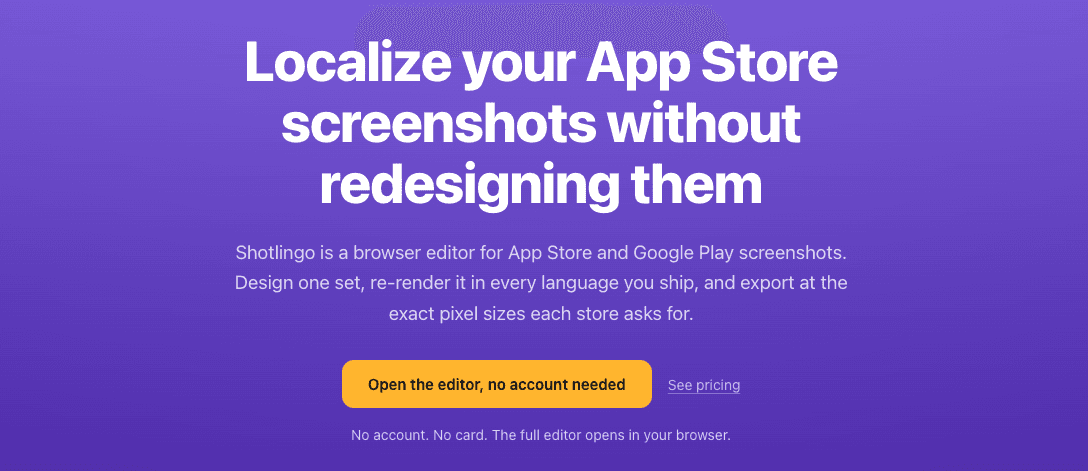
About this app
Shotlingo is a browser-based editor that lets you design one set of App Store and Google Play screenshots and automatically re-render it in every language you ship. It handles text expansion, right-to-left scripts, and exports at exact pixel sizes required by each store. No account needed to start—just open the editor, design, and translate. Paid plans start at $9/month for downloads. Built by a solo developer in Türkiye, it's an honest, no-nonsense tool for indie developers and mobile marketers tired of manual localization.
Key features
- 1Single-design multi-language rendering: design once, export in 15+ languages with automatic text expansion handling
- 2693 device mockup variants across 41 device families, all free, with drag-and-drop screenshot fitting
- 3Translation memory, glossary control, and formality settings (formal/casual) for accurate localization
Target customer profile
Drawn from the product itself, not from a survey.
Demographic
Indie mobile app developers
Pain points
Limited budget and time; need to localize screenshots for multiple languages without hiring a designer.
Primary needs
Affordable, quick screenshot localization that doesn't require redesign per language.
Demographic
Mobile app marketing agencies
Pain points
Managing multiple client apps with dozens of locales; manual screenshot resizing and re-typesetting is error-prone and slow.
Primary needs
Batch export, consistent branding across languages, and easy integration with App Store Connect.
Demographic
ASO specialists and growth hackers
Pain points
Screenshots directly impact conversion rates; need to test different copy across markets without developer involvement.
Primary needs
Translation memory, glossary control, and pixel-perfect export at store-required sizes.
Demographic
Small development studios
Pain points
Team of 2-5; no dedicated localization resources; want to ship in 5+ languages but find Figma workflows too complex.
Primary needs
Simple UI, template reuse, and ability to handle multi-device size presets.
Scout Review
Written by AI from measured evidence, scored out of 100.
Shotlingo is a promising tool for a real pain point: localizing app store screenshots without redesigning them. The core value prop is clear and the pricing is fair, with a generous free tier. The landing page, however, undersells the product by showing no visual proof. Security is solid for a small SaaS, but accessibility is an afterthought. The growth potential is real, but it hinges on execution and building trust beyond a solo dev's Twitter. It's a tool I'd try, but not one I'd bet the farm on yet.
Measure by measure
Usability
72Strong onboarding promise: no account, no card, editor opens instantly. Clear 3-step how-it-works and transparent pricing. Front-loaded value prop reduces learning curve.
Design
58Functional but generic. Clear CTA and hierarchy, yet the hero lacks any visual proof of the product—a miss for a visual tool. Solid gradient feels templated.
Speed
62No performance issues observed. Site appears lightweight with minimal scripts. No user complaints about lag found. Editor performance unverified.
Security
72Solid baseline: HTTPS, CSP, frame protection, and DMARC all present (10/12 checklist). No HSTS or compliance certifications, but no red flags either. Standard for a small SaaS.
Accessibility
55No WCAG statement or dedicated accessibility page. Good contrast on primary CTA, but site lacks multi-language support despite product's focus. Keyboard navigation appears standard.
Growth
68Real problem, clear wedge: single-design multi-language rendering beats manual Figma work. Niche audience (indie devs, ASO) is underserved. Room to grow as app globalization increases.
Improvement areas
- Hero section lacks visual proof of the product; add a demo video or example outputs
- No accessibility statement or multi-language support for the site itself
- Security compliance (HSTS, SOC 2, GDPR) is absent; add for enterprise trust
Design & Usability
Shotlingo's landing page is a study in functional minimalism that borders on bland. The purple gradient hero with a yellow CTA is clear but forgettable—for a tool that sells visual output, the absence of any product screenshot is a glaring miss. Usability, however, is where it shines: the 'no account, no card' promise is front and center, and the 3-step explainer demystifies the workflow. Pricing is transparent, with a free tier that includes all device mockups, which is a smart hook. The editor itself is the real test, but the site does a decent job of lowering the barrier to entry.
Speed & Security
Performance-wise, the marketing site is lightweight and loads without fuss—no heavy scripts or obvious bloat. The editor's speed is unverified, which is a gap. Security is a mixed bag: a solid 10/12 on header checks (HTTPS, CSP, frame protection) shows competence, but the lack of HSTS and any compliance certifications (SOC 2, GDPR) leaves questions for enterprise-minded users. For a solo dev tool, it's above average, but not a fortress. The absence of a detailed privacy policy or data handling page is a minor concern for a tool that processes client assets.
Accessibility & Growth
Accessibility is the weakest link—no WCAG statement, no multi-language site despite the product's core promise, and only standard keyboard navigation. It's not broken, but it's not a priority. Growth potential, however, is the bright spot. The problem is real: manual screenshot localization is a time-sink, and Shotlingo's single-design-multi-language approach is a genuine differentiator against Figma's manual workflow. The niche (indie devs, ASO specialists) is underserved, and the category has headroom as app markets globalize. The wedge is specific, but the execution and traction are early-stage.
Conclusion
Shotlingo is a classic 'good idea, early execution' story. The math is compelling—300 files per release is a nightmare it solves elegantly. If the editor delivers on its promise of pixel-perfect, multi-language exports without the Figma learning curve, it could carve out a loyal niche. But it needs to show, not tell: put a demo video on the hero, add an accessibility statement, and get some third-party reviews. For now, it's a solid tool with a bright future if it can prove its worth beyond the landing page.
Suggestions for improvement
- Add a product screenshot or demo video to the hero section to showcase the editor's output
- Publish a detailed privacy policy and data handling page to build trust with agency users
- Implement HSTS and consider a SOC 2 or GDPR compliance page for enterprise credibility
- Add multi-language support for the site itself, given the product's localization focus
Alternatives comparison
Named competitors, point by point. Nobody paid to appear here or to be left out.
 Shotlingo Shotlingo |  Figma Figma |  Lokalise Lokalise |  Smartmockups Smartmockups | Screenshot Studio | |
|---|---|---|---|---|---|
| Multi-language screenshot rendering | Native: design once, auto re-render in 15+ languages with text expansion handling | Manual: requires per-language adjustments and plugins; no built-in translation | Not designed for screenshot rendering; focuses on translation management | Limited localization; more focused on device frames than text rendering | Templates exist but lacks built-in translation; manual per-language work |
| Learning curve | Low: no account needed, 3-step workflow, browser-based | High: full design tool with steep learning curve for non-designers | Medium: TMS platform, requires integration setup | Low: simple mockup generator, but limited features | Medium: desktop app, template-based but manual localization |
| Pricing for indie developers | $9/mo for Pro with unlimited translations; free tier available | Free tier available, but Pro at $12/editor/month; plugins extra | Starts at $120/mo, enterprise-focused; overkill for solo devs | Free tier, Pro at $9/mo, but lacks localization features | One-time purchase, but no translation; manual work remains |
| Translation memory and glossary | Built-in: glossary pins terms, translation memory syncs across devices | Not available natively; relies on third-party plugins | Core feature: robust TMS with glossary and memory, but no canvas | Not available; purely visual mockups | Not available; manual text editing only |
Figma
Full design tool with plugins for localization, but requires manual per-language adjustments and higher learning curve.
Lokalise
Translation management platform; can integrate with Figma but not designed for screenshot rendering.
Smartmockups
Screen mockup generator with limited localization features, more focused on device frames.
Screenshot Studio
Desktop app for creating app store screenshots; supports templates but lacks built-in translation.
Comparing options? See Shotlingo alternatives, scored side by side
More Productivity apps
View all Productivity
Notion
92All-in-one AI workspace for docs, projects, and knowledge...

Qamarero
92An all-in-one hospitality software for restaurants and ba...

EmbedMyReviews
92White-label reputation management software for agencies s...

StoryPad
92Privacy-first open source journal app with a continuous t...

Puzzly – B2B Lead Generation & Sales Intelligence Platform
92Puzzly is an all-in-one B2B lead generation platform that...

The Stack Newsletter
92A weekly newsletter delivering curated tech jobs, intervi...

Vibe Coding Agent Skills
92A free, open-source platform offering 110 AI agent skills...

QRBliss
91Branded QR codes with AI Brand Sync, 15 free dynamic code...

Gerty
91Private, local AI assistant for Mac that runs offline

CC Switch
91Open-source desktop app for switching AI coding providers...

username.md
90One verified handle for your online identity, readable by...

PitchWhip
90AI cold call scripts & direct dials from LinkedIn


A platform dedicated to providing unbiased reviews of newly launched applications, analyzing everything from their features to their full potential.
info@scoutforge.net© 2026 Scoutforge. All rights reserved.
