Cycling through all six. Tap any point to stop.
Measured on six things
Skool Video Downloader lets you quickly download videos from Skool classroom pages for offline viewing. It detects videos from Skool, Loom, Vimeo, YouTube, and Wistia, then saves them as MP4 with a simple, user-friendly experience.
Accessibility
42Broad desktop browser/OS support but zero a11y claims, WCAG mentions, or multi-lang. No mobile.
Screenshots
1 / 1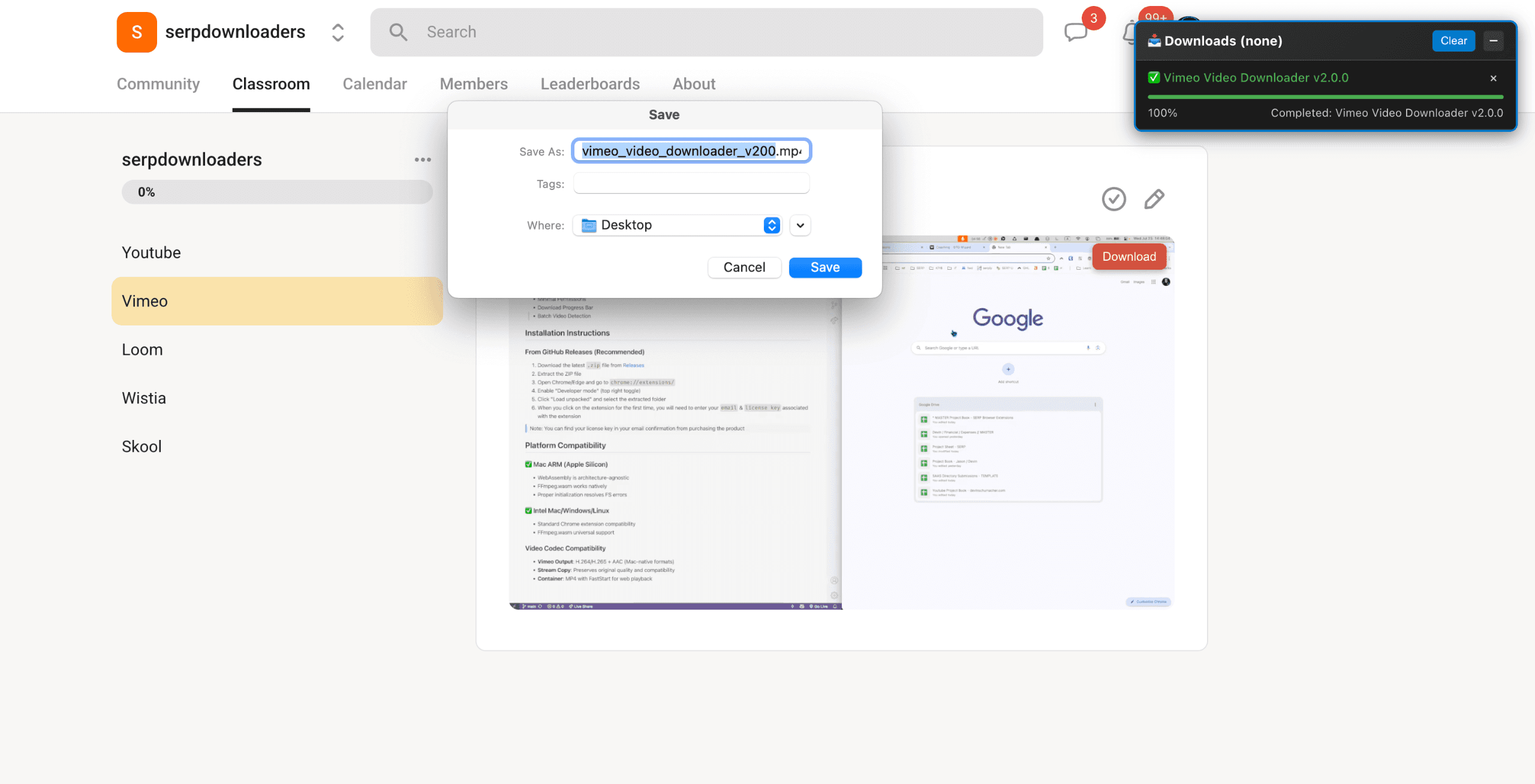
About this app
Skool Video Downloader is a convenient browser extension designed to help users save videos from Skool classroom pages for offline access. The extension automatically detects videos embedded through Skool’s native player as well as popular platforms such as Loom, Vimeo, YouTube, and Wistia, making it easy to access your learning content whenever you need it. With a simple and intuitive interface, there’s no complicated setup or technical knowledge required. Once a supported video is detected, you can download it in MP4 format and watch it later without relying on an internet connection. Whether you're a student, course participant, or online learner, Skool Video Downloader helps you keep important educational content accessible on your device. Fast, lightweight, and easy to use, it provides a seamless way to save videos for personal offline viewing and learning on the go.
Key features
- 1Auto-detects Skool native (Mux), Loom, Vimeo, YouTube, Wistia players
- 2Local browser-based HLS to MP4 conversion with up to 3 concurrent downloads
- 33 free trial downloads via email OTP; works with private member content
Target customer profile
Drawn from the product itself, not from a survey.
Demographic
Online course creators using Skool
Pain points
Need to archive their own course videos before closing cohorts
Primary needs
Reliable download of their own content for backup
Demographic
Students in Skool communities
Pain points
Membership expires and loses access to lesson replays
Primary needs
Offline access to study materials
Demographic
Professionals with limited internet connectivity
Pain points
Cannot stream videos during travel or low-bandwidth situations
Primary needs
Ability to download videos for offline viewing
Scout Review
Written by AI from measured evidence, scored out of 100.
Skool Video Downloader is a purpose-built, privacy-focused extension that solves a real pain point for Skool community members needing offline backups. It stands out from generic downloaders with native Skool player support and local processing. Strengths in usability and targeted features are balanced by typical indie limitations in accessibility documentation and broad market presence. It's a practical tool for its audience rather than a category leader.
Measure by measure
Usability
67Simple 4-step flow, free trial with OTP, solid FAQ. Works seamlessly with Skool login for private content.
Design
71Clean, modern extension UI with polished screenshots and demo videos. Consistent branding and clear visuals on landing page.
Speed
64Fully local browser processing with concurrent queue and progress tracking. No server roundtrips.
Security
59Local-only processing, transparent permissions, OTP auth, no tracking. Respects existing sessions.
Accessibility
42Broad desktop browser/OS support but zero a11y claims, WCAG mentions, or multi-lang. No mobile.
Growth
52380 GitHub stars, 4,200+ users, active releases, some YouTube/Reddit buzz. Niche but steady indie traction.
Improvement areas
- Lack of formal accessibility standards or mobile support
- Limited mainstream review presence and community size
- No published performance benchmarks or third-party security audits
Design & Usability
Skool Video Downloader delivers a polished, intuitive browser extension experience tailored specifically for Skool users. The landing page showcases crisp screenshots and demo videos that highlight the clean popup interface with quality options and progress indicators. Onboarding is straightforward with four explicit steps, email-based OTP trial (3 free downloads), and seamless integration with existing Skool logins for private cohorts. Users appreciate the no-fuss workflow for archiving lessons before access expires. While the UI feels modern and consistent across supported browsers, it remains functional rather than flashy, prioritizing clarity over innovation.
Speed & Security
Performance shines through fully local, client-side processing that converts HLS streams to MP4 without external servers, supporting up to three concurrent downloads with real-time speed and progress tracking. This keeps everything private and responsive. Security is handled responsibly with detailed permission explanations, OTP sign-in, no data tracking, and respect for session cookies—ideal for member-only content. However, the lack of formal audits or compliance certifications keeps it at a competent but unremarkable level for a small indie tool. Overall, it excels in privacy-by-design for its use case.
Accessibility & Growth
Accessibility is a clear weak point: broad desktop browser and OS support exists, but there's zero mention of WCAG standards, keyboard navigation details, alt text, or multi-language options, and mobile/Safari are unsupported. Growth shows solid niche momentum with 380 GitHub stars, claimed 4,200+ users, active releases, and tutorial coverage on YouTube/Reddit, yet it lacks widespread reviews on major platforms or a large community. The product is young and focused, achieving steady traction among Skool users without breaking into mainstream SaaS metrics.
Conclusion
For students, creators, or professionals relying on Skool content with expiring access or poor connectivity, this extension offers reliable, simple value. Just verify it fits your browser and test the free trial before committing.
Suggestions for improvement
- Add explicit WCAG compliance notes and test keyboard/screen reader support.
- Publish more user metrics and case studies to boost credibility.
- Expand to Safari and mobile web where technically feasible.
- Offer bulk download options or folder organization features.
Alternatives comparison
Named competitors, point by point. Nobody paid to appear here or to be left out.
 Skool Video Downloader | 4K Video Downloader |  YTD Video Downloader | |
|---|---|---|---|
| Skool-specific video detection (native player + embeds) | Yes - auto-detects Skool Mux, Loom, Vimeo, YouTube, Wistia | No - general sites only, no Skool optimization | No - YouTube/other focus, not Skool-specific |
| Local processing & privacy (no external servers) | Yes - 100% browser-local HLS to MP4 | Desktop app, some server components possible | Desktop app with potential external dependencies |
| Free trial / pricing model | 3 free downloads, then paid license | Free version with limits, paid upgrades | Free trial or paid versions available |
4K Video Downloader
General video downloader supporting many sites, but lacks Skool-specific detection.
YTD Video Downloader
Downloads from YouTube and other platforms, but not optimized for Skool's embedded players.
Comparing options? See Skool Video Downloader alternatives, scored side by side
Sources
What the review was written against. A verdict with no sources is an opinion.
More Productivity apps
View all Productivity
Puzzly – B2B Lead Generation & Sales Intelligence Platform
92Puzzly is an all-in-one B2B lead generation platform that...

Qamarero
92An all-in-one hospitality software for restaurants and ba...

EmbedMyReviews
92White-label reputation management software for agencies s...

StoryPad
92Privacy-first open source journal app with a continuous t...

Notion
92All-in-one AI workspace for docs, projects, and knowledge...

The Stack Newsletter
92A weekly newsletter delivering curated tech jobs, intervi...

Vibe Coding Agent Skills
92A free, open-source platform offering 110 AI agent skills...

QRBliss
91Branded QR codes with AI Brand Sync, 15 free dynamic code...

Gerty
91Private, local AI assistant for Mac that runs offline

Strukchad Property Management
91Property management for Kenyan letting agents: rent invoices raised every month, M-Pesa rent prompts to tenants, arrears tracking and landlord statements.

CC Switch
91Open-source desktop app for switching AI coding providers...

PitchWhip
90AI cold call scripts & direct dials from LinkedIn


A platform dedicated to providing unbiased reviews of newly launched applications, analyzing everything from their features to their full potential.
info@scoutforge.net© 2026 Scoutforge. All rights reserved.
