Cycling through all six. Tap any point to stop.
Measured on six things
Professional Email Backup for Cloud-Based Accounts
Design
58Clean, consistent marketing page with a strong hero and tidy section rhythm, but unreadable interface thumbnails and one generic icon across the whole catalog undercut the proof.
Screenshots
1 / 8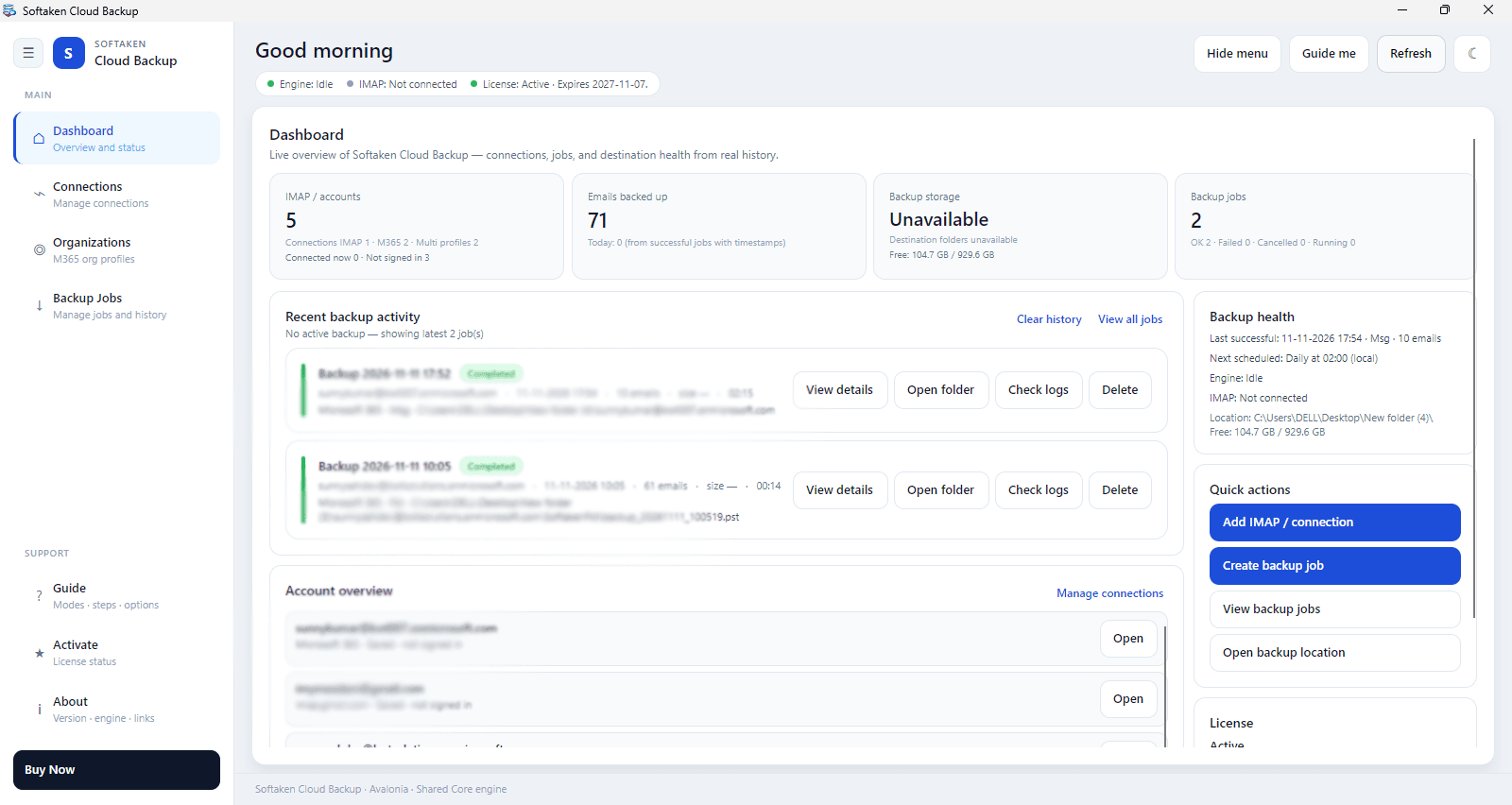
About this app
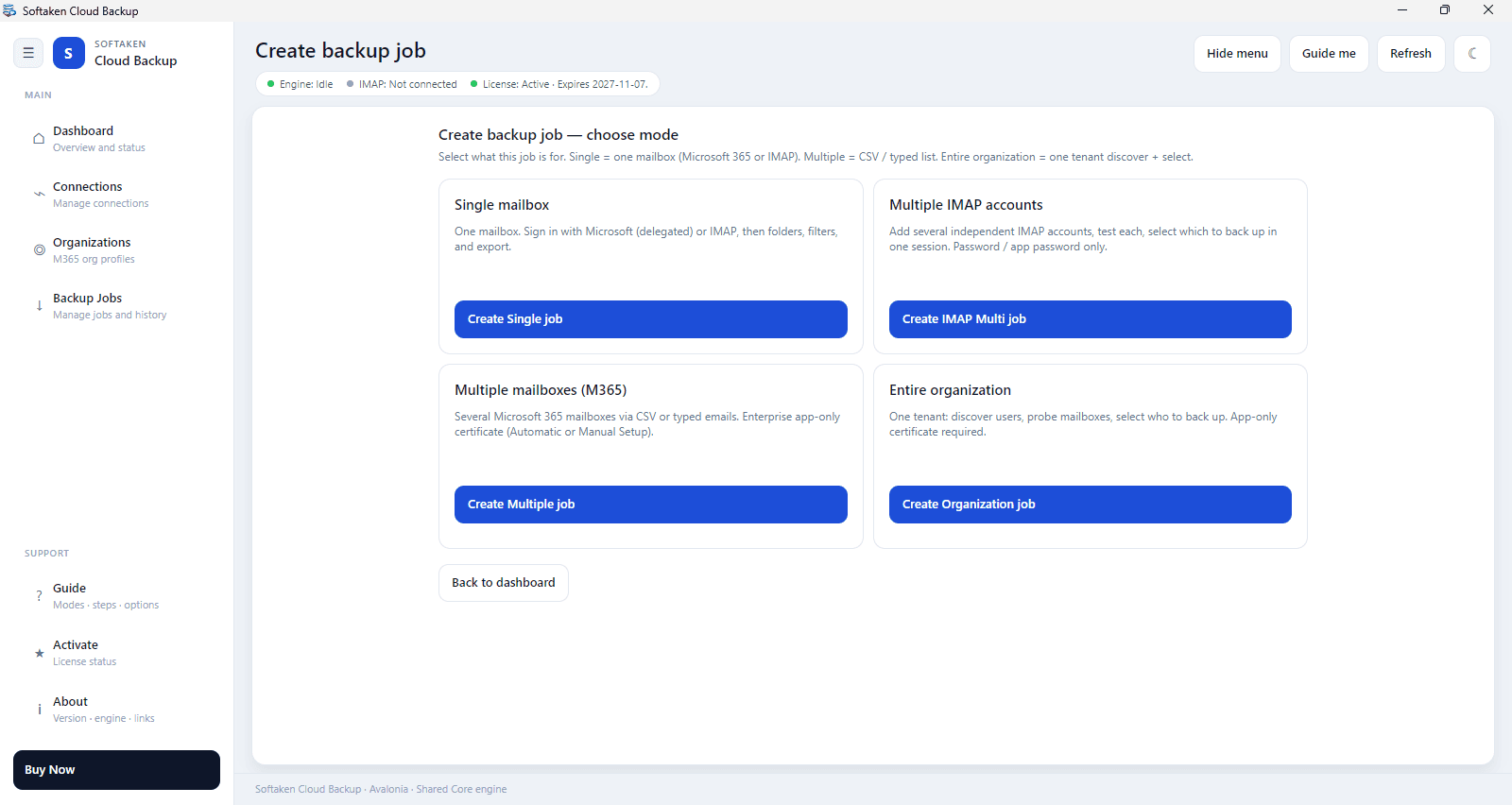
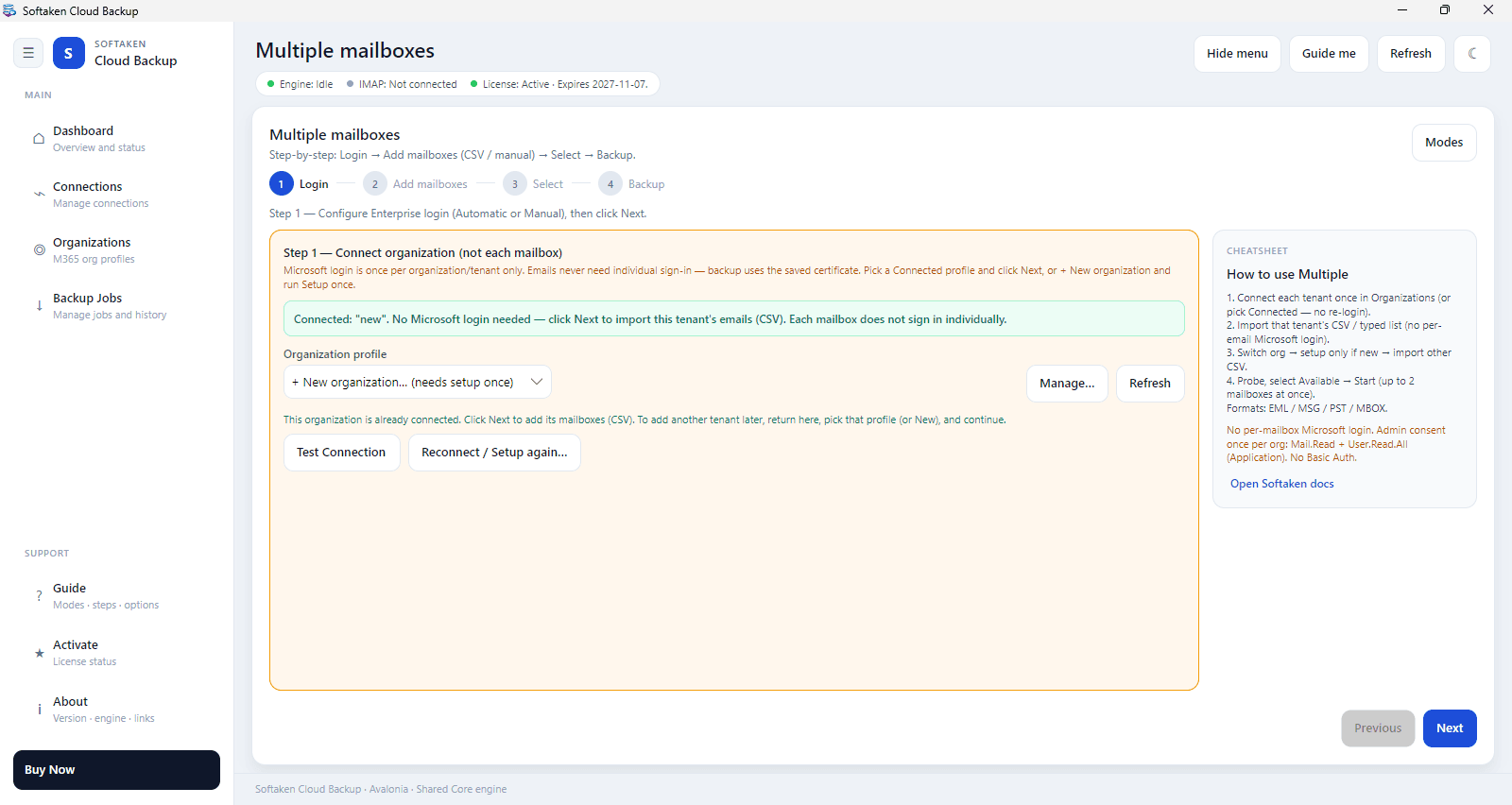
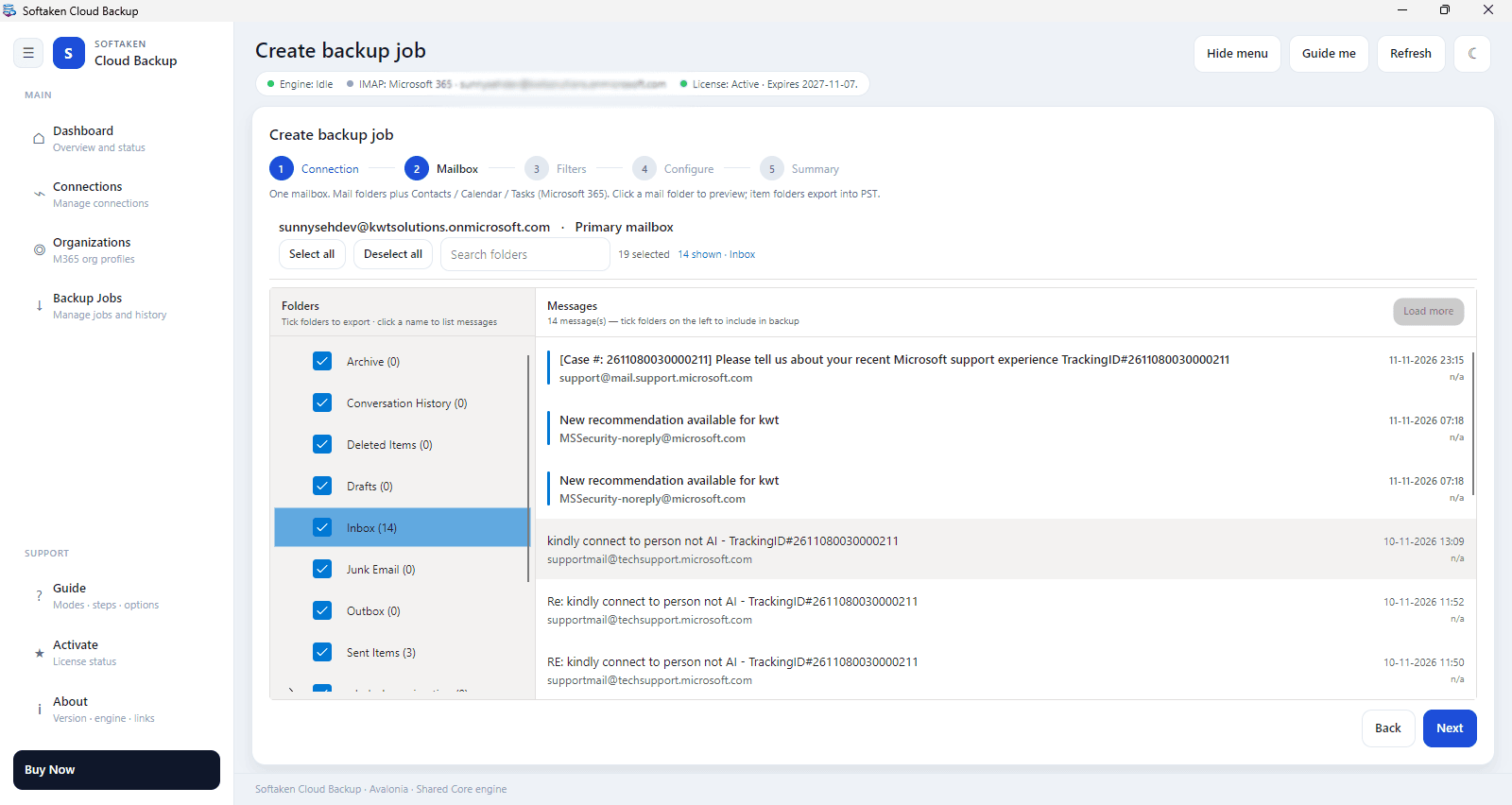
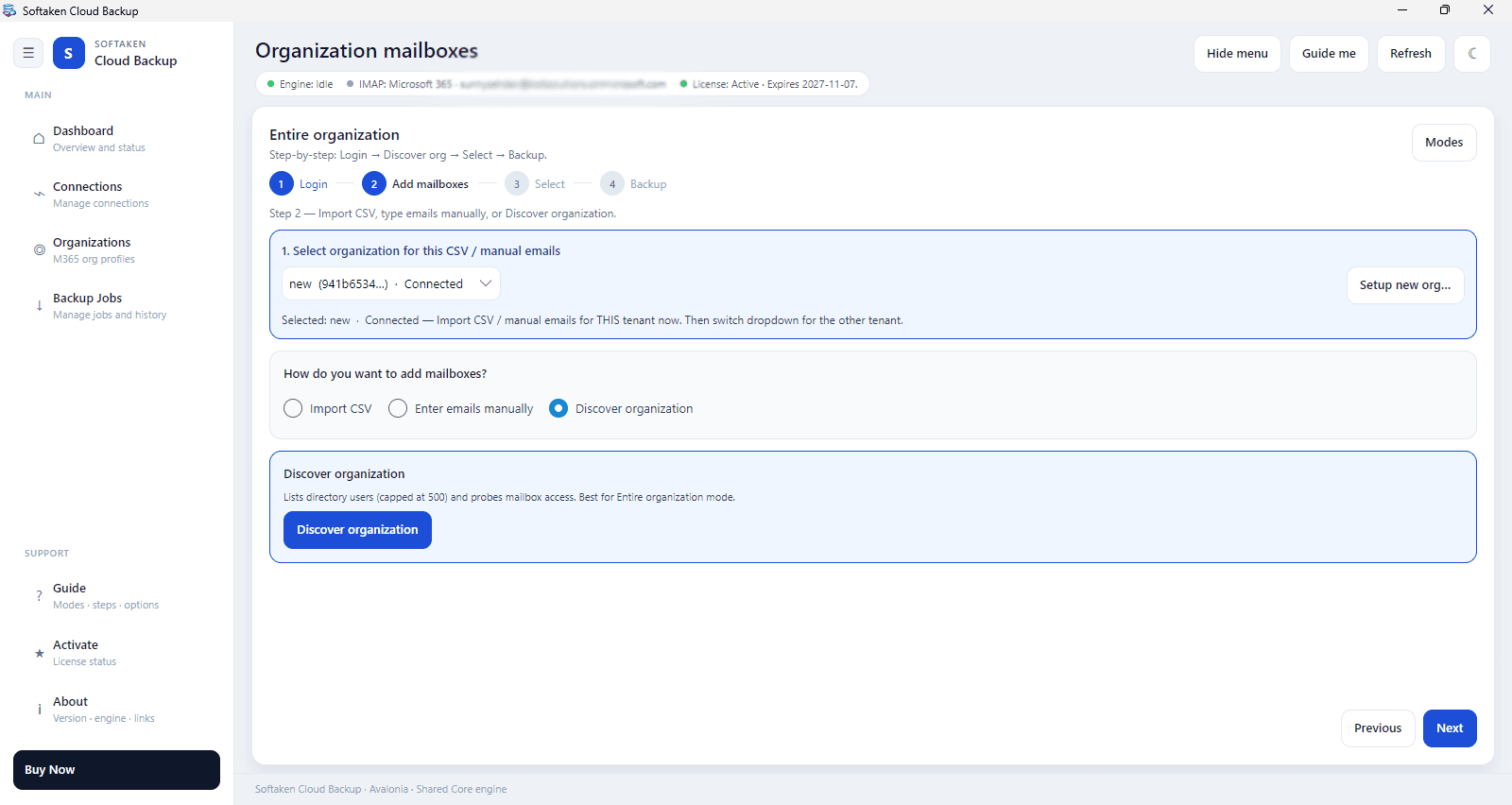
Softaken Cloud Backup is a reliable utility that backs up emails from many email servers like Gmail, Microsoft 365, Yahoo Mail, Outlook.com, Zoho, AOL, iCloud and other IMAP-based accounts. It supports Microsoft 365 backup for both individual and tenant-wide needs, enables selective folder backup and facilitates the processing of multiple accounts. The tool enables users to export emails in various formats like PST, MBOX, EML, MSG, PDF, HTML, and MHTML with attachments and folder structure. Compatible with Windows 11 and 10. The free trial allows to export up to 10 messages per folder while the licensed provides full backup features.
Key features
- 1Backup from Gmail, Microsoft 365, Yahoo, Zoho, AOL, iCloud and any IMAP account via OAuth 2.0 with no stored passwords.
- 2Export to PST, MBOX, EML, MSG, PDF, HTML, MHTML or EMLX with attachments and original folder hierarchy preserved.
- 3Selective folder backup, date-range and keyword filters, plus organization-wide Microsoft 365 export via CSV.
Target customer profile
Drawn from the product itself, not from a survey.
Demographic
IT administrators in mid-to-large enterprises managing Microsoft 365 tenants
Pain points
Manual backup of multiple mailboxes is time-consuming and error-prone; native tools lack granular control and format flexibility.
Primary needs
Scalable, automated tenant-wide backup with OAuth security and support for multiple export formats.
Demographic
Small business owners and freelancers using Gmail, Yahoo, or Zoho for client communication
Pain points
Risk of data loss from accidental deletion or account lockout; need for local copies for legal or tax purposes.
Primary needs
Affordable, easy-to-use backup tool that exports emails with attachments and preserves folder structure.
Demographic
Compliance officers and legal teams in regulated industries (e.g., finance, healthcare)
Pain points
Stringent data retention regulations require immutable, off-cloud archives with precise filtering capabilities.
Primary needs
Reliable, secure backup with date-range and keyword filters, plus audit-ready formats like PST or PDF.
Scout Review
Written by AI from measured evidence, scored out of 100.
Softaken Cloud Backup is a Windows desktop utility that exports email from Gmail, Microsoft 365, Yahoo, Zoho, AOL, iCloud and generic IMAP accounts into PST, MBOX, EML, MSG, PDF, HTML, MHTML or EMLX, preserving attachments and folder hierarchy. The marketing site is fast (Lighthouse mobile 100/100) and technically well-secured (12/12 on headers, HSTS, CSP, SPF, DMARC), and the product leans on OAuth 2.0 with no stored passwords. The trial caps at roughly 10 messages per folder, which is enough to see the UI and not much else. Design is clean but leans on unreadable screenshots and a single generic catalog icon; usability is clear on the path but dense in the app; accessibility is strong on automated checks with contrast and labeling gaps left in. The idea is legitimate and specifically targeted, but it competes in a crowded export-utility market without a published audit or a moat.
Measure by measure
Usability
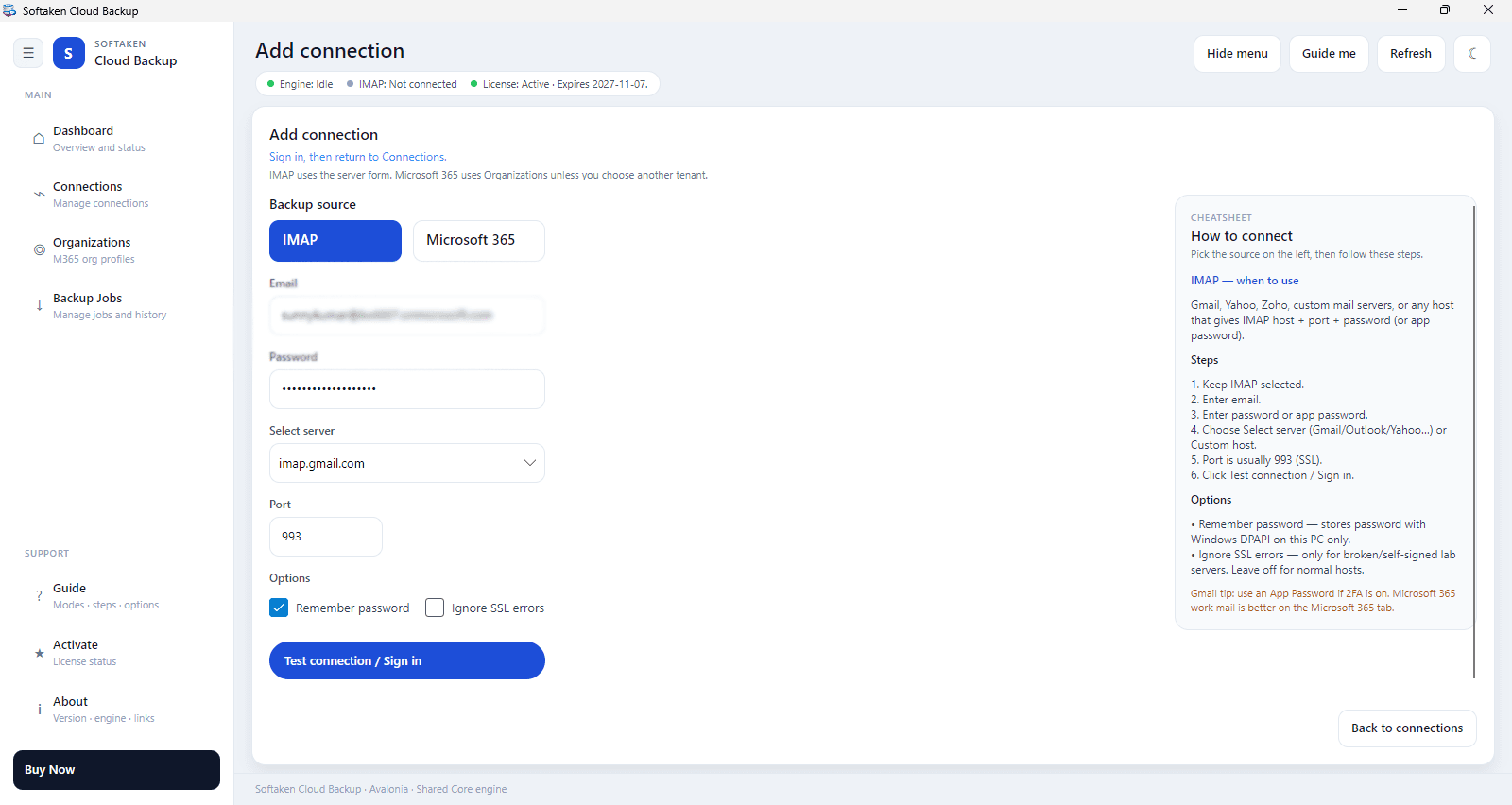
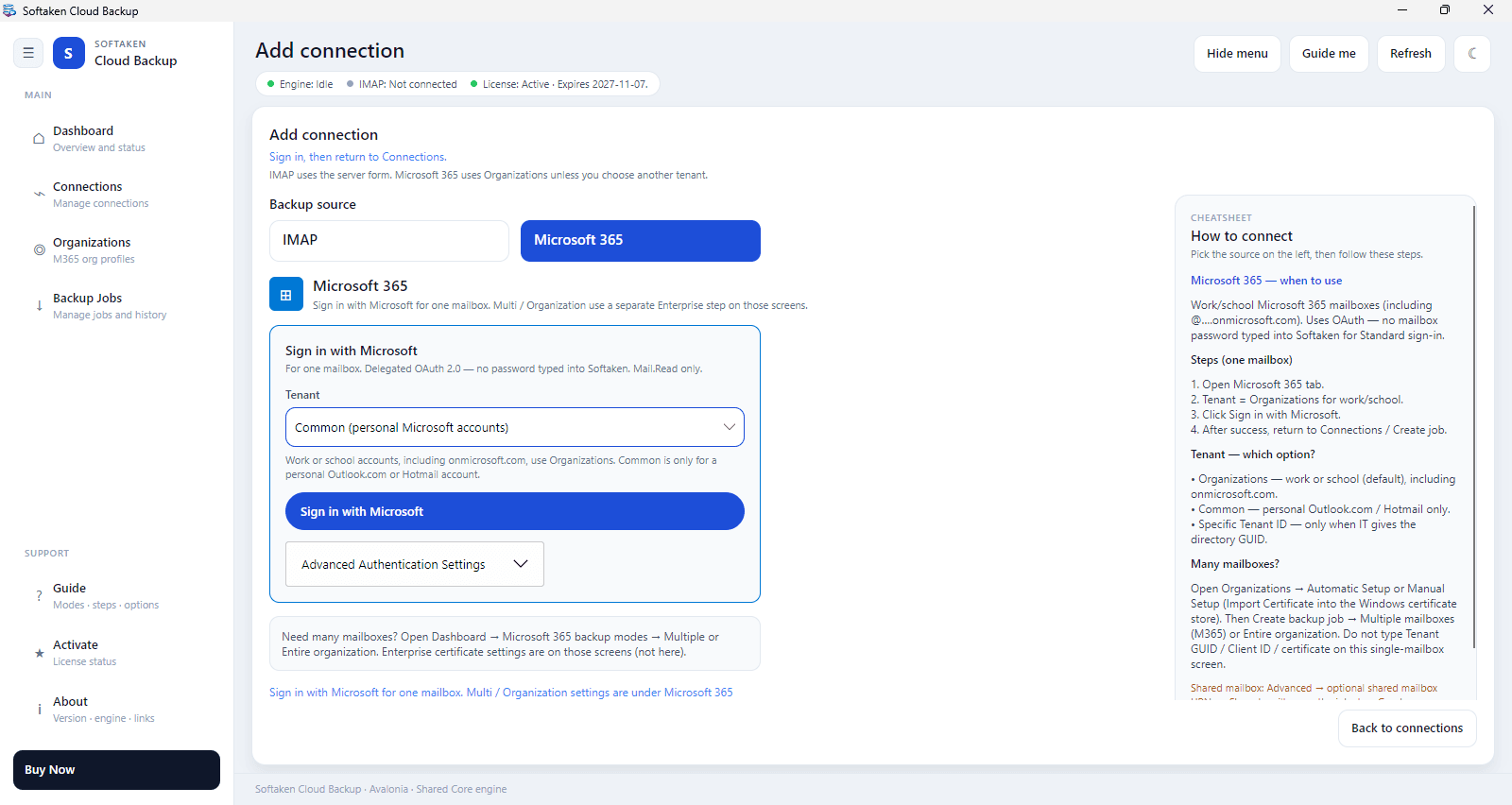
63Three-tier CTA with a free demo, a 4-step quick start and a 'How to connect' panel make the path clear; dense low-contrast form text drags it back.
Design
58Clean, consistent marketing page with a strong hero and tidy section rhythm, but unreadable interface thumbnails and one generic icon across the whole catalog undercut the proof.
Speed
88Lighthouse mobile 100/100 (LCP 1.1s, TBT 0ms, CLS 0.052) and desktop 97/100 — the marketing site is genuinely fast and lean.
Security
76Full header set, HSTS, CSP, SPF and DMARC, 12/12 on the probe, plus OAuth 2.0 with no stored passwords — but no published audit or security page.
Accessibility
80Lighthouse a11y 96/100 with only contrast, label-matching and table-caption failures — solid automated coverage, no WCAG statement, English only.
Growth
62Real, specific problem with named segments (MSPs, M365 admins, compliance) and a genuine format/filter wedge — but it's a crowded utility category with thin moat.
Improvement areas
- No published SOC 2, ISO 27001 or pen-test information despite targeting mid-to-large enterprise IT admins.
- Interface preview thumbnails are unreadable and the provider catalog uses one generic icon for all eight cards.
- Lighthouse-flagged contrast and accessible-name failures left unfixed; no WCAG statement, English-only site.
- Trial caps at ~10 messages per folder, which is too thin to evaluate performance on a real enterprise mailbox.
Design & Usability
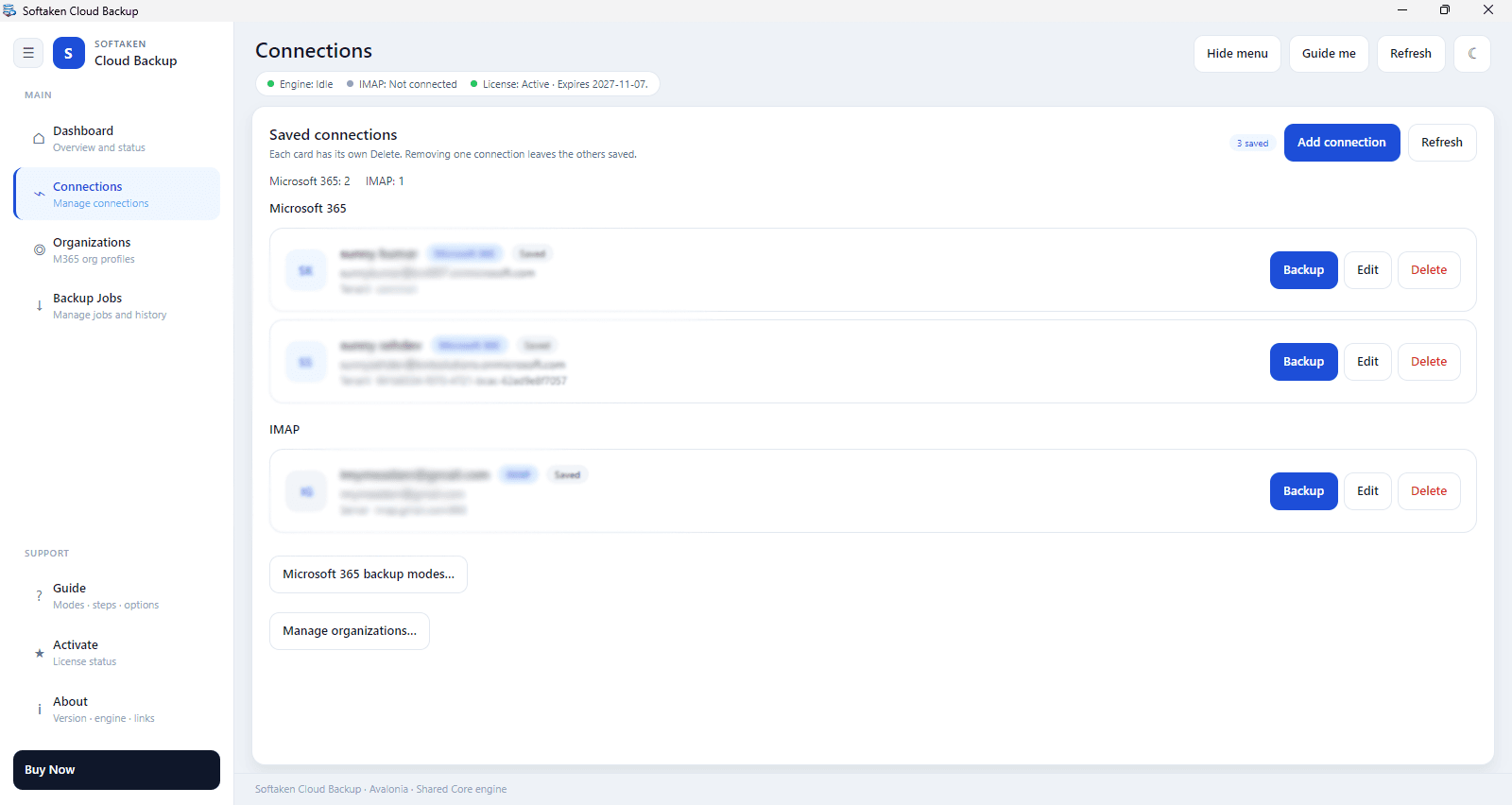
The marketing site is competently built: a dark navy hero with a 3D product box, a two-tone headline, and a consistent eyebrow-heading-subhead rhythm down the page. The three-CTA hierarchy (Buy Now, Download Free Demo, View Features) is clear and the 4-step quick start plus the Add-connection 'How to connect' panel do real work lowering setup friction. What holds it back is proof: the interface preview thumbnails are too small to read, so the page's main evidence of product quality is invisible, and the Software Catalog renders eight providers with one generic blue icon, making Gmail, Outlook and Yahoo visually interchangeable. Dense, low-contrast grey type in the dashboard and connection form hurts scanning of status details.
Speed & Security
Speed is the standout: Lighthouse mobile 100/100 with LCP 1.1s, TBT 0ms and CLS 0.052, desktop 97/100 — a lean, fast marketing site with no lag complaints in the collected evidence. Security is strong on the technical layer: HTTPS enforced with HSTS, CSP, frame protection, X-Content-Type-Options, Referrer-Policy and Permissions-Policy all present, SPF and DMARC configured, 12/12 on the header probe. The product claims OAuth 2.0 Modern Authentication with no stored passwords and a read-only export process. What's missing is the paperwork enterprises actually ask for: no SOC 2, ISO 27001, pen-test summary or bug-bounty page surfaced in the collected evidence, which matters given the stated target of mid-to-large IT admins.
Accessibility & Growth
Accessibility scores 96/100 on Lighthouse with three real failures: insufficient color contrast, visible text labels without matching accessible names, and table captions done via colspan. There is no WCAG statement and the site is English-only, and the product itself is Windows 11/10 desktop software with no mobile or cross-platform coverage. Growth is a judgement on the idea: the problem is real and the segments are unusually specific — M365 tenant admins, MSPs running multi-client IMAP jobs, compliance teams needing off-cloud retention, and offboarding exports via CSV. The wedge is format breadth (PST, MBOX, EML, MSG, PDF, HTML, MHTML, EMLX), folder-hierarchy preservation and selective folder filtering. But email backup/export is a crowded, low-differentiation utility category where the incumbents already do this, so the ceiling is real but not high.
Conclusion
If you're an IT admin who needs a portable PST or PDF archive of a departing employee's Microsoft 365 mailbox, or an MSP running multi-client IMAP jobs from one workstation, this does the job and the site tells you exactly how in four steps. Buy it for the format breadth and folder fidelity, not for enterprise compliance paperwork — there's no SOC 2 or ISO page to hand your auditor. Test the 10-message-per-folder trial on a real mailbox before you commit, and check whether the org-wide M365 CSV export fits your tenant size. It's a competent, fast, well-secured utility in a category where competence is table stakes.
Suggestions for improvement
- Publish a security page with SOC 2 / ISO 27001 status or a pen-test summary — enterprise IT buyers will ask for it before they ask about formats.
- Replace the unreadable interface thumbnails with a real, zoomable screenshot or a 30-second screen recording of an actual M365 export.
- Give each provider in the Software Catalog a distinct icon; eight identical blue squares make the lineup look like one product with eight names.
- Fix the flagged contrast and accessible-name failures, and add a WCAG conformance statement to the site.
Alternatives comparison
Named competitors, point by point. Nobody paid to appear here or to be left out.
 Softaken Cloud Backup | ||
|---|---|---|
| Supported export formats | PST, MBOX, EML, MSG, PDF, HTML, MHTML, EMLX | Not specified in provided details |
| Supported email sources | Gmail, Microsoft 365, Yahoo, Outlook.com, Zoho, AOL, iCloud, any IMAP | Not specified in provided details |
| Authentication method | OAuth 2.0 / Modern Authentication, no stored passwords | Not specified in provided details |
| Free trial limits | ~10 messages per folder | Not specified in provided details |
| Platform support | Windows 11 / 10 desktop | Not specified in provided details |
Comparing options? See Softaken Cloud Backup alternatives, scored side by side
More Productivity apps
View all Productivity
Puzzly – B2B Lead Generation & Sales Intelligence Platform
92Puzzly is an all-in-one B2B lead generation platform that...

Qamarero
92An all-in-one hospitality software for restaurants and ba...

EmbedMyReviews
92White-label reputation management software for agencies s...

StoryPad
92Privacy-first open source journal app with a continuous t...

Notion
92All-in-one AI workspace for docs, projects, and knowledge...

The Stack Newsletter
92A weekly newsletter delivering curated tech jobs, intervi...

Vibe Coding Agent Skills
92A free, open-source platform offering 110 AI agent skills...

QRBliss
91Branded QR codes with AI Brand Sync, 15 free dynamic code...

Gerty
91Private, local AI assistant for Mac that runs offline

Strukchad Property Management
91Property management for Kenyan letting agents: rent invoices raised every month, M-Pesa rent prompts to tenants, arrears tracking and landlord statements.

CC Switch
91Open-source desktop app for switching AI coding providers...

PitchWhip
90AI cold call scripts & direct dials from LinkedIn


A platform dedicated to providing unbiased reviews of newly launched applications, analyzing everything from their features to their full potential.
info@scoutforge.net© 2026 Scoutforge. All rights reserved.
