Cycling through all six. Tap any point to stop.
Measured on six things
Convert MBOX files to PST for Outlook with ease and speed.
Design
46Dated Windows-era UI with teal/dark-blue palette, cramped hero, uneven feature cards, and legacy dialog styling. Functional but visually behind modern utility peers.
Screenshots
1 / 3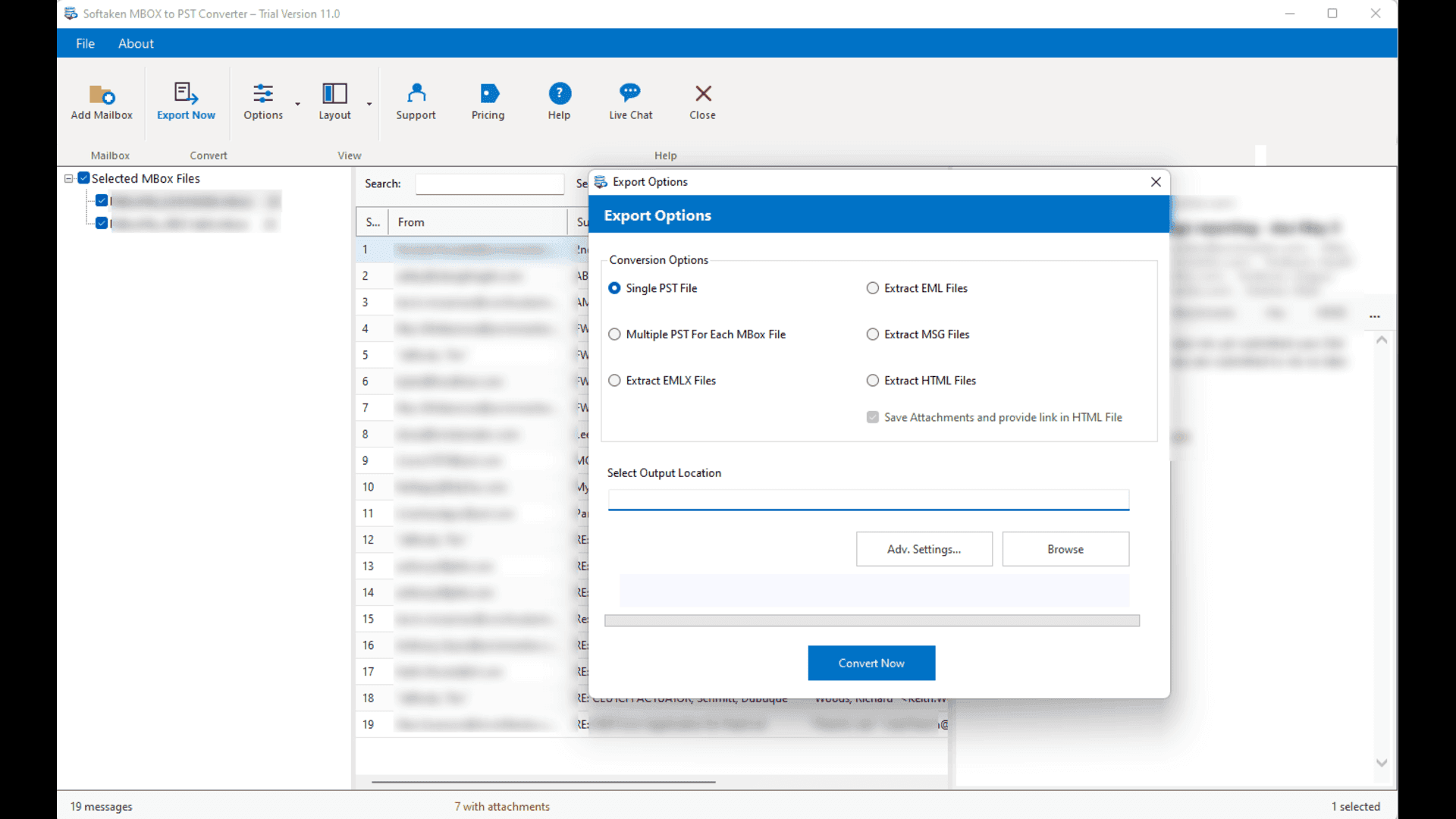
About this app
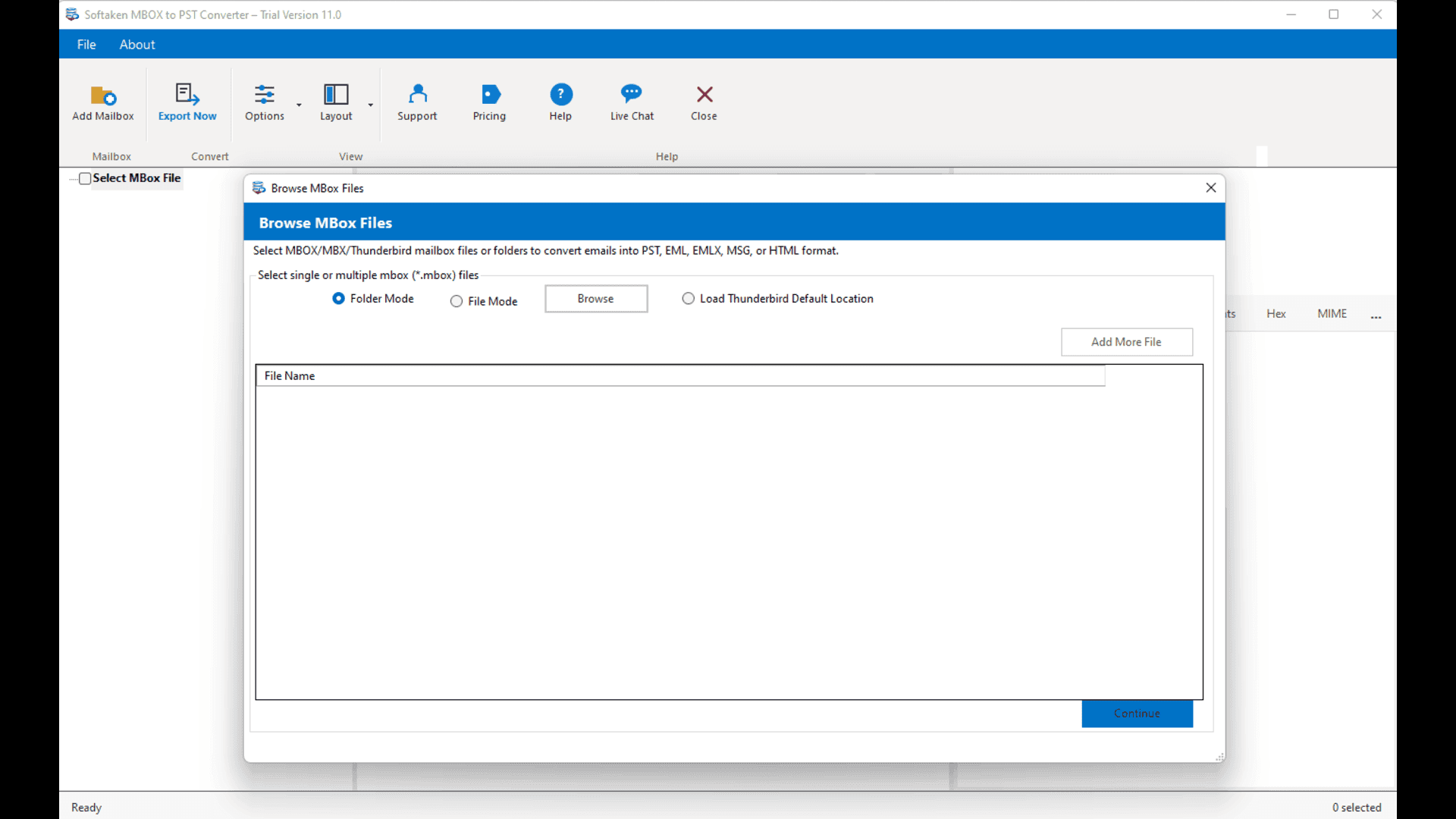
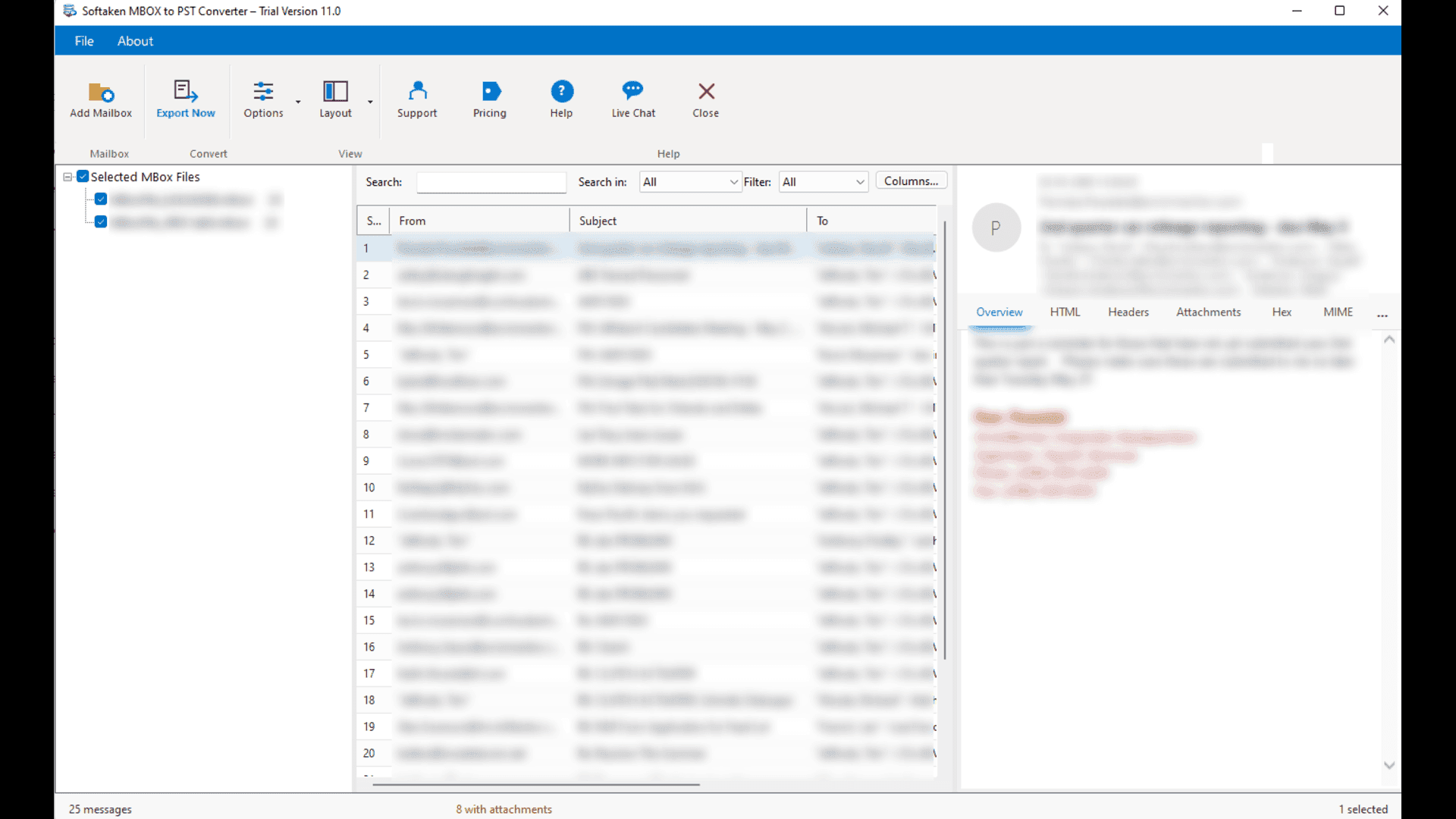
Softaken MBOX to PST Converter is a safe and powerful tool that easily migrates email data from MBOX-based email clients like Thunderbird, Apple Mail, and Eudora to Microsoft Outlook PST format. It has an intuitive interface that makes it ideal for both expert and non-technical users and helps accomplish the conversion without data loss. The software can batch convert numerous MBOX files and retains the original folder structure, email attachments, formatting and other mailbox attributes. It also supports huge mailboxes of 50GB or greater. Users can pick emails based on a certain date range and eliminate duplicate emails before exporting. The application also provides the facility for the user to Repair Damaged or corrupted MBOX Files before exporting. It offers an option to see mailbox data before converting, and users can work on their data safely. The split PST by size feature allows users to separate huge PST files into smaller pieces for easy storage and maintenance.
Key features
- 1Batch converts multiple MBOX files to PST offline, preserving folder hierarchy, attachments, and headers without uploading data to the cloud.
- 2Handles 50GB+ mailboxes with optional PST splitting by size, plus basic and deep repair modes for corrupt MBOX files before conversion.
- 3Supports 20+ MBOX clients (Thunderbird, Apple Mail, Eudora, Entourage, SeaMonkey) and exports to PST, EML, MSG, and HTML without requiring Outlook.
Target customer profile
Drawn from the product itself, not from a survey.
Demographic
Small Business Owners
Pain points
Need to consolidate email data from various clients into Outlook without technical hassle.
Primary needs
Affordable, easy-to-use software that ensures complete email migration with attachments.
Demographic
Individual Users Switching to Outlook
Pain points
Lack technical skills for manual conversion; fear of losing important emails during migration.
Primary needs
Simple, guided tool that converts MBOX to PST accurately and quickly.
Demographic
IT Professionals and System Administrators
Pain points
Manual MBOX to PST migration is time-consuming and error-prone, risking data loss.
Primary needs
Reliable bulk conversion tool that preserves data integrity and supports large mailboxes.
Scout Review
Written by AI from measured evidence, scored out of 100.
Softaken MBOX to PST Converter is a Windows desktop utility that does one job: move MBOX mail into Outlook PST format without losing folders, attachments, or headers. It supports Thunderbird, Apple Mail, Eudora, Entourage, and SeaMonkey, handles 50GB+ mailboxes, repairs corrupt MBOX files, splits oversized PSTs, and runs entirely offline — no cloud upload, no Outlook install required. The free demo converts the first 10 items per folder, which is enough to verify the workflow before buying. The site is fast (Lighthouse 99 mobile) but dated in look and feel, with a cramped hero, competing CTAs, and legacy Windows dialogs. Security headers are partial (7/13) and no third-party compliance audits are published. Accessibility scores 89 on automated checks but fails on contrast, heading order, and landmark structure. The idea is sound and the differentiators are real, but the category is crowded with entrenched rivals. A solid, functional tool that works — just not one that stands out from the pack.
Measure by measure
Usability
58Free demo (10 items/folder), docs with screenshots and steps, and clear workflow indicators help. But competing CTAs, text-heavy sections, and dated dialogs slow onboarding.
Design
46Dated Windows-era UI with teal/dark-blue palette, cramped hero, uneven feature cards, and legacy dialog styling. Functional but visually behind modern utility peers.
Speed
88Lighthouse mobile 99/100 (LCP 1.7s, CLS 0, TBT 108ms) and desktop 92/100. Genuinely fast, lightweight site with no reported lag complaints.
Security
52HTTPS enforced, CSP, secure cookies, SPF and DMARC present. But no HSTS, frame protection, or X-Content-Type-Options, and no SOC 2/ISO/pen-test claims found.
Accessibility
68Lighthouse a11y 89/100. Contrast, heading order, link names, and landmark issues flagged. No WCAG statement or multi-language support found.
Growth
54Real, specific problem (MBOX→Outlook migration) with concrete differentiators: offline, 50GB+, repair, PST split. But crowded category with entrenched SysTools/Stellar rivals.
Improvement areas
- Accessibility gaps: contrast, heading order, link names, and missing main landmark flagged by Lighthouse; no WCAG statement or multi-language support.
- Security headers incomplete (7/13): no HSTS, frame protection, X-Content-Type-Options, Referrer-Policy, or Permissions-Policy; no published audits.
- Dated UI: legacy Windows dialogs, cramped hero with competing CTAs, uneven feature cards, and a teal/dark-blue palette that feels stuck in 2015.
Design & Usability
Softaken MBOX to PST Converter looks and feels like a utility built for a job, not a brand. The homepage is dense — a dark teal hero crams a video, four CTAs, a 4.7-star rating, and feature bullets into one panel, and the nine-card feature grid below has uneven icons and tight gaps that break the rhythm. The app itself keeps familiar Windows conventions (menu bar, modal dialogs, step indicators from Mailbox → Convert), which power users will read instantly, but the thick borders and flat buttons date it to roughly 2015. Usability is where it earns its keep: a free demo converts the first 10 items per folder, docs include screenshots, videos, steps, and system requirements, and the workflow is linear. The friction is in the marketing layer — Download, Buy Now, and Watch demo compete for the same click, and text-heavy sections bury the answers users actually want (supported mailbox sizes, Outlook versions).
Speed & Security
Speed is the standout. A fresh Lighthouse run scores 99/100 on mobile (LCP 1.7s, CLS 0, TBT 108ms, FCP 1.3s) and 92/100 on desktop — genuinely fast for a page this dense, and no user complaints about lag surfaced in the collected evidence. Security is more mixed. The site enforces HTTPS, ships a Content-Security-Policy, sets secure cookies, and publishes SPF and DMARC records. But it skips HSTS, X-Frame-Options, X-Content-Type-Options, Referrer-Policy, and Permissions-Policy — seven of thirteen checklist points. There is no SOC 2, ISO 27001, HIPAA, or pen-test claim anywhere on the site, and no bug bounty. For a desktop utility that processes email offline, the risk profile is lower than a cloud SaaS, but the missing headers and absent compliance page leave the security story thin. The site does point to a VirusTotal report and emphasizes that data never leaves the PC, which is the right instinct — it just isn't backed by third-party audit evidence.
Accessibility & Growth
Accessibility lands at 89/100 on Lighthouse, which sounds strong until you read the failing audits: insufficient color contrast, non-sequential heading order, links without discernible names, no main landmark, and visible text labels that don't match accessible names. There is no WCAG conformance statement and no multi-language support — the site is English-only. For a tool aimed partly at non-technical users, those gaps matter more than the score suggests. Growth is a judgment on the idea, not the traction. The problem is real and specific: moving MBOX archives from Thunderbird, Apple Mail, Eudora, Entourage, or SeaMonkey into Outlook PST without data loss. The differentiators are concrete — offline processing, 50GB+ mailbox support, corrupt-file repair, PST splitting, and no Outlook installation required. That's a genuine wedge against manual drag-and-drop (which chokes near 2GB) and free online converters (which cap at 2-5GB and upload your mail). But the category is crowded and mature: SysTools and Stellar have been selling the same promise for years with deeper brand recognition. Softaken's domain dates to 2015 and it has social presence, so it isn't new — but nothing in its material suggests a structural advantage the incumbents can't copy. It's a competent player in a settled market, not a category redefiner.
Conclusion
If you need to move MBOX mail into Outlook and you want it done offline with big-file support and a repair mode, Softaken does the job competently. The free demo lets you test the first 10 items per folder before committing, which is the right way to buy a migration tool. What you won't get is a modern interface, a published security audit, or a reason to pick it over SysTools or Stellar beyond price and the specific feature mix. It's a utility, not a platform — and for a one-time migration task, that's often exactly what you need. Just don't expect the polish of a 2026 SaaS product, because you're not getting it.
Suggestions for improvement
- Publish a WCAG conformance statement and fix the flagged contrast, heading-order, and landmark issues — the 89 score hides real gaps.
- Add HSTS, X-Frame-Options, X-Content-Type-Options, Referrer-Policy, and Permissions-Policy to close the 7/13 header gap.
- Simplify the hero: one primary CTA, one secondary, and move the star rating and feature bullets below the fold.
- Modernize the app dialogs — drag-and-drop file loading, clearer progress feedback, and updated icon sizing would lift the dated feel.
Alternatives comparison
Named competitors, point by point. Nobody paid to appear here or to be left out.
 Softaken MBOX to PST Converter |  SysTools MBOX to PST Converter |  Stellar MBOX to PST Converter | |
|---|---|---|---|
| Free trial / demo availability | Free demo converts first 10 items per folder | Free demo version available with limited conversion | Free trial available with preview and limited save |
| Batch conversion of multiple MBOX files | Yes — batch convert multiple MBOX files at once | Yes — supports batch conversion | Yes — batch conversion supported |
| Large mailbox support (50GB+) | Handles 50GB+ mailboxes with optional PST splitting | Supports large mailboxes; no explicit 50GB claim | Handles large files; split PST option available |
| Corrupt MBOX file repair | Basic and Deep repair modes for corrupt MBOX files | Not a primary feature; focused on conversion | Yes — Stellar specializes in email repair and recovery |
| Offline processing (no cloud upload) | Yes — fully offline, data stays on PC | Yes — desktop tool, offline processing | Yes — desktop tool, offline processing |
| Export formats beyond PST | PST, EML, EMLX, MSG, HTML | PST, EML, MSG, HTML, PDF, and more | PST, EML, MSG, HTML, PDF, RTF |
SysTools MBOX to PST Converter
A popular tool that converts MBOX files to PST with support for multiple email clients and batch conversion.
Stellar MBOX to PST Converter
Professional software for converting MBOX to PST, with a user-friendly interface and advanced features.
Comparing options? See Softaken MBOX to PST Converter alternatives, scored side by side
More Productivity apps
View all Productivity
Puzzly – B2B Lead Generation & Sales Intelligence Platform
92Puzzly is an all-in-one B2B lead generation platform that...

Qamarero
92An all-in-one hospitality software for restaurants and ba...

EmbedMyReviews
92White-label reputation management software for agencies s...

StoryPad
92Privacy-first open source journal app with a continuous t...

Notion
92All-in-one AI workspace for docs, projects, and knowledge...

The Stack Newsletter
92A weekly newsletter delivering curated tech jobs, intervi...

Vibe Coding Agent Skills
92A free, open-source platform offering 110 AI agent skills...

QRBliss
91Branded QR codes with AI Brand Sync, 15 free dynamic code...

Gerty
91Private, local AI assistant for Mac that runs offline

Strukchad Property Management
91Property management for Kenyan letting agents: rent invoices raised every month, M-Pesa rent prompts to tenants, arrears tracking and landlord statements.

CC Switch
91Open-source desktop app for switching AI coding providers...

PitchWhip
90AI cold call scripts & direct dials from LinkedIn


A platform dedicated to providing unbiased reviews of newly launched applications, analyzing everything from their features to their full potential.
info@scoutforge.net© 2026 Scoutforge. All rights reserved.
