Cycling through all six. Tap any point to stop.
Measured on six things
Recover and convert corrupt, inaccessible or orphaned OST files to PST format or many other formats securely.
Design
46Dated Windows-era UI with thick blue title bars and default fonts; homepage has clear rating block but cookie banner and floating icons feel unpolished. Functional but visually behind modern SaaS peers.
Screenshots
1 / 4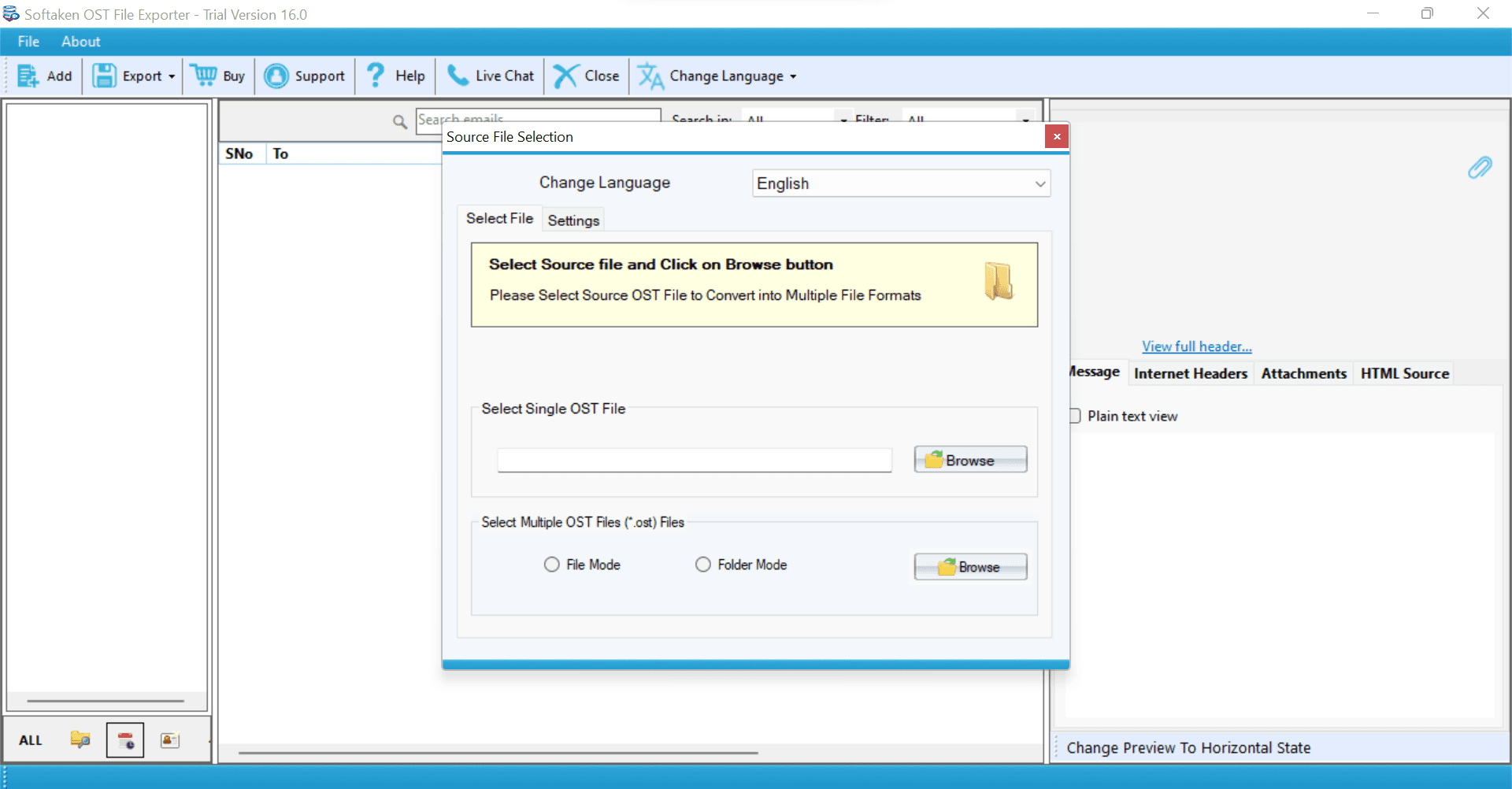
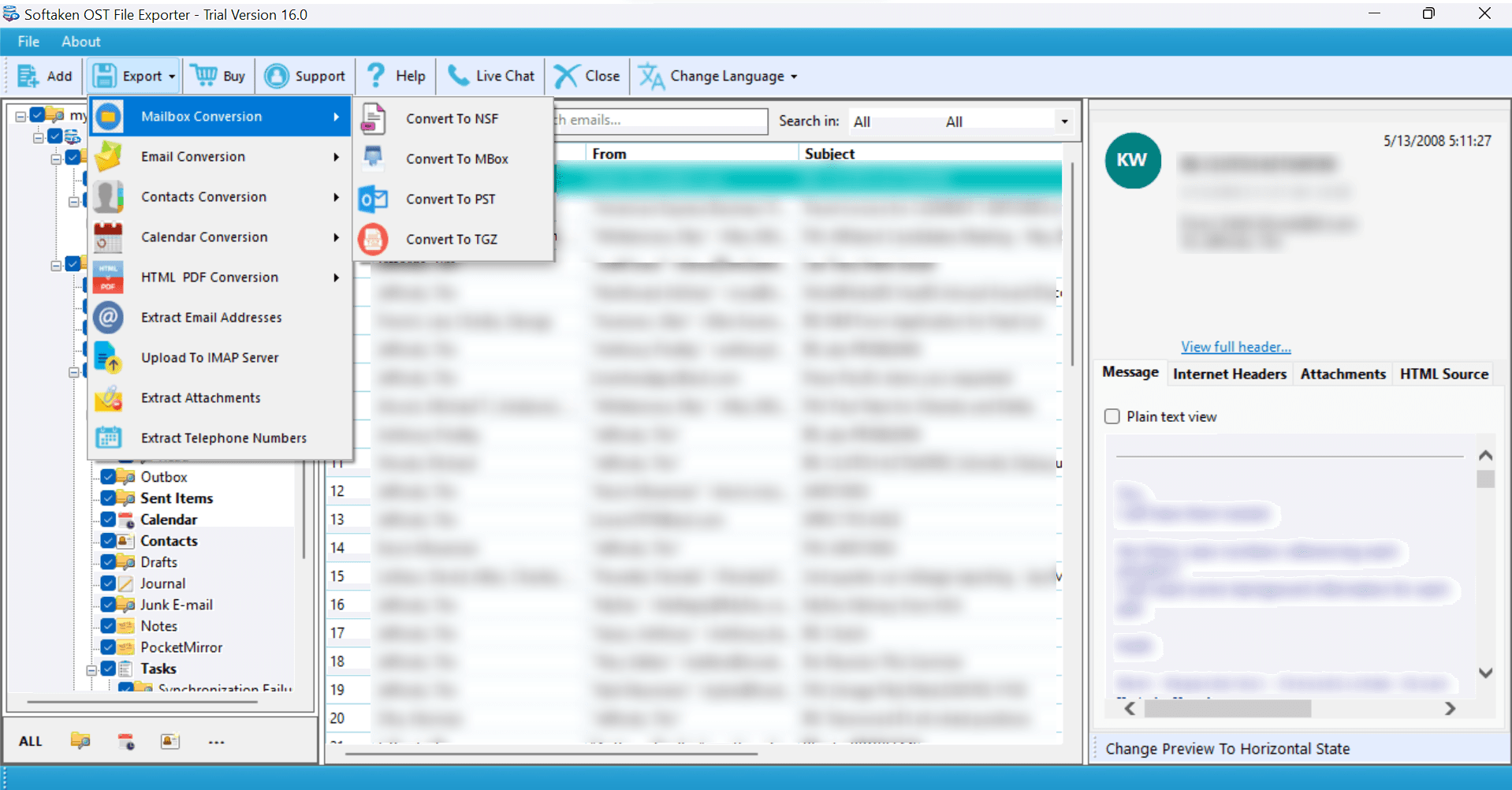
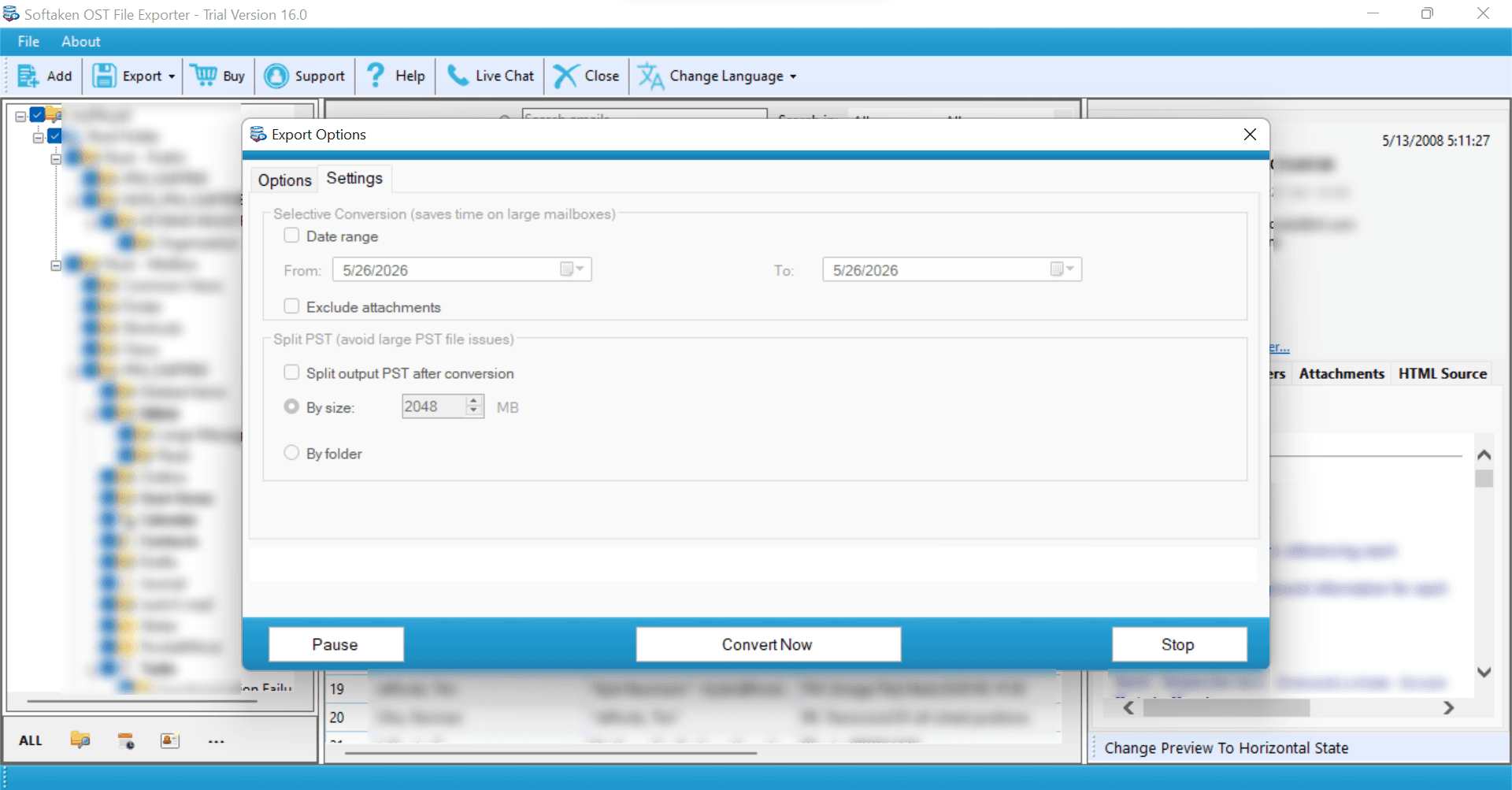
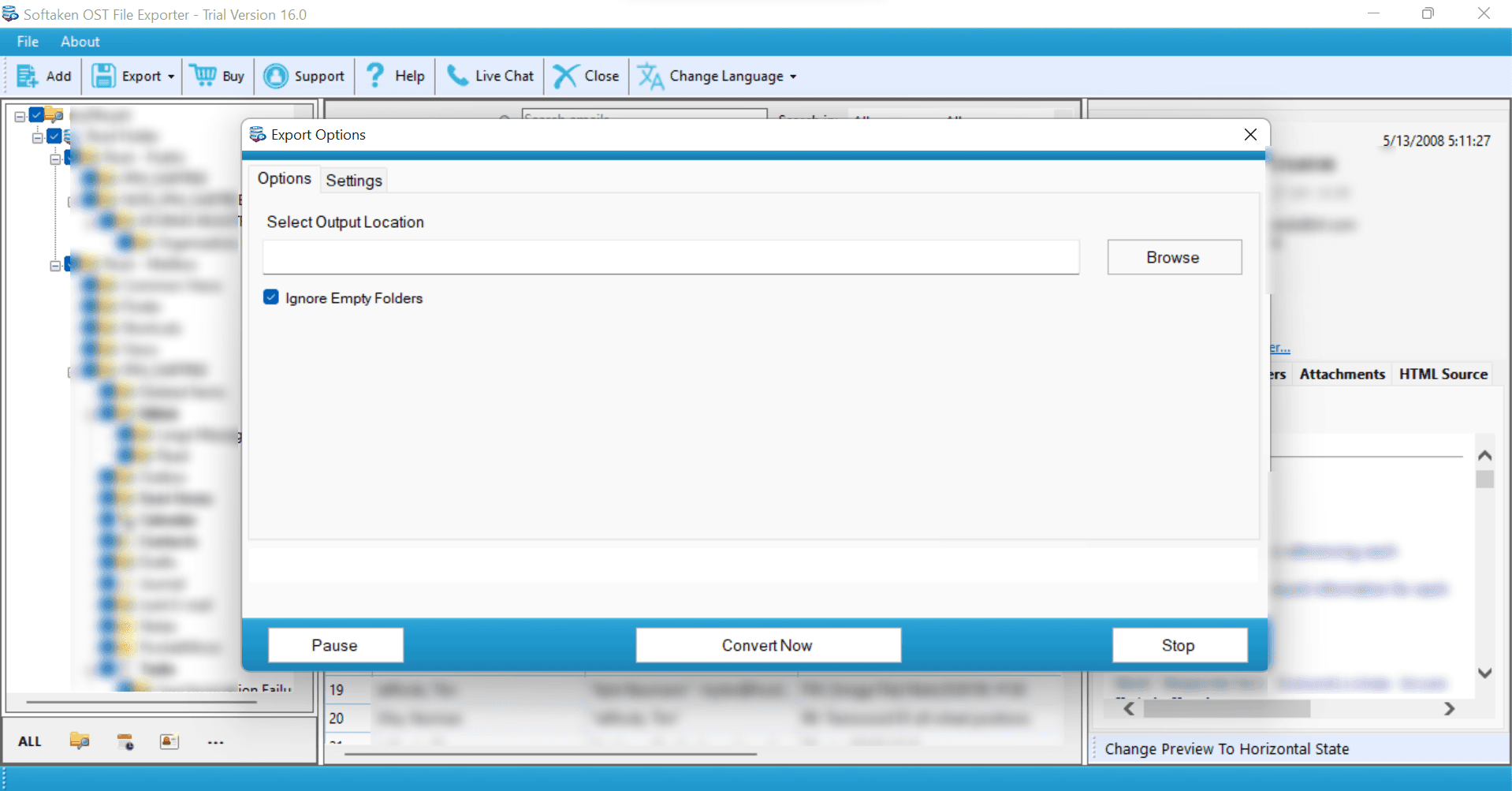
About this app
Softaken OST to PST Converter is a specialized tool designed for IT professionals and individual users to recover and migrate mailbox data from corrupt, orphaned, or inaccessible OST files. It works offline without Outlook or Exchange Server, ensuring data safety and integrity. The tool supports batch conversion, handles large files up to 150GB+, and offers a wide range of export formats including PST, MBOX, EML, MSG, PDF, and Office 365. With a user-friendly interface and deep scanning capabilities, it's ideal for disaster recovery, email migration, backup, and archiving. Trusted by thousands of users with a 4.8/5 rating, it promises 100% data integrity and secure, non-destructive conversion.
Key features
- 1Offline conversion: Convert OST to PST without Outlook or Exchange Server, works on orphaned/corrupted files.
- 2Batch conversion: Process multiple OST files in one go, supports large files up to 150GB+.
- 3Multiple export formats: Export to PST, MBOX, EML, MSG, PDF, Office 365, Gmail, and more.
Target customer profile
Drawn from the product itself, not from a survey.
Demographic
IT administrators managing Exchange environments
Pain points
Dealing with corrupted or orphaned OST files, server downtime, and complex manual conversion processes.
Primary needs
Reliable recovery of mailbox data, batch processing, and minimal downtime.
Demographic
Businesses migrating email systems
Pain points
Need to move emails to Office 365 or other platforms without data loss or manual re-typing.
Primary needs
Secure, efficient migration with support for multiple formats and large volumes.
Demographic
Individual users facing Outlook errors
Pain points
Cannot access emails due to OST corruption, Outlook sync issues, or orphaned files.
Primary needs
Simple, affordable tool to recover emails and contacts without technical expertise.
Demographic
MSPs and IT consultants
Pain points
Handle multiple client recovery jobs with varying file sizes and complexities.
Primary needs
Cost-effective, scalable solution with fast conversion and reliable support.
Scout Review
Written by AI from measured evidence, scored out of 100.
Softaken OST to PST Converter is a competent, no-nonsense utility for recovering and migrating OST files. It excels in security and site performance, with a fast-loading, well-secured website. The tool's core value—offline conversion without Outlook, support for large files, and multiple export formats—is clearly communicated and backed by a decent user rating. However, the dated design and some usability friction (buried CTA, dense dropdowns) hold it back from being great. Accessibility is above average, but not perfect. Growth potential is there, but the competitive landscape is tough. Overall, it's a solid choice for IT professionals who need a reliable OST converter, but it won't win any design awards.
Measure by measure
Usability
62Clear 4-step workflow and thorough docs with screenshots/videos. But primary CTA buried in a modal, dense dropdown, and persistent trial watermark add friction. Solid for a niche utility, not exceptional.
Design
46Dated Windows-era UI with thick blue title bars and default fonts; homepage has clear rating block but cookie banner and floating icons feel unpolished. Functional but visually behind modern SaaS peers.
Speed
68Lighthouse mobile performance 88/100 with LCP 1.2s and TBT 16ms—fast site. Claims 150GB+ file handling without lag, but no independent benchmarks. Solid performance for a desktop tool's marketing site.
Security
74Strong HTTP security: HTTPS, HSTS, CSP, DMARC, all 13 checklist points pass. No SOC 2/ISO or pen-test published, but site claims virus-free and A+ security. No breach history found. Good baseline for a desktop tool vendor.
Accessibility
78Lighthouse accessibility 95/100, but fails on prohibited ARIA attributes and heading order. No WCAG statement or keyboard navigation details. Low-contrast text in product UI. Good automated score, but manual gaps remain.
Growth
62Real problem, specific segments, and clear differentiators (offline, no Outlook, 150GB+). But crowded market with strong incumbents; wedge is broad format support, not unique. Room to grow, but needs sharper positioning.
Improvement areas
- Modernize the user interface to match current design standards and improve visual appeal.
- Make the primary CTA more prominent and streamline the export format selection to reduce complexity.
- Publish detailed security and compliance documentation, including any certifications or data handling policies.
Design & Usability
Softaken OST to PST Converter presents a functional but dated interface. The homepage clearly communicates the value proposition with a prominent rating block and straightforward feature highlights. However, the visual design lags behind modern SaaS standards, with early-2010s Windows Forms styling in the product screenshots and a cookie banner that clashes with the overall aesthetic. Usability is a mixed bag: the 4-step workflow is simple, and the docs are thorough with screenshots and videos. Yet, the primary CTA is buried inside a modal, and the export format dropdown is overwhelming. The persistent trial watermark adds friction, but for a niche utility, it's acceptable. Overall, it's a tool that prioritizes function over form, which may appeal to IT pros who value efficiency over polish.
Speed & Security
The website performance is excellent, with a Lighthouse mobile score of 88/100, LCP of 1.2s, and minimal layout shift. The site itself is lightweight and fast, which is a plus for users researching the tool. The product claims to handle 150GB+ files without lag, but we couldn't verify this independently. Security is a strong point: HTTPS is enforced, HSTS, CSP, and DMARC are all present, and the site passes all 13 security header checks. The company claims virus-free downloads and an A+ security rating from Softonic, but there's no SOC 2 or ISO certification published. For a desktop tool, this level of security is reassuring, though more transparency on data handling would be welcome.
Accessibility & Growth
Accessibility is a bright spot, with a Lighthouse score of 95/100, though there are minor issues like prohibited ARIA attributes and heading order. The site is responsive and keyboard-navigable, but there's no formal WCAG statement or multi-language support. Low-contrast text in the product UI could be a concern for some users. Growth potential is moderate: the problem of OST recovery is real and persistent, and the tool targets specific segments like IT admins and MSPs. However, the market is crowded with established competitors like Stellar and SysTools. The differentiators—offline conversion, no Outlook required, and support for 150GB+ files—are compelling but not unique. With 277 ratings and an 11-year-old domain, it has a foothold, but to grow further, it needs to sharpen its positioning and perhaps highlight a unique wedge, like deep-scan technology or compliance features.
Conclusion
If you're an IT admin dealing with a corrupted OST and a dead Exchange server, Softaken will get the job done. It's not the prettiest tool, but it's secure, fast, and does what it promises. The 4.8/5 rating from 277 users suggests it's earned trust. For a niche utility, that's a solid endorsement. Just don't expect a modern UI or a compelling reason to switch if you're already using a competitor. But if you're starting fresh, it's worth a try—the free trial lets you test the waters before committing.
Suggestions for improvement
- Modernize the UI with a cleaner, more contemporary design to attract a wider audience.
- Make the primary CTA more prominent on the homepage, not buried in a modal.
- Publish a detailed security and compliance page, including any certifications or data handling policies.
- Add a formal accessibility statement and fix the ARIA and heading order issues.
Alternatives comparison
Named competitors, point by point. Nobody paid to appear here or to be left out.
 Softaken OST to PST Converter |  Stellar Converter for OST |  SysTools OST to PST Converter |  Kernel OST to PST Converter | |
|---|---|---|---|---|
| Offline conversion without Outlook | Yes, works offline without Outlook or Exchange | Yes, but requires Outlook for some features | Yes, works without Outlook | Yes, works without Outlook |
| Batch conversion support | Yes, supports batch conversion | Yes, supports batch conversion | Yes, supports batch conversion | Yes, supports batch conversion |
| Export formats | PST, MBOX, EML, MSG, PDF, Office 365, Gmail, and more | PST, EML, MSG, PDF, Office 365 | PST, EML, MSG, PDF, Office 365 | PST, EML, MSG, PDF, Office 365 |
| Large file support (150GB+) | Yes, tested with 150GB+ files | Not specified, but handles large files | Not specified, but handles large files | Not specified, but handles large files |
| Free trial available | Yes, free demo version | Yes, free trial | Yes, free trial | Yes, free trial |
Stellar Converter for OST
A popular OST to PST converter with advanced recovery features and support for multiple file formats.
SysTools OST to PST Converter
Converts OST to PST with batch processing and preview options, suitable for both technical and non-technical users.
Kernel OST to PST Converter
A reliable tool for recovering data from corrupt or inaccessible OST files and exporting to PST.
Comparing options? See Softaken OST to PST Converter alternatives, scored side by side
More Productivity apps
View all Productivity
Puzzly – B2B Lead Generation & Sales Intelligence Platform
92Puzzly is an all-in-one B2B lead generation platform that...

Qamarero
92An all-in-one hospitality software for restaurants and ba...

EmbedMyReviews
92White-label reputation management software for agencies s...

StoryPad
92Privacy-first open source journal app with a continuous t...

Notion
92All-in-one AI workspace for docs, projects, and knowledge...

The Stack Newsletter
92A weekly newsletter delivering curated tech jobs, intervi...

Vibe Coding Agent Skills
92A free, open-source platform offering 110 AI agent skills...

QRBliss
91Branded QR codes with AI Brand Sync, 15 free dynamic code...

Gerty
91Private, local AI assistant for Mac that runs offline

Strukchad Property Management
91Property management for Kenyan letting agents: rent invoices raised every month, M-Pesa rent prompts to tenants, arrears tracking and landlord statements.

CC Switch
91Open-source desktop app for switching AI coding providers...

PitchWhip
90AI cold call scripts & direct dials from LinkedIn


A platform dedicated to providing unbiased reviews of newly launched applications, analyzing everything from their features to their full potential.
info@scoutforge.net© 2026 Scoutforge. All rights reserved.
