Cycling through all six. Tap any point to stop.
Measured on six things
Sowiks is a native macOS screenshot app that turns every capture into a shareable link.
Security
45HTTPS enforced but security headers sparse (2/12). No compliance certifications mentioned. Link password/expiry features are a plus.
Screenshots
1 / 3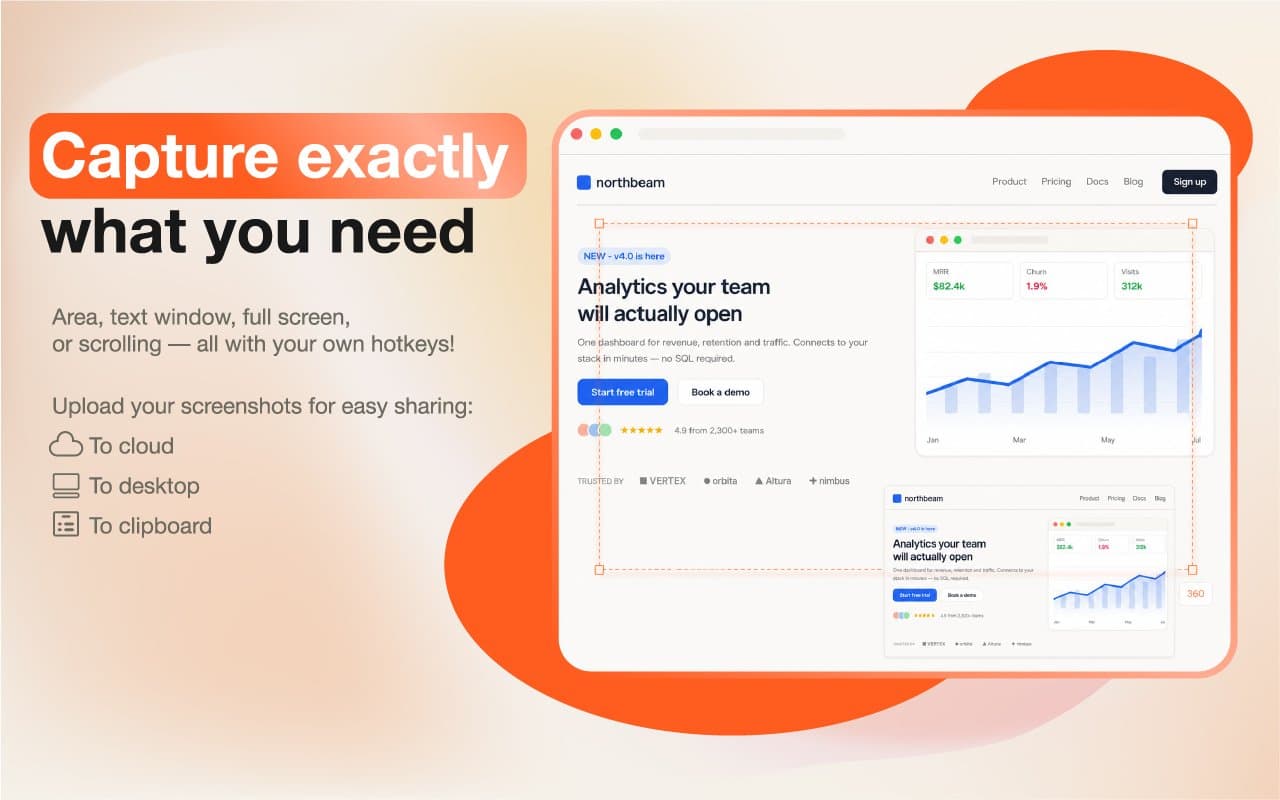
About this app
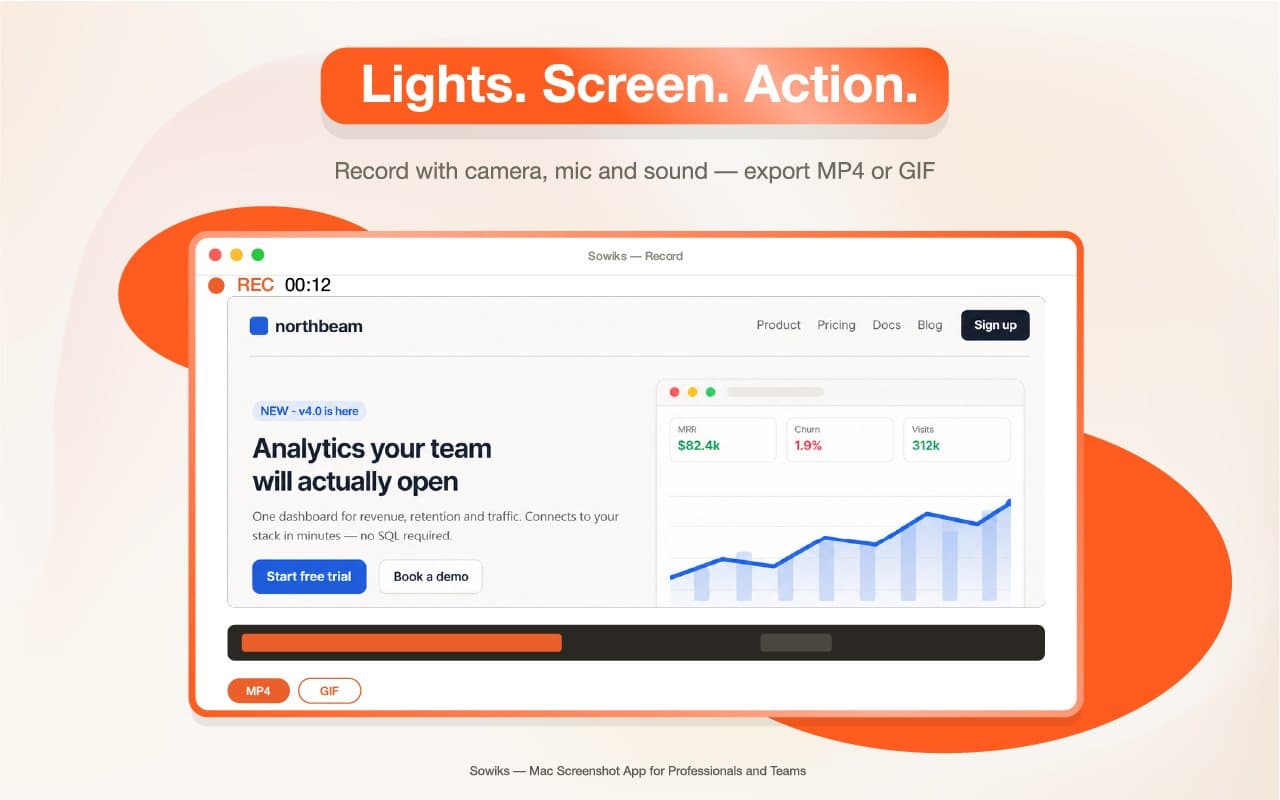
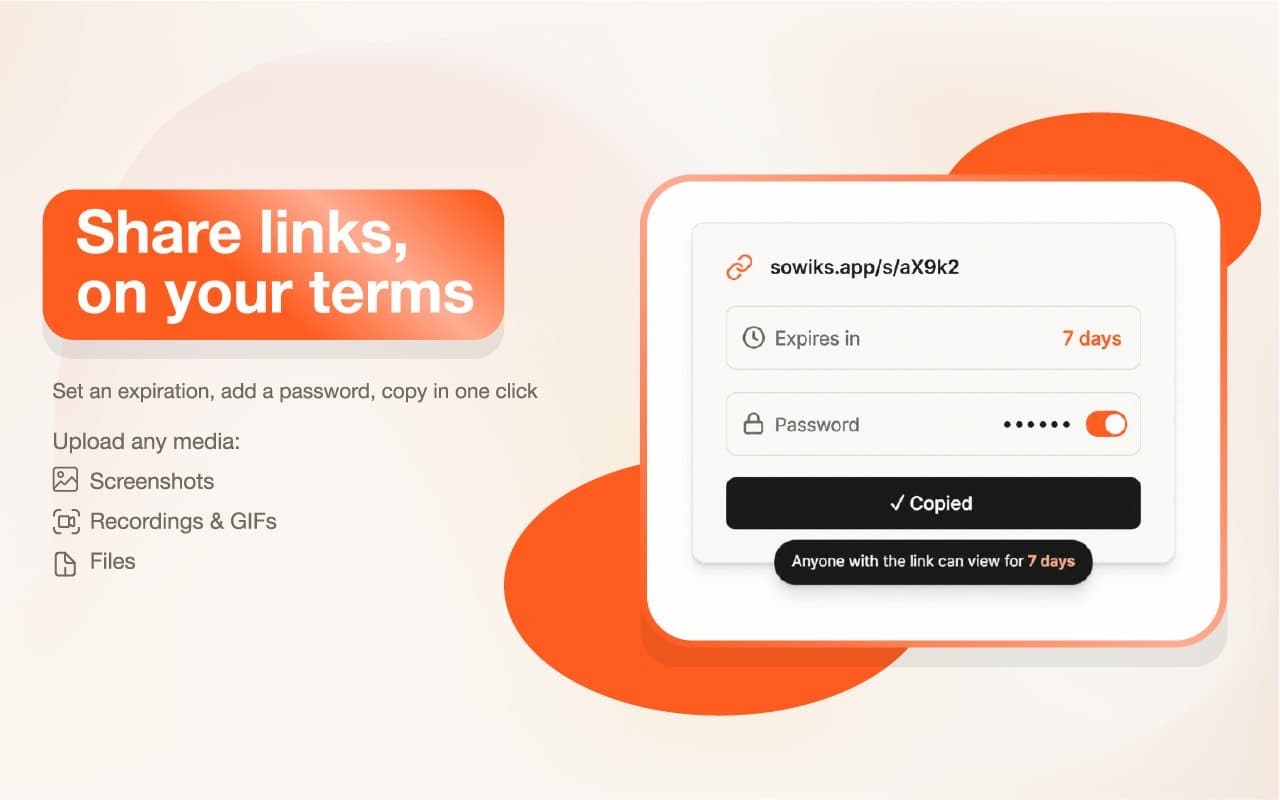
Sowiks is a native macOS screenshot app that turns every capture into a shareable link. Press your usual shortcut, annotate with 13 tools — arrows, blur, text, shapes, spotlight, step numbers — and get an unguessable link on your clipboard before you switch tabs. No file to rename, no dragging into Slack. Beyond screenshots, Sowiks does scrolling capture, OCR text extraction, and screen recording to MP4 or GIF with camera, mic and system sound. Links can be password-protected and set to expire, with 1 GB of cloud storage on the paid plan. Window capture and the full editor are free forever; Solo unlocks everything else for a one-time $14.99 — no subscription.
Key features
- 1Instant shareable links for every screenshot with optional expiration and password protection
- 213 annotation tools including arrows, blur, text, shapes, spotlight, and step numbers
- 3Scrolling capture, OCR text extraction, and screen recording to MP4/GIF with camera/mic
Target customer profile
Drawn from the product itself, not from a survey.
Scout Review
Written by AI from measured evidence, scored out of 100.
Sowiks is a promising macOS screenshot tool that nails the core workflow: capture, annotate, and get a shareable link instantly. The one-time $14.99 pricing is refreshing in a subscription-saturated market, and the 7-day full trial without a card lowers the barrier to try. However, the website undermines the product with fake mockups and a disjointed message. Security headers are lacking, and accessibility is ignored. If the developer can clean up the site and add trust signals, Sowiks could carve a niche, but it faces stiff competition.
Measure by measure
Usability
62Familiar shortcuts and one-click sharing lower learning curve; free trial without account reduces friction. Changelog shows thoughtful UX iterations.
Design
75Disjointed homepage with fake third-party mockups; consistent orange accents but poor product representation.
Speed
60No performance data available; site appears lightweight and static. App responsiveness hinted by menu bar ticks on upload.
Security
45HTTPS enforced but security headers sparse (2/12). No compliance certifications mentioned. Link password/expiry features are a plus.
Accessibility
45No WCAG statement found; low-contrast backgrounds on site. Keyboard shortcuts in app suggest some accessibility focus, but site itself lacks evidence.
Growth
58Real pain point with one-time pricing wedge, but crowded market and unclear differentiation beyond price.
Improvement areas
- Replace fake third-party mockups with real product screenshots on the homepage
- Add a prominent primary CTA above the fold and improve visual consistency
- Publish security and accessibility documentation to build trust
Design & Usability
Sowiks presents a confusing first impression: the hero mockup showcases an unrelated analytics dashboard (northbeam) with dotted selection overlays, making the product feel like a stock photo. Two different taglines across screenshots add to the disjointedness. However, the core UX promise—familiar shortcuts, instant links, and a no-card trial—is compelling. The changelog reveals a developer who genuinely iterates on user feedback (multi-monitor support, circular screenshots). Usability is solid for the target audience, but the site's lack of a clear primary CTA and low-contrast elements undermine trust.
Speed & Security
No performance benchmarks are published, but the site appears lightweight and static, suggesting fast load times. The app's responsiveness is hinted at by features like menu bar notifications on upload. Security is a mixed bag: HTTPS is enforced, but security headers are sparse (2/12), and no compliance certifications are mentioned. The advertised password protection and link expiration for shared screenshots are positive signals, but the lack of HSTS and CSP is concerning for a tool handling potentially sensitive captures.
Accessibility & Growth
Accessibility is an afterthought: no WCAG statement, low-contrast backgrounds, and no evident alt text on mockups. The app's keyboard-first design suggests some inherent accessibility, but the website doesn't reflect it. Growth potential is moderate: the problem (screenshots as shareable links) is real and the one-time pricing is a differentiator, but the market is crowded with established players like CleanShot and Shottr. The specific use cases for designers, support, and developers are well-articulated, but the wedge is primarily price, which may not sustain long-term growth.
Conclusion
Sowiks has the bones of a great utility—fast, keyboard-driven, and priced fairly. The developer's changelog shows a commitment to polish that many indie apps lack. But the website is a liability: it doesn't show the actual product, and the security posture is weak. Fix the homepage, add an accessibility statement, and consider publishing a security page. If you're a Mac user tired of subscription screenshot tools, give the trial a shot—it might just stick.
Suggestions for improvement
- Replace the northbeam mockup with real Sowiks screenshots showing actual captures and annotations.
- Add a prominent 'Download for Mac' CTA above the fold, not just in the nav.
- Publish a security page detailing encryption, data retention, and any compliance efforts.
- Add an accessibility statement and improve contrast on feature bullets.
Alternatives comparison
Named competitors, point by point. Nobody paid to appear here or to be left out.
 Sowiks | ||
|---|---|---|
| Pricing model | One-time $14.99 for Solo, free tier with window capture and editor | Not specified |
| Instant link sharing | Every capture becomes a URL on clipboard, with optional password/expiry | Not specified |
| Annotation tools | 13 tools including arrows, blur, text, shapes, spotlight, step numbers | Not specified |
Comparing options? See Sowiks alternatives, scored side by side
More Productivity apps
View all Productivity
Puzzly – B2B Lead Generation & Sales Intelligence Platform
92Puzzly is an all-in-one B2B lead generation platform that...

Qamarero
92An all-in-one hospitality software for restaurants and ba...

EmbedMyReviews
92White-label reputation management software for agencies s...

StoryPad
92Privacy-first open source journal app with a continuous t...

Notion
92All-in-one AI workspace for docs, projects, and knowledge...

The Stack Newsletter
92A weekly newsletter delivering curated tech jobs, intervi...

Vibe Coding Agent Skills
92A free, open-source platform offering 110 AI agent skills...

QRBliss
91Branded QR codes with AI Brand Sync, 15 free dynamic code...

Gerty
91Private, local AI assistant for Mac that runs offline

Strukchad Property Management
91Property management for Kenyan letting agents: rent invoices raised every month, M-Pesa rent prompts to tenants, arrears tracking and landlord statements.

CC Switch
91Open-source desktop app for switching AI coding providers...

PitchWhip
90AI cold call scripts & direct dials from LinkedIn


A platform dedicated to providing unbiased reviews of newly launched applications, analyzing everything from their features to their full potential.
info@scoutforge.net© 2026 Scoutforge. All rights reserved.
