Cycling through all six. Tap any point to stop.
Measured on six things
A visual new-tab extension for organizing bookmarks into customizable grids and folders, with quick search, Save for Later, optional calendar and weather, and sync across browsers and devices.
Security
22Security headers nearly absent: no HSTS, CSP, or frame protection. HTTPS not enforced. Only SPF present. Privacy stance is good (no history permission), but technical security is weak.
Screenshots
1 / 2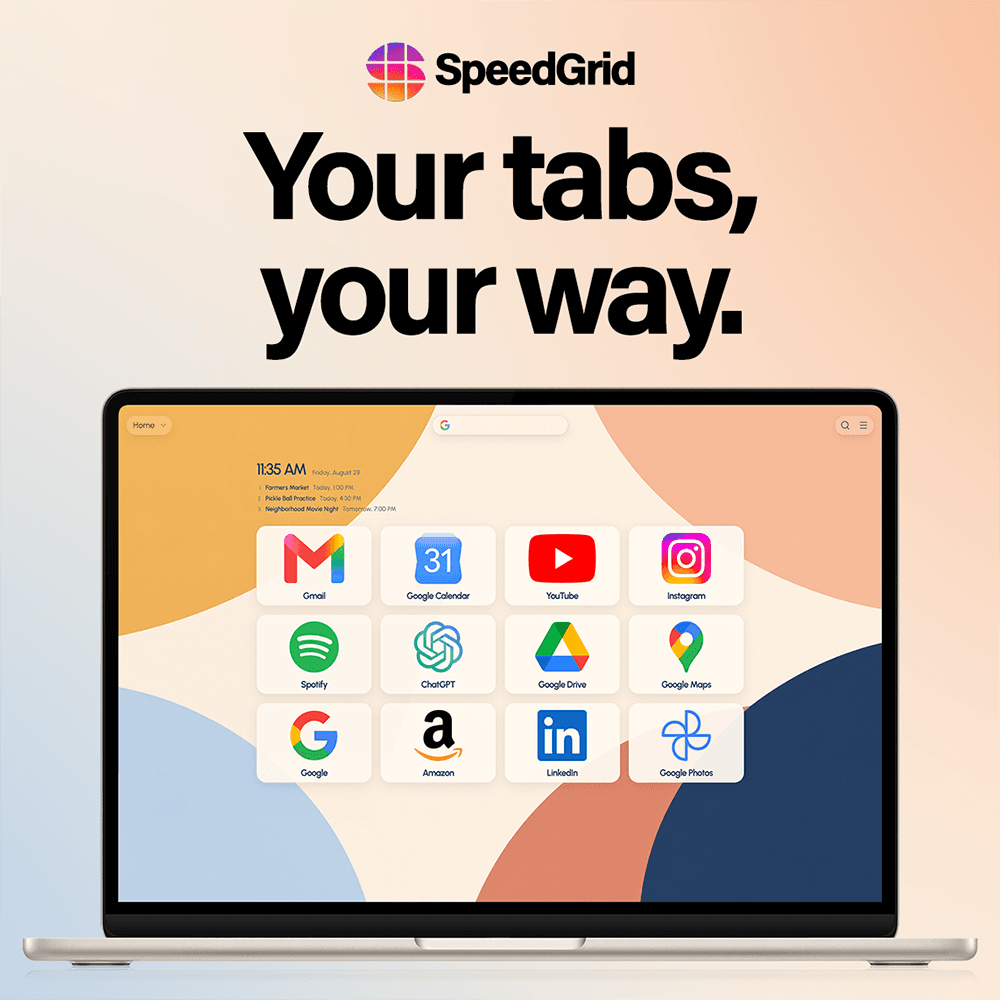
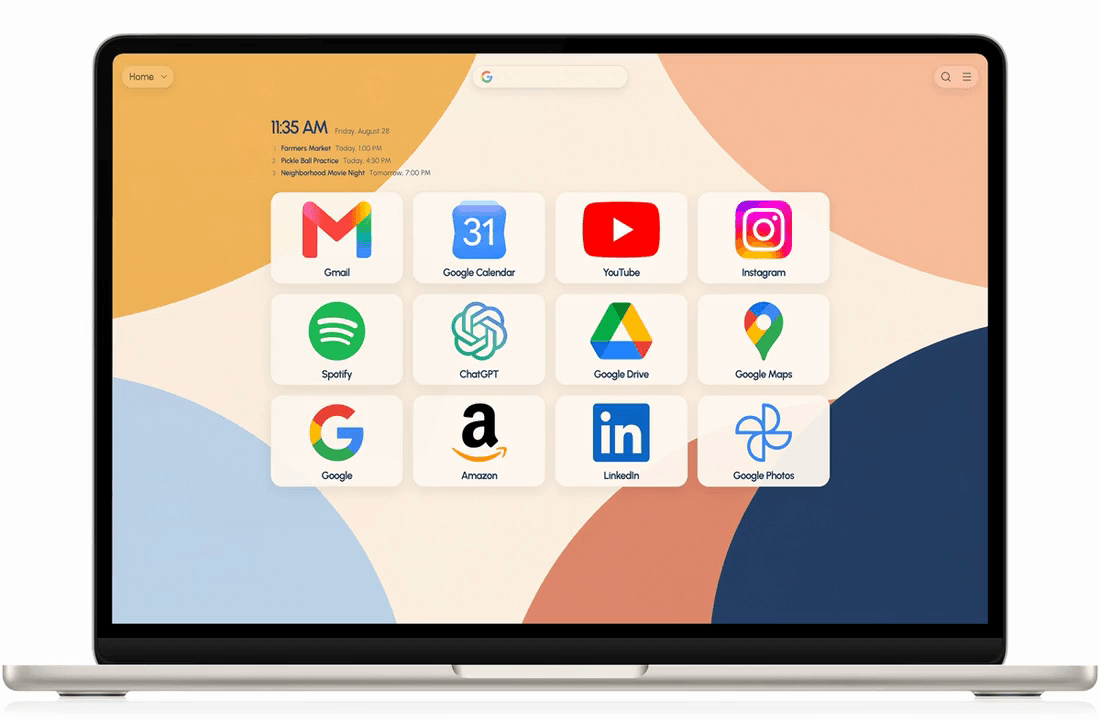
About this app
SpeedGrid replaces the default new tab with a customizable visual home for the sites you use most. Organize up to 500 bookmarks on the free plan across three grids and one folder, import from Speed Dial 2 or browser bookmarks, and use quick search and Save for Later. Plus adds more grids and folders, premium themes, animated backgrounds, custom logos and images, calendar feeds, live weather, restore points, and backups. SpeedGrid is available for Chrome, Edge, Firefox, and the web. It does not request browsing-history permission. A no-account demo is available at https://speedgrid.app/demo.
Key features
- 1Up to 500 bookmarks free across 3 grids and 1 folder
- 2Two destinations per bookmark (e.g., inbox and compose)
- 3Quick Search with remembered provider and bookmark search
- 4Save for Later to capture current page from toolbar
- 5Folders for organizing related grids
- 6No browsing-history permission required
Target customer profile
Drawn from the product itself, not from a survey.
Demographic
Remote workers and freelancers aged 25–45 who manage multiple web apps daily
Pain points
Feels overwhelmed by too many open tabs, loses track of frequent sites, and wants a clutter-free start page
Primary needs
Quick access to all essential web tools from a single, customizable dashboard, ideally with fast search
Demographic
Students aged 18–30 who use browsers for research, social media, and communication
Pain points
Their default new tab is distracting; they waste time re-entering URLs or searching for sites
Primary needs
A visually engaging, organized grid for frequent sites, plus speed and sync across laptop and phone
Demographic
Productivity enthusiasts and tech-savvy users, mid-20s to 50, who love customizing their digital environment
Pain points
Existing new tab extensions are either bare or overloaded with ads; they crave aesthetic control and advanced features
Primary needs
A balance of style and function—custom themes, folders, weather, and flexible layouts that adapt to different screens
Scout Review
Written by AI from measured evidence, scored out of 100.
SpeedGrid is a polished new-tab replacement with genuine strengths: a generous free tier, thoughtful organization features (folders, two-destination bookmarks), and a privacy-first stance that avoids browsing-history permissions. The visual design is consistent and appealing, though the homepage wastes space above the fold. Usability shines with a no-account demo and multi-browser support. However, performance is a critical weakness—33.8s LCP on mobile is unacceptable for a tool meant to speed up browsing. Security headers are nearly absent, and accessibility gaps (contrast, zoom, touch targets) need attention. For privacy-conscious users who want a beautiful, organized start page, SpeedGrid delivers—if they can wait for it to load.
Measure by measure
Usability
72Strong onboarding with no-account demo, clear install paths for all major browsers, and import from Speed Dial 2. Quick Search and Save for Later are genuinely useful additions.
Design
58Polished product mockups with consistent purple theme, but homepage layout suffers from excessive whitespace and hero content pushed below fold. Grid UI looks clean and intentional.
Speed
45Lighthouse mobile performance 51/100 with LCP at 33.8s—painfully slow. Desktop is better at 63/100 but still below average. CLS of 0 is a small win.
Security
22Security headers nearly absent: no HSTS, CSP, or frame protection. HTTPS not enforced. Only SPF present. Privacy stance is good (no history permission), but technical security is weak.
Accessibility
55Lighthouse accessibility 87/100 but with real issues: insufficient contrast, user-scalable=no, and undersized touch targets. No WCAG statement or multi-language support found.
Growth
68Clear problem with differentiated solution: generous free tier, no history permission, folders for organization. Category has headroom as alternatives are content-heavy or ad-supported.
Improvement areas
- Optimize LCP from 33.8s to under 3s on mobile
- Add HSTS, CSP, and frame protection headers
- Fix contrast ratios and allow user zoom
- Increase touch target sizes to meet WCAG standards
- Enforce HTTPS redirects across all pages
Design & Usability
SpeedGrid presents a clean, purple-accented visual identity with polished laptop mockups showcasing a 12-icon grid. However, the homepage wastes prime real estate with a blank purple hero and pushes content below the fold. The product itself shows thoughtful design—rounded tiles, consistent iconography, and a responsive layout. Usability is a stronger suit: the no-account demo lowers friction, install paths cover all major browsers, and import from Speed Dial 2 or browser bookmarks eases migration. Quick Search with remembered providers and Save for Later add practical value beyond simple bookmarking. The pricing page's 'Checking live availability' dynamic feels gimmicky, but the overall onboarding flow is smooth and well-documented.
Speed & Security
Performance is the weakest link: Lighthouse mobile scores 51/100 with a catastrophic 33.8s LCP, making the new tab painfully slow to appear. Desktop fares better at 63/100, and CLS of 0 shows no layout shift. The heavy hero imagery and animations likely cause the bottleneck. Security is equally concerning—the header probe found only SPF, with no HSTS, CSP, or frame protection, and HTTPS isn't enforced. The privacy stance is commendable (no browsing-history permission, optional analytics with clear opt-out), but technical security needs substantial hardening before enterprise adoption.
Accessibility & Growth
Accessibility sits at 87/100 on Lighthouse but fails on contrast, touch target sizes, and disabling user zoom—issues that directly impact real users. No WCAG statement or multi-language support is evident. Growth potential is promising: the problem (cluttered default new tab) is universal, and SpeedGrid differentiates with a generous free tier (500 bookmarks), folders, and no history permission—unlike content-heavy alternatives like Start.me or ad-supported options. The rapid changelog (daily updates in August 2026) shows active development. The wedge is clear: privacy-conscious, organization-focused users who want aesthetics without bloat. Headroom exists, but competition from browser defaults and Momentum's brand recognition limits ceiling.
Conclusion
SpeedGrid has the right idea: a beautiful, private, organized new tab that doesn't sell your data or clutter your screen. The free tier is genuinely generous, and the feature set (folders, quick search, save for later) shows real product thinking. But the slow load times and weak security posture undermine the core promise of speed and safety. If the team can optimize performance and harden security, this could be a serious contender against Momentum and Infinity. For now, it's a promising work-in-progress that deserves a look—just maybe not on a slow connection.
Suggestions for improvement
- Optimize hero images and lazy-load below-fold content to cut LCP from 33.8s to under 3s
- Add HSTS, CSP, and frame protection headers; enforce HTTPS redirects
- Fix contrast ratios, allow user zoom, and increase touch target sizes to 44px
- Publish a clear accessibility statement and consider multi-language support
Alternatives comparison
Named competitors, point by point. Nobody paid to appear here or to be left out.
 SpeedGrid SpeedGrid |  Momentum Momentum |  Infinity New Tab Infinity New Tab |  Start.me Start.me | |
|---|---|---|---|---|
| Free tier bookmarks limit | 500 bookmarks across 3 grids and 1 folder | Limited to 5 saved sites on free plan | Unlimited bookmarks on free plan | Limited to 1 page with 10 bookmarks on free |
| Browsing history permission | Not required—privacy-first approach | Requires history permission for some features | Requires history and tabs permissions | Requires history permission for bookmark import |
| Folder organization | Yes—nested folders for grids (1 free, 20 on Plus) | No folder support—flat list only | Yes—folders for organizing icons | Yes—bookmark folders and tabs |
| Quick search providers | Google, YouTube, Reddit, Maps, Amazon, DuckDuckGo, X | Google only | Google, Bing, Baidu, and custom | Google, Bing, DuckDuckGo, and custom |
| Two destinations per bookmark | Yes—one card holds two URLs (e.g., inbox and compose) | No—single URL per bookmark | No—single URL per icon | No—single URL per bookmark |
| Live weather in header | Yes—Plus feature with forecast details | No—focus on quotes and to-dos | No—weather widget available | Yes—weather widget available |
Momentum
A popular new tab extension focusing on inspiration, to-dos, and quotes, but less grid-oriented for organizing many sites.
Infinity New Tab
A visual bookmark manager with customizable icons and search, similar in grid style but with a different feel.
Start.me
A start page with bookmark aggregation, news feeds, and widgets, but more content-heavy than a simple grid.
Comparing options? See SpeedGrid alternatives, scored side by side
More Productivity apps
View all Productivity
Qamarero
92An all-in-one hospitality software for restaurants and ba...

The Stack Newsletter
92A weekly newsletter delivering curated tech jobs, intervi...

EmbedMyReviews
92White-label reputation management software for agencies s...

StoryPad
92Privacy-first open source journal app with a continuous t...

Puzzly – B2B Lead Generation & Sales Intelligence Platform
92Puzzly is an all-in-one B2B lead generation platform that...

Notion
92All-in-one AI workspace for docs, projects, and knowledge...

Vibe Coding Agent Skills
92A free, open-source platform offering 110 AI agent skills...

CC Switch
91Open-source desktop app for switching AI coding providers...

username.md
90One verified handle for your online identity, readable by...

What the GIF
89Frame-perfect video-to-GIF maker that runs entirely in yo...

AuditCloser
89White-label website audits that close deals for digital a...

NudgeWin
89Automated quote follow-up for trades and service businesses.


A platform dedicated to providing unbiased reviews of newly launched applications, analyzing everything from their features to their full potential.
info@scoutforge.net© 2026 Scoutforge. All rights reserved.
