Is this your app?
Claim SplitBill to manage its page, add your badge and see your traffic — free, and it stays free.
Cycling through all six. Tap any point to stop.
Measured on six things
An AI-powered iOS app that simplifies splitting group expenses by scanning receipts and automating calculations.
Accessibility
70Basic VoiceOver support and Dynamic Type scaling, but lacks multi-language support and automatic receipt orientation.
Screenshots
1 / 5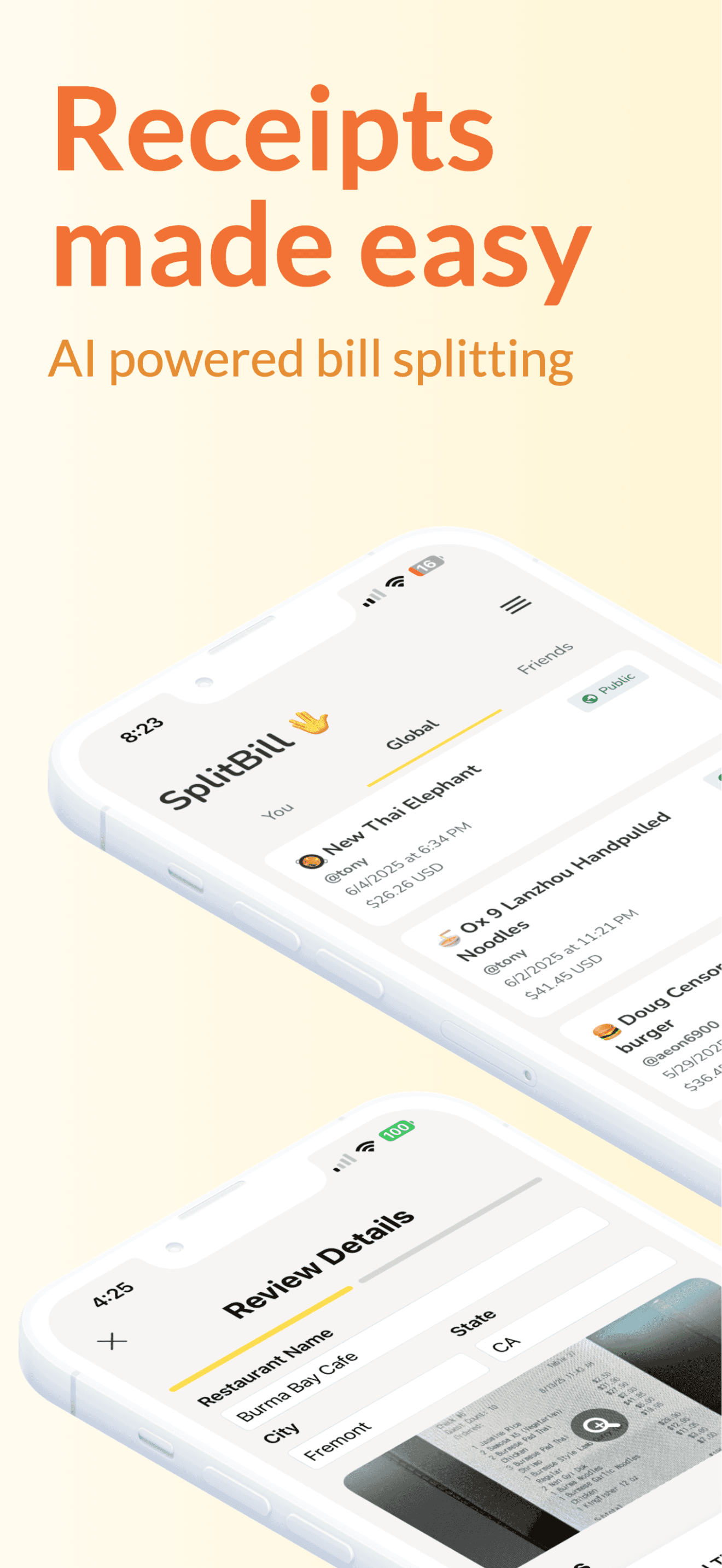
About this app
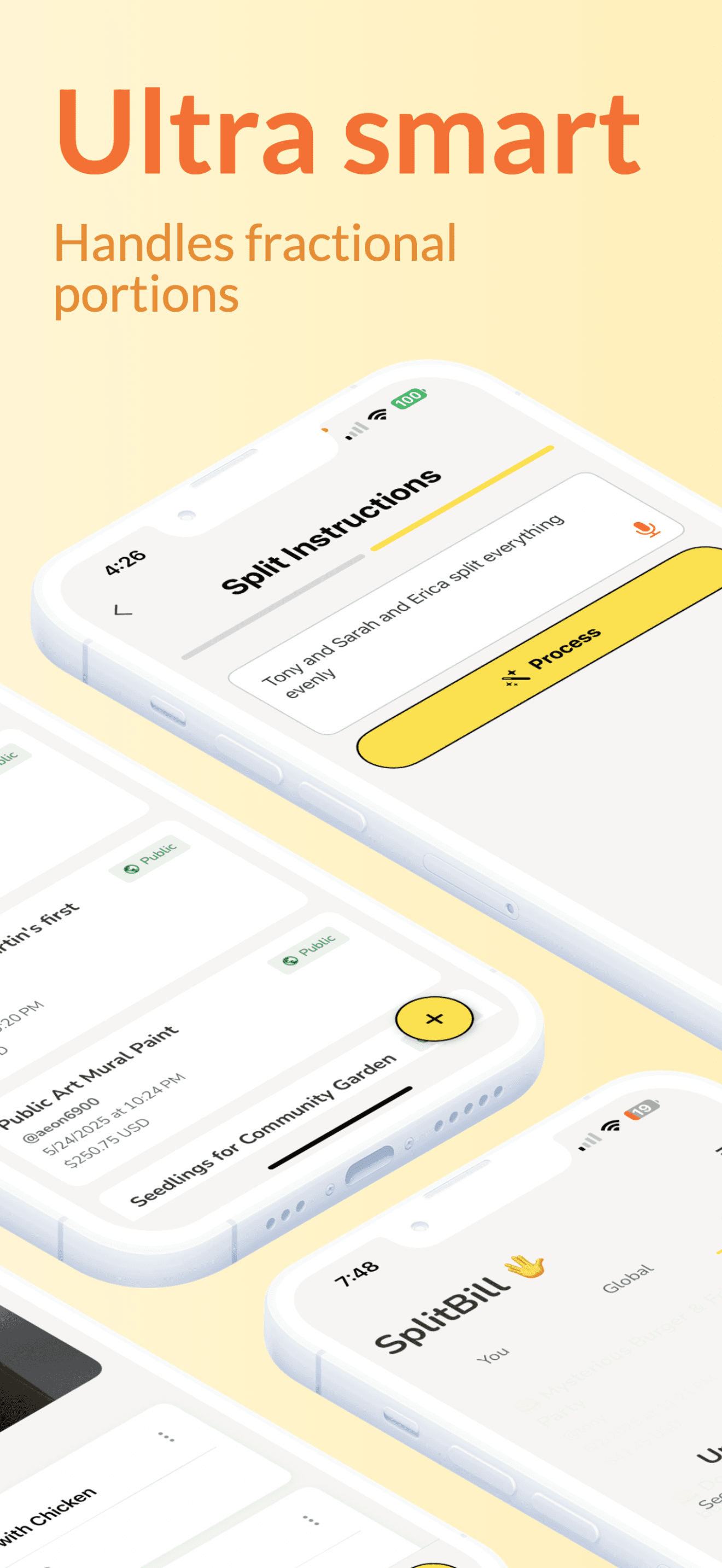
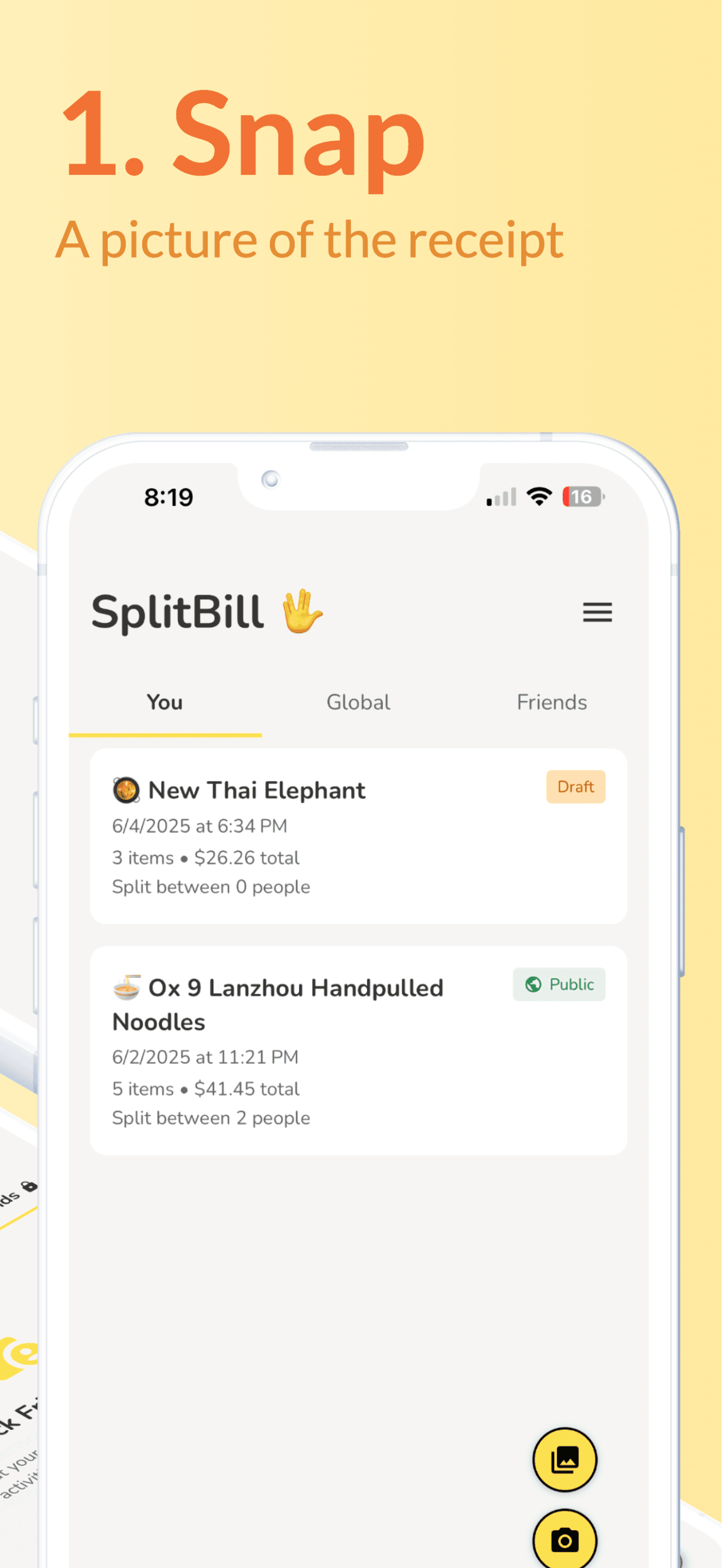
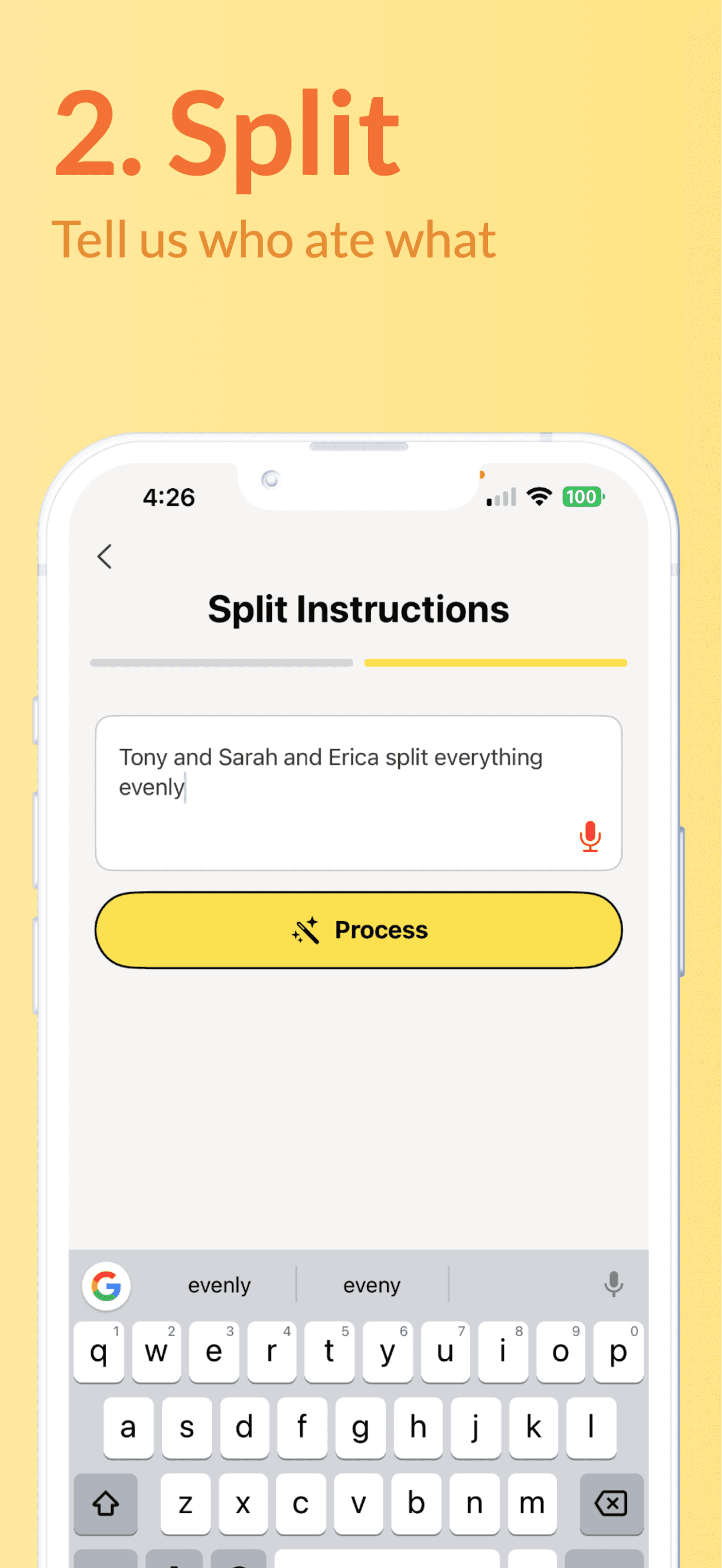
SplitBill is a free iOS app with optional upgrades that uses machine learning to scan physical receipts, detect items and prices, and assign costs to participants with automatic tax and tip calculations. It's designed for group travelers, roommates, and dining groups to eliminate manual calculations and disputes, featuring a clean UI, drag-and-drop assignment, and Venmo-ready payment requests. Recent updates have improved accuracy and usability, making it a reliable tool for complex expense splits.
Key features
- 1AI-powered receipt scanning with intuitive grid overlay for easy item selection and assignment.
- 2Fast local processing in 2-3 seconds before cloud analysis, handling over 20 line items smoothly.
- 3Clean mint-and-charcoal design reduces visual clutter, with drag-and-drop functionality for natural user interaction.
Target customer profile
Drawn from the product itself, not from a survey.
Demographic
Group travelers & vacationers
Pain points
Tracking shared Airbnb/tour costs, currency conversions
Primary needs
Instant expense allocation, multi-currency support
Demographic
Roommates & shared households
Pain points
Unequal utility/food bills, recurring calculations
Primary needs
Historical tracking, recurring split templates
Demographic
Dining groups & foodies
Pain points
Itemized restaurant bills, tip/tax disputes
Primary needs
Receipt scanning, custom tip allocation
Scout Review
Written by AI from measured evidence, scored out of 100.
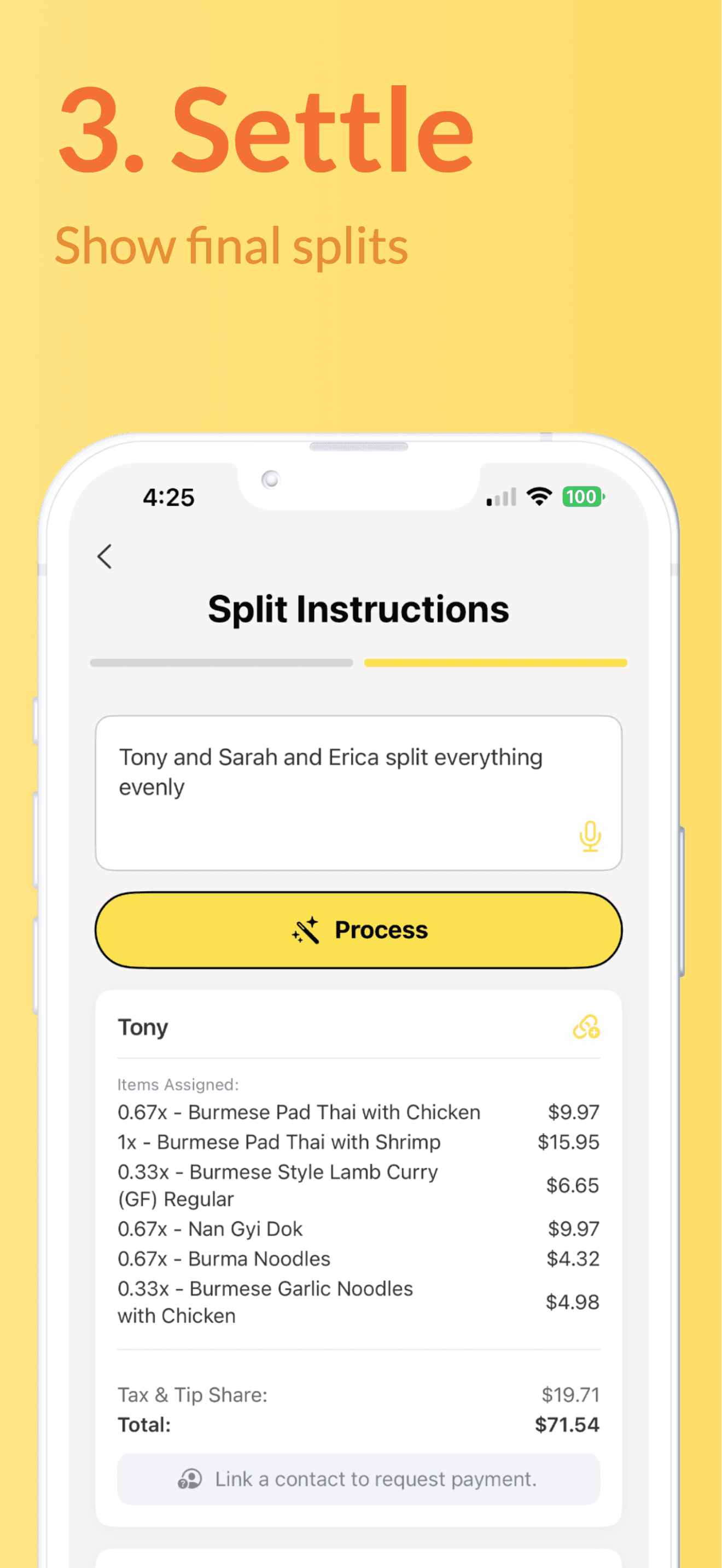
SplitBill delivers on its promise to eliminate calculator battles with group expenses through impressive AI-powered receipt scanning. The core functionality works exceptionally well - scanning physical receipts, detecting items and prices, and enabling intuitive drag-and-drop assignment to different people. It handles tax and tip calculations automatically and generates Venmo-ready payment requests seamlessly. While there are some UX limitations on smaller screens and security concerns around receipt image encryption, the app's reliability for complex splits has improved significantly with recent updates.
Measure by measure
Usability
84Intuitive drag-and-drop assignment feels natural, though small screens get cramped with 5+ people during complex splits.
Design
84Clean mint-and-charcoal palette reduces visual clutter, optimized for receipt scanning with intuitive AI detection grid overlay.
Speed
94Near-instant 2-3 second local receipt processing before cloud analysis, remains smooth with 20+ line items.
Security
76Standard Apple security with secure enclave for payment data, but unclear encryption for sensitive receipt images.
Accessibility
70Basic VoiceOver support and Dynamic Type scaling, but lacks multi-language support and automatic receipt orientation.
Growth
90AI-first approach positions it well for expense management market with strong potential for expansion.
Improvement areas
- Enhance security with clearer encryption for receipt images containing sensitive financial data.
- Improve accessibility by adding automatic receipt orientation detection and multi-language support.
- Expand platform availability to Android to capture a wider market and increase user base.
Design & Usability
SplitBill's interface immediately stands out with its clean mint-and-charcoal color scheme that's specifically designed to reduce visual clutter during the receipt scanning process. The AI detection grid overlay makes selecting items intuitive, with selected numbers pulsing green for clear confirmation. The drag-and-drop assignment system feels natural and responsive, though the experience becomes cramped on smaller screens when dealing with larger groups of 5+ people. The smart summary screen provides an excellent color-coded overview of contributions at a glance. Minor navigation issues appear when editing splits mid-process, but overall, the UX is thoughtfully designed for its core functionality.
Speed & Security
Performance is where SplitBill truly shines - receipt scans process in just 2-3 seconds locally before cloud analysis, making it feel nearly instantaneous. The app maintains smooth performance even when handling complex receipts with 20+ line items. Security-wise, it leverages Apple's secure enclave for payment data protection, which is reassuring. However, the privacy policy disclosure about contact and identifier collection, combined with unclear encryption standards for receipt images containing sensitive financial data, leaves room for improvement in the security department.
Accessibility & Growth
Accessibility features include support for Dynamic Type text scaling and VoiceOver for item descriptions, providing basic inclusivity. However, the app lacks haptic feedback confirmation for selections and doesn't automatically detect receipt orientation, requiring manual rotation. Being available only in English limits its global appeal. Despite these limitations, SplitBill's AI-first approach gives it significant growth potential in the expense management market, positioning it well for future expansion into Android, additional languages, and more advanced features.
Conclusion
If you're tired of being the 'human calculator' in every group outing or shared living situation, SplitBill is your AI-powered salvation. It particularly shines for dining groups and travelers dealing with complex expense splits. The free version is more than capable for most users, making it easy to try without commitment. For anyone who regularly splits bills with friends, roommates, or travel companions, this app will save you time, reduce disputes, and might actually make you enjoy splitting expenses for once.
Suggestions for improvement
- To reach its full potential, SplitBill should prioritize developing an Android version to capture a wider market share.
- Implementing automatic receipt orientation detection would significantly improve the user experience, eliminating the manual rotation requirement.
- Adding expense history export functionality would make it valuable for tax purposes and financial tracking.
- Developing shared wallets for recurring group expenses would cater perfectly to roommates and regular travel companions.
- Finally, incorporating haptic feedback during item selection would enhance accessibility and provide better user confirmation.
Alternatives comparison
Named competitors, point by point. Nobody paid to appear here or to be left out.
 SplitBill SplitBill |  Splitwise Splitwise |  Venmo Groups Venmo Groups | |
|---|---|---|---|
| Platform Availability | iOS Only | Web, Android, iOS | Mobile App |
| Receipt Scanning AI | Yes | No | No |
| Automatic Tax/Tip Calculations | Yes | Manual Entry | Basic Splitting Only |
| Payment Integration | Venmo-ready Requests | Multiple Options | Native Venmo |
| Price | Free with Optional Upgrades | Free | Free |
Splitwise
The industry leader with web/Android support but lacks AI receipt scanning.
Venmo Groups
Built-in payment splitting but no receipt parsing or tax calculations.
Comparing options? See SplitBill alternatives, scored side by side
More Expense Management apps
View all Expense Management
Receipt Bot
88Automated bookkeeping software that extracts data from re...

OpenBudget
87Connect your bank to AI for real answers about your money.

PropHours
86PropHours is a material participation tracker for STR and REPS: log rental hours by AI, voice, scan or timer, attach evidence, and export a CPA-ready file.

FreeBillKit
86FreeBillKit: free invoices, receipts, estimates & business documents in your browser. No signup, no watermark.

FollowIncome
86Business workspace for solo founders and small teams.

Fake Receipt Maker
84Fake Receipt Maker is a free online receipt generator that lets you create realistic, fully customizable receipts in seconds.

Dokta
84Dokta is an AI-powered document management and invoicing ...

Traceback
83Reveal No Caller ID, unknown numbers, and private callers...

DEFTER
83Sleek account book for personal & business finance with s...

BarBrain
82BarBrain is a digital inventory app for the hospitality i...

WhatsYourShare
82Free AI-powered group expense tracker and bill splitter w...

Receipt Generator
82An online tool for creating realistic store receipts with...


A platform dedicated to providing unbiased reviews of newly launched applications, analyzing everything from their features to their full potential.
info@scoutforge.net© 2026 Scoutforge. All rights reserved.
