

A platform dedicated to providing unbiased reviews of newly launched applications, analyzing everything from their features to their full potential.
info@scoutforge.net© 2026 Scoutforge. All rights reserved.
A platform dedicated to providing unbiased reviews of newly launched applications, analyzing everything from their features to their full potential.
info@scoutforge.net© 2026 Scoutforge. All rights reserved.
A platform dedicated to providing unbiased reviews of newly launched applications, analyzing everything from their features to their full potential.
info@scoutforge.net© 2026 Scoutforge. All rights reserved.
Cycling through all six. Tap any point to stop.
Measured on six things
AI-powered Mac app that captures your workflow and create...
HTTPS enforced with SPF/DMARC, but missing HSTS, CSP, and frame protection headers. App's local-first privacy claim is strong, but site security headers are thin.
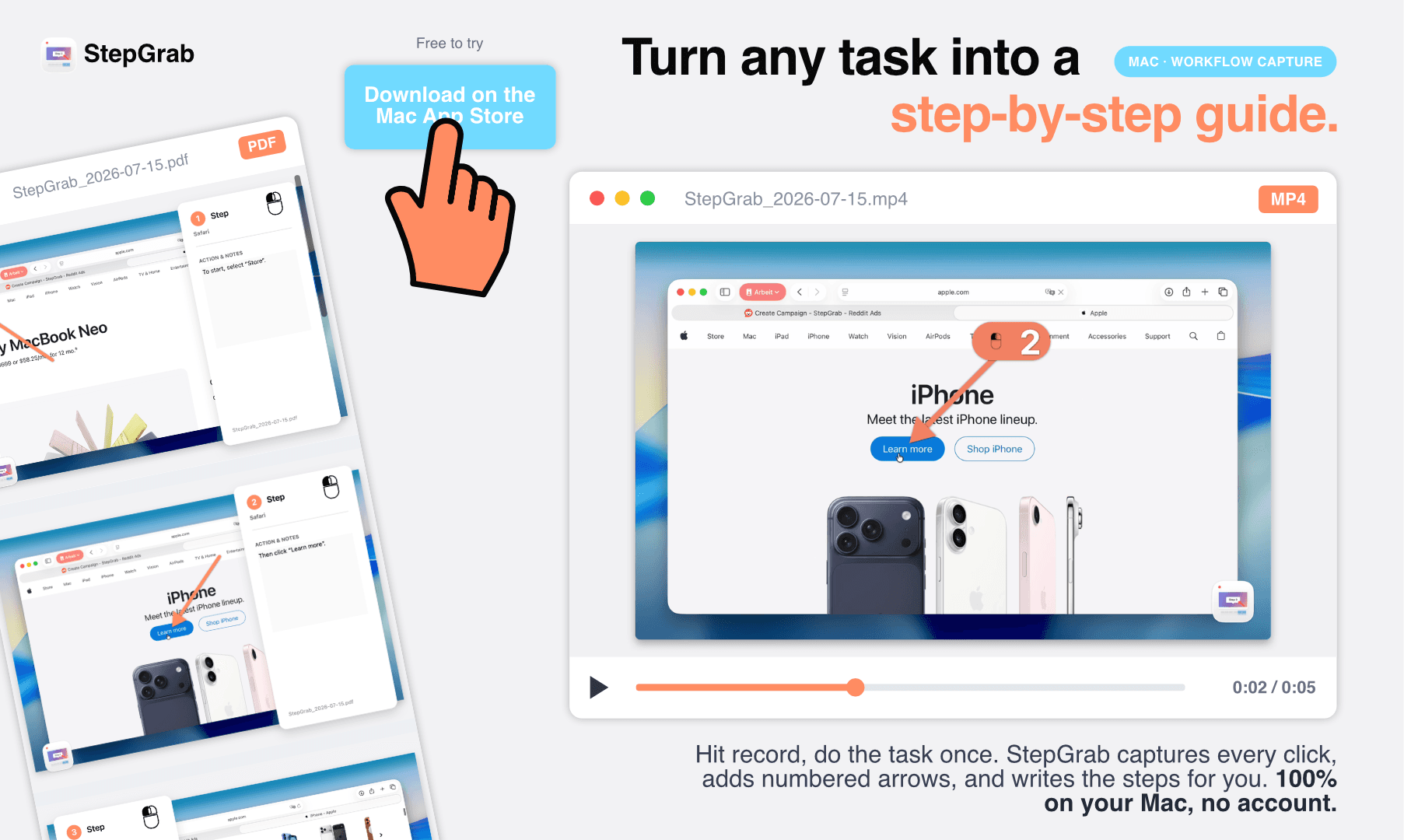
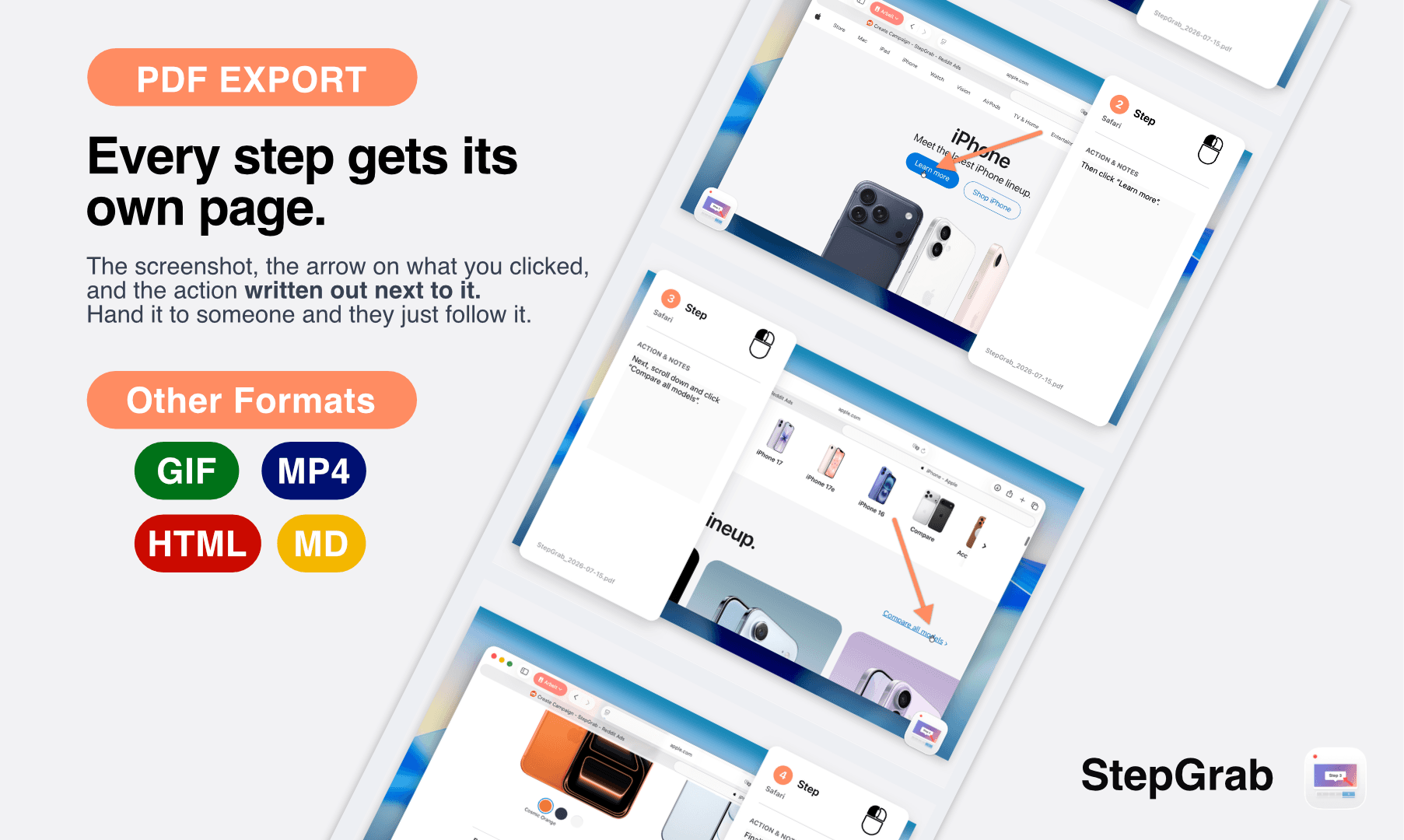
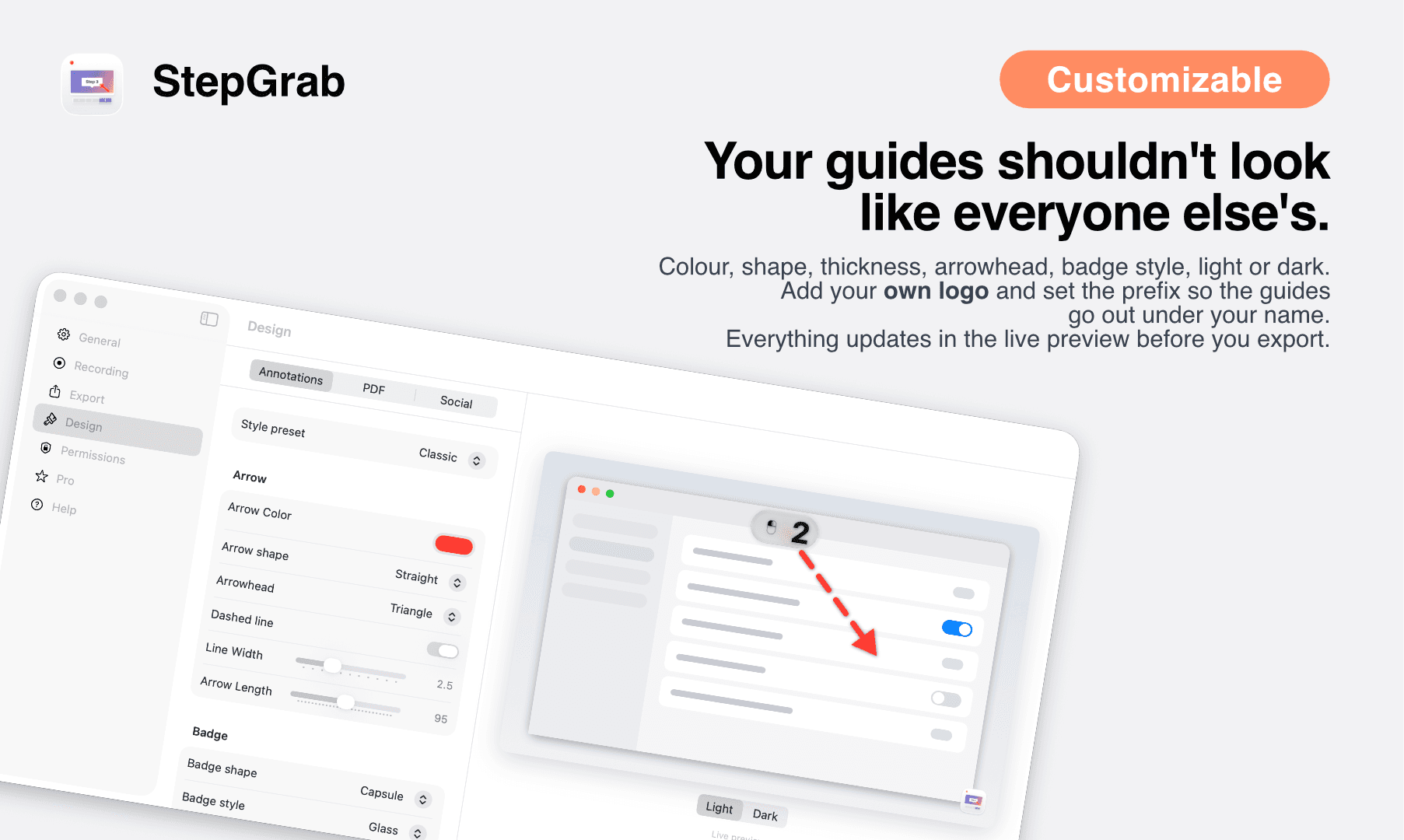
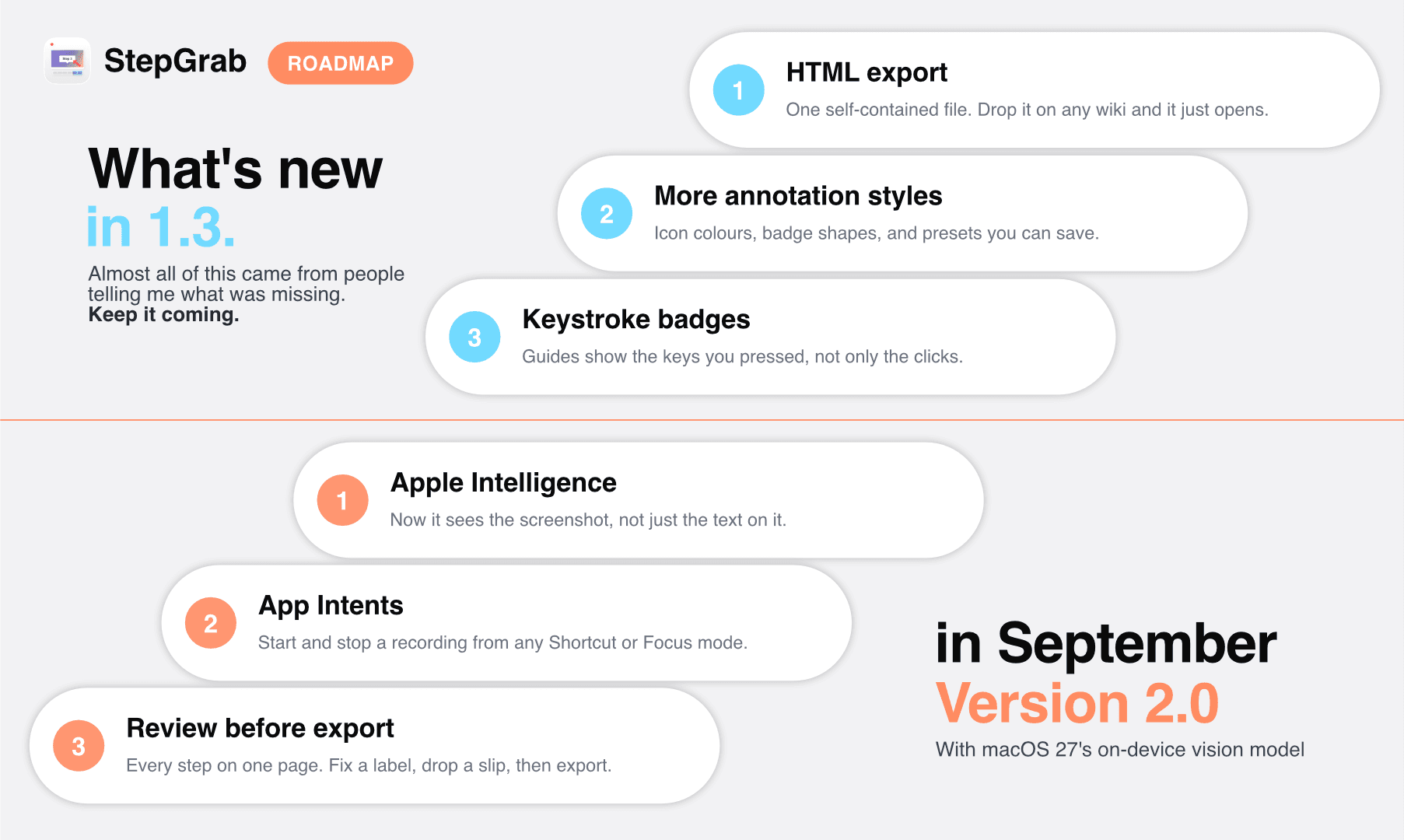
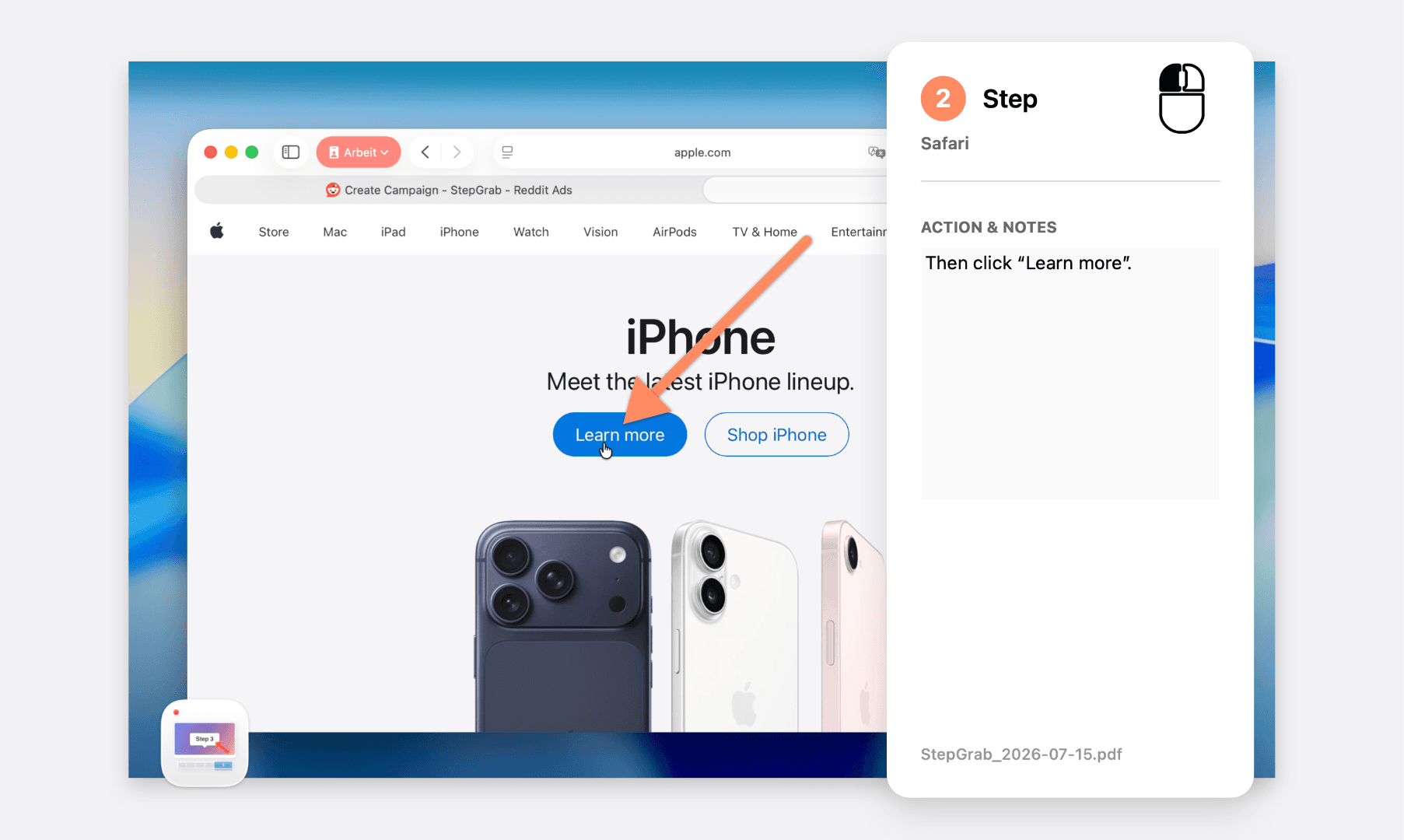
StepGrab is a game-changer for anyone who's ever had to document a process on a Mac. It sits quietly in your menu bar and, when you hit record, it captures every click as a clean, perfectly timed screenshot. The magic is that it automatically adds numbered arrows and captions, turning your messy workflow into a polished, professional-looking SOP or tutorial in minutes. You can export your guides as PDF for docs, GIF for Slack or GitHub, or MP4 for a full-motion video. The standout feature for me is the privacy angle: everything runs entirely on your Mac, with zero cloud uploads and no need for an account. It's like having Scribe or Tango, but native to macOS and way more private. The free tier is generous—you get 5 guides with up to 10 steps each to try it out. After that, the Pro plan is a steal at $12.99/year, or you can grab a lifetime license for $44.99 one-time. If you're a Mac user who creates training materials, onboarding docs, or support content, StepGrab is a no-brainer. I...
Drawn from the product itself, not from a survey.
Demographic
Mac-based small business owners and managers
Pain points
Need to document processes for employees but lack time; want to avoid cloud privacy concerns; limited budget for expensive tools.
Primary needs
Quick, easy, and secure way to create SOPs and training guides; affordable one-time payment option.
Demographic
Technical writers and documentation specialists
Pain points
Spending hours on manual screenshots and annotations; lack of native Mac integration in browser-based tools; need high-quality visuals for software documentation.
Primary needs
Automated step-by-step capture with precise annotations; export to PDF for official docs; offline capability for sensitive projects.
Demographic
Remote team leads and customer support managers
Pain points
Onboarding ramps with unclear instructions; repetitive explanations to customers; need to share threads of step-by-step visuals.
Primary needs
Fast creation of visually clear tutorials; export to GIF for quick Slack sharing; no learning curve for non-tech team members.
Demographic
Mac power users and productivity enthusiasts
Pain points
Dislike subscription bloatware; want native macOS experiences; concerned about data privacy and cloud dependency.
Primary needs
One-time purchase, local-first app, and a simple workflow that integrates with their existing Mac habits.
Written by AI from measured evidence, scored out of 100.
StepGrab is a well-positioned macOS utility that addresses a real pain point: creating professional SOPs and tutorials without the cloud dependency of competitors like Scribe and Tango. The app's local-first approach, with no account required and everything processed on-device, is a compelling privacy pitch that resonates with Mac power users and businesses handling sensitive information. The website effectively communicates the value proposition with a clean design, clear three-step workflow, and transparent pricing. The free tier with 5 guides and 10 steps each provides a genuine opportunity to evaluate the product. Performance is excellent, with near-perfect Lighthouse scores. However, the site's security headers are thin for a product that markets privacy, and accessibility has a few fixable issues. The growth potential is real - the privacy angle and one-time license pricing differentiate it from cloud-based alternatives - but the product needs to build traction and community to compete with established players. For Mac users who value privacy and want a native solution for process documentation, StepGrab is worth trying.
Clear three-step workflow, prominent download CTA, and product screenshots that immediately show value. Free tier lowers barrier to try. Navigation is simple but effective.
Clean, modern Mac-native aesthetic with consistent orange accent and realistic product mockups. Minor issues with hero composition and one cartoon illustration clashing.
Exceptional Lighthouse scores: 99 mobile, 100 desktop. LCP 1.7s, CLS 0.054, TBT 4ms. Lightweight static site that loads nearly instantly.
HTTPS enforced with SPF/DMARC, but missing HSTS, CSP, and frame protection headers. App's local-first privacy claim is strong, but site security headers are thin.
Lighthouse accessibility 91/100. Failing contrast on some text, heading order not sequential, and missing main landmark. Keyboard navigation appears functional.
Clear wedge: local-first, privacy-focused SOP creation for Mac users. Underserved segment with room to grow, but needs to prove it can win against free defaults.
StepGrab presents a clean, focused marketing site that clearly communicates its value proposition within seconds. The orange accent color creates strong visual hierarchy, and the product mockups with realistic Mac window controls immediately convey the native macOS experience. The three-step workflow (Record, Refine, Share) is explained simply with numbered sections, and the export format pills make the multi-format capability instantly scannable. The primary CTA is prominent, and the free tier lowers the barrier to trying the app. However, the hero composition feels slightly cramped with mockups cut off at edges, and the cartoon hand cursor clashes with the otherwise polished aesthetic. The navigation bar's orange background creates visual competition with the hero CTA. The pricing page is clear with three straightforward options, and the FAQ addresses key privacy concerns directly. Overall, the site does its job well - it explains what the app does, why it's different, and how to get it without unnecessary friction.
StepGrab's website is exceptionally fast, scoring 99/100 on mobile and 100/100 on desktop Lighthouse tests. With LCP at 1.7s, CLS at 0.054, and TBT at just 4ms, the site loads nearly instantly and provides a smooth experience even on slower connections. This is a lightweight static page that doesn't sacrifice performance for visual polish. On the security front, the picture is more mixed. The app's core value proposition - 100% local processing with no cloud uploads and no account required - is a strong privacy stance that differentiates it from cloud-based competitors. The site itself enforces HTTPS and has SPF/DMARC records, but lacks HSTS, CSP, frame protection, and other modern security headers. The security checklist score of 4/12 reflects these gaps. For a product that markets itself on privacy, the website's security posture could be stronger. The app's use of Apple's native StoreKit and claim of no third-party analytics is reassuring, but the site needs to match that standard.
StepGrab's accessibility is solid but not exceptional, with a Lighthouse score of 91/100. The main issues are insufficient color contrast on some text elements, non-sequential heading order, and a missing main landmark. These are fixable issues that would improve the experience for screen reader users and those with visual impairments. The site is English-only, which limits its reach but is typical for an early-stage product. For growth, StepGrab has identified a genuine pain point - creating professional SOPs and tutorials is time-consuming, and existing solutions like Scribe and Tango are cloud-based, which raises privacy concerns for many users. The local-first approach is a meaningful differentiator, and the one-time lifetime license appeals to users tired of subscription fatigue. The target customer is well-defined: Mac-based small business owners, technical writers, and support managers who need to document processes without cloud dependency. The category has room for a privacy-focused native macOS solution, but StepGrab needs to prove it can execute beyond the initial pitch. The lack of visible traction signals beyond an Instagram profile suggests early-stage marketing, but the product positioning is sound.
Conclusion
StepGrab is a promising entry in the process documentation space, offering a genuinely different approach with its local-first, no-account design. The privacy pitch is strong and timely, and the one-time lifetime license is an attractive option for users tired of subscriptions. The website is fast, clear, and effectively communicates the value proposition. The main areas for improvement are strengthening the site's security headers, fixing the accessibility issues, and building more visible social proof and community presence. If the app delivers on its promises - automatic capture, smart annotations, and clean exports - it could carve out a solid niche among Mac users who need to document processes without sending their screen to the cloud. The free tier makes it easy to try, and the pricing is reasonable. For anyone creating SOPs, onboarding docs, or tutorials on a Mac, StepGrab is worth a look. It's not a category killer yet, but it's a smart, well-executed product with a clear differentiator and room to grow.
Named competitors, point by point. Nobody paid to appear here or to be left out.
 StepGrab StepGrab |  Scribe Scribe |  Tango Tango |  Kapwing Kapwing | |
|---|---|---|---|---|
| Processing location | 100% local on Mac, no cloud uploads | Cloud-based, requires account | Cloud-based, Chrome extension | Cloud-based online editor |
| Pricing model | Free tier (5 guides/10 steps), Pro $12.99/yr or $44.99 lifetime | Free tier with limits, paid plans for teams | Free tier, subscription plans for Pro | Free tier with watermark, Pro subscription |
| Platform support | macOS 14.0+ only, native menu bar app | Browser-based, works on any OS | Chrome extension, cross-platform | Browser-based, cross-platform |
| Export formats | PDF, GIF, MP4 | PDF, link sharing, embed | PDF, link sharing, embed | Video, GIF, image formats |
| Account requirement | No account needed at all | Account required | Account required | Account required for saving |
Scribe
Browser-based step-by-step guide creator that records your workflow and generates SOPs automatically. Works in the cloud, requires an account.
Tango
Chrome extension that captures your screen as you go and creates how-to guides. Cloud-based, with a free tier and subscription plans.
Kapwing
Online video editor with screen recording and captioning features, but not specifically designed for step-by-step SOPs.
Comparing options? See StepGrab alternatives, scored side by side

An all-in-one hospitality software for restaurants and ba...

A weekly newsletter delivering curated tech jobs, intervi...

White-label reputation management software for agencies s...

Privacy-first open source journal app with a continuous t...

Puzzly is an all-in-one B2B lead generation platform that...

All-in-one AI workspace for docs, projects, and knowledge...

A free, open-source platform offering 110 AI agent skills...

Open-source desktop app for switching AI coding providers...

One verified handle for your online identity, readable by...

Frame-perfect video-to-GIF maker that runs entirely in yo...

White-label website audits that close deals for digital a...

Automated quote follow-up for trades and service businesses.
A platform dedicated to providing unbiased reviews of newly launched applications, analyzing everything from their features to their full potential.
info@scoutforge.net© 2026 Scoutforge. All rights reserved.
