Cycling through all six. Tap any point to stop.
Measured on six things
Repair corrupt MySQL databases and recover tables, views ...
Design
44Dated Windows-utility aesthetic with real copy defects: an email-backup subtitle, a duplicated 'Offers a Offers a' line, and a nonexistent 'MySQL 6.0' version. The clean recoverable-components table is the one polished element.
Screenshots
1 / 1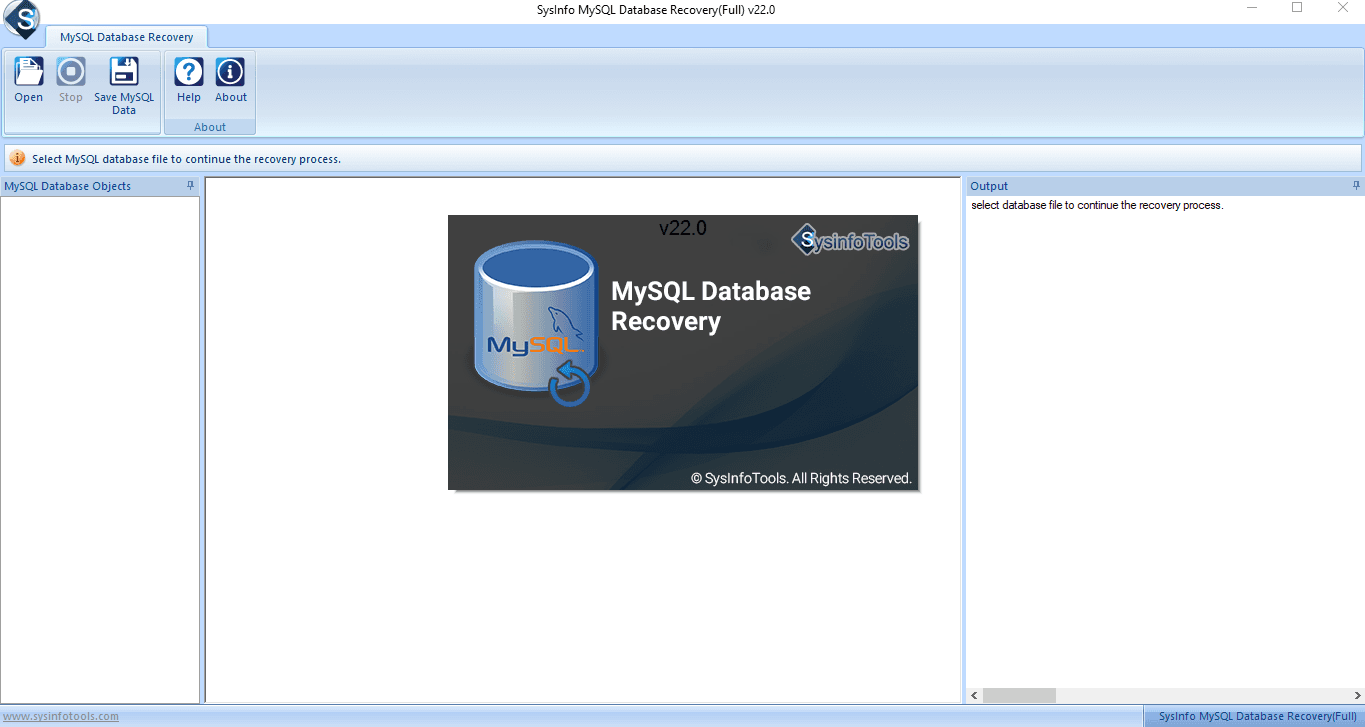
About this app
SysInfo MySQL Database Recovery Tool is a Windows utility built for the unglamorous but critical job of rescuing corrupted MySQL databases. It handles the files that actually matter in the wild — .ibd, ibdata1, .frm, .myd and .myi — and pulls out tables, keys, data types, table properties, views and triggers. What I like most is the flexibility on the output side: you can push recovered data straight into a new MySQL database via a connection test, or export it as an SQL script when no live server is around. It supports both InnoDB and MyISAM engines, plays nice with MySQL 8.0 right back to legacy versions, and runs on everything from Windows 7 to 11. The preview-before-save workflow is genuinely useful — you can eyeball your tables before committing, and there's a demo version so you can test-drive the scan first. It also advertises fixes for the usual suspects: error 1712, 1033, 1016, 2013, 1194, 1146 and InnoDB page corruption. At 1.7 MB, it's refreshingly lightweight, and the wh...
Key features
- 1Recovers .ibd, ibdata1, .frm, .myd and .myi files across InnoDB and MyISAM engines.
- 2Preview-before-save workflow lets you inspect tables, keys, views and triggers before committing.
- 3Dual output: push recovered data into a live MySQL database or export as an SQL script.
- 4Demo version available to test-drive the scan before purchase; 30-day moneyback.
Target customer profile
Drawn from the product itself, not from a survey.
Demographic
Database administrators managing MySQL servers
Pain points
Corrupt InnoDB tables, crashed MyISAM tables, lost connection errors
Primary needs
Fast, reliable recovery of tables, keys and indexes without data loss
Demographic
Small business IT teams without dedicated DB expertise
Pain points
No in-house MySQL recovery skills or budget for enterprise tools
Primary needs
Intuitive GUI that lets non-experts recover data and export SQL scripts
Demographic
Web developers and freelancers maintaining client sites
Pain points
Sudden database corruption that takes a client's site offline
Primary needs
Quick preview of recoverable data and affordable licensing options
Demographic
Software testers and QA engineers
Pain points
Damaged test databases that stall release cycles
Primary needs
A demo version to validate recovery before purchasing a license
Scout Review
Written by AI from measured evidence, scored out of 100.
SysInfo MySQL Database Recovery Tool is a competent, long-running Windows utility for a genuinely painful problem, wrapped in a marketing page that hasn't been proofread in years. The measured fundamentals are good: 91/97 Lighthouse performance, 10/12 security headers, HTTPS with HSTS and CSP. The recoverable-components table is clean and the preview-before-save workflow is a real differentiator. But the homepage ships with an email-backup subtitle, a duplicated 'Offers a Offers a' line, and a claim of support for 'MySQL 6.0' — a version that doesn't exist. Accessibility fails on contrast, color-only links, and mismatched accessible names. Growth is limited by a narrow on-prem niche and a single price-driven competitor. Buy it if you need it; just don't judge it by the landing page.
Measure by measure
Usability
62Purpose is clear in one hero line, both CTAs sit above the fold, and anchor links repeat for long-page navigation. A demo version and 30-day moneyback lower purchase risk. Long small-type body copy hurts scanning.
Design
44Dated Windows-utility aesthetic with real copy defects: an email-backup subtitle, a duplicated 'Offers a Offers a' line, and a nonexistent 'MySQL 6.0' version. The clean recoverable-components table is the one polished element.
Speed
78Lighthouse 91 mobile / 97 desktop, LCP 1.3s, TBT 83ms — genuinely fast for a marketing page. CLS 0.183 is the one blemish, likely from the floating chat bubble and popup shifting layout on load.
Security
74HTTPS enforced with HSTS, CSP, Referrer-Policy, Permissions-Policy, SPF and DMARC — 10/12 on the header probe. Missing X-Frame-Options and X-Content-Type-Options. No published SOC 2, ISO, or bug bounty found.
Accessibility
68Lighthouse a11y 91/100, but failing audits include insufficient color contrast, links distinguishable only by color, no main landmark, and visible labels not matching accessible names. No WCAG statement or a11y page found.
Growth
58Real, painful problem — a corrupted MySQL DB takes a client site offline — with a concrete preview-then-export workflow. But it's a narrow Windows utility competing on price against Aryson in a shrinking on-prem niche.
Improvement areas
- Landing page copy defects: email-backup subtitle, duplicated 'Offers a Offers a' line, fake 'MySQL 6.0' version.
- Missing X-Frame-Options and X-Content-Type-Options headers; no published SOC 2, ISO, or bug bounty.
- Accessibility failures: low contrast, color-only links, no main landmark, mismatched accessible names.
- No WCAG statement or accessibility page; long small-type body copy hurts scanning.
Design & Usability
The homepage does the hard part right: one clear hero line, both CTAs above the fold, and anchor links that repeat so you can jump around a long page. A demo version and a 30-day moneyback lower the risk of buying blind. Where it falls apart is craft. The Features subtitle talks about backing up emails — copy lifted from a different SysInfo product. The Benefits list literally reads 'Offers a Offers a user-interactive interface.' The compatibility line claims support for 'MySQL 6.0,' a version that has never shipped. For a tool whose entire pitch is 'trust us with your corrupted data,' typos that obvious undercut the pitch before you've downloaded anything. The recoverable-components table is clean and scannable — proof the team can build a good layout when they slow down.
Speed & Security
Speed is the strongest measured dimension. Lighthouse puts mobile at 91 and desktop at 97, with a 1.3s LCP and 83ms TBT — snappy for a page this content-heavy. The one crack is CLS at 0.183, almost certainly the floating chat bubble and the download/purchase popup shoving the hero around on load. Security is solid on the basics: HTTPS enforced, HSTS, CSP, Referrer-Policy, Permissions-Policy, plus SPF and DMARC records — 10 of 12 header checks pass. The two misses are X-Frame-Options and X-Content-Type-Options, both trivial to add. What's absent is anything third-party: no SOC 2, no ISO, no bug bounty, no security page. For a desktop tool that touches production database files, a short 'how we handle your data' page would do more for trust than another checkmark bullet.
Accessibility & Growth
The automated a11y score is 91, but the failing audits are the ones that actually bite: insufficient color contrast, links distinguishable only by color, no main landmark, and visible button labels that don't match their accessible names. That last one is the worst — a screen reader announces something different from what sighted users see. No WCAG statement or accessibility page exists. On growth: the problem is real and urgent (a corrupt MySQL DB takes a client site offline), and the preview-before-save plus dual output (live DB or SQL script) is a concrete workflow competitors don't always match. But the addressable market is narrow — Windows-only, on-prem MySQL, sold against one near-identical rival (Aryson) on price. The 16-year domain history shows staying power, not expansion. It's a durable niche business, not a category with headroom.
Conclusion
If your InnoDB tables are corrupt and you need a Windows GUI that previews before it commits, this does the job and the demo lets you verify before paying. The 30-day moneyback and 1.7 MB footprint keep the risk low. What you're not getting: published security audits, an accessibility statement, or a landing page that reads like anyone proofread it. Fix the copy defects, add the two missing security headers, write an a11y statement, and this jumps a full tier without touching the product itself.
Suggestions for improvement
- Fix the Features subtitle ('backup and transfer emails') and the duplicated 'Offers a Offers a' line — both are visible on the live page.
- Remove 'MySQL 6.0' from the compatibility list; it's not a real release and it undermines credibility.
- Add X-Frame-Options and X-Content-Type-Options headers — the only two misses on an otherwise solid 10/12.
- Publish a short accessibility statement and fix the mismatched accessible names on the CTA buttons.
Alternatives comparison
Named competitors, point by point. Nobody paid to appear here or to be left out.
 SysInfo MySQL Database Recovery Tool |  Aryson MySQL Database Recovery | |
|---|---|---|
| Supported file types | .ibd, ibdata1, .frm, .myd, .myi | .myi, .myd, .frm, .ibd |
| Output options | Live MySQL database or SQL script | SQL script or live database |
| Preview before save | Yes — tree view of tables, keys, views, triggers | Yes — preview of recoverable items |
| Storage engines supported | InnoDB and MyISAM | InnoDB and MyISAM |
| Demo / trial version | Free demo to scan and preview | Free demo version available |
| Platform | Windows 7 through 11 | Windows |
Comparing options? See SysInfo MySQL Database Recovery Tool alternatives, scored side by side
More Productivity apps
View all Productivity
Puzzly – B2B Lead Generation & Sales Intelligence Platform
92Puzzly is an all-in-one B2B lead generation platform that...

Qamarero
92An all-in-one hospitality software for restaurants and ba...

EmbedMyReviews
92White-label reputation management software for agencies s...

StoryPad
92Privacy-first open source journal app with a continuous t...

Notion
92All-in-one AI workspace for docs, projects, and knowledge...

The Stack Newsletter
92A weekly newsletter delivering curated tech jobs, intervi...

Vibe Coding Agent Skills
92A free, open-source platform offering 110 AI agent skills...

QRBliss
91Branded QR codes with AI Brand Sync, 15 free dynamic code...

Gerty
91Private, local AI assistant for Mac that runs offline

Strukchad Property Management
91Property management for Kenyan letting agents: rent invoices raised every month, M-Pesa rent prompts to tenants, arrears tracking and landlord statements.

CC Switch
91Open-source desktop app for switching AI coding providers...

PitchWhip
90AI cold call scripts & direct dials from LinkedIn


A platform dedicated to providing unbiased reviews of newly launched applications, analyzing everything from their features to their full potential.
info@scoutforge.net© 2026 Scoutforge. All rights reserved.
