Cycling through all six. Tap any point to stop.
Measured on six things
PowerPoint slide library and presentation management platform with instant access to approved, on-brand slides and AI-powered generation.
Growth
42Niche presence with G2 reviews and a 2021 third-party write-up. No GitHub activity or broad community signals; competes in crowded presentation space.
Screenshots
1 / 1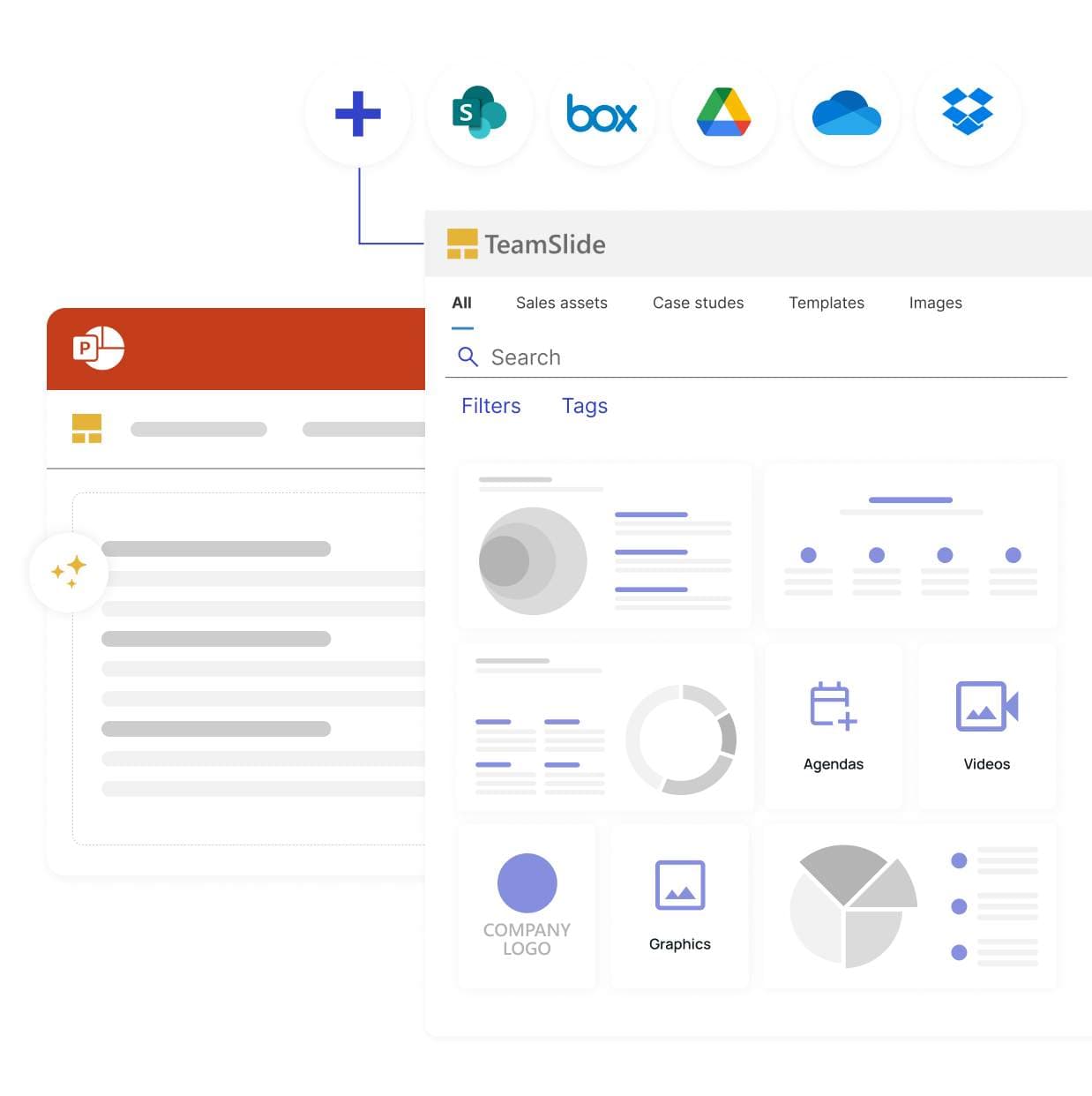
About this app
TeamSlide is a PowerPoint-native slide library and presentation governance platform. It syncs with SharePoint, OneDrive, Box, Google Drive, and Dropbox so teams search, insert, and reuse approved content without leaving PowerPoint. Full-text search works slide by slide, including tables, diagrams, and notes, so users find the right asset instead of digging through old decks. To keep that content on-brand, compliance is enforced through template management, automated slide checks for formatting and branding errors, and version control that flags outdated slides the moment a source file is updated. An AI slide generator also turns rough notes into consulting-grade slides using approved brand templates. Built for consulting, sales, finance, and marketing teams, TeamSlide cuts time spent hunting for content and reduces the risk of off-brand or outdated slides reaching clients. Deployment works in cloud or on-premise, with data encryption at rest and in transit.
Key features
- 1PowerPoint-native search and insert with full-text slide indexing
- 2Automated brand compliance checks and version control alerts
- 3AI slide generation from notes using approved templates
Target customer profile
Drawn from the product itself, not from a survey.
Demographic
Enterprise marketing and brand teams
Pain points
Struggling to ensure brand consistency across hundreds of presentations; outdated slides circulating; manual template enforcement.
Primary needs
Centralized slide libraries, automated brand checks, version control, and template management.
Demographic
Sales teams in large organizations
Pain points
Spending hours searching for the latest slides; using off-brand or outdated content in client pitches; slow proposal creation.
Primary needs
Fast slide search, easy insertion of approved assets, AI-driven slide generation, and real-time updates.
Demographic
Consulting and advisory professionals
Pain points
Need to produce polished, data-rich decks quickly; manually formatting slides; inconsistent branding across client deliverables.
Primary needs
AI slide generation from notes, leadership-style templates, and quick access to reusable slide components.
Scout Review
Written by AI from measured evidence, scored out of 100.
TeamSlide excels as a governance layer inside PowerPoint, syncing content systems and enforcing brand rules while adding AI generation. It targets enterprises tired of off-brand decks and manual hunting. Scores reflect a solid but unflashy tool: strong usability and speed, average design and security, with room to grow visibility. Against alternatives, its deep Office integration and compliance features stand out.
Measure by measure
Usability
66Strong PowerPoint-native workflow and CMS syncs reduce context switching. Clear feature explanations and positive ease-of-use feedback on G2.
Design
58Average SaaS polish with consistent grids and icons but flat mockups and low-contrast logos. Standard two-column hero lacks distinctive rhythm.
Speed
72Solid Lighthouse scores (mobile 87, desktop 83) with good LCP and low CLS. No lag complaints surfaced in reviews.
Security
58Basic headers plus site claims of Azure encryption, pen testing, and GDPR. On-prem option adds enterprise appeal; no public SOC 2 found.
Accessibility
68High automated score (93) undercut by contrast, heading, and label issues. Responsive design present; no dedicated a11y docs located.
Growth
42Niche presence with G2 reviews and a 2021 third-party write-up. No GitHub activity or broad community signals; competes in crowded presentation space.
Improvement areas
- Visual depth in product mockups and logo presentation
- Public security certifications and accessibility documentation
- Broader community and review visibility beyond G2
Design & Usability
TeamSlide's design lands in the competent middle: clean card grids and a functional PowerPoint mockup in the hero deliver the core message without flair. The orange accent provides focus, yet flat thumbnails and faint logos keep it from feeling premium. Usability shines through native PowerPoint integration and direct CMS syncs that let users search and insert approved slides without leaving their workflow. G2 feedback highlights time savings, aligning with the site's emphasis on version control and brand checks. Pricing tiers are transparent, though the heavy reliance on demo CTAs suggests the product benefits from guided onboarding for enterprise buyers.
Speed & Security
Performance is a quiet strength. Lighthouse metrics (87 mobile, 83 desktop) show snappy loads with excellent CLS control, supporting a smooth experience even on the library-heavy pages. Security sits at baseline-plus: HTTPS/HSTS and encryption claims are table stakes, while pen testing and on-premise deployment give it an edge for regulated teams. The header probe reveals missing modern policies like CSP, but the overall posture matches a mature B2B tool rather than a flashy startup. No breach history or complaints appeared in searches.
Accessibility & Growth
Accessibility scores well on automation (93) yet real-world gaps in contrast and labeling remain. The product is responsive and keyboard-friendly in screenshots, but lacks public statements or multi-language support details. Growth is modest and niche-focused. A G2 presence and older positive reviews exist, but broad traction signals like active communities or rapid changelog activity are absent. It serves consulting and sales teams effectively without the viral visibility of consumer presentation tools.
Conclusion
For teams already living in PowerPoint and SharePoint, TeamSlide removes real friction. It won't win design awards, but it quietly solves expensive problems around consistency and version drift.
Suggestions for improvement
- Add a public SOC 2 or ISO badge page to lift security perception
- Improve hero mockup depth and logo contrast for stronger first impression
- Publish an accessibility statement and fix the listed contrast/heading issues
- Build a lightweight community hub or changelog to boost growth signals
Alternatives comparison
Named competitors, point by point. Nobody paid to appear here or to be left out.
 TeamSlide TeamSlide |  Beautiful.ai Beautiful.ai |  SlideTeam SlideTeam |  Powtoon Powtoon | |
|---|---|---|---|---|
| Native PowerPoint integration for search/insert | Yes - full add-in with slide library inside PPT | No - standalone AI designer, exports to PPT | Limited - template downloads, no live sync | No - video/animation focus, separate editor |
| CMS sync (SharePoint, OneDrive, Box, etc.) | Yes - direct sync with version control | No - cloud storage only | No - static template library | Limited - exports only |
| Automated brand compliance & slide checks | Yes - formatting, branding, version flags | Partial - auto-formatting but no enterprise rules | No | No |
| AI slide generation from notes | Yes - consulting templates + brand voice | Yes - strong auto-design AI | No | Partial - animated templates |
Beautiful.ai
AI-powered presentation software that automatically formats slides based on content, but lacks deep integration with existing PowerPoint workflows and CMS sync.
SlideTeam
Large library of PowerPoint templates and slides, but does not offer AI generation or enterprise version control and brand compliance features.
Powtoon
Video and presentation creation tool with animated templates, but not focused on PowerPoint slide management or brand compliance.
Comparing options? See TeamSlide alternatives, scored side by side
Sources
What the review was written against. A verdict with no sources is an opinion.
More Productivity apps
View all Productivity
Qamarero
92An all-in-one hospitality software for restaurants and ba...

The Stack Newsletter
92A weekly newsletter delivering curated tech jobs, intervi...

EmbedMyReviews
92White-label reputation management software for agencies s...

StoryPad
92Privacy-first open source journal app with a continuous t...

Puzzly – B2B Lead Generation & Sales Intelligence Platform
92Puzzly is an all-in-one B2B lead generation platform that...

Notion
92All-in-one AI workspace for docs, projects, and knowledge...

Vibe Coding Agent Skills
92A free, open-source platform offering 110 AI agent skills...

CC Switch
91Open-source desktop app for switching AI coding providers...

username.md
90One verified handle for your online identity, readable by...

What the GIF
89Frame-perfect video-to-GIF maker that runs entirely in yo...

AuditCloser
89White-label website audits that close deals for digital a...

NudgeWin
89Automated quote follow-up for trades and service businesses.


A platform dedicated to providing unbiased reviews of newly launched applications, analyzing everything from their features to their full potential.
info@scoutforge.net© 2026 Scoutforge. All rights reserved.
