Is this your app?
Claim TexText.xyz to manage its page, add your badge and see your traffic — free, and it stays free.
Cycling through all six. Tap any point to stop.
Measured on six things
A free, browser-based OCR tool for quick text extraction from images with local processing and no signup required.
Accessibility
60Multi-language text extraction but lacks screen-reader support, contrast adjustments, or keyboard shortcuts.
Screenshots
1 / 3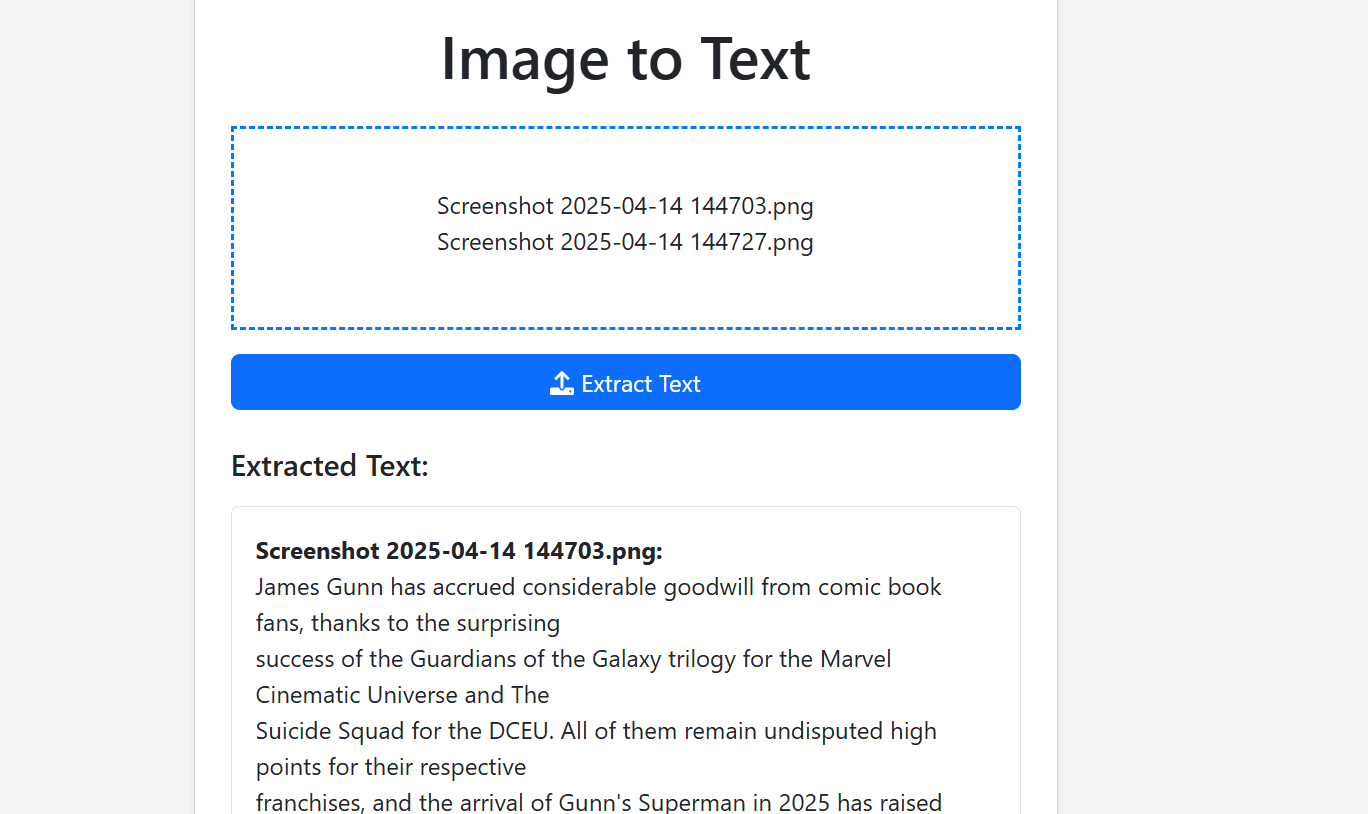
About this app
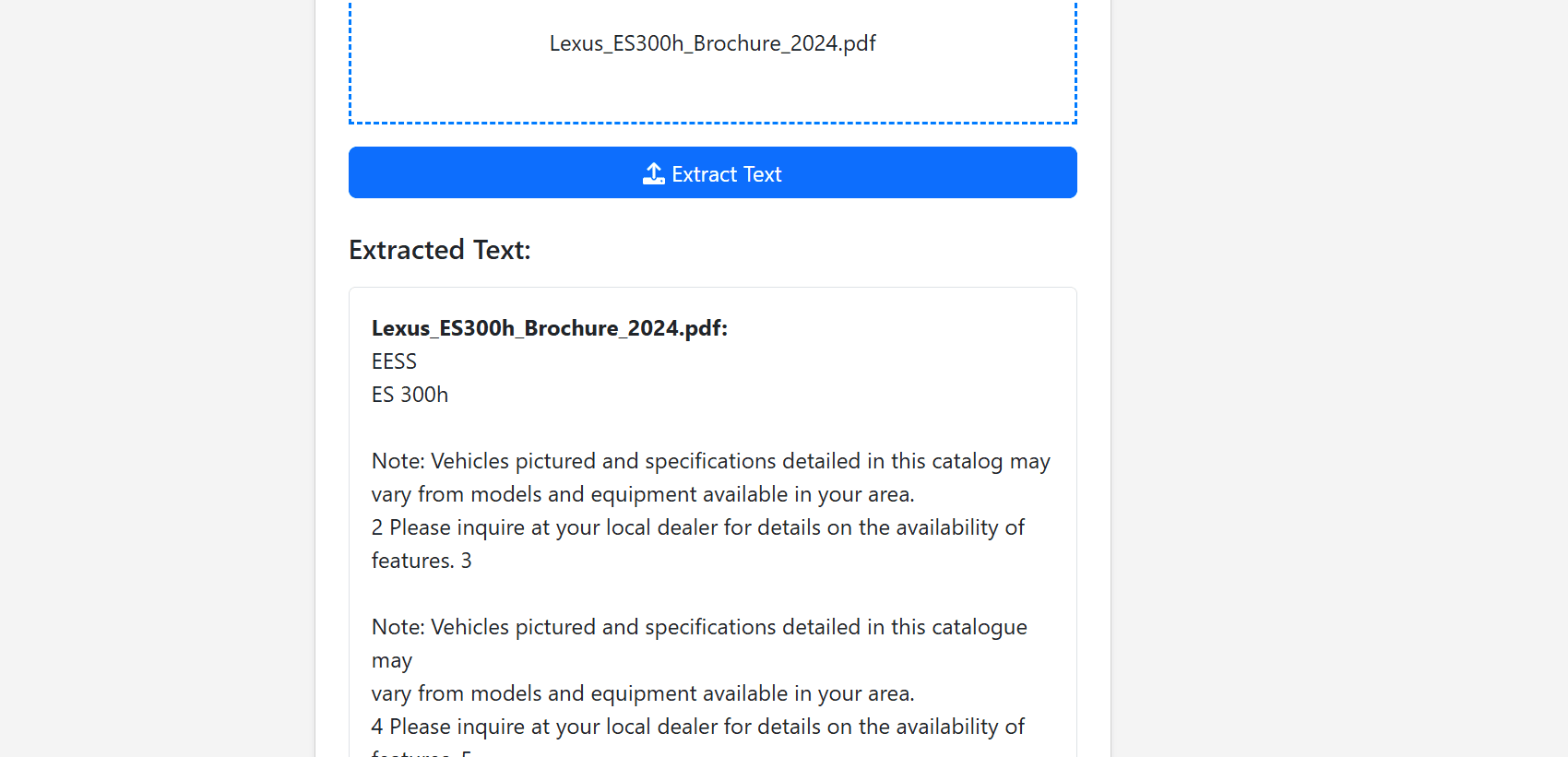
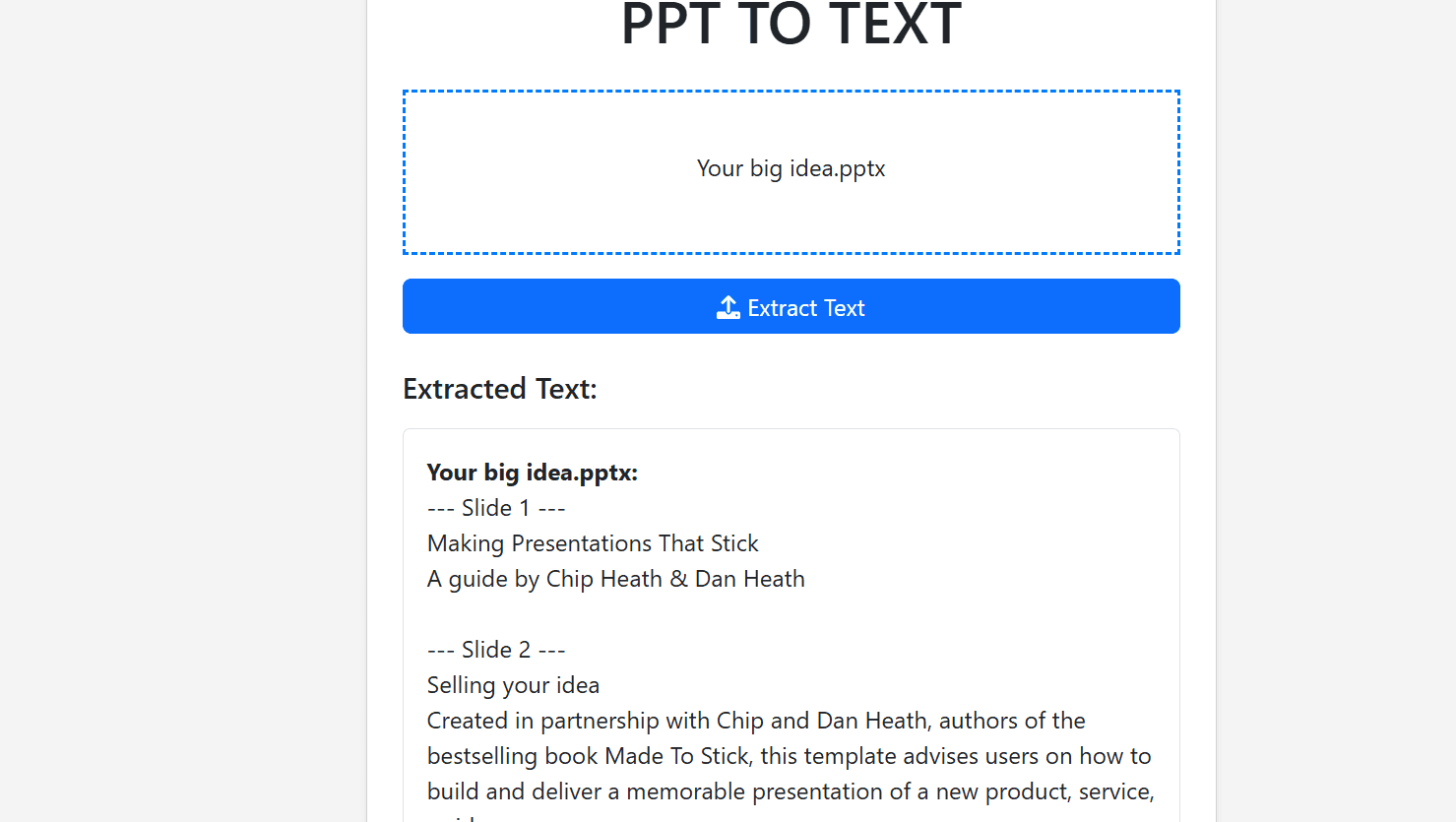
TexText.xyz is a straightforward and efficient OCR (Optical Character Recognition) tool that allows users to extract text from various image formats like JPG, PNG, and GIF directly in their web browser. It's designed for simplicity and speed, handling up to 20 images at once and processing them locally to ensure privacy and security—files are deleted immediately after conversion. While it excels with printed text and supports multiple languages including English, French, and Spanish, it may struggle with handwriting or low-quality images. Ideal for students, content creators, and casual users who need a no-fuss solution for digitizing text without subscriptions or downloads.
Key features
- 1Local browser processing ensures high privacy and security with automatic file deletion
- 2Intuitive drag-and-drop interface with zero learning curve for easy use
- 3Supports multiple languages including English, French, and Spanish for text extraction
Target customer profile
Drawn from the product itself, not from a survey.
Demographic
Students and Researchers
Pain points
Manually typing text from screenshots or printed materials; needing digitized notes quickly for study or citations.
Primary needs
Fast, accurate text extraction for academic materials to save time and effort.
Demographic
Content Creators and Social Media Managers
Pain points
Repurposing text from memes or social media posts; avoiding tedious manual transcription for content creation.
Primary needs
Batch processing capabilities for multiple images and easy copy-paste functionality to streamline workflows.
Demographic
Casual Users
Pain points
Dealing with unreliable OCR tools that require signups, have slow processing, or lack privacy features.
Primary needs
Free, instant access to a simple tool that works without technical complexity or commitments.
Scout Review
Written by AI from measured evidence, scored out of 100.
TexText.xyz delivers exactly what it promises - a straightforward, privacy-focused OCR tool that works instantly without signups or downloads. It excels at quick text extraction from printed materials while maintaining strong security through local processing. The interface, while functional, shows its age with cluttered ads and basic styling. For students needing to digitize notes or content creators repurposing text from images, it's an excellent no-strings-attached solution.
Measure by measure
Usability
80Intuitive drag-and-drop workflow with zero learning curve, though multi-image handling could be smoother.
Design
70Minimalist interface with drag-and-drop functionality but dated aesthetics and cluttered ads.
Speed
80Processes single images in seconds using local browser processing, with minor delays on larger batches.
Security
90Local browser processing ensures files never leave your device, with automatic deletion after conversion.
Accessibility
60Multi-language text extraction but lacks screen-reader support, contrast adjustments, or keyboard shortcuts.
Growth
70Solid niche tool with potential for expansion into handwriting recognition and API integrations.
Improvement areas
- Reduce ad density to minimize visual clutter and improve user experience
- Add accessibility features like screen reader support and keyboard navigation
- Enhance multi-image handling and add features like dark mode and handwriting recognition
Design & Usability
TexText.xyz keeps things simple with a no-nonsense interface that gets straight to business. The drag-and-drop zone is prominently featured, making it immediately clear how to use the tool. While the orange action buttons provide clear visual cues, the overall design feels somewhat dated with its basic styling. The presence of ads creates visual clutter that detracts from the clean functionality. Navigation is straightforward - upload, extract, copy - with no complicated menus or settings to navigate. For basic OCR tasks, the UX is efficient and requires zero learning curve, though handling multiple images simultaneously could be more streamlined.
Speed & Security
Where TexText.xyz truly shines is in its security approach. By processing everything locally in your browser, your sensitive documents never leave your device or get uploaded to unknown servers. The automatic deletion after conversion is a privacy-conscious feature that sets it apart from many cloud-based alternatives. Speed performance is impressive for a browser-based tool - simple screenshots convert in mere seconds thanks to the efficient Tesseract OCR engine. Larger batches or complex images may experience slight delays, but overall the performance remains snappy and responsive without the latency of server-based processing.
Accessibility & Growth
The tool supports multiple languages for text extraction including English, French, and Spanish, which is commendable for a free service. However, accessibility features are noticeably lacking - no screen reader optimization, no high contrast mode, and no keyboard navigation shortcuts. The mobile experience is functional but could benefit from a dedicated app. Growth potential lies in expanding beyond printed text recognition into handwriting support and developing API capabilities for developers. The niche focus on privacy and simplicity gives it a solid foundation, but expanding feature sets while maintaining its core values will be key to future relevance.
Conclusion
If you're tired of OCR tools that demand your email address before letting you test their capabilities, TexText.xyz offers a refreshing alternative. It's perfect for quick conversions where privacy matters and perfection isn't required. While it won't replace professional-grade OCR software for complex documents, it handles everyday text extraction tasks with impressive efficiency. Give it a try next time you need to grab text from a screenshot or meme without the hassle.
Suggestions for improvement
- Reducing ad density would significantly improve the user experience without compromising revenue.
- Adding dark mode would make extended use easier on the eyes, while basic handwriting recognition would expand its utility beyond printed text.
- A mobile app version would cater to the growing need for on-the-go conversions.
- Implementing a live preview feature with basic cropping tools before processing would help users optimize images for better accuracy.
- Finally, adding basic accessibility features like screen reader support and keyboard navigation would make the tool more inclusive.
Alternatives comparison
Named competitors, point by point. Nobody paid to appear here or to be left out.
 TexText.xyz TexText.xyz |  OnlineOCR.net OnlineOCR.net |  Adobe Acrobat OCR Adobe Acrobat OCR |  NewOCR.com NewOCR.com | |
|---|---|---|---|---|
| Processing Method | Local browser processing | Server-side processing | Local/cloud hybrid | Server-side processing |
| Signup Required | No signup required | Free tier requires signup | Premium account required | No signup required |
| Cost | Completely free | Freemium model | Premium subscription | Completely free |
| Privacy Focus | High (local processing) | Medium (server uploads) | Medium (varies by feature) | Low (server processing) |
OnlineOCR.net
Offers PDF-to-text conversion and higher accuracy for scanned documents but requires signup for the free tier.
Adobe Acrobat OCR
A premium tool with advanced editing and recognition features, but it's costly and may be overkill for casual users.
NewOCR.com
Provides free multi-format OCR with server-side processing, though it can be slower and less focused on privacy.
Comparing options? See TexText.xyz alternatives, scored side by side
More Productivity apps
View all Productivity
Notion
92All-in-one AI workspace for docs, projects, and knowledge...

Qamarero
92An all-in-one hospitality software for restaurants and ba...

EmbedMyReviews
92White-label reputation management software for agencies s...

StoryPad
92Privacy-first open source journal app with a continuous t...

Puzzly – B2B Lead Generation & Sales Intelligence Platform
92Puzzly is an all-in-one B2B lead generation platform that...

The Stack Newsletter
92A weekly newsletter delivering curated tech jobs, intervi...

Vibe Coding Agent Skills
92A free, open-source platform offering 110 AI agent skills...

QRBliss
91Branded QR codes with AI Brand Sync, 15 free dynamic code...

Gerty
91Private, local AI assistant for Mac that runs offline

CC Switch
91Open-source desktop app for switching AI coding providers...

username.md
90One verified handle for your online identity, readable by...

PitchWhip
90AI cold call scripts & direct dials from LinkedIn


A platform dedicated to providing unbiased reviews of newly launched applications, analyzing everything from their features to their full potential.
info@scoutforge.net© 2026 Scoutforge. All rights reserved.
