

A platform dedicated to providing unbiased reviews of newly launched applications, analyzing everything from their features to their full potential.
info@scoutforge.net© 2026 Scoutforge. All rights reserved.
A platform dedicated to providing unbiased reviews of newly launched applications, analyzing everything from their features to their full potential.
info@scoutforge.net© 2026 Scoutforge. All rights reserved.
A platform dedicated to providing unbiased reviews of newly launched applications, analyzing everything from their features to their full potential.
info@scoutforge.net© 2026 Scoutforge. All rights reserved.
Cycling through all six. Tap any point to stop.
Measured on six things
OCR, translate, and manage clipboard history on Mac.
Desktop Lighthouse 90/100, but mobile 55/100 with LCP 9.9s and FCP 8.3s. The native app is only 5.2 MB and offline-capable, so real app speed is likely fine; the store page itself is the slow part.
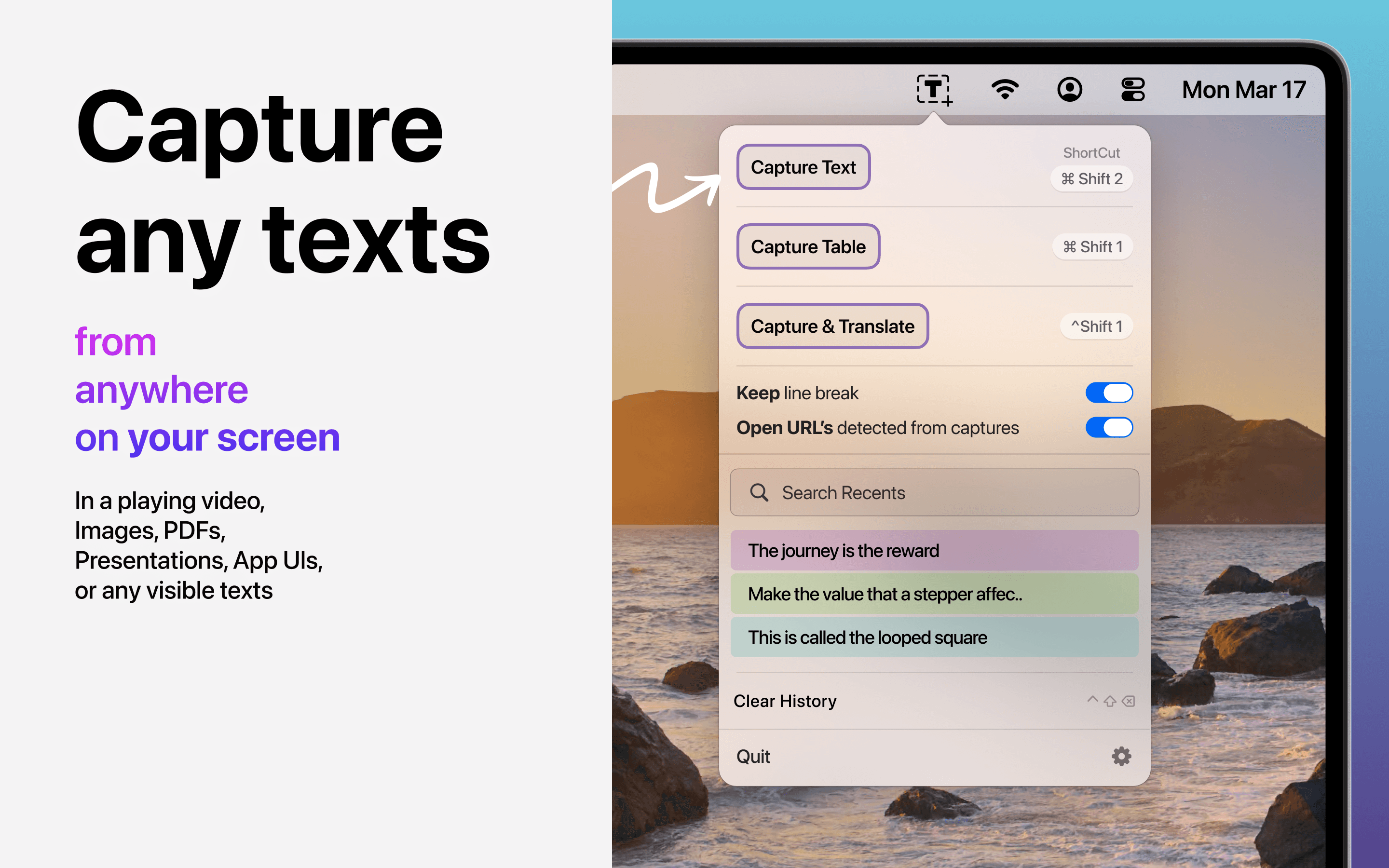
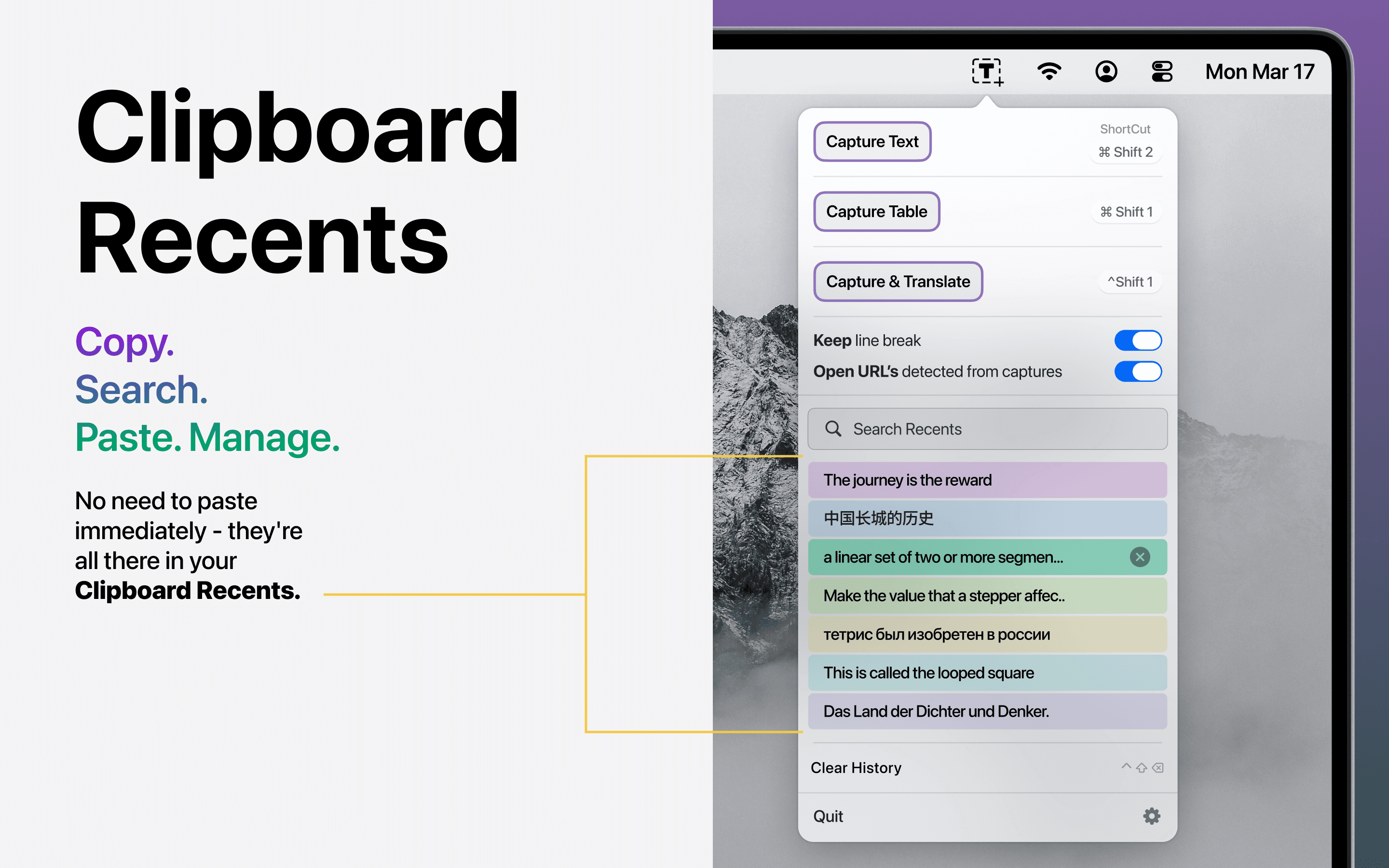
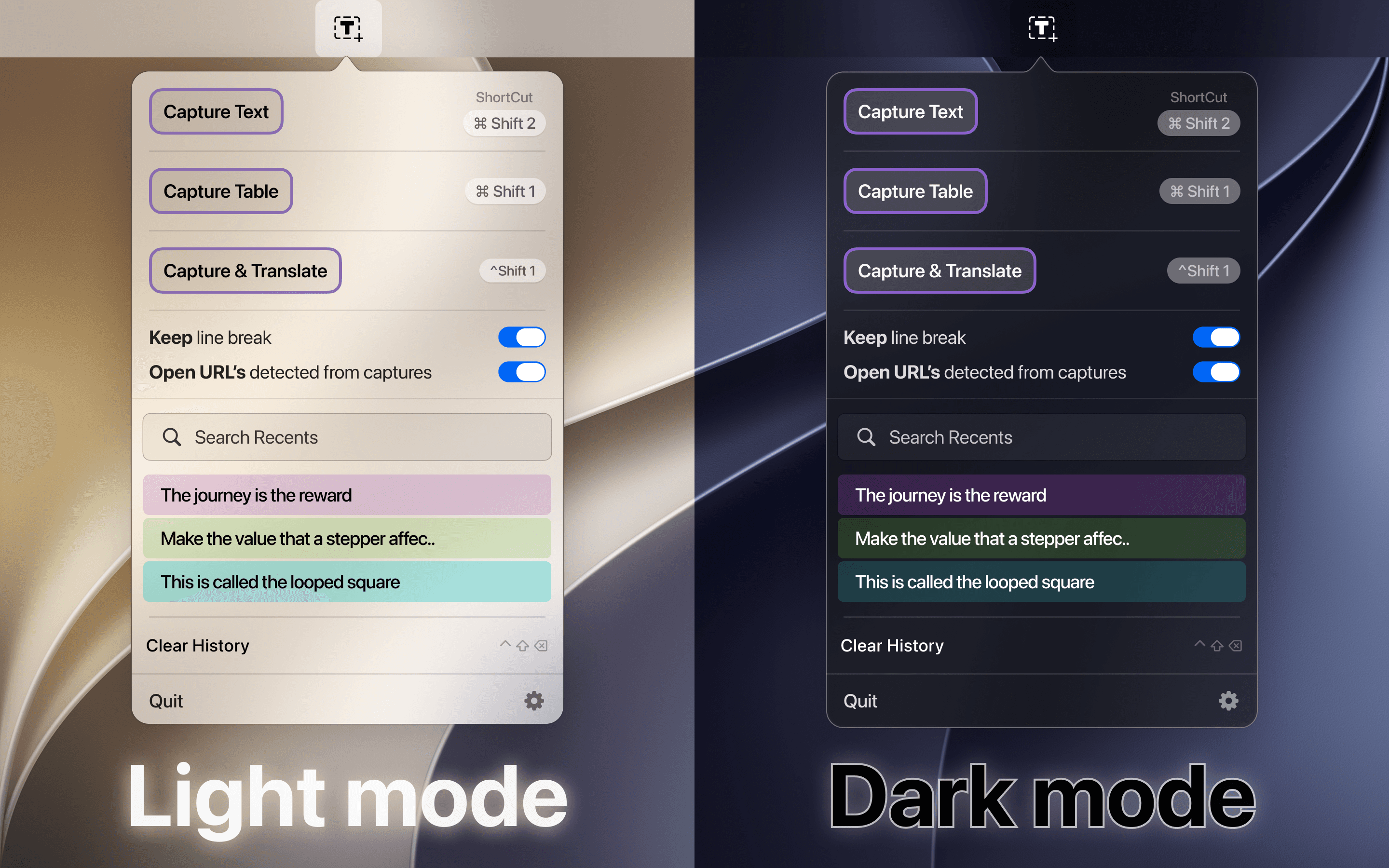
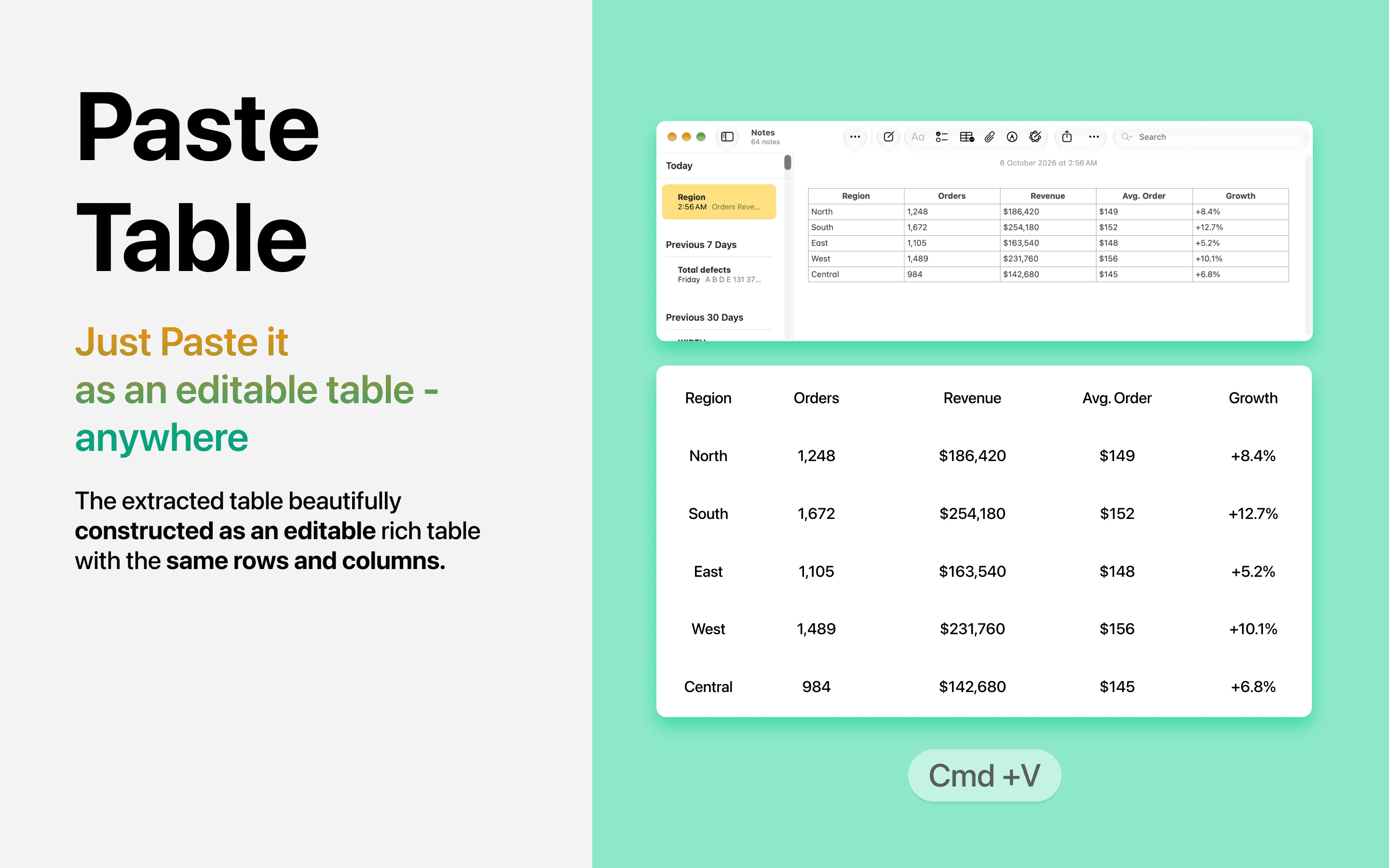
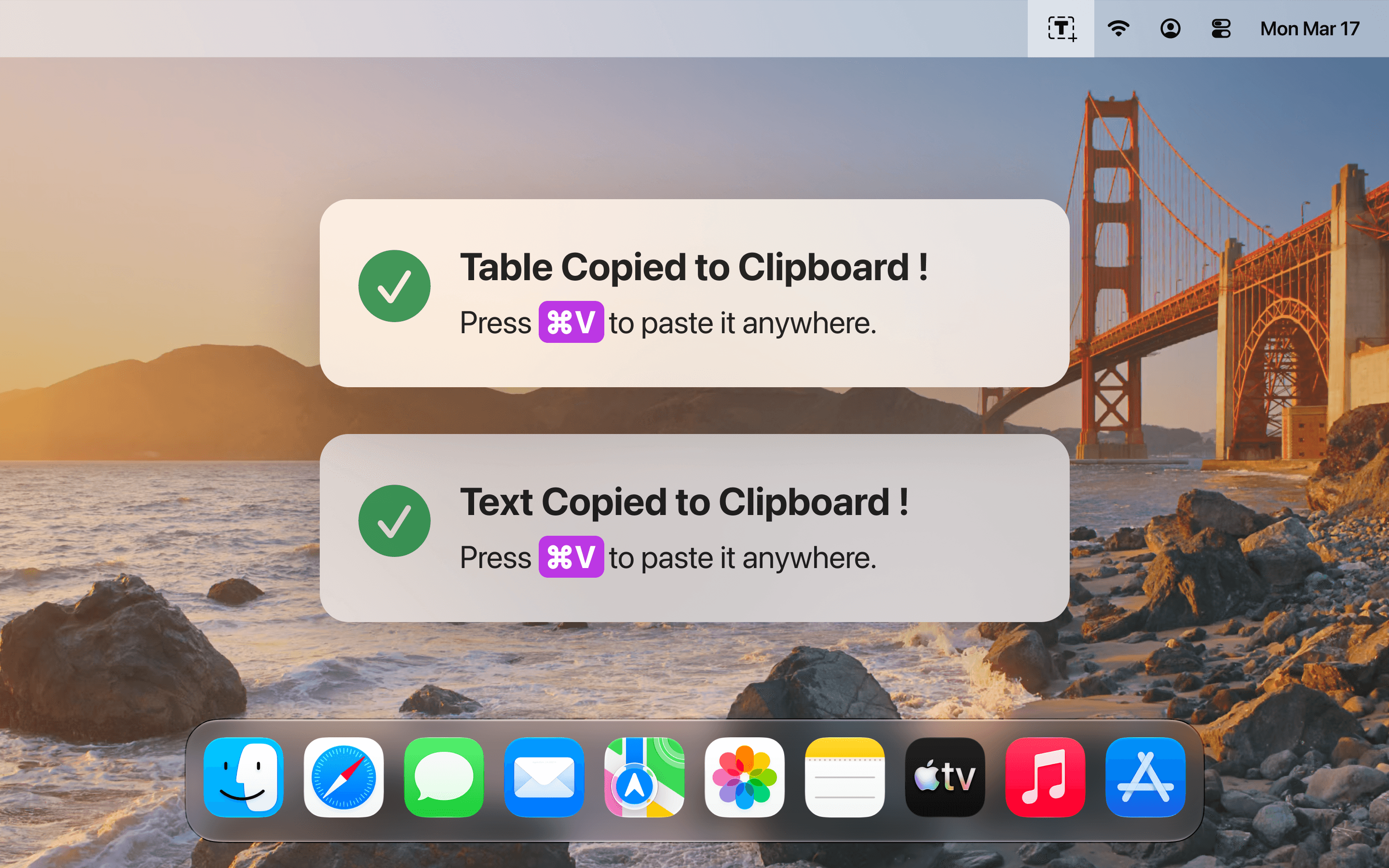
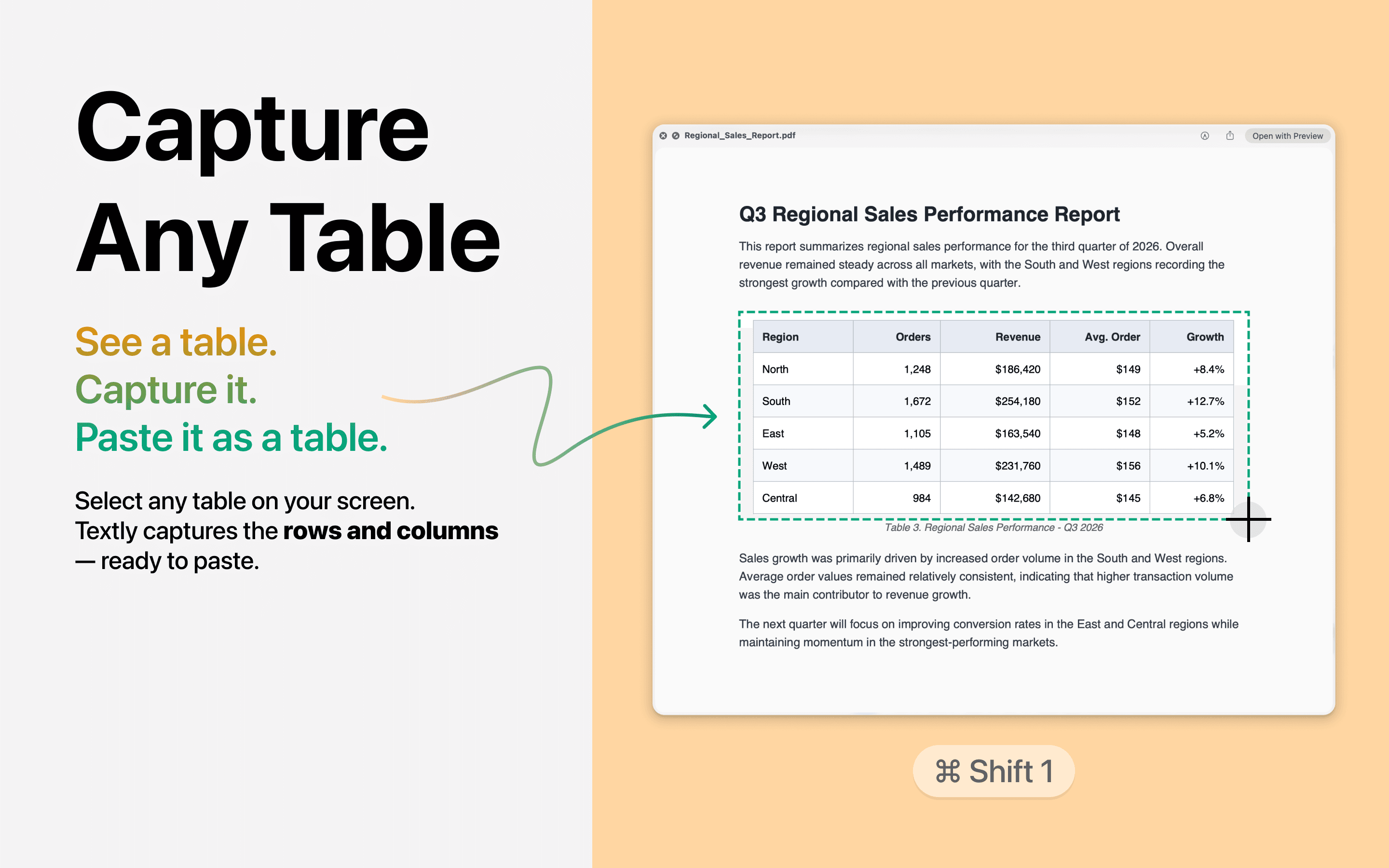
Textly: Capture, Copy & Paste is a Mac productivity app that makes it easy to capture, organize, translate, and access text from anywhere. Whether you're extracting text from images, videos, or PDFs, or saving snippets from meetings, Textly streamlines the process with customizable shortcuts and a searchable clipboard history. It supports OCR in multiple languages, instant URL actions, and offline translation powered by Apple's native framework. With a privacy-first approach and a lightweight design, Textly is ideal for students, developers, designers, and professionals who work with digital content. The app offers a 3-day free trial, with subscription or lifetime purchase options.
Drawn from the product itself, not from a survey.
Demographic
Students and researchers
Pain points
Struggling to extract text from lecture slides, PDFs, and videos
Primary needs
Efficiently capture and organize text for notes and citations
Demographic
Developers and designers
Pain points
Copying code or design specs from screenshots and non-editable sources
Primary needs
Quickly extract and reuse text and code snippets
Demographic
Content creators and marketers
Pain points
Losing copied text and struggling to translate content quickly
Primary needs
Reliable clipboard history and instant translation
Written by AI from measured evidence, scored out of 100.
Textly is a competent Mac utility that bundles three things people usually buy separately: OCR capture, clipboard history, and offline translation. The app UI is clean and shortcut-driven, the binary is tiny, and the offline-first design is a genuine privacy win. Security headers are strong. But the App Store listing is a stock template, the mobile page loads at a glacial 9.9 seconds, accessibility has real contrast and ARIA failures, and the 3-day trial is short enough to feel like a demo. With only one visible review, it's early. If you regularly extract text from screenshots, PDFs, or meetings and want it all in one place without sending data to a server, Textly is worth the download. If you already own TextSniper or Paste, the overlap may not justify switching.
Capture buttons with visible hotkeys, in-menu search, and a 3-day trial make the core loop obvious. Docs live only on the App Store page; no separate help center. One review calls it an effort-saver for documentation work.
Judging the app UI from store screenshots: clean floating capture menu, shortcut labels, and color-coded clipboard rows show real craft. The App Store listing itself is a stock template with a marketing callout pasted over the UI.
Desktop Lighthouse 90/100, but mobile 55/100 with LCP 9.9s and FCP 8.3s. The native app is only 5.2 MB and offline-capable, so real app speed is likely fine; the store page itself is the slow part.
Strong header posture: HTTPS, HSTS, CSP, frame protection, SPF, DMARC (10/13). Missing Referrer-Policy, Permissions-Policy, and secure cookies. Offline-first design and Apple's native translation framework reduce data exposure.
Lighthouse a11y 84/100, but failing audits include insufficient color contrast, prohibited ARIA, focusable aria-hidden elements, and small touch targets. English-only listing; no WCAG statement. OCR language breadth is a plus but not a11y.
Real problem, specific wedge: OCR + clipboard history + offline translation in one Mac app, where TextSniper does OCR only and Paste/CopyClip do clipboard only. Broad audience, no network effects, but a clear reason to pick it.
Textly's design story splits in two. The app itself — judged from store screenshots — is genuinely well-made: a floating capture menu with clear hierarchy, visible keyboard shortcuts, and a clipboard history that color-codes rows by language so you can scan it at a glance. The App Store listing, however, is a stock Apple template with a yellow marketing callout pasted over the UI, and screenshots cropped without consistent bezels. Usability is similarly mixed. The core loop is obvious: hit a hotkey, capture text, search recents from the same menu. A 3-day trial is short enough to feel like a demo rather than a test drive, and there's no help center beyond the store description. One user review praises it for documentation work, which is the right use case. The app earns its keep; the packaging around it undersells it.
Speed is a tale of two platforms. Desktop Lighthouse scores 90/100, but mobile drags at 55/100 with a 9.9-second LCP and 8.3-second FCP — the App Store page is the bottleneck, not the app. The native Mac binary is 5.2 MB and works fully offline, so once installed, performance should be snappy. Security is a stronger story: HTTPS enforced with HSTS, CSP, frame protection, SPF, and DMARC, hitting 10 of 13 checklist points. The gaps — Referrer-Policy, Permissions-Policy, secure cookies — are minor for a desktop app but worth closing. More importantly, Textly's offline-first architecture and use of Apple's native translation framework mean captured text and translations never leave the machine. The privacy policy and terms are hosted and linked from the listing. No SOC 2 or third-party audit claims, which is normal for an indie Mac utility at this stage.
Accessibility is the weakest measured dimension. Lighthouse scores 84/100, but the failing audits are the ones that actually affect users: insufficient color contrast, prohibited ARIA attributes, focusable elements hidden with aria-hidden, invalid list markup, and touch targets too small for comfortable clicking. The App Store listing is English-only, and there's no accessibility statement or WCAG mention. OCR supports a dozen languages, which is a functional win but not an accessibility feature. Growth potential is moderate. Textly names a real problem — losing copied text and struggling to extract text from images, videos, and PDFs — and targets a specific set of users: students, researchers, developers, designers, and content creators. Its differentiator is bundling OCR, clipboard history, and offline translation into one Mac app, where TextSniper does OCR alone and Paste and CopyClip 2 do clipboard alone. That's a clear reason to choose it over any single alternative. The limit is that this is a utility category with no network effects and no data moat; growth depends on execution and word of mouth, not compounding advantage.
Conclusion
Textly sits in a crowded but fragmented Mac utility market. TextSniper owns OCR, Paste and CopyClip 2 own clipboard history, and nobody owns the combination. Textly's bet is that bundling them — plus offline translation — is worth more than best-in-class single-purpose tools. For students pulling text from lecture slides, developers grabbing code from screenshots, or anyone tired of losing copied text, that bet is reasonable. The app is lightweight, private by design, and fast where it counts. The gaps are packaging and polish: a stock store listing, a short trial, and accessibility issues that need fixing. It won't replace a dedicated clipboard manager for power users, and it won't beat TextSniper on OCR alone. But as a single Mac app that does three jobs well enough, it earns a look — especially at 5.2 MB and zero cloud dependency.
Named competitors, point by point. Nobody paid to appear here or to be left out.
 Textly: Capture, Copy & Paste Textly: Capture, Copy & Paste |  TextSniper TextSniper | Paste | CopyClip 2 | |
|---|---|---|---|---|
| OCR text capture from screen | Yes, multi-language, offline | Yes, core feature | No | No |
| Clipboard history with search | Yes, text-only history | No | Yes, text and images | Yes, text and images |
| Offline translation | Yes, Apple native framework | No | No | No |
| Customizable keyboard shortcuts | Yes | Yes | Yes | Yes |
| Pricing model | 3-day trial; 6-month sub or lifetime | One-time purchase | Subscription | One-time purchase |
TextSniper
Mac OCR tool that captures text from anywhere on screen.
Paste
Clipboard manager for Mac with history and search.
CopyClip 2
Clipboard manager for Mac that stores copied text and images.
Comparing options? See Textly: Capture, Copy & Paste alternatives, scored side by side

An all-in-one hospitality software for restaurants and ba...

A weekly newsletter delivering curated tech jobs, intervi...

White-label reputation management software for agencies s...

Privacy-first open source journal app with a continuous t...

Puzzly is an all-in-one B2B lead generation platform that...

All-in-one AI workspace for docs, projects, and knowledge...

A free, open-source platform offering 110 AI agent skills...

Open-source desktop app for switching AI coding providers...

One verified handle for your online identity, readable by...

Frame-perfect video-to-GIF maker that runs entirely in yo...

White-label website audits that close deals for digital a...

Automated quote follow-up for trades and service businesses.
A platform dedicated to providing unbiased reviews of newly launched applications, analyzing everything from their features to their full potential.
info@scoutforge.net© 2026 Scoutforge. All rights reserved.
