Cycling through all six. Tap any point to stop.
Measured on six things
Browser PDF tools — edit, merge, compress, convert, protect.
Design
58Clean, consistent card system and one unambiguous purple CTA, but the layout has real gaps: an orphaned Rotate PDF card, uneven tool columns, a placeholder hero preview, and a bloated 20-language footer.
Screenshots
1 / 2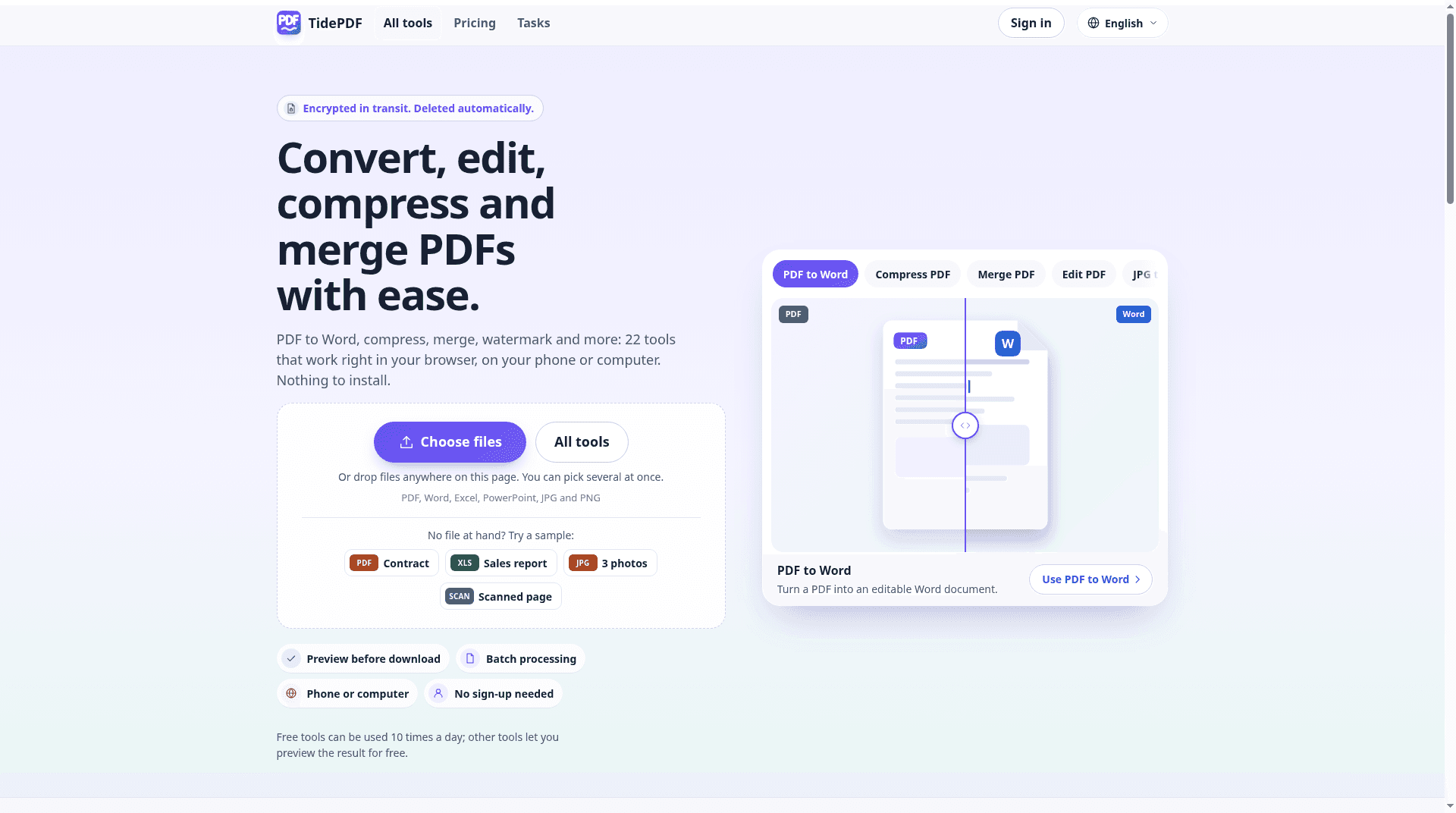
About this app
TidePDF (https://tidepdf.com/) is a responsive web PDF toolkit for everyday jobs: merge and split, compress, images↔PDF, Office↔PDF, OCR, watermarks/page numbers, protect, and related organize/edit tools that are live on the site. It runs in the browser; there is no standalone iOS or Android app today. You can use it for free on the free tier (not completely free or unlimited). Files are deleted after use per the privacy policy. Free to use (freemium free tier; not completely free or unlimited). 10 free uses per day on basic tools.
Key features
- 122 browser-based PDF tools: merge, split, compress, convert, OCR, protect, watermark, page numbers, edit.
- 2Per-file credit pricing with free preview before payment; no account required to start.
- 3Free tier: 10 uses/day on basic tools, up to 50 MB and 200 pages; files deleted after use.
Target customer profile
Drawn from the product itself, not from a survey.
Demographic
People who need everyday PDF tools in a browser
Pain points
Need to edit, merge, split, organize, compress, convert, OCR, and protect PDFs without a standalone app.
Primary needs
Browser-based PDF toolkit on a freemium free tier (not completely free or unlimited).
Demographic
Office and document workflow users
Pain points
Need to merge, split, compress, and convert Office or images to and from PDF quickly.
Primary needs
Organize, compress, convert, OCR, and add watermarks or page numbers in the browser.
Demographic
Users who need to protect or OCR documents
Pain points
Need OCR and protect/watermark jobs without a desktop or native app.
Primary needs
OCR, protect, and related organize/edit tools that are live on the site; 10 free uses per day on basic tools. Files are deleted after use per the privacy policy.
Scout Review
Written by AI from measured evidence, scored out of 100.
TidePDF is a fast, well-secured browser PDF toolkit with 22 tools, a transparent per-file credit model, and genuinely impressive Lighthouse numbers (96 mobile performance, 100 accessibility). The upload flow is clear and the pricing page is honest about what's free and what costs credits. The weaknesses are presentation and positioning: layout gaps on the homepage, Premium badges that obscure the free offering, a placeholder hero preview, and no compliance certifications to back the security story. Against Smallpdf and iLovePDF it's technically competitive but strategically undifferentiated — the credit pricing is the one thing that might make someone switch.
Measure by measure
Usability
66Strong start-to-task flow: dominant upload zone, sample files, tool search, and a pricing page that spells out per-file credit costs. Undercut by Premium badges hiding which tools are actually free until you click.
Design
58Clean, consistent card system and one unambiguous purple CTA, but the layout has real gaps: an orphaned Rotate PDF card, uneven tool columns, a placeholder hero preview, and a bloated 20-language footer.
Speed
88Lighthouse mobile 96/100 (LCP 1.1s, CLS 0, TBT 188ms) and desktop 98/100. Genuinely fast, well within the top of the measured band, with no lag complaints in the collected evidence.
Security
74Full security-header sweep (HSTS, CSP, frame protection, Referrer-Policy, Permissions-Policy) plus SPF/DMARC, 12/12 on the probe. Files deleted after use per policy. No SOC 2/ISO/pen-test claims found.
Accessibility
80Lighthouse accessibility 100/100 with one failing audit on mismatched accessible names. ~20 language localizations is a real strength; no WCAG statement found, so automated checks are the main evidence.
Growth
58Real evergreen problem and a differentiated 'preview free, pay per file' model, but it's a crowded category against Smallpdf and iLovePDF with no segment it clearly owns yet.
Improvement areas
- Homepage layout gaps (orphaned Rotate PDF card, uneven tool columns) and placeholder hero preview.
- Premium badges obscure which tools are free; users must click to find out.
- No security/compliance page (SOC 2, pen test, bug bounty) to back the file-deletion promise.
Design & Usability
The homepage is competently built: a neutral palette, one saturated purple 'Choose files' button, a consistent card system, and a three-step 'How it works' band that scans instantly. The upload zone dominates above the fold with sample-file chips and a tool search, so a first-timer can start in seconds. Where it slips is layout discipline — Rotate PDF is orphaned in its own row, the All Tools columns end at ragged heights, the hero preview is an empty schematic rather than real output, and the footer's 20-language column dwarfs everything else. Usability is stronger than design: the flow is clear and the pricing page is unusually transparent about per-file credit costs. The friction is the Premium badges — nearly half the popular grid is gated, and you can't tell which tools are free until you click, which quietly contradicts the 'free tools' promise in the hero.
Speed & Security
Speed is the standout. Lighthouse mobile scores 96/100 with LCP 1.1s, CLS 0 and TBT 188ms; desktop hits 98/100. Whatever stack this is on, it's lean, and there are no lag complaints in the collected evidence. Security is solid on the technical layer: HTTPS enforced, HSTS, CSP, frame protection, X-Content-Type-Options, Referrer-Policy and Permissions-Policy all present, SPF and DMARC configured, 12/12 on the header probe. The privacy policy states files are deleted after use, and the site repeats that promise. What's missing is the trust layer enterprises look for — no SOC 2, ISO 27001, pen-test summary or bug bounty found in the collected content. For a consumer PDF tool handling contracts and tax documents, that's a reasonable gap at this stage, but it caps how far the security story can go.
Accessibility & Growth
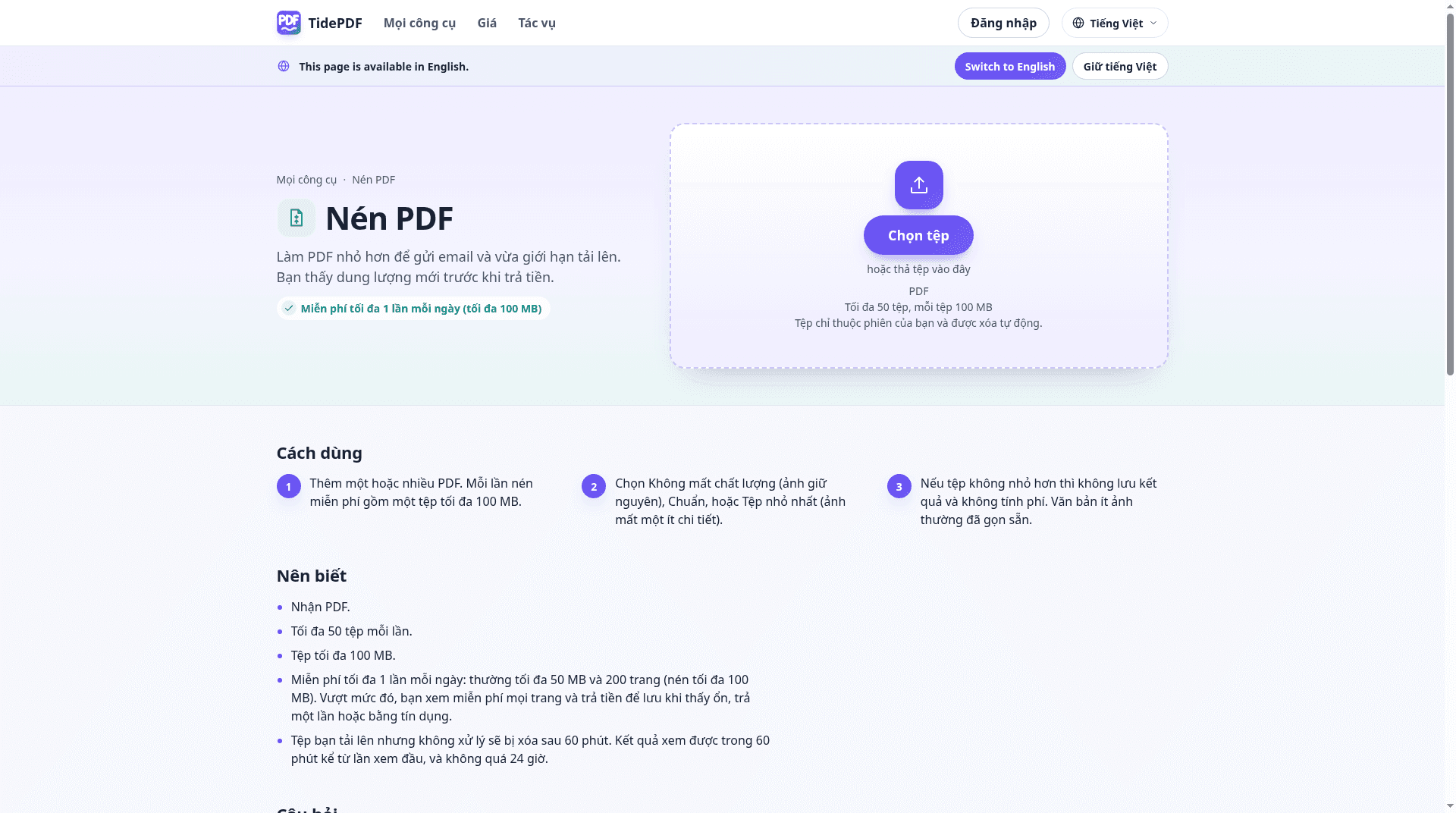
Accessibility is a genuine strength: Lighthouse scores 100/100, with a single failing audit about visible text labels not matching accessible names. The site ships in roughly 20 languages with a well-handled language-switch notice, which is more localization than most competitors bother with. There's no WCAG conformance statement, so the automated score is doing most of the work. Growth is the harder call. The problem — everyday PDF jobs in a browser — is real and evergreen, and the 'preview free, pay per file' credit model is a legitimate differentiator against Smallpdf and iLovePDF's subscription-first approach. But those two incumbents own the category's mindshare, and TidePDF's material doesn't name a segment it serves better than they do. The domain is brand new, so traction is context, not a verdict. The wedge is pricing transparency; whether that's enough to pull users off a free tier they already know is the open question.
Conclusion
If you need to merge, compress or convert a PDF right now and don't want another subscription, TidePDF does the job quickly and doesn't ask you to sign up. The per-file pricing is fair and the free tier is real, if limited to 10 uses a day. What it lacks is a reason to bookmark it over the two giants you already know — and a security page that would make you comfortable uploading anything sensitive. Fix the homepage layout, surface which tools are free without a click, and publish a compliance page, and this becomes a genuine contender rather than a very fast also-ran.
Suggestions for improvement
- Fix the homepage grid: fill the orphaned Rotate PDF row and even out the All Tools column heights.
- Replace the schematic hero preview with a real before/after of an actual conversion.
- Mark free tools visibly in the grid so users don't have to click to discover what's free.
- Publish a security/compliance page (SOC 2 roadmap, pen-test summary, data-retention detail) to back the deletion promise.
Alternatives comparison
Named competitors, point by point. Nobody paid to appear here or to be left out.
 TidePDF |  Smallpdf |  iLovePDF | |
|---|---|---|---|
| Free tier limit | 10 uses/day on basic tools; up to 50 MB and 200 pages | Limited free tasks per day; full suite requires Pro subscription | Free with file-size and task limits; Premium unlocks larger files |
| Pricing model | Per-file credits ($1.49–$3.99) plus monthly plans from $7.99 | Monthly/annual subscription (Pro), no per-file credits | Monthly/annual Premium subscription |
| Tool coverage | 22 tools incl. merge, split, compress, OCR, protect, watermark, edit | Broad suite: convert, compress, edit, sign, e-sign workflows | Broad suite: merge, split, compress, convert, OCR, watermark |
| Account required | No account needed to start; sign-in only to buy credits | Account required for Pro features and history | No account for basic use; account for Premium |
| Localization | ~20 languages incl. Arabic, Thai, Vietnamese, Korean | Multiple languages supported | Multiple languages supported |
| Compliance certifications | None found in collected content; files deleted after use | Publishes GDPR/compliance documentation | Publishes privacy/security documentation |
Smallpdf
A popular online PDF suite offering similar conversion and editing tools with a freemium model.
iLovePDF
A comprehensive web-based PDF toolkit with merge, split, compress, and convert features.
Comparing options? See TidePDF alternatives, scored side by side
More Productivity apps
View all Productivity
Puzzly – B2B Lead Generation & Sales Intelligence Platform
92Puzzly is an all-in-one B2B lead generation platform that...

Qamarero
92An all-in-one hospitality software for restaurants and ba...

EmbedMyReviews
92White-label reputation management software for agencies s...

StoryPad
92Privacy-first open source journal app with a continuous t...

Notion
92All-in-one AI workspace for docs, projects, and knowledge...

The Stack Newsletter
92A weekly newsletter delivering curated tech jobs, intervi...

Vibe Coding Agent Skills
92A free, open-source platform offering 110 AI agent skills...

QRBliss
91Branded QR codes with AI Brand Sync, 15 free dynamic code...

Gerty
91Private, local AI assistant for Mac that runs offline

Strukchad Property Management
91Property management for Kenyan letting agents: rent invoices raised every month, M-Pesa rent prompts to tenants, arrears tracking and landlord statements.

CC Switch
91Open-source desktop app for switching AI coding providers...

PitchWhip
90AI cold call scripts & direct dials from LinkedIn


A platform dedicated to providing unbiased reviews of newly launched applications, analyzing everything from their features to their full potential.
info@scoutforge.net© 2026 Scoutforge. All rights reserved.
