

A platform dedicated to providing unbiased reviews of newly launched applications, analyzing everything from their features to their full potential.
info@scoutforge.net© 2026 Scoutforge. All rights reserved.
A platform dedicated to providing unbiased reviews of newly launched applications, analyzing everything from their features to their full potential.
info@scoutforge.net© 2026 Scoutforge. All rights reserved.
A platform dedicated to providing unbiased reviews of newly launched applications, analyzing everything from their features to their full potential.
info@scoutforge.net© 2026 Scoutforge. All rights reserved.
Cycling through all six. Tap any point to stop.
Measured on six things
Clean ChatGPT markdown for Google Docs & Word, remove wat...
HTTPS not enforced, no HSTS, CSP, frame protection or referrer policy; 2/12 header checklist. Browser-local processing is a real privacy plus, but no audits or hardening signals.
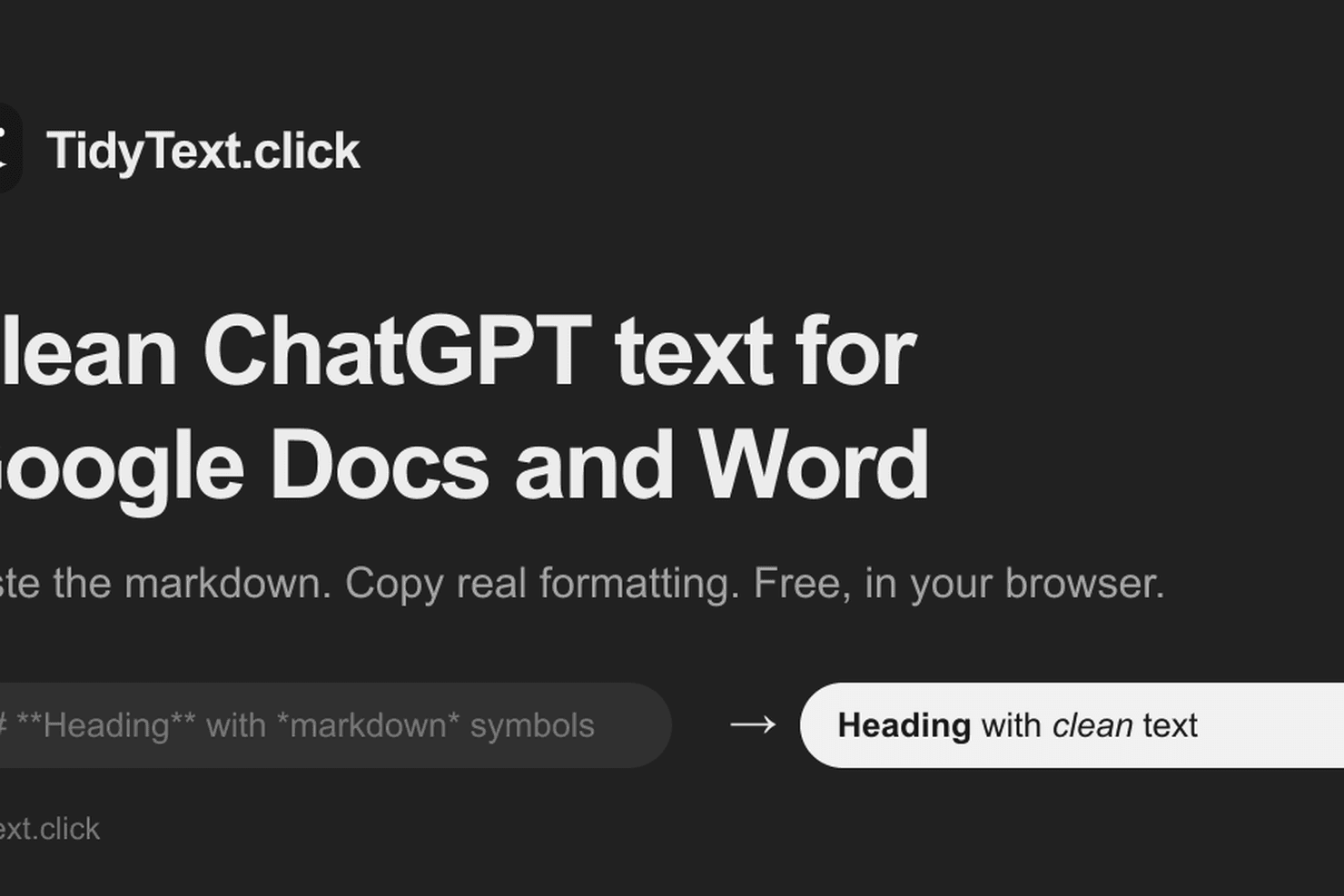
AI chat answers are written in markdown, so pasting them into Google Docs or Word leaves asterisks, pound signs and rows of pipes everywhere. TidyText converts the answer into real formatting before you paste: headings, bold, bullet and numbered lists, tables with borders, code blocks and readable math. It also strips hidden Unicode characters, can swap em dashes for commas or hyphens, and offers a plain-text copy. It runs entirely in your browser, so nothing you paste is uploaded or stored. Free, no account and no limits.
Drawn from the product itself, not from a survey.
Demographic
Students and academics
Pain points
Messy markdown symbols in essays, broken tables, hidden characters triggering plagiarism detectors.
Primary needs
Clean, formatted text for assignments, proper math notation, no watermark traces.
Demographic
Content creators and bloggers
Pain points
Time wasted fixing formatting after pasting from ChatGPT into WordPress or Google Docs.
Primary needs
Efficient conversion of AI drafts to publish-ready content, removal of em dashes and citation markers.
Demographic
Business professionals
Pain points
Reports and emails filled with markdown symbols, inconsistent formatting, hidden tracking codes.
Primary needs
Professional-looking documents and emails, quick conversion without uploading sensitive data.
Written by AI from measured evidence, scored out of 100.
TidyText.click solves a problem anyone who has pasted an AI answer into Google Docs or Word has felt: asterisks, pound signs, pipe tables, and hidden Unicode characters arriving as literal garbage. It converts markdown to real rich text — headings, bold, lists, bordered tables, code blocks, readable math — and strips em dashes and citation markers, with a plain-text copy option. It runs entirely in the browser, is free, needs no account, and has no stated limits. The measured profile is jagged in the right way: 100/100 Lighthouse performance on both mobile and desktop, 93/100 accessibility with two fixable failures, and a security posture that leans on a strong privacy architecture but ships almost no transport hardening. The design is clean but undersells itself with an empty result panel and a sparse below-the-fold page. The idea is specific and well-positioned against adjacent tools; the execution is competent and the speed is genuinely excellent.
Homepage is the tool: paste, Tidy, copy, with Docs/Word tabs and Ctrl+Enter shortcut. No signup, no limits, instant value. Empty state and sparse guidance hold it back from higher.
Clean two-panel paste/result layout with clear Tidy and Copy actions, but the result panel sits empty in the render and below-the-fold space reads as unfinished. Competent, generic, on par with indie peers.
Lighthouse 100/100 mobile and desktop: LCP 1.1s, CLS 0, TBT 0ms. Client-side conversion means no server round-trip. About as fast as a web tool gets.
HTTPS not enforced, no HSTS, CSP, frame protection or referrer policy; 2/12 header checklist. Browser-local processing is a real privacy plus, but no audits or hardening signals.
Lighthouse 93/100 with two real failures: prohibited ARIA attributes and insufficient color contrast. No a11y statement or WCAG claim, English-only. Solid but with fixable gaps.
Real, specific pain (markdown symbols and hidden Unicode in Docs/Word) with a genuine wedge: browser-local, free, no account, em-dash and citation stripping. Early domain, no moat yet.
The homepage is the product: a two-panel paste-and-clean tool with Tidy and Copy buttons, Preview/Markdown/Docs/Word tabs, and a Ctrl+Enter shortcut. There is no signup, no account, and no stated limit, so time-to-value is roughly one paste. The visual audit calls it average — consistent light theme, readable type, clear labeled panels — but the right result panel renders empty and the space below the fold is nearly blank, so the page undersells its own output. The empty state offers only placeholder text, no sample result, which is a missed chance to show the before/after that actually sells the tool. Functionally it is tight; presentation-wise it is a competent indie tool that could look sharper with a filled demo state and denser layout.
Speed is the standout: Lighthouse 100/100 on both mobile and desktop, LCP 1.1s, CLS 0, TBT 0ms, and because conversion runs entirely client-side there is no server round-trip for the core action. Security is the weak flank. The HTTP probe shows HTTPS not enforced, no HSTS, no CSP, no frame protection, no X-Content-Type-Options, no Referrer-Policy, and no Permissions-Policy — 2 of 12 checklist points, with only SPF and DMARC present. The site's privacy claim (nothing pasted is uploaded or stored) is a genuine architectural advantage and the right design for handling sensitive text, but it is a claim, not an audited control: no SOC 2, ISO, pen-test, or bug-bounty signals appear in the collected evidence. For a free browser tool that is not unusual, but the missing transport hardening is a real, fixable gap.
Accessibility lands at 93/100 on Lighthouse, with two concrete failures: prohibited ARIA attributes and insufficient color contrast. There is no accessibility statement or WCAG conformance claim, and the site is English-only, so keyboard and screen-reader support are plausible but unverified beyond the automated pass. Growth is a judgement on the idea, not the traction. The pain is real and specific — markdown symbols, broken tables, and hidden Unicode from ChatGPT/Claude/Gemini pasted into Google Docs or Word — and the wedge is concrete: browser-local conversion, free, no account, plus em-dash swapping, citation-marker stripping, and plain-text copy. The listed alternatives are adjacent rather than identical (Markdown Here is an email/editor extension, Typora is an editor, Paste to Markdown goes the other direction), which leaves room. The honest limit is that this is a single-purpose utility with no network effect and no data moat; the domain is brand new, so there is no traction to lean on yet.
Conclusion
If you regularly move AI drafts into Docs, Word, Gmail, or a CMS, this is a genuinely useful free tool and the speed makes it frictionless. The privacy design — nothing uploaded, nothing stored — is the right call for sensitive text. What would move it up: enforce HTTPS and add HSTS and a basic CSP, fix the two accessibility failures, and fill the empty result panel with a real before/after so the homepage demonstrates what it does. None of those are hard. The core conversion works, the price is right, and the problem is real. It is a sharp little utility that has not finished dressing itself.
Named competitors, point by point. Nobody paid to appear here or to be left out.
 TidyText.click TidyText.click |  Markdown Here Markdown Here |  Typora Typora |  Paste to Markdown Paste to Markdown | |
|---|---|---|---|---|
| Primary direction | Markdown to rich text (for Docs/Word) | Markdown to rich text inside email/editors | Markdown editing with live preview | Rich text to markdown (opposite) |
| Requires install | No — browser web tool | Yes — browser extension | Yes — desktop app | No — browser web tool |
| Account required | No | No | No (paid license) | No |
| Pricing | Free, no limits | Free | Paid license (~$14.99) | Free |
| Tables and code blocks | Yes — bordered tables, fenced code blocks | Yes — tables and code in supported editors | Yes — full markdown rendering | N/A — outputs markdown source |
| Strips hidden Unicode / em dashes | Yes — Unicode, citation markers, em-dash swap | No | No | No |
| Data leaves your device | No — runs in browser | No — runs in extension | No — local desktop app | No — runs in browser |
Markdown Here
Browser extension that converts markdown to rich text in email clients and editors.
Typora
Minimalist markdown editor with live preview and export to PDF, Word, etc.
Paste to Markdown
Web tool that converts rich text to markdown (opposite direction).
Comparing options? See TidyText.click alternatives, scored side by side

An all-in-one hospitality software for restaurants and ba...

A weekly newsletter delivering curated tech jobs, intervi...

White-label reputation management software for agencies s...

Privacy-first open source journal app with a continuous t...

Puzzly is an all-in-one B2B lead generation platform that...

All-in-one AI workspace for docs, projects, and knowledge...

A free, open-source platform offering 110 AI agent skills...

Open-source desktop app for switching AI coding providers...

One verified handle for your online identity, readable by...

Frame-perfect video-to-GIF maker that runs entirely in yo...

White-label website audits that close deals for digital a...

Automated quote follow-up for trades and service businesses.
A platform dedicated to providing unbiased reviews of newly launched applications, analyzing everything from their features to their full potential.
info@scoutforge.net© 2026 Scoutforge. All rights reserved.
