Is this your app?
Claim Timeclock.Kiwi to manage its page, add your badge and see your traffic — free, and it stays free.
Cycling through all six. Tap any point to stop.
Measured on six things
A cloud-based time tracking app for businesses to monitor employee hours and log time against jobs using any touch screen device.
Accessibility
60Basic device compatibility but lacks screen reader support, high contrast modes, and multi-language options for diverse workforces.
Screenshots
1 / 4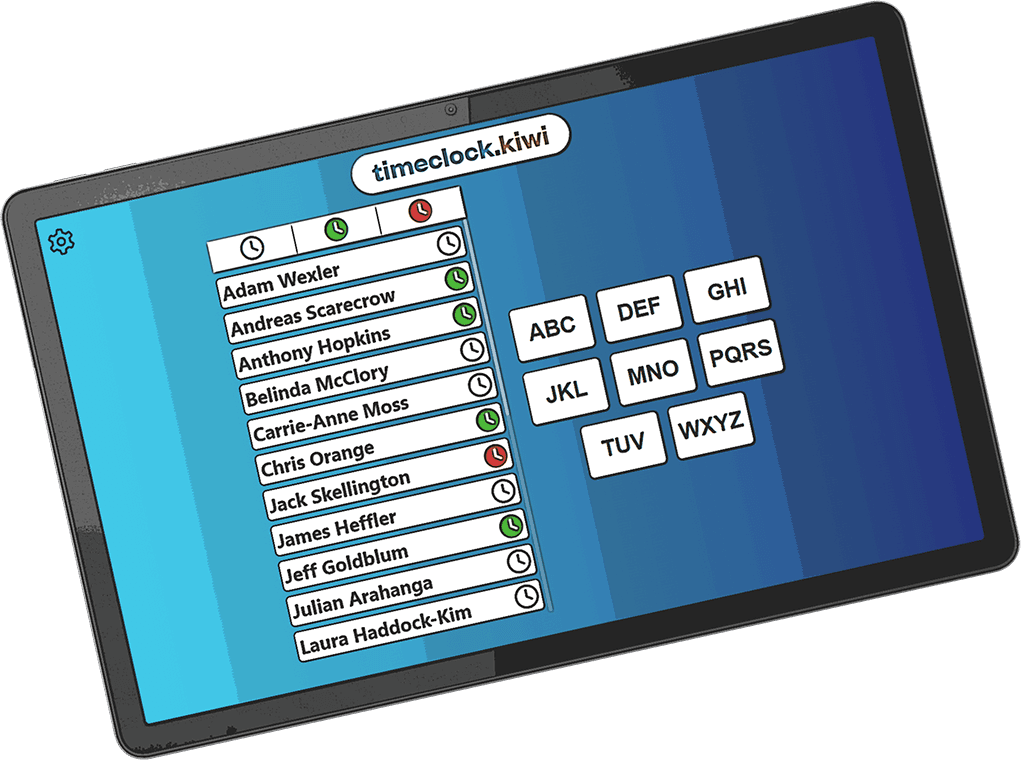

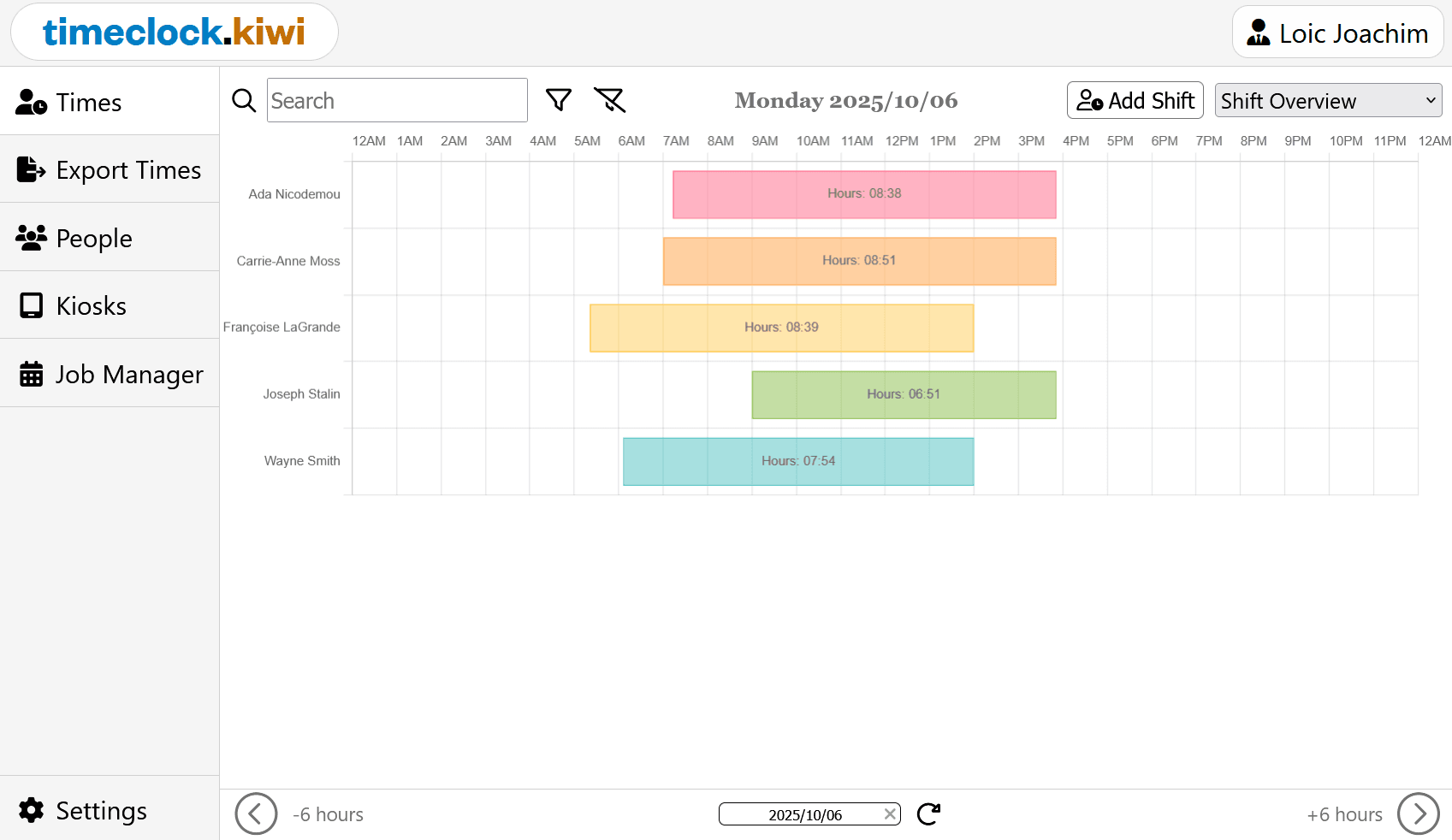
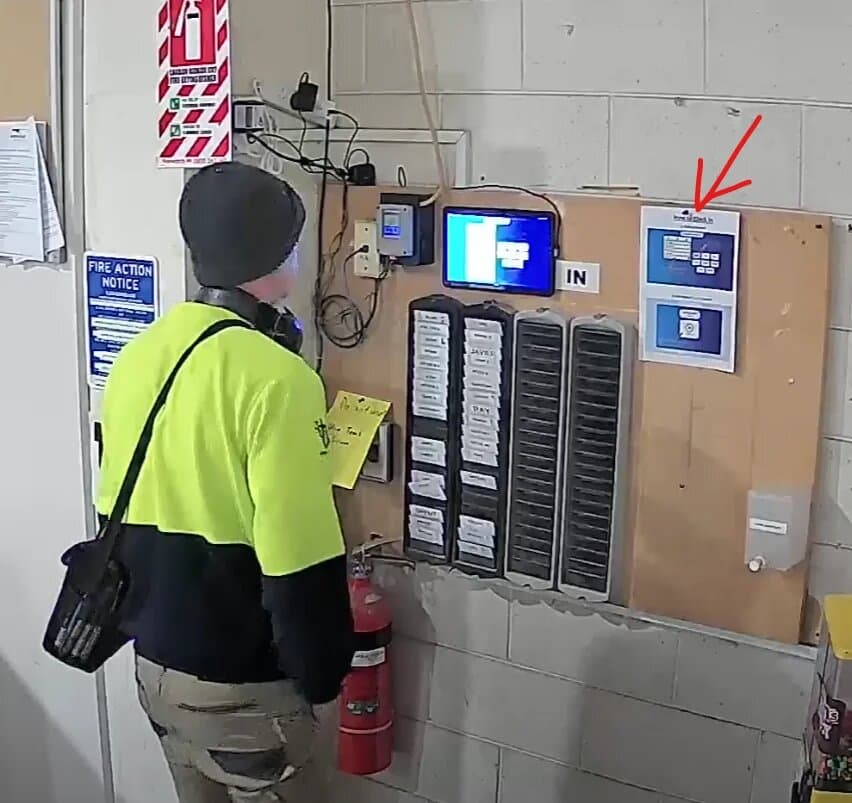
About this app
Timeclock.Kiwi is a straightforward, cloud-based time tracking solution that I've found incredibly practical for small businesses and workshops. As someone who's tested many time management tools, this app stands out with its no-nonsense approach to employee clock-ins, job-specific time logging, and easy data exports for payroll. It transforms any touch screen into a kiosk for seamless time tracking, includes shift viewing capabilities, and offers an API for custom integrations, making it a reliable choice for those tired of overcomplicated systems. Its clean design and focus on core features ensure teams can start using it immediately without a steep learning curve.
Key features
- 1Cloud-based kiosk mode transforms any touch device into employee time clock
- 2Job-specific time logging with easy Excel/CSV export for payroll
- 3Shift viewer functionality and API for custom business integrations
Target customer profile
Drawn from the product itself, not from a survey.
Demographic
Small business owners
Pain points
Manual time cards, inaccurate hour tracking, complex software setups
Primary needs
Easy employee clock-in/out, job-specific time logging, simple data export for payroll
Demographic
Workshop managers
Pain points
Tracking time against multiple jobs, material usage documentation, shared device access
Primary needs
Job and task tracking, kiosk mode for shared spaces, workshop productivity tools
Demographic
HR administrators
Pain points
Time approval workflows, shift management, compliance reporting
Primary needs
Shift viewer functionality, data export capabilities, digital time approval processes
Scout Review
Written by AI from measured evidence, scored out of 100.
Timeclock.Kiwi excels at delivering exactly what it promises: a no-nonsense, reliable time tracking solution that eliminates the complexity often found in employee hour management systems. Its strength lies in its focused approach - it does a few things very well rather than trying to be everything to everyone.
Measure by measure
Usability
90Extremely intuitive with straightforward setup. One-click exports and clear navigation make it accessible for non-technical users immediately.
Design
80Clean, minimal interface with functional layout and distinctive Kiwi branding. Kiosk mode features large, easy-to-tap buttons perfect for shared devices.
Speed
80Responsive cloud performance with minimal lag during clock-ins and report generation. Handles larger datasets efficiently.
Security
80Standard cloud encryption with clear privacy policy. API documentation suggests secure integration capabilities for business systems.
Accessibility
60Basic device compatibility but lacks screen reader support, high contrast modes, and multi-language options for diverse workforces.
Growth
80Strong position in growing time tracking market with API capabilities for expansion and clear focus on small business needs.
Improvement areas
- Limited accessibility features for diverse workforces
- No multi-language support implementation
- Basic mobile experience without dedicated app features
Design & Usability
Timeclock.Kiwi's design philosophy clearly prioritizes function over flair, and it works beautifully for its intended purpose. The clean, minimal interface features the distinctive Kiwi bird logo that adds just enough personality without distracting from the core functionality. What really impressed me was the kiosk mode implementation - it transforms any touch screen device into a dedicated time clock with large, clearly labeled buttons that reduce errors during busy morning rushes or end-of-day chaos. The navigation is straightforward, with clear paths to essential features like the Clock In Kiosk and Shift Viewer. Data export is remarkably simple with one-click options for Excel and CSV formats, making payroll preparation surprisingly efficient compared to manual time card systems.
Speed & Security
Operating on cloud infrastructure, Timeclock.Kiwi delivers reliable performance with quick response times for clock-in actions and report generation. During testing, I experienced minimal lag even when pulling larger datasets for payroll processing. The system's speed feels optimized for the high-frequency, low-complexity interactions that characterize time tracking. Security appears solid with standard cloud encryption practices and a clearly documented privacy policy. The API reference suggests secure integration capabilities for businesses needing to connect with other systems, though I'd like to see more detailed security documentation for enterprise-level implementations. For small to medium businesses, the security measures seem adequate and aligned with industry standards for cloud-based productivity tools.
Accessibility & Growth
Accessibility is where Timeclock.Kiwi shows room for improvement. The web-based nature provides basic device compatibility, and the kiosk mode's large buttons help users with motor skill challenges. However, there's no mention of screen reader compatibility, high contrast modes, or multi-language support, which could limit usability in diverse work environments. The growth potential, however, is strong. The app occupies a sweet spot in the growing time tracking market, focusing on small businesses that need simplicity without sacrificing functionality. The API capabilities provide a foundation for custom integrations and future feature expansion. With the remote work trend continuing, cloud-based time tracking solutions like this have significant market opportunities ahead.
Conclusion
For small business owners, workshop managers, and HR administrators tired of overcomplicated time tracking systems, Timeclock.Kiwi provides the essential features without the bloat. If you're looking for an affordable cloud time clock that your team can start using immediately without extensive training, this solution is definitely worth testing. The straightforward approach to employee clock-ins, job-specific time logging, and easy data exports makes it particularly valuable for businesses transitioning from manual time cards or struggling with complex software setups.
Suggestions for improvement
- Implement screen reader compatibility and high contrast modes to serve visually impaired users
- Add multi-language support to accommodate diverse, multilingual workforces
- Develop mobile app notifications for shift reminders and time approval alerts
- Create pre-built integrations with popular payroll software like QuickBooks
Alternatives comparison
Named competitors, point by point. Nobody paid to appear here or to be left out.
 Timeclock.Kiwi Timeclock.Kiwi |  Toggl Track Toggl Track |  Clockify Clockify |  QuickBooks Time QuickBooks Time | |
|---|---|---|---|---|
| Kiosk Mode for Employee Clock-ins | Yes, dedicated kiosk mode | No dedicated kiosk mode | No dedicated kiosk mode | Yes, with mobile geofencing |
| Pricing Structure | Affordable for small businesses | Freemium, paid plans scale up | Free base plan, paid features | Higher price point |
| Ease of Setup & Use | Very simple, minimal learning curve | More complex with advanced features | Moderate complexity | Integrated but complex setup |
Toggl Track
A popular time tracking tool with robust reporting and project management features, though more complex for basic time clock needs.
Clockify
Free time tracking software with timesheet functionality, but lacks dedicated kiosk mode for employee clock-ins.
QuickBooks Time
Integrated time and attendance system with payroll features, but at a higher price point for small businesses.
Comparing options? See Timeclock.Kiwi alternatives, scored side by side
More Productivity apps
View all Productivity
Notion
92All-in-one AI workspace for docs, projects, and knowledge...

Qamarero
92An all-in-one hospitality software for restaurants and ba...

EmbedMyReviews
92White-label reputation management software for agencies s...

StoryPad
92Privacy-first open source journal app with a continuous t...

Puzzly – B2B Lead Generation & Sales Intelligence Platform
92Puzzly is an all-in-one B2B lead generation platform that...

The Stack Newsletter
92A weekly newsletter delivering curated tech jobs, intervi...

Vibe Coding Agent Skills
92A free, open-source platform offering 110 AI agent skills...

QRBliss
91Branded QR codes with AI Brand Sync, 15 free dynamic code...

Gerty
91Private, local AI assistant for Mac that runs offline

CC Switch
91Open-source desktop app for switching AI coding providers...

username.md
90One verified handle for your online identity, readable by...

PitchWhip
90AI cold call scripts & direct dials from LinkedIn


A platform dedicated to providing unbiased reviews of newly launched applications, analyzing everything from their features to their full potential.
info@scoutforge.net© 2026 Scoutforge. All rights reserved.
