Is this your app?
Claim TimeTie to manage its page, add your badge and see your traffic — free, and it stays free.
Cycling through all six. Tap any point to stop.
Measured on six things
A scheduling app that visualizes availability across time zones for distributed teams, highlighting optimal meeting times.
Accessibility
40Limited features with no screen reader support, restricted language options, and color-dependent interface challenges.
Screenshots
1 / 4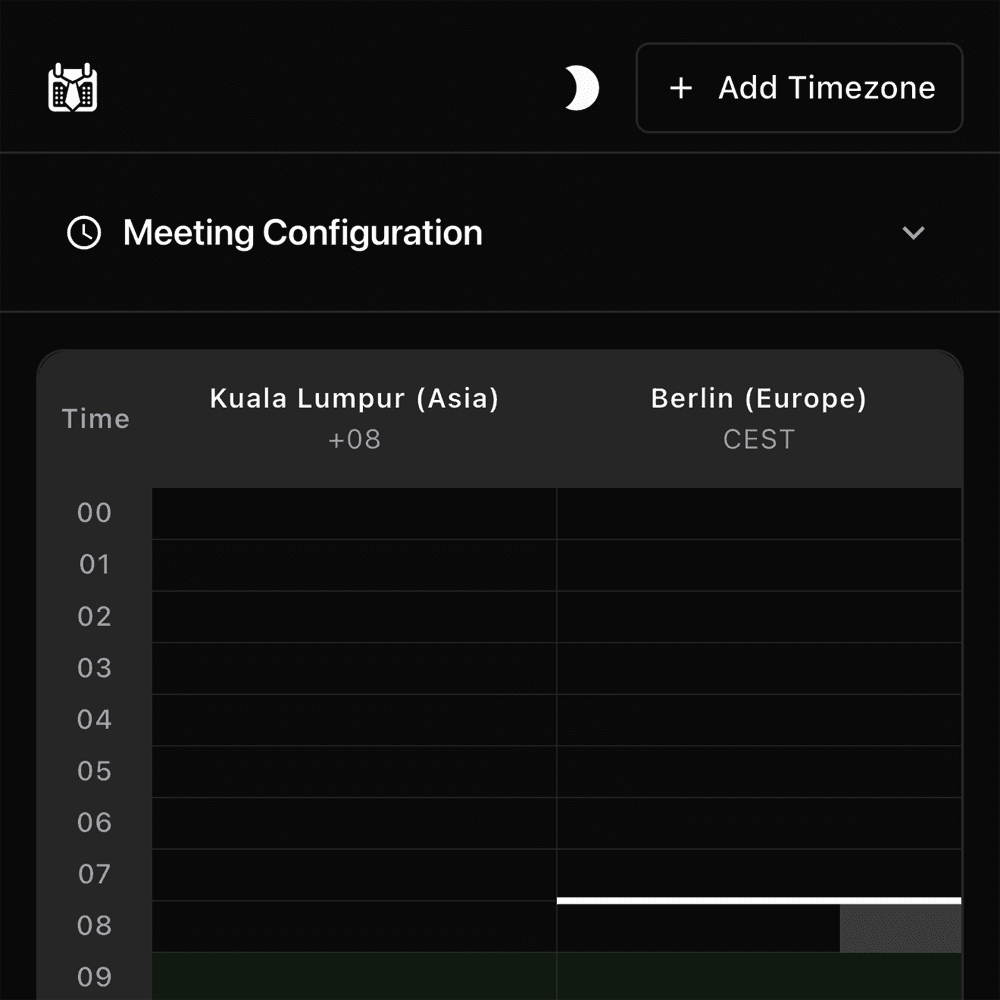
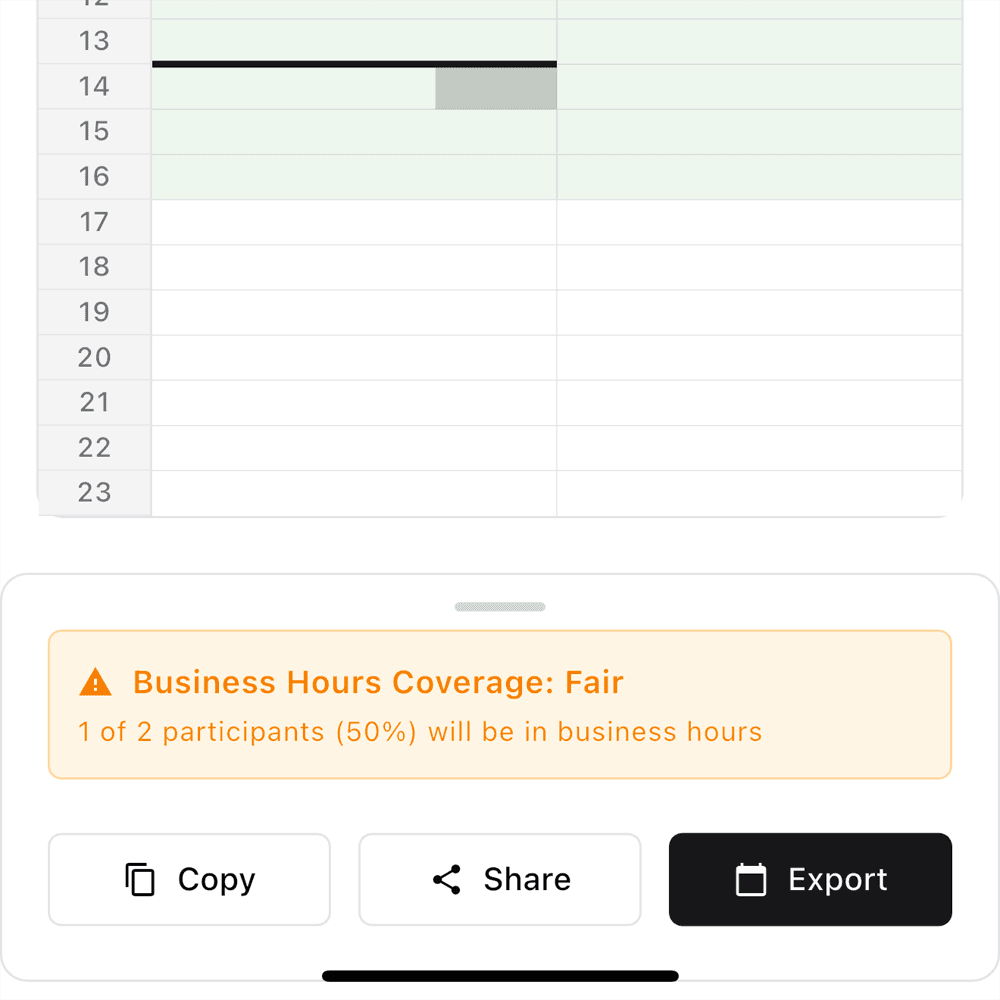
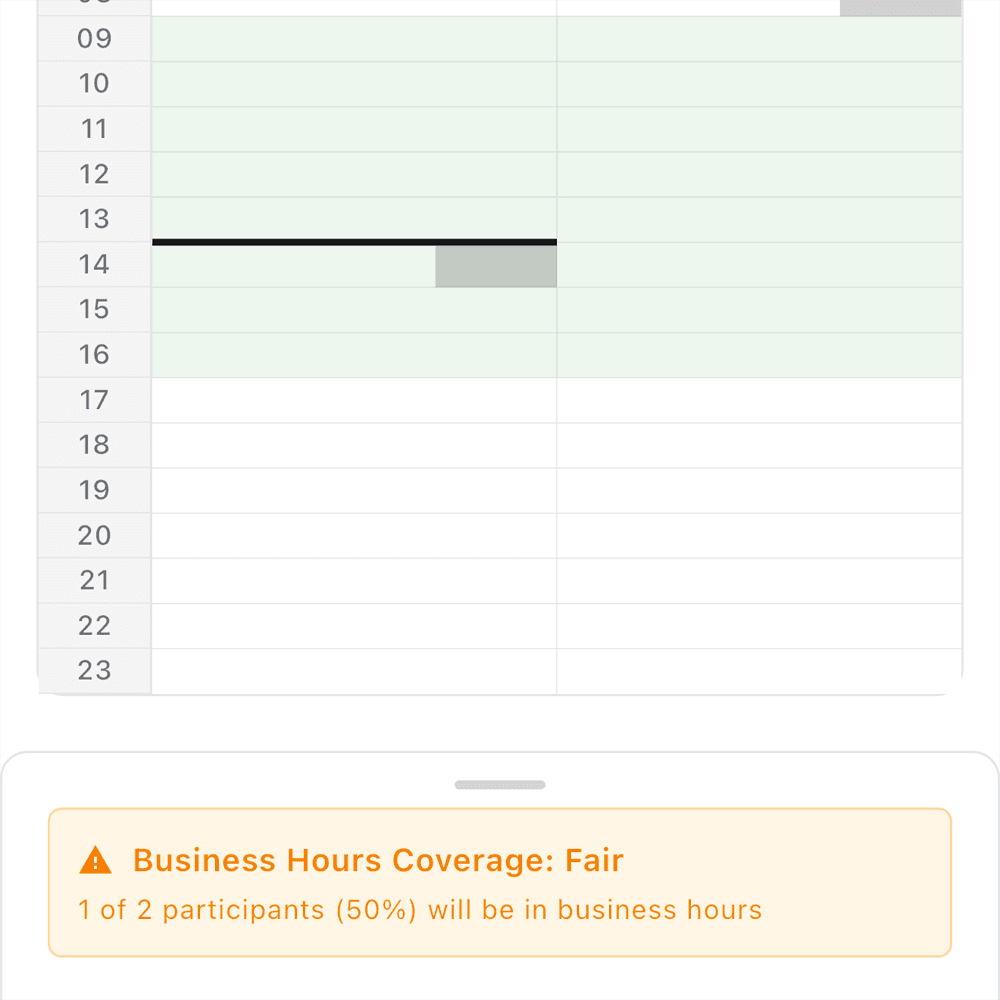
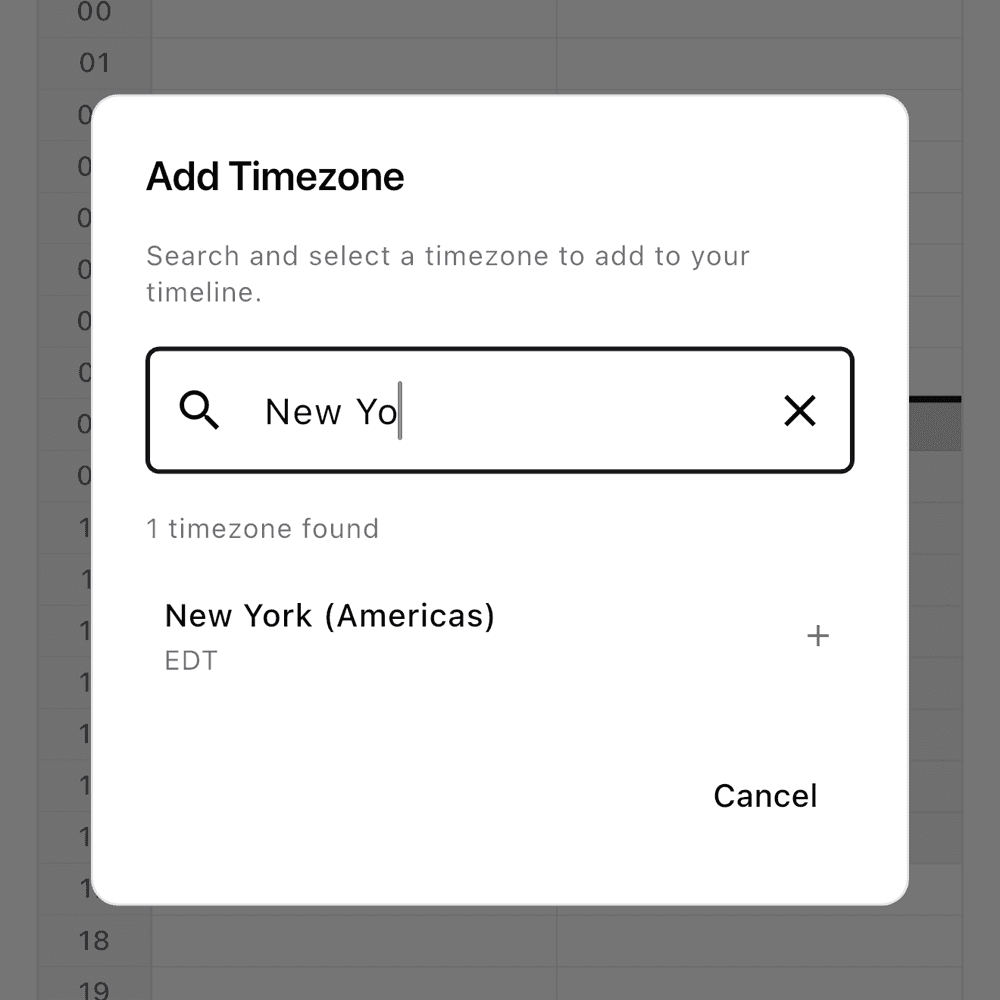
About this app
TimeTie is a mobile app available on iOS and Android, designed to eliminate the hassle of timezone calculations for remote teams. It features a visual timeline interface that color-codes overlapping business hours, making it easy to identify the best meeting slots. With a focus on simplicity and efficiency, it allows users to add team members' locations, view availability at a glance, and share schedules with one click. While it excels in core functionality, it currently lacks a web version and comprehensive security features, but it's a valuable tool for anyone managing global collaborations.
Key features
- 1Color-coded horizontal timeline for intuitive visualization of timezone availability.
- 2Simple 3-tap scheduling workflow with quick share buttons for team coordination.
- 3Instant timezone calculations and efficient server response times for fast performance.
Target customer profile
Drawn from the product itself, not from a survey.
Demographic
Remote team managers
Pain points
Timezone conversion errors, scheduling conflicts, inefficient email chains
Primary needs
Quick visual scheduling, reduced coordination time
Demographic
Global project teams
Pain points
Overlapping work hours identification, frequent rescheduling
Primary needs
Business hour visualization, one-click availability sharing
Demographic
Freelancers with international clients
Pain points
Manual time calculations, missed meetings
Primary needs
Time slot comparison, simple interface
Scout Review
Written by AI from measured evidence, scored out of 100.
TimeTie excels at its core mission of eliminating timezone confusion through smart visual scheduling. The app delivers immediate value for distributed teams by transforming complex scheduling into an intuitive color-coded timeline. While it lacks comprehensive security measures and accessibility features, its focused approach to solving a specific pain point makes it remarkably effective. The instant calculations and one-click sharing functionality demonstrate thoughtful design centered around real user needs in remote work environments.
Measure by measure
Usability
90Achieves scheduling in just 3 taps with intuitive workflow and clear share buttons for quick team coordination.
Design
80Clean horizontal timeline with color-coded bars effectively visualizing availability across time zones in an intuitive interface.
Speed
84Instant timezone calculations meet performance promises with efficient server response times.
Security
50Notably absent security details with no mention of encryption or privacy policies regarding location storage.
Accessibility
40Limited features with no screen reader support, restricted language options, and color-dependent interface challenges.
Growth
90High demand for timezone solutions with clear expansion paths to web version and enterprise features.
Improvement areas
- Implement end-to-end encryption and a transparent privacy policy to enhance security.
- Add accessibility features like screen reader support and color-blind mode options.
- Develop a web version to better serve desktop users and expand platform availability.
Design & Usability
TimeTie's design centers around a brilliant horizontal timeline interface that uses color-coded bars to instantly communicate availability across time zones. The visual approach immediately shows overlapping working hours in green while highlighting conflicts in contrasting colors. The minimalist design avoids clutter, focusing attention on the scheduling matrix that remote teams desperately need. Navigation feels intuitive with large touch targets for adding participants and clear share buttons that make coordinating across continents surprisingly simple. The mobile-first approach works well for on-the-go scheduling, though the absence of a web version feels like a missed opportunity for desktop users who manage complex team calendars.
Speed & Security
Performance-wise, TimeTie delivers on its promise of instant timezone calculations. The app loads quickly and handles basic scheduling tasks with impressive speed. Server response times during timezone conversions appear efficient, making it reliable for quick meeting coordination. However, the security aspect raises concerns - there's no visible mention of data encryption standards, privacy policies, or how user location data is stored and protected. While the app performs well with small teams, its behavior with larger groups (10+ participants) remains unverified. The lack of transparency about data processing locations and security measures is notable for an app handling sensitive scheduling information across global teams.
Accessibility & Growth
Accessibility features are TimeTie's weakest area. The high-contrast timeline helps with visual differentiation, but there's no screen reader support, limited language options (primarily English), and no font scaling capabilities. The color-dependent interface could pose significant challenges for color-blind users without alternative indicators for availability states. Despite these limitations, the growth potential is substantial given the increasing demand for remote work solutions. The clear expansion paths include developing a web version, adding enterprise features, and integrating with popular calendar platforms. The market need for timezone-aware scheduling tools positions TimeTie well for future development and user acquisition.
Conclusion
If you're managing global teams and tired of timezone calculation errors, TimeTie offers a straightforward solution that actually works. Despite needing security improvements and broader platform support, its visual scheduling approach saves genuine time and reduces coordination headaches. For remote team leaders, freelancers with international clients, or anyone coordinating across time zones, this app delivers where it matters most - making scheduling simple and visual.
Suggestions for improvement
- Develop a web version to complement the mobile apps and serve desktop users better.
- Implement end-to-end encryption and publish a transparent privacy policy to address security concerns.
- Add accessibility features including screen reader support, color-blind mode with pattern indicators, and multilingual support.
- Include timezone-aware meeting reminders and recurring meeting patterns to enhance functionality.
- Consider integrating with calendar platforms for automatic availability detection and two-way synchronization.
Alternatives comparison
Named competitors, point by point. Nobody paid to appear here or to be left out.
 TimeTie |  World Time Buddy |  Calendly |  Doodle | |
|---|---|---|---|---|
| Visual Timeline Interface | Yes - Color-coded horizontal timeline | No - Poll-based scheduling only | Basic - Time converter without visual scheduling | No - Individual calendar integration only |
| One-Click Availability Sharing | Yes - Instant share functionality | No - Requires participant polling | No - Manual sharing required | Yes - Through calendar links |
| Multi-Timezone Team Views | Yes - Visual overlapping hours display | Limited - Poll results only | Basic - Side-by-side time comparison | Limited - Individual timezone support |
| Mobile App Availability | Yes - iOS and Android | Yes - Mobile apps available | Web-based only | Yes - Mobile apps available |
| Free Tier Available | Yes - Basic features free | Yes - Free polling available | Yes - Free converter | Yes - Free basic scheduling |
World Time Buddy
Time zone converter with meeting planning but no native sharing features
Calendly
Calendar integration for individual scheduling but less optimized for multi-timezone team views
Doodle
Poll-based scheduling that requires participant input but lacks visual timeline
Comparing options? See TimeTie alternatives, scored side by side
More Productivity apps
View all Productivity
Notion
92All-in-one AI workspace for docs, projects, and knowledge...

Qamarero
92An all-in-one hospitality software for restaurants and ba...

EmbedMyReviews
92White-label reputation management software for agencies s...

StoryPad
92Privacy-first open source journal app with a continuous t...

Puzzly – B2B Lead Generation & Sales Intelligence Platform
92Puzzly is an all-in-one B2B lead generation platform that...

The Stack Newsletter
92A weekly newsletter delivering curated tech jobs, intervi...

Vibe Coding Agent Skills
92A free, open-source platform offering 110 AI agent skills...

QRBliss
91Branded QR codes with AI Brand Sync, 15 free dynamic code...

Gerty
91Private, local AI assistant for Mac that runs offline

CC Switch
91Open-source desktop app for switching AI coding providers...

username.md
90One verified handle for your online identity, readable by...

PitchWhip
90AI cold call scripts & direct dials from LinkedIn


A platform dedicated to providing unbiased reviews of newly launched applications, analyzing everything from their features to their full potential.
info@scoutforge.net© 2026 Scoutforge. All rights reserved.
