Cycling through all six. Tap any point to stop.
Measured on six things
Create a personalized desk-concert video from adult portraits.
Speed
58Lighthouse mobile 71/100 with a 5.9s LCP and 3.5s FCP; desktop 86/100. TBT is 0ms and CLS is stable, so the page is heavy on first paint but not janky once loaded.
Screenshots
1 / 1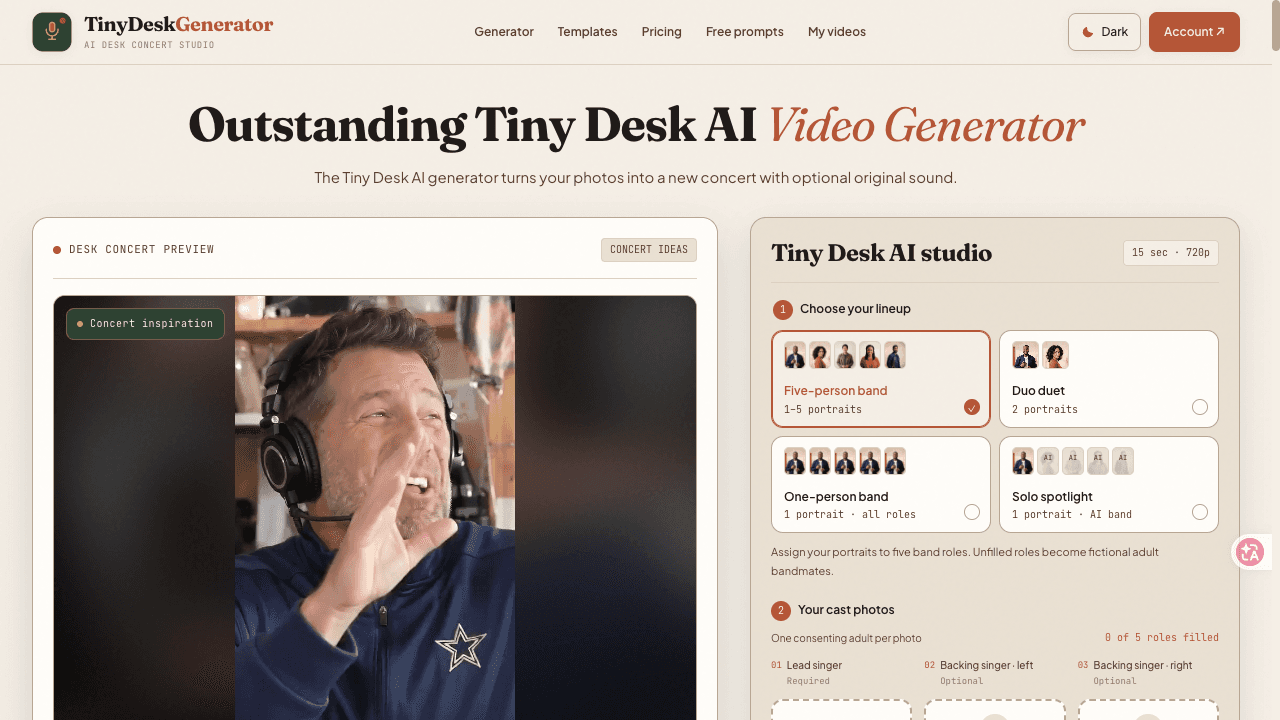
About this app
Tiny Desk Generator turns one to five consenting adult portraits into a newly generated, intimate desk-band performance. Choose a scene and cast, preview a storyboard locally, then purchase video generation. Videos are silent by default, with optional AI-generated instrumental music. Supports portrait and landscape formats. Independent product; not affiliated with NPR.
Key features
- 1Turn 1–5 consenting adult portraits into a generated desk-band performance.
- 2Five concert scenes, portrait/landscape formats, 720p and 1080p options.
- 3Free local storyboard preview before purchase; one-time video credit packs.
Target customer profile
Drawn from the product itself, not from a survey.
Demographic
Adult creators making personalized videos
Pain points
Creating a personalized concert-style video can require editing tools and production time.
Primary needs
A scene-based video workflow with a cast preview and optional instrumental audio.
Scout Review
Written by AI from measured evidence, scored out of 100.
Tiny Desk Generator is a focused, well-branded AI video toy with a genuinely good free preview and a transparent one-time pricing model. It is not affiliated with NPR, and it is careful about consent and adult-only casting. The weaknesses are a slow mobile first paint, a fiddly credit-wallet system, missing HSTS, and accessibility gaps that undercut the 94/100 headline score. Against Pika, it wins on specificity and loses on flexibility and polish.
Measure by measure
Usability
68No sign-up, free local storyboard preview, and a clear five-step flow from scene to cast to format to payment. Credit-wallet model and 24-hour local storage add friction but are explained.
Design
72Dark studio aesthetic with consistent desk-concert branding, clear scene cards, and honest 'illustrative cast maps' labeling. Polished for an indie AI tool, though emoji-heavy and busy.
Speed
58Lighthouse mobile 71/100 with a 5.9s LCP and 3.5s FCP; desktop 86/100. TBT is 0ms and CLS is stable, so the page is heavy on first paint but not janky once loaded.
Security
74HTTPS enforced with CSP, frame protection, and most security headers present; SPF and DMARC configured. HSTS is missing, and no SOC 2, pen-test, or bug-bounty claim was found.
Accessibility
70Lighthouse accessibility 94/100, but three real failures: insufficient color contrast, undersized touch targets, and visible labels not matching accessible names. No WCAG statement or language options found.
Growth
58A specific, meme-native use case with a real workflow wedge: scene-based casting, local preview, optional audio. Differentiated from Pika, but the addressable market is narrow and novelty-driven.
Improvement areas
- Mobile performance: 5.9s LCP and 3.5s FCP drag the first impression.
- Accessibility: contrast, touch targets, and accessible-name mismatches fail audits.
- Security/compliance: missing HSTS and no published audit or bug-bounty program.
Design & Usability
Tiny Desk Generator has a coherent dark-studio identity and a genuinely thoughtful flow: pick a scene, add one to five consenting adult portraits, choose portrait or landscape, preview the storyboard locally for free, then pay for generation. The cast-map section is unusually honest, labeling illustrations as 'not generated results.' Usability is strong up front — no sign-up, no subscription, clear five-step wizard — but the credit-wallet model with recovery codes and 24-hour local storage adds real friction after the fun part. The pricing page is dense but transparent about models, durations, and resolutions.
Speed & Security
Measured performance is mixed: mobile Lighthouse 71/100 with a 5.9s LCP and 3.5s FCP, desktop 86/100, TBT 0ms and CLS 0.014. The page is heavy on first paint but stable once loaded. Security is above average for an indie tool — HTTPS enforced, CSP, frame protection, Referrer-Policy, Permissions-Policy, SPF and DMARC all present — but HSTS is missing and there is no published audit, SOC 2, or bug bounty. Photos staying local until generation is a good privacy posture, though the browser-wallet credit model deserves clearer documentation.
Accessibility & Growth
Accessibility scores 94/100 on Lighthouse but fails three real checks: contrast, touch-target size, and visible-label/accessible-name mismatches. There is no WCAG statement, no language switcher, and the interface is English-only. Growth is a judgment call: the product names a specific, meme-native use case (personalized desk-concert videos for adult creators) and differentiates from Pika with a scene-based cast workflow and local preview. But the market is narrow, novelty-driven, and the domain was registered in October 2026, so traction is minimal. It can grow as a viral toy; it is harder to see it becoming a durable platform.
Conclusion
If you want a funny, personalized concert video for a group chat and you are fine with a browser wallet and a 5.9-second load, this delivers. If you need broad AI video editing, multi-language support, or enterprise-grade compliance, look at Pika or a full editing suite. The free storyboard preview is the right place to start — just read the credit and refund rules before you pay.
Suggestions for improvement
- Add HSTS and publish a short security page with data-handling and retention details.
- Fix the three Lighthouse accessibility failures: contrast, touch-target size, and accessible-name mismatches.
- Reduce mobile LCP below 2.5s by optimizing the hero and deferring non-critical scripts.
- Simplify the credit wallet: offer optional account login and clearer recovery-code UX.
Alternatives comparison
Named competitors, point by point. Nobody paid to appear here or to be left out.
 Tiny Desk Generator Tiny Desk Generator |  Pika Pika | |
|---|---|---|
| Core use case | Personalized desk-concert videos from 1–5 portraits | General-purpose AI video creation from prompts and images |
| Free preview before payment | Yes — local storyboard preview, no sign-up | Free tier with limited credits; sign-up required |
| Pricing model | One-time video packs, $6.98–$9.90 HD, $29.90 Full HD | Subscription tiers with monthly credits |
| Output format | 15s 720p or 19s 1080p, portrait or landscape | Variable length and resolution depending on plan |
| Audio | Silent by default; optional AI instrumental | Sound effects and music options in editor |
| Target audience | Adult creators making personalized meme videos | Broad creators, marketers, and storytellers |
Comparing options? See Tiny Desk Generator alternatives, scored side by side
More Productivity apps
View all Productivity
Qamarero
92An all-in-one hospitality software for restaurants and ba...

The Stack Newsletter
92A weekly newsletter delivering curated tech jobs, intervi...

EmbedMyReviews
92White-label reputation management software for agencies s...

StoryPad
92Privacy-first open source journal app with a continuous t...

Puzzly – B2B Lead Generation & Sales Intelligence Platform
92Puzzly is an all-in-one B2B lead generation platform that...

Notion
92All-in-one AI workspace for docs, projects, and knowledge...

Vibe Coding Agent Skills
92A free, open-source platform offering 110 AI agent skills...

CC Switch
91Open-source desktop app for switching AI coding providers...

username.md
90One verified handle for your online identity, readable by...

What the GIF
89Frame-perfect video-to-GIF maker that runs entirely in yo...

AuditCloser
89White-label website audits that close deals for digital a...

NudgeWin
89Automated quote follow-up for trades and service businesses.


A platform dedicated to providing unbiased reviews of newly launched applications, analyzing everything from their features to their full potential.
info@scoutforge.net© 2026 Scoutforge. All rights reserved.
