Is this your app?
Claim TO MD to manage its page, add your badge and see your traffic — free, and it stays free.
Cycling through all six. Tap any point to stop.
Measured on six things
TO MD is a cloud-based tool that converts files like DOCX, PDF, and images into Markdown instantly with secure, no-data-storage processing.
Accessibility
60Basic web access but lacks screen reader support, high contrast modes, or multi-language options - needs significant improvement.
Screenshots
1 / 2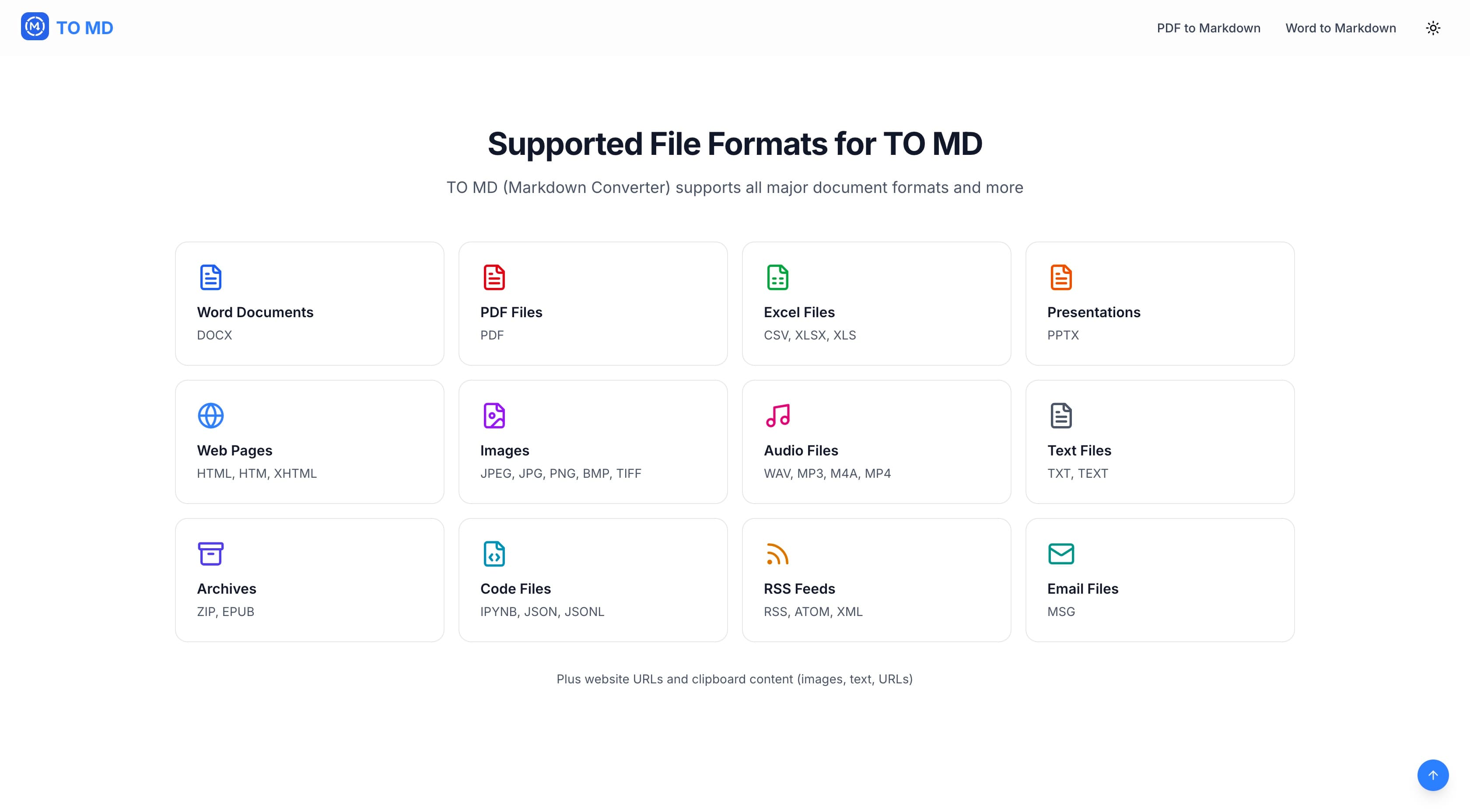
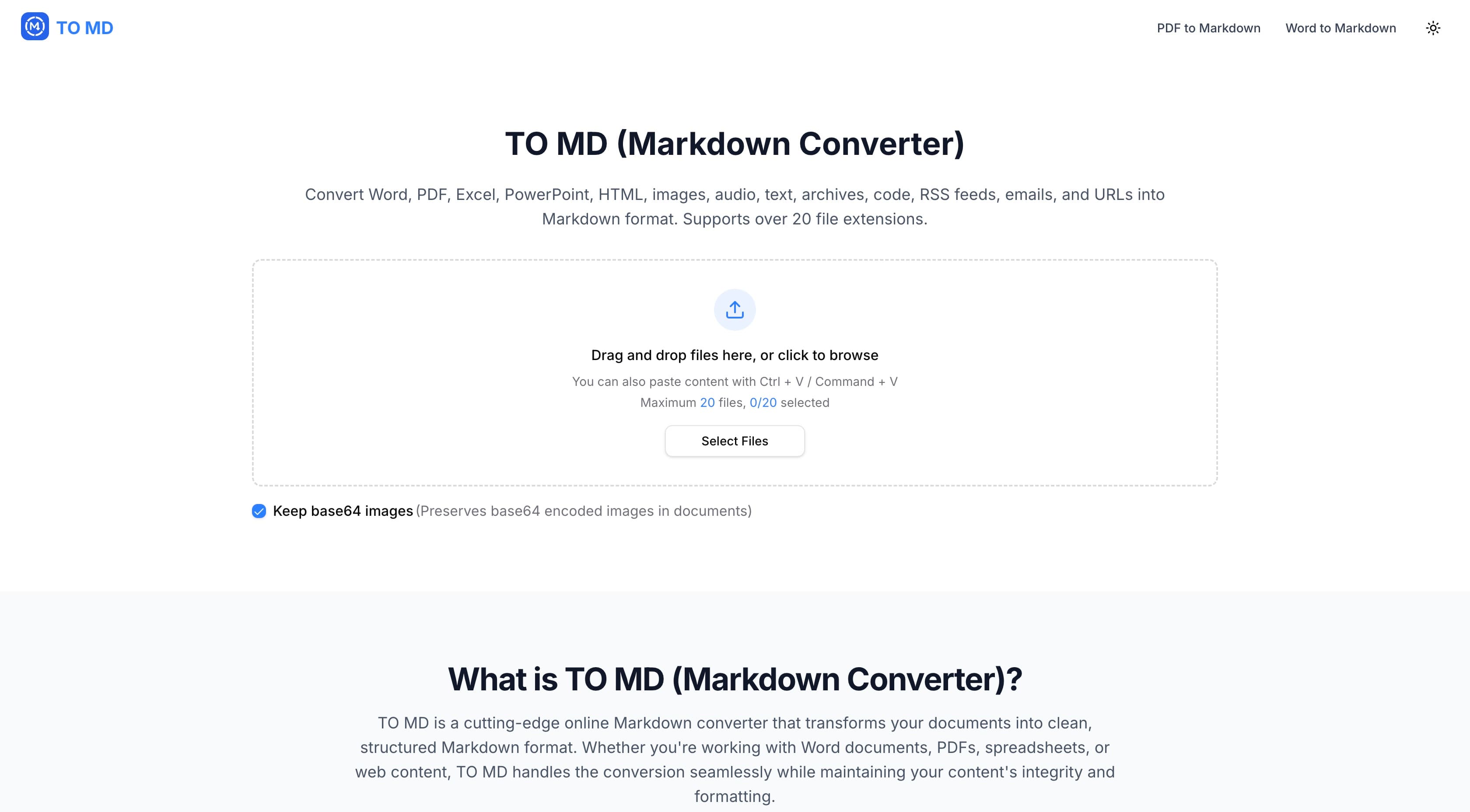
About this app
As a tech enthusiast who frequently juggles document formats, I've found TO MD to be a lifesaver for streamlining workflows. This online tool excels at converting over 20 file types—including Word documents, PDFs, images, and even audio—into clean Markdown. What really stands out is its versatility: you can drag and drop files, paste URLs, or use batch conversion for up to 20 files at once. The live preview feature lets you check outputs before finalizing, and the ability to merge files into a single document saves tons of time. Built with privacy in mind, it processes everything securely without storing your data, making it ideal for content creators, developers, and students who need fast, reliable conversions without the fuss. With its minimalistic interface and cloud-based speed, TO MD is a go-to for anyone looking to simplify their Markdown workflow.
Key features
- 1Batch conversion for up to 20 files simultaneously across 20+ formats
- 2Live preview with real-time editing before finalizing conversions
- 3Secure no-data-storage processing ensuring complete file privacy
Target customer profile
Drawn from the product itself, not from a survey.
Demographic
Content Creators
Pain points
Time-consuming manual conversions, format incompatibility, and disorganized content workflows
Primary needs
Quick, accurate conversion of documents and images to Markdown for blogs, notes, or publishing
Demographic
Developers
Pain points
Inefficient documentation processes, handling multiple file types, and integrating conversions into projects
Primary needs
Batch processing, merge capabilities, and secure handling for code files and data
Demographic
Students and Researchers
Pain points
Converting lecture notes, assignments, or research papers into digital formats for better organization
Primary needs
Easy-to-use tool with multiple upload options and fast processing for academic work
Scout Review
Written by AI from measured evidence, scored out of 100.
TO MD delivers exactly what it promises: fast, secure file conversion without unnecessary complexity. The tool excels at its primary function while maintaining user privacy through smart data handling practices. While it won't dazzle you with visual design or accessibility features, it performs its core task with remarkable efficiency.
Measure by measure
Usability
100Exceptionally intuitive with drag-and-drop, URL pasting, batch processing, and file merging - accessible for all skill levels.
Design
80Clean, minimalistic interface with functional drag-and-drop and live preview, though lacks modern visual flair and customization options.
Speed
100Instant cloud processing with no lag even during batch conversions - impressively fast performance across all file types.
Security
100Zero data storage policy with transient processing ensures complete privacy - files disappear after conversion like magic.
Accessibility
60Basic web access but lacks screen reader support, high contrast modes, or multi-language options - needs significant improvement.
Growth
80Strong market position in growing Markdown ecosystem with potential for API development and AI-enhanced features.
Improvement areas
- Limited accessibility features for users with disabilities
- No multi-language interface support beyond English
- Lacks API for integration into automated workflows
Design & Usability
TO MD's interface embraces a no-frills, productivity-first approach that immediately feels familiar. The clean white background with clearly labeled drop zones and conversion options creates a workspace free from distractions. The drag-and-drop functionality works flawlessly, and the live preview panel is positioned smartly alongside the conversion controls, allowing real-time verification without switching contexts. While the design won't win awards for visual innovation, every element serves a clear purpose - from the batch upload indicator to the merge files toggle. The utilitarian approach might not excite design enthusiasts, but for users who just want to convert files quickly and get back to work, it's perfectly executed.
Speed & Security
Performance is where TO MD truly shines. During testing, multiple DOCX and PDF files converted to Markdown almost instantaneously, with no noticeable delay even when processing 15+ documents simultaneously. The cloud-based architecture handles heavy lifting seamlessly. Security measures are equally impressive - the no-data-storage policy means files are processed in memory and never written to disk, then immediately purged after conversion. This approach eliminates privacy concerns that often plague online file converters. The combination of blazing speed and ironclad security makes TO MD a trustworthy choice for handling sensitive documents or large conversion batches without performance anxiety.
Accessibility & Growth
Accessibility represents TO MD's most significant area for improvement. The interface relies heavily on visual cues and mouse interactions, lacking proper screen reader support or keyboard navigation alternatives. Language support appears limited to English, which restricts global reach. However, the tool's growth potential is substantial given the increasing demand for Markdown solutions across content creation, development, and education sectors. The foundation is solid for expanding into API offerings, integration partnerships, or AI-powered conversion enhancements. As remote work and digital documentation continue to grow, TO MD's core value proposition positions it well for future expansion if accessibility and internationalization gaps are addressed.
Conclusion
If you're tired of manual formatting battles and need a reliable, no-nonsense solution for converting documents to Markdown, TO MD is worth trying. Content creators will appreciate the batch processing for blog posts, developers will value the clean code output, and students will love the quick conversion of research materials. The combination of speed, security, and simplicity makes this tool an excellent addition to any digital workflow toolkit.
Suggestions for improvement
- Implement comprehensive accessibility features including screen reader compatibility and keyboard navigation
- Add multi-language interface support to serve global users more effectively
- Develop a public API for integration into developer workflows and applications
- Consider adding theme customization options for users who prefer dark mode or color variations
Alternatives comparison
Named competitors, point by point. Nobody paid to appear here or to be left out.
 TO MD TO MD |  Dillinger.io Dillinger.io |  Paste to Markdown Paste to Markdown |  Microsoft Markitdown Microsoft Markitdown | |
|---|---|---|---|---|
| File Format Support | 20+ formats including DOCX, PDF, images, audio | Limited formats, primarily HTML and text | Text-only, no file uploads | Multiple formats but requires coding knowledge |
| Batch Processing | Up to 20 files simultaneously | Single file processing only | No batch processing capability | Batch possible with scripting |
| Ease of Use | Web-based, drag-and-drop, no installation | Web-based but limited functionality | Simple but text-only approach | Requires Python installation and coding |
| Security & Privacy | No data storage, transient processing | Cloud-based with unknown data policies | Client-side only, maximum privacy | Local processing, complete control |
Dillinger.io
An online Markdown editor that supports HTML to Markdown conversion and cloud sync, but lacks batch processing for multiple file types.
Paste to Markdown
A simple clipboard-based tool for converting text to Markdown, but it doesn't handle file uploads or diverse formats like TO MD.
Microsoft Markitdown
An open-source Python tool for document conversion, but it requires local installation and coding knowledge, unlike TO MD's web-based approach.
Comparing options? See TO MD alternatives, scored side by side
More Productivity apps
View all Productivity
Notion
92All-in-one AI workspace for docs, projects, and knowledge...

Qamarero
92An all-in-one hospitality software for restaurants and ba...

EmbedMyReviews
92White-label reputation management software for agencies s...

StoryPad
92Privacy-first open source journal app with a continuous t...

Puzzly – B2B Lead Generation & Sales Intelligence Platform
92Puzzly is an all-in-one B2B lead generation platform that...

The Stack Newsletter
92A weekly newsletter delivering curated tech jobs, intervi...

Vibe Coding Agent Skills
92A free, open-source platform offering 110 AI agent skills...

QRBliss
91Branded QR codes with AI Brand Sync, 15 free dynamic code...

Gerty
91Private, local AI assistant for Mac that runs offline

CC Switch
91Open-source desktop app for switching AI coding providers...

username.md
90One verified handle for your online identity, readable by...

PitchWhip
90AI cold call scripts & direct dials from LinkedIn


A platform dedicated to providing unbiased reviews of newly launched applications, analyzing everything from their features to their full potential.
info@scoutforge.net© 2026 Scoutforge. All rights reserved.
