Cycling through all six. Tap any point to stop.
Measured on six things
Interactive math & physics slides with live graphs and an...
Growth
58Real problem (static graphs are hard to explain), specific audience (math/physics educators), and a clear wedge: equation-driven animations without keyframes. Early stage with room to grow.
Screenshots
1 / 5
About this app
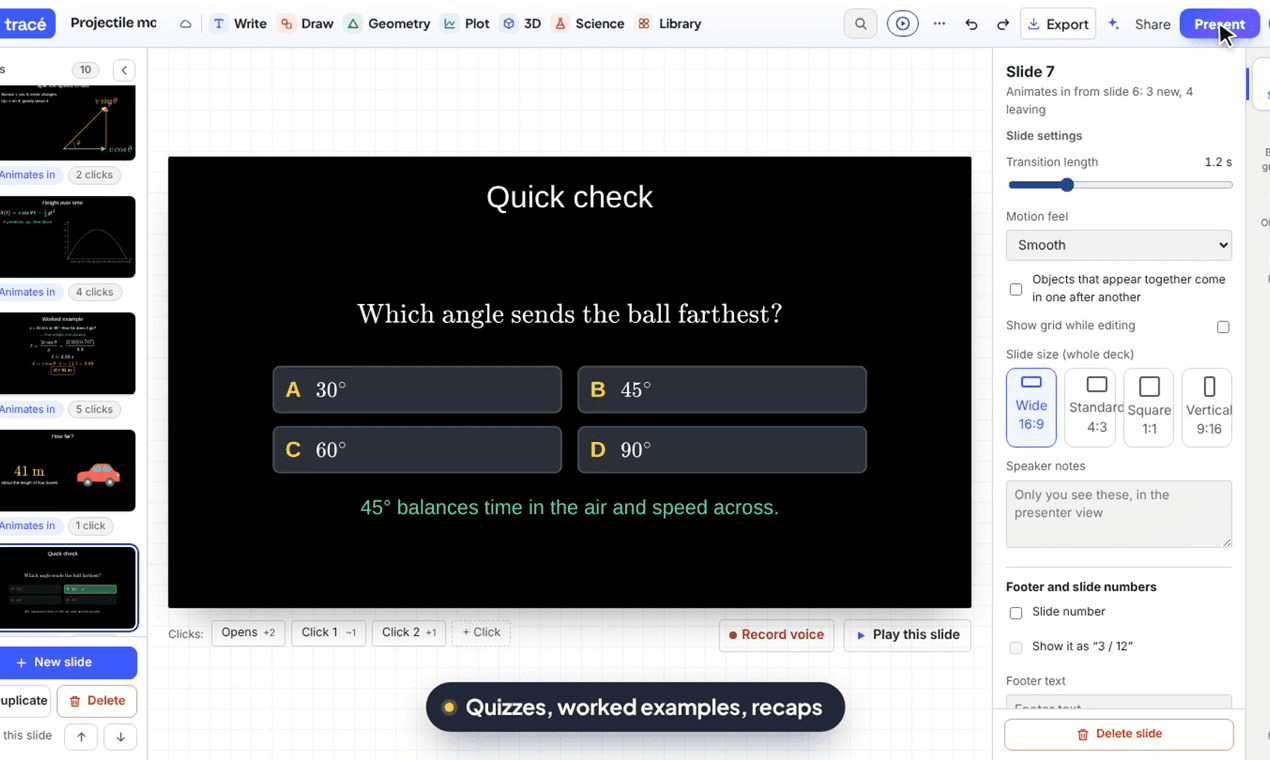
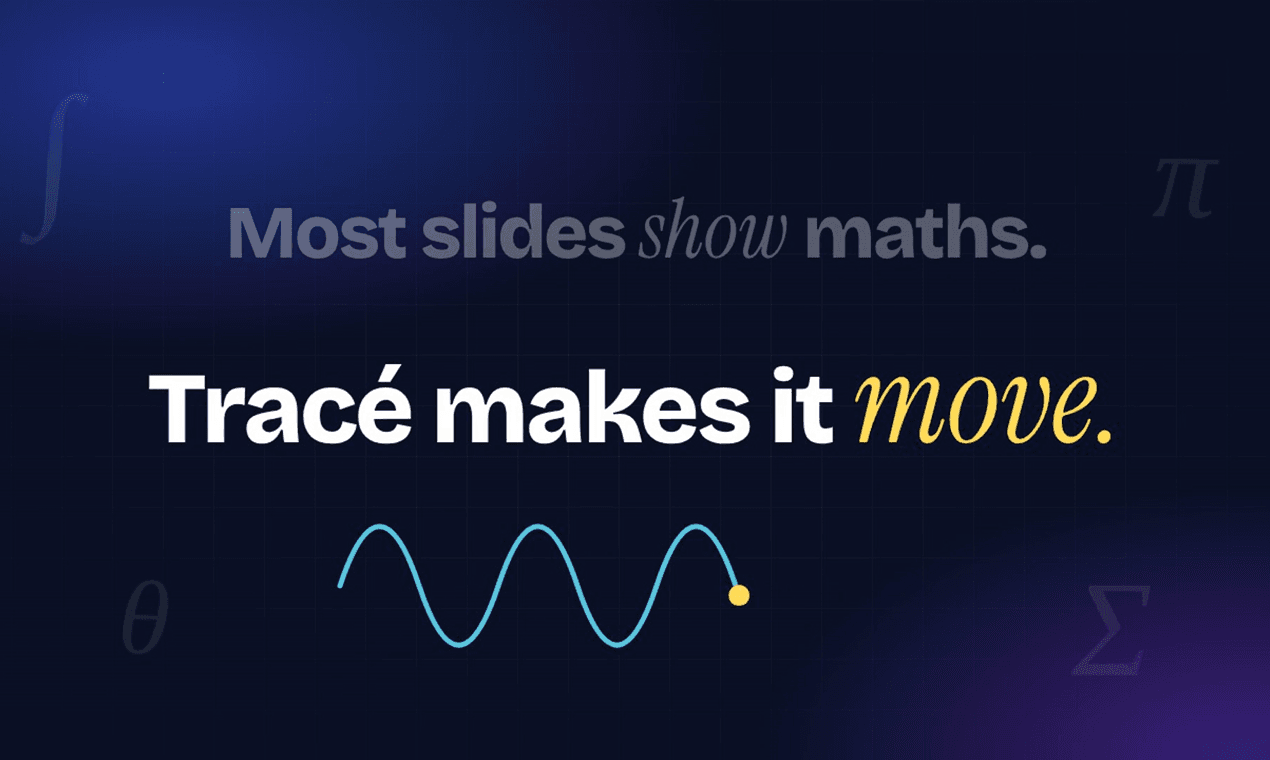
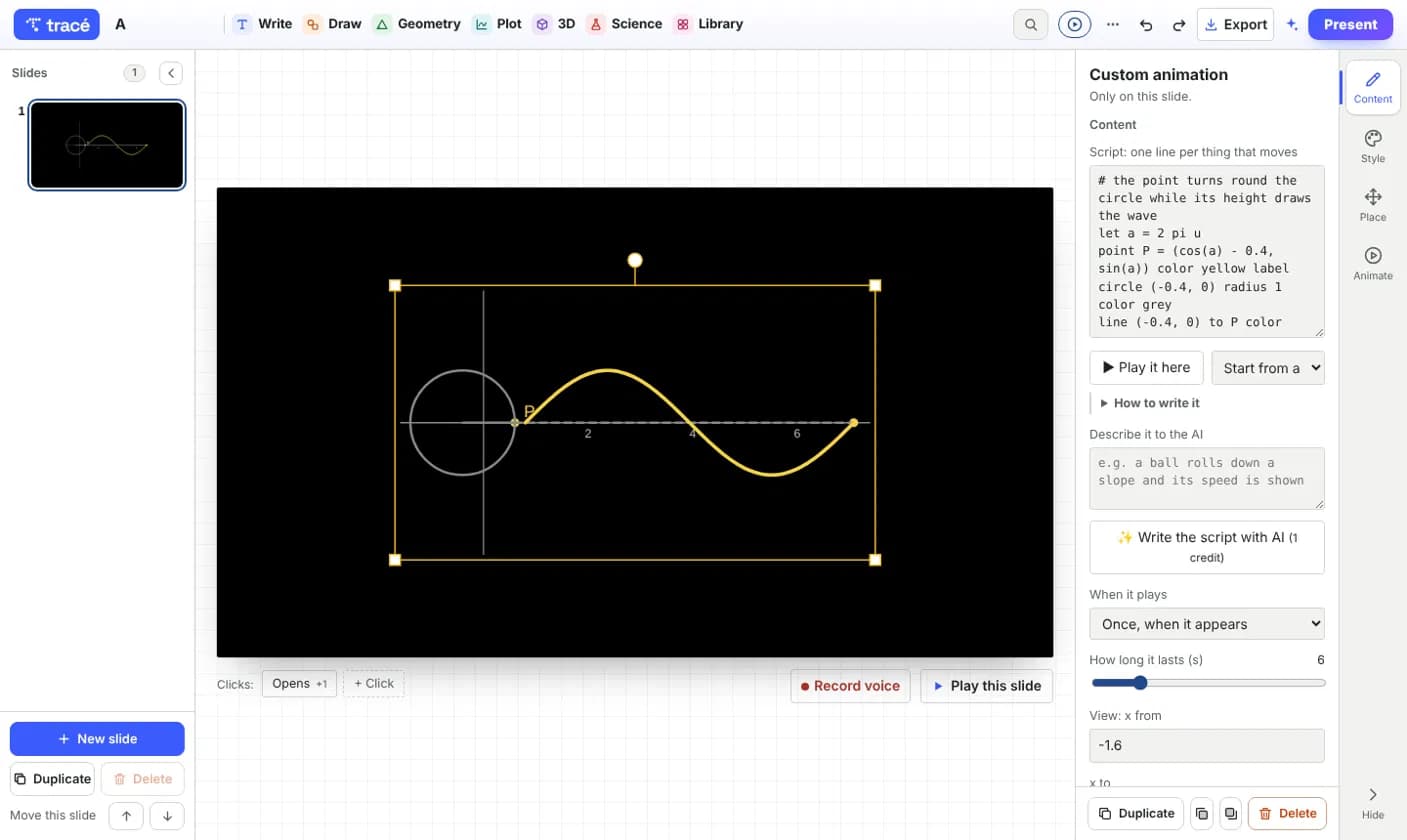
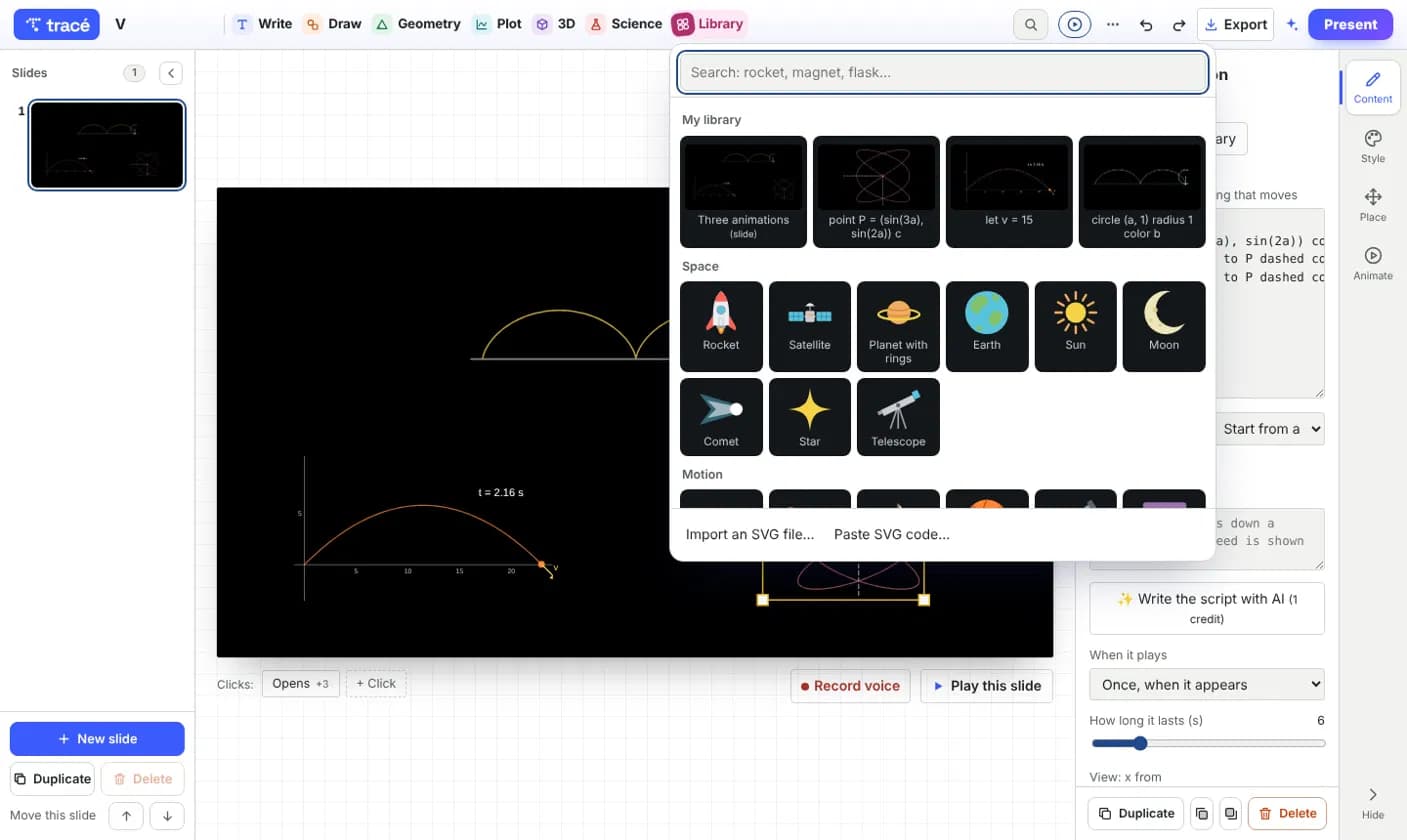
I recently came across Tracé, and it's one of those tools that makes you wonder how you ever taught or presented without it. It's a browser-based app for creating interactive slides where equations come to life. You type an equation, and it draws the graph instantly. You can animate step-by-step, reveal terms one by one, and even drag sliders to change parameters live during a presentation. The interface feels familiar if you've used slide decks, but the animations are driven by the math itself—no timeline or keyframes. It's clearly built for educators: teachers, lecturers, students, and science creators who want to explain concepts dynamically. I was impressed by the 3D capabilities—you can rotate surfaces and polyhedra while presenting. And exporting to MP4 with voiceover (on the Pro plan) is a killer feature for flipped classrooms or YouTube tutorials. The free plan is generous for occasional use, and Pro at $6/month (billed annually) adds advanced 3D, more AI credits, and online...
Key features
- 1Equation-driven animations: type an equation and watch it graph itself, with step-by-step reveals and live sliders.
- 23D rotation of surfaces and polyhedra during presentations, plus MP4 export with voiceover on Pro.
- 3No account needed to try; decks save locally in browser, with share links and presenting on any device.
Target customer profile
Drawn from the product itself, not from a survey.
Demographic
High school and college math/physics teachers
Pain points
Static graphs and equations are hard to explain dynamically; drawing multiple graphs on board is time-consuming.
Primary needs
Engage students with live animations; demonstrate how changing variables affects graphs in real-time.
Demographic
University lecturers and professors
Pain points
Complex derivations and 3D concepts are difficult to convey through static slides; need to build explanations step-by-step.
Primary needs
Step-by-step animations synchronized with equations; ability to rotate 3D models during lectures.
Demographic
Science content creators and YouTubers
Pain points
Creating animated math/physics visuals requires coding or specialized software; exporting videos is cumbersome.
Primary needs
Quick prototyping of animations; one-click MP4 export with voiceover for publishing.
Demographic
Students preparing presentations or thesis defenses
Pain points
Static figures fail to illustrate dynamic processes; lack of animation skills to create engaging visuals.
Primary needs
Easy-to-use tool to add moving figures to presentations; free or low-cost option.
Scout Review
Written by AI from measured evidence, scored out of 100.
Tracé is a browser-based slide tool for math and physics educators who want equations that move. Type an equation, watch it graph itself, animate step-by-step, and drag sliders live during a presentation. The 3D rotation and MP4 export with voiceover are standout features for flipped classrooms and YouTube tutorials. The free tier is generous; Pro at $6/month adds advanced 3D, more AI credits, and badge-free videos. The site is fast (Lighthouse 99 mobile), the design is polished, and onboarding requires no account. Security is solid but lacks a CSP header and public compliance docs. Accessibility scores 96 but has no WCAG statement. Growth potential is real but faces entrenched free competitors. Overall, a well-executed niche tool with clear value for its target audience.
Measure by measure
Usability
72No signup required to try, decks save locally, and the guide promises a first animated slide in ten minutes. Pricing tiers are clearly laid out with feature lists.
Design
78Clean, modern landing page with a live interactive demo in the hero. Consistent typography and a cohesive palette make it feel polished and trustworthy for educators.
Speed
88Lighthouse mobile 99/100 with LCP 1.9s, CLS 0, TBT 0ms; desktop 100/100. The site is exceptionally fast and lightweight.
Security
74HTTPS enforced with HSTS, frame protection, and most security headers present. No CSP header, but SPF/DMARC are configured and payments go through Paddle.
Accessibility
80Lighthouse accessibility 96/100 with one contrast failure. Responsive across devices, but no explicit WCAG statement or a11y documentation found.
Growth
58Real problem (static graphs are hard to explain), specific audience (math/physics educators), and a clear wedge: equation-driven animations without keyframes. Early stage with room to grow.
Improvement areas
- No Content-Security-Policy header; add one to close the remaining security gap.
- No public WCAG conformance statement or accessibility documentation.
- No public security page or compliance certifications (SOC 2, etc.) listed.
Design & Usability
Tracé's design is a cut above the typical edtech landing page. The hero embeds a live, draggable sine wave demo that immediately communicates the product's value: equations that move. Typography is consistent, the color palette is cohesive, and the page avoids the cluttered feature-grid trap. Usability is similarly strong on first contact — no account is needed to try the editor, decks save locally in the browser, and the guide promises a first animated slide within ten minutes. The pricing page is transparent, with Free, Pro ($6/month billed annually), and Schools tiers clearly differentiated. The main usability question is depth: the guide's 'short version' is five steps, but mastering the object-animation model (appear, move, morph, draw, count) will take longer than the marketing suggests. Still, the onboarding funnel is frictionless and the free tier is genuinely useful.
Speed & Security
Speed is Tracé's standout technical metric. Lighthouse mobile performance scores 99/100 with an LCP of 1.9 seconds, zero cumulative layout shift, and zero total blocking time; desktop hits a perfect 100. The site loads instantly and feels snappy even on constrained connections. Security is solid but not exceptional: HTTPS is enforced with HSTS, frame protection and X-Content-Type-Options are present, and SPF/DMARC are configured. The notable gap is a missing Content-Security-Policy header, which leaves script injection as a theoretical risk. Payments are handled by Paddle, a reputable merchant of record, which offloads PCI compliance. There is no public SOC 2 report, bug bounty, or security page — typical for an early-stage product, but worth watching as the user base grows.
Accessibility & Growth
Accessibility scores 96/100 on Lighthouse's automated audit, with a single failing check for insufficient color contrast. The site is responsive and claims to work on laptop, tablet, and phone. However, there is no explicit WCAG conformance statement, no accessibility documentation, and no mention of screen reader support or keyboard navigation beyond standard browser behavior. For an education tool, that's a gap worth closing — teachers with visually impaired students will ask. Growth potential is anchored in a real, specific problem: math and physics educators struggle to explain dynamic concepts with static slides. Tracé's differentiator is equation-driven animation without timelines or keyframes, plus 3D rotation and MP4 export with voiceover. The target audience is clearly defined (teachers, lecturers, students, science creators), and the free tier lowers adoption friction. The category has headroom, but Desmos and GeoGebra are entrenched free alternatives, and Manim owns the open-source animation niche. Tracé's wedge is ease of use — whether that's enough to win paying educators remains to be seen.
Conclusion
If you teach math or physics and you're still drawing graphs three times on a whiteboard, Tracé is worth a serious look. The free tier costs nothing and the editor opens in your browser without an account. The $6/month Pro plan is priced for individual educators, not enterprise budgets. The main risks are category competition (Desmos and GeoGebra are free and ubiquitous) and the absence of published security or accessibility compliance. But for the specific job of making equations move during a lesson, Tracé's equation-driven animation model is genuinely differentiated. Try it with one lesson; if it saves you ten minutes of board-drawing, it's already paid for itself.
Suggestions for improvement
- Publish a WCAG conformance statement and document keyboard navigation and screen reader support.
- Add a Content-Security-Policy header to close the remaining security gap.
- Create a public security page listing data handling, Paddle's PCI compliance, and any audit plans.
- Expand the guide with video walkthroughs for the object-animation model to reduce time-to-mastery.
Alternatives comparison
Named competitors, point by point. Nobody paid to appear here or to be left out.
 Tracé slides Tracé slides |  Manim Manim |  Desmos Desmos |  GeoGebra GeoGebra | |
|---|---|---|---|---|
| Animation approach | Equation-driven; no timeline or keyframes; click-based reveals | Code-driven Python library; requires scripting | Interactive sliders for 2D graphs; no slide presentation | Dynamic geometry/algebra; limited presentation animation |
| 3D capability | Rotate surfaces and polyhedra during presentation (Pro) | 3D scenes via code; steep learning curve | 2D only; no 3D graphing | 3D geometry available but not presentation-focused |
| Video export | One-click MP4 with voiceover (Pro) | Renders video via code; no voiceover built-in | No video export | Limited export options; no MP4 with voiceover |
| Pricing | Free tier; Pro $6/mo (billed annually); Schools custom | Free and open-source | Free for basic use; paid tiers for advanced features | Free for most uses; paid for classroom management |
| Learning curve | Low; no coding, click-based animation | High; requires Python programming | Low for graphing; no animation model | Moderate; feature-rich but complex UI |
Manim
Open-source Python library for creating mathematical animations, but requires coding and has a steep learning curve.
Desmos
Online graphing calculator with interactive sliders, but limited to 2D graphs and lacks full slide presentation features.
GeoGebra
Dynamic mathematics software for geometry, algebra, and calculus, but presentation and animation capabilities are less streamlined.
Comparing options? See Tracé slides alternatives, scored side by side
More Education apps
View all Education
The Stack Newsletter
92A weekly newsletter delivering curated tech jobs, intervi...

English Test Coach
89English Test Coach checks your IELTS essays and letters, gives an estimated band score across all four criteria, and tells you exactly what to revise next.

Startup Science
88A unified platform replacing 12-20 disconnected tools for...

TranscriptYou
88Free YouTube transcript generator with timestamps and AI ...

Coloring Pages Pro
87A massive collection of free printable coloring pages for...

CertWorthIt
87Data-driven tool revealing which certifications actually ...

RBQ Exam
87Online practice for the RBQ contractor licence exams in Québec: original questions, timed mock exams and lessons, in French or English.

HireVue Practice
85AI-powered HireVue practice with timed mock interviews, role-specific questions, transcripts, scoring, and actionable feedback.

Case Cub
85AI-powered law school study platform with 20,000+ case br...

Ciroexam
84All-in-one CIRO exam prep for CIRE and 8 other exams, wit...

Aptitude Test Prep
84Free timed practice for SHL, numerical, and logical tests...

PageCub
84Custom illustrated children's books created around your c...


A platform dedicated to providing unbiased reviews of newly launched applications, analyzing everything from their features to their full potential.
info@scoutforge.net© 2026 Scoutforge. All rights reserved.
