Cycling through all six. Tap any point to stop.
Measured on six things
Trackpad gestures you record by doing them, a built-in Hyper Key, window snapping and a haptic tick for every gesture. $29 once.
Security
41HTTPS is enforced and SPF is set, but there's no HSTS, CSP, frame protection, or DMARC, and the header checklist scores 3/12. No published audits or security page.
Screenshots
1 / 3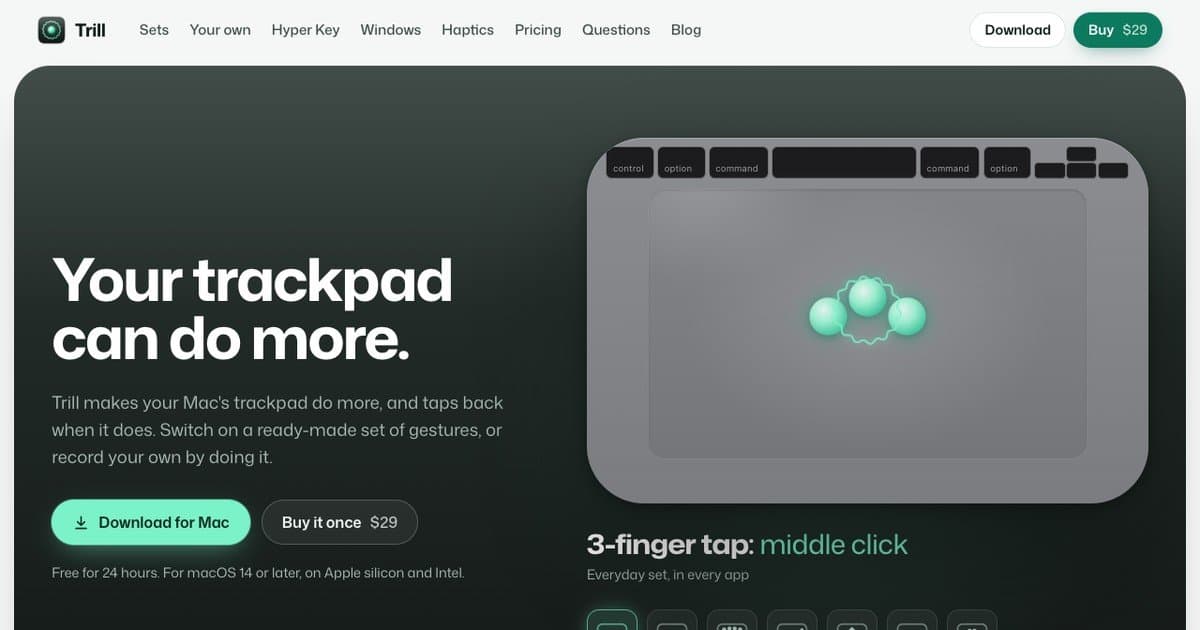
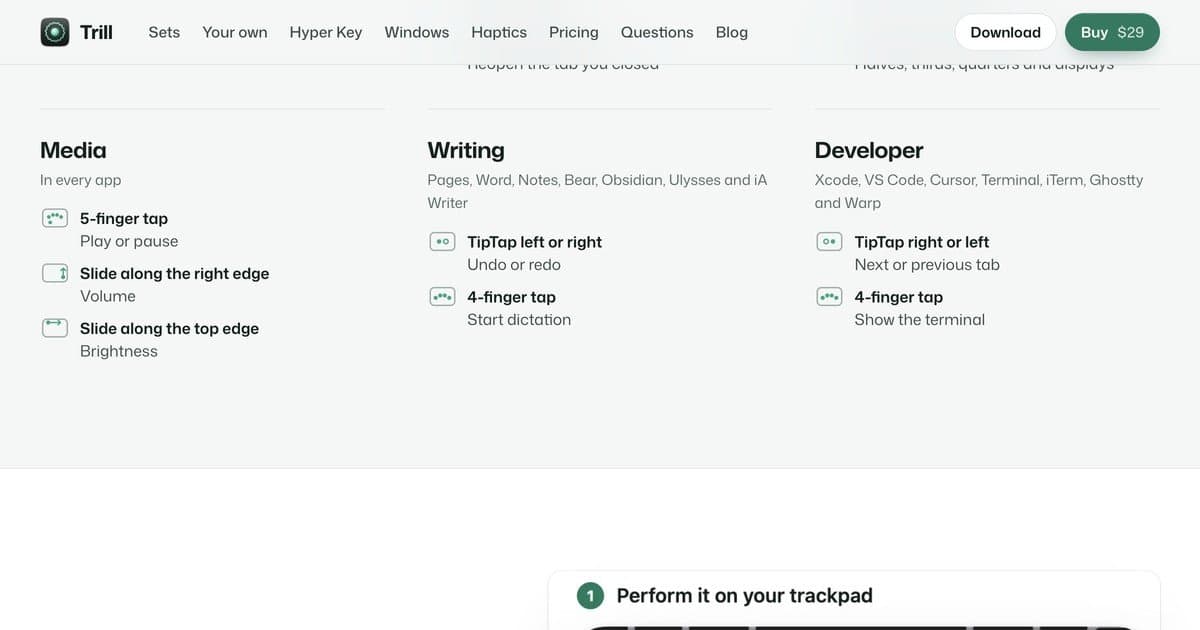
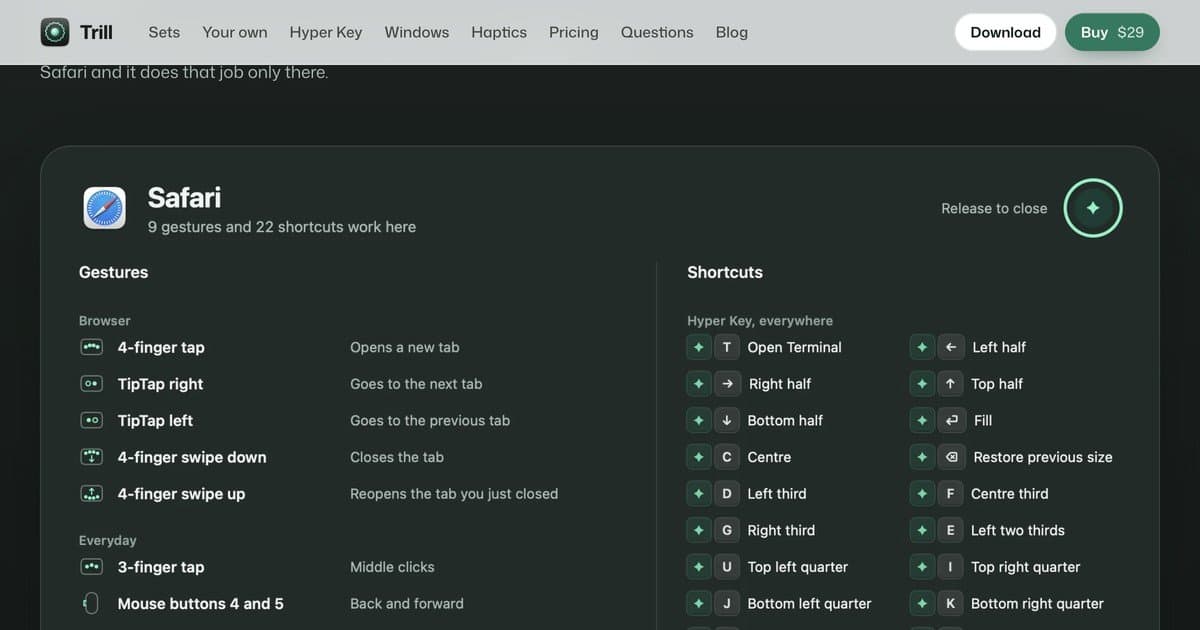
About this app
Trill makes your Mac's trackpad do more, and taps back when it does. Record a gesture by simply doing it, or start from ready-made gesture sets. Caps Lock becomes a Hyper Key that adds Control, Option, Shift and Command; a tap alone sends Escape, and holding it shows a cheat sheet of shortcuts for the app in front. Drag-to-snap window management is built in, and on Force Touch trackpads every gesture gets a haptic tick. $29 once, with a 24-hour free trial that starts when you allow Accessibility. One license covers three Macs.
Key features
- 1Record custom trackpad gestures by performing them; ready-made sets for Everyday, Browser, Windows, Media, Writing, Developer
- 2Caps Lock becomes a Hyper Key (Control+Option+Shift+Command) with tap-for-Escape and hold-for-cheat-sheet
- 3Drag-to-snap window management with zones, previews, and haptic feedback on Force Touch trackpads
Target customer profile
Drawn from the product itself, not from a survey.
Scout Review
Written by AI from measured evidence, scored out of 100.
Trill is a focused Mac utility with a clear pitch: make your trackpad do more, and tap back when it does. The site communicates this well through context-grouped gesture sets, custom illustrations, and honest documentation of macOS conflicts. Design is above average but held back by a blurred hero and cramped grid. Speed is excellent on desktop, mediocre on mobile. Security is the weak link — minimal headers, no audits, no security page — which matters for an Accessibility-level app. Accessibility is nearly clean. Growth potential is real but contested.
Measure by measure
Usability
68Gesture sets grouped by context make the value instantly scannable, and the site explains macOS conflicts with a one-click fix. Trial starts on Accessibility grant, which is a friction point.
Design
71Coherent dark-to-light rhythm, mint accents, and custom trackpad illustrations give Trill a distinct, on-brand look. The blurred hero graphic and cramped six-column grid hold it back.
Speed
68Desktop Lighthouse 93/100 is genuinely snappy, but mobile lands at 76 with a 4.5s LCP and 3.7s FCP — the hero art is costing you on phones.
Security
41HTTPS is enforced and SPF is set, but there's no HSTS, CSP, frame protection, or DMARC, and the header checklist scores 3/12. No published audits or security page.
Accessibility
79Lighthouse accessibility 97/100 with a single contrast failure. Responsive layout and clear CTA contrast are solid; no WCAG statement or a11y docs published.
Growth
62A real, specific pain — Mac trackpad gestures, snapping, and Hyper Key — with record-by-doing and haptics as a genuine wedge. One-time $29 pricing is a clear differentiator in a crowded utility space.
Improvement areas
- Website security headers (HSTS, CSP, frame protection, DMARC) and a published security/accessibility page
- Mobile performance: 4.5s LCP needs optimization; hero art is the likely bottleneck
- Trial UX: start the 24-hour clock on first gesture use, not on Accessibility grant
Design & Usability
Trill's site has a clear identity: deep charcoal-green, mint accents, and custom trackpad illustrations that actually explain the product. The gesture sets are organized by context — Everyday, Browser, Windows, Media, Writing, Developer — so a visitor immediately sees what they'd get. The hero graphic is the weak spot: blurred and low-contrast, the gesture dots are hard to parse, and the six-column grid gets cramped on desktop. Usability is strong on paper: the trial starts on Accessibility grant, one license covers three Macs, and the site proactively explains macOS gesture conflicts with a one-click fix and a 'Put back' restore. The friction is that the 24-hour clock starts at permission grant, not first use.
Speed & Security
Speed is a tale of two devices. Desktop Lighthouse hits 93/100, but mobile drops to 76 with a 4.5s LCP and 3.7s FCP — the hero art is the likely culprit. Security is the weakest dimension: HTTPS is enforced and SPF is set, but there's no HSTS, CSP, frame protection, Referrer-Policy, Permissions-Policy, or DMARC, and the header checklist scores 3/12. For an app that requests Accessibility — deep system access — the absence of a security page, published audit, or bug bounty is a real gap. No breach history was found, but no compliance signals were found either.
Accessibility & Growth
Accessibility scores 97/100 on Lighthouse with a single failing audit: insufficient contrast. The site is responsive with readable typography, but there's no WCAG statement or accessibility documentation. Growth is a judgment call: Trill names a real problem (Mac trackpad customization), targets a specific user (Mac power users who want gestures, snapping, and a Hyper Key), and offers concrete differentiators — record-by-doing gestures, haptic feedback, ready-made sets, and a $29 one-time price. The category is crowded with free and cheap alternatives, and the domain is only months old, so execution and distribution will decide whether the wedge holds.
Conclusion
If you're a Mac power user who wants gesture recording, window snapping, and a Hyper Key in one $29 purchase, Trill is worth the 24-hour trial — just start it when you're actually ready to use it. If you're security-sensitive, ask the maker for a security page and header hardening before you hand over Accessibility. The product's core idea is sound; the execution needs a few more passes on the website's polish and security posture.
Suggestions for improvement
- Sharpen the hero trackpad graphic — increase contrast and reduce blur so gesture dots read at a glance.
- Add HSTS, CSP, frame protection, and DMARC; publish a short security page explaining Accessibility data handling.
- Start the 24-hour trial on first gesture use, not on Accessibility grant, to reduce perceived friction.
- Publish an accessibility statement and fix the single contrast failure to reach a clean Lighthouse score.
Alternatives comparison
Named competitors, point by point. Nobody paid to appear here or to be left out.
 Trill Trill |  | |
|---|---|---|
| Pricing model | $29 one-time, 24-hour free trial, 3 Macs per license | Not specified in provided data |
| Gesture recording by demonstration | Yes — press New gesture and perform it on the trackpad | Not specified in provided data |
| Haptic feedback | Yes — tick, bump, step, limit on Force Touch trackpads | Not specified in provided data |
| Window snapping | Built in — drag to edge/corner, zones, previews | Not specified in provided data |
| Hyper Key (Caps Lock remap) | Yes — Caps Lock as Control+Option+Shift+Command, tap for Escape | Not specified in provided data |
Comparing options? See Trill alternatives, scored side by side
More Productivity apps
View all Productivity
Qamarero
92An all-in-one hospitality software for restaurants and ba...

The Stack Newsletter
92A weekly newsletter delivering curated tech jobs, intervi...

EmbedMyReviews
92White-label reputation management software for agencies s...

StoryPad
92Privacy-first open source journal app with a continuous t...

Puzzly – B2B Lead Generation & Sales Intelligence Platform
92Puzzly is an all-in-one B2B lead generation platform that...

Notion
92All-in-one AI workspace for docs, projects, and knowledge...

Vibe Coding Agent Skills
92A free, open-source platform offering 110 AI agent skills...

CC Switch
91Open-source desktop app for switching AI coding providers...

username.md
90One verified handle for your online identity, readable by...

What the GIF
89Frame-perfect video-to-GIF maker that runs entirely in yo...

AuditCloser
89White-label website audits that close deals for digital a...

NudgeWin
89Automated quote follow-up for trades and service businesses.


A platform dedicated to providing unbiased reviews of newly launched applications, analyzing everything from their features to their full potential.
info@scoutforge.net© 2026 Scoutforge. All rights reserved.
