Cycling through all six. Tap any point to stop.
Measured on six things
AI-powered screen recorder that creates pro videos and do...
Growth
423-year-old domain with modest Product Hunt (14 reviews) and G2 presence; limited Trustpilot and community signals.
Screenshots
1 / 1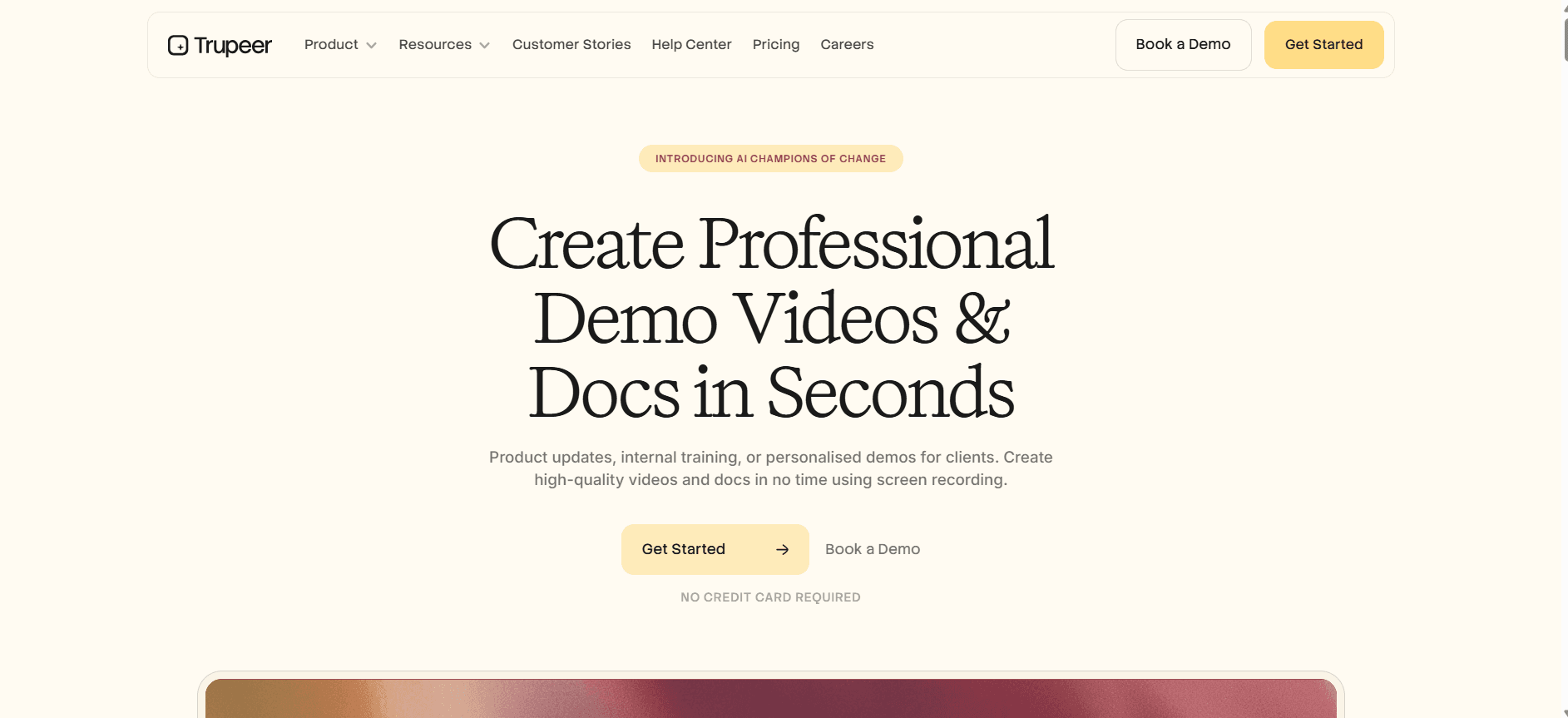
About this app
Trupeer is an AI-driven platform that transforms simple screen recordings into studio-quality product videos, step-by-step documentation, and multilingual knowledge bases. Just hit record on your screen, talk naturally, and let the AI handle editing, scriptwriting, voiceovers, translations, and even lifelike avatars. It’s built for product demos, training, sales enablement, and customer success, with enterprise-grade security (ISO 27001, SOC 2, GDPR). A true game-changer for anyone tired of spending hours on video editing or manual documentation.
Key features
- 1One screen recording → studio video, step-by-step guides, and 120+ language translations
- 2AI scriptwriting, voiceovers, avatars, and auto-generated SOPs/knowledge base
- 3Enterprise security claims (ISO 27001, SOC 2, GDPR) with credit-based AI minutes
Target customer profile
Drawn from the product itself, not from a survey.
Demographic
Product Marketing Managers at SaaS companies
Pain points
Spend too much time creating product update videos; struggle to keep docs in sync with releases.
Primary needs
Quick, branded video creation; automatic documentation updates; easy sharing.
Demographic
Customer Success & Support Teams
Pain points
Repeatedly answering the same questions; lack of scalable, searchable knowledge base.
Primary needs
Create reusable video answers; auto-generate SOPs; AI-powered search for internal and customer-facing knowledge.
Demographic
Learning & Development Professionals
Pain points
Creating training materials for global teams is time-consuming; language barriers slow adoption.
Primary needs
Multilingual training videos and docs; consistent branding; self-service knowledge base.
Demographic
Pre-Sales & Sales Enablement Teams
Pain points
Need personalized demos quickly but lack video editing skills; prospects want self-serve product exploration.
Primary needs
Quick demo creation from screen recording; personalized video content; easy embedding and sharing.
Demographic
Change Management & Internal Comms
Pain points
Rolling out changes requires lengthy meetings and decks; employees miss critical info.
Primary needs
Bite-sized, clear video updates; auto-generated documentation; searchable knowledge base.
Scout Review
Written by AI from measured evidence, scored out of 100.
Trupeer occupies a sweet spot between simple screen recorders and full AI video platforms by delivering one-click polished videos, step-by-step docs, and translations from a single recording. Strong security claims and usable workflow give it real enterprise appeal, while design polish and modest traction keep it from feeling fully mature. The product delivers clear time savings for product, support, and L&D teams, but inconsistent hero messaging, accessibility gaps, and limited social proof cap its ceiling.
Measure by measure
Usability
68Chrome extension and free tier enable fast start; reviews confirm minimal skills needed for polished videos and guides.
Design
55Clean typography and consistent yellow CTAs on cream background, but hero messaging conflicts and generic spreadsheet mockup weaken product clarity.
Speed
55Mobile Lighthouse 62/100 with slow LCP; desktop stronger at 80/100. No major lag complaints surfaced.
Security
72Strong security headers and explicit SOC 2 / ISO 27001 / GDPR claims on pricing page; Trust Center present.
Accessibility
52Lighthouse 77/100 undermined by contrast, ARIA, heading, and label failures. No dedicated a11y documentation found.
Growth
423-year-old domain with modest Product Hunt (14 reviews) and G2 presence; limited Trustpilot and community signals.
Improvement areas
- Hero messaging inconsistency and generic product mockups reduce immediate clarity
- Accessibility audit failures and lack of public a11y documentation
- Limited independent verification of security claims and modest review volume
Design & Usability
Trupeer’s landing page delivers a polished, modern aesthetic with strong typographic hierarchy and consistent yellow CTAs that guide users effectively. However, the hero messaging oscillates between abstract 'workflow knowledge layer' positioning and concrete screen-recording benefits, creating minor confusion. Usability stands out positively: the Chrome extension lowers friction dramatically, a free tier removes signup barriers, and multiple independent reviews confirm that non-technical users can produce studio-quality videos and auto-generated guides in minutes. Navigation is standard but functional, and the multi-output workflow (video + docs + translations) feels intuitive once inside the product.
Speed & Security
Performance is middling. Lighthouse scores show acceptable desktop speed but a sluggish 5.3-second LCP on mobile that could frustrate users on slower connections. No widespread complaints about runtime lag appear in reviews. Security posture is stronger: all major HTTP security headers are correctly implemented, and the company publicly claims ISO 27001, SOC 2, and GDPR compliance on its pricing page alongside a Trust Center link. These enterprise-grade certifications align well with the target SaaS and customer-success audiences, even if independent audit reports are not yet publicly linked.
Accessibility & Growth
Accessibility is the weakest dimension. Automated audits flag contrast issues, missing labels, ARIA problems, and missing landmarks, with no public accessibility statement or remediation roadmap visible. Growth trajectory is modest for a three-year-old product: Product Hunt shows 4.4/5 from a small number of reviews, G2 has scattered positive feedback, and Trustpilot remains thin. Domain age and early traction suggest a focused but still-niche player rather than a category leader. The multilingual (120+ languages) capability is a genuine differentiator that could accelerate adoption if accessibility and visibility improve.
Conclusion
For teams tired of manual video editing and outdated documentation, Trupeer is worth testing on the free tier. Just verify the security attestations and test mobile performance before rolling out widely.
Suggestions for improvement
- Tighten hero copy to one clear value proposition instead of alternating between abstract and concrete messaging.
- Publish actual SOC 2 and ISO audit summaries or links in the Trust Center to convert claims into verifiable trust signals.
- Fix Lighthouse accessibility failures, especially color contrast and form labels, before marketing to global or regulated teams.
- Add a public changelog and roadmap to demonstrate ongoing momentum beyond the initial Product Hunt launch.
Alternatives comparison
Named competitors, point by point. Nobody paid to appear here or to be left out.
 Trupeer Trupeer |  Loom Loom | Camtasia |  Synthesia Synthesia |  Guidde Guidde |  Scribe Scribe | |
|---|---|---|---|---|---|---|
| AI-powered editing & voiceovers from screen recording | Yes - full AI script, voiceover, zoom effects | Basic editing only; no AI voiceovers | Manual editing; no AI automation | AI avatars but no screen recording focus | AI video from recordings; limited voice options | No video production; guides only |
| Auto-generated step-by-step documentation | Yes - instant SOPs and manuals | No auto-docs | No auto-docs | No screen-to-docs | Limited guide features | Yes - primary focus on guides |
| Multilingual support (120+ languages) | Yes - automatic translation | Limited language support | Manual only | Multiple languages but avatar-focused | No multilingual emphasis | Basic translation only |
Loom
Simple screen and video recording tool, but lacks AI-powered editing, auto-documentation, and translation features.
Camtasia
Robust screen recording and video editor, but requires manual editing and no AI-driven automation for docs or translations.
Synthesia
AI video generation with avatars, but focuses on presenter-style videos, not screen recording or documentation.
Guidde
AI-powered video creation from screen recordings, but no auto-documentation or multilingual support.
Scribe
Auto-generates step-by-step guides from screen recordings, but lacks full video production features.
Comparing options? See Trupeer alternatives, scored side by side
Sources
What the review was written against. A verdict with no sources is an opinion.
More Productivity apps
View all Productivity
Notion
92All-in-one AI workspace for docs, projects, and knowledge...

Qamarero
92An all-in-one hospitality software for restaurants and ba...

EmbedMyReviews
92White-label reputation management software for agencies s...

StoryPad
92Privacy-first open source journal app with a continuous t...

Puzzly – B2B Lead Generation & Sales Intelligence Platform
92Puzzly is an all-in-one B2B lead generation platform that...

The Stack Newsletter
92A weekly newsletter delivering curated tech jobs, intervi...

Vibe Coding Agent Skills
92A free, open-source platform offering 110 AI agent skills...

QRBliss
91Branded QR codes with AI Brand Sync, 15 free dynamic code...

Gerty
91Private, local AI assistant for Mac that runs offline

CC Switch
91Open-source desktop app for switching AI coding providers...

username.md
90One verified handle for your online identity, readable by...

PitchWhip
90AI cold call scripts & direct dials from LinkedIn


A platform dedicated to providing unbiased reviews of newly launched applications, analyzing everything from their features to their full potential.
info@scoutforge.net© 2026 Scoutforge. All rights reserved.
