

A platform dedicated to providing unbiased reviews of newly launched applications, analyzing everything from their features to their full potential.
info@scoutforge.net© 2026 Scoutforge. All rights reserved.
A platform dedicated to providing unbiased reviews of newly launched applications, analyzing everything from their features to their full potential.
info@scoutforge.net© 2026 Scoutforge. All rights reserved.
A platform dedicated to providing unbiased reviews of newly launched applications, analyzing everything from their features to their full potential.
info@scoutforge.net© 2026 Scoutforge. All rights reserved.
Cycling through all six. Tap any point to stop.
Measured on six things
Convert Outlook PST files to HTML or MHTML with ease.
A real but shrinking niche: PST-to-HTML conversion for Outlook holdouts. Differentiated only by price and batch support against Aid4Mail and SysTools.
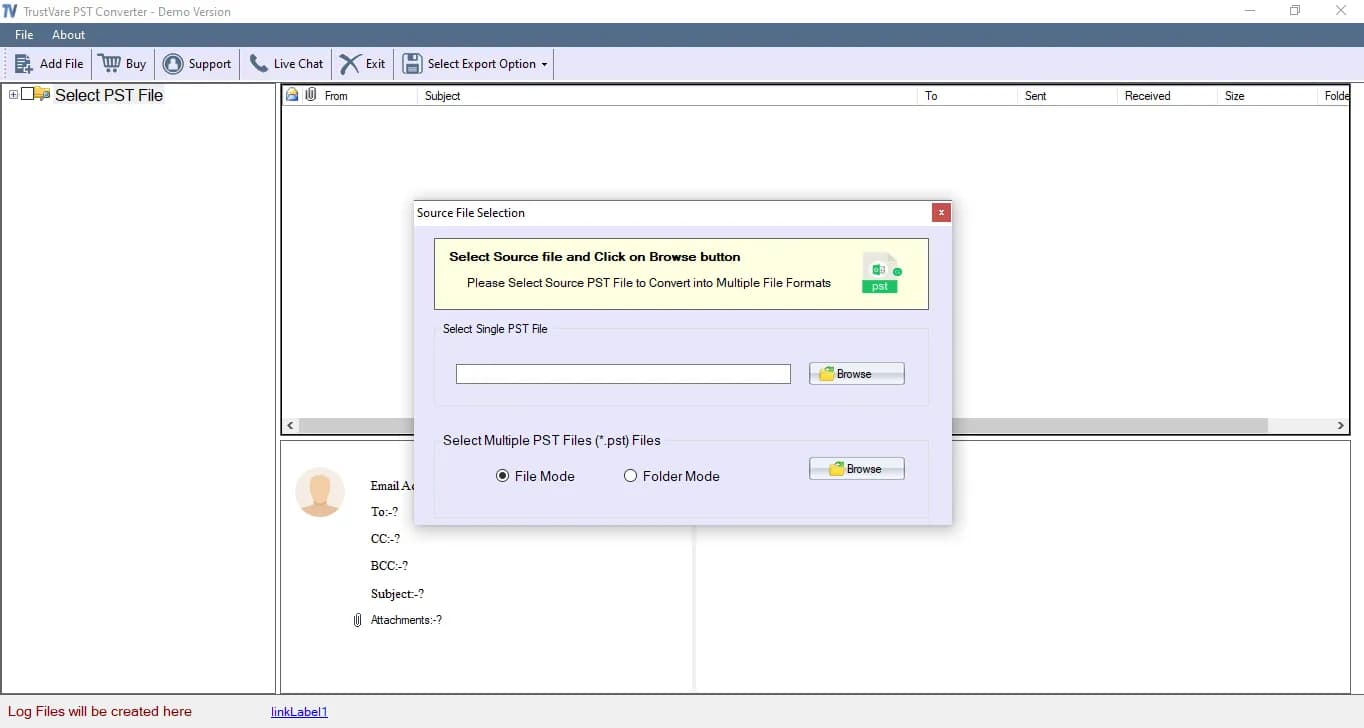
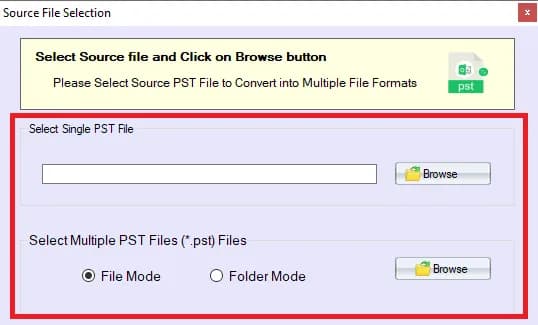
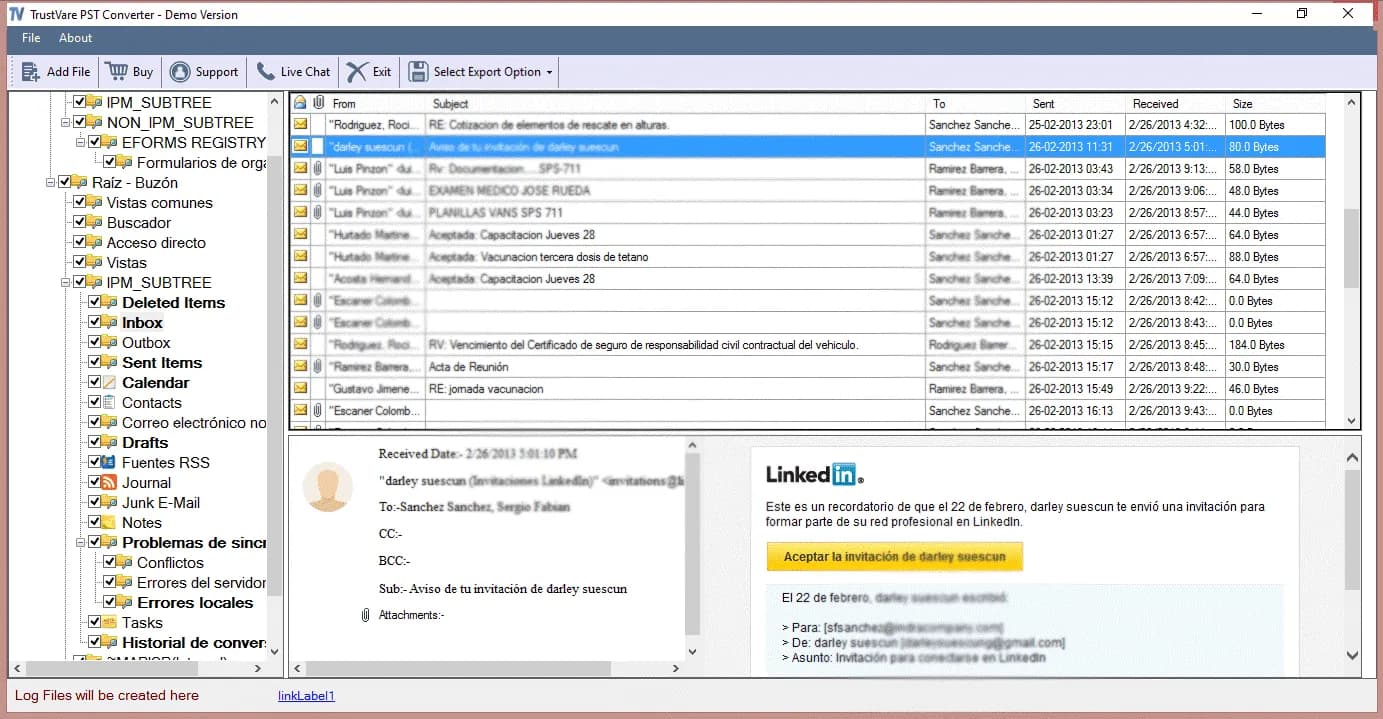
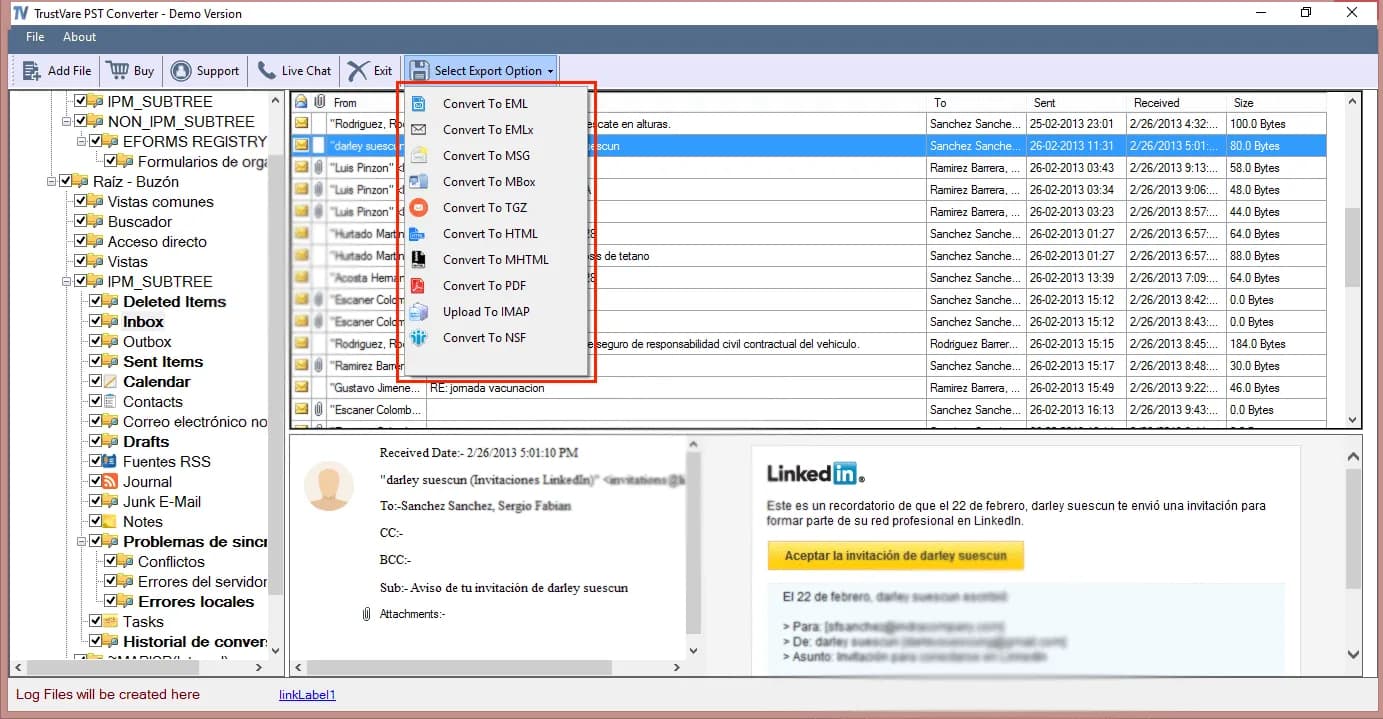
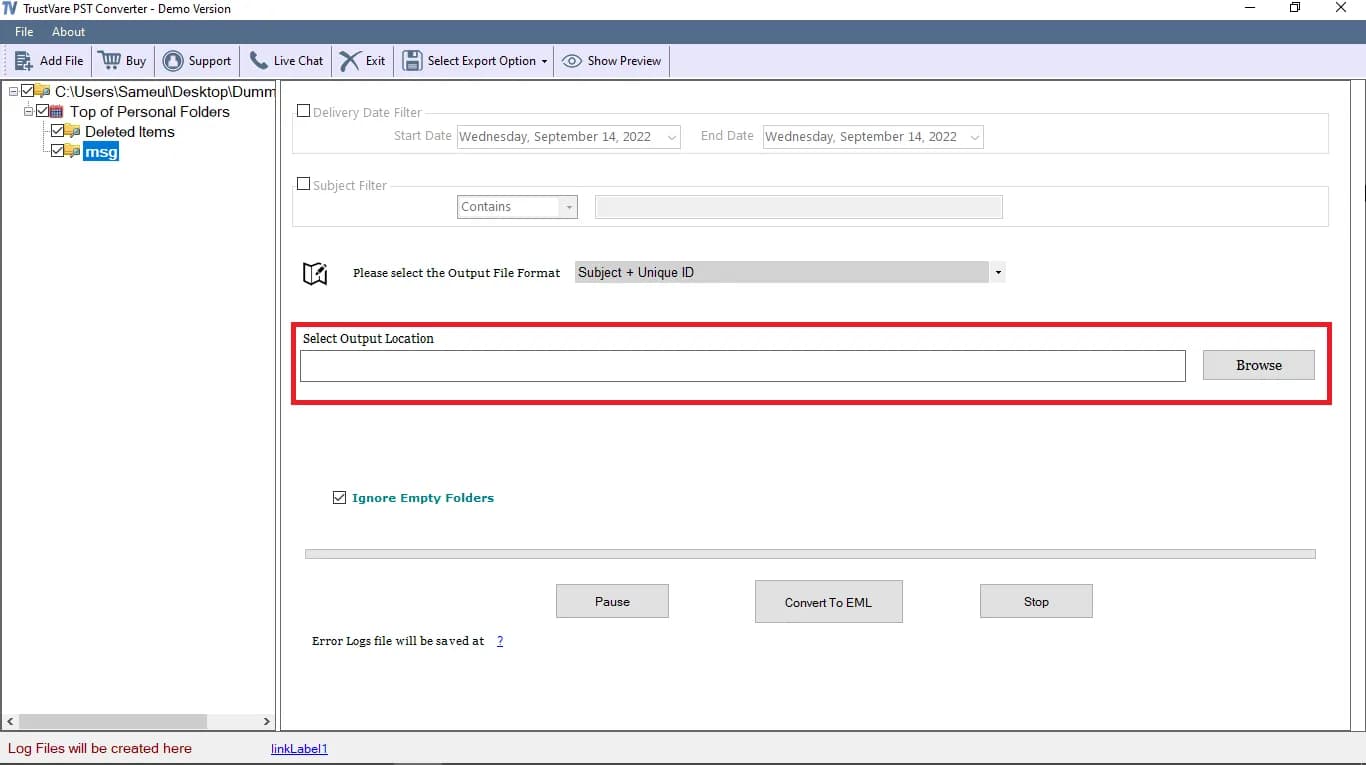
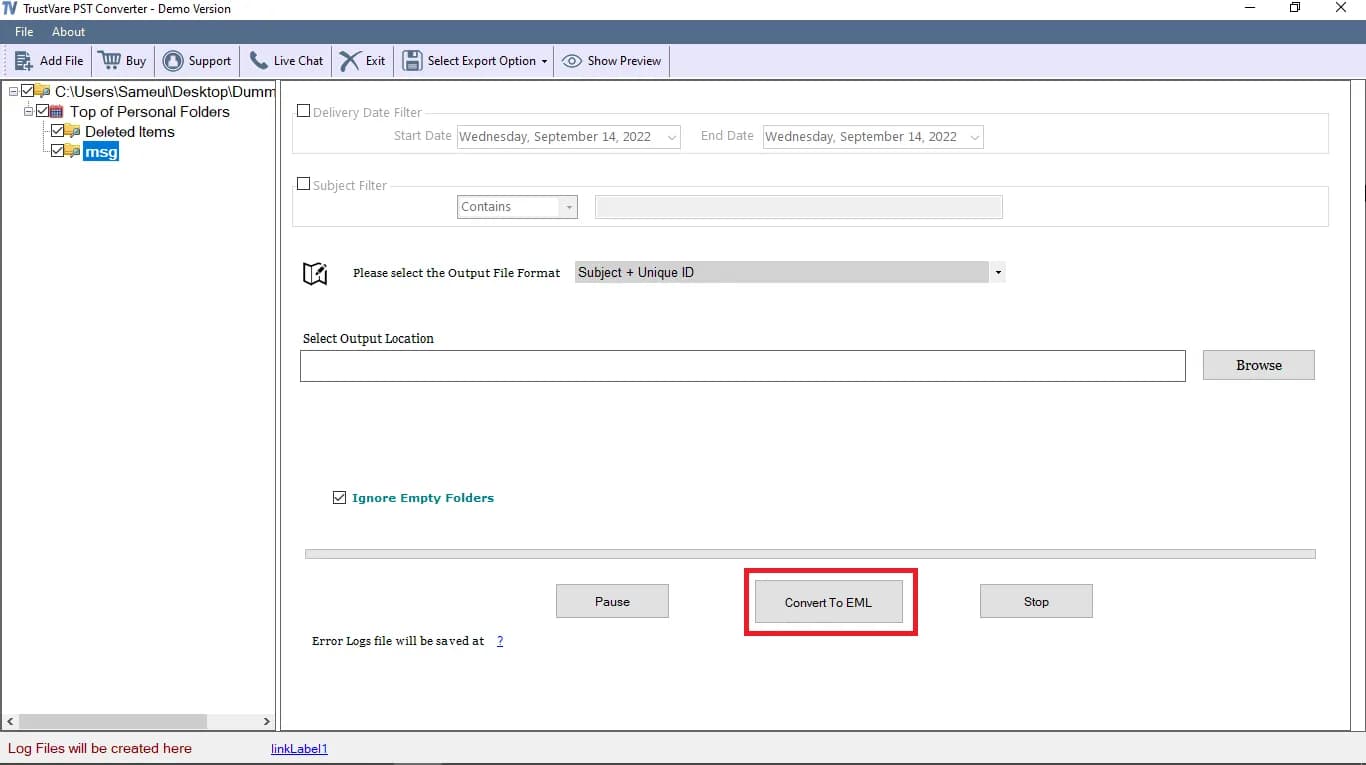
TrustVare PST to HTML Converter is a user-friendly software designed to export selected PST files into HTML and MHTML formats with ease. It allows users to convert one or multiple PST files together helping save valuable time and effort during the conversion process. The tool preserves the original format and structure of the PST data ensuring that important information remains organized and accessible after conversion. Significant Features • This tool converts PST files quickly in four simple steps. It helps users move selected PST data easily. • After conversion PST files can be saved as HTML or MHTML. The output can be saved in a new folder or in existing folder. • The preview pane shows PST folders, items and their content. Users can select the folders they want to export. • The tool works on Windows 11, 10, 8.1, 8, 7 and other versions. It supports Outlook 2021, 2019, 2016, 2013, 2010, 2007 and other versions.
Drawn from the product itself, not from a survey.
Demographic
IT professionals and system administrators
Pain points
Need to migrate email data from Outlook to web-accessible formats for archiving or compliance.
Primary needs
Efficient, accurate conversion of PST files to HTML/MHTML with minimal manual effort.
Demographic
Small to medium business owners
Pain points
Limited budget and time for complex email migration processes; need to preserve email data integrity.
Primary needs
Affordable, reliable tool that supports batch conversion and maintains data structure.
Demographic
Individuals with large PST files
Pain points
Difficulty accessing old Outlook emails after switching to web-based email clients or operating systems.
Primary needs
Easy-to-use software to convert PST to HTML for viewing in browsers without Outlook.
Written by AI from measured evidence, scored out of 100.
TrustVare PST to HTML Converter is a competent, narrowly-scoped Windows utility for converting Outlook PST files into HTML or MHTML. It does the job: batch conversion, preview pane, format preservation, and a documented four-step workflow. The marketing site is fast and the docs are clear. Where it falls short is on the signals that separate a utility from a trusted tool — no security certifications, accessibility gaps on the site itself, and a design language that has not been refreshed in years. Against Aid4Mail and SysTools, it competes on price and perpetual licensing rather than capability. If you need a cheap, one-time PST-to-HTML conversion and you are comfortable with an unverified vendor, it will get you there. If you need compliance documentation or long-term vendor assurance, look elsewhere.
Docs page lays out a clear 4-step conversion flow with screenshots, and a trial is offered before purchase. Onboarding is straightforward for a desktop utility.
Dated Windows-utility aesthetic with a long, cluttered marketing page. Branding is consistent across homepage and docs, but the visual craft lags modern SaaS peers.
Lighthouse mobile 96/100 (LCP 2.7s, CLS 0, TBT 66ms) and desktop 99/100. The marketing site is genuinely fast despite being a long-form page.
HTTPS enforced with CSP, SPF and DMARC in place, but no HSTS, frame protection, or X-Content-Type-Options. No SOC 2, ISO, or pen-test claims published.
Lighthouse a11y 86/100 with real failures: low contrast, unlabeled form elements, and links without discernible names. No WCAG statement published.
A real but shrinking niche: PST-to-HTML conversion for Outlook holdouts. Differentiated only by price and batch support against Aid4Mail and SysTools.
TrustVare PST to HTML Converter is a Windows desktop utility wrapped in a long-form marketing site that reads like it was written by someone paid per feature bullet. The design is functional but dated — screenshots look like they predate the Windows 11 support the page brags about, and the visual language is closer to 2015 utility software than anything modern. Usability is the stronger half: the docs page lays out a clean four-step conversion flow with screenshots, a trial is offered before you pay, and the license is described as perpetual with free upgrades. For an IT admin who just needs to get PST files into a browser-readable format, the path from download to output is short and documented. The gap is polish, not function.
Speed is the standout. Lighthouse scores 96/100 on mobile (LCP 2.7s, CLS 0, TBT 66ms) and 99/100 on desktop — genuinely fast for a page this dense with marketing copy. Security is the weak spot. HTTPS is enforced and CSP, SPF, and DMARC are all present, but HSTS, frame protection, X-Content-Type-Options, Referrer-Policy, and Permissions-Policy are all missing, landing the site at 6/12 on a standard header checklist. No SOC 2, ISO 27001, or pen-test report is published anywhere on the site, which is normal for a small indie utility but means there is no independent assurance to point to. For a tool that handles email archives — which often contain sensitive business and personal correspondence — that absence is worth noting.
Accessibility lands at 86/100 on Lighthouse, with three concrete failures: insufficient color contrast, form elements without associated labels, and links without discernible names. There is no accessibility statement or WCAG conformance claim on the site, so users with assistive tech have no documented commitment to lean on. Growth is the harder question. The problem TrustVare names is real — people do get locked out of old Outlook archives when they switch platforms — but the category is mature and crowded. Aid4Mail and SysTools both offer PST-to-HTML conversion with batch processing and format preservation, and both have longer track records. TrustVare's differentiators are price and a perpetual license, which are real but thin. The domain has been registered since 2021 and the brand maintains LinkedIn, Facebook, and YouTube presence, so this is not a weekend project. But the underlying market — Outlook desktop users needing HTML exports — is a shrinking one, and nothing in the product's positioning suggests it can expand beyond it.
Conclusion
The honest read: this is a tool that does one thing and does it without drama. The conversion flow is documented, the trial exists, and the license does not expire. What it lacks is the layer of trust signals that enterprise buyers now expect — no SOC 2, no accessibility statement, no security page. For an individual or a small shop converting a handful of PST files, none of that matters and the price is probably right. For an IT admin migrating mailboxes under a compliance regime, the absence of those signals is the whole conversation. Buy it for what it is, not for what the marketing page implies it is.
Named competitors, point by point. Nobody paid to appear here or to be left out.
 TrustVare PST to HTML Converter TrustVare PST to HTML Converter |  Aid4Mail Aid4Mail |  SysTools PST to HTML Converter SysTools PST to HTML Converter | |
|---|---|---|---|
| PST to HTML/MHTML conversion | Yes — core feature, batch and single-file support | Yes — PST to HTML among many supported formats | Yes — dedicated PST to HTML converter |
| Batch conversion of multiple PST files | Yes — single, double, or unlimited PST files | Yes — batch processing supported | Yes — batch conversion supported |
| Preview before conversion | Yes — preview pane shows folders, items, and content | Yes — preview and filtering options | Yes — preview supported |
| Free trial available | Yes — trial version offered before license purchase | Yes — trial version available | Yes — free trial available |
| License model | Perpetual license, free upgrades, individual/business/enterprise tiers | Perpetual and subscription options depending on edition | Perpetual license with tiered editions |
| Published security certifications | None found on site | Not verified in collected evidence | Not verified in collected evidence |
Aid4Mail
Aid4Mail is a powerful email conversion and migration tool that supports PST to HTML among many other formats. It offers batch processing and advanced filtering.
SysTools PST to HTML Converter
SysTools provides a PST to HTML converter that exports emails to HTML format while preserving formatting and attachments. It supports batch conversion and preview.
Comparing options? See TrustVare PST to HTML Converter alternatives, scored side by side

An all-in-one hospitality software for restaurants and ba...

A weekly newsletter delivering curated tech jobs, intervi...

White-label reputation management software for agencies s...

Privacy-first open source journal app with a continuous t...

Puzzly is an all-in-one B2B lead generation platform that...

All-in-one AI workspace for docs, projects, and knowledge...

A free, open-source platform offering 110 AI agent skills...

Open-source desktop app for switching AI coding providers...

One verified handle for your online identity, readable by...

Frame-perfect video-to-GIF maker that runs entirely in yo...

White-label website audits that close deals for digital a...

Automated quote follow-up for trades and service businesses.
A platform dedicated to providing unbiased reviews of newly launched applications, analyzing everything from their features to their full potential.
info@scoutforge.net© 2026 Scoutforge. All rights reserved.
