Cycling through all six. Tap any point to stop.
Measured on six things
AI-powered online image upscaler for crystal-clear 4K res...
Security
41HTTPS is enforced and SPF is set, but the probe found no HSTS, CSP, frame protection, X-Content-Type-Options, Referrer-Policy, Permissions-Policy, or secure cookies, and DMARC is missing. No SOC 2, ISO, or bug-bounty claims surfaced.
Screenshots
1 / 1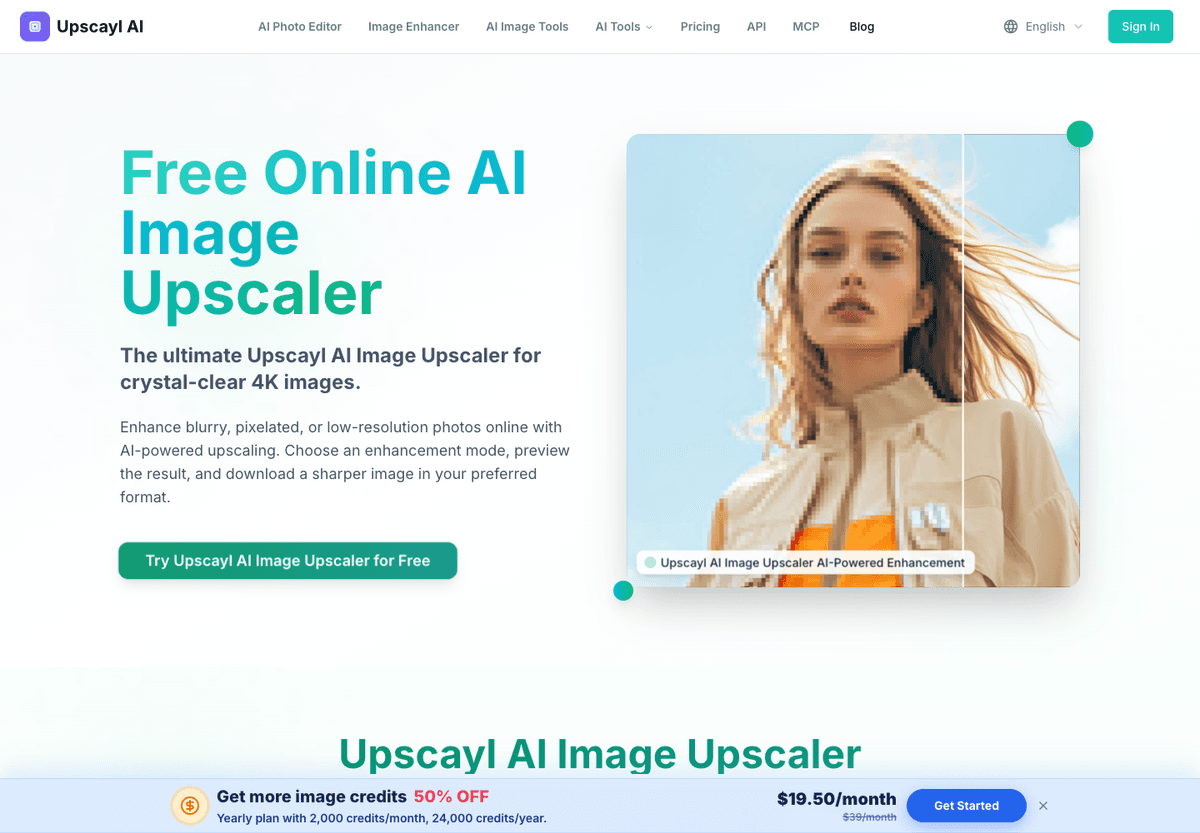
About this app
Upscayl AI Image Upscaler is a free online tool that uses advanced AI to enhance blurry, pixelated, or low-resolution images. It supports multiple enhancement modes like Standard, Portrait, Anime/Art, Face Restore, and Scratch Restore, and offers upscaling factors up to 8x. Users can upload images in JPG, PNG, WEBP, or ZIP formats (up to 5 images at once, max 20MB each) and preview results before downloading in their preferred format. The tool is ideal for photographers, designers, e-commerce teams, and anyone needing high-quality image upscaling without technical skills. Key features include smart reconstruction, facial feature enhancement, texture reconstruction, and commercial-grade processing. It also offers batch processing, API access, and simple, transparent pricing plans. With a focus on natural-looking results and lightning-fast processing, Upscayl AI is a versatile solution for both personal and professional use.
Key features
- 1Multiple enhancement modes: Standard, Portrait, Anime/Art, Face Restore, Scratch Restore, with upscaling up to 8x.
- 2Batch upload up to 5 images free (10-100 on paid plans), JPG/PNG/WEBP/ZIP, max 20MB each.
- 3Developer API with async task polling, retries, idempotency, and billing error handling documented.
Target customer profile
Drawn from the product itself, not from a survey.
Demographic
E-commerce Managers
Pain points
Poor product images, inconsistent resolutions
Primary needs
Batch upscaling, commercial-grade quality, API integration
Demographic
Social Media Influencers
Pain points
Compressed images, lack of sharpness
Primary needs
Fast, free upscaling for social media content
Demographic
Anime & Manga Artists
Pain points
Pixelated line art, JPEG artifacts
Primary needs
Specialized anime upscaling, preservation of line art
Demographic
Photographers
Pain points
Low-resolution images, blurry details, pixelation
Primary needs
High-quality upscaling for print and digital portfolios
Scout Review
Written by AI from measured evidence, scored out of 100.
Upscayl AI Image Upscaler is a competent, fast, browser-based upscaler with a clean tool-first interface, transparent credit pricing, and unusually good API documentation for a consumer product. It handles multiple enhancement modes (Standard, Portrait, Anime/Art, Face Restore, Scratch Restore), supports up to 8x upscaling, and lets you batch up to 5 images free. The weaknesses are security hardening (3/13 checklist points, no HSTS/CSP/DMARC) and accessibility (zoom-blocking viewport meta, contrast issues, no a11y statement). The category is crowded — Topaz Gigapixel, Let's Enhance, and Waifu2x all compete — but Upscayl's browser-based, credit-priced, API-ready positioning is a real differentiator. It's early (domain 0.8 years old), so traction is unproven, but the product itself works and the pricing is honest.
Measure by measure
Usability
71Upload widget is dead simple: drag up to 5 images, pick a mode, preview, download. Credit costs per mode are shown upfront. The /docs/api section with async polling and idempotency guides is genuinely better than most consumer upscalers bother with.
Design
68Clean, tool-first landing page with the upload widget above the fold and clear mode/resolution controls. Pricing table is readable, but brand copy confusingly mixes 'Upscayl AI', 'Upscayl Models', and 'Upscayl Image' as if they were separate products.
Speed
82Lighthouse mobile 93/100 (LCP 2.9s, CLS 0, TBT 78ms) and desktop 98/100. The site loads fast and the tool claims 30-second batch processing. No user complaints about lag surfaced in the collected evidence.
Security
41HTTPS is enforced and SPF is set, but the probe found no HSTS, CSP, frame protection, X-Content-Type-Options, Referrer-Policy, Permissions-Policy, or secure cookies, and DMARC is missing. No SOC 2, ISO, or bug-bounty claims surfaced.
Accessibility
68Lighthouse accessibility 92/100, but three real failures: insufficient color contrast, viewport meta blocking zoom (user-scalable=no / maximum-scale<5), and visible text labels without matching accessible names. English-only, no a11y statement.
Growth
58Real problem (blurry product shots, pixelated art, compressed social images) with a clear wedge: browser-based, multi-mode, credit-priced, API-ready. But it's early (domain 0.8 years old) and the upscaler category is crowded.
Improvement areas
- Security headers: add HSTS, CSP, frame protection, X-Content-Type-Options, Referrer-Policy, Permissions-Policy, and DMARC.
- Accessibility: fix viewport meta zoom-blocking, color contrast, and accessible-name failures; publish an a11y statement.
- Brand clarity: stop referring to 'Upscayl AI', 'Upscayl Models', and 'Upscayl Image' as separate products.
Design & Usability
Upscayl AI's design is functional and tool-first: the upload widget sits above the fold with mode, resolution, and format controls visible immediately, which is exactly where they should be. The pricing page is clean and the per-mode credit costs (Standard 1C, Anime/Art 6C, Scratch Restore 15C) are shown upfront rather than buried. Usability is strong for a consumer tool — drag up to 5 images, preview, download — and the /docs/api section with async task polling, retries, and idempotency guides is better than most competitors bother with. The main design flaw is brand confusion: the copy refers to 'Upscayl AI', 'Upscayl Models', and 'Upscayl Image' as if they were three different things, which makes the product feel less polished than it actually is.
Speed & Security
Speed is a genuine strength. Lighthouse mobile scores 93/100 (LCP 2.9s, CLS 0, TBT 78ms) and desktop hits 98/100, and the site claims 30-second batch processing. Security is where the product falls down. The HTTP probe found HTTPS enforced and SPF present, but no HSTS, CSP, frame protection, X-Content-Type-Options, Referrer-Policy, Permissions-Policy, or secure cookies, and DMARC is missing — a 3/13 checklist score. For a tool that asks users to upload personal photos and product images, the absence of basic hardening headers is a real gap, not just a missing badge. No SOC 2, ISO, or bug-bounty claims surfaced either, which is normal for an early-stage product but still leaves users with no independent assurance about how their uploads are handled.
Accessibility & Growth
Accessibility scores 92/100 on Lighthouse, but the failing audits matter: insufficient color contrast, a viewport meta that blocks zooming on mobile (user-scalable=no / maximum-scale<5), and visible text labels without matching accessible names. Those are fixable, but they're real barriers for low-vision users. The site is English-only and publishes no accessibility statement. On growth, the idea holds up: e-commerce managers, anime artists, photographers, and social media teams all have a real need for cheap, fast upscaling, and Upscayl's browser-based, multi-mode, credit-priced approach with API access is a legitimate wedge against Topaz Gigapixel (desktop, expensive), Let's Enhance (subscription), and Waifu2x (anime-only, free). The limit is that the category is crowded and the product is very early — domain registered 2025-11-21 — so the wedge has to carry a lot of weight.
Conclusion
If you need to upscale product shots, anime art, or old photos without installing desktop software, Upscayl AI is a solid choice — the free tier lets you test it with 5 images, and the paid plans start at $4.50/month. The API docs suggest the team is serious about serving developers and e-commerce teams, not just casual users. But if you're uploading sensitive images, the missing security headers and lack of published audits are worth weighing. And if you're on mobile, the zoom-blocking viewport meta is a genuine annoyance. It's a promising early-stage tool with real strengths and fixable gaps — worth trying, worth watching.
Suggestions for improvement
- Add HSTS, CSP, frame protection, X-Content-Type-Options, Referrer-Policy, and Permissions-Policy headers — the probe found none of them.
- Fix the viewport meta to allow user scaling (remove user-scalable=no and maximum-scale<5) so mobile users can zoom.
- Publish an accessibility statement and fix the color contrast and accessible-name failures flagged by Lighthouse.
- Clarify the brand: stop referring to 'Upscayl AI', 'Upscayl Models', and 'Upscayl Image' as if they were separate products.
Alternatives comparison
Named competitors, point by point. Nobody paid to appear here or to be left out.
 Upscayl AI Image Upscaler Upscayl AI Image Upscaler |  Topaz Gigapixel AI Topaz Gigapixel AI |  Let's Enhance Let's Enhance | Waifu2x | |
|---|---|---|---|---|
| Pricing model | Free tier (5 images); paid plans $4.50-$65.50/month billed annually, credit-based | One-time purchase or subscription; desktop software | Subscription-based online service with API access | Free, open-source, web-based |
| Platform | Browser-based, no install required | Desktop application (Windows/Mac) | Browser-based online service | Browser-based web tool |
| Enhancement modes | Standard, Portrait, Anime/Art, Face Restore, Scratch Restore | Multiple AI models with advanced manual controls | General upscaling with some specialized modes | Anime/art-focused upscaling only |
| Batch processing | Up to 5 images free; 10-100 on paid plans | Batch processing supported on desktop | Batch processing supported | Limited batch support |
| API access | Yes, with async task polling, retries, idempotency docs | No public API (desktop software) | Yes, API available | No public API |
Topaz Gigapixel AI
Desktop software for AI-powered image upscaling with advanced controls.
Let's Enhance
Online AI image upscaler with batch processing and API.
Waifu2x
Open-source anime image upscaler.
Comparing options? See Upscayl AI Image Upscaler alternatives, scored side by side
More Productivity apps
View all Productivity
Notion
92All-in-one AI workspace for docs, projects, and knowledge...

Qamarero
92An all-in-one hospitality software for restaurants and ba...

EmbedMyReviews
92White-label reputation management software for agencies s...

StoryPad
92Privacy-first open source journal app with a continuous t...

Puzzly – B2B Lead Generation & Sales Intelligence Platform
92Puzzly is an all-in-one B2B lead generation platform that...

The Stack Newsletter
92A weekly newsletter delivering curated tech jobs, intervi...

Vibe Coding Agent Skills
92A free, open-source platform offering 110 AI agent skills...

QRBliss
91Branded QR codes with AI Brand Sync, 15 free dynamic code...

Gerty
91Private, local AI assistant for Mac that runs offline

CC Switch
91Open-source desktop app for switching AI coding providers...

username.md
90One verified handle for your online identity, readable by...

PitchWhip
90AI cold call scripts & direct dials from LinkedIn


A platform dedicated to providing unbiased reviews of newly launched applications, analyzing everything from their features to their full potential.
info@scoutforge.net© 2026 Scoutforge. All rights reserved.
