Is this your app?
Claim URLinks to manage its page, add your badge and see your traffic — free, and it stays free.
Cycling through all six. Tap any point to stop.
Measured on six things
A web-based tool for URL management and sharing, but currently underdeveloped with accessibility issues.
Accessibility
10Completely fails basic accessibility standards by requiring JavaScript without fallbacks; no screen reader or keyboard navigation support.
Screenshots
1 / 4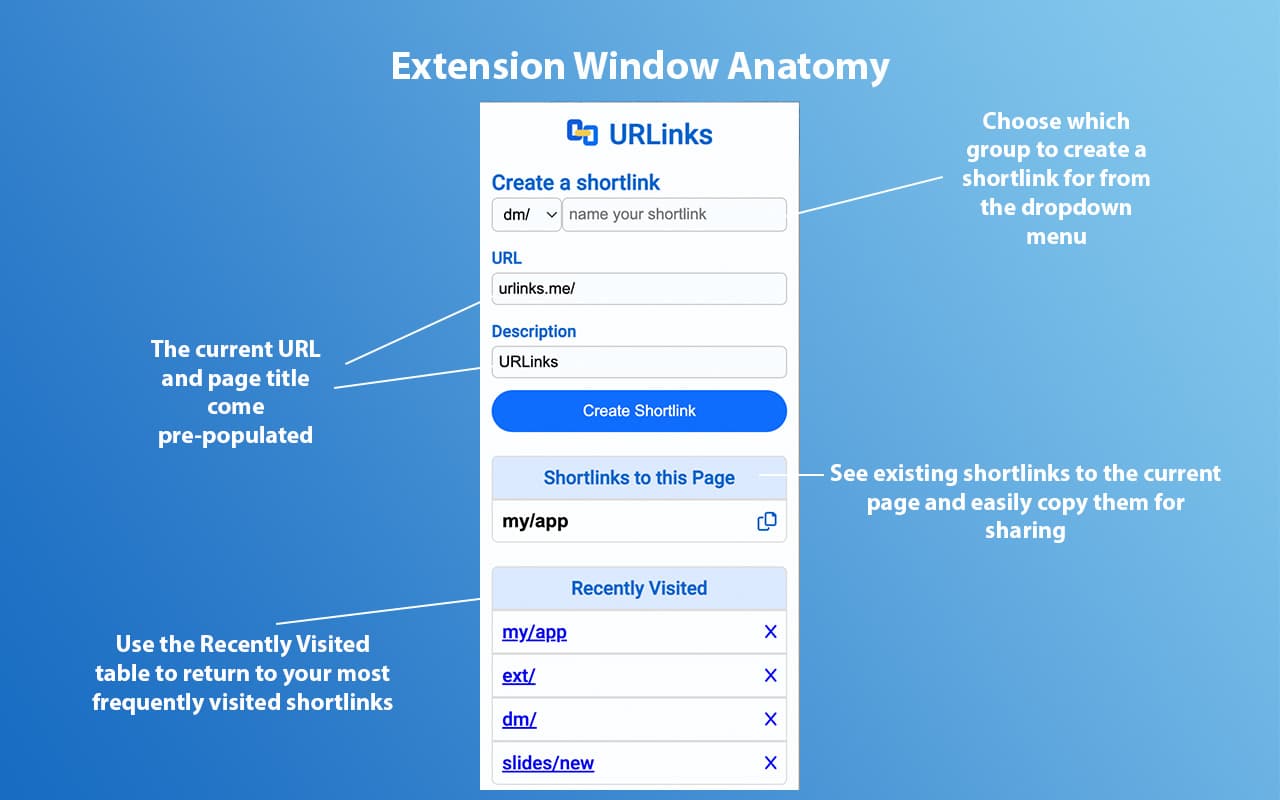
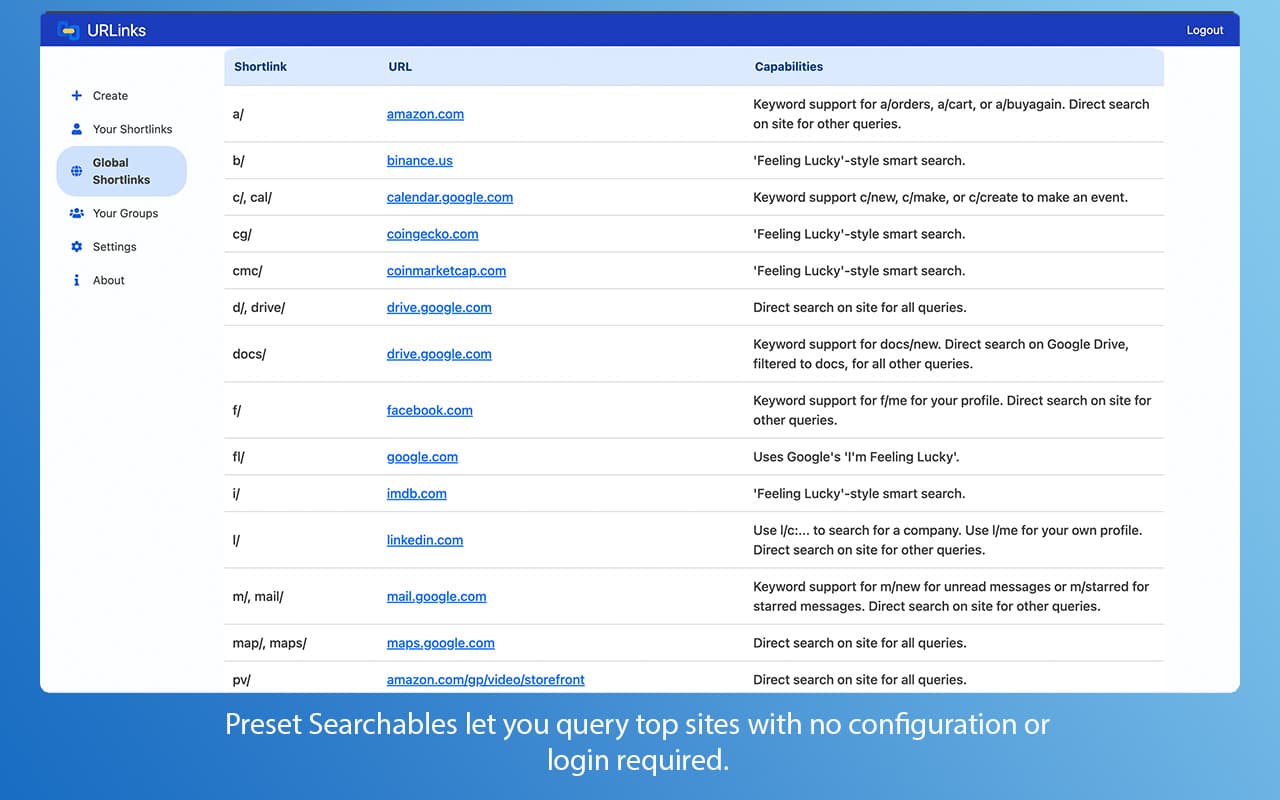
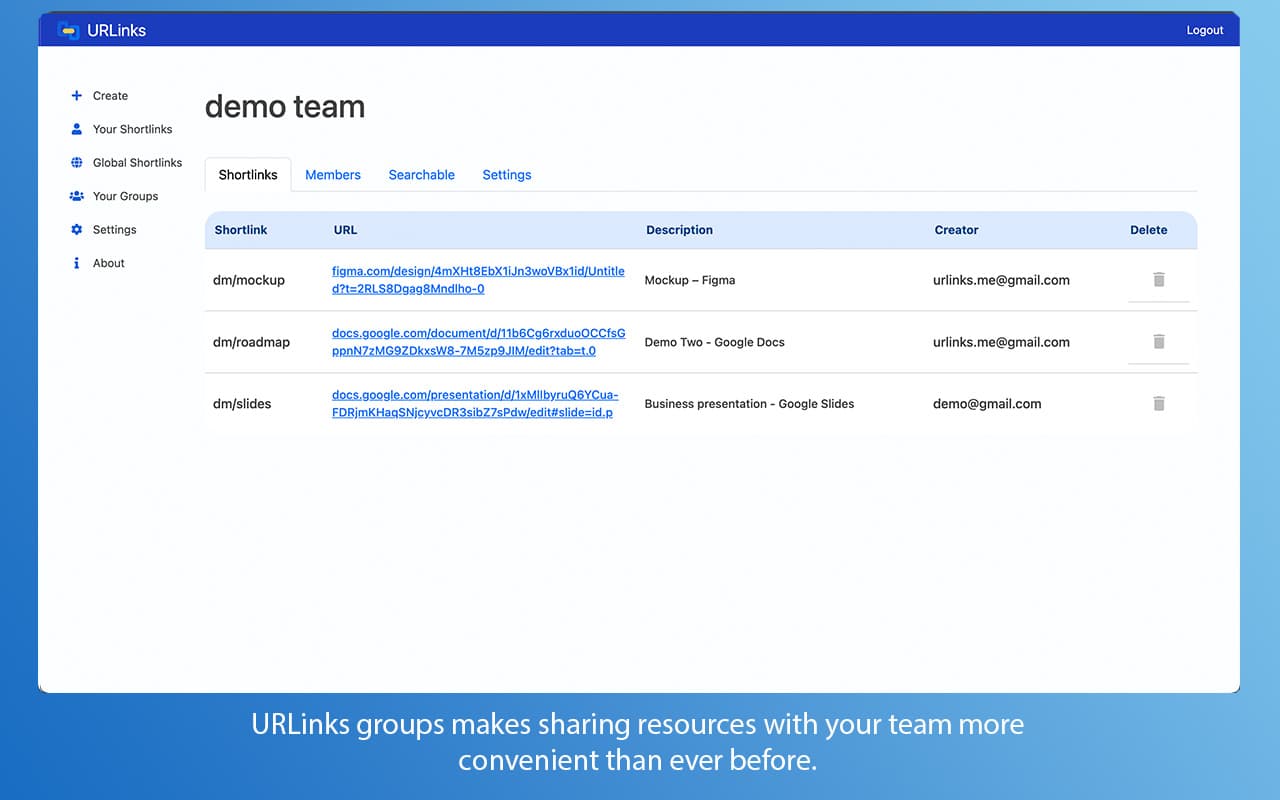
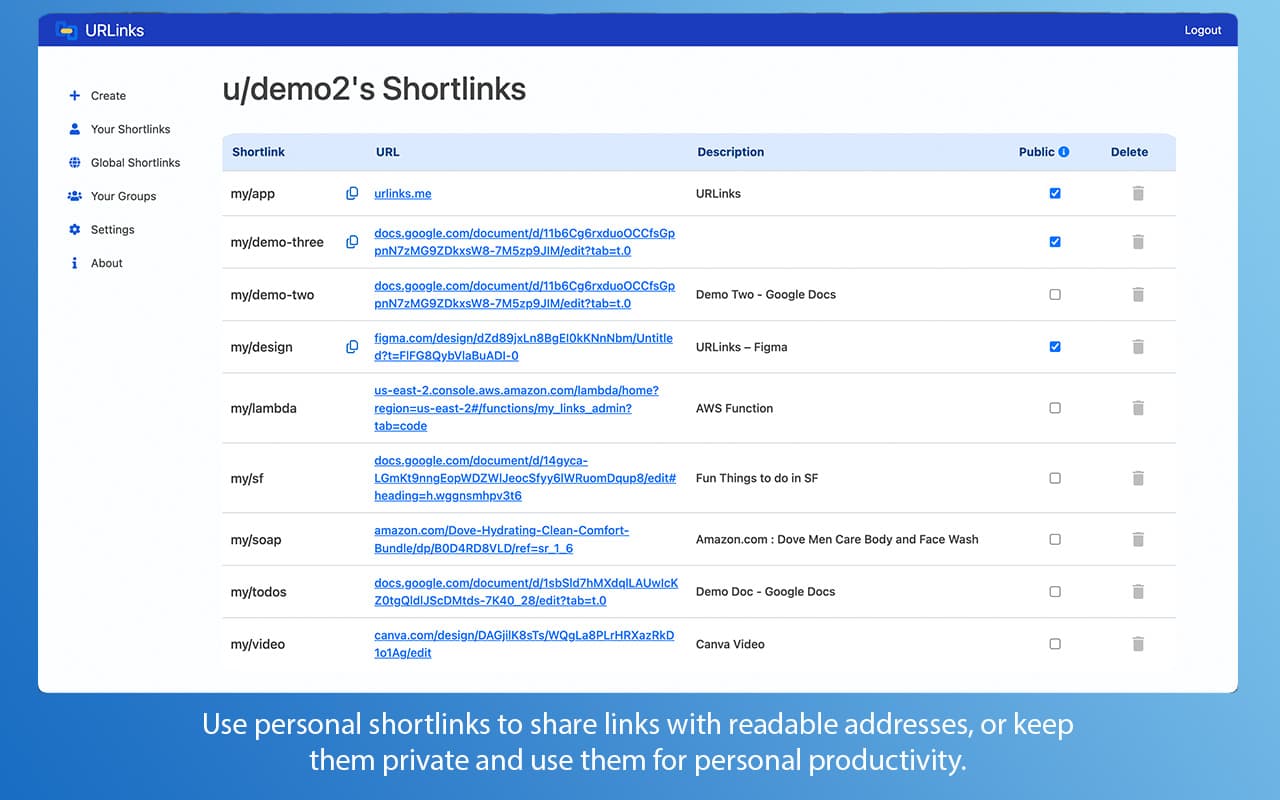
About this app
URLinks is a web application aimed at helping users manage and share URLs more efficiently. It targets tech-savvy professionals and small teams who struggle with disorganized bookmarks and insecure link sharing. However, the app relies heavily on JavaScript without fallbacks, making it inaccessible to users with disabled scripts or assistive technologies. Its features are unclear due to a lack of documentation or demo, and it lacks visible security measures like HTTPS. While it has potential for niche appeal among early adopters, it falls short compared to established alternatives like Bitly and Raindrop.io, with significant room for improvement in usability, security, and accessibility.
Key features
- 1Modern design appealing to tech-savvy users
- 2Niche appeal for JavaScript enthusiasts in URL management
- 3Potential for streamlined URL sharing and organization
Target customer profile
Drawn from the product itself, not from a survey.
Demographic
Tech-savvy professionals
Pain points
Disorganized bookmarks, inefficient link sharing, lack of tracking
Primary needs
Centralized URL management, analytics, collaboration
Demographic
Small business teams
Pain points
Scattered communication tools, insecure link sharing
Primary needs
Secure sharing, team-friendly workflows
Demographic
Productivity enthusiasts
Pain points
Difficulty in organizing and accessing URLs across devices
Primary needs
Streamlined link organization, cross-device sync
Scout Review
Written by AI from measured evidence, scored out of 100.
URLinks feels like an unfinished concept rather than a fully realized product. The complete reliance on JavaScript without fallbacks, lack of documentation, and absence of basic security measures make it difficult to recommend for mainstream users. While the core idea of URL management has merit, the execution falls short of even basic web application standards.
Measure by measure
Usability
20Unclear workflow and functionality due to complete lack of documentation, demos, or onboarding guidance.
Design
25Modern but completely inaccessible without JavaScript; no fallback options or visible interface elements for non-JS users.
Speed
20Unknown performance metrics; JavaScript-heavy architecture suggests potential lag and device-dependent loading times.
Security
15No visible security protocols, HTTPS implementation, or privacy policy documentation available.
Accessibility
10Completely fails basic accessibility standards by requiring JavaScript without fallbacks; no screen reader or keyboard navigation support.
Growth
35Has niche appeal for JavaScript enthusiasts but lacks differentiation from established competitors in the URL management space.
Improvement areas
- Implement progressive enhancement for non-JavaScript users
- Add comprehensive documentation and demo for clarity
- Enhance security with HTTPS and a privacy policy
Design & Usability
URLinks presents a puzzling user experience from the moment you land on the page. The interface is completely dependent on JavaScript with zero fallback options, which immediately excludes users who prefer or require script-free browsing. Without any visible demo, screenshots, or functional elements to interact with, the design remains a mystery. The minimalist approach might appeal to some tech-savvy users, but the complete lack of onboarding or documentation makes navigation feel like exploring a dark room with no flashlight. For a tool meant to simplify URL management, the user experience ironically creates more questions than solutions.
Speed & Security
Performance and security are significant concerns with URLinks. The heavy reliance on client-side JavaScript suggests that loading times could vary dramatically across different devices and browsers, potentially creating a sluggish experience for users with older hardware. More alarmingly, there's no visible implementation of HTTPS encryption or any mention of security protocols on the landing page. For an application handling potentially sensitive URLs and user data, the absence of basic security measures like encryption and a clear privacy policy raises red flags. Users have no way of knowing how their data is handled or protected.
Accessibility & Growth
Accessibility is where URLinks fails most dramatically. The complete JavaScript dependency without fallback options excludes users with screen readers, keyboard navigation needs, or those who simply prefer browsing with scripts disabled. There's no evidence of WCAG compliance, language localization, or any inclusive design considerations. While the concept of streamlined URL management has market potential, URLinks lacks the differentiation needed to compete with established players. The niche appeal to JavaScript-dependent early adopters is too narrow for significant growth without substantial feature development and accessibility improvements.
Conclusion
If you're a developer curious about experimental web applications and don't mind troubleshooting JavaScript dependencies, URLinks might offer some academic interest. However, for practical URL management needs, established alternatives provide more reliable and accessible solutions. Approach this one with caution and keep your expectations firmly in check.
Suggestions for improvement
- Start by implementing progressive enhancement - provide basic functionality without JavaScript before enhancing with scripts.
- Create comprehensive documentation and a visible demo to clarify the app's purpose.
- Implement HTTPS encryption and publish a clear privacy policy.
- Add accessibility features including keyboard navigation, screen reader support, and proper ARIA labels.
- Consider adding basic preview functionality for non-JS users to understand what the app offers before requiring script execution.
Alternatives comparison
Named competitors, point by point. Nobody paid to appear here or to be left out.
 URLinks |  Bitly |  Raindrop.io | |
|---|---|---|---|
| JavaScript Dependency | Complete reliance, no fallback | Progressive enhancement | Functional without JS |
| Accessibility Features | None visible | Basic compliance | Comprehensive accessibility |
| Security Protocols | Not visible | HTTPS, encryption | Enterprise-grade security |
| Documentation & Demo | None available | Comprehensive guides | Interactive tutorials |
Bitly
A mature URL shortener with analytics and branding features.
Raindrop.io
A visually rich bookmark manager with cross-device sync.
Comparing options? See URLinks alternatives, scored side by side
More Productivity apps
View all Productivity
Notion
92All-in-one AI workspace for docs, projects, and knowledge...

Qamarero
92An all-in-one hospitality software for restaurants and ba...

EmbedMyReviews
92White-label reputation management software for agencies s...

StoryPad
92Privacy-first open source journal app with a continuous t...

Puzzly – B2B Lead Generation & Sales Intelligence Platform
92Puzzly is an all-in-one B2B lead generation platform that...

The Stack Newsletter
92A weekly newsletter delivering curated tech jobs, intervi...

Vibe Coding Agent Skills
92A free, open-source platform offering 110 AI agent skills...

QRBliss
91Branded QR codes with AI Brand Sync, 15 free dynamic code...

Gerty
91Private, local AI assistant for Mac that runs offline

CC Switch
91Open-source desktop app for switching AI coding providers...

username.md
90One verified handle for your online identity, readable by...

PitchWhip
90AI cold call scripts & direct dials from LinkedIn


A platform dedicated to providing unbiased reviews of newly launched applications, analyzing everything from their features to their full potential.
info@scoutforge.net© 2026 Scoutforge. All rights reserved.
