Cycling through all six. Tap any point to stop.
Measured on six things
Native Mac command center with AI, combining launcher, ut...
Speed
46Mobile performance is poor (LCP 9.2s) but desktop is fast (92/100). TBT is low, so interactions are snappy once loaded. Site is lightweight.
Screenshots
1 / 1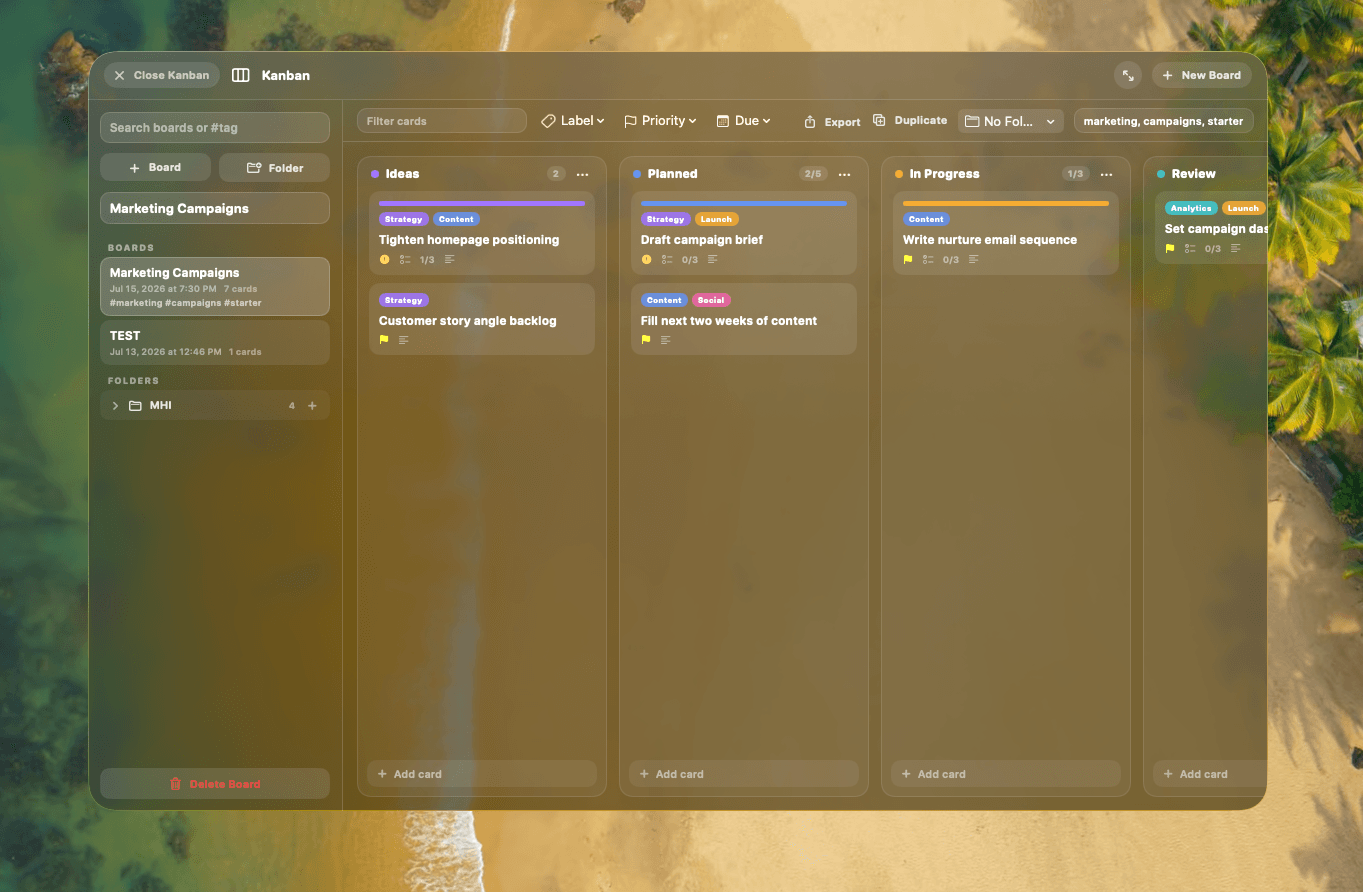
About this app
Vehla is a native macOS app that transforms your Mac into a command center, accessible via a global hotkey. It combines a powerful command palette with a suite of integrated tools: app and file search, clipboard history with OCR, window management, notes, snippets, and a unique Recall feature for local AI search. With built-in local AI (Gemma models) and support for cloud providers (BYOK), Vehla offers AI actions like summarization, rewriting, code explanation, and email drafting. It also includes utilities like QR code generation, color picker, unit converter, and a shelf for file staging. Vehla is privacy-focused, offering on-device processing for sensitive tasks. It's free to start, with a one-time Pro upgrade for full features.
Key features
- 1Global hotkey command palette with app/file search, clipboard history, and OCR.
- 2Local AI with Gemma models (up to 12B) and BYOK support for cloud providers.
- 3Recall feature for on-device semantic search across notes, clipboard, and files.
- 4Integrated tools: Snap Wheel window management, Notes, Canvas, Kanban, Shelf, and MCP support.
- 5Privacy-focused with on-device processing and no cloud dependency for sensitive tasks.
Target customer profile
Drawn from the product itself, not from a survey.
Demographic
Mac power users and productivity enthusiasts
Pain points
Juggling multiple apps for launcher, clipboard, window management, and notes; wasting time switching between tools; wanting a unified, keyboard-driven workflow.
Primary needs
A single, fast command center to launch apps, manage windows, access clipboard history, search files, and run AI tasks without leaving the keyboard.
Demographic
Developers and technical professionals
Pain points
Need quick access to terminal commands, code generation, and AI code explanation; frustration with context-switching between IDE, browser, and terminal; desire for local AI for privacy.
Primary needs
AI-powered code assistance, shell command generation, process management, and a customizable palette that fits into a developer's workflow.
Demographic
Privacy-conscious users and freelancers
Pain points
Concerned about data privacy with cloud-based tools; need to handle sensitive client information; want AI features without sending data to external servers.
Primary needs
On-device AI capabilities, local search indexing, and control over data sharing, all within a seamless and efficient interface.
Scout Review
Written by AI from measured evidence, scored out of 100.
Vehla is an ambitious all-in-one command center for macOS, combining launcher, clipboard, window management, and local AI. The design is polished, and the free tier is generous. Performance on desktop is excellent, but mobile is slow. Security is solid on basics but lacks certifications. Accessibility is strong. Growth potential is moderate given the competitive landscape, but the local AI angle is a genuine differentiator. Overall, a promising tool for privacy-conscious power users, but it needs to prove itself against established rivals.
Measure by measure
Usability
68Free tier with generous limits and no card required; global hotkey and clear feature descriptions. Lacks dedicated docs/help center, but core loop is straightforward.
Design
70Polished homepage with crisp hierarchy and consistent purple accent; in-app palette looks clean. However, video placeholder shows Dutch error and store screenshots misrepresent the app.
Speed
46Mobile performance is poor (LCP 9.2s) but desktop is fast (92/100). TBT is low, so interactions are snappy once loaded. Site is lightweight.
Security
52HTTPS and HSTS are enforced, with SPF/DMARC. No CSP or frame protection headers. Privacy focus is strong with on-device AI, but no security certifications or bug bounty found.
Accessibility
78Lighthouse accessibility score 95/100; only contrast and heading order issues. Keyboard navigation and skip link present. No WCAG statement, but app is localized in 10 languages.
Growth
62Real problem with clear differentiators (local AI, Recall, all-in-one) but crowded market with strong incumbents. Free tier and one-time Pro could win converts.
Improvement areas
- Add a comprehensive help center and onboarding tutorials.
- Fix video placeholder and ensure store screenshots match the actual app.
- Implement CSP and other security headers for better web security.
- Provide a public roadmap or changelog to build community trust.
- Consider a free trial for Pro features to showcase full capabilities.
Design & Usability
Vehla's homepage is well-crafted with a clear hierarchy and consistent purple branding, but the video placeholder showing a Dutch error and mismatched App Store screenshots undermine trust. The app's palette UI looks clean and functional, with a global hotkey for quick access. Usability is strong for a free tier with generous limits, but the lack of a dedicated help center or onboarding docs is a gap. The core loop is simple: hit ⌥␣, search, act. For power users, the learning curve is minimal, but newcomers might struggle with advanced features like MCP or Recall without guidance.
Speed & Security
Performance is a mixed bag: mobile Lighthouse scores 58/100 with a 9.2s LCP, which is sluggish, but desktop hits 92/100 with low TBT. The site is lightweight, so the app itself is likely snappy. Security is decent with HTTPS and HSTS, but missing CSP and other headers is a concern. Privacy is a strong selling point with on-device AI and BYOK, but no SOC 2 or bug bounty means trust is based on claims, not verification. For a tool handling clipboard history and files, more transparency on data handling would be reassuring.
Accessibility & Growth
Accessibility is above average with a 95/100 Lighthouse score, though contrast and heading order issues remain. The site is keyboard-navigable and localized in 10 languages, but no explicit WCAG statement. Growth potential is real: the problem of app-switching is universal, and Vehla's local AI and Recall are differentiators. However, the market is crowded with Raycast and Alfred, and Vehla's young domain (0.3 years) means it's unproven. The free tier and one-time Pro pricing could attract users, but it needs to execute on the AI features to stand out.
Conclusion
If you're tired of juggling multiple apps and value privacy, Vehla is worth a try. The free tier is risk-free, and the one-time Pro upgrade is a refreshing change from subscriptions. Just be prepared for a learning curve with advanced features, and hope the video embed gets fixed. For now, it's a solid contender in a crowded field.
Suggestions for improvement
- Add a dedicated help center with tutorials and FAQs to reduce learning curve.
- Fix the video placeholder and ensure App Store screenshots show Vehla's actual UI.
- Implement CSP and other security headers to bolster trust.
- Consider a public roadmap or changelog to build community and transparency.
Alternatives comparison
Named competitors, point by point. Nobody paid to appear here or to be left out.
 Vehla |  Raycast |  Alfred |  Rectangle | Maccy | |
|---|---|---|---|---|---|
| Pricing model | Free tier with limits; one-time Pro upgrade | Free core; Pro subscription for AI and cloud sync | Free core; Powerpack one-time purchase | Free and open-source | Free and open-source |
| AI capabilities | Local AI (Gemma) and BYOK; summarization, code, email | AI extensions with cloud models; Pro required | Workflows with AI via third-party integrations | No AI features | No AI features |
| Clipboard history | 50-item clipboard with OCR, search, pin, clear | Clipboard history with search and pinning | Clipboard history with Powerpack | Not applicable | Unlimited clipboard history, lightweight |
| Window management | Snap Wheel with halves, thirds, corners, center | Window management via extensions | Window management via workflows | Dedicated window snapping with keyboard shortcuts | Not applicable |
| Privacy focus | On-device AI and local search; BYOK | Cloud-based AI; data sent to servers | Local processing; workflows can use cloud | Local-only, no data collection | Local-only, open-source |
Raycast
A popular launcher and productivity tool for Mac with extensive extensions and AI features.
Alfred
A long-standing Mac launcher with workflows and Powerpack features.
Rectangle
A free window management tool for macOS.
Maccy
A lightweight open-source clipboard manager for macOS.
Comparing options? See Vehla alternatives, scored side by side
More Productivity apps
View all Productivity
Puzzly – B2B Lead Generation & Sales Intelligence Platform
92Puzzly is an all-in-one B2B lead generation platform that...

Qamarero
92An all-in-one hospitality software for restaurants and ba...

EmbedMyReviews
92White-label reputation management software for agencies s...

StoryPad
92Privacy-first open source journal app with a continuous t...

Notion
92All-in-one AI workspace for docs, projects, and knowledge...

The Stack Newsletter
92A weekly newsletter delivering curated tech jobs, intervi...

Vibe Coding Agent Skills
92A free, open-source platform offering 110 AI agent skills...

QRBliss
91Branded QR codes with AI Brand Sync, 15 free dynamic code...

Gerty
91Private, local AI assistant for Mac that runs offline

Strukchad Property Management
91Property management for Kenyan letting agents: rent invoices raised every month, M-Pesa rent prompts to tenants, arrears tracking and landlord statements.

CC Switch
91Open-source desktop app for switching AI coding providers...

PitchWhip
90AI cold call scripts & direct dials from LinkedIn


A platform dedicated to providing unbiased reviews of newly launched applications, analyzing everything from their features to their full potential.
info@scoutforge.net© 2026 Scoutforge. All rights reserved.
