Cycling through all six. Tap any point to stop.
Measured on six things
An AI-powered document translation platform with Translat...
Accessibility
81Browser-based access anywhere. RTL support for Arabic/Persian/Hebrew. 20+ languages. Free tier lowers barrier. Side-by-side editor aids review for freelancers and teams.
Screenshots
1 / 1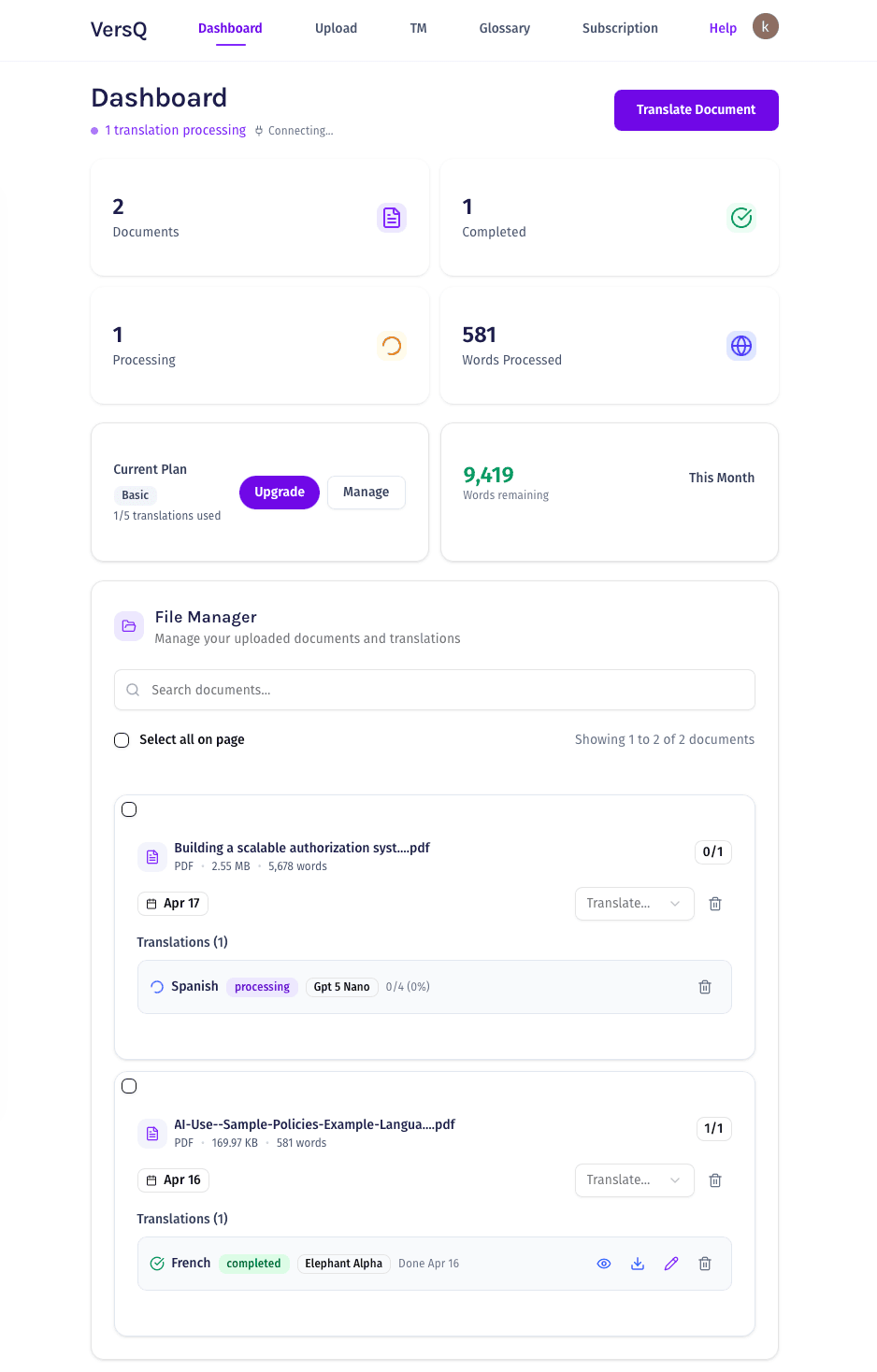
About this app
VersQ is a modern browser-based CAT tool alternative that translates documents like PDFs, DOCX, and EPUBs using 50+ AI models while preserving formatting. It features built-in Translation Memory and Glossary for reusable assets, supports 20+ languages, and handles large documents up to 200+ pages with flat monthly pricing starting at $7.99. The platform includes a side-by-side editor, prioritizes security with automatic data deletion, and offers a free tier, making it a cost-effective solution for professionals seeking reliable, high-quality translations without per-character fees.
Key features
- 1Flat $7.99/mo unlimited translations with no per-character fees (huge vs DeepL/Google)
- 2Preserves formatting across 14+ formats including PDF, DOCX, EPUB; handles 200+ page docs
- 3Built-in Translation Memory, Glossary, and side-by-side editor with 50+ AI model choice
Target customer profile
Drawn from the product itself, not from a survey.
Demographic
Freelance translators, researchers, and academics
Pain points
High costs from per-character fees, manual reformatting after translation, and inconsistent terminology across long documents
Primary needs
Affordable translation tools, format preservation, and reusable translation assets for consistent quality
Demographic
Small to medium business owners and marketing teams
Pain points
Expensive agency fees, slow turnaround times, and limited support for diverse document formats
Primary needs
Fast, budget-friendly translations, professional accuracy for business documents, and easy integration into workflows
Demographic
Software developers and technical writers
Pain points
Complex technical documents losing structure in translation, lack of customization in AI models, and security concerns with sensitive data
Primary needs
Format preservation for technical layouts, choice of specialized AI models, and secure processing with data privacy
Scout Review
Written by AI from measured evidence, scored out of 100.
VersQ is a smart, cost-effective modern CAT alternative that leverages 50+ AI models to deliver high-quality, format-preserving translations for PDFs, docs, and EPUBs. Its flat monthly pricing, built-in TM/Glossary, side-by-side editor, and strong security make it particularly appealing to freelancers, researchers, technical writers, and SMBs frustrated with per-character fees and legacy tool complexity. It shines on value and usability while handling large documents competently.
Measure by measure
Usability
90Browser-based, no install needed. Built-in TM, Glossary, and side-by-side review editor make post-editing smooth. Flat $7.99/mo unlimited beats per-character pricing. Free tier available.
Design
88Clean, modern browser-based interface with intuitive side-by-side editor. Excellent format preservation across 14+ formats (PDF, DOCX, EPUB, etc.) and semantic splitting for large 200+ page docs. High visual appeal for professionals.
Speed
821-5 min for small docs, 15-45 min for 50-200 page documents via parallel AI processing and semantic chunking. 99.9% uptime. Handles large files without choking.
Security
89Enterprise-grade encryption, automatic deletion of documents after processing. Strong privacy focus for sensitive academic, technical, and business docs. No lingering data.
Accessibility
81Browser-based access anywhere. RTL support for Arabic/Persian/Hebrew. 20+ languages. Free tier lowers barrier. Side-by-side editor aids review for freelancers and teams.
Growth
85Strong value prop with flat pricing, TM ownership, 50+ model choice, and format preservation. Targets freelancers, academics, devs, and SMBs tired of high fees. Growing user base (500+ active).
Improvement areas
- Expand beyond 20+ languages for broader global appeal
- Add deeper integrations with existing TMS or design tools
- Offer clearer premium model access and faster tiers
- Publish more third-party quality comparisons
Design & Usability
VersQ delivers a refreshingly modern take on document translation. The clean browser interface combined with a functional side-by-side editor makes reviewing and refining translations straightforward. Format preservation across PDFs, DOCX, XLSX, PPTX, EPUB and more is genuinely impressive—no more painful manual reformatting that plagues tools like basic DeepL or Google Translate. Built-in Translation Memory and Glossary that you actually own across projects is a huge win for consistency, especially for researchers and technical writers dealing with repetitive terminology. Usability is high for the target users: freelance translators, academics, and marketing teams who want speed without a steep learning curve or massive upfront costs like Trados Studio.
Speed & Security
Performance is solid: small documents finish in 1-5 minutes, while hefty 200-page files take 15-45 minutes thanks to semantic splitting and parallel AI engines from 50+ models (including premium ones like Claude and GPT variants). Security is a highlight—automatic post-processing data deletion plus encryption addresses real concerns for sensitive contracts or research papers. This beats the 'upload and pray' model of many cloud APIs. Compared to Google Cloud Translation's per-character and per-page fees or DeepL's character-based pricing, VersQ's flat $7.99/month unlimited model is a breath of fresh air for high-volume users.
Accessibility & Growth
With 20+ languages including solid RTL support, a generous free tier (10k words/month), and no per-character nonsense, VersQ lowers barriers for small businesses and independent professionals. Growth potential is strong because it directly solves the pain of expensive agency fees, inconsistent terminology, and lost formatting. The reusable TM/Glossary assets and model choice give it an edge over pure API solutions like Google Cloud. While it won't replace certified human translation for legal work, it's excellent for drafts, research, technical docs, and business content. Early user ratings (4.8+ for quality and value) suggest real traction.
Conclusion
If you're tired of reformatting translated PDFs or watching your budget disappear character by character, VersQ is worth trying. The free tier lets you test real workflows. For the price and feature set, it's one of the better AI-powered options available in 2026 for professional but non-certified translation needs.
Suggestions for improvement
- Expand language support beyond 20+ to compete better with DeepL and Google on global projects
- Add more direct integrations with popular tools (e.g., TMS connectors, Figma, or Markdown workflows)
- Introduce tiered model access in lower plans or faster processing options for power users
- Publish more independent benchmarks comparing output quality against DeepL, GPT-4, and human translators
Alternatives comparison
Named competitors, point by point. Nobody paid to appear here or to be left out.
 VersQ VersQ |  DeepL DeepL |  Google Cloud Translation API Google Cloud Translation API | Trados Studio | |
|---|---|---|---|---|
| Pricing Model | Flat $7.99/mo unlimited | Per-character fees (~$25/million chars) | Per-character + per-page for docs | High upfront license/subscription |
| Document Format Support & Preservation | 14+ formats (PDF/DOCX/EPUB etc.), strong preservation | Limited formats, basic preservation | Select Office/PDF, good preservation in Advanced | Widest range, excellent with setup |
| Translation Memory & Glossary | Built-in, user-owned across projects | Basic glossaries in Pro, no full TM | Glossaries + separate Translation Hub | Advanced TM & terminology management |
| Large Document Handling | 200+ pages via semantic splitting (15-45 min) | Limited for very large/complex docs | Good with batch & Adaptive Translation | Excellent but slower manual workflow |
| Editor & Usability | Browser-based side-by-side editor | Simple upload/download, limited editing | API-focused, no built-in editor | Powerful but steep learning curve |
DeepL
A popular AI translation service known for high accuracy but charges per character and has limited document format support.
Google Cloud Translation API
A cloud-based translation tool offering API access with per-character pricing, suitable for developers but lacks built-in editing features.
Trados Studio
A traditional CAT tool with advanced features for professional translators but often requires high upfront costs and a steeper learning curve.
Comparing options? See VersQ alternatives, scored side by side
Sources
What the review was written against. A verdict with no sources is an opinion.
More Productivity apps
View all Productivity
Qamarero
92An all-in-one hospitality software for restaurants and ba...

The Stack Newsletter
92A weekly newsletter delivering curated tech jobs, intervi...

EmbedMyReviews
92White-label reputation management software for agencies s...

StoryPad
92Privacy-first open source journal app with a continuous t...

Puzzly – B2B Lead Generation & Sales Intelligence Platform
92Puzzly is an all-in-one B2B lead generation platform that...

Notion
92All-in-one AI workspace for docs, projects, and knowledge...

Vibe Coding Agent Skills
92A free, open-source platform offering 110 AI agent skills...

CC Switch
91Open-source desktop app for switching AI coding providers...

username.md
90One verified handle for your online identity, readable by...

What the GIF
89Frame-perfect video-to-GIF maker that runs entirely in yo...

AuditCloser
89White-label website audits that close deals for digital a...

NudgeWin
89Automated quote follow-up for trades and service businesses.


A platform dedicated to providing unbiased reviews of newly launched applications, analyzing everything from their features to their full potential.
info@scoutforge.net© 2026 Scoutforge. All rights reserved.
