Cycling through all six. Tap any point to stop.
Measured on six things
VidDub turns speech into burned-in translated subtitles (exportable) + optional AI voiceover. 17 source / 18 target. In browser.
Security
41HTTPS is enforced, but HSTS, CSP, frame protection, Referrer-Policy, Permissions-Policy, SPF and DMARC are all missing — 2/12 on the header checklist. No SOC 2 or ISO claims. Privacy policy does state 24h deletion and no third-party AI training.
Screenshots
1 / 5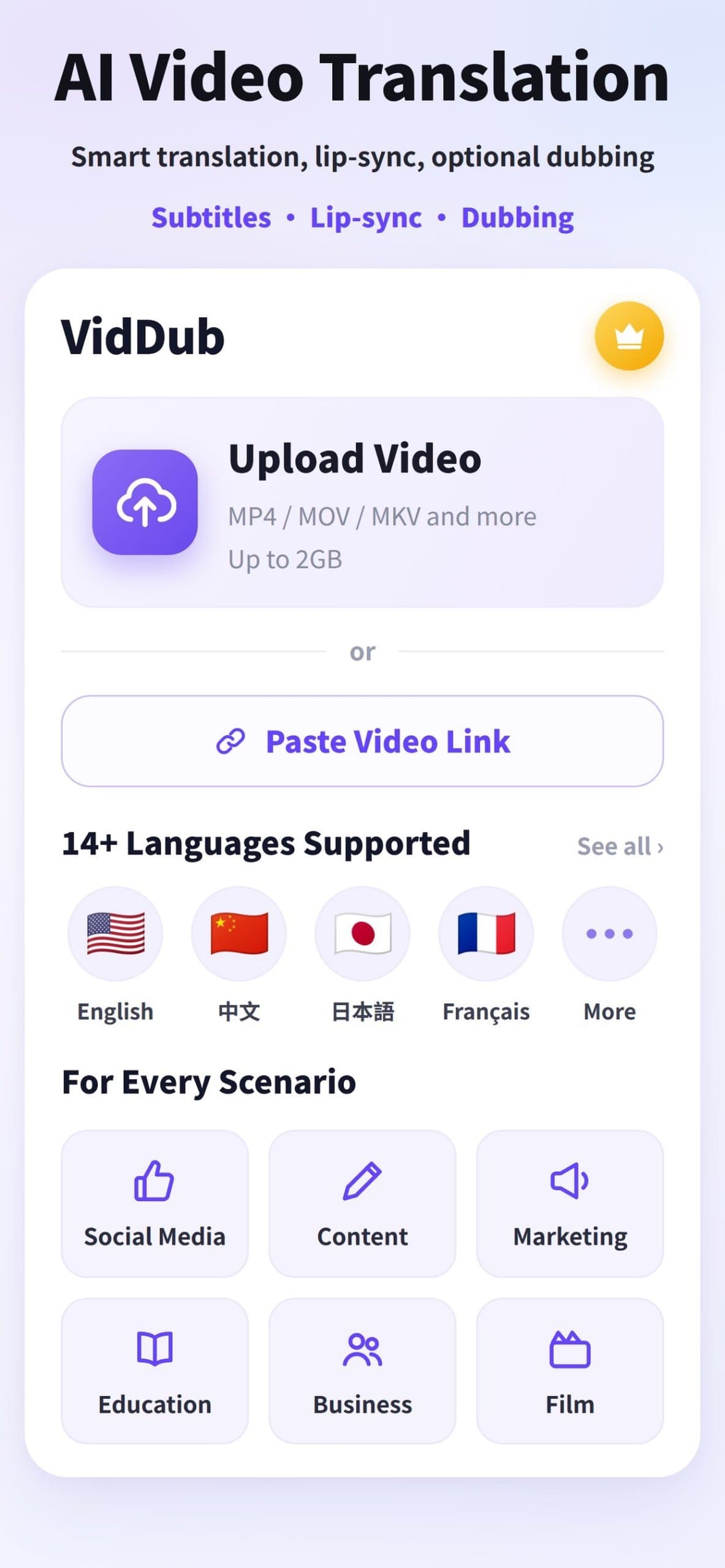
About this app
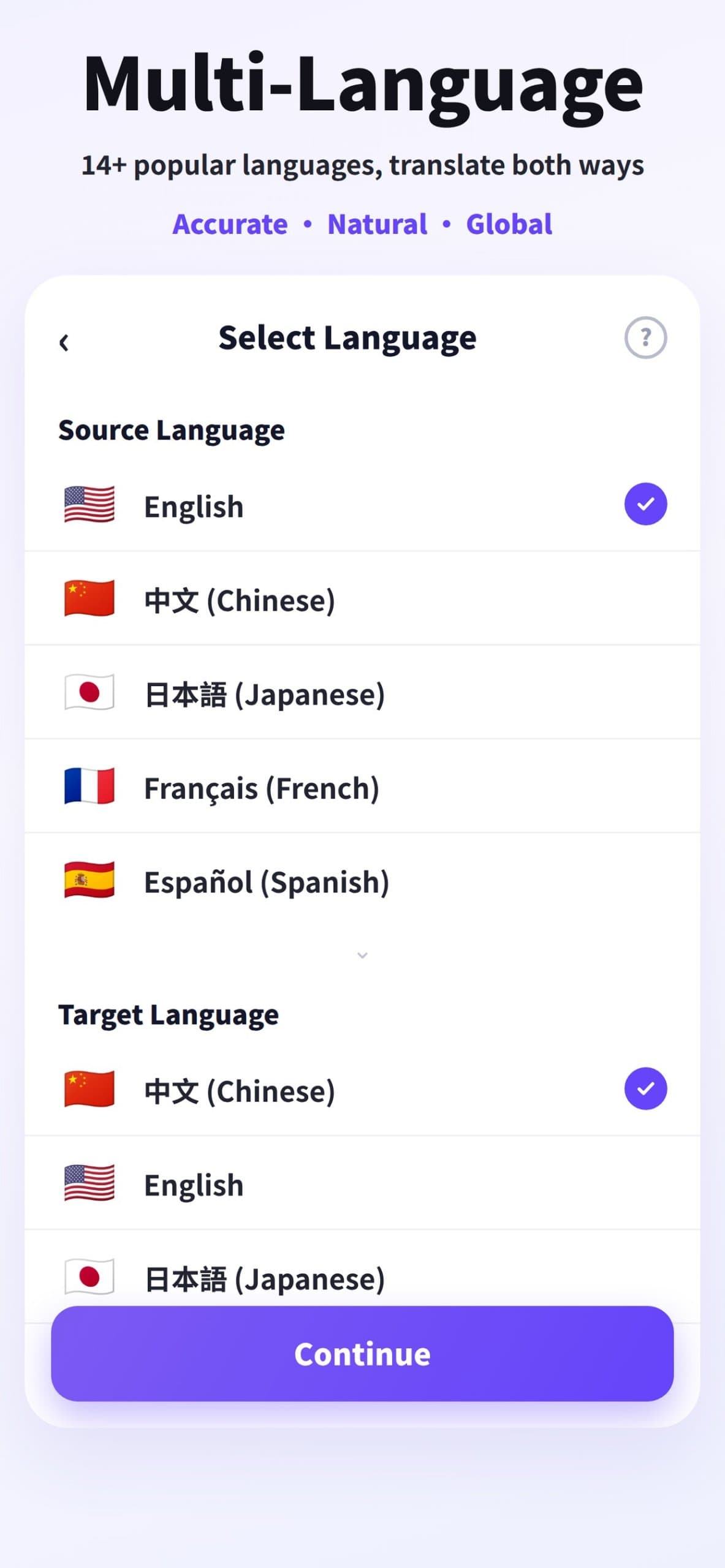
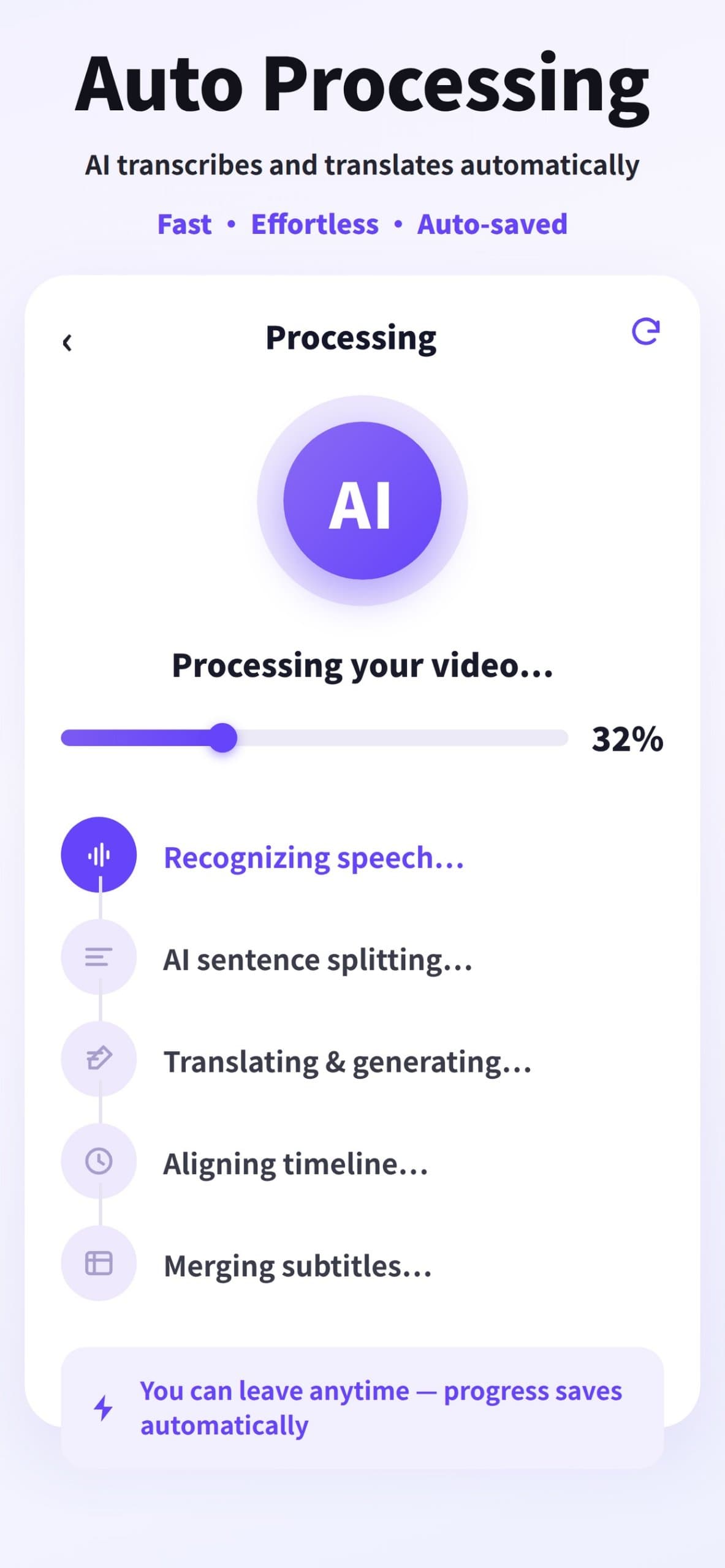
VidDub is an AI video translation tool. Upload a video (MP4, MOV, MKV, AVI, FLV or WebM, up to 2 GB), pick source and target language; it transcribes, translates, and burns synced subtitles into the video (mono or bilingual). Subtitle files can also be exported. Optional second step: AI voiceover/dubbing from the VidDub voice library. Works in the browser, plus iOS and Android apps. After sign-in, eligible short videos can complete a free preview; full download is paid. Basic dubbing is free; Premium dubbing is paid in the iOS and Android apps.
Key features
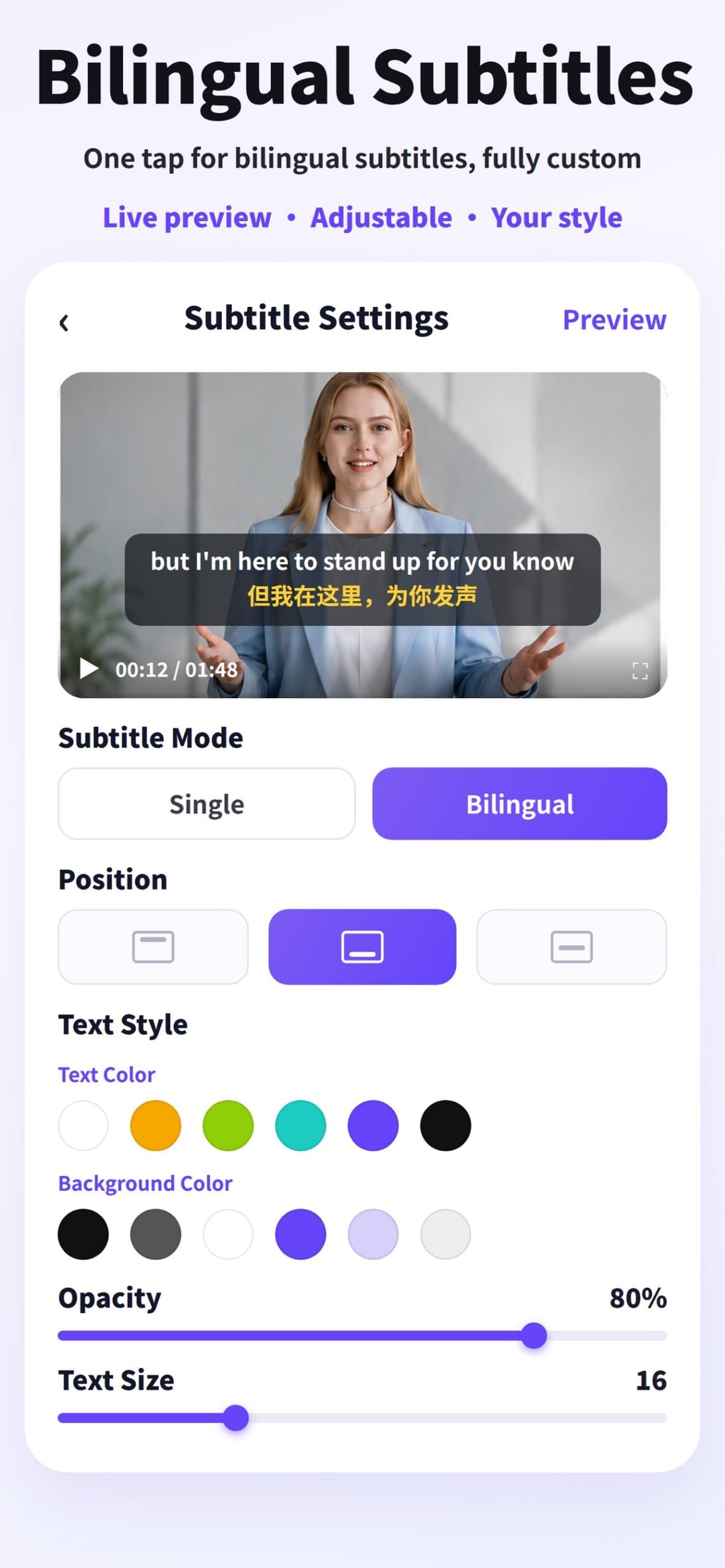
- 1AI transcription and translation with burned-in subtitles in mono or bilingual display, with style, position, color and size control.
- 2Optional AI voiceover/dubbing timed to the original speech timeline (not lip-sync), with a voice library.
- 3Pay-as-you-go minute packs from $3.90/30min, plus Pro/Max subscriptions sold in the iOS and Android apps.
- 4Free preview: one per account, videos up to 10 minutes play about the first third; full download requires credits.
- 517 source languages and 18 targets (Traditional Chinese as extra target); UI localized in 18 languages.
- 6Browser, iOS and Android apps; subtitle file export; short-lived share links; files deleted after ~24 hours.
Target customer profile
Drawn from the product itself, not from a survey.
Demographic
Video creators and social media publishers
Pain points
Rebuilding edits for each language is time-consuming and costly.
Primary needs
Fast, accurate burned-in subtitles and optional dubbing to publish multilingual videos without re-editing.
Demographic
Cross-border e-commerce sellers and marketing teams
Pain points
Localizing product and ad videos for multiple markets requires multiple vendors and slow turnarounds.
Primary needs
Consistent multilingual video output with style control and quick export for campaigns.
Demographic
Educators, course creators, podcasters and vloggers
Pain points
Learners and audiences speak different languages; manual subtitling and dubbing are labor-intensive.
Primary needs
Automated transcription, bilingual subtitles, and optional AI dubbing to reach broader audiences.
Scout Review
Written by AI from measured evidence, scored out of 100.
VidDub is a focused AI video translation tool that does one thing well: transcribe, translate, and burn synced subtitles into video, with optional dubbing as a second step. The hero demonstrates the actual output, the site is fast (98 mobile Lighthouse), and the pricing is transparent — $3.90 for 30 minutes pay-as-you-go, with Pro/Max subscriptions sold in the apps. The free preview is genuinely useful but the rules are buried in fine print. Security headers are the biggest gap: 2/12 on the probe, no SOC 2, no DMARC. Against Kapwing and VEED, VidDub wins on simplicity and price per minute but loses on editing depth and compliance posture.
Measure by measure
Usability
62Upload zone and 'Choose video' sit above the fold, guides page walks the full flow, and FAQ answers the obvious questions. The free-preview rules (10 min, first third, 24h deletion) are crammed into one grey paragraph.
Design
58Judging the app UI and store material: purple accent, rounded cards and consistent type carry from web to app. Hero demonstrates real output. Undermined by language-count contradiction and flag-emoji shorthand.
Speed
88Lighthouse mobile 98/100 with LCP 2.3s, CLS 0, TBT 86ms; desktop 97/100. The marketing site is lean and the hero video doesn't wreck the metrics. Genuinely fast for a media-heavy product page.
Security
41HTTPS is enforced, but HSTS, CSP, frame protection, Referrer-Policy, Permissions-Policy, SPF and DMARC are all missing — 2/12 on the header checklist. No SOC 2 or ISO claims. Privacy policy does state 24h deletion and no third-party AI training.
Accessibility
70Lighthouse a11y 94/100 with real failures: contrast, heading order, and label/name mismatches. Site ships 18 UI languages including RTL Arabic and Persian, which is above category norm. No WCAG statement published.
Growth
62Real problem, specific segments (creators, e-commerce, educators), and a concrete wedge: burned-in bilingual subtitles plus optional dubbing at $3.90/30min. Differentiated enough to win a slice, not enough to own the category.
Improvement areas
- Security headers are almost entirely absent (2/12 on probe): no HSTS, CSP, frame protection, Referrer-Policy, Permissions-Policy, SPF or DMARC.
- No published security page, SOC 2, ISO or pen-test documentation for a product that ingests user video files.
- Language-count contradiction between app ('14+') and site (17 source / 18 target); flag emojis misrepresent languages.
- Free-preview rules crammed into dense grey fine print; accessibility failures on contrast, heading order and label/name matching.
Design & Usability
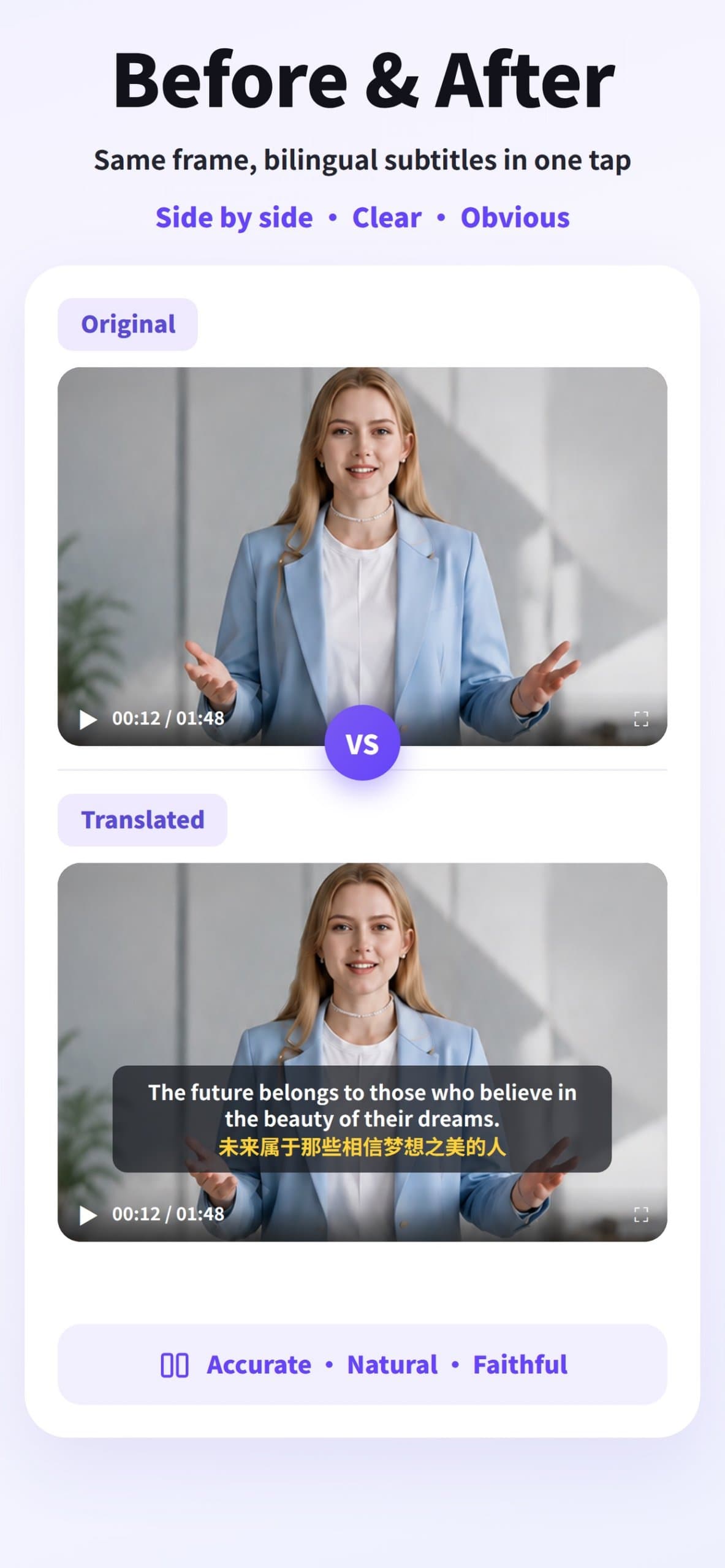
The app UI and store screenshots show a consistent purple-accented design system that carries from web to mobile, and the hero's side-by-side subtitle comparison is the right move — it shows the output instead of describing it. Usability is solid on the happy path: upload zone above the fold, Google/Apple/email sign-in, a guides page that documents every step, and an FAQ that pre-empts the obvious questions. Where it slips is the fine print — the free-preview rules (10 minutes, first third, 24-hour deletion, credits for download) are packed into one dense grey paragraph, and the app's '14+ languages' claim contradicts the homepage's 17/18. Flag emojis as language identifiers is a small but telling imprecision.
Speed & Security
Speed is the standout: Lighthouse mobile 98/100 with LCP 2.3s, CLS 0 and TBT 86ms, desktop 97/100 — impressive for a page with a hero video. Security is the weak flank. HTTPS is enforced and the privacy policy commits to 24-hour file deletion and no third-party AI training, but the header probe found HSTS, CSP, frame protection, Referrer-Policy, Permissions-Policy, SPF and DMARC all missing — 2/12 on the checklist. No SOC 2, ISO or pen-test claims anywhere. For a product that ingests users' video files, that's a thin posture, even by indie-tool standards.
Accessibility & Growth
Accessibility lands at 70: Lighthouse scores 94/100 with real failures on contrast, heading order and label/name matching, but the site ships 18 UI languages including RTL Arabic and Persian — above category norm for an indie tool. Growth is a judgement on the idea: the problem (re-editing video per language) is real and expensive, the segments are named specifically (creators, cross-border e-commerce, educators, marketing), and the wedge — burned-in bilingual subtitles with style control plus optional speech-timed dubbing at $3.90/30min — is concrete. But Kapwing and VEED already bundle subtitles, translation and dubbing inside full editors, so VidDub has to win on 'no editor needed' rather than on capability. That's a real slice, not a category.
Conclusion
If you're a creator or small marketing team who just needs subtitles burned into a video in another language without opening an editor, VidDub is a clean, cheap, fast way to do it — and the free preview lets you test the output before paying. If you need team collaboration, an editing timeline, or enterprise-grade security documentation, VEED or Kapwing are the safer picks. The product is early (domain registered September 2026, no store ratings yet), so treat the roadmap and support as unproven. The core workflow, though, is real and works.
Suggestions for improvement
- Add HSTS, CSP, X-Content-Type-Options, Referrer-Policy and Permissions-Policy headers; configure SPF and DMARC.
- Publish a security page with data handling details, retention policy and any audit or pen-test results.
- Fix the language-count contradiction between the app ('14+') and the site (17 source / 18 target).
- Replace flag emojis with language names or neutral icons; add a WCAG statement and fix the failing contrast/heading-order audits.
Alternatives comparison
Named competitors, point by point. Nobody paid to appear here or to be left out.
 VidDub |  Kapwing |  VEED | |
|---|---|---|---|
| Burned-in bilingual subtitles with style control | Yes — core feature, mono or bilingual, position/offset/color/size | Auto-subtitles and translation; styling via editor timeline | Auto-subtitles, translation and dubbing; styling via editor |
| AI voiceover / dubbing | Optional second step; speech-timed, not lip-sync; basic free, premium paid in apps | Dubbing available via AI features | Dubbing and voice cloning available |
| Pricing model | Pay-as-you-go from $3.90/30min; Pro $4.99/mo, Max $8.99/mo in apps | Free tier plus subscription plans | Free tier plus subscription plans |
| Full video editor / timeline | No — focused translation/subtitle tool only | Yes — full online video editor | Yes — full browser-based video editor |
| Mobile apps (iOS / Android) | Yes — native iOS and Android apps | Mobile apps available | Mobile apps available |
| Free tier / trial | One free preview per account, up to 10 min, first third only | Free plan with watermarks and limits | Free plan with watermarks and limits |
Kapwing
Online video editor with auto-subtitle and translation features for creators and teams.
VEED
Browser-based video editor offering auto-subtitles, translation, and dubbing capabilities.
Comparing options? See VidDub alternatives, scored side by side
More Productivity apps
View all Productivity
Puzzly – B2B Lead Generation & Sales Intelligence Platform
92Puzzly is an all-in-one B2B lead generation platform that...

Qamarero
92An all-in-one hospitality software for restaurants and ba...

EmbedMyReviews
92White-label reputation management software for agencies s...

StoryPad
92Privacy-first open source journal app with a continuous t...

Notion
92All-in-one AI workspace for docs, projects, and knowledge...

The Stack Newsletter
92A weekly newsletter delivering curated tech jobs, intervi...

Vibe Coding Agent Skills
92A free, open-source platform offering 110 AI agent skills...

QRBliss
91Branded QR codes with AI Brand Sync, 15 free dynamic code...

Gerty
91Private, local AI assistant for Mac that runs offline

Strukchad Property Management
91Property management for Kenyan letting agents: rent invoices raised every month, M-Pesa rent prompts to tenants, arrears tracking and landlord statements.

CC Switch
91Open-source desktop app for switching AI coding providers...

PitchWhip
90AI cold call scripts & direct dials from LinkedIn


A platform dedicated to providing unbiased reviews of newly launched applications, analyzing everything from their features to their full potential.
info@scoutforge.net© 2026 Scoutforge. All rights reserved.
