Cycling through all six. Tap any point to stop.
Measured on six things
AI-powered online tool to remove video backgrounds instan...
Security
41HTTPS enforced and SPF present, but no HSTS, CSP, frame protection, Referrer-Policy, or secure cookies — 3/13 on the header checklist. Privacy claims (24h deletion, local-only mode) are stated but not independently audited.
Screenshots
1 / 1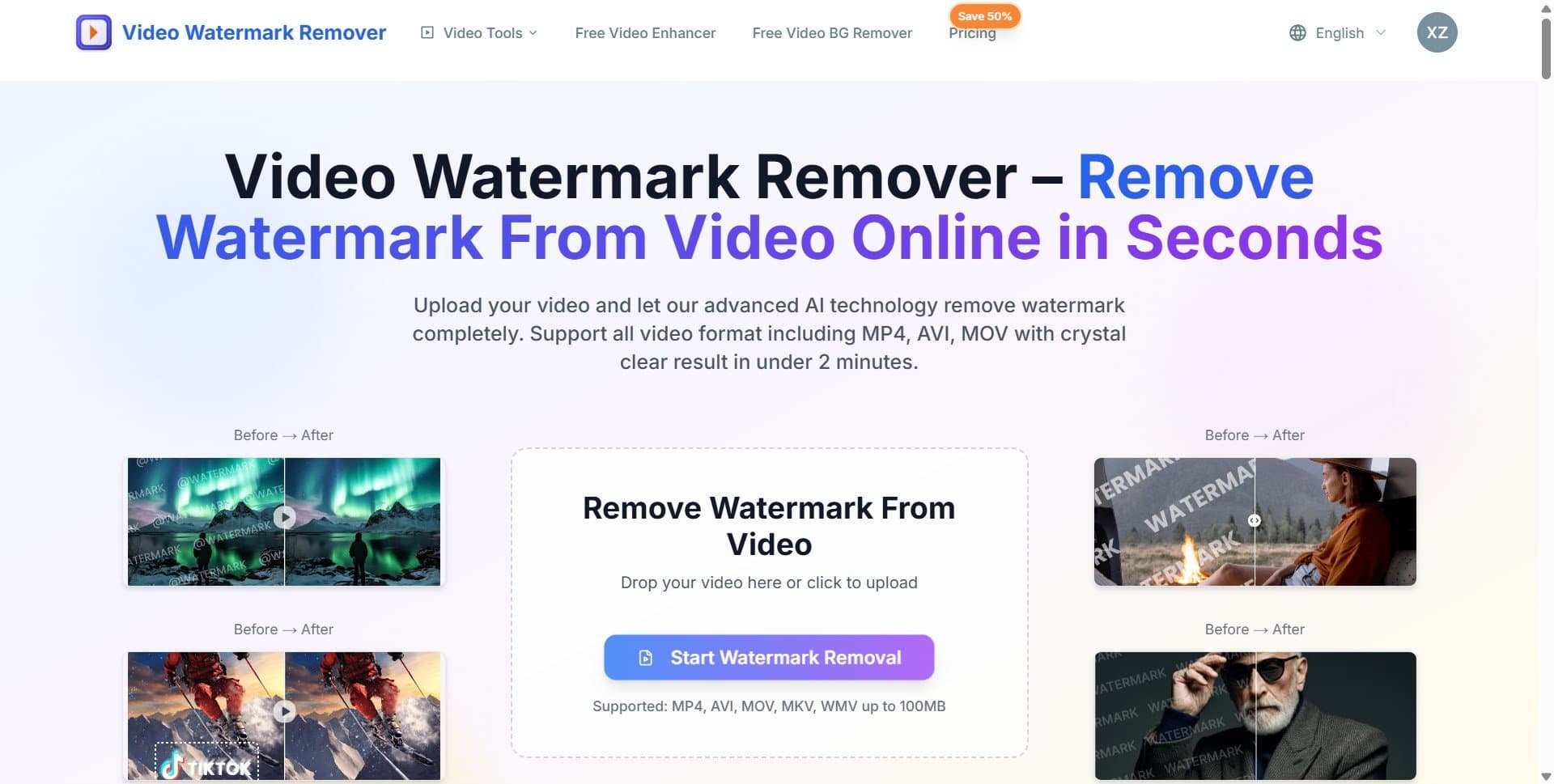
About this app
Video Background Remover is a web-based application that leverages advanced AI to remove backgrounds from videos without requiring a green screen or complex editing software. It supports popular formats like MP4, AVI, MOV, MKV, and WMV, and can process videos up to 120 seconds on desktop and 30 seconds on mobile. The tool offers both local (browser-based) and cloud processing options. The local AI studio ensures privacy by processing videos directly in the browser, with no uploads, while the cloud option provides higher quality for complex scenes. Key features include person and product background removal, transparent or custom backgrounds, HD output, and batch processing for pro users. With a user-friendly interface, it's ideal for content creators, marketers, and businesses looking to enhance video content quickly and efficiently.
Key features
- 1Browser-local AI background removal — video never leaves the device, GPU-accelerated when supported.
- 2Cloud processing option for complex scenes, products, animals, and fine hair detail.
- 3Supports MP4, AVI, MOV, MKV, WMV up to 120s desktop / 30s mobile; transparent WebM or MP4 with blur/color background.
Target customer profile
Drawn from the product itself, not from a survey.
Demographic
Content Creators & YouTubers
Pain points
Expensive green screen setup, time-consuming editing, quality loss
Primary needs
Quick, affordable background removal without quality compromise
Demographic
E-commerce Sellers & Product Marketers
Pain points
Distracting backgrounds in product videos, inconsistent branding
Primary needs
Clean, professional product videos with transparent or custom backgrounds
Demographic
Marketing Agencies & Teams
Pain points
High volume video editing, need for collaboration and API integration
Primary needs
Batch processing, team collaboration, API access for scaling
Scout Review
Written by AI from measured evidence, scored out of 100.
Video Background Remover is a competent, clearly positioned web tool for stripping backgrounds from short video clips without a green screen. It supports MP4, AVI, MOV, MKV, and WMV, caps clips at 120 seconds on desktop and 30 seconds on mobile, and splits processing into a browser-local mode (no upload, GPU-accelerated) and a cloud mode for harder scenes. Pricing runs $7.90 to $36.00 per month billed annually, with batch processing and API access on the top tier. The design is clean but repetitive, the onboarding is simple, and the changelog shows active maintenance. The problems are speed (Lighthouse mobile 43/100, LCP 14.2s) and security hygiene (3/13 headers, no audits). Against Unscreen and Runway ML, it competes on privacy and price rather than capability. It works, it's honest about its limits, and it's early — but 'works' is the floor, not the ceiling.
Measure by measure
Usability
64Three-step flow is spelled out with format and duration limits (120s desktop / 30s mobile). Pricing tiers are legible. Changelog shows real fixes for mobile export and sign-in state, but no visible docs or help center.
Design
62Clean dark hero with before/after sliders for person, product, and scene removal. Two clear surfaces (local studio vs cloud) are well separated, but the page repeats near-identical feature blocks until the eye glazes over.
Speed
44Lighthouse mobile 43/100 with LCP 14.2s and TBT 744ms; desktop 51/100. The marketing page is asset-heavy with multiple slider demos, and the actual processing is client-side so real-world speed depends on the user's GPU.
Security
41HTTPS enforced and SPF present, but no HSTS, CSP, frame protection, Referrer-Policy, or secure cookies — 3/13 on the header checklist. Privacy claims (24h deletion, local-only mode) are stated but not independently audited.
Accessibility
70Lighthouse a11y 91/100, but buttons lack accessible names, some text fails contrast, and visible labels don't match accessible names. No WCAG statement or a11y page found; browser-translation handling was patched in January.
Growth
58Real problem (green screens are expensive, editors are slow), specific wedge (browser-local processing with no upload), and a clear agency/API tier. But Unscreen and Runway already own the mindshare, and 'no upload' is a feature, not a moat.
Improvement areas
- Page performance: Lighthouse mobile 43/100 with 14.2s LCP — needs asset optimization and lazy loading.
- Security headers: 3/13 checklist points; missing HSTS, CSP, frame protection, Referrer-Policy, and secure cookies.
- Documentation: no help center or docs beyond a changelog; export edge cases need real guidance.
Design & Usability
The landing page is competent and clearly organized: a dark hero, before/after sliders for person, product, and scene removal, and a clean split between the browser-local AI studio and the cloud option. The three-step flow (upload, AI processing, download) is stated with real constraints — 120 seconds desktop, 30 seconds mobile, MP4/AVI/MOV/MKV/WMV — which is more honesty than most competitors offer. Pricing is legible across three tiers ($7.90, $15.90, $36.00 monthly billed annually) with removal counts and features spelled out. Where it slips: the page repeats the same 'remove background' message across roughly nine sections, and there is no visible help center or documentation beyond a changelog. The changelog itself is a positive signal — recent entries show real fixes for mobile MP4 export failures, local export playability, and sign-in state consistency, which suggests the team is actually shipping. For a solo or small-team tool, the usability is solid but not differentiated; onboarding is fast, but support depth is thin.
Speed & Security
Speed is the weak spot. Lighthouse mobile performance lands at 43/100 with an LCP of 14.2 seconds, FCP of 5.4 seconds, and TBT of 744ms; desktop is 51/100. The homepage is asset-heavy with multiple before/after slider demos, and that weight is paid before a user ever reaches the tool. The actual processing is client-side in the local mode, so real-world speed depends on the user's GPU and browser — which the site is honest about. Security is middling: HTTPS is enforced and SPF is present, but the header probe found no HSTS, no CSP, no frame protection, no X-Content-Type-Options, no Referrer-Policy, no Permissions-Policy, and no secure cookies — 3/13 on the checklist. The privacy story is the strongest card: local mode keeps files in the browser, and the cloud mode claims 24-hour server deletion. But those are claims, not audits; there is no SOC 2, no pen-test report, and no bug bounty. For a tool handling user video, that gap matters more than it would for a text utility.
Accessibility & Growth
Accessibility scores 91/100 on Lighthouse, which is genuinely above average, but the failing audits are the kind that matter: buttons without accessible names, insufficient color contrast, and visible labels that don't match accessible names. There is no WCAG statement or dedicated accessibility page, though a January changelog entry shows browser-translation handling was improved, which hints at some i18n awareness. On growth: the problem is real — green screens are expensive and editing is slow — and the wedge is specific: browser-local processing with no upload, plus a cloud option for complex scenes, plus an API tier at $36/month for agencies. That is a coherent pitch. The catch is that Unscreen and Runway ML already occupy this space with more brand recognition, and 'no upload' is a feature any competitor with a WebGPU build can copy. The domain was registered in July 2025, so this is early; the site's '2M+ users' and '10M+ videos processed' claims are unverified. The idea can grow, but it needs a sharper moat than privacy-by-default.
Conclusion
If you need to strip a background from a short clip and you don't want your footage touching someone else's server, the local mode is a genuinely useful option, and the pricing is reasonable for what you get. If you need long clips, complex scenes, or enterprise-grade compliance, look at Runway ML or wait for this one to mature. The tool is real and the team is shipping fixes, but the speed and security gaps are the kind that show up in production. Try the free local mode first — it costs nothing and tells you more than any landing page will.
Suggestions for improvement
- Fix the Lighthouse performance gap: compress or lazy-load the before/after slider assets and target an LCP under 2.5s.
- Add the missing security headers (HSTS, CSP, frame protection, Referrer-Policy) — it's a config change, not a rewrite.
- Publish a real help center or docs page; a changelog is not documentation for a tool with export edge cases.
- Fix the failing a11y audits: give buttons accessible names and raise contrast on the gray-on-gray text.
Alternatives comparison
Named competitors, point by point. Nobody paid to appear here or to be left out.
 Video Background Remover Video Background Remover |  Unscreen Unscreen |  Runway ML Runway ML | |
|---|---|---|---|
| Pricing model | $7.90–$36.00/mo billed annually; free browser-local mode | Free tier with watermark; paid plans for HD and longer clips | Credit-based subscription; free tier limited, Pro from ~$15/mo |
| Max clip length | 120s desktop / 30s mobile | Short clips only (typically under 10s on free tier) | Longer clips supported; limits depend on plan credits |
| Local / on-device processing | Yes — browser-local mode, no upload | No — cloud processing only | No — cloud processing only |
| API access | Yes, on Business tier ($36/mo) | Limited / not a core offering | Yes, via Runway API |
| Batch processing | Yes, on Professional tier and above | No | Yes, via project workflows |
| Security headers / compliance | 3/13 headers; no SOC 2 or audit published | Standard HTTPS; no public audit | SOC 2 Type II reported; enterprise security page |
Unscreen
Online tool to remove video backgrounds automatically, supports short clips.
Runway ML
AI-powered creative suite with video background removal and editing features.
Comparing options? See Video Background Remover alternatives, scored side by side
More Productivity apps
View all Productivity
Notion
92All-in-one AI workspace for docs, projects, and knowledge...

Qamarero
92An all-in-one hospitality software for restaurants and ba...

EmbedMyReviews
92White-label reputation management software for agencies s...

StoryPad
92Privacy-first open source journal app with a continuous t...

Puzzly – B2B Lead Generation & Sales Intelligence Platform
92Puzzly is an all-in-one B2B lead generation platform that...

The Stack Newsletter
92A weekly newsletter delivering curated tech jobs, intervi...

Vibe Coding Agent Skills
92A free, open-source platform offering 110 AI agent skills...

QRBliss
91Branded QR codes with AI Brand Sync, 15 free dynamic code...

Gerty
91Private, local AI assistant for Mac that runs offline

CC Switch
91Open-source desktop app for switching AI coding providers...

username.md
90One verified handle for your online identity, readable by...

PitchWhip
90AI cold call scripts & direct dials from LinkedIn


A platform dedicated to providing unbiased reviews of newly launched applications, analyzing everything from their features to their full potential.
info@scoutforge.net© 2026 Scoutforge. All rights reserved.
