Cycling through all six. Tap any point to stop.
Measured on six things
Hold a key, say what you mean, let go. Clean, punctuated text lands at the cursor in any app on your Mac or iPhone.
Security
52HTTPS enforced with SPF and DMARC, but no HSTS, CSP, frame protection or Referrer-Policy — 4/12 on the header checklist. No SOC 2, ISO or pen-test published. Privacy FAQ does explain cloud vs offline audio handling clearly.
Screenshots
1 / 3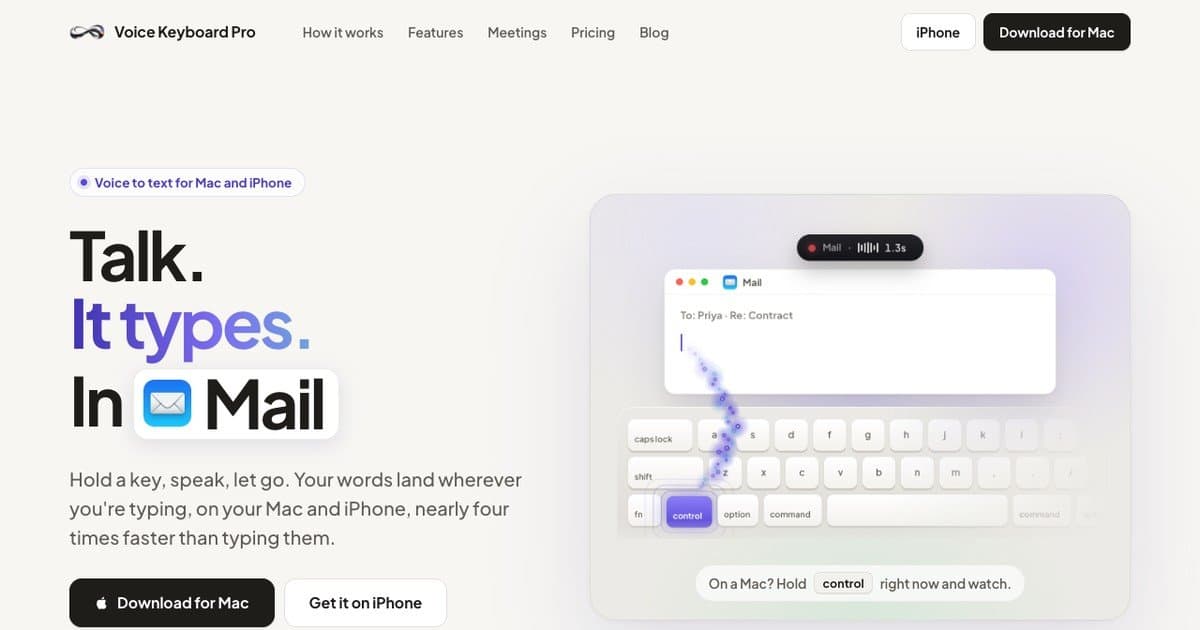
About this app
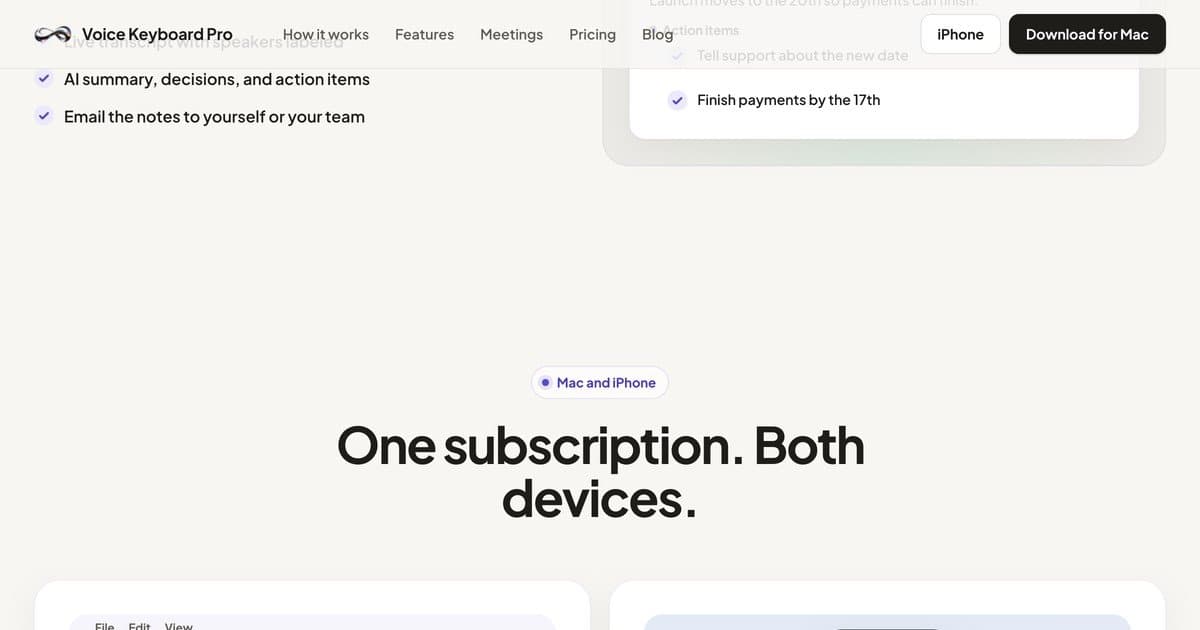
Voice Keyboard Pro is a Mac menu bar app and an iPhone keyboard. Hold a key, talk, and the words land at the cursor in any app. It fixes punctuation, matches the tone of the app you are in, and has an offline mode on Apple silicon. 19 languages. One subscription covers your Mac and your iPhone. $34.99 a year or $4.99 a month, with a 3-day free trial.
Key features
- 1Hold-key dictation that inserts text at the cursor in any Mac app or iPhone app.
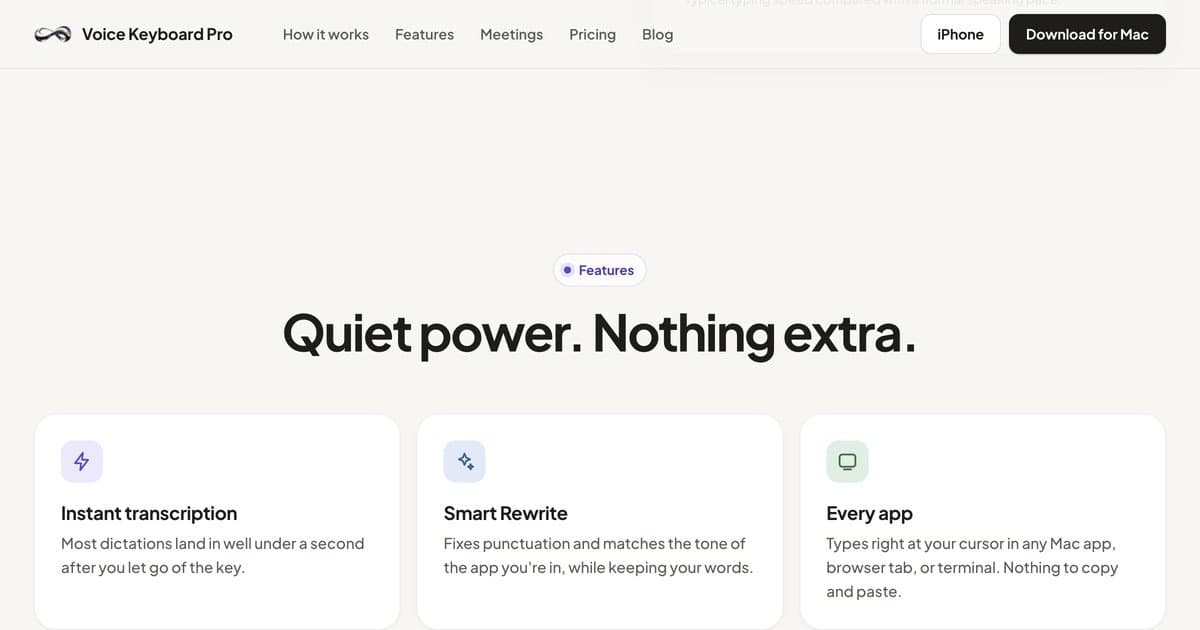
- 2Smart Rewrite fixes punctuation and matches the tone of the app you're writing in.
- 3Offline transcription on Apple silicon, plus meeting notes with speaker labels and summaries.
- 4One subscription covers Mac and iPhone; 19 languages; voice commands and snippets.
Target customer profile
Drawn from the product itself, not from a survey.
Scout Review
Written by AI from measured evidence, scored out of 100.
Voice Keyboard Pro is a Mac menu bar app plus an iPhone keyboard that turns held-key speech into text at the cursor in any app, with punctuation cleanup, tone matching, voice commands, snippets, meeting notes and an offline mode on Apple silicon. One subscription covers both devices at $34.99/year, $4.99/month or $1.99/week, with a 3-day trial on monthly and a 14-day refund. The app UI is the strongest part; the marketing site is a step behind it. Security headers are thin and mobile page speed is slow, but the product concept is well-differentiated in a crowded dictation market.
Measure by measure
Usability
74Hold-speak-release is explained in three steps, store shots show Inserted/Undo, and the guides hub carries 121+ task guides. Trial is only 3 days on monthly, and there's no visible live demo beyond the 'hold control' hero trick.
Design
71Judging the app UI and store material: consistent purple accent, soft shadows and clean 'You said / It typed' panels read modern. Homepage hero keyboard illustration and a flat 9-card grid drag it below the app itself.
Speed
60Lighthouse mobile 68/100 with a 5.0s LCP and 3.8s FCP is sluggish for a marketing site; desktop 89/100 is fine. CLS 0 and 158ms TBT show the layout is stable and the JS isn't choking.
Security
52HTTPS enforced with SPF and DMARC, but no HSTS, CSP, frame protection or Referrer-Policy — 4/12 on the header checklist. No SOC 2, ISO or pen-test published. Privacy FAQ does explain cloud vs offline audio handling clearly.
Accessibility
80Lighthouse 95/100 with only contrast and heading-order failures. 19 languages and full Mac + iPhone coverage are real reach wins. No WCAG statement or a11y page published, so the score sits mid-band rather than higher.
Growth
66Real problem, specific wedge: cursor-level insertion in any app, tone-matching rewrite, offline on Apple silicon, one sub across Mac and iPhone. Crowded category with Wispr Flow and Superwhisper, but the cross-device bundle is a defensible angle.
Improvement areas
- Security headers are thin (4/12) and no SOC 2, ISO or pen-test is published.
- Mobile Lighthouse performance is 68/100 with a 5.0s LCP — slow for a marketing site.
- Two accessibility failures (contrast, heading order) and no WCAG statement.
- Language count is inconsistent between homepage (19) and guides page (50+).
Design & Usability
The app itself looks better than the website selling it. Store screenshots show a real, coherent UI — waveform, 'You said / It typed' cleanup, keyboard integration — with a consistent purple accent and disciplined spacing. The homepage is where it slips: a labeled floating keyboard illustration that feels a generation behind the phone renders, and a 3x3 feature grid with no visual break. Usability is the stronger half: hold-speak-release is explained in three steps, the store shots show Inserted and Undo, and the guides hub carries 121+ profession-sorted articles. The friction is the 3-day trial on monthly only, and no interactive demo beyond the hero's 'hold control' gimmick.
Speed & Security
Speed is split: desktop Lighthouse 89/100 is solid, mobile 68/100 with a 5.0s LCP and 3.8s FCP is slow for a marketing page — ironic for a product whose pitch is speed. CLS 0 and 158ms TBT mean it's stable once it arrives. Security is the weakest dimension: HTTPS, SPF and DMARC are in place, but there's no HSTS, CSP, frame protection, Referrer-Policy or Permissions-Policy — 4/12 on the header checklist. No SOC 2, ISO or pen-test is published. To its credit, the privacy FAQ is unusually clear about cloud versus offline audio handling, and Offline Mode keeps transcription on-device on Apple silicon.
Accessibility & Growth
Accessibility scores 95/100 on the automated audit with only two failures — insufficient color contrast and non-sequential headings — both cheap to fix. Nineteen languages and full Mac + iPhone coverage are real reach wins, though the guides page contradicts the homepage with a '50+ languages' claim. No WCAG statement is published. Growth is a genuine judgement call: the problem (typing is slow) is real, the wedge (cursor-level insertion anywhere, tone-matching rewrite, offline on Apple silicon, one subscription across both devices) is specific and demonstrable, and the comparison page names its rivals directly. The category is crowded — Wispr Flow, Superwhisper, MacWhisper, Apple's free Dictation — so the cross-device bundle is the defensible angle, not the transcription itself.
Conclusion
If you dictate all day across Mac and iPhone and want one subscription instead of two, this is a credible pick — the offline mode and cursor-level insertion are the real draws. If you're security-sensitive or need compliance paperwork, the missing headers and absent SOC 2 are a gap. Try it on the monthly plan first; three days is short, but the 14-day refund softens the risk.
Suggestions for improvement
- Add HSTS, CSP, X-Content-Type-Options, Referrer-Policy and Permissions-Policy headers — 4/12 is a quick win.
- Fix the two Lighthouse a11y failures: color contrast and heading order on the homepage.
- Cut mobile LCP from 5.0s — compress the hero illustration and defer non-critical JS.
- Reconcile the language count: homepage says 19, guides page says 50+. Pick one and publish it everywhere.
Alternatives comparison
Named competitors, point by point. Nobody paid to appear here or to be left out.
 Voice Keyboard Pro Voice Keyboard Pro |  | |
|---|---|---|
| Pricing | $34.99/yr, $4.99/mo, $1.99/wk; 3-day trial on monthly | Not provided in app details |
| Platforms | macOS 14+ (Apple silicon and Intel) and iPhone keyboard | Not provided in app details |
| Offline mode | Yes, on Apple silicon | Not provided in app details |
| Languages | 19 languages (guides page claims 50+) | Not provided in app details |
| Meeting notes | Live transcript with speaker labels, AI summary, action items | Not provided in app details |
Comparing options? See Voice Keyboard Pro alternatives, scored side by side
More Productivity apps
View all Productivity
Qamarero
92An all-in-one hospitality software for restaurants and ba...

The Stack Newsletter
92A weekly newsletter delivering curated tech jobs, intervi...

EmbedMyReviews
92White-label reputation management software for agencies s...

StoryPad
92Privacy-first open source journal app with a continuous t...

Puzzly – B2B Lead Generation & Sales Intelligence Platform
92Puzzly is an all-in-one B2B lead generation platform that...

Notion
92All-in-one AI workspace for docs, projects, and knowledge...

Vibe Coding Agent Skills
92A free, open-source platform offering 110 AI agent skills...

CC Switch
91Open-source desktop app for switching AI coding providers...

username.md
90One verified handle for your online identity, readable by...

What the GIF
89Frame-perfect video-to-GIF maker that runs entirely in yo...

AuditCloser
89White-label website audits that close deals for digital a...

NudgeWin
89Automated quote follow-up for trades and service businesses.


A platform dedicated to providing unbiased reviews of newly launched applications, analyzing everything from their features to their full potential.
info@scoutforge.net© 2026 Scoutforge. All rights reserved.
