Cycling through all six. Tap any point to stop.
Measured on six things
Back up voicemails, texts, photos, and files to secure cl...
Design
46Judging the app UI and store material: iOS dashboard is clean with a donut ring and consistent category cards, but the marketing site is a table-era layout with a Matrix-green binary background and a broken black video box.
Screenshots
1 / 4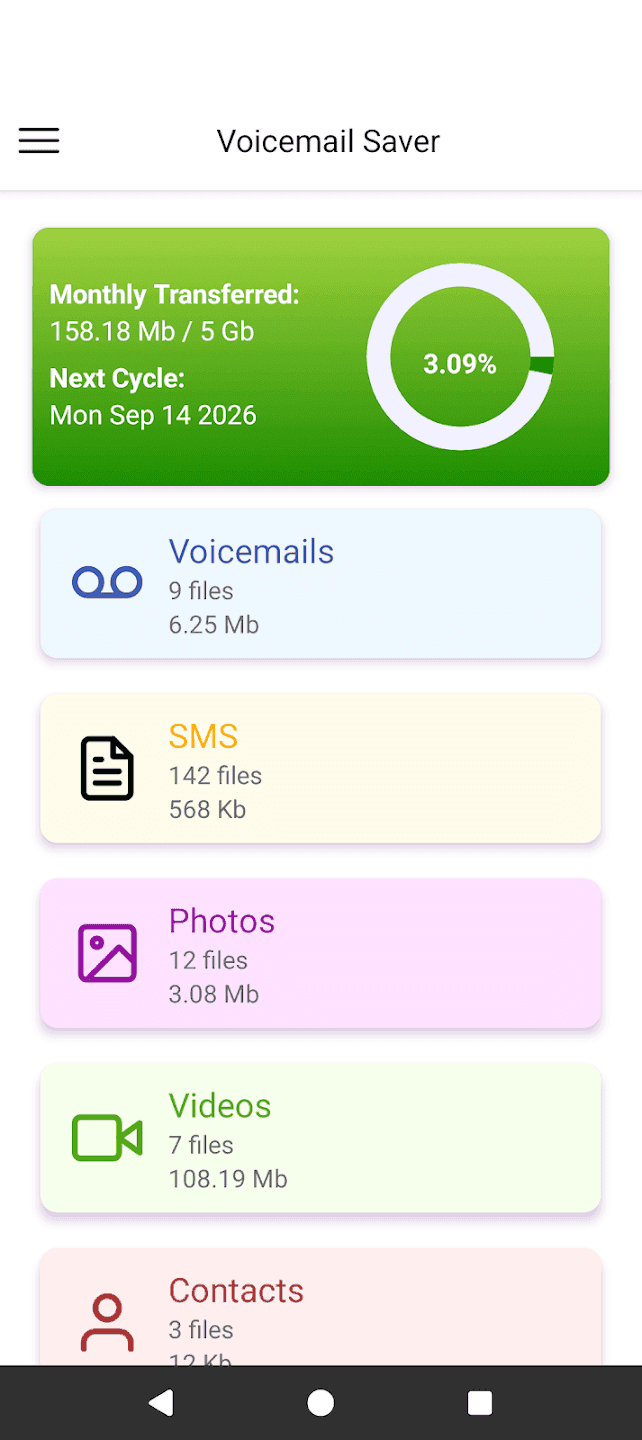
About this app
Voicemail Saver & Text Backup is a mobile app for iOS and Android that lets you archive voicemails, text messages, contacts, photos, videos, audio files, and documents to a secure cloud location. It is designed to help you preserve important messages permanently and free up storage space on your phone. The app offers a free basic tier and paid advanced tiers based on usage, with all tiers currently free for three months until February 15, 2027. Founded by pioneers in voicemail backup since 2001, the service requires no cables or PIN codes and allows you to download backed-up files to any other device. The app is available on the Apple App Store and Google Play Store.
Key features
- 1Backs up voicemails, texts, contacts, photos, videos, audio, and documents to a secure cloud location
- 2No cables or PIN codes required — backup directly from the phone
- 3Download backed-up files to any other device for permanent archival
- 4Free basic tier plus paid advanced tiers; all tiers free for 3 months until Feb 15, 2027
Target customer profile
Drawn from the product itself, not from a survey.
Demographic
Individuals with limited phone storage
Pain points
Phone storage fills up quickly with voicemails and texts, preventing new messages from being received.
Primary needs
A simple way to back up and delete old messages to free up space without losing important content.
Demographic
Professionals who rely on voicemail for work
Pain points
Important client or business voicemails are lost when switching phones or when carriers delete old messages.
Primary needs
Permanent, secure archival of voicemails and texts that can be accessed from any device.
Demographic
Families and individuals preserving personal memories
Pain points
Voicemails from loved ones and meaningful text conversations are at risk of being lost forever.
Primary needs
A reliable backup solution to save and retrieve sentimental messages and media files.
Demographic
Small business owners and sole proprietors
Pain points
Business-related texts and voicemails are scattered across devices and difficult to organize or retain for records.
Primary needs
A centralized, cloud-based backup system for business communications and files.
Scout Review
Written by AI from measured evidence, scored out of 100.
Voicemail Saver & Text Backup is a competent archival app wrapped in a website that undersells it. The iOS dashboard is clean and the core promise — save voicemails, texts, and media to the cloud without cables or PINs — is a real differentiator against Google Drive's manual approach, iMazing's desktop requirement, and SMS Backup & Restore's Android-only text focus. Speed is solid, accessibility is above average, and the growth story is credible. Security headers are thin and the marketing site looks a decade old, but the product underneath is doing useful work.
Measure by measure
Usability
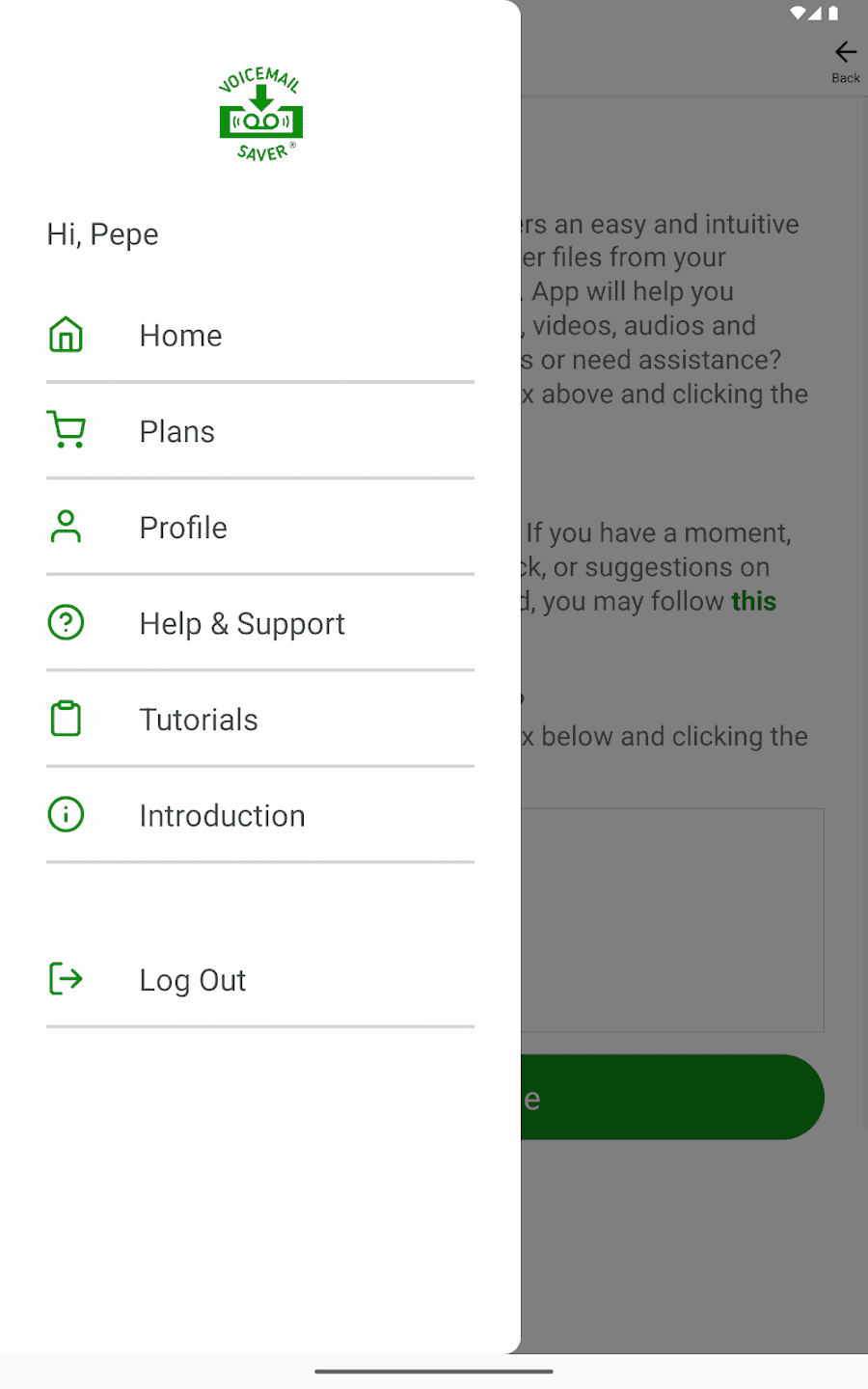
58App-side flow is sensible: intro screen, dashboard, category entry points, no cables or PINs. But the site buries the download button below a wall of blue text, and the Android dashboard clips a card under the nav bar.
Design
46Judging the app UI and store material: iOS dashboard is clean with a donut ring and consistent category cards, but the marketing site is a table-era layout with a Matrix-green binary background and a broken black video box.
Speed
68Lighthouse mobile 80/100 with CLS 0 and TBT 150ms — solid. LCP 3.7s is the weak spot, above the 2.5s 'good' threshold, so the hero content takes a beat to paint on mobile.
Security
50HTTPS enforced with SPF and DMARC, and the site links Terms and Privacy Policy. But 4/12 on the header checklist — no HSTS, CSP, frame protection, or Referrer-Policy — and no published SOC 2, ISO, or pen-test claims.
Accessibility
70Lighthouse a11y 91/100 is genuinely good. Failing audits are contrast, heading order, and unnamed links — fixable, real issues. App is localized in only one language, which caps reach for a product pitched at families and professionals.
Growth
62Real problem (carriers delete voicemails, storage fills up), specific segments named, and a genuine wedge: dedicated voicemail + text + media archival with no cable or PIN. Category has headroom; execution and reach are the limit.
Improvement areas
- Security headers are thin (4/12): no HSTS, CSP, frame protection, or Referrer-Policy
- Homepage design is dated with a Matrix-green background and a broken demo video box
- Accessibility failures: color contrast, heading order, and unnamed links
- Single-language localization limits reach for a global archival product
Design & Usability
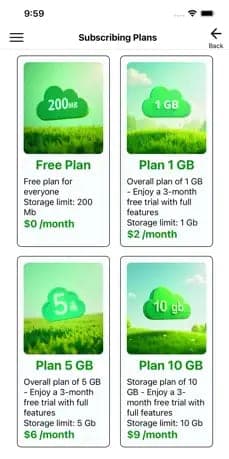
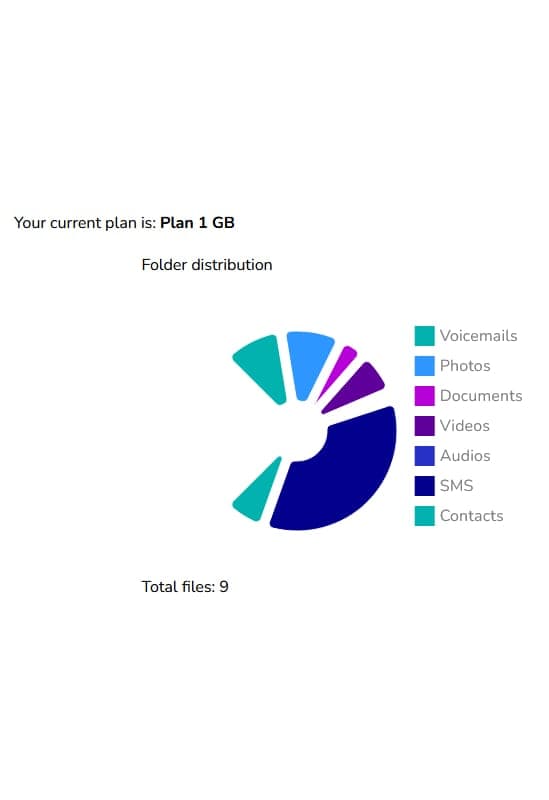
The app itself is the stronger half of this product. The iOS dashboard uses a summary card and donut progress ring to make storage and transfer status readable at a glance, and category cards are consistently structured. The marketing site is where things fall apart: a full-bleed green binary background, a black rectangle where the demo video should be, and a pricing card rendered as a low-resolution image. Usability on the app side is competent — intro screen, dashboard, clear entry points, and the 'no cables or PIN codes' promise is a real differentiator against iMazing. On the web side, the download badges sit below a wall of blue body copy, and the Android dashboard clips a card under the nav bar.
Speed & Security
Speed is the product's quiet strength: Lighthouse mobile 80/100, desktop 75/100, CLS 0, TBT 150ms. The one blemish is LCP at 3.7s, above the 2.5s 'good' threshold, so the hero content takes a moment on mobile. Security is thinner than the pitch implies. HTTPS is enforced and SPF/DMARC are configured, but the header probe found only 4 of 12 checklist items — no HSTS, no CSP, no frame protection, no Referrer-Policy, no Permissions-Policy. The site links Terms and a Privacy Policy, but there is no published SOC 2, ISO certification, pen-test report, or bug bounty. For a product asking users to upload voicemails and personal texts to a cloud location, that's a gap worth closing.
Accessibility & Growth
Accessibility is above average: Lighthouse 91/100, with failing audits limited to color contrast, heading order, and unnamed links — all fixable. The bigger limitation is localization: the app ships in one language, which caps reach for a product pitched at families and professionals across regions. Growth is the most interesting dimension. The problem is real and specific — carriers delete voicemails, phone storage fills up, and sentimental or business messages get lost. The product names three clear segments and has a genuine wedge: dedicated voicemail plus text plus media archival with no cable or PIN, which Google Drive, iMazing, and SMS Backup & Restore each only partially cover. The category has headroom. What limits the score is execution and reach, not the idea.
Conclusion
If you have voicemails you can't lose or a phone that's full, this is a reasonable tool with a clear job. The free three-month window through February 2027 makes it low-risk to try. Just don't judge it by the homepage — judge it by the app, which is the better half.
Suggestions for improvement
- Replace the Matrix-green binary background with a clean, modern layout and fix the empty black demo video box.
- Add HSTS, CSP, frame protection, and Referrer-Policy headers; publish a security page with data-handling details.
- Fix the three Lighthouse a11y failures: contrast ratios, heading order, and unnamed links.
- Move the App Store and Google Play badges above the fold and replace the low-res pricing image with real HTML text.
Alternatives comparison
Named competitors, point by point. Nobody paid to appear here or to be left out.
 Voicemail Saver & Text Backup |  Google Drive |  iMazing | SMS Backup & Restore | |
|---|---|---|---|---|
| Voicemail backup | Yes — dedicated voicemail archival | No — manual file upload only | Yes — via desktop software and cable | No — texts and call logs only |
| Text message backup | Yes | No — manual only | Yes — via desktop | Yes — Android only |
| No cable or computer required | Yes — direct from phone | Yes — but manual uploads | No — requires computer and cable | Yes |
| Broader file types (photos, videos, documents) | Yes — contacts, photos, videos, audio, documents | Yes — full cloud storage | Yes — iOS data transfer | No — texts and call logs only |
| Free tier available | Yes — basic free; all tiers free 3 months | Yes — 15GB free | Free trial, then paid | Yes — free with ads |
Google Drive
Cloud storage service that can be used to manually back up files, photos, and documents, but lacks dedicated voicemail and text message backup features.
iMazing
Desktop software for backing up and transferring iOS data, including messages and voicemails, but requires a computer and cable connection.
SMS Backup & Restore
Android app that backs up text messages and call logs to cloud storage, but does not support voicemail or broader file types.
Comparing options? See Voicemail Saver & Text Backup alternatives, scored side by side
More Productivity apps
View all Productivity
StoryPad
92Privacy-first open source journal app with a continuous t...

Puzzly – B2B Lead Generation & Sales Intelligence Platform
92Puzzly is an all-in-one B2B lead generation platform that...

Qamarero
92An all-in-one hospitality software for restaurants and ba...

Notion
92All-in-one AI workspace for docs, projects, and knowledge...

The Stack Newsletter
92A weekly newsletter delivering curated tech jobs, intervi...

EmbedMyReviews
92White-label reputation management software for agencies s...

Vibe Coding Agent Skills
92A free, open-source platform offering 110 AI agent skills...

QRBliss
91Branded QR codes with AI Brand Sync, 15 free dynamic code...

Gerty
91Private, local AI assistant for Mac that runs offline

Strukchad Property Management
91Property management for Kenyan letting agents: rent invoices raised every month, M-Pesa rent prompts to tenants, arrears tracking and landlord statements.

CC Switch
91Open-source desktop app for switching AI coding providers...

PitchWhip
90AI cold call scripts & direct dials from LinkedIn


A platform dedicated to providing unbiased reviews of newly launched applications, analyzing everything from their features to their full potential.
info@scoutforge.net© 2026 Scoutforge. All rights reserved.
