Cycling through all six. Tap any point to stop.
Measured on six things
Voice-powered teleprompter with on-device speech recognit...
Security
52HTTPS and HSTS are solid, but missing security headers and email auth records. On-device processing is a privacy plus.
Screenshots
1 / 3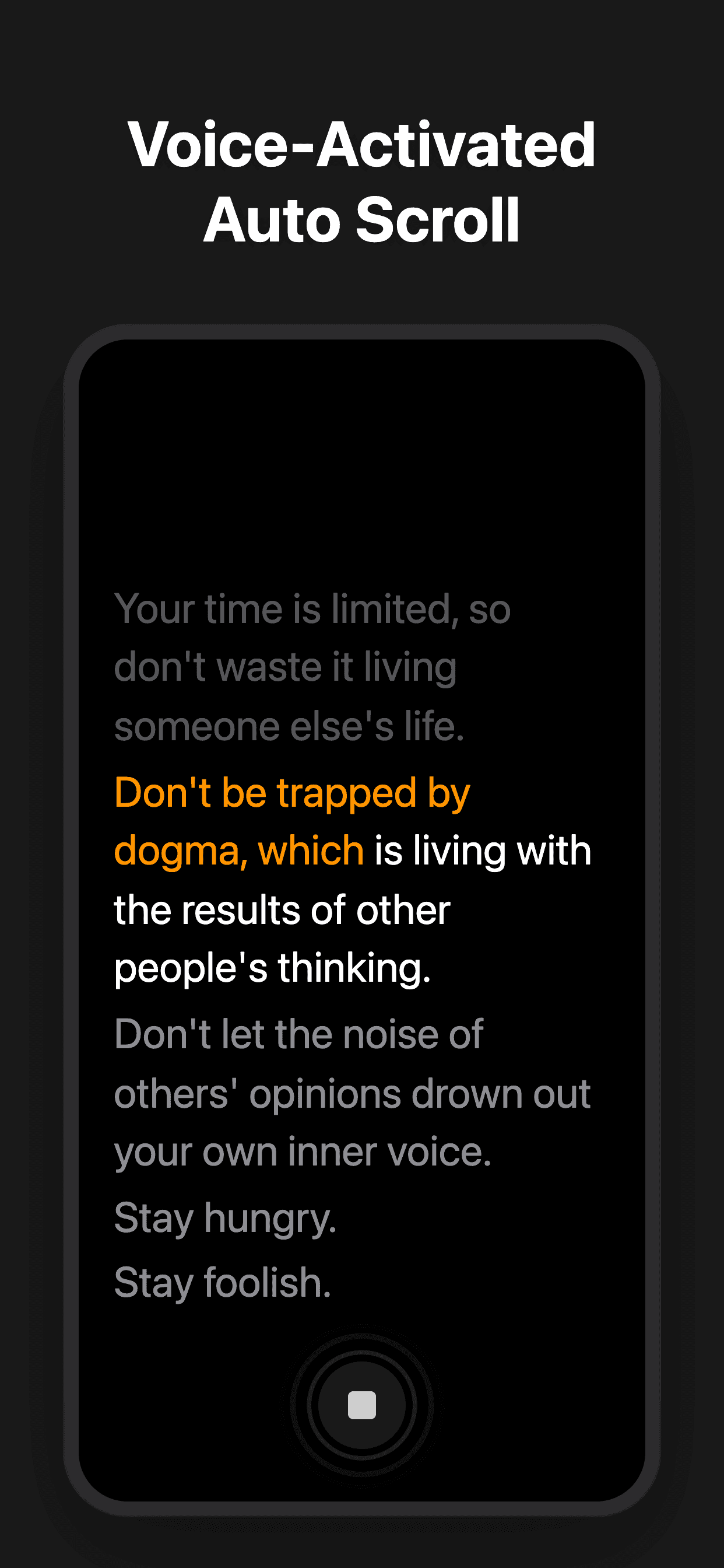
About this app
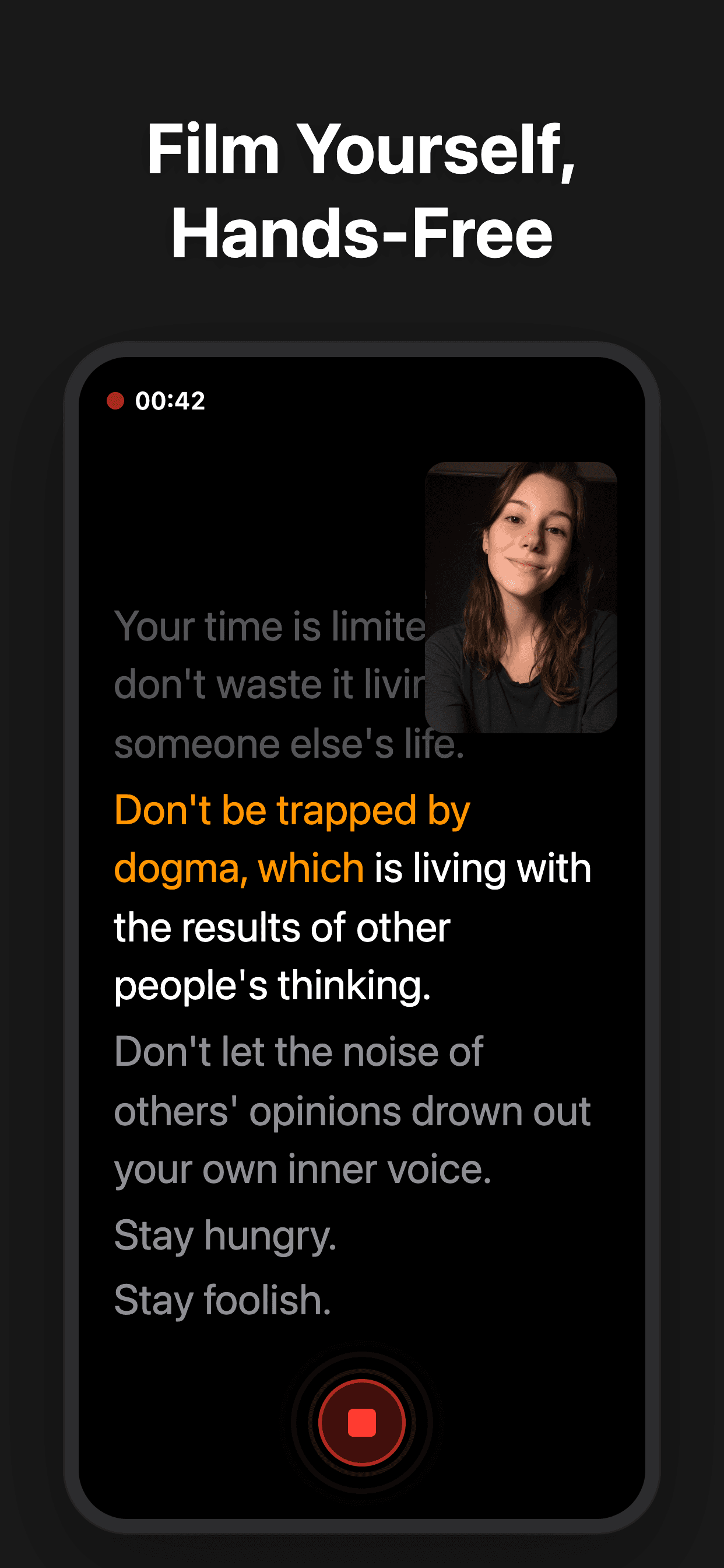
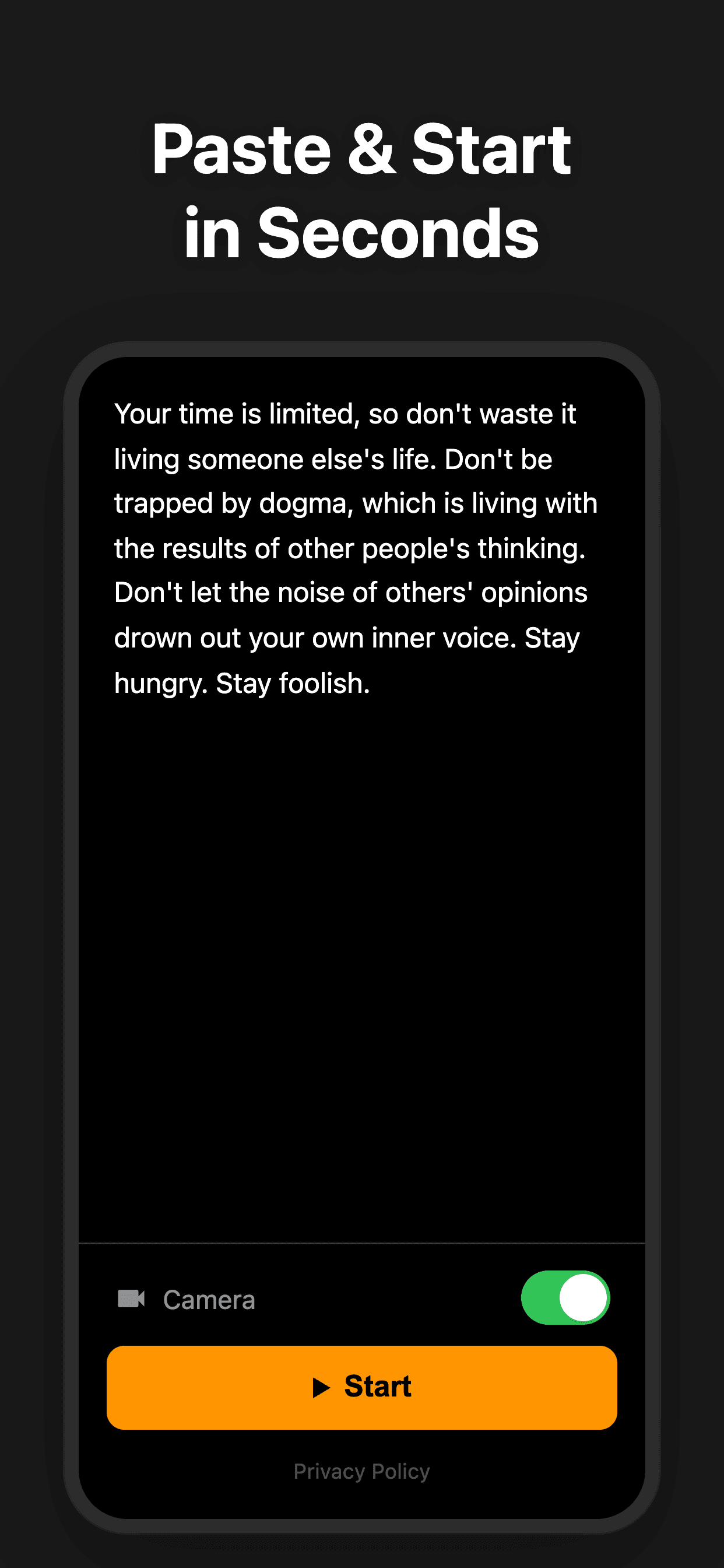
VoiceScroll is an innovative teleprompter app that uses advanced on-device speech recognition to automatically scroll your script as you speak, highlighting each word in real time. Designed for creators, professionals, and anyone who needs to deliver speeches or record videos, it offers a hands-free, privacy-focused experience without requiring an account or an internet connection. With support for multiple languages, a one-time purchase model, and features like camera recording with burned-in subtitles, VoiceScroll simplifies the presentation process, whether you're rehearsing a keynote, filming YouTube content, streaming live, or recording a podcast. Its no-subscription pricing and commitment to local processing make it a standout alternative to traditional teleprompters and other apps that rely on cloud services.
Key features
- 1Voice-activated scrolling with real-time word highlighting
- 2On-device speech recognition (offline, no account, no data leaks)
- 3Camera recording with burned-in subtitles and multi-language support
Target customer profile
Drawn from the product itself, not from a survey.
Demographic
Public speakers and presenters (conference attendees, TEDx speakers)
Pain points
Need to maintain eye contact with audience while remembering script; fear of losing place; lack of portable teleprompter
Primary needs
Reliable, hands-free script following with easy setup; confidence in delivery; offline availability for on-stage use
Demographic
Content creators and YouTubers
Pain points
Struggle with memorizing lines, multiple takes, and maintaining natural delivery while looking at the camera
Primary needs
Efficient, cueing that syncs with voice; ability to record with subtitles; time-saving features; privacy for unpublished content
Demographic
Podcasters and voice-over artists
Pain points
Need to read long scripts while keeping conversational flow; difficulty with pacing and consistency during recording
Primary needs
Long script support, hands-free scrolling, repeat sections for practice, and accurate real-time tracking to minimize editing
Scout Review
Written by AI from measured evidence, scored out of 100.
VoiceScroll is a promising teleprompter app with a clear value proposition: on-device speech recognition that scrolls your script as you speak. The site is fast, the design is clean, and the pricing is fair. However, security headers need work, and accessibility has minor issues. The growth potential hinges on standing out in a crowded market, but the privacy angle and one-time pricing are strong hooks. Overall, a solid product with room to grow.
Measure by measure
Usability
72Simple three-step onboarding, no account needed, multi-language support. Free tier is limited but Pro is a fair one-time price.
Design
70Clean, consistent design with strong orange accent and clear CTAs. Hero mockup could be larger, and nav contrast is weak.
Speed
85Exceptional Lighthouse performance (99/100) with sub-second LCP and zero layout shift. Site is fast and snappy.
Security
52HTTPS and HSTS are solid, but missing security headers and email auth records. On-device processing is a privacy plus.
Accessibility
68Lighthouse 89/100 with contrast, heading order, and label issues. Multi-language support helps, but no formal a11y statement.
Growth
62Real problem, clear differentiator, but crowded market. On-device processing and one-time pricing are strong wedges.
Improvement areas
- Add missing security headers (CSP, frame protection, etc.)
- Improve accessibility: contrast, heading order, select labels
- Provide more social proof and user reviews on the site
Design & Usability
VoiceScroll presents a clean, focused design with a consistent orange accent that ties the brand together. The hero section clearly communicates the core value proposition, though the phone mockup could be larger and the nav contrast is weak. Usability is strong with a simple three-step onboarding, no account requirement, and multi-language support. The free tier's 300-character limit is a reasonable teaser, and the Pro one-time price of $9.99 is fair. The site is easy to navigate, and the feature explanations are concise. However, the lack of a visible pricing grid on the homepage might leave some users scrolling to find costs.
Speed & Security
Performance is a standout: Lighthouse desktop score of 99/100 with sub-second LCP and zero layout shift. The site is lightweight and fast. Security is a mixed bag — HTTPS and HSTS are enforced, but missing CSP, frame protection, and email auth records are concerning. The on-device processing claim is a strong privacy feature, reducing data exposure. However, the absence of a security page or audit details leaves some questions. Overall, speed is excellent, but security could be tightened with additional headers and transparency.
Accessibility & Growth
Accessibility scores 89/100 on Lighthouse, with issues in contrast, heading order, and select labels. Multi-language support is a plus, but no formal a11y statement exists. Growth potential is moderate: the problem is real, and the on-device differentiator is compelling, but the market is crowded with established alternatives. The one-time pricing model is a strong contrast to subscriptions. The domain is new, so traction is unproven, but the idea has room if execution and marketing are solid.
Conclusion
VoiceScroll is worth a try for speakers and creators who value privacy and simplicity. The free tier lets you test the core feature, and the Pro upgrade is a reasonable one-time cost. If the app performs as well as the site, it could become a go-to tool. Just keep an eye on security updates and accessibility improvements. For now, it's a promising entry in the teleprompter space.
Suggestions for improvement
- Add a visible pricing section on the homepage to reduce friction.
- Improve nav link contrast and fix heading order for better accessibility.
- Publish a security page detailing data handling and any audits.
- Consider a free trial for Pro features to convert users.
Alternatives comparison
Named competitors, point by point. Nobody paid to appear here or to be left out.
 VoiceScroll VoiceScroll |  Prompter Pro Prompter Pro |  Teleprompter for Video Teleprompter for Video |  BigVu BigVu | |
|---|---|---|---|---|
| Voice-activated scrolling | Yes, on-device speech recognition | No, manual scroll or speed control | No, manual scrolling or remote | No, auto-scroll with speed adjustment |
| On-device processing (offline) | Yes, fully offline | No, may require internet for cloud sync | No, stores scripts in cloud | No, may require internet for certain functions |
| Pricing model | One-time purchase ($9.99 Pro) | Subscription tiers | Ads or in-app purchases | Not specified, likely subscription |
Prompter Pro
A traditional teleprompter app that uses a manual scroll or speed control, lacking voice activation and, thus, more prone to misalignment. Some versions offer cloud syncing but may require an internet connection and often have subscription tiers.
Teleprompter for Video
A popular teleprompter app that provides a simple, camera view and remote control, but relies on manual scrolling or a remote, not voice recognition. It also often stores scripts in the cloud and may have ads or in-app purchases, which can be intrusive.
BigVu
A professional teleprompter app with a focus on live production, offering features like auto-scroll with speed adjustment, but it lacks integrated voice recognition and on-device processing, potentially requiring additional hardware and internet for certain functions.
Comparing options? See VoiceScroll alternatives, scored side by side
More Productivity apps
View all Productivity
Notion
92All-in-one AI workspace for docs, projects, and knowledge...

Qamarero
92An all-in-one hospitality software for restaurants and ba...

EmbedMyReviews
92White-label reputation management software for agencies s...

StoryPad
92Privacy-first open source journal app with a continuous t...

Puzzly – B2B Lead Generation & Sales Intelligence Platform
92Puzzly is an all-in-one B2B lead generation platform that...

The Stack Newsletter
92A weekly newsletter delivering curated tech jobs, intervi...

Vibe Coding Agent Skills
92A free, open-source platform offering 110 AI agent skills...

QRBliss
91Branded QR codes with AI Brand Sync, 15 free dynamic code...

Gerty
91Private, local AI assistant for Mac that runs offline

CC Switch
91Open-source desktop app for switching AI coding providers...

username.md
90One verified handle for your online identity, readable by...

PitchWhip
90AI cold call scripts & direct dials from LinkedIn


A platform dedicated to providing unbiased reviews of newly launched applications, analyzing everything from their features to their full potential.
info@scoutforge.net© 2026 Scoutforge. All rights reserved.
