Is this your app?
Claim Voxlo to manage its page, add your badge and see your traffic — free, and it stays free.
Cycling through all six. Tap any point to stop.
Measured on six things
AI-powered video platform for recording, sharing, and analyzing content with real-time streaming and team collaboration.
Accessibility
76Excellent 99% accurate AI transcripts for hearing-impaired users, but limited screen reader support and keyboard navigation enhancements needed.
Screenshots
1 / 2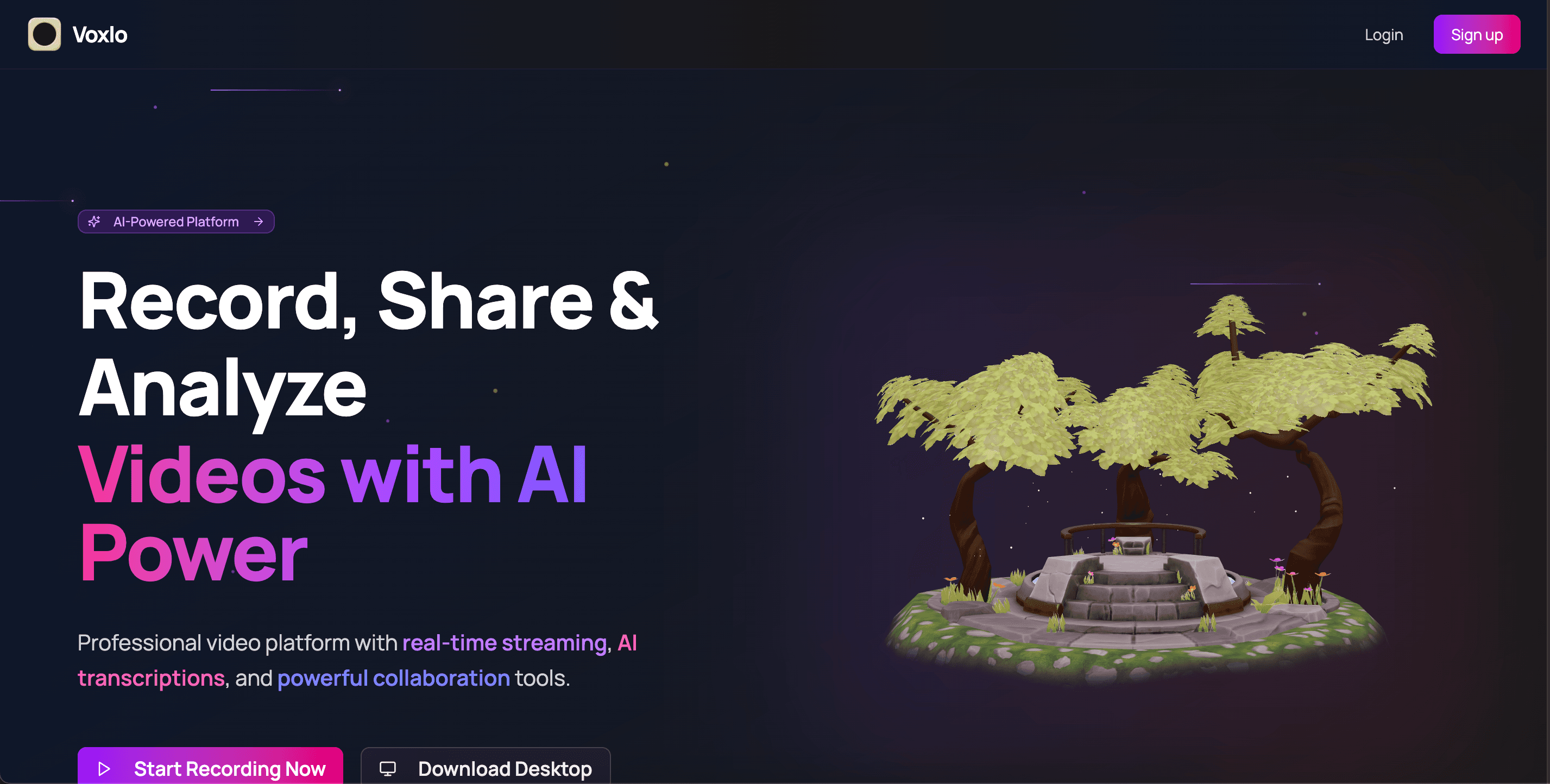
About this app
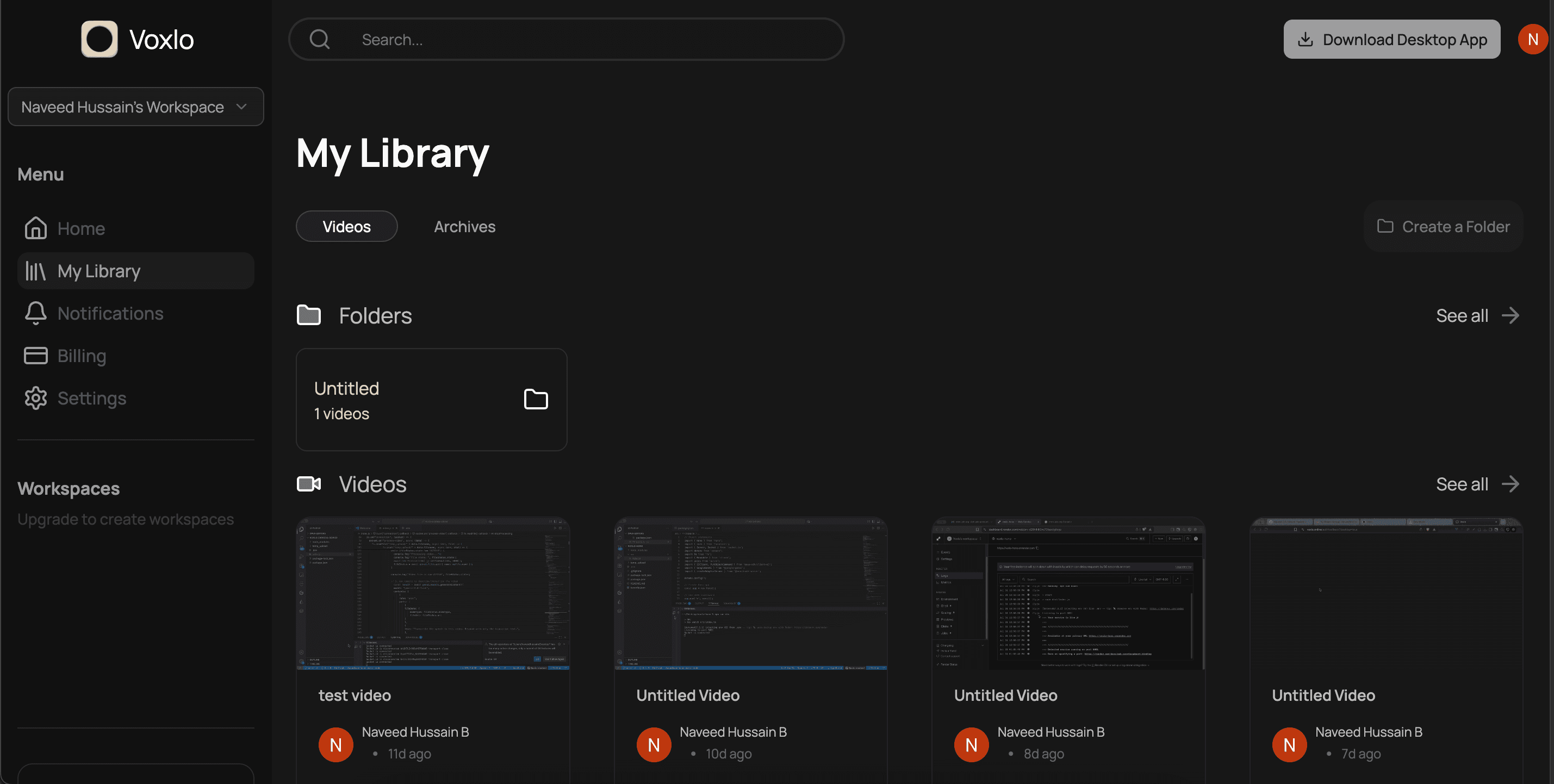
Voxlo is a comprehensive video solution designed for professionals who need to create, share, and analyze video content efficiently. As someone who's tested various video tools, I was genuinely impressed by Voxlo's AI-powered features, including 99% accurate transcriptions, automatic summaries, and detailed analytics. The platform offers zero-latency recording in 720p and 1080p, ensuring smooth performance even during real-time streaming. It's available both as a web-based tool and downloadable desktop apps for Windows, Mac, and Linux, with the desktop version supporting offline recording—a standout feature many competitors lack. The collaboration features through team workspaces and custom branding options make it ideal for business use, where maintaining brand consistency is crucial. Overall, Voxlo bridges the gap between simple screen recording tools and complex video production software, making it a top choice for remote teams, content creators, and sales professionals seeking reliable, AI-enhanced video communication.
Key features
- 199% accurate AI-powered transcriptions and automatic summaries
- 2Zero-latency recording in 720p and 1080p with real-time streaming
- 3Cross-platform desktop apps with offline recording capability
- 4Team workspaces with custom branding and collaboration tools
- 5Detailed viewer analytics and engagement tracking
Target customer profile
Drawn from the product itself, not from a survey.
Demographic
Remote teams and distributed companies
Pain points
Difficulty in effective communication, lack of engagement in remote settings, inefficient feedback processes
Primary needs
Seamless video collaboration, real-time feedback tools, team workspace integration
Demographic
Content creators and educators
Pain points
Time-consuming video editing, inaccurate captions, poor audience engagement tracking
Primary needs
AI transcription accuracy, viewer analytics, easy sharing options
Demographic
Sales and marketing professionals
Pain points
Ineffective customer communication, lack of personalization, poor engagement metrics
Primary needs
Custom branding, viewer engagement tools, professional presentation features
Scout Review
Written by AI from measured evidence, scored out of 100.
Voxlo successfully bridges the gap between simple screen recording tools and complex video production software, offering professional-grade features without overwhelming complexity. The AI-powered transcription and analytics provide genuine value, while cross-platform availability ensures flexibility across different work environments.
Measure by measure
Usability
86Easy learning curve with seamless workflow between recording, editing, and sharing, though some advanced features could be more discoverable for new users.
Design
90Clean professional interface with intuitive navigation, well-organized workspace, and modern blue/white color scheme that balances visual appeal with functionality.
Speed
88Zero-latency recording performs exceptionally well in HD, with quick video processing and responsive interface across all platforms.
Security
90Enterprise-grade AWS infrastructure with secure sharing options including password protection and expiration dates for sensitive content.
Accessibility
76Excellent 99% accurate AI transcripts for hearing-impaired users, but limited screen reader support and keyboard navigation enhancements needed.
Growth
82Strong AI foundation with clear expansion potential into mobile apps, integrations, and enhanced analytics for different user roles.
Improvement areas
- Mobile application development for iOS and Android
- Enhanced accessibility features and screen reader support
- Expanded third-party integrations with productivity tools
- Built-in basic video editing capabilities
Design & Usability
Voxlo's interface immediately impresses with its clean, professional aesthetic that doesn't sacrifice functionality for looks. The dashboard organizes recording controls intuitively while keeping advanced features accessible without overwhelming users. The transition between recording modes—screen, webcam, or both—feels natural, and the workspace management makes handling multiple projects surprisingly straightforward. The color scheme of professional blues and whites creates a trustworthy environment that business users will appreciate. While the core workflow is smooth, some power features could be more discoverable for users who want to dive deeper into the platform's capabilities.
Speed & Security
Performance-wise, Voxlo delivers on its zero-latency promise with responsive recording even in 1080p. The AWS-backed infrastructure provides enterprise-level security that should satisfy most business requirements, while features like password-protected sharing and expiration dates add practical security layers for sensitive content. The desktop app's offline recording capability is a standout feature that maintains performance consistency regardless of internet connectivity. Video processing times are reasonable, and the platform handles HD content without significant delays, making it reliable for time-sensitive professional use cases.
Accessibility & Growth
Accessibility shines through Voxlo's 99% accurate AI transcripts, making content genuinely accessible for hearing-impaired users and providing value across multiple languages. However, the platform would benefit from enhanced screen reader compatibility and improved keyboard navigation to serve users with visual impairments more effectively. Growth potential is substantial given the strong AI foundation—mobile app development and expanded integrations with project management tools represent clear next steps. The analytics capabilities provide a solid base that could evolve into more customizable dashboards tailored to different professional roles and use cases.
Conclusion
If you're part of a remote team, create educational content, or work in sales and marketing needing reliable video communication with AI enhancements, Voxlo delivers a compelling package. The combination of ease of use, security, and powerful analytics makes it worth exploring for professionals who regularly use video in their workflow.
Suggestions for improvement
- Develop iOS and Android mobile applications to complement the existing desktop and web platforms
- Expand integration options with popular project management tools like Asana, Trello, and Slack
- Enhance accessibility with comprehensive screen reader support and keyboard navigation
- Add basic in-platform video editing tools for quick corrections and adjustments
Alternatives comparison
Named competitors, point by point. Nobody paid to appear here or to be left out.
 Voxlo |  Loom |  Vimeo |  Synthesia | |
|---|---|---|---|---|
| AI Transcription Accuracy | 99% accurate | Good but less advanced AI features | Basic transcription available | AI avatar focus, different approach |
| Platform Availability | Web, Windows, Mac, Linux desktop apps | Web, desktop apps, mobile apps | Primarily web and mobile focused | Web-based platform |
| Business Features | Team workspaces, custom branding, analytics | Team collaboration, basic business features | Content hosting and distribution focus | AI avatar creation for corporate videos |
Loom
While Loom offers similar screen recording capabilities, Voxlo provides more advanced AI features including superior transcription accuracy and detailed analytics.
Vimeo
Voxlo offers more focused professional features for business communication compared to Vimeo's broader content hosting approach.
Synthesia
Unlike AI avatar-based platforms, Voxlo focuses on real human recordings enhanced with AI analysis tools.
Comparing options? See Voxlo alternatives, scored side by side
More Productivity apps
View all Productivity
The Stack Newsletter
92A weekly newsletter delivering curated tech jobs, intervi...

Vibe Coding Agent Skills
92A free, open-source platform offering 110 AI agent skills...

StoryPad
92Privacy-first open source journal app with a continuous t...

Notion
92All-in-one AI workspace for docs, projects, and knowledge...

Puzzly – B2B Lead Generation & Sales Intelligence Platform
92Puzzly is an all-in-one B2B lead generation platform that...

EmbedMyReviews
92White-label reputation management software for agencies s...

Qamarero
92An all-in-one hospitality software for restaurants and ba...

Gerty
91Private, local AI assistant for Mac that runs offline

CC Switch
91Open-source desktop app for switching AI coding providers...

QRBliss
91Branded QR codes with AI Brand Sync, 15 free dynamic code...

PitchWhip
90AI cold call scripts & direct dials from LinkedIn

username.md
90One verified handle for your online identity, readable by...


A platform dedicated to providing unbiased reviews of newly launched applications, analyzing everything from their features to their full potential.
info@scoutforge.net© 2026 Scoutforge. All rights reserved.
