Cycling through all six. Tap any point to stop.
Measured on six things
Smart Way to Convert OST files to Multiple formats
Security
40HTTPS enforced and SPF present, but HSTS, CSP, frame protection, X-Content-Type-Options, Referrer-Policy, and DMARC are all missing. No published audits or security page found.
Screenshots
1 / 5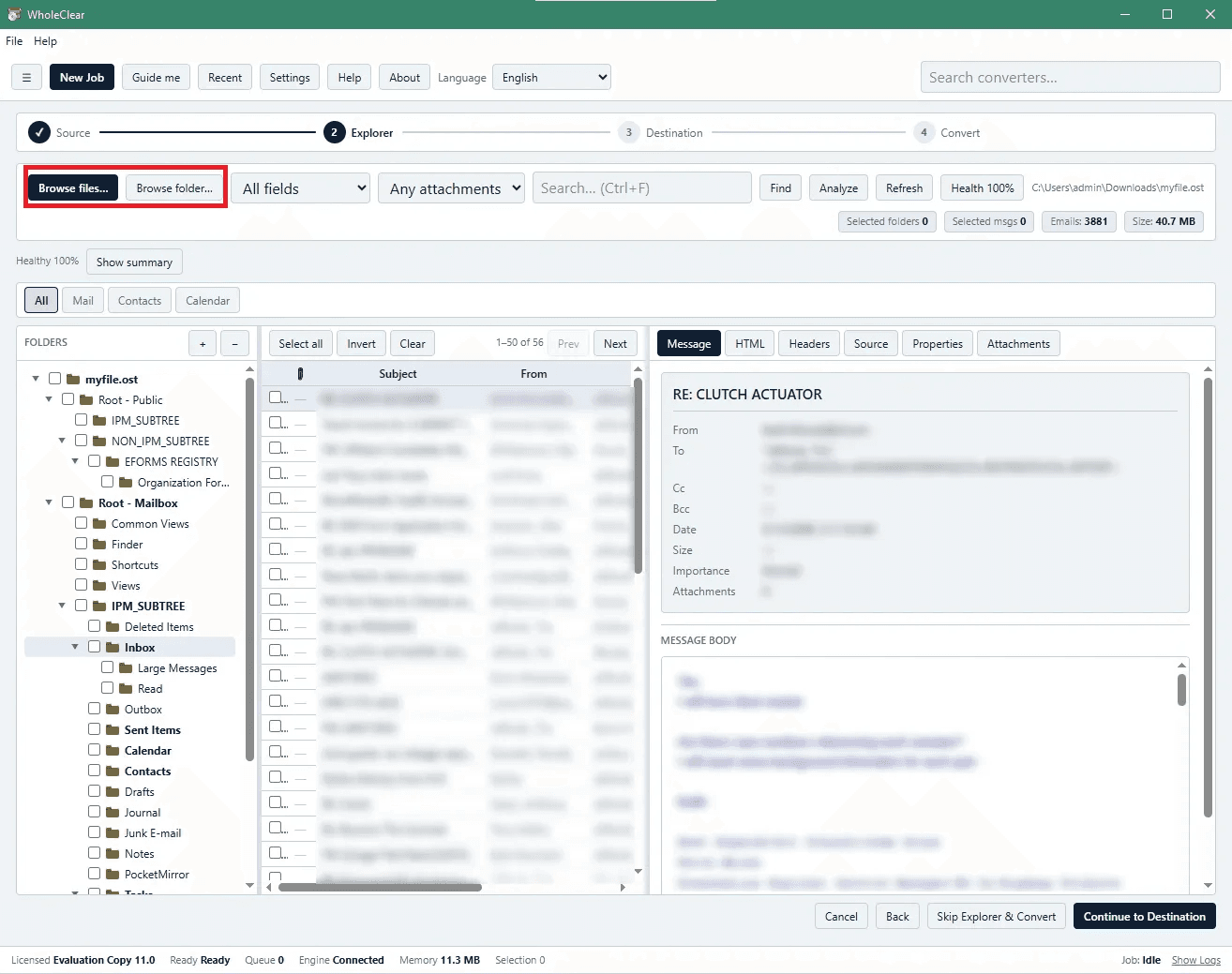
About this app
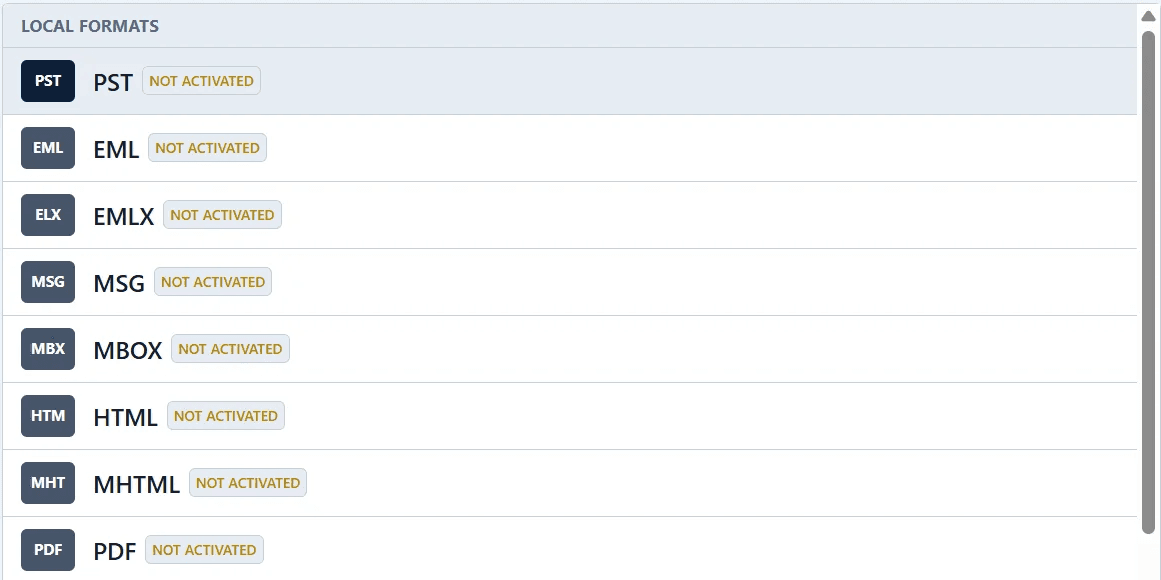
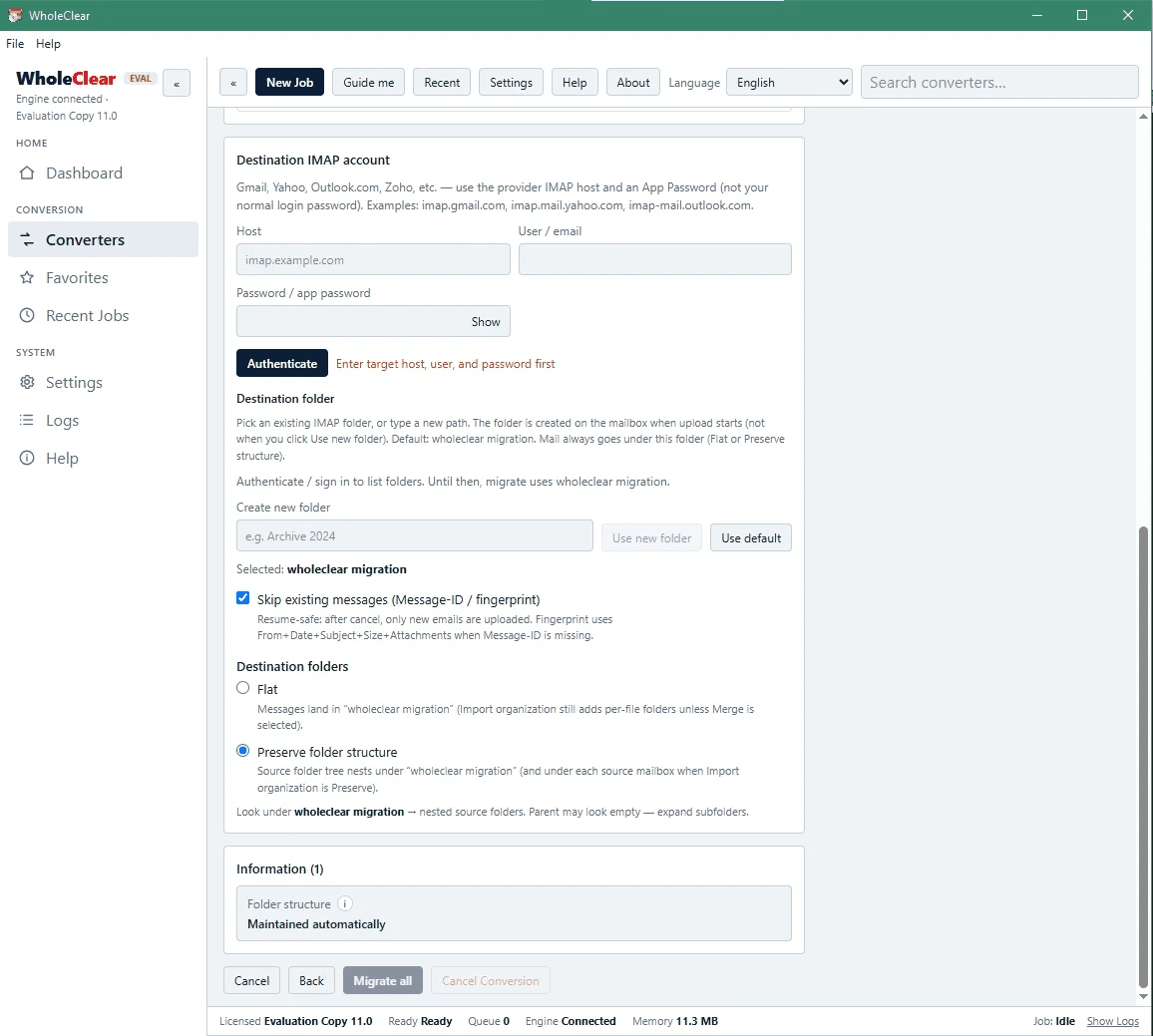
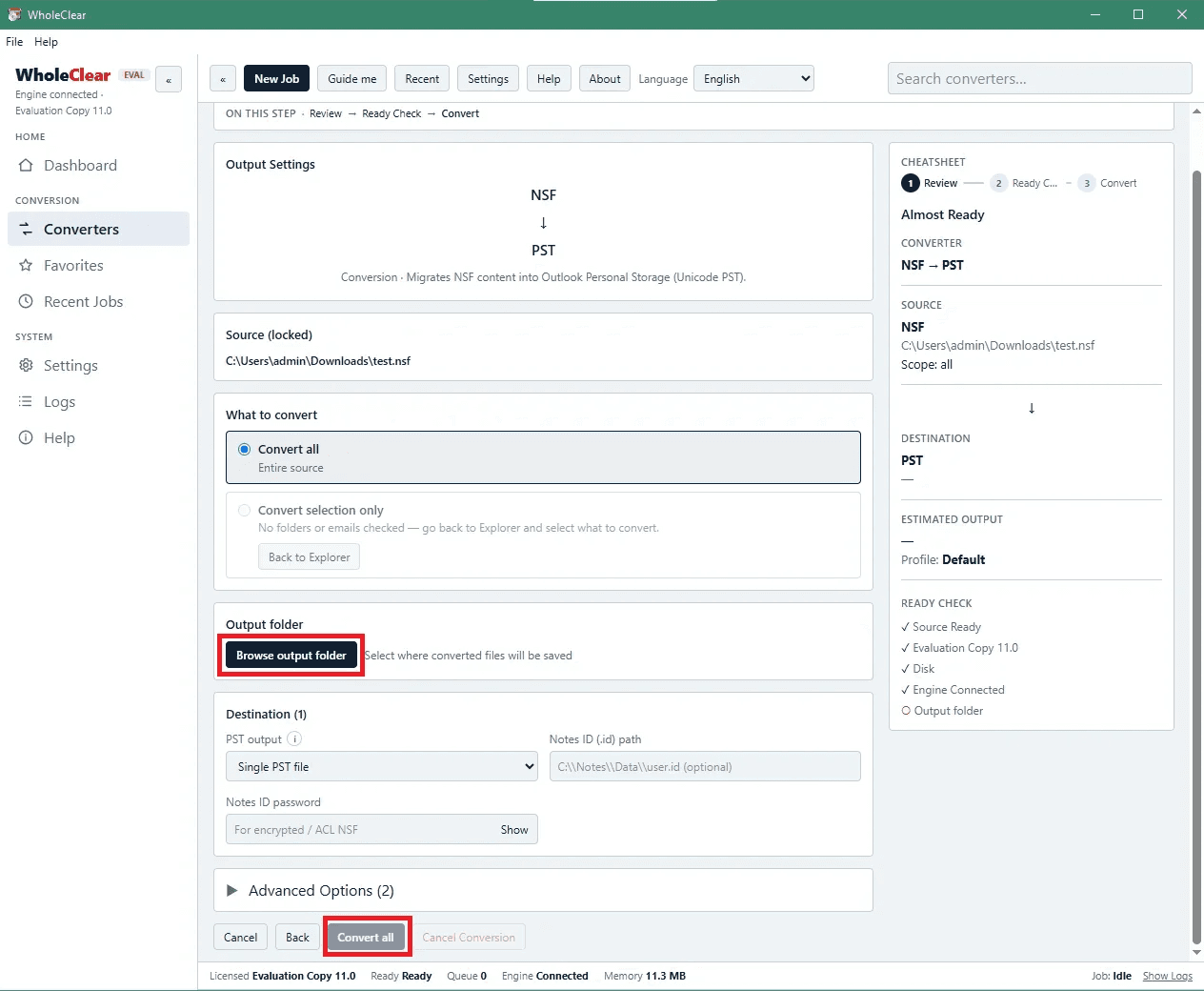
WholeClear OST Converter allows users to save Outlook OST mailbox data to many other formats (PST, EML, MSG, MBOX, HTML, PDF, etc.) for selecting and organizing emails. It offers a modern graphical user interface that provides a clean working environment. The software provides a full preview of its mailbox items before exporting their data. This allows users to analyze the content and decide what to convert. Users can select the full mailbox or selected emails for conversion. No Outlook or any external application installation is needed to use it. The automatic structure preservation feature helps users keep the original mailbox folder hierarchy so that all emails will be kept organized after conversion. OST Converter program supports 19 languages as well. Moreover, it runs on Windows, Mac and Linux OS platforms.
Key features
- 1Converts OST to PST, EML, MSG, MBOX, HTML, PDF, and 10+ other formats without Outlook or Exchange installed.
- 2Preview pane lets users select specific folders or items before conversion; preserves original folder hierarchy.
- 3Cross-platform support for Windows, macOS, and Linux with 19-language interface and one-time purchase pricing.
Target customer profile
Drawn from the product itself, not from a survey.
Demographic
IT administrators and system engineers
Pain points
Corrupt or orphaned OST files; Exchange server downtime or migration; need to recover user mailboxes without Outlook
Primary needs
Reliable OST to PST conversion; batch processing; minimal downtime; broad format support
Demographic
Small business owners and managers
Pain points
Limited IT budget; accidental deletion of Exchange mailbox; need to switch email platforms
Primary needs
Affordable one-time tool; easy to use without technical expertise; data integrity
Demographic
Individual users and professionals
Pain points
Inaccessible OST file after Outlook crash or profile corruption; need to access old emails on new computer
Primary needs
Quick recovery of emails, contacts, calendars; conversion to accessible formats like PST, PDF, or VCF
Scout Review
Written by AI from measured evidence, scored out of 100.
WholeClear OST Converter is a competent, dated-looking utility for a real problem: recovering and converting inaccessible OST files without Outlook or Exchange. Speed is strong on desktop, accessibility is solid, and the four-step flow is clear. But the design is legacy Windows, security headers are mostly missing, and the pricing page is a bundle configurator that adds friction. Against Stellar and SysTools, it competes on price and cross-platform support rather than depth or polish.
Measure by measure
Usability
58Clear four-step flow and linked manual/FAQ help onboarding, but repeated Download/Buy CTAs and a dense feature wall make scanning hard. Bundle pricing configurator is unusual for a single tool.
Design
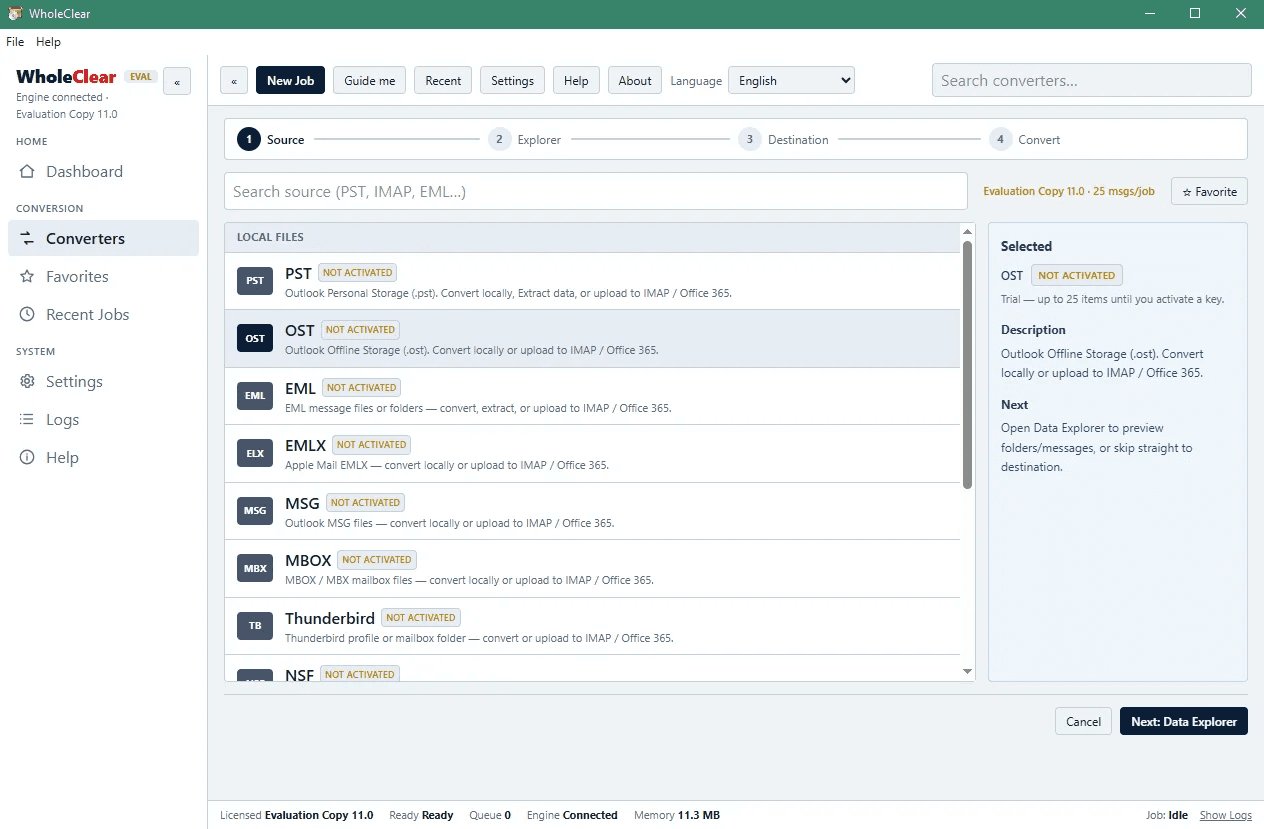
44Dated Windows-tool aesthetic: gradient hero, 12-item checkmark grid with false-link red underlines, and a legacy wizard screenshot. Functional but visually behind Stellar and SysTools.
Speed
72Desktop Lighthouse 96/100 and mobile 79/100 with CLS 0 and TBT 0ms. Mobile LCP of 4.1s and FCP 3.1s hold it back from the top of the band.
Security
40HTTPS enforced and SPF present, but HSTS, CSP, frame protection, X-Content-Type-Options, Referrer-Policy, and DMARC are all missing. No published audits or security page found.
Accessibility
80Lighthouse 96/100 with only two failing audits: non-sequential headings and a missing main landmark. 19-language support is a real plus, though footer contrast is weak.
Growth
52Real problem (corrupt OST recovery) with a specific audience, but cross-platform and 19-language support are the only clear wedges against Stellar and SysTools. Crowded niche.
Improvement areas
- Security headers are mostly missing (no HSTS, CSP, DMARC, frame protection) — a gap for a mailbox-data tool.
- Dated UI and text-heavy homepage with false-link red underlines; app screenshot looks like legacy Windows tooling.
- Bundle-style pricing configurator is confusing for a single product; a simple price table would reduce friction.
Design & Usability
The homepage is a wall of text with 12 feature items, a sidebar repeating the same two CTAs, and red underlined phrases that look like links but aren't. The app screenshot shows a classic Windows wizard with a four-step progress bar, which does communicate the workflow clearly. Usability is helped by linked screenshots, install guide, user manual, and sales FAQs, but the repeated Download/Buy Now buttons and the bundle-style pricing configurator add friction. Against Stellar and SysTools, the design reads as dated and the onboarding path is less polished.
Speed & Security
Speed is a genuine strength: desktop Lighthouse 96/100 and mobile 79/100 with zero CLS and zero TBT. Mobile LCP of 4.1s is the main drag, likely from the text-heavy homepage. Security is the weak spot: HTTPS and SPF are in place, but HSTS, CSP, frame protection, X-Content-Type-Options, Referrer-Policy, Permissions-Policy, and DMARC are all absent — 3 of 12 checklist points. No SOC 2, ISO, or audit claims appear on the site. For a tool that handles mailbox data, that's a thin posture compared to enterprise-grade competitors.
Accessibility & Growth
Accessibility scores well at 96/100 on Lighthouse, with only heading order and a missing main landmark failing. The 19-language claim is a real accessibility plus, though the footer language list is low-contrast. Growth is a judgment call: the problem — recovering inaccessible OST files without Outlook — is real and the audience (IT admins, SMBs, individuals) is specific. But the differentiators (cross-platform, 19 languages, one-time price) are thin against Stellar and SysTools, who dominate this niche. The 2019 domain age shows staying power but not breakout momentum.
Conclusion
If you need a cheap, cross-platform OST converter and don't care about a modern UI or enterprise security certifications, WholeClear does the job. If you're an IT admin handling sensitive mailbox data, the missing security headers and lack of published audits should give you pause. It's a workmanlike tool in a category where the leaders have moved on to polished interfaces and compliance pages.
Suggestions for improvement
- Add HSTS, CSP, X-Content-Type-Options, Referrer-Policy, and DMARC — these are table stakes for a tool handling mailbox data.
- Replace the bundle-style pricing configurator with a simple per-product price table; the current flow is confusing for a single tool.
- Remove the red underlined false-link styling in the feature grid — it creates false affordance and visual noise.
- Publish a security page and consider a SOC 2 or pen-test summary to compete with Stellar and SysTools on trust.
Alternatives comparison
Named competitors, point by point. Nobody paid to appear here or to be left out.
 WholeClear OST Converter WholeClear OST Converter |  Stellar Converter for OST Stellar Converter for OST |  SysTools OST Recovery SysTools OST Recovery | |
|---|---|---|---|
| Supported export formats | PST, EML, MSG, MBOX, EMLX, NSF, TXT, HTML, MHTML, PDF, TGZ, VCF, ICS | PST, EML, MSG, PDF, HTML, RTF, MBOX | PST, EML, MSG, PDF, HTML, MBOX, ICS, VCF |
| Cross-platform support | Windows, macOS, Linux | Windows only | Windows only |
| Free trial available | Free download with limited conversion | Free trial with limitations | Free trial with limitations |
| Batch conversion | Yes, multiple OST files | Yes, batch conversion supported | Yes, batch conversion supported |
| Preview before export | Yes, full preview pane with selective export | Yes, preview with selective conversion | Yes, preview with selective conversion |
| No Outlook installation required | Yes, standalone | Yes, standalone | Yes, standalone |
Stellar Converter for OST
A popular OST to PST converter with advanced recovery features, supporting multiple formats and batch conversion. It offers a free trial with limitations.
SysTools OST Recovery
A comprehensive OST recovery and conversion tool that exports to PST, EML, MSG, PDF, and more. It includes features like preview, selective conversion, and splitting.
Comparing options? See WholeClear OST Converter alternatives, scored side by side
More Productivity apps
View all Productivity
Qamarero
92An all-in-one hospitality software for restaurants and ba...

The Stack Newsletter
92A weekly newsletter delivering curated tech jobs, intervi...

EmbedMyReviews
92White-label reputation management software for agencies s...

StoryPad
92Privacy-first open source journal app with a continuous t...

Puzzly – B2B Lead Generation & Sales Intelligence Platform
92Puzzly is an all-in-one B2B lead generation platform that...

Notion
92All-in-one AI workspace for docs, projects, and knowledge...

Vibe Coding Agent Skills
92A free, open-source platform offering 110 AI agent skills...

CC Switch
91Open-source desktop app for switching AI coding providers...

username.md
90One verified handle for your online identity, readable by...

What the GIF
89Frame-perfect video-to-GIF maker that runs entirely in yo...

AuditCloser
89White-label website audits that close deals for digital a...

NudgeWin
89Automated quote follow-up for trades and service businesses.


A platform dedicated to providing unbiased reviews of newly launched applications, analyzing everything from their features to their full potential.
info@scoutforge.net© 2026 Scoutforge. All rights reserved.
