Cycling through all six. Tap any point to stop.
Measured on six things
A Mac menu-bar app that opens & arranges all you need, on its own
Growth
62A real, specific problem with a concrete wedge: it opens apps and clears the rest on triggers, where Rectangle/Magnet/Moom only move windows you already opened. Early (domain ~0.4 yrs), but the idea has room.
Screenshots
1 / 5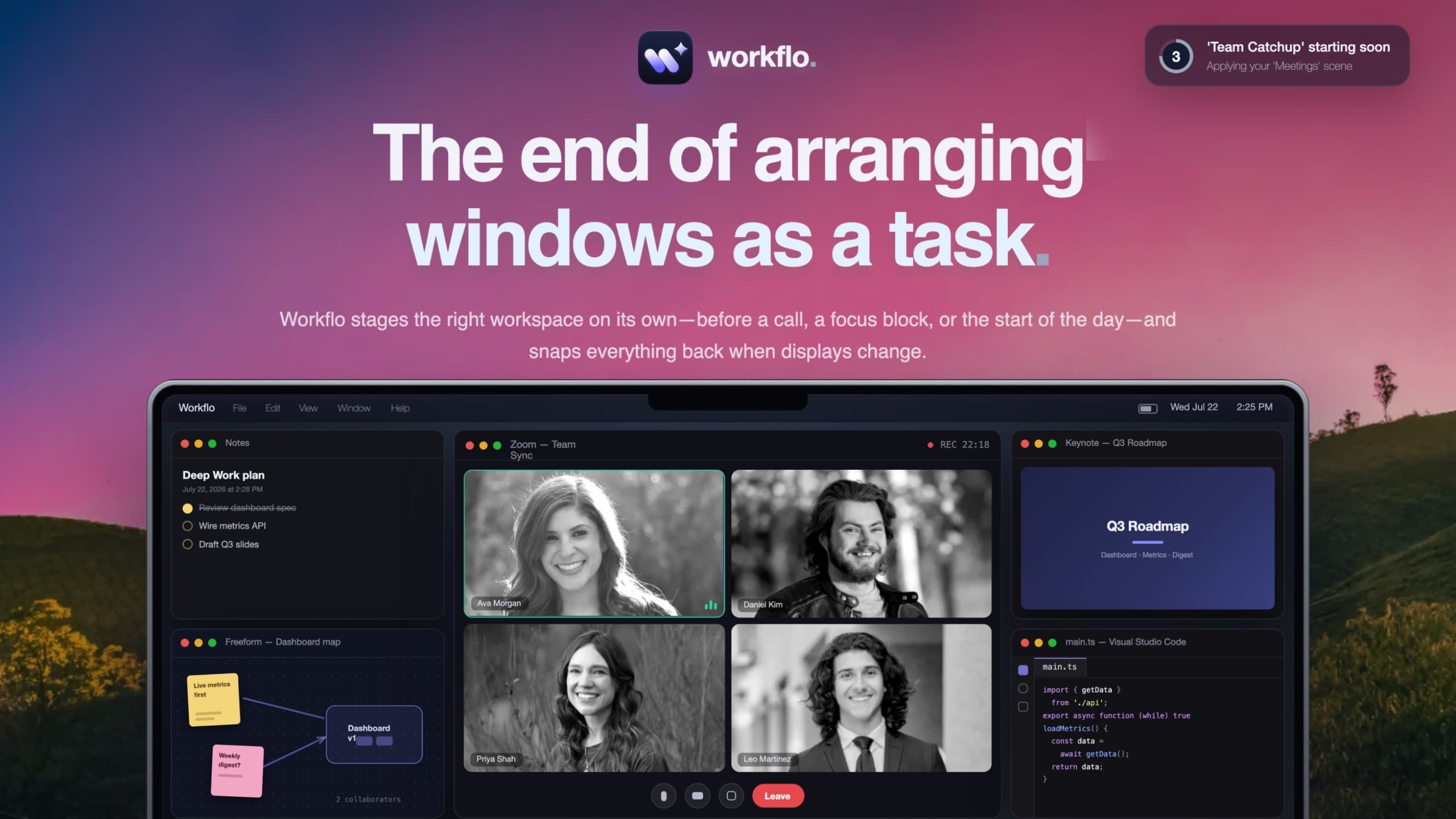
About this app
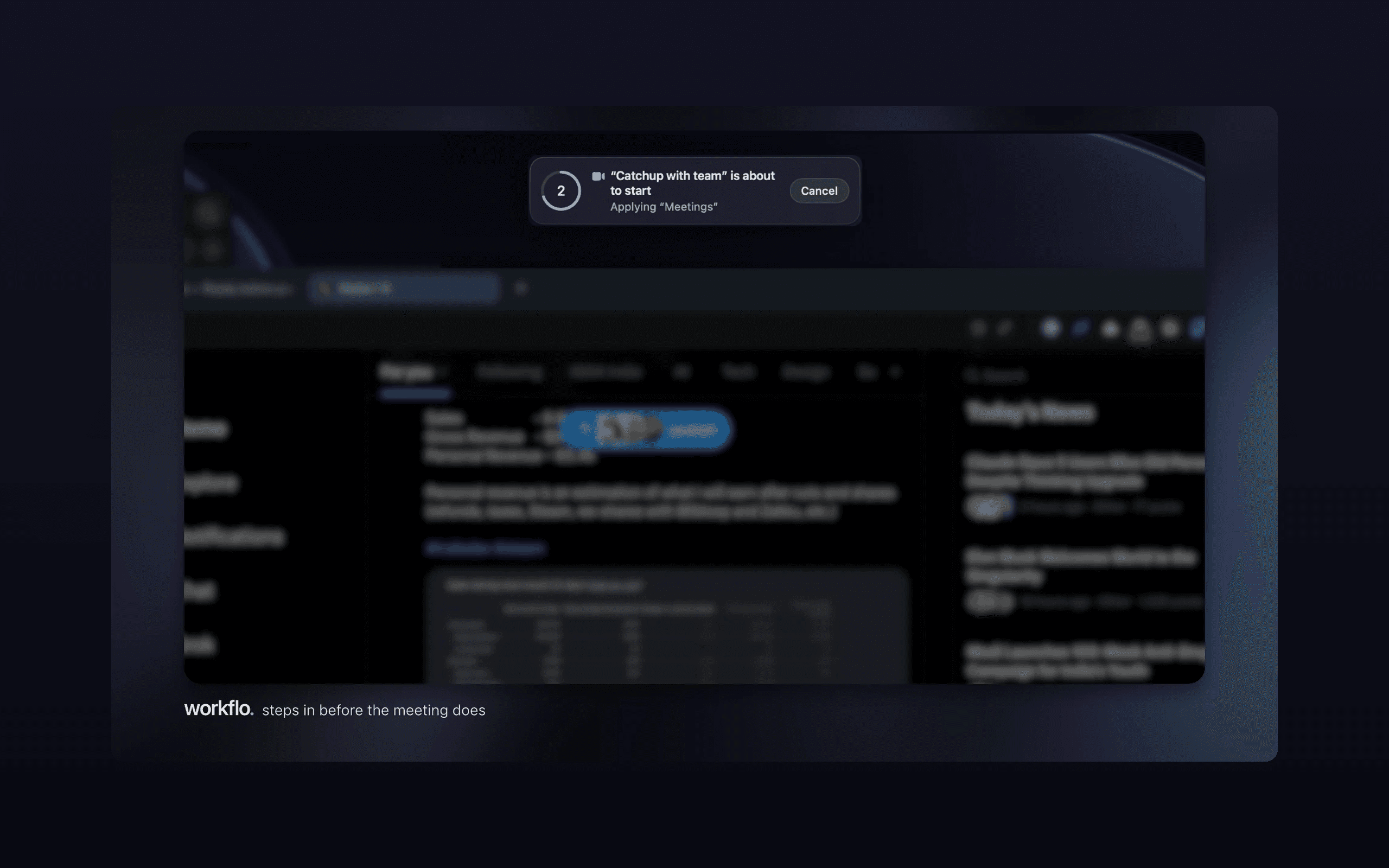
Workflo isn't a faster way to arrange windows; it's the end of arranging them as a task. A Mac workday is a context switch every hour: a call, a focus block, docking at the desk, undocking to leave. Every switch costs the same manual minute of reopening, dragging, resizing and hiding. The tools in this space make that minute faster, but they all wait to be asked.
Key features
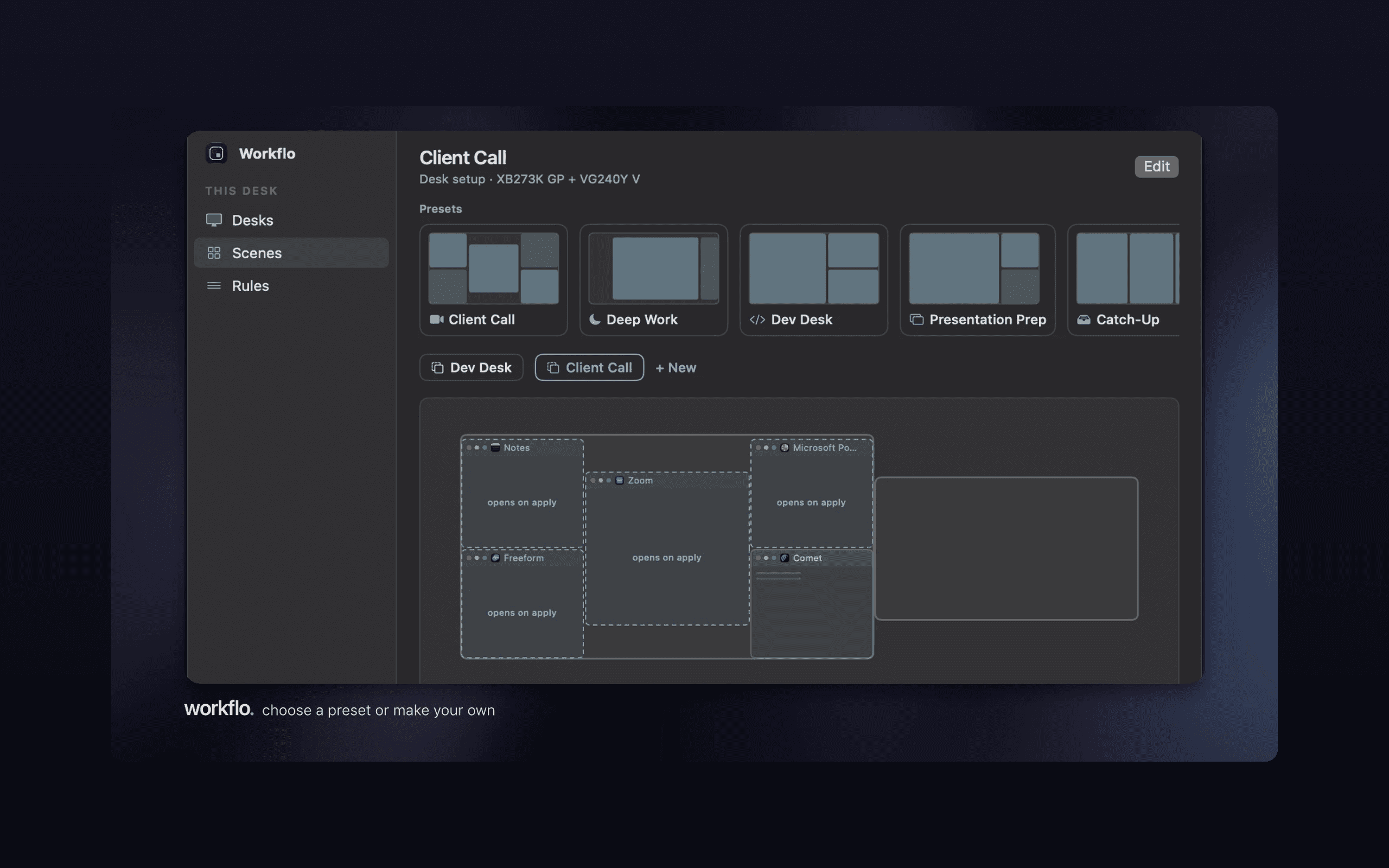
- 1Trigger-based Scenes: applies workspace layouts before calendar events, at set times, and on display changes.
- 2Scenes open apps that aren't running, place every window, and clear the rest — not just move open windows.
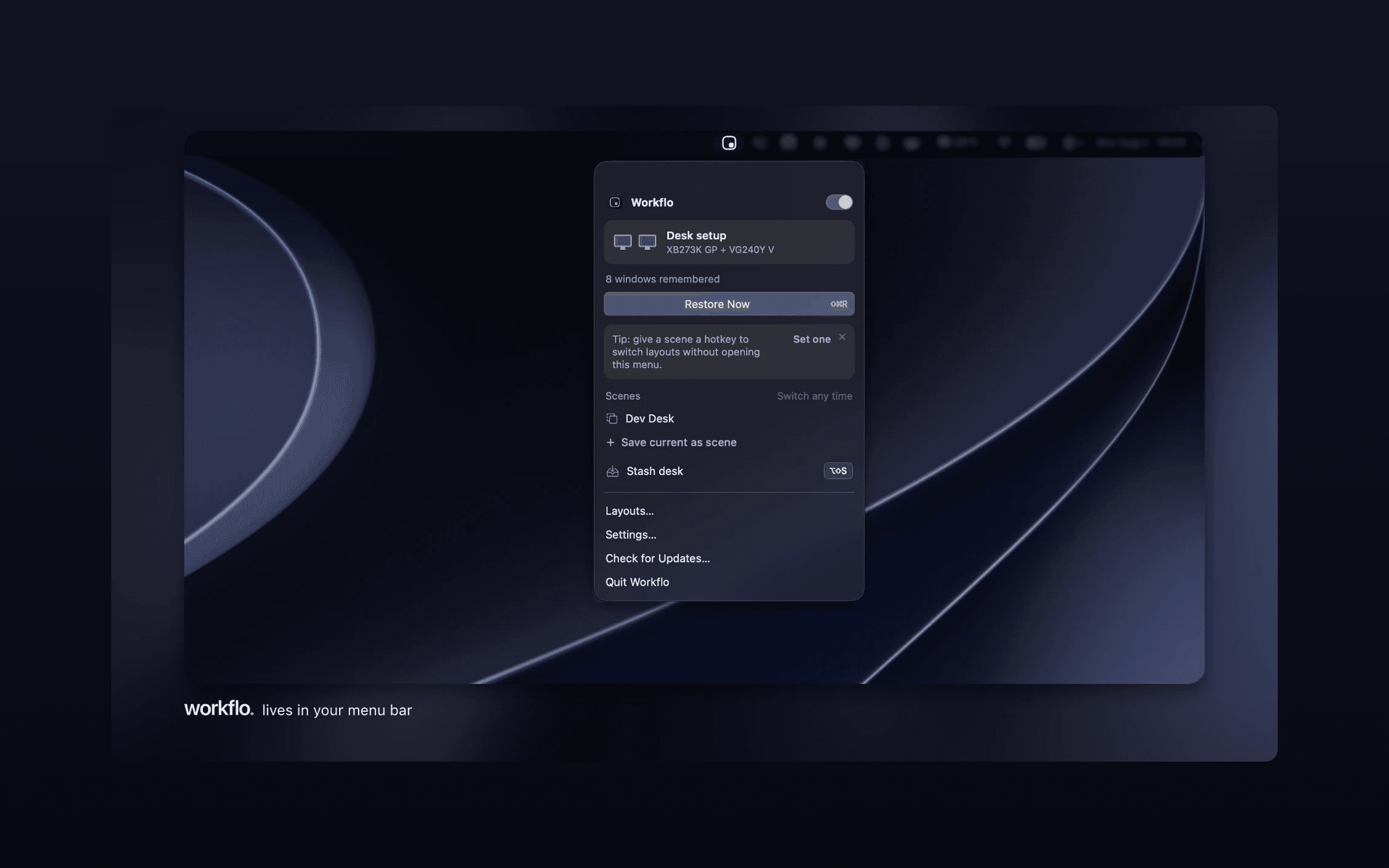
- 3Stash (⌥⇧S) hides every window and restores the whole Desk exactly as it was.
- 4Local-only JSON storage, no account, no cloud, Accessibility-only permission model.
Target customer profile
Drawn from the product itself, not from a survey.
Demographic
Remote and hybrid professionals who join multiple video calls daily
Pain points
Scrambling to open apps and arrange windows before each meeting; losing focus
Primary needs
Automatic workspace setup before calendar events; zero manual intervention
Demographic
Mac users docking and undocking with external monitors or multiple Desks
Pain points
Windows scatter when displays change; layout lost on reconnect
Primary needs
Exact window restoration per display configuration; multi-monitor support
Demographic
Developers, writers, and creatives who switch between deep-work and communication modes
Pain points
Context switching requires manual window cleanup; distraction creep
Primary needs
One-key stash/restore; named Scenes per Desk for focus blocks
Demographic
Privacy-conscious power users who avoid cloud-based tools
Pain points
Screen recording permissions and cloud sync concerns in other window managers
Primary needs
Local-only JSON storage; no account; Accessibility-only permission model
Scout Review
Written by AI from measured evidence, scored out of 100.
Workflo is a macOS menu-bar app that automates workspace setup instead of just speeding up manual window arrangement. It watches your calendar, clock, and display changes, then opens the apps you need, places every window, and clears the rest — with a cancelable countdown so nothing moves without your consent. The site is fast (Lighthouse 99), the security posture is genuinely careful (local JSON, no account, no Screen Recording), and the changelog shows a maker shipping real fixes. Design and accessibility have polish gaps — pale fine print, a wireframe placeholder, contrast and landmark failures — and the pricing card asks you to choose between two buttons. At $15.99 one-time with a 7-day trial, it's a credible bet against a category of manual tools.
Measure by measure
Usability
68Download CTA is everywhere, trial needs no card, and the changelog shows real onboarding work (guided first-run, permission walkthrough, Shortcuts). Two competing purchase buttons and tiny grey body copy cost it.
Design
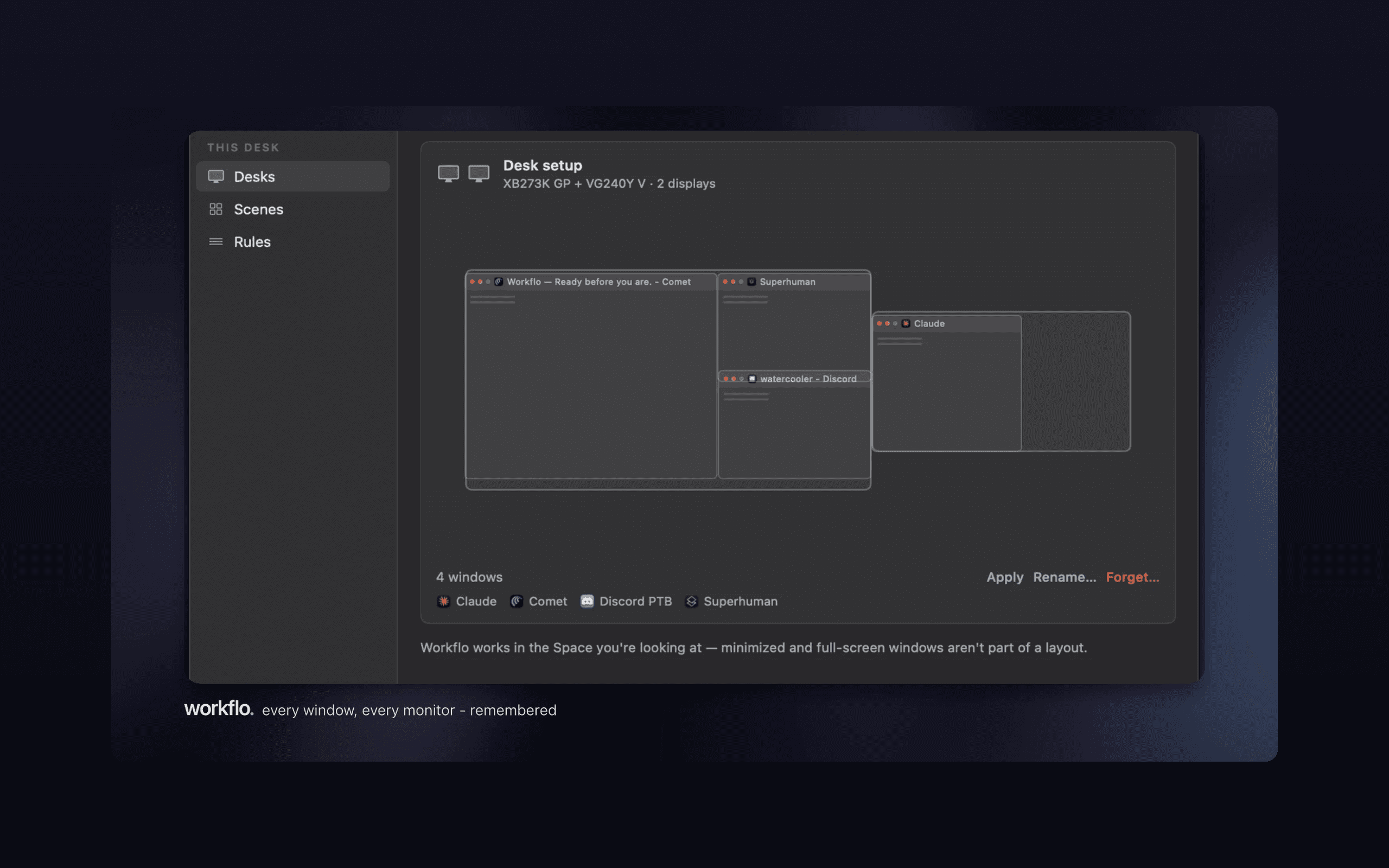
71Clean grotesk typography, disciplined spacing, and a credible in-app Desks screenshot. Undercut by unreadable pale-grey fine print, a dimmed demo poster, and a wireframe placeholder in a key feature moment.
Speed
88Lighthouse 99/100 on both mobile and desktop: LCP 2.0s, CLS 0, TBT 39ms, FCP 971ms. The marketing site is genuinely fast, and the app itself is a 4 MB download.
Security
76Full header suite (HSTS, CSP, frame protection, Referrer-Policy, Permissions-Policy), 12/12 probe points, plus a privacy model of local JSON, no account, no cloud, Accessibility-only permissions. No published audit.
Accessibility
70Lighthouse 91/100, but four real failures: low contrast, undersized touch targets, no main landmark, and mismatched accessible names. No WCAG statement published. Solid automated base, fixable gaps.
Growth
62A real, specific problem with a concrete wedge: it opens apps and clears the rest on triggers, where Rectangle/Magnet/Moom only move windows you already opened. Early (domain ~0.4 yrs), but the idea has room.
Improvement areas
- Pale-grey fine print and microcopy fail contrast and hurt readability.
- Wireframe placeholder and dimmed demo poster weaken key visual moments.
- Four accessibility audit failures: contrast, touch targets, main landmark, accessible names.
- Two competing purchase buttons in the pricing card create decision friction.
Design & Usability
The landing page is well-built: a bold grotesk headline with a two-tone accent, consistent hairline rules, and a genuinely useful in-app Desks screenshot that explains multi-display layouts better than most competitors' docs. Usability is strong where it counts — the download CTA appears in the nav, hero, and pricing card, the trial needs no card, and the changelog shows real onboarding investment (guided first-run, a permission walkthrough, Shortcuts actions). The drags are execution details: pale-grey fine print that's nearly unreadable, a dimmed demo poster, a wireframe placeholder in a feature moment, and two competing purchase buttons in one pricing card.
Speed & Security
Speed is the standout: Lighthouse 99/100 on both mobile and desktop, LCP 2.0s, CLS 0, TBT 39ms, and a 4 MB app download. Security is unusually thorough for the category — HSTS, CSP, frame protection, Referrer-Policy, and Permissions-Policy all present, 12/12 on the header probe, plus a privacy model that's specific rather than vague: local JSON storage, no account, no cloud, Accessibility-only permissions, and calendar access requested only when you add a trigger. What's missing is third-party proof — no SOC 2, ISO, or published audit — which is normal for a small one-time-purchase Mac utility but keeps it short of excellent.
Accessibility & Growth
Accessibility lands at a solid-but-imperfect 70: Lighthouse scores 91/100, but the failing audits are real — insufficient contrast, undersized touch targets, no main landmark, and visible labels that don't match accessible names. No WCAG statement is published. Growth is the more interesting story: the category (Rectangle, Magnet, Moom, Spectacle, BetterSnapTool) is entirely manual window manipulation, and Workflo's wedge is genuinely different — it opens apps that aren't running, arranges them, and clears the rest on calendar, clock, and display triggers. That's a specific, defensible position aimed at a real daily pain for remote workers. The limit is that it's a one-time $16 purchase in a category where free open-source tools set the price floor, so the ceiling depends on converting people who currently tolerate the manual minute.
Conclusion
If you dock and undock, join multiple calls a day, and have ever spent the first minute of a meeting dragging windows into place, Workflo is aimed squarely at you — and the free trial with no card makes testing that claim cheap. The caveats are cosmetic and fixable: tighten the contrast, replace the placeholder, and pick one primary purchase button. The idea is the strongest thing here, and it's the part competitors can't easily copy without rebuilding around triggers instead of drags.
Suggestions for improvement
- Fix the pale-grey fine print and microcopy labels — they fail contrast and are genuinely hard to read.
- Replace the wireframe 'One key to clear the desk' placeholder with a real illustration or screenshot.
- Collapse the pricing card to one primary action; make 'Purchase now' secondary or remove it.
- Add a main landmark and matching accessible names, and publish a short accessibility statement.
Alternatives comparison
Named competitors, point by point. Nobody paid to appear here or to be left out.
 Workflo |  Rectangle |  Magnet | Moom |  Spectacle |  BetterSnapTool | |
|---|---|---|---|---|---|---|
| Automation model | Trigger-based: calendar, clock, display changes; opens apps and clears the rest | Manual snapping via shortcuts and drag gestures | Manual snapping via menu bar or shortcuts | Saved layouts recalled manually; no automatic staging | Manual window moving; no longer actively maintained | Manual snapping with customizable drag zones |
| Opens apps that aren't running | Yes — Scenes launch missing apps and place them | No | No | No | No | No |
| Multi-monitor / display-change restore | Yes — windows return to exact position per display configuration | Basic multi-monitor snapping; no automatic restore | Basic multi-monitor snapping; no automatic restore | Saved layouts can span displays; manual recall | Basic multi-monitor support; no restore | Basic multi-monitor snapping; no restore |
| Pricing model | $15.99 one-time (sale from $19.99); 7-day free trial | Free, open source | Paid one-time purchase | Paid one-time purchase | Free (unmaintained) | Low-cost one-time purchase |
| Privacy / permissions | Local JSON, no account, no cloud, Accessibility-only (no Screen Recording) | Local, open source; Accessibility permission | Local; Accessibility permission | Local; Accessibility permission | Local, open source; Accessibility permission | Local; Accessibility permission |
Rectangle
Free, open-source window snapping tool for macOS with keyboard shortcuts and drag gestures; manual, not automated.
Magnet
Popular paid window manager for macOS that snaps windows via menu bar or shortcuts; requires you to act.
Moom
Long-standing Mac window manager with saved layouts and custom actions; layout recall but no automatic staging.
Spectacle
Formerly free open-source window mover for macOS; no longer actively maintained, manual-only.
BetterSnapTool
Affordable window snapping utility with customizable drag zones; manual arrangement only.
Comparing options? See Workflo alternatives, scored side by side
More Productivity apps
View all Productivity
Puzzly – B2B Lead Generation & Sales Intelligence Platform
92Puzzly is an all-in-one B2B lead generation platform that...

Qamarero
92An all-in-one hospitality software for restaurants and ba...

EmbedMyReviews
92White-label reputation management software for agencies s...

StoryPad
92Privacy-first open source journal app with a continuous t...

Notion
92All-in-one AI workspace for docs, projects, and knowledge...

The Stack Newsletter
92A weekly newsletter delivering curated tech jobs, intervi...

Vibe Coding Agent Skills
92A free, open-source platform offering 110 AI agent skills...

QRBliss
91Branded QR codes with AI Brand Sync, 15 free dynamic code...

Gerty
91Private, local AI assistant for Mac that runs offline

Strukchad Property Management
91Property management for Kenyan letting agents: rent invoices raised every month, M-Pesa rent prompts to tenants, arrears tracking and landlord statements.

CC Switch
91Open-source desktop app for switching AI coding providers...

PitchWhip
90AI cold call scripts & direct dials from LinkedIn


A platform dedicated to providing unbiased reviews of newly launched applications, analyzing everything from their features to their full potential.
info@scoutforge.net© 2026 Scoutforge. All rights reserved.
