Cycling through all six. Tap any point to stop.
Measured on six things
Repairs corrupted MBOX files and recovers emails, attachm...
Design
58Long-form utility sales page with scenario cards, screenshots, video and FAQ. Functional and information-dense but visually dated next to Stellar and SysTools; no modern product-led design language.
Screenshots
1 / 1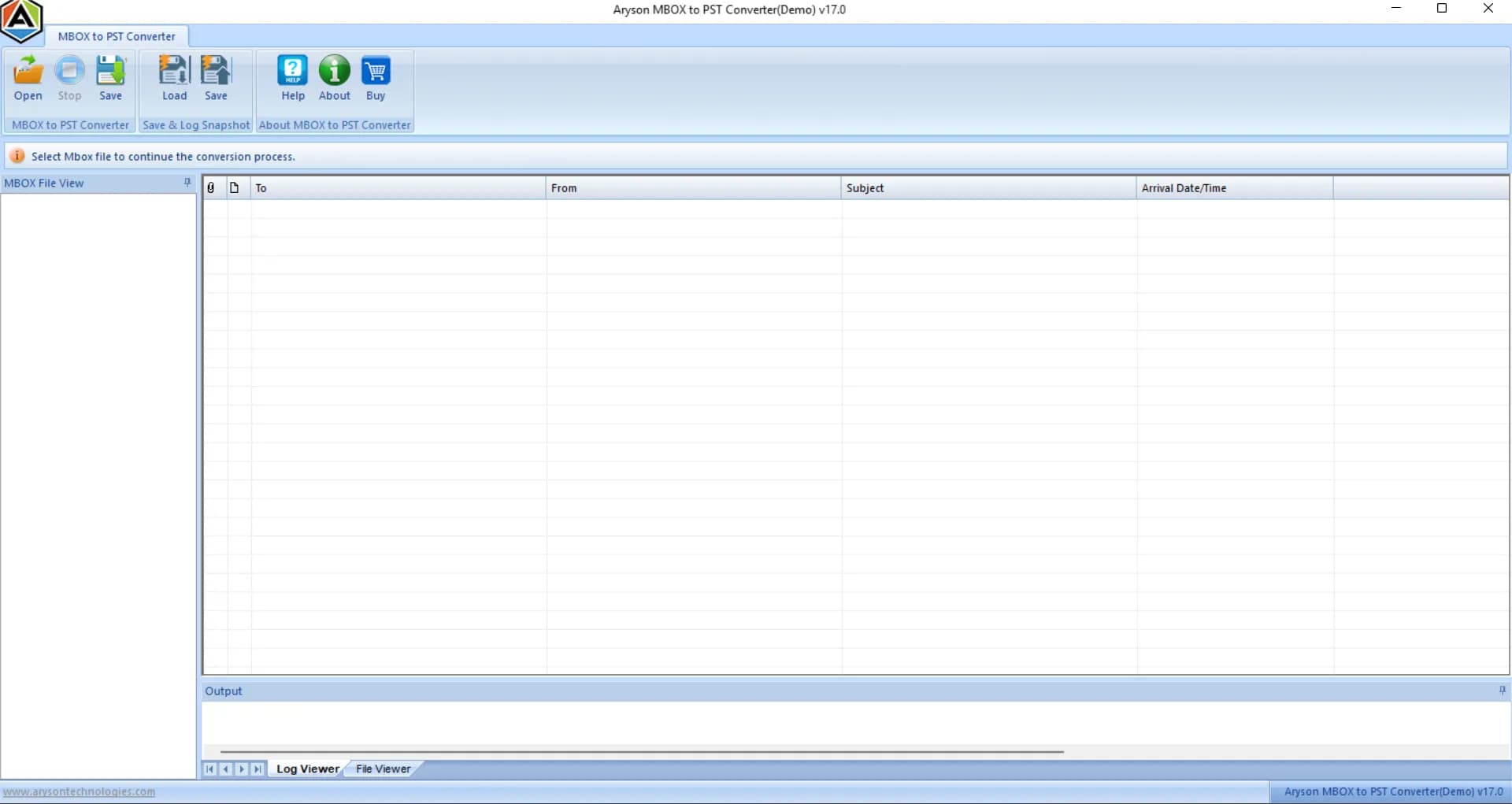
About this app
Aryson MBOX Recovery Tool is a specialized utility designed to repair and recover data from damaged or inaccessible MBOX and MBX files. It supports over 20 email clients, including Thunderbird, Apple Mail, and Google Takeout exports, and can recover emails, contacts, calendars, tasks, notes, and attachments. The tool offers a preview panel to verify recovered items before exporting them to formats like PST, EML, MSG, RTF, and HTML. It handles oversized files, maintains original folder structures, and includes a snapshot feature to save scan progress. Compatible with all Windows versions, it's suitable for both individual users and enterprises needing reliable mailbox recovery.
Key features
- 1Repairs corrupted .MBOX and .MBX files from 20+ email clients including Thunderbird, Apple Mail and Google Takeout exports.
- 2Preview panel to verify recovered emails, attachments and folder structure before exporting.
- 3Exports to PST, EML, MSG, RTF and HTML; snapshot feature saves scan progress on oversized files.
Target customer profile
Drawn from the product itself, not from a survey.
Demographic
IT administrators and email administrators in enterprises
Pain points
Corrupted MBOX files causing email downtime, large mailbox recovery challenges, need for batch processing
Primary needs
Reliable recovery of multiple large MBOX files, preservation of folder structure and metadata, export to various formats
Demographic
Individuals using Thunderbird, Apple Mail, or other MBOX-based clients
Pain points
Accidental deletion or corruption of emails, inability to access important messages, loss of attachments
Primary needs
Easy recovery of emails and attachments, preview before saving, affordable solution
Demographic
Compliance officers and legal professionals
Pain points
Need to recover and preserve email archives for legal or compliance purposes, ensuring data integrity
Primary needs
Accurate recovery with metadata intact, export to standard formats like PST and EML, audit trail
Scout Review
Written by AI from measured evidence, scored out of 100.
Aryson MBOX Recovery Tool is a competent, established Windows utility for repairing corrupted MBOX/MBX files and exporting them to PST, EML, MSG, RTF or HTML. The site is fast and technically well-secured, the workflow is documented, and the feature set — 20+ clients, no size cap, snapshot resume, preview panel — is genuinely useful for IT admins and compliance teams. Where it falls short is design polish, accessibility and the compliance story enterprise buyers want. It's a solid mid-pack choice in a crowded category, not a standout.
Measure by measure
Usability
62Clear load-scan-preview-export workflow, documented guide, screenshots, video and a free demo download. Snapshot resume helps on huge files. No live demo or cloud trial, and Windows-only limits reach.
Design
58Long-form utility sales page with scenario cards, screenshots, video and FAQ. Functional and information-dense but visually dated next to Stellar and SysTools; no modern product-led design language.
Speed
88Lighthouse mobile 99/100 (LCP 1.1s, CLS 0.001, TBT 73ms) and desktop 92/100. The marketing site is genuinely fast and lightweight — no heavy SPA, no bloat.
Security
74Full header hygiene: HTTPS, HSTS, CSP, frame protection, Referrer-Policy, Permissions-Policy, SPF and DMARC — 12/12 on the probe. No published SOC 2, ISO or pen-test, which is typical for a desktop utility vendor.
Accessibility
58Lighthouse a11y 82/100, but failing audits include color contrast, heading order, missing alt text, unnamed links, small touch targets and no main landmark. No WCAG statement; English-only.
Growth
58Real, recurring problem (corrupt/oversized MBOX, migration to PST) with concrete differentiators — 20+ clients, no size cap, snapshot resume, five export formats. Crowded category with Stellar and SysTools; no wedge the incumbents can't copy.
Improvement areas
- No published SOC 2, ISO 27001 or pen-test documentation for enterprise buyers.
- Accessibility audit failures: missing alt text, unnamed links, heading order, contrast, touch targets.
- Windows-only, English-only, with no live demo or cloud workflow.
Design & Usability
The Aryson MBOX Recovery Tool site is a dense, old-school utility sales page: feature bullets, scenario cards, screenshots, a video, an FAQ and a download counter reading 1,556,902. It's not pretty, but it's organized — you can find the workflow, the supported clients and the export formats without hunting. The product itself is a Windows desktop utility with a documented load-scan-preview-export flow, a snapshot feature to resume scans on huge files, and a free demo download before purchase. What's missing is a live demo, any cloud or Mac option, and a help center deeper than a guide page. Against Stellar and SysTools the design reads a generation behind; the usability is competent but not frictionless.
Speed & Security
Speed is the standout: Lighthouse mobile 99/100 with a 1.1s LCP, 0.001 CLS and 73ms TBT, desktop 92/100. The marketing site is genuinely lightweight, which matters when your buyer is an IT admin on a slow connection. Security is solid on the technical side — HTTPS enforced, HSTS, CSP, frame protection, Referrer-Policy, Permissions-Policy, SPF and DMARC, a clean 12/12 on the header probe. What's absent is the compliance layer enterprise buyers ask about: no SOC 2, no ISO 27001, no published pen-test or bug bounty. For a tool that touches mailbox data, that gap is worth flagging even if it's normal for the category.
Accessibility & Growth
Accessibility is the weak spot. Lighthouse scores 82/100, but the failing audits are the ones that actually bite: insufficient color contrast, headings out of order, images without alt text, links with no discernible name, touch targets too small, no main landmark. There's no WCAG conformance statement and the site is English-only. On growth, the idea holds up: corrupted and oversized MBOX files are a real, recurring pain, and Aryson names specific differentiators — 20+ client support, no file-size limit, snapshot resume, preview before export, five export formats including PST and MSG. The limit is the category: Stellar and SysTools already own the shelf, and nothing here is structurally hard to copy. A solid, defensible niche business rather than a category-defining one.
Conclusion
If you're an IT admin with a corrupted Thunderbird or Google Takeout archive and a Windows machine, Aryson will probably get the job done — the demo lets you verify before you pay, and the snapshot feature is a real quality-of-life win on multi-gigabyte files. If you need Mac support, a cloud workflow, or a vendor with published security certifications, look at Stellar or SysTools first. The tool is fine; the positioning is just not differentiated enough to make it the obvious pick.
Suggestions for improvement
- Publish a SOC 2 or ISO 27001 statement — enterprise buyers of mailbox recovery tools ask for it.
- Fix the accessibility audit failures: alt text, link names, heading order, contrast and touch targets.
- Add a live browser-based demo or a fuller help center beyond the single guide page.
- Ship a macOS build or a documented cloud workflow to widen the addressable market.
Alternatives comparison
Named competitors, point by point. Nobody paid to appear here or to be left out.
 Aryson MBOX Recovery Tool Aryson MBOX Recovery Tool |  Stellar Repair for MBOX Stellar Repair for MBOX |  SysTools MBOX Recovery SysTools MBOX Recovery | |
|---|---|---|---|
| Supported email clients | 20+ clients incl. Thunderbird, Apple Mail, SeaMonkey, Eudora, Google Takeout/Vault | Multiple MBOX-based clients supported | Thunderbird, Apple Mail and other MBOX clients |
| Export formats | PST, EML, MSG, RTF, HTML | PST, EML, MSG, HTML and more | PST, EML, MSG, HTML |
| Preview before export | Yes — built-in preview panel with folder hierarchy | Yes — preview before saving | Yes — preview recovered items |
| Free demo / trial | Free demo download (limited) | Free trial version available | Free demo version available |
| Snapshot / resume scan | Yes — saves scan progress on large files | Not advertised | Not advertised |
| Platform support | Windows only | Windows | Windows |
Stellar Repair for MBOX
A tool to repair corrupted MBOX files and recover emails, attachments, and other mailbox items. It supports various email clients and offers preview before saving.
SysTools MBOX Recovery
Software to repair and recover MBOX files, including those from Thunderbird, Apple Mail, and more. It allows export to PST, EML, MSG, and HTML.
Comparing options? See Aryson MBOX Recovery Tool alternatives, scored side by side
More Productivity apps
View all Productivity
The Stack Newsletter
92A weekly newsletter delivering curated tech jobs, intervi...

Qamarero
92An all-in-one hospitality software for restaurants and ba...

EmbedMyReviews
92White-label reputation management software for agencies s...

StoryPad
92Privacy-first open source journal app with a continuous t...

Notion
92All-in-one AI workspace for docs, projects, and knowledge...

Puzzly – B2B Lead Generation & Sales Intelligence Platform
92Puzzly is an all-in-one B2B lead generation platform that...

Vibe Coding Agent Skills
92A free, open-source platform offering 110 AI agent skills...

Gerty
91Private, local AI assistant for Mac that runs offline

CC Switch
91Open-source desktop app for switching AI coding providers...

username.md
90One verified handle for your online identity, readable by...

PitchWhip
90AI cold call scripts & direct dials from LinkedIn

What the GIF
89Frame-perfect video-to-GIF maker that runs entirely in yo...


A platform dedicated to providing unbiased reviews of newly launched applications, analyzing everything from their features to their full potential.
info@scoutforge.net© 2026 Scoutforge. All rights reserved.
