Cycling through all six. Tap any point to stop.
Measured on six things
Free tool to view, search, and convert MBOX files without...
Design
58Functional vendor landing page: feature bullets, screenshots, video, FAQ, clear download/buy CTAs. The desktop app UI in screenshots is a plain tree-pane viewer — competent, not modern. On par with SysTools/Kernel peers.
Screenshots
1 / 1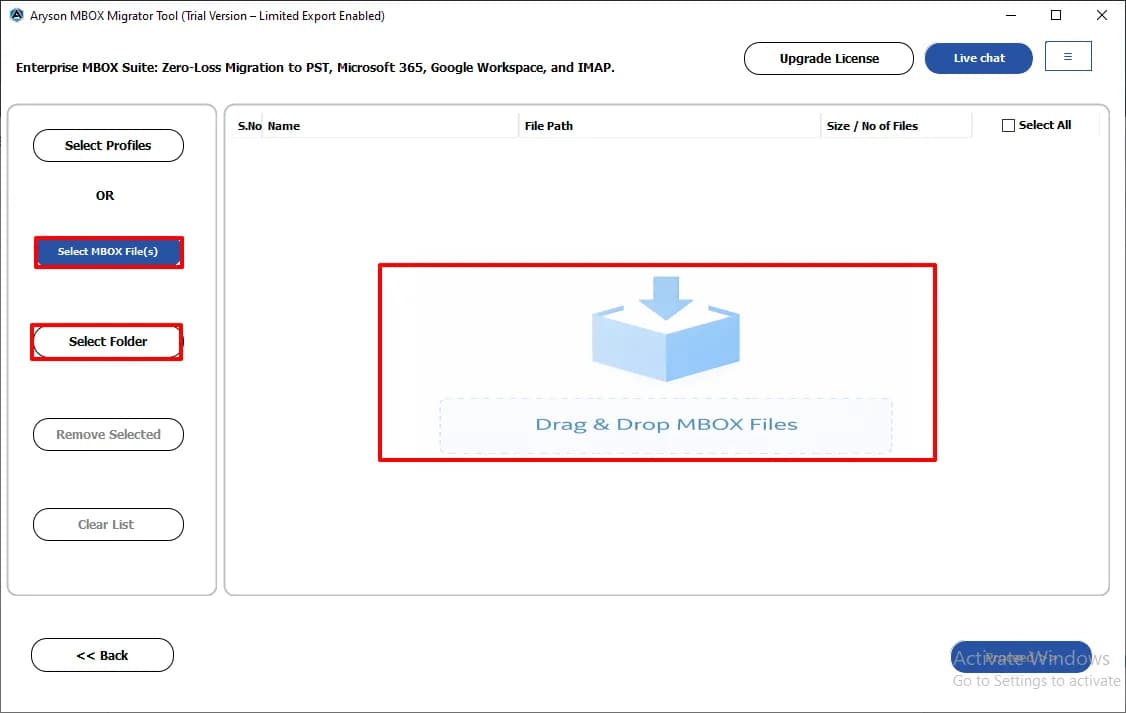
About this app
Aryson MBOX Viewer is a lightweight yet powerful utility that lets you open, read, and explore MBOX files without needing Thunderbird, Apple Mail, or any other email client. It supports MBOX files from over 20 email applications, including Thunderbird, Apple Mail, Eudora, Entourage, and Google Takeout. The tool provides a preview of emails, attachments, contacts, calendars, and tasks, and includes advanced search filters to quickly locate specific messages. Beyond viewing, it can convert MBOX to PST, EML, MSG, PDF, CSV, and other formats, and migrate data directly to Gmail, Office 365, iCloud, IMAP, and more. With no file size limitations, the ability to handle multiple files simultaneously, and options to remove duplicates and apply date filters, Aryson MBOX Viewer is ideal for IT professionals, forensic investigators, and home users who need reliable access to MBOX data. The free version allows full preview and export of up to 50 emails per folder, while the premium version (start...
Key features
- 1Open and preview MBOX/MBX/MBS files from 20+ clients (Thunderbird, Apple Mail, Eudora, Entourage, Google Takeout) without an email client
- 2Convert and back up MBOX to PST, EML, MSG, PDF and CSV, with PST splitting and duplicate removal by To/From/Subject/Body/CC
- 3Migrate MBOX directly to Gmail, Google Workspace, Office 365, iCloud and IMAP, with date filters and skip-previously-migrated option
Target customer profile
Drawn from the product itself, not from a survey.
Demographic
IT professionals and system administrators
Pain points
Need to access and analyze MBOX files without installing email clients; handle large files efficiently.
Primary needs
Fast, reliable viewing and conversion of MBOX files; support for multiple email clients and formats.
Demographic
Forensic investigators and legal professionals
Pain points
Dealing with orphaned or corrupted MBOX files; need to preserve email metadata and attachments for evidence.
Primary needs
Accurate preview of all email components; ability to export to standard formats for analysis.
Demographic
Home users and small business owners
Pain points
Migrating from old email clients; need to back up or transfer emails without technical expertise.
Primary needs
Simple, free tool to view and convert MBOX files; support for popular email services like Gmail and Office 365.
Scout Review
Written by AI from measured evidence, scored out of 100.
Aryson MBOX Viewer is a competent, long-established desktop utility for opening and converting MBOX files without an email client. The marketing site is fast and well-organized, the security headers are genuinely well configured, and the feature set — 20+ source clients, duplicate removal, date filters, direct migration to Gmail/365/iCloud/IMAP — covers what IT admins and forensic users actually need. The weak spots are the 50-emails-per-folder free export cap, the absence of any published compliance certification despite a forensic/legal pitch, and a11y issues that the 91/100 headline score papers over. Against SysTools, Kernel and BitRecover it holds its own but doesn't clearly lead.
Measure by measure
Usability
62Clear sectioned nav (Features, Specs, Screenshots, Video, FAQs, Guide), free download plus live demo, Windows and Mac builds. Free tier caps export at 50 emails per folder, which is the real friction point.
Design
58Functional vendor landing page: feature bullets, screenshots, video, FAQ, clear download/buy CTAs. The desktop app UI in screenshots is a plain tree-pane viewer — competent, not modern. On par with SysTools/Kernel peers.
Speed
88Lighthouse mobile 100/100 (LCP 1.1s, CLS 0.003, TBT 54ms) and desktop 99/100. The marketing site is genuinely fast; no lag complaints surfaced in collected evidence.
Security
74Full header hygiene (HSTS, CSP, frame protection, Referrer-Policy, Permissions-Policy) plus SPF and DMARC — 12/12 on the probe. No published SOC 2, ISO or bug-bounty program found, which is typical for this vendor tier.
Accessibility
68Lighthouse a11y 91/100, but failing contrast, heading order, touch-target size, missing main landmark and role conflicts. No accessibility statement or WCAG claim published. Desktop app a11y unverified.
Growth
58Real, specific problem (MBOX access without a client) with a genuine wedge: 20+ sources, duplicate removal, direct migration to Gmail/365/iCloud. But it's a crowded niche of near-identical vendor tools.
Improvement areas
- No published SOC 2, ISO 27001, pen-test or bug-bounty program despite a forensic/legal target audience
- Free tier caps export at 50 emails per folder, limiting real-world evaluation before purchase
- Lighthouse a11y failures: contrast, heading order, touch-target size, missing main landmark, role conflicts
Design & Usability
The site is a textbook vendor landing page: sticky download/buy CTAs, a features grid, screenshots, a video, an FAQ and a guide link. Navigation is clear and the Windows/Mac split is obvious. The app itself, judged from screenshots, is a conventional three-pane email viewer — folder tree, message list, preview — which is the right shape for the job and nothing more. Usability strengths are the free download, the live demo and the sectioned docs; the weakness is the free tier's 50-emails-per-folder export cap, which is enough to validate the tool but not enough to actually finish a migration without paying.
Speed & Security
Speed is the standout: Lighthouse mobile 100/100 with a 1.1s LCP, 0.003 CLS and 54ms TBT, and 99/100 on desktop. For a page this dense with CTAs and screenshots that is a genuinely well-built front end. Security is solid at the transport and header layer — HTTPS enforced, HSTS, CSP, frame protection, Referrer-Policy, Permissions-Policy, plus SPF and DMARC, a clean 12/12 on the probe. What's missing is the compliance layer: no SOC 2, ISO 27001, pen-test summary or bug-bounty program is published, which matters more than usual for a tool whose pitch is handling forensic and legal email evidence.
Accessibility & Growth
Accessibility lands at 91/100 on the automated audit but the failing list is substantive: insufficient color contrast, non-sequential headings, undersized touch targets, no main landmark and role=none/presentation conflicts. There's no accessibility statement or WCAG claim on the site, and the desktop app's keyboard and screen-reader support is unverified. Growth is a judgement on the idea: MBOX access without a client is a real, recurring problem, and Aryson names three distinct segments with a concrete wedge — 20+ source clients, duplicate removal, date filters and direct migration to Gmail, Office 365, iCloud and IMAP. The limit is that SysTools, Kernel and BitRecover sell near-identical tools at near-identical prices, so the wedge is feature parity rather than a structural advantage.
Conclusion
If you need to crack open an MBOX file today and don't want to install Thunderbird, the free download will get you there and the paid tier will finish the job. If you're a forensic team or a regulated buyer, ask Aryson directly for their security documentation before you commit — the headers are excellent but the compliance paper trail isn't published. And if you're just doing a one-off migration, price it against SysTools and Kernel first; the three are close enough that the free-tier limits and export formats should decide it, not the branding.
Suggestions for improvement
- Publish a security/compliance page with SOC 2 or ISO status, data-handling details and a pen-test summary — the forensic pitch demands it.
- Raise or remove the 50-emails-per-folder free export cap; it's the single biggest friction point before purchase.
- Fix the Lighthouse a11y failures: contrast ratios, heading order, touch-target sizing and a main landmark.
- Lead with the forensic/legal use case on the homepage instead of burying it under a wall of generic feature bullets.
Alternatives comparison
Named competitors, point by point. Nobody paid to appear here or to be left out.
 Aryson MBOX Viewer Aryson MBOX Viewer |  MBOX Viewer by SysTools MBOX Viewer by SysTools |  MBOX Viewer by Kernel MBOX Viewer by Kernel |  MBOX Viewer by BitRecover MBOX Viewer by BitRecover | |
|---|---|---|---|---|
| Free version export limit | Up to 50 emails per folder | Free viewer with preview; export limited in free version | Free viewer with preview; export limited in free version | Freeware viewer with preview; export limited in free version |
| Supported source email clients | 20+ (Thunderbird, Apple Mail, Eudora, Entourage, Google Takeout, etc.) | Multiple MBOX clients supported | Multiple MBOX clients supported | Multiple MBOX clients supported |
| Export / conversion formats | PST, EML, MSG, PDF, CSV and more | PST, EML, MSG, PDF and other formats | PST, EML, MSG, PDF and other formats | Multiple export formats |
| Direct cloud / IMAP migration | Gmail, Google Workspace, Office 365, iCloud, IMAP | Migration options available in paid tier | Migration options available in paid tier | Migration options available in paid tier |
| Duplicate removal and date filters | Yes — dedupe by To/From/Subject/Body/CC, plus date range filter | Date filter and dedupe options in paid tier | Date filter and dedupe options in paid tier | Date filter and dedupe options in paid tier |
| Platform coverage | Windows (11–XP) and Mac | Windows (Mac variant available) | Windows (Mac variant available) | Windows (Mac variant available) |
MBOX Viewer by SysTools
A free tool to view MBOX files and preview emails with attachments, supporting multiple email clients.
MBOX Viewer by Kernel
Free MBOX viewer that allows users to open and read MBOX files without email clients, with conversion options.
MBOX Viewer by BitRecover
A freeware tool to view MBOX files and export to various formats, supporting multiple email clients.
Comparing options? See Aryson MBOX Viewer alternatives, scored side by side
More Productivity apps
View all Productivity
The Stack Newsletter
92A weekly newsletter delivering curated tech jobs, intervi...

Qamarero
92An all-in-one hospitality software for restaurants and ba...

EmbedMyReviews
92White-label reputation management software for agencies s...

StoryPad
92Privacy-first open source journal app with a continuous t...

Notion
92All-in-one AI workspace for docs, projects, and knowledge...

Puzzly – B2B Lead Generation & Sales Intelligence Platform
92Puzzly is an all-in-one B2B lead generation platform that...

Vibe Coding Agent Skills
92A free, open-source platform offering 110 AI agent skills...

Gerty
91Private, local AI assistant for Mac that runs offline

CC Switch
91Open-source desktop app for switching AI coding providers...

username.md
90One verified handle for your online identity, readable by...

PitchWhip
90AI cold call scripts & direct dials from LinkedIn

What the GIF
89Frame-perfect video-to-GIF maker that runs entirely in yo...


A platform dedicated to providing unbiased reviews of newly launched applications, analyzing everything from their features to their full potential.
info@scoutforge.net© 2026 Scoutforge. All rights reserved.
