Cycling through all six. Tap any point to stop.
Measured on six things
Migrate Teams, channels, and chats between Microsoft 365 ...
Design
52Long-scroll vendor template: hero, feature grid, use-case blocks, stats band, FAQ. Functional and information-dense but visually dated, with a download counter in the hero and stock-style iconography. The Windows wizard UI itself isn't shown in detail.
Screenshots
1 / 1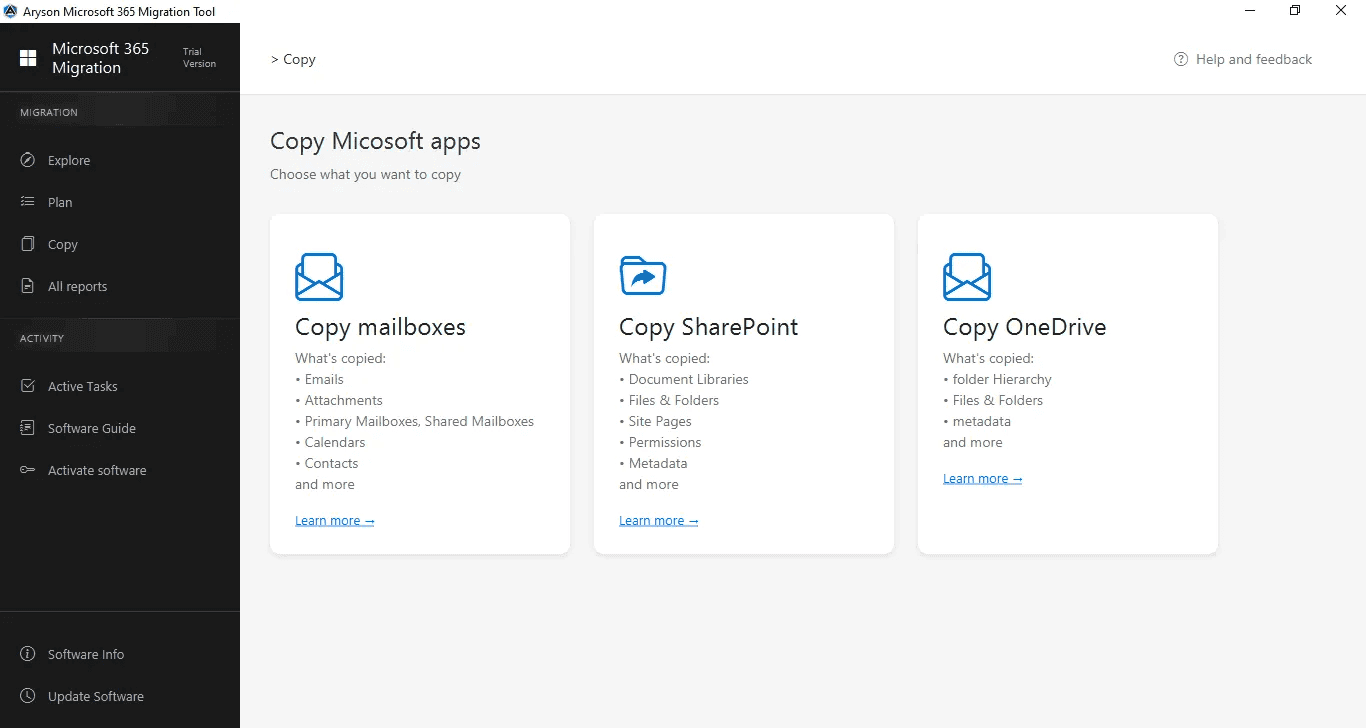
About this app
Aryson Teams to Teams Migration is a Windows-based tool that helps IT admins and enterprises move Microsoft Teams data—including teams, channels, chats, files, tabs, and planners—from one Microsoft 365 tenant to another. It uses Graph API and supports modern authentication, client credentials, and admin consent for secure transfers. Standout features include dual copy mode (copy as new team or into existing team), automatic user mapping, incremental migration that skips previously moved items, and detailed migration reports. The tool also creates an HTML chat-history archive in OneDrive. It's ideal for mergers, acquisitions, divestitures, and tenant realignments. The free trial allows migrating up to 50 messages per run, with limitations on file size and features.
Key features
- 1Tenant-to-tenant migration of Teams, channels, chats, files, tabs and planners via Graph API.
- 2Dual copy mode: copy as a new team or copy channels into an existing team, with auto user mapping.
- 3Incremental migration that skips previously moved items, plus detailed reports and an HTML chat archive in OneDrive.
Target customer profile
Drawn from the product itself, not from a survey.
Demographic
IT administrators in enterprises undergoing mergers or acquisitions
Pain points
Consolidating Teams environments without losing chat history or files; manual user mapping is error-prone and time-consuming
Primary needs
Automated user mapping, secure authentication, and comprehensive migration reports to ensure data integrity
Demographic
IT migration specialists managing Microsoft 365 tenant consolidation projects
Pain points
Migrating private chats and channel data while avoiding duplicates and minimizing downtime
Primary needs
Incremental migration to skip previously moved items, flexible selection of chats, and minimal business disruption
Demographic
Cloud administrators in organizations undergoing restructuring or divestitures
Pain points
Transferring Teams and channels to a new tenant while preserving structure and ensuring compliance
Primary needs
Ability to migrate selected teams/channels, preserve metadata, and generate detailed reports for auditing
Scout Review
Written by AI from measured evidence, scored out of 100.
Aryson Teams to Teams Migration is a competent, narrowly-scoped Windows utility for a real enterprise problem: moving Teams, channels, chats and files between Microsoft 365 tenants during mergers, divestitures and tenant realignment. The marketing site is dated but thorough, the security posture on the web side is genuinely clean (12/12 on the header probe), and the feature list — dual copy mode, auto user mapping, incremental migration, HTML chat archive, detailed reports — maps to what admins actually need. The weaknesses are the trial (50 messages, 20 MB file cap, tabs and planners disabled) and the absence of published compliance certifications, both of which matter to the enterprise buyer this is aimed at.
Measure by measure
Usability
58Video walkthrough, guide link, FAQ and 24x7 support claim are present, and the wizard flow is described step by step. But the trial caps at 50 messages per run with files over 20 MB skipped and tabs/planners disabled, so you can't really evaluate it before paying.
Design
52Long-scroll vendor template: hero, feature grid, use-case blocks, stats band, FAQ. Functional and information-dense but visually dated, with a download counter in the hero and stock-style iconography. The Windows wizard UI itself isn't shown in detail.
Speed
57Lighthouse mobile 69/100 with LCP 4.7s and FCP 4.1s; desktop 77/100. CLS is a clean 0 and TBT is modest at 222ms, but the long marketing page with embedded video drags first paint well past three seconds on mobile.
Security
74Header/DNS probe is clean: HTTPS enforced, HSTS, CSP, frame protection, Referrer-Policy, Permissions-Policy, SPF and DMARC all set (12/12). The tool uses Graph API with modern auth, client credentials and admin consent. No SOC 2 or ISO claim found on the page.
Accessibility
70Lighthouse accessibility 94/100, but four real failures: insufficient color contrast, non-sequential heading order, no main landmark, and visible-text labels without matching accessible names. No WCAG statement or a11y page found.
Growth
58Real, recurring enterprise problem — tenant-to-tenant Teams migration during M&A and divestitures — with concrete differentiators (dual copy mode, auto user mapping, incremental skip, HTML archive). But it competes head-on with Microsoft's native tooling and BitTitan, and names no segment it serves better.
Improvement areas
- Trial is too limited (50 messages/run, 20 MB file cap, tabs and planners disabled) to properly evaluate.
- No published SOC 2 / ISO 27001 or security documentation for enterprise procurement.
- Dated marketing site with four Lighthouse accessibility failures and slow mobile LCP (4.7s).
Design & Usability
The site is a textbook long-form vendor page: hero with a download counter, feature grid, four use-case blocks, a stats band claiming 1000+ teams migrated and 99.9% success, then FAQ. It's information-dense and answers most pre-sales questions, but the visual language is dated and the Windows wizard itself is barely shown. Usability is a mixed bag: there's a video, a guide, an FAQ and a 24x7 support claim, and the flow is documented step by step. The blocker is the trial — 50 messages per run, files over 20 MB skipped, tabs and planners disabled — which makes it hard to validate a migration before committing budget.
Speed & Security
Measured performance is mid-pack: Lighthouse mobile 69/100 with LCP 4.7s and FCP 4.1s, desktop 77/100, CLS a clean 0 and TBT 222ms. The long marketing page with embedded video is the main weight; the tool itself is a desktop app so site speed mostly affects pre-sales browsing. Security is the strongest measured dimension: the HTTP/DNS probe returns 12/12 with HTTPS enforced, HSTS, CSP, frame protection, Referrer-Policy, Permissions-Policy, SPF and DMARC all set. The product uses Graph API with modern authentication, client credentials and admin consent. What's missing is published compliance — no SOC 2, ISO 27001 or pen-test disclosure on the page, which enterprise buyers in this category will ask for.
Accessibility & Growth
Accessibility scores 94/100 on Lighthouse but fails four real checks: insufficient color contrast, non-sequential heading order, no main landmark, and visible-text labels without matching accessible names. There's no WCAG statement or accessibility page. Growth is a judgement on the idea: tenant-to-tenant Teams migration is a genuine, recurring enterprise need tied to M&A, divestitures and M365 realignment, and the product has concrete differentiators — dual copy mode, automatic user mapping, incremental skip, HTML chat archive to OneDrive, detailed reports. The limit is the competitive set: Microsoft's native cross-tenant tooling and BitTitan MigrationWiz both occupy this space, and the site doesn't name a segment or scenario where Aryson clearly wins.
Conclusion
If you're an IT admin mid-merger and need a GUI-driven Teams migration without standing up PowerShell scripts, this is a reasonable shortlist candidate — but budget for a paid pilot rather than relying on the trial, and ask the vendor directly for SOC 2 or equivalent documentation before you hand over tenant credentials. Compare it against BitTitan MigrationWiz on price at your scale, and against Microsoft's native cross-tenant tooling if your scenario is simple enough to avoid third-party licensing entirely.
Suggestions for improvement
- Raise the trial cap or offer a time-limited full-feature trial so admins can validate a real migration before buying.
- Publish SOC 2 / ISO 27001 status and a security page detailing data handling, retention and credential storage.
- Fix the four Lighthouse accessibility failures: contrast, heading order, main landmark, accessible names.
- Add a comparison page against Microsoft's native tooling and BitTitan naming the scenarios where Aryson wins.
Alternatives comparison
Named competitors, point by point. Nobody paid to appear here or to be left out.
 Aryson Teams to Teams Migration Aryson Teams to Teams Migration |  Microsoft 365 Migration Manager Microsoft 365 Migration Manager |  BitTitan MigrationWiz BitTitan MigrationWiz | |
|---|---|---|---|
| Tenant-to-tenant Teams & channel migration | Yes — teams, channels, files, tabs, apps, messages | Yes — native cross-tenant migration, complex setup | Yes — Teams migrations supported |
| Private 1:1 and group chat migration | Yes — with HTML chat-history archive to OneDrive | Limited — granular chat migration not a focus | Yes — chat migration supported |
| Automatic user mapping | Yes — auto-map by team name and domain | Manual / scripted mapping | Yes — user mapping included |
| Incremental / delta migration | Yes — skips previously migrated items | Batch-based, not granular delta | Yes — incremental transfers |
| Free trial | 50 messages/run, 20 MB file cap, tabs/planners disabled | Included with M365 licensing | Trial available, licensing per-user |
| Published compliance certifications | None found on site | Microsoft enterprise compliance stack | SOC 2 / ISO published by vendor |
Microsoft 365 Migration Manager
Microsoft's native tool for tenant-to-tenant migrations, including Teams, but often requires complex setup and lacks granular chat migration features.
BitTitan MigrationWiz
A popular third-party migration tool that supports Teams migrations with user mapping and incremental transfers, but can be more expensive for large-scale projects.
Comparing options? See Aryson Teams to Teams Migration alternatives, scored side by side
More Productivity apps
View all Productivity
Qamarero
92An all-in-one hospitality software for restaurants and ba...

The Stack Newsletter
92A weekly newsletter delivering curated tech jobs, intervi...

EmbedMyReviews
92White-label reputation management software for agencies s...

StoryPad
92Privacy-first open source journal app with a continuous t...

Puzzly – B2B Lead Generation & Sales Intelligence Platform
92Puzzly is an all-in-one B2B lead generation platform that...

Notion
92All-in-one AI workspace for docs, projects, and knowledge...

Vibe Coding Agent Skills
92A free, open-source platform offering 110 AI agent skills...

CC Switch
91Open-source desktop app for switching AI coding providers...

username.md
90One verified handle for your online identity, readable by...

PitchWhip
90AI cold call scripts & direct dials from LinkedIn

What the GIF
89Frame-perfect video-to-GIF maker that runs entirely in yo...

AuditCloser
89White-label website audits that close deals for digital a...


A platform dedicated to providing unbiased reviews of newly launched applications, analyzing everything from their features to their full potential.
info@scoutforge.net© 2026 Scoutforge. All rights reserved.
