Cycling through all six. Tap any point to stop.
Measured on six things
DeleteActivity cleans Facebook posts, comments, likes, and eligible sent Messenger messages through a local Chrome or Edge extension with flexible filters.
Design
30Homepage renders as a long empty dark field before the hero appears, the product mockup is too small to read, and the blue 'f' mark borrows Facebook's brand identity. The two-tone headline and glowing install pills are the only real craft on show.
Screenshots
1 / 1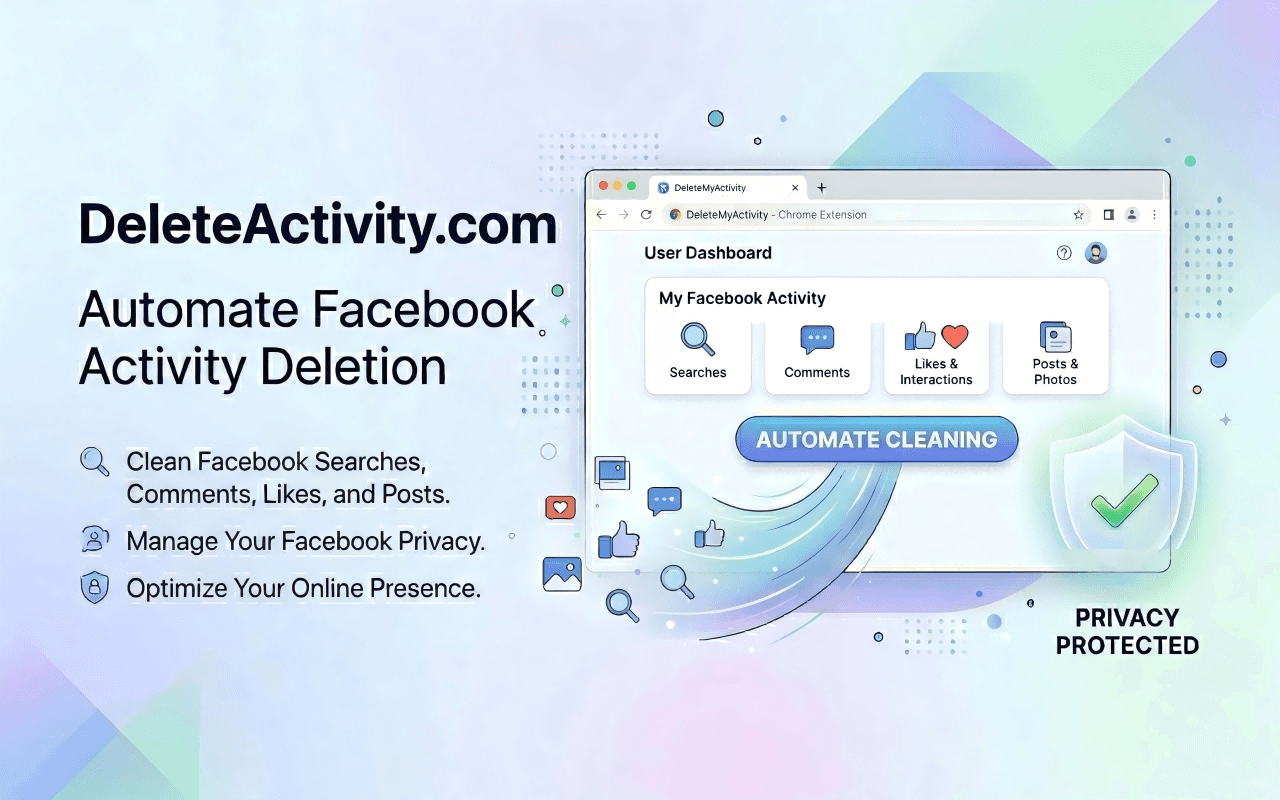
About this app
DeleteActivity is a Chrome and Edge extension that cleans Facebook posts, comments, likes, reactions, and eligible sent Messenger messages locally in your browser session without password sharing or cloud upload. Filter by date or keyword, review matches, run paced cleanups, and export CSV/JSON.
Key features
- 1Bulk-delete Facebook posts, comments, likes, reactions, and eligible sent Messenger messages from a Chrome/Edge extension
- 2Filter by date range, content type, or keyword; review matches before running a paced, rate-limited cleanup
- 3Runs 100% locally in the browser session — no password sharing, no cloud upload, no server in the middle
- 4Export deleted activity logs as CSV or JSON for a record of what was removed
Target customer profile
Drawn from the product itself, not from a survey.
Scout Review
Written by AI from measured evidence, scored out of 100.
DeleteActivity is a Chrome and Edge extension that bulk-deletes Facebook posts, comments, likes, reactions, and eligible sent Messenger messages locally in your browser — no password sharing, no cloud upload. The pitch is genuinely good: filter by date or keyword, review matches, run paced cleanups with rate limiting, and export a CSV/JSON log. The 3-step onboarding is simple and needs no technical setup. Where it falls down is the shopfront: the homepage renders as a long empty dark field before the hero appears, the product mockup is unreadable, and the blue 'f' logo borrows Facebook's brand identity. Mobile LCP is 7.5s. Security headers score 4/13 despite a privacy-first pitch. Accessibility scores a perfect 100 on automated checks. Growth is real but capped by Facebook platform risk.
Measure by measure
Usability
55The 3-step flow (open Facebook, launch extension, set filters, bulk delete) is genuinely simple and needs no technical setup. But the 'no password, 100% local' trust signal is buried in tiny grey text, and there's no action visible until you scroll past the void.
Design
30Homepage renders as a long empty dark field before the hero appears, the product mockup is too small to read, and the blue 'f' mark borrows Facebook's brand identity. The two-tone headline and glowing install pills are the only real craft on show.
Speed
55Desktop Lighthouse lands at 95/100, but mobile is 68/100 with a 7.5s LCP — nearly three times the 'good' threshold. CLS is a clean 0 and FCP is 1.1s, so the page is stable and starts fast, it just takes forever to paint the hero on mobile.
Security
52HTTPS is enforced and SPF/DMARC are set, and the local-execution architecture is a real privacy argument. But the header probe scores 4/13: no HSTS, no CSP, no frame protection, no Referrer-Policy. No SOC 2, ISO, or pen-test signals found.
Accessibility
78Lighthouse accessibility audit scores a perfect 100/100, and the nav includes a language globe suggesting multi-language support. Automated checks don't cover everything — the small low-contrast body copy is a real readability concern — and there's no published WCAG statement.
Growth
58A real, specific problem — bulk-cleaning Facebook history without handing over credentials — with a genuine local-execution wedge and no cloud upload. Differentiated enough to pick over generic cleaners, but capped by Facebook's platform risk.
Improvement areas
- Homepage renders ~1500px of empty dark space before the hero; reads as broken layout, not intentional whitespace
- Mobile LCP is 7.5s (Lighthouse mobile 68/100) — hero paint is far too slow on phones
- Security headers score 4/13: no HSTS, CSP, frame protection, Referrer-Policy, or Permissions-Policy
- Blue 'f' logo mark borrows Facebook's brand identity — trademark risk for a third-party tool
Design & Usability
The homepage is the weakest part of this product. A visual audit found roughly 1500px of empty dark space before the hero renders, a product mockup too small to read, and a blue 'f' logo mark that borrows Facebook's brand identity — a real trademark risk for a third-party tool. What works: the two-tone blue/white headline is clean, the Chrome and Edge install pills glow and are easy to find, and the 3-step flow (open Facebook, launch extension, set filters, bulk delete) is genuinely simple. The problem is that the single best selling point — 'no password, 100% local' — is buried in small low-contrast grey text instead of being the headline. Fix the render gap, enlarge the mockup, and lead with the privacy claim.
Speed & Security
Speed is a split verdict: desktop Lighthouse scores 95/100, but mobile is 68/100 with a 7.5s LCP — nearly three times the 'good' threshold. CLS is a clean 0 and FCP is 1.1s, so the page is stable and starts fast; it just takes too long to paint the hero on mobile, which lines up with the blank-space issue in the visual audit. Security is where the gap is widest between claim and implementation. HTTPS is enforced and SPF/DMARC are set, and the local-execution architecture is a real privacy argument. But the header probe scores 4/13: no HSTS, no CSP, no frame protection, no Referrer-Policy, no Permissions-Policy. No SOC 2, ISO, or pen-test signals were found. For a product whose entire pitch is privacy, the missing headers are a cheap, fixable credibility hole.
Accessibility & Growth
Accessibility is a genuine strength on paper: Lighthouse scores a perfect 100/100 on automated axe-core checks, and the nav includes a language globe suggesting multi-language support. The caveat is that automated checks only cover part of WCAG — the small, low-contrast grey body copy flagged in the visual audit is a real readability concern that axe-core won't catch, and there's no published WCAG conformance statement. Growth is a judgement on the idea, not traction. DeleteActivity names a real, specific problem — bulk-cleaning Facebook history without handing over credentials — and its local-execution, date/keyword filter, rate-limiting, and CSV/JSON export features are a genuine wedge over generic cleaners. The cap is structural: the entire product depends on Facebook's activity log staying accessible and scrapable, which is a platform risk no amount of good execution removes. The domain is only ~0.6 years old, so this is early — but the idea itself has a real, if narrow, lane.
Conclusion
If you've got years of Facebook history you'd rather not have and you don't want to hand your password to a random cloud service, DeleteActivity's local-execution model is the right instinct and the 3-step flow is genuinely easy. But before you install, know what you're getting: a product with a strong privacy architecture and a weak shopfront. The homepage needs the render gap fixed, the mockup enlarged, and the 'no password' claim promoted to the headline. The security headers need HSTS, CSP, and frame protection — cheap wins for a privacy-first tool. And the Facebook-branded logo mark should be replaced before someone with a legal department notices. The idea is sound; the execution needs a pass.
Suggestions for improvement
- Fix the ~1500px blank render gap above the hero — it reads as a broken page, not intentional whitespace
- Promote 'No password, 100% local' from small grey body text to the headline; it's the whole pitch
- Add HSTS, CSP, X-Frame-Options, and Referrer-Policy — 4/13 header score undercuts a privacy-first claim
- Replace the blue 'f' logo mark; borrowing Facebook's brand identity is a trademark risk for a third-party tool
Alternatives comparison
Named competitors, point by point. Nobody paid to appear here or to be left out.
 DeleteActivity |  | ||
|---|---|---|---|
| Deletion method | Browser extension using active Facebook session; local execution | Not specified | Not specified |
| Password / credential handling | No password required; uses existing browser session | Not specified | Not specified |
| Filtering options | By date range, content type (posts/comments/likes/messages), and keyword | Not specified | Not specified |
| Data export | CSV and JSON export of deleted activity log | Not specified | Not specified |
| Rate limiting / account safety | Built-in rate limiting mimics human pacing to reduce flag risk | Not specified | Not specified |
| Platform support | Chrome and Edge extensions | Not specified | Not specified |
Comparing options? See DeleteActivity alternatives, scored side by side
More Social Media apps
View all Social Media
Voqusa
89Transcribe social media video and audio links into text (free signup, 5 free credits, then pay-as-you-go)

TranscriptYou
88Free YouTube transcript generator with timestamps and AI ...

LurkAPI
88Public social media data as clean JSON, in one request

Evoriqa
88White-label AI customer service agent for small businesse...

ZombieTrend AI
87ZombieTrend AI turns two photos into an emotional zombie love story video with a heartfelt hug, memory flashback, sound, no watermark, and a free scene preview.

BlueVetaUpright
86API that detects product photo rotation and tells you how...

Music Visualizer
86Online music visualizer for audio-reactive videos.

Maeve Social
85Plan, approve, publish to nine social platforms, manage your inbox, and report from one social media workspace.

Xquik
85Search X tweets, export followers & monitor accounts through REST, MCP & SDKs.

CleanAudio AI
85Free AI background noise remover for audio and video with...

RepGet
85RepGet is an AI-powered platform for SEO automation, content publishing, backlink building and AI search visibility.

SnitchFeed
85AI-powered social listening for startups & SMBs to find h...


A platform dedicated to providing unbiased reviews of newly launched applications, analyzing everything from their features to their full potential.
info@scoutforge.net© 2026 Scoutforge. All rights reserved.
