Cycling through all six. Tap any point to stop.
Measured on six things
Merge multiple Outlook PST files into one without data loss.
Security
38HTTPS enforced but the header probe found only 3/13 checklist items: no HSTS, CSP, frame protection, Referrer-Policy or Permissions-Policy, and DMARC is missing. No security page, SOC 2, ISO or bug bounty. Standard for a small desktop-utility vendor, but thin.
Screenshots
1 / 4
About this app
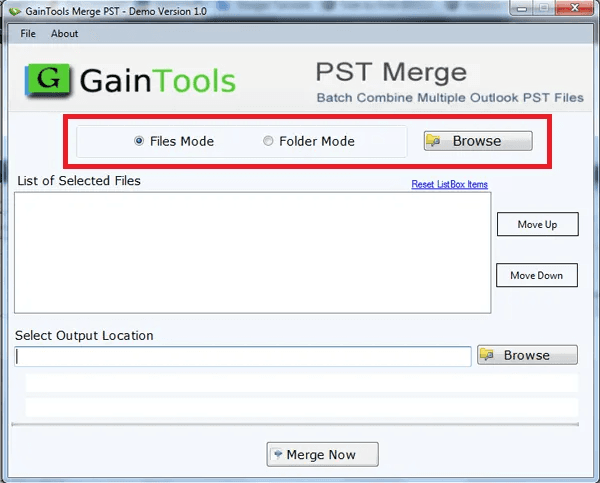
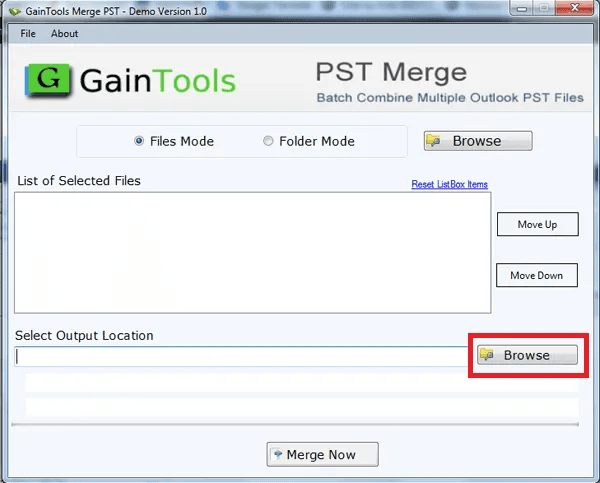
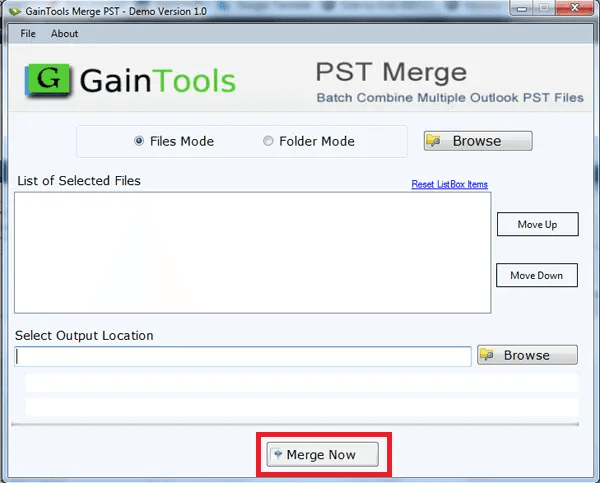
GainTools Merge PST Software is designed to merge several Outlook PST files into one file fast and effortlessly. It provides a simple option for users who want to manage their Outlook data in one location. The program needs no technical support and offers a simple user interface for both beginners and professionals. It supports the original quality of the files. Users can add or exclude deleted items as they like. The program produces a new PST file and safely merges it, ensuring that there is no loss of data. Users don't need to have Outlook installed to do the merge. It’s very compatible with Outlook 2021 and previous versions. The application can disregard the empty directories to retain the combined PST file in an ordered manner. Supported versions of Windows are Windows 11, 10, 8, 7, and previous versions of Windows. Some of the software applications also include a free demo version for users to sample the product before buying the complete version.
Key features
- 1Merges multiple Outlook PST files (ANSI and Unicode) into a single PST without requiring Outlook installed.
- 2Two merge modes: one combined folder, or a new folder per source PST; can merge entire files or selected folders only.
- 3Free trial (2.14 MB, no registration) and $29 lifetime license with a 30-day money-back guarantee.
Target customer profile
Drawn from the product itself, not from a survey.
Demographic
IT administrators in enterprises
Pain points
Managing many PST files from different users or backups
Primary needs
Consolidate PST files for easier backup and compliance
Demographic
Users upgrading Outlook versions
Pain points
Merging old PST files with new ones after upgrade
Primary needs
Preserve emails and contacts while combining PSTs
Demographic
Individuals with multiple email accounts
Pain points
Scattered PST files from different accounts
Primary needs
Unify emails and contacts into one PST for easy access
Scout Review
Written by AI from measured evidence, scored out of 100.
GainTools Merge PST is a cheap, fast, single-purpose Windows utility for combining Outlook PST files, sold at $29 lifetime with a no-registration trial. The marketing site is quick and the onboarding is genuinely simple, but the design is dated, the security headers are largely absent, and the '824 ratings, 4.8/5' claim has no visible third-party source. It works for the narrow job it names — merging healthy ANSI and Unicode PSTs — and it does not pretend to repair broken ones. Against SysTools and Stellar it competes on price, not capability.
Measure by measure
Usability
63Clear four-step guide, an FAQ, a 2.14 MB no-registration trial and a $29 lifetime license make evaluation cheap and fast. The FAQ admits corrupt/inaccessible PSTs can't be merged, which is an honest but real limitation. Solid, unremarkable utility onboarding.
Design
52Functional but dated marketing page: emoji section headers, template layout, and a self-reported 4.8/5 from 824 ratings with no review-platform attribution. The Windows utility UI is only glimpsed via a 'Screens' tab. On par with low-cost utility-vendor peers, behind Stellar and SysTools polish.
Speed
88Lighthouse mobile 100/100 (LCP 1.5s, CLS 0, TBT 60ms) and desktop 99/100. The marketing site is a lightweight static page and the installer is only 2.14 MB. Clearly ahead of typical utility-vendor sites, which are usually ad-heavy and slow.
Security
38HTTPS enforced but the header probe found only 3/13 checklist items: no HSTS, CSP, frame protection, Referrer-Policy or Permissions-Policy, and DMARC is missing. No security page, SOC 2, ISO or bug bounty. Standard for a small desktop-utility vendor, but thin.
Accessibility
78Lighthouse accessibility 95/100, with two real failures: buttons lacking accessible names and visible labels not matching accessible names. No WCAG statement, English-only, Windows-only. Automated score is strong; the specific button-label failures are a genuine, fixable flaw.
Growth
48Real but shrinking problem: PST merging matters less every year as orgs move to Exchange Online. Competes with SysTools and Stellar, both broader suites; GainTools' wedge is a $29 lifetime price. Domain is 9.5 years old — mature, not growing.
Improvement areas
- No repair capability — the FAQ confirms inaccessible or corrupt PST files cannot be merged.
- Security posture is thin: 3/13 header checklist items, no DMARC, no security page, no SOC 2 or ISO claim.
- Self-reported '824 ratings, 4.8/5' with no third-party review platform linked; two Lighthouse a11y failures remain.
Design & Usability
The marketing page is a competent but visibly dated template: emoji used as section headers, a self-reported '824 ratings, 4.8/5' with no review-platform attribution, and the actual product UI only visible behind a 'Screens' tab. Usability is the stronger half — a clear four-step guide, an FAQ, a 2.14 MB trial with no registration required, and a $29 lifetime license make it trivially cheap to evaluate. The FAQ is honest about a real limit: inaccessible or corrupt PST files cannot be merged, only healthy ones. Against SysTools and Stellar, the design reads as behind and the usability as roughly on par.
Speed & Security
Speed is the standout: Lighthouse mobile 100/100 with LCP 1.5s, CLS 0 and TBT 60ms, desktop 99/100, on a lightweight static page with a 2.14 MB installer. That is clearly ahead of the ad-heavy norm for desktop-utility vendor sites. Security is the weak flank: HTTPS is enforced, but the header probe found only 3 of 13 checklist items — no HSTS, CSP, frame protection, Referrer-Policy or Permissions-Policy, and DMARC is absent despite SPF being present. There is no security page, no SOC 2 or ISO claim, and no bug bounty; the site leans on a 'Virus Free' badge and a 30-day money-back guarantee instead. For a small vendor handling users' email archives, that is thin.
Accessibility & Growth
Accessibility scores 95/100 on the automated Lighthouse audit, but two real failures remain: buttons without accessible names and visible text labels that do not match their accessible names. There is no WCAG statement, the product is Windows-only and English-only, and emoji used as section headers get read aloud literally. Growth is the harder question. The problem is genuine — consolidating scattered PST files for backup, compliance or post-upgrade cleanup — but it is a shrinking need as organizations shift to Exchange Online. SysTools and Stellar both offer broader suites in this niche; GainTools' only clear wedge is a $29 lifetime price against their higher tiers. A 9.5-year-old domain and four social profiles show a stable small vendor, not a growing one.
Conclusion
If you have a handful of healthy PST files to consolidate and you want to spend $29 once instead of a subscription, this does the job and the trial lets you confirm it before paying. If your PSTs are corrupt, or you need compliance documentation, audit trails or a vendor with a published security program, look at SysTools or Stellar instead. The category itself is contracting as PSTs fade from modern email workflows — buy accordingly.
Suggestions for improvement
- Publish the source of the '824 ratings, 4.8/5' claim — link to Trustpilot, G2 or a verifiable review platform.
- Add HSTS, CSP, X-Content-Type-Options, Referrer-Policy and a DMARC record; the probe found only 3/13 header items.
- Fix the two Lighthouse accessibility failures: give buttons accessible names and align visible labels with accessible names.
- Add a security/privacy page explaining how PST data is handled locally, and consider a WCAG conformance statement.
Alternatives comparison
Named competitors, point by point. Nobody paid to appear here or to be left out.
 GainTools Merge PST Software GainTools Merge PST Software |  SysTools PST Merge SysTools PST Merge |  Stellar Merge Mailbox for Outlook Stellar Merge Mailbox for Outlook | |
|---|---|---|---|
| Price model | $29 lifetime license; free trial available | Tiered licensing, typically higher than $29; demo version available | Tiered licensing; free trial with limits |
| Merge modes (combined vs. separate folders) | Yes — one folder or new folder per PST | Yes — join/combine modes with folder options | Yes — merge into single PST with folder options |
| Handles corrupt or inaccessible PST files | No — FAQ states only healthy PST files can be merged | Vendor offers separate PST repair tooling alongside merge | Vendor offers separate PST repair tooling alongside merge |
| Requires Outlook installed | No — standalone merge | No — standalone merge | No — standalone merge |
| Platform support | Windows only (11/10/8/7 and earlier) | Windows | Windows |
SysTools PST Merge
A tool to merge PST files with options to combine or join multiple PSTs.
Stellar Merge Mailbox for Outlook
Merges PST files and other email formats into a single PST.
Comparing options? See GainTools Merge PST Software alternatives, scored side by side
More Productivity apps
View all Productivity
The Stack Newsletter
92A weekly newsletter delivering curated tech jobs, intervi...

Qamarero
92An all-in-one hospitality software for restaurants and ba...

EmbedMyReviews
92White-label reputation management software for agencies s...

StoryPad
92Privacy-first open source journal app with a continuous t...

Notion
92All-in-one AI workspace for docs, projects, and knowledge...

Puzzly – B2B Lead Generation & Sales Intelligence Platform
92Puzzly is an all-in-one B2B lead generation platform that...

Vibe Coding Agent Skills
92A free, open-source platform offering 110 AI agent skills...

Gerty
91Private, local AI assistant for Mac that runs offline

CC Switch
91Open-source desktop app for switching AI coding providers...

username.md
90One verified handle for your online identity, readable by...

PitchWhip
90AI cold call scripts & direct dials from LinkedIn

What the GIF
89Frame-perfect video-to-GIF maker that runs entirely in yo...


A platform dedicated to providing unbiased reviews of newly launched applications, analyzing everything from their features to their full potential.
info@scoutforge.net© 2026 Scoutforge. All rights reserved.
