Cycling through all six. Tap any point to stop.
Measured on six things
Free browser tool to save public Instagram Reels, videos,...
Security
50HTTPS enforced and frame protection present, but no HSTS, CSP, SPF or DMARC (5/12 header checks). No published security page, audit or bug bounty. Privacy claim is plausible but unverified.
Screenshots
1 / 1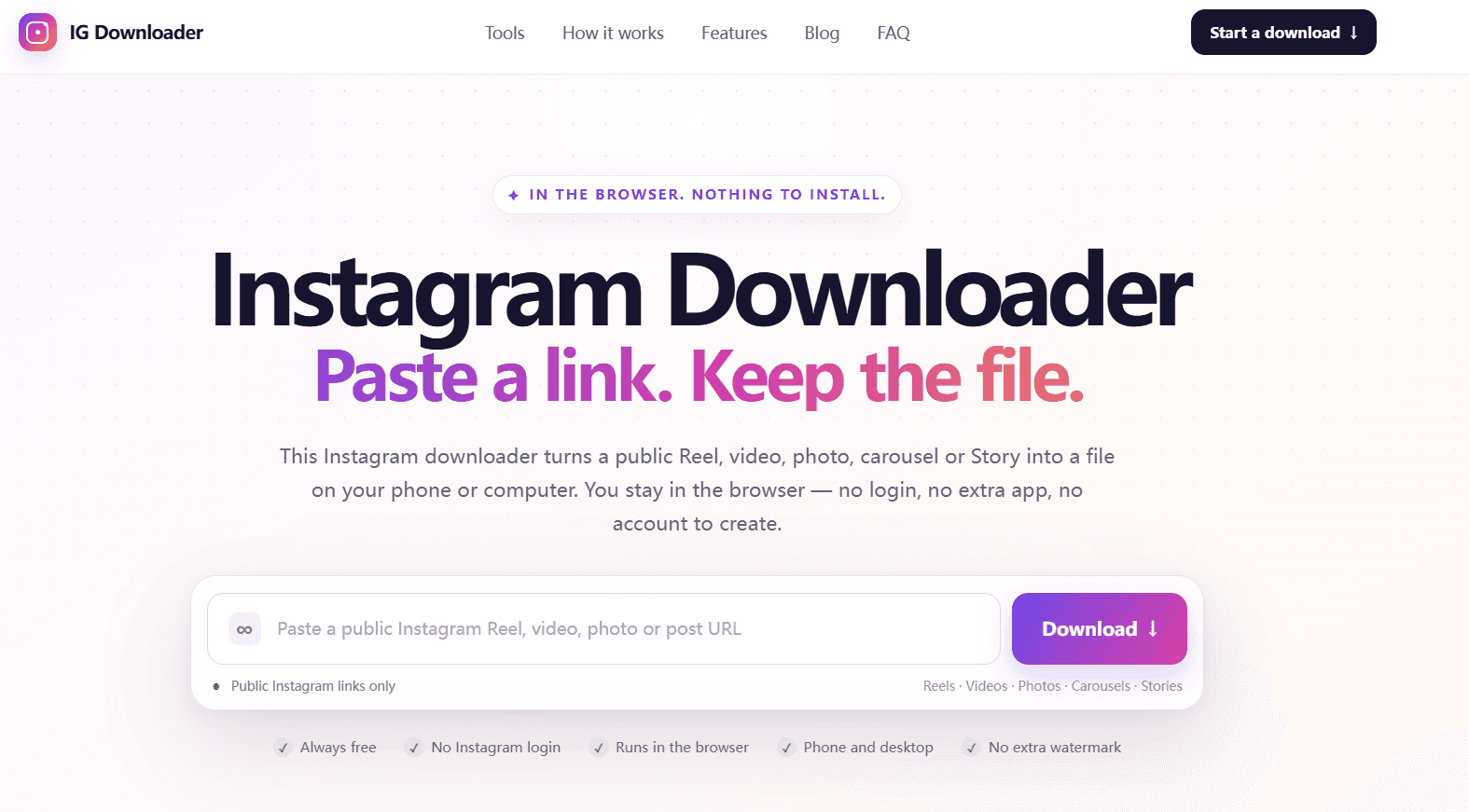
About this app
Instagram Downloader (instagramdownloader.co) is a free, browser-based tool that lets you download public Instagram content—Reels, videos, photos, carousels, and Stories—without logging in or installing any app. Unlike many downloaders that ask for your Instagram credentials, this one only processes public links and never attaches to your profile, keeping your password safe. It grabs the highest quality file Instagram currently serves, with no added watermarks or compression. The process is simple: copy the public Instagram URL, paste it into the box, and save the file to your device. It works on iPhone, Android, Windows, and Mac, with no apps or extensions required. The tool also supports carousel slides and live Stories. For anyone who wants to keep a copy of public Instagram media for personal use, this is a straightforward and secure option.
Key features
- 1Downloads public Instagram Reels, videos, photos, carousels and Stories from a single paste box.
- 2No login, no account, no install — runs entirely in the browser on mobile and desktop.
- 3Returns the highest-quality file Instagram serves, with no added watermark or compression.
Target customer profile
Drawn from the product itself, not from a survey.
Demographic
Social media enthusiasts
Pain points
Want to save Instagram content but don't know how; worried about privacy.
Primary needs
Easy, free, and safe downloading of Instagram media without login.
Demographic
Content creators
Pain points
Need to back up their own Instagram posts or gather inspiration.
Primary needs
Download high-quality Instagram media for offline use or reference.
Demographic
Researchers & journalists
Pain points
Need to archive public Instagram content for documentation.
Primary needs
Reliable method to save Instagram posts, Reels, and Stories before they disappear.
Scout Review
Written by AI from measured evidence, scored out of 100.
Instagram Downloader is a clean, fast, no-nonsense browser tool for saving public Instagram Reels, videos, photos, carousels and Stories. It does exactly what it says: paste a public URL, get the file, no login, no install, no watermark. The landing page is well-crafted, the flow is genuinely three steps, and the performance numbers are strong (desktop 99, mobile 88 on Lighthouse). Where it falls short is depth and defensibility. Security headers are half-implemented, there is no published audit or security page despite the privacy-first pitch, accessibility has one contrast failure and no formal statement, and the product sits in a saturated category with no obvious moat. It is a competent, honest utility — not a category leader.
Measure by measure
Usability
72Three-step flow is spelled out, no login or install, and a troubleshooting section covers private/expired links. Onboarding-to-value is essentially one paste. Docs are thin beyond the homepage.
Design
68Clean, modern landing page with clear hierarchy, consistent feature cards and tidy device-specific sections. Polished for an indie utility, though visually generic in the downloader niche.
Speed
74Lighthouse desktop 99/100 and mobile 88/100 with CLS 0 and TBT 12ms. LCP 3.4s on mobile is the weak spot but overall snappy for a static utility page.
Security
50HTTPS enforced and frame protection present, but no HSTS, CSP, SPF or DMARC (5/12 header checks). No published security page, audit or bug bounty. Privacy claim is plausible but unverified.
Accessibility
78Lighthouse a11y 95/100 with one contrast failure. Responsive across devices, but no a11y statement, no WCAG claim, and no multi-language support. Solid automated baseline.
Growth
54Real, high-volume need with a clear privacy wedge (no login, no watermark, no install). But the category is saturated with free web downloaders and established tools, and nothing here is structurally defensible.
Improvement areas
- Security headers are incomplete (no HSTS, CSP, SPF or DMARC) despite a privacy-first pitch.
- No documentation, FAQ, changelog or help center beyond the homepage.
- Accessibility has a contrast failure and no formal WCAG or a11y statement.
Design & Usability
The landing page is genuinely well-built for an indie utility: clear hierarchy, a prominent paste box, consistent feature cards for Reels, videos, photos, carousels and Stories, and a tidy three-column device section for iOS, Android and desktop. Usability follows the same discipline — the flow is copy, paste, save, explained in three numbered steps, with no login, no account and no install required. A troubleshooting block addresses the realistic failure cases (private posts, expired Stories, non-media URLs). The weakness is depth: beyond the homepage there is essentially no documentation, no FAQ page, no changelog, and no help center. For a tool this simple that is defensible, but it means anyone hitting an edge case is on their own.
Speed & Security
Speed is a genuine strength. Lighthouse desktop scores 99/100 and mobile 88/100, with CLS 0 and TBT 12ms — the page is essentially static marketing content with no heavy SPA framework dragging it down. The one soft spot is a 3.4s mobile LCP, likely a hero image or font blocking first paint. Security is where the product is thinnest. HTTPS is enforced and frame protection and X-Content-Type-Options are present, but there is no HSTS, no Content-Security-Policy, no Permissions-Policy, and no SPF or DMARC records — 5 of 12 checklist points. For a site whose entire pitch is 'we never touch your Instagram credentials,' the absence of a security page, a published audit, or even basic email authentication is a real gap. The privacy claim is plausible and the architecture (public links only, no OAuth) supports it, but nothing independently verifies it.
Accessibility & Growth
Accessibility lands at a solid 78: Lighthouse scores 95/100 with a single failing audit for insufficient color contrast, and the site is responsive across mobile and desktop. What is missing is the paperwork — no accessibility statement, no WCAG conformance claim, no multi-language support, and no evidence of screen-reader testing beyond the automated pass. Growth is the harder question. The problem is real and high-volume: people want to save public Instagram media, and the privacy angle (no login, no credential harvesting) is a legitimate wedge against sketchier competitors. But the category is brutally crowded — free web downloaders are a dime a dozen, Instaloader is a mature open-source CLI, and 4K Stogram is an established desktop app. Nothing in this product's material suggests a moat, a network effect, or a segment the incumbents structurally cannot serve. It can win on polish and trust, but that is a marketing fight, not a structural one.
Conclusion
If you need to grab a public Reel or Story and you do not want to hand your Instagram password to a random download page, this is a reasonable place to do it. It is fast, it is free, and it does not pretend to be more than it is. Just do not expect documentation, a security whitepaper, or a roadmap — you are getting a paste box and a download button, executed well. For personal use, that is enough. For anything you would stake a reputation on, look at Instaloader or 4K Stogram first.
Suggestions for improvement
- Add HSTS, a Content-Security-Policy, and SPF/DMARC records — the privacy pitch deserves matching infrastructure.
- Publish a short security page explaining exactly what the server does and does not see when a link is pasted.
- Fix the color contrast failure flagged by Lighthouse and add a brief accessibility statement.
- Build out a real FAQ or help center covering edge cases beyond the three-step homepage flow.
Alternatives comparison
Named competitors, point by point. Nobody paid to appear here or to be left out.
 Instagram Downloader |  Instaloader |  4K Stogram | |
|---|---|---|---|
| Platform / how you run it | Browser-based web tool, no install | Command-line tool, requires Python install | Desktop application for Windows/macOS/Linux |
| Instagram login required | No — public links only | Optional login for private content | Optional login for private accounts |
| Private account support | No — public content only | Yes, with authenticated session | Yes, with account login |
| Price | Free | Free / open source | Freemium with paid Pro tier |
| Bulk / automated downloading | One link at a time | Yes — scriptable, batch profiles and hashtags | Yes — auto-updating subscriptions per account |
Instaloader
Open-source command-line tool to download Instagram posts, stories, and more.
4K Stogram
Desktop application to download Instagram photos, videos, and stories from public and private accounts.
Comparing options? See Instagram Downloader alternatives, scored side by side
More Social Media apps
View all Social Media
Voqusa
89Transcribe social media video and audio links into text (free signup, 5 free credits, then pay-as-you-go)

Evoriqa
88White-label AI customer service agent for small businesse...

LurkAPI
88Public social media data as clean JSON, in one request

TranscriptYou
88Free YouTube transcript generator with timestamps and AI ...

Outstanding AI Video
87You and 2 friends in the Outstanding Tiny Desk AI meme

TinyDesk-AI.fun
87Tiny Desk AI makes your own version of the viral "Outstanding" Tiny Desk meme. Add a photo to any of the five seats on the stage (lead mic, keys, two backing vocals, sax), from one person to the whole band, and get a fresh 19-second 9:16 720p clip cut like the original post, usually about 10 minutes after paying. $8.99 once, no account, no prompts. The MP4 is silent so you attach the licensed meme sound inside TikTok. Not affiliated with NPR.

ZombieTrend AI
87ZombieTrend AI turns two photos into an emotional zombie love story video with a heartfelt hug, memory flashback, sound, no watermark, and a free scene preview.

Music Visualizer
86Online music visualizer for audio-reactive videos.

BlueVetaUpright
86API that detects product photo rotation and tells you how...

Maeve Social
85Plan, approve, publish to nine social platforms, manage your inbox, and report from one social media workspace.

SnitchFeed
85AI-powered social listening for startups & SMBs to find h...

Talking Pet App
85Turn one photo of your dog or cat into a talking pet video, no app needed


A platform dedicated to providing unbiased reviews of newly launched applications, analyzing everything from their features to their full potential.
info@scoutforge.net© 2026 Scoutforge. All rights reserved.
