Cycling through all six. Tap any point to stop.
Measured on six things
Unified engineering workspace replacing Jira, Confluence ...
Speed
58Desktop Lighthouse 98/100 but mobile 65/100 with a 6.3s LCP — the mobile experience is where the 'lightning fast' claim falls apart. TBT 245ms and CLS 0.097 are acceptable.
Screenshots
1 / 5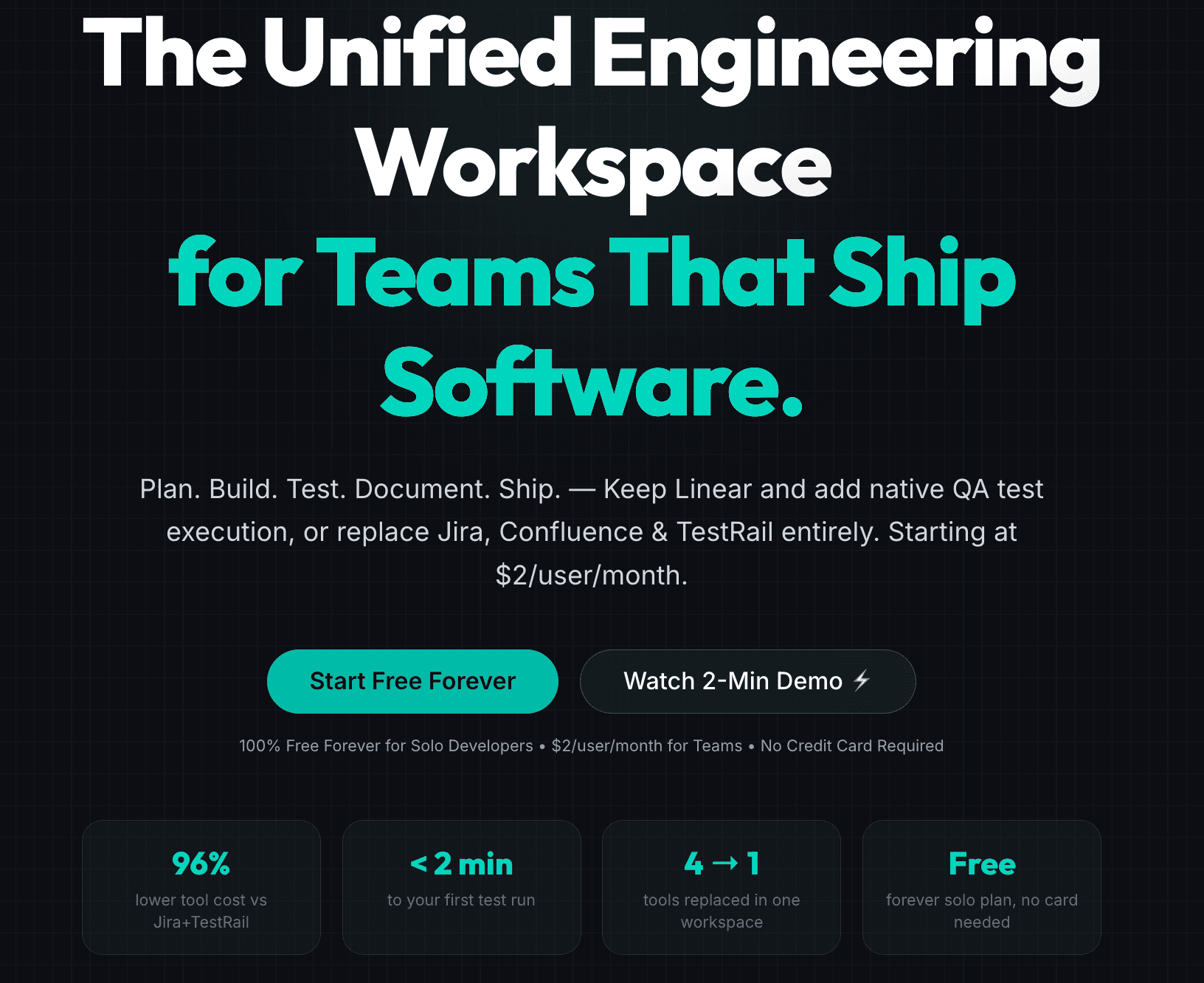
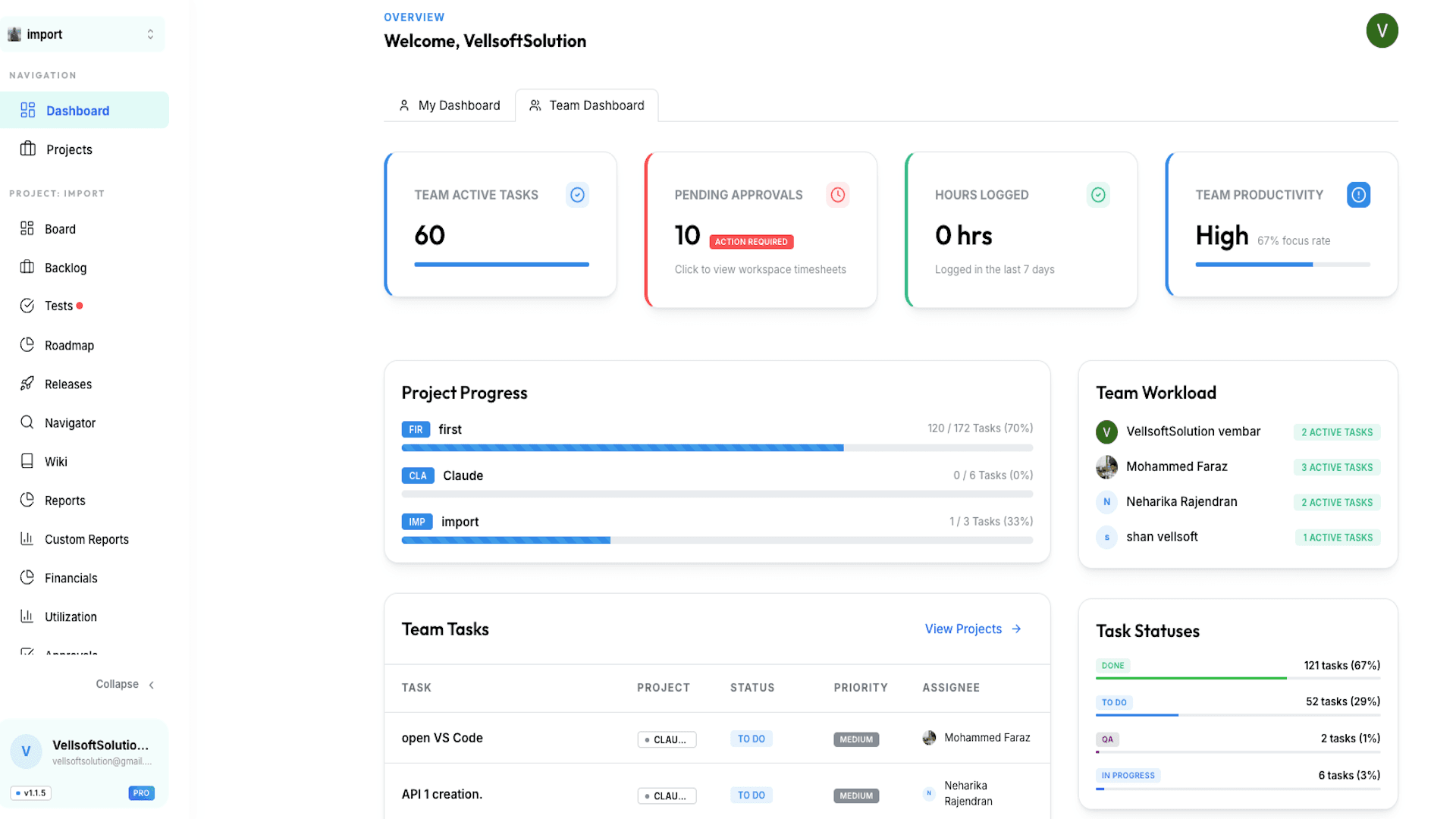
About this app
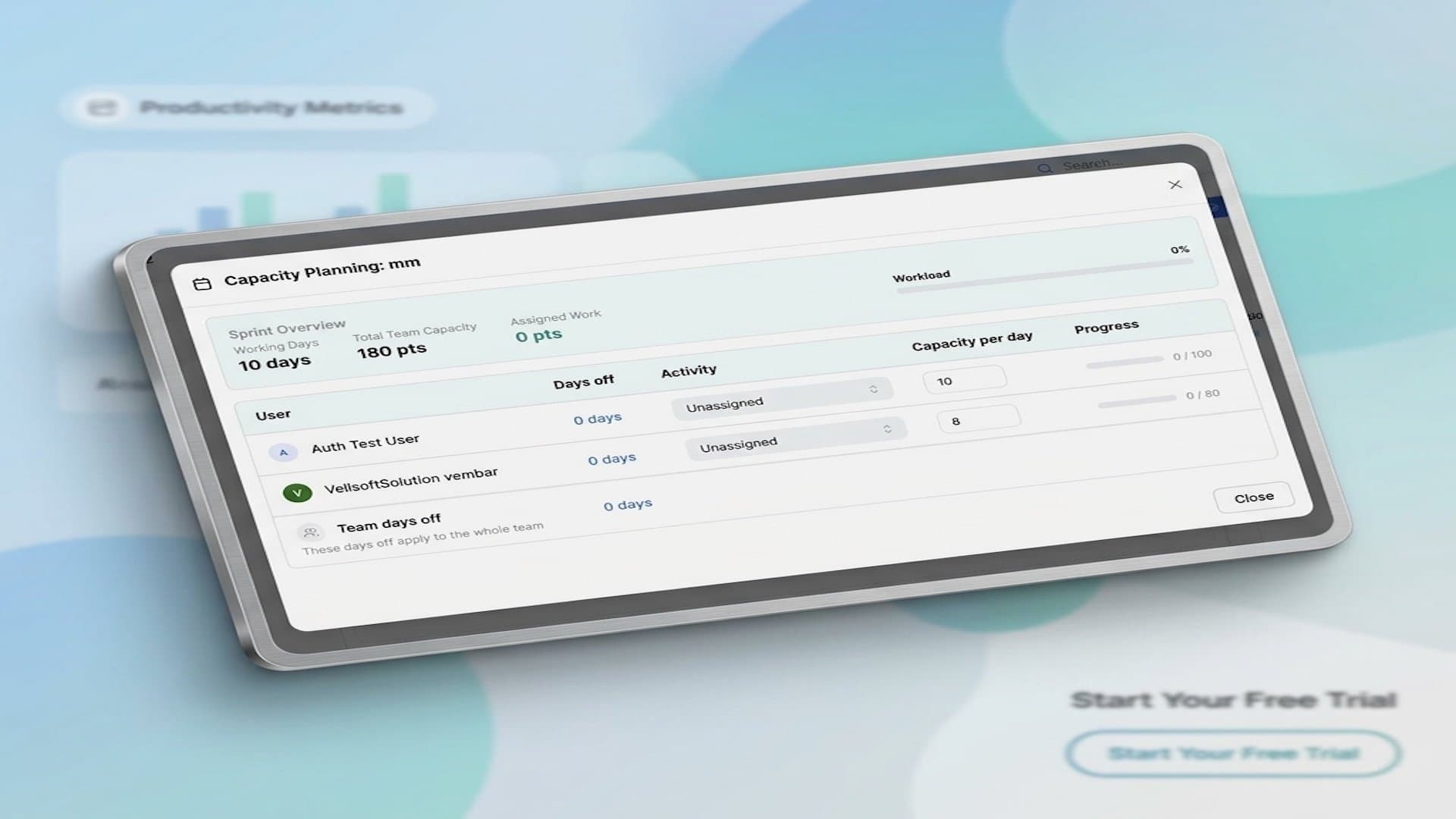
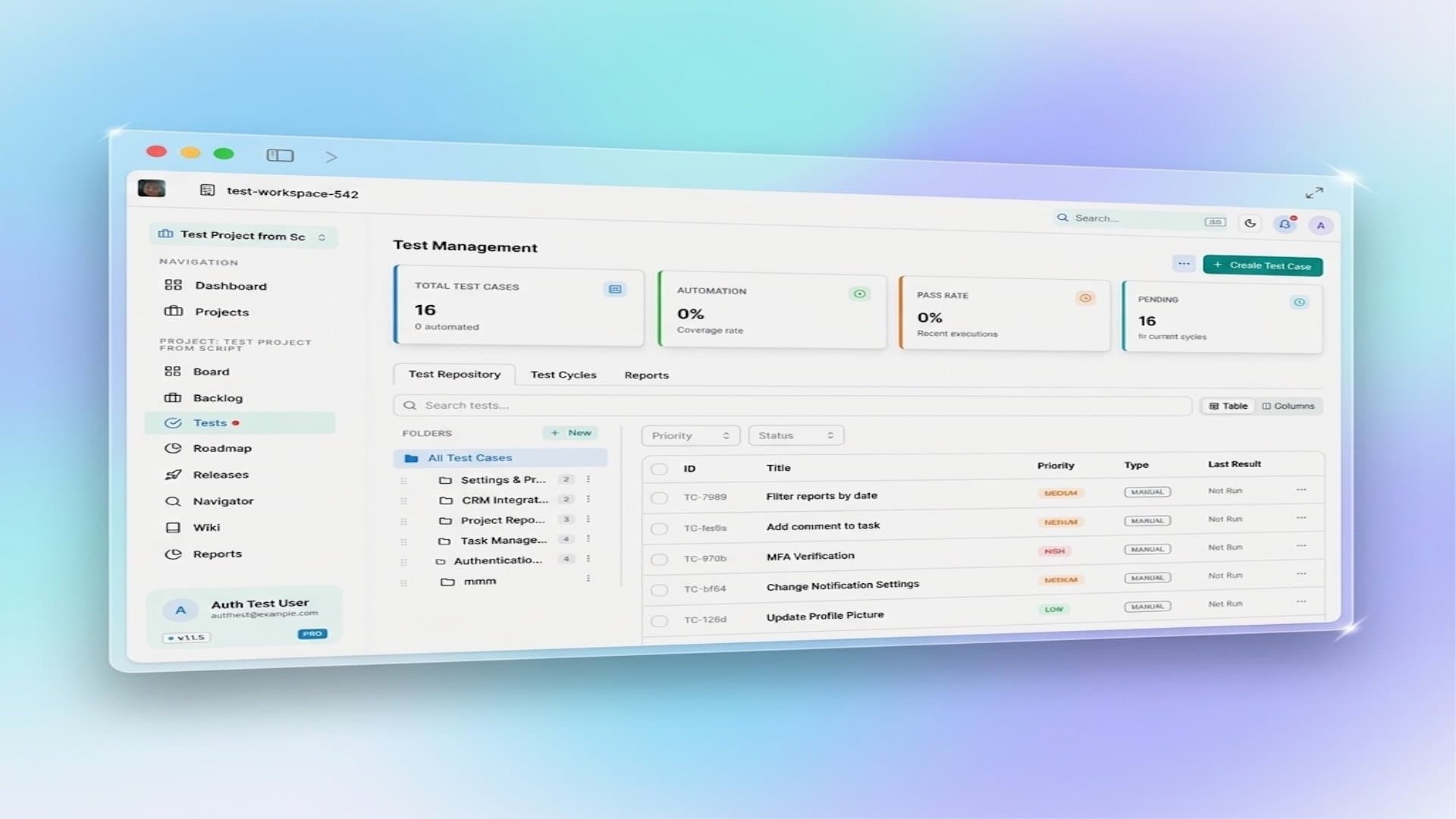
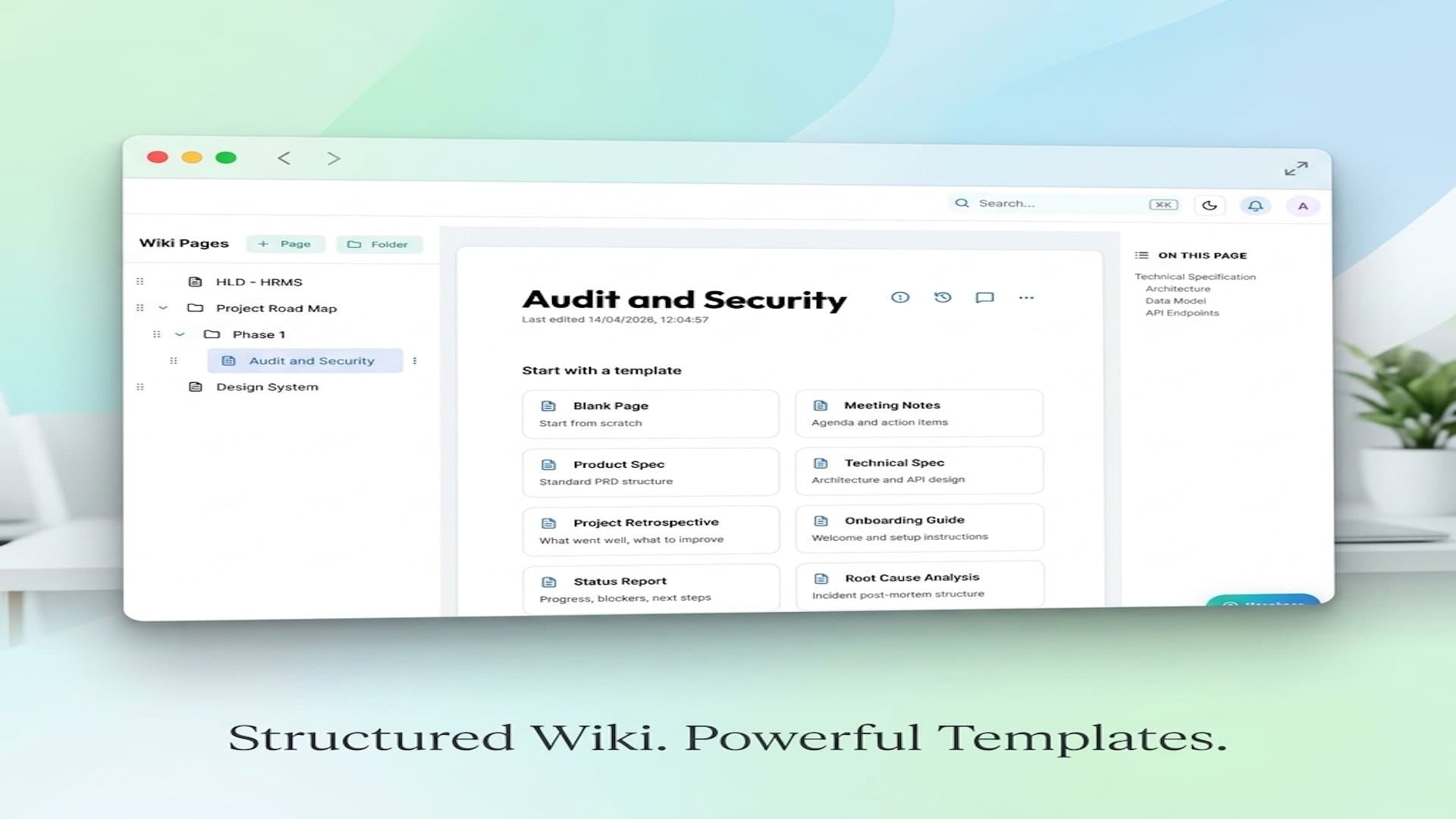
Klority is a unified engineering workspace that combines project management, QA test management, and a team wiki into one fast, cloud-based platform. It's designed for software teams that want to eliminate tool sprawl and the context-switching tax. Key features include AI-powered test case generation, native CI/CD integration with JUnit XML, automated defect logging from failed tests, capacity planning, timesheet tracking, and even financial operations for client billing. Klority offers a free forever plan for solo developers and starts at just $2/user/month for teams, positioned as a cost-effective alternative to Jira, Confluence, and TestRail.
Key features
- 1Unified project management, QA test management, and engineering wiki in one workspace
- 2AI-powered test case generation plus JUnit XML CI/CD ingestion and auto defect logging
- 3Linear QA bridge, 6-source importers (Jira, Trello, GitLab, Zoho, CSV), and client billing/CRM
Target customer profile
Drawn from the product itself, not from a survey.
Demographic
Small to mid-sized software development teams (5-50 users)
Pain points
Tool sprawl across Jira, Confluence, and TestRail; high per-user costs; slow context switching; administrative bloat.
Primary needs
A unified, fast, and affordable platform that integrates project management, wiki, and QA testing with AI assistance.
Demographic
QA and testing teams
Pain points
Manual test case creation is time-consuming; fragmented test execution and defect tracking; siloed communication with developers.
Primary needs
Efficient test management with AI test generation, seamless defect logging to engineering boards, and clear reporting.
Demographic
Freelancers and solo developers
Pain points
Limited budgets; need for professional-grade tools without recurring costs; managing multiple roles (dev, QA, PM) alone.
Primary needs
A free, all-in-one workspace that covers project management, documentation, and testing without credit card requirements.
Scout Review
Written by AI from measured evidence, scored out of 100.
Klority is a credible swing at the Jira+Confluence+TestRail stack, and unlike most 'cheaper than Jira' pitches it actually ships the QA test management that makes the price comparison honest. The site is polished, the free solo tier is real, the importers cover six sources, and the security headers are better than most indie SaaS. The weak spots are mobile performance (6.3s LCP), thin written documentation, and the absence of any published compliance certification. For a 5-50 person team tired of paying $54.85/user for three tools, it's worth a trial — just don't expect enterprise paperwork on day one.
Measure by measure
Usability
68Free forever solo tier with no card, $2/user team plan, 6-source importers, per-module video walkthroughs, and an interactive ROI calculator. Onboarding path is clear; depth of docs beyond videos is thinner.
Design
71Modern dark SaaS aesthetic with gradient hero, consistent branding across homepage and docs, and a clean card-grid docs page. Dense but polished; a notch above typical indie landing pages.
Speed
58Desktop Lighthouse 98/100 but mobile 65/100 with a 6.3s LCP — the mobile experience is where the 'lightning fast' claim falls apart. TBT 245ms and CLS 0.097 are acceptable.
Security
74Strong header hygiene (11/12: HSTS, CSP, frame protection, Referrer-Policy, DMARC) plus SSO and MFA on the Team plan. Permissions-Policy missing and no public SOC 2/ISO or bug bounty found.
Accessibility
71Lighthouse a11y 94/100 with only contrast and heading-order failures. No WCAG statement or multi-language support advertised, so it's solid automated hygiene without a public commitment.
Growth
63Real, named pain (Jira+Confluence+TestRail ≈ $54.85/user) with a specific wedge: QA-native + Linear bridge + $2/user. Crowded category, but the unified-cheap-QA angle is genuinely differentiated.
Improvement areas
- Mobile performance: 6.3s LCP drags the Lighthouse mobile score to 65/100
- Documentation depth: docs page is video-first with limited written reference material
- Trust signals: no public SOC 2/ISO certification, WCAG statement, or bug bounty program
Design & Usability
Klority's landing page is a confident, modern dark-mode SaaS site with gradient accents, a tooling-stack selector that personalizes the pitch, and a docs page that mirrors the branding cleanly. It's dense — hero, Linear bridge, integrations, eight feature blocks, a comparison table, and an FAQ all compete for attention — but the hierarchy mostly holds. Usability is the stronger story: a genuinely free solo tier with no card, a $2/user team plan, six importers (Jira, Trello, GitLab, Zoho Projects, Zoho Sprints, CSV), and per-module video walkthroughs. The gap is documentation depth — the docs page is essentially a video playlist plus a quick-start, so anyone wanting written reference material will be disappointed.
Speed & Security
Speed is a tale of two devices: desktop Lighthouse lands at 98/100, but mobile drops to 65/100 with a 6.3s LCP — the exact metric that decides whether a phone visitor bounces. TBT (245ms) and CLS (0.097) are fine, so the issue is payload and render-blocking on mobile, not interactivity. Security is the quiet strength: HTTPS enforced, HSTS, CSP, frame protection, X-Content-Type-Options, Referrer-Policy, SPF and DMARC all present (11/12 header checks), plus SSO via Google/GitHub/Microsoft and MFA on the Team plan. The gaps are Permissions-Policy and the absence of any public SOC 2, ISO, or bug-bounty program — 'enterprise-grade security' is claimed in docs but not certified anywhere a buyer can verify.
Accessibility & Growth
Accessibility scores 94/100 on Lighthouse with only two failing audits — insufficient color contrast and non-sequential heading order — both cheap to fix. There's no WCAG conformance statement and no multi-language support advertised, so it's strong automated hygiene without a public commitment. Growth is the interesting one: Klority names a real, quantified pain (Jira $9.70 + Confluence $7.15 + TestRail $38 ≈ $54.85/user/mo) and offers a specific wedge — native QA test management with AI generation, a Linear QA bridge, JUnit XML CI/CD ingestion, and client billing — at $2/user. The category is crowded (Jira, Linear, TestRail, Plane, Zoho), but the 'unified + QA-native + cheap' combination is genuinely differentiated. Domain is ~6 months old, so traction is early; the idea, however, has room.
Conclusion
If you're a small team already bleeding on Jira + Confluence + TestRail, Klority's $2/user pitch and native QA workflow are worth a free workspace and an afternoon. If you're an enterprise buyer who needs SOC 2 in hand before sign-off, wait — the certification story isn't there yet. Either way, fix the mobile LCP before you tell anyone else the interface is 'lightning fast'.
Suggestions for improvement
- Cut mobile LCP from 6.3s — defer non-critical JS and compress hero assets; desktop is already 98/100.
- Publish written docs alongside the video walkthroughs; a real reference beats a YouTube playlist.
- Fix the two Lighthouse a11y failures (contrast, heading order) and add a WCAG conformance statement.
- Add Permissions-Policy header and start a SOC 2 Type I or publish a security whitepaper to back the 'enterprise-grade' claim.
Alternatives comparison
Named competitors, point by point. Nobody paid to appear here or to be left out.
 Klority Klority |  Jira Jira | Confluence | TestRail | |
|---|---|---|---|---|
| Starting price per user | $2/user/mo (Team, annual); free forever for 1 user | ~$9.70/user/mo (Standard) | ~$7.15/user/mo (Standard) | ~$38/user/mo (Cloud Professional) |
| Native QA test management | Included — test cases, cycles, AI generation, JUnit XML ingestion | Not native — requires TestRail or add-on | No — documentation only | Core product — dedicated test management |
| Built-in wiki / documentation | Included — Mermaid, Markdown, nested pages | No — requires Confluence | Core product — team workspace | No — test management only |
| AI test case generation | Yes — 20 runs/mo free, 100/mo Team, overage available | Limited — Atlassian Intelligence, not test-specific | Limited — Atlassian Intelligence for content | Limited — AI features via add-ons |
| Free tier | Free forever for 1 user, no credit card | Free up to 10 users | Free up to 10 users | Trial only — no free tier |
| Client billing / invoicing | Native — T&M, fixed-fee, retainer invoicing | No — via marketplace apps | No | No |
Jira
Atlassian's project management tool for agile teams, often paired with Confluence and TestRail for a complete stack.
Confluence
Atlassian's team workspace for knowledge sharing and documentation, commonly used alongside Jira.
TestRail
A dedicated test management tool for QA teams, known for its comprehensive test case and execution tracking.
Comparing options? See Klority alternatives, scored side by side
More Project Management apps
View all Project Management
Notion
92All-in-one AI workspace for docs, projects, and knowledge...

Vendor Space
88Vendor Space is an all-in-one vendor management platform ...

Plori
87Cloud AI agents with persistent disk, memory, and real CL...

Voice Memo Exporter
87Export all your Apple Voice Memos to one text file.

TempGuru
87Managed event staffing across the US and Canada with loca...

InviteVia
87InviteVia is a digital invitation platform for creating beautiful online invitations for weddings, birthdays, engagements, parties, and special events. Choose a template, customize your invitation, collect RSVPs, and share it instantly through WhatsApp, Instagram, SMS, or a simple link. No guest accounts or app downloads required.

Trac
87Local-first time tracker for freelancers with invoicing, ...

GrantCue
86Grant discovery and management software: search federal, state and foundation grants, then track deadlines, tasks and awards with your team.

AirLST
86Event management software for corporate events: invitations, registration, guest lists, check-in, seating and event apps in one platform.

FollowIncome
86Business workspace for solo founders and small teams.

ProviderOps
86NDIS provider management software for small Australian teams to roster workers, capture service records and prepare invoices.

Teamwork.com
85Project, resource, and financial management for client-fo...


A platform dedicated to providing unbiased reviews of newly launched applications, analyzing everything from their features to their full potential.
info@scoutforge.net© 2026 Scoutforge. All rights reserved.
