Cycling through all six. Tap any point to stop.
Measured on six things
Review Mac app cache sizes and move selected cache folders to the Trash.
Security
52HTTPS enforced with frame protection, X-Content-Type-Options, Referrer-Policy and SPF, but no HSTS, CSP, Permissions-Policy or DMARC (6/12 checklist). Local-only scanning is stated; no audits or compliance claims published.
Screenshots
1 / 1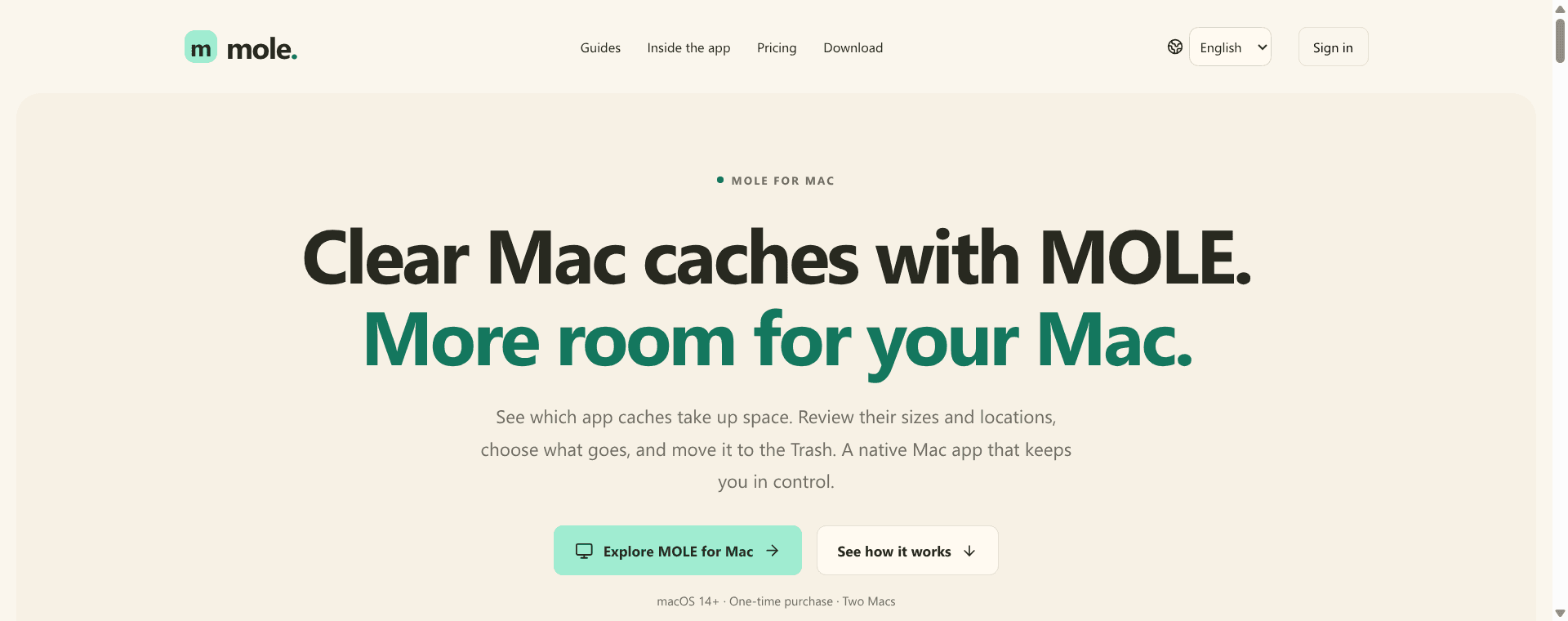
About this app
MOLE is a Mac cache-cleaning app designed around review and selection. Scan user app cache folders, compare their sizes, inspect paths and choose which folders to move to the Trash. MOLE also offers practical Mac storage guides. Its current scope is user app caches; scanned size is not a guarantee of recoverable disk space.
Key features
- 1Read-only scan of user app cache folders, ordered by size, with search and Finder reveal.
- 2Manual selection and confirmation before moving cache folders to the Trash — no automatic deletion.
- 3One-time $15 license for two active Macs with self-service device unlinking.
- 4Local-only scanning; cache contents are not uploaded.
- 5Practical Mac storage guides (clear cache, free up space, choose tools by task).
Target customer profile
Drawn from the product itself, not from a survey.
Demographic
Mac users managing app caches
Pain points
Cache folders consume space and are hard to inspect
Primary needs
Compare folder sizes and review paths before selecting cleanup
Demographic
Users who prefer manual cleanup decisions
Pain points
Want to review selected files before removal
Primary needs
Choose cache folders to move to the Trash
Demographic
Mac users learning storage maintenance
Pain points
Need help understanding cache folders
Primary needs
Practical Mac storage guides
Scout Review
Written by AI from measured evidence, scored out of 100.
MOLE is a focused Mac cache cleaner that bets on review-before-delete instead of a mystery cleanup button. The site is fast (99/100 Lighthouse), polished, multilingual and honest about scope — it explicitly says whole-disk analysis and duplicate finding are not included. Security headers are half-present and accessibility has two real contrast/label failures. The product's strength is its discipline; its weakness is that discipline also caps how big it can get. At $15 one-time for two Macs it undercuts subscription rivals, but the preview-stage sales hold and missing live demo keep it from feeling finished.
Measure by measure
Usability
68Clear three-step flow (scan, review, confirm to Trash), scanning works before purchase, and the FAQ answers licensing and device questions. Guides add practical help. Limited by no live demo and a preview-stage sales hold.
Design
72Clean, modern landing page with a real macOS screenshot, numbered steps, and five-language support. Consistent typography and spacing; polished for an indie utility, though it is marketing rather than the app UI itself.
Speed
88Lighthouse 99/100 on both mobile and desktop, LCP 1.7s, CLS 0.02, TBT 13ms. A genuinely fast, lightweight site with no measured performance complaints.
Security
52HTTPS enforced with frame protection, X-Content-Type-Options, Referrer-Policy and SPF, but no HSTS, CSP, Permissions-Policy or DMARC (6/12 checklist). Local-only scanning is stated; no audits or compliance claims published.
Accessibility
80Lighthouse accessibility 96/100 with a skip link and five languages. Two failing audits: insufficient color contrast and visible labels without matching accessible names. No published WCAG statement.
Growth
58A real, specific problem (inspecting app caches before deletion) with a clear manual-review wedge and a one-time $15 price against subscription rivals. Narrow scope caps the ceiling; very early stage.
Improvement areas
- Sales are closed during preview; release the paid version.
- No live demo or video of the scan-to-Trash workflow.
- Missing HSTS, CSP, Permissions-Policy and DMARC headers.
- Two failing accessibility audits: color contrast and accessible label names.
Design & Usability
MOLE's site is genuinely well-crafted: a real macOS screenshot, a numbered three-step flow, and five language options. The product itself is deliberately narrow — scan user cache folders, compare sizes and paths, confirm a move to Trash. Scanning works before purchase, which is a fair try-before-buy path, and the FAQ covers licensing, device unlinking and offline behavior. The gaps are a missing live demo and a preview-stage sales hold that leaves buyers waiting. For an indie utility, the onboarding clarity is above average; the ceiling is the product's own scope.
Speed & Security
Speed is the standout: Lighthouse 99/100 on mobile and desktop, LCP 1.7s, CLS 0.02, TBT 13ms — a lightweight site that loads instantly. Security is middling: HTTPS is enforced with frame protection, X-Content-Type-Options, Referrer-Policy and SPF, but HSTS, CSP, Permissions-Policy and DMARC are all absent, landing at 6/12 checklist points. The site does state that scanning is local and cache contents are not uploaded, which is the right claim for a cleaner. No SOC 2, ISO or bug bounty is published, which is normal at this stage but keeps the score in the middle band.
Accessibility & Growth
Accessibility scores 96/100 on Lighthouse with a skip link and five languages, but two audits fail: insufficient color contrast and visible text labels without matching accessible names. No WCAG statement is published. Growth is the more interesting question: MOLE names a real, specific job — reviewing app caches before deletion — and deliberately excludes disk analysis, duplicate finding and uninstallation. That focus plus a one-time $15 two-Mac license is a genuine differentiator against subscription-based CleanMyMac. The limit is the size of the wedge: manual cache review is a narrow slice of Mac maintenance, and the domain is brand new.
Conclusion
If you want a cache cleaner that shows you the folders and lets you decide, MOLE is a credible, honest option at a fair one-time price. If you want a do-everything Mac maintenance suite, this is not it — and the site says so. The execution is solid for an early indie tool; the next step is shipping the release, adding a demo, and tightening the security and contrast details.
Suggestions for improvement
- Ship the release and remove the preview-stage sales hold so buyers can actually purchase.
- Add a live interactive demo or short video showing the scan-to-Trash flow.
- Add HSTS, CSP and DMARC headers to move security from 6/12 toward a complete set.
- Fix the two failing accessibility audits: color contrast and accessible label names.
Alternatives comparison
Named competitors, point by point. Nobody paid to appear here or to be left out.
 MOLE MOLE | CleanMyMac | |
|---|---|---|
| Primary purpose | Review and manually move user app cache folders to Trash | All-in-one Mac cleaning and maintenance suite |
| Pricing model | $15 one-time for two Macs | Subscription-based |
| Automatic deletion | No — user selects and confirms each move to Trash | Yes — automated junk cleanup |
| Scope | User app caches only; no disk analysis or duplicate finding | Junk files, storage management, maintenance tools |
| Free trial / scan before buy | Scanning works without activation; cleanup requires license | Free trial available |
Comparing options? See MOLE alternatives, scored side by side
More Productivity apps
View all Productivity
The Stack Newsletter
92A weekly newsletter delivering curated tech jobs, intervi...

Qamarero
92An all-in-one hospitality software for restaurants and ba...

EmbedMyReviews
92White-label reputation management software for agencies s...

StoryPad
92Privacy-first open source journal app with a continuous t...

Notion
92All-in-one AI workspace for docs, projects, and knowledge...

Puzzly – B2B Lead Generation & Sales Intelligence Platform
92Puzzly is an all-in-one B2B lead generation platform that...

Vibe Coding Agent Skills
92A free, open-source platform offering 110 AI agent skills...

Gerty
91Private, local AI assistant for Mac that runs offline

CC Switch
91Open-source desktop app for switching AI coding providers...

username.md
90One verified handle for your online identity, readable by...

PitchWhip
90AI cold call scripts & direct dials from LinkedIn

What the GIF
89Frame-perfect video-to-GIF maker that runs entirely in yo...


A platform dedicated to providing unbiased reviews of newly launched applications, analyzing everything from their features to their full potential.
info@scoutforge.net© 2026 Scoutforge. All rights reserved.
