

A platform dedicated to providing unbiased reviews of newly launched applications, analyzing everything from their features to their full potential.
info@scoutforge.net© 2026 Scoutforge. All rights reserved.
A platform dedicated to providing unbiased reviews of newly launched applications, analyzing everything from their features to their full potential.
info@scoutforge.net© 2026 Scoutforge. All rights reserved.
A platform dedicated to providing unbiased reviews of newly launched applications, analyzing everything from their features to their full potential.
info@scoutforge.net© 2026 Scoutforge. All rights reserved.
Cycling through all six. Tap any point to stop.
Measured on six things
Monitorguard and security guard Workforce management system
HTTPS is enforced, but no HSTS, CSP, or frame protection. No compliance certifications or security page found—basic hygiene only.
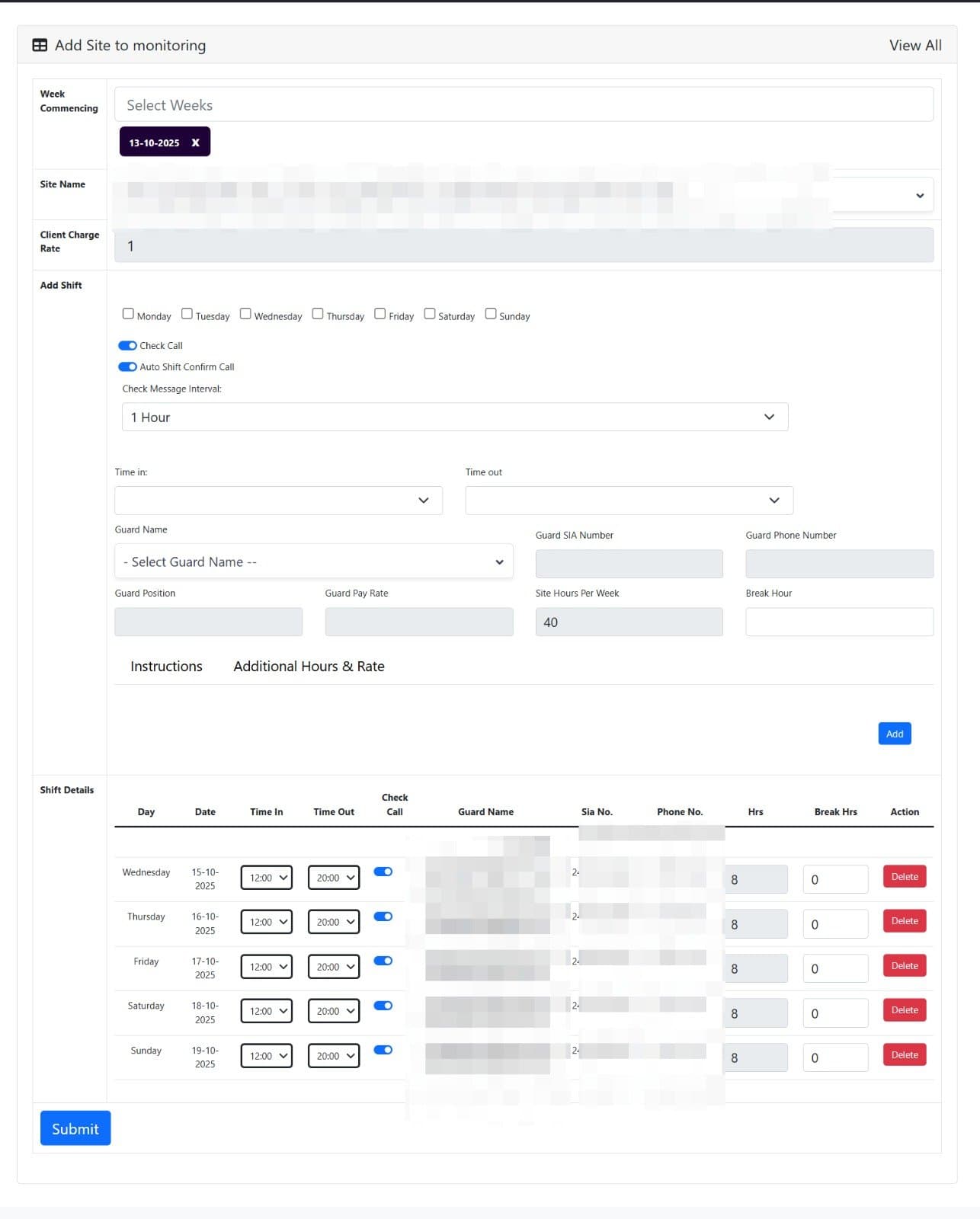
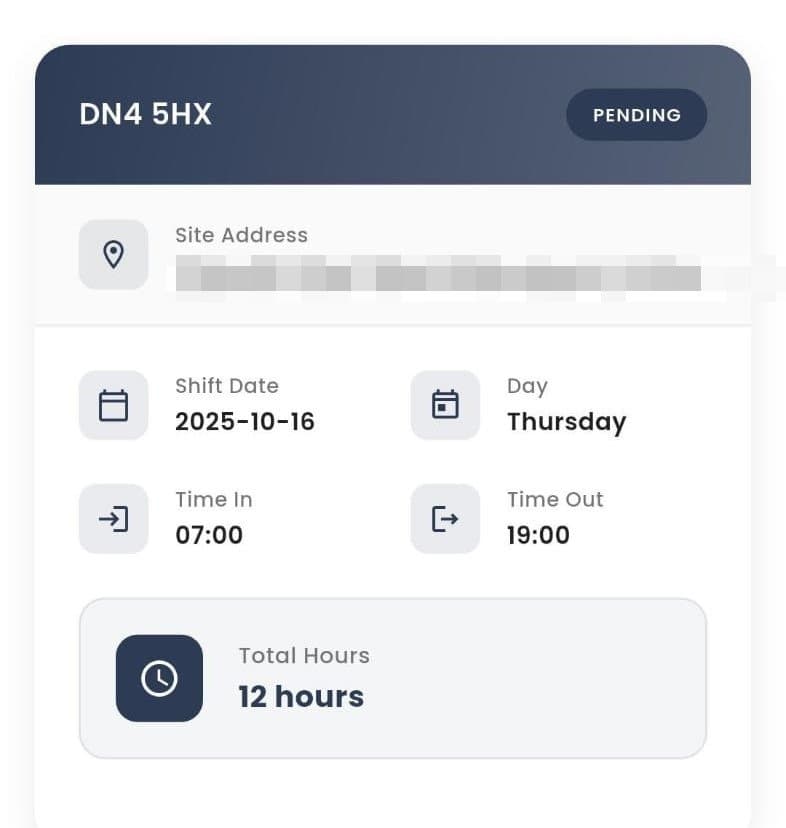
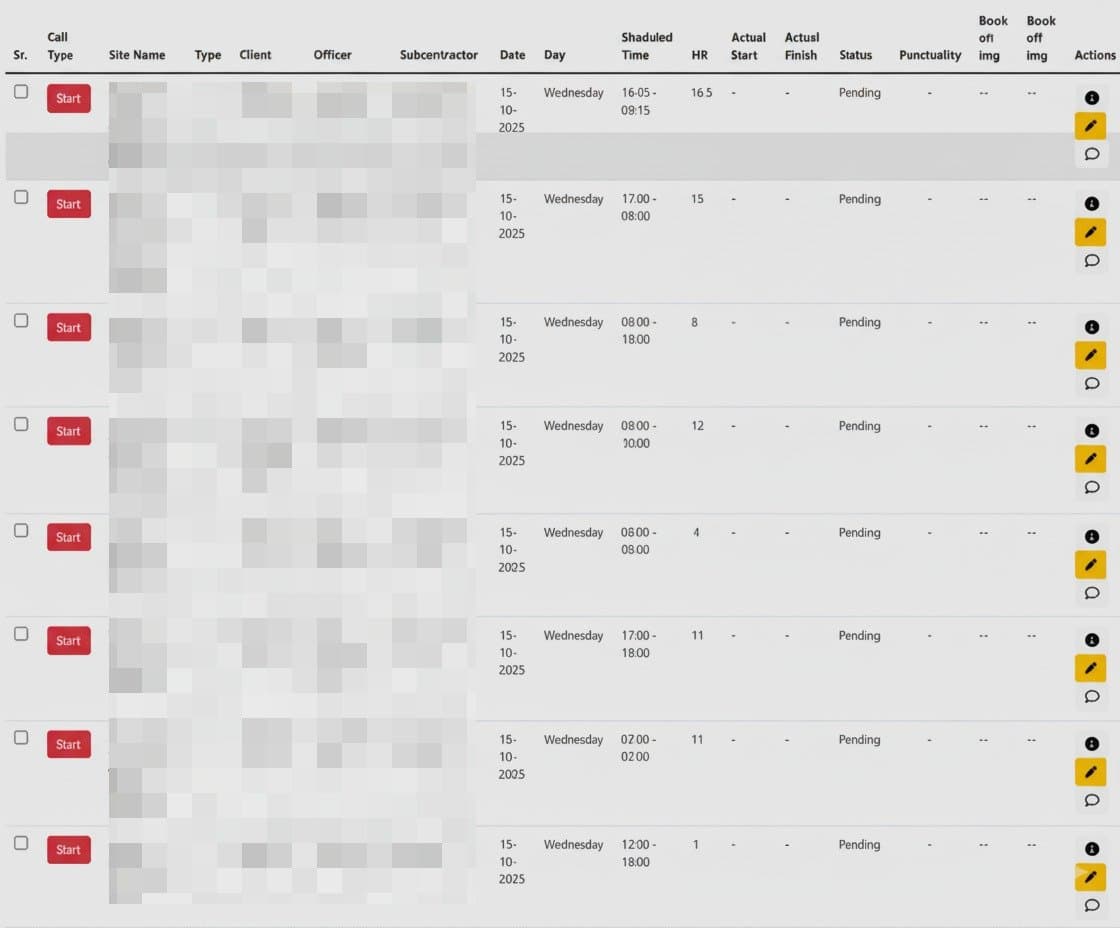
Monitorguard gives you a modern, cloud‑powered workforce time and attendance system designed to eliminate manual timesheets, prevent payroll inaccuracies, and provide complete real‑time visibility of your workforce.
Drawn from the product itself, not from a survey.
Demographic
Staffing agency coordinators for temporary workers
Pain points
High turnover, managing temporary assignments across clients, verifying qualifications and compliance
Primary needs
Central worker database, skills tracking, subcontractor management
Written by AI from measured evidence, scored out of 100.
MonitorGuard is a functional workforce management tool with clear strengths in shift visibility and QR-based verification, but it's held back by average design, weak mobile performance, and basic security. It targets a real pain point for staffing agencies and contractors, yet the lack of polish and compliance signals may deter enterprise buyers. With improvements in mobile speed, security headers, and accessibility, it could compete better against established players like When I Work.
Functional but cluttered: competing CTAs, dense forms, and no clear demo path. Shift card is a bright spot for at-a-glance status.
Average visual design with clear CTAs and a well-structured shift card, but low-res screenshots and cluttered nav undermine polish.
Mobile performance is weak (LCP 8.1s) but desktop is solid (91/100). Heavy images and scripts likely cause the mobile lag.
HTTPS is enforced, but no HSTS, CSP, or frame protection. No compliance certifications or security page found—basic hygiene only.
Lighthouse 90/100 but with real issues: missing main landmark, unlabeled selects, and heading order. No a11y statement or multi-language support.
Real problem with specific differentiators (QR verification, incident reporting) but no visible traction or community to build on.
MonitorGuard's design is average: a clean hero and a well-crafted shift card, but low-res screenshots and a cluttered nav hurt credibility. Usability suffers from competing CTAs and a dense shift form, though the shift card's clear status display is a plus. The platform targets staffing agencies and contractors, but the homepage doesn't showcase a clear demo or trial path, making it hard to evaluate without signing up.
Speed is a mixed bag: desktop performance is strong (91/100), but mobile is sluggish with an 8.1s LCP, likely due to heavy images. Security is basic—HTTPS enforced but missing HSTS, CSP, and frame protection, with no compliance certifications. The 4/13 header checklist suggests a need for hardening, especially for a platform handling workforce data.
Accessibility is decent (90/100) but has real gaps: missing main landmark, unlabeled selects, and heading order issues. No a11y statement or multi-language support. Growth potential is solid—QR verification and incident reporting are differentiators—but the lack of visible traction (only LinkedIn) and community limits momentum. The category has headroom as manual timesheets persist.
Conclusion
For a growing SaaS, MonitorGuard shows promise but needs to address mobile performance, security hardening, and accessibility gaps to build trust. The QR verification and incident reporting are compelling differentiators that could win over niche segments. If the team invests in these areas, it could carve out a solid position in the workforce management market.
Named competitors, point by point. Nobody paid to appear here or to be left out.
 MonitorGuard MonitorGuard |  When I Work When I Work | |
|---|---|---|
| Time tracking method | QR code scans and manual entry | Mobile app with GPS and biometric options |
| Workforce database | Central staff profiles with skills and qualifications | Employee profiles with basic info and roles |
| Incident reporting | Structured records with categorization and trends | Not a core feature; focuses on scheduling |
| Pricing model | Not publicly listed; demo required | Subscription tiers starting at $2.50/user/month |
Comparing options? See MonitorGuard alternatives, scored side by side

All-in-one AI workspace for docs, projects, and knowledge...

Vendor Space is an all-in-one vendor management platform ...

Export all your Apple Voice Memos to one text file.

InviteVia is a digital invitation platform for creating beautiful online invitations for weddings, birthdays, engagements, parties, and special events. Choose a template, customize your invitation, collect RSVPs, and share it instantly through WhatsApp, Instagram, SMS, or a simple link. No guest accounts or app downloads required.

Managed event staffing across the US and Canada with loca...

Cloud AI agents with persistent disk, memory, and real CL...

Local-first time tracker for freelancers with invoicing, ...

NDIS provider management software for small Australian teams to roster workers, capture service records and prepare invoices.

Business workspace for solo founders and small teams.

AI batch renaming tool that reads file content to auto-na...

Project, resource, and financial management for client-fo...

Weighted decision scorecards for B...2B teams, no account ne
A platform dedicated to providing unbiased reviews of newly launched applications, analyzing everything from their features to their full potential.
info@scoutforge.net© 2026 Scoutforge. All rights reserved.
