Cycling through all six. Tap any point to stop.
Measured on six things
AI meeting notes in 60+ languages: transcripts, summaries and action items from in-person or online meetings.
Security
54HTTPS, HSTS, SPF and DMARC are in place, and the site claims encryption at rest/in transit plus no AI training on your data. But no CSP, frame protection, or Referrer-Policy, and no SOC 2/ISO claim surfaced.
Screenshots
1 / 4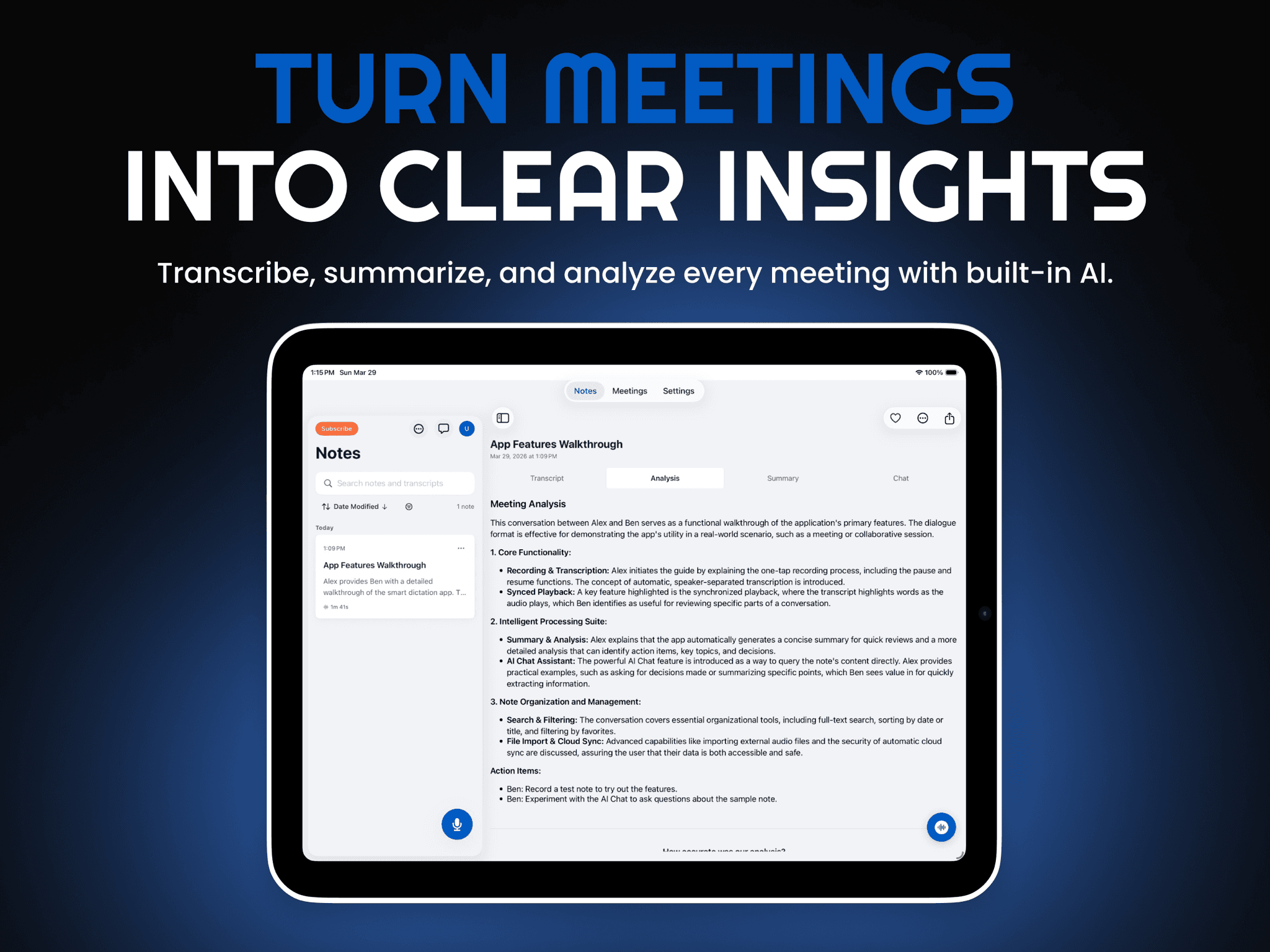
About this app
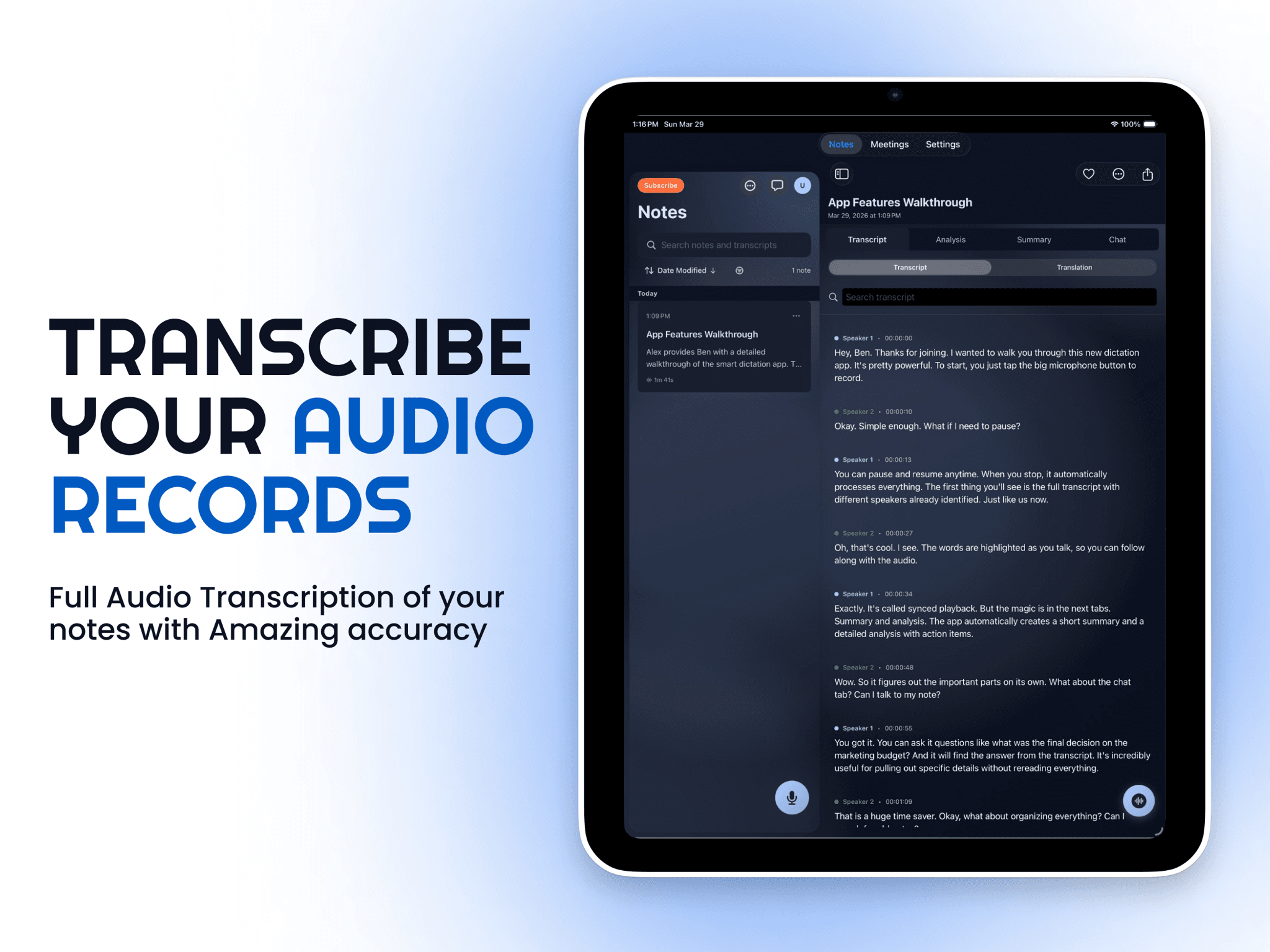
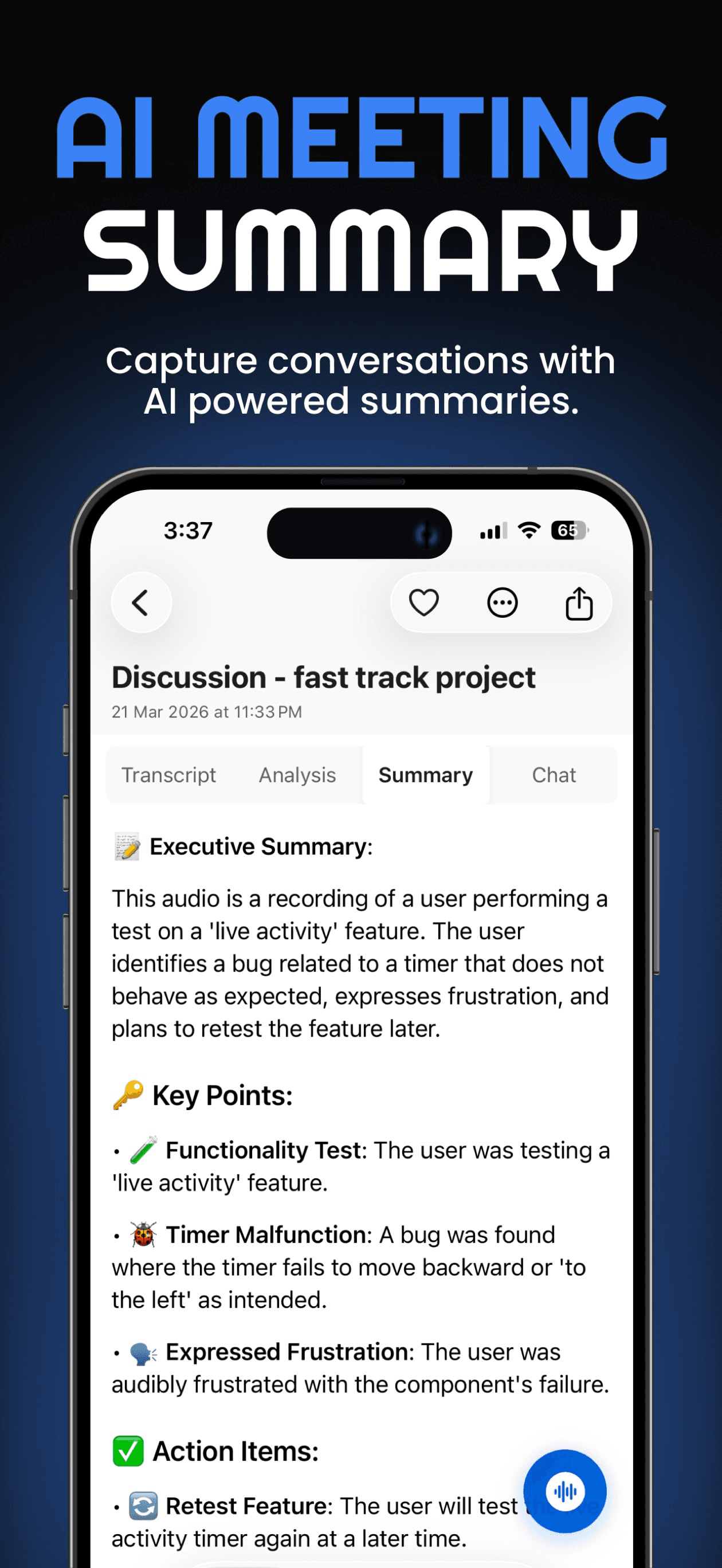
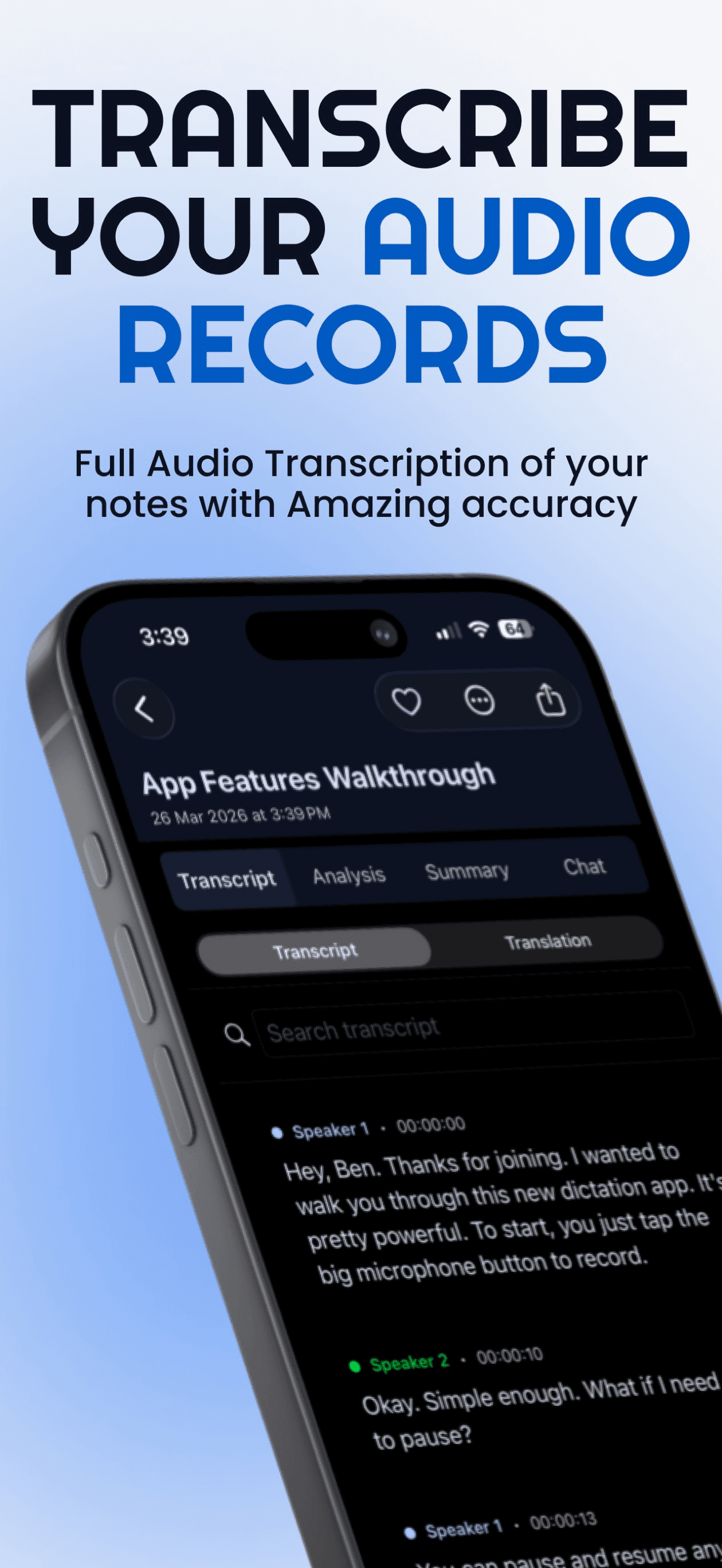
Noter AI is an AI meeting note taker for iPhone, iPad, Android and the web. Record an in-person meeting with one tap, upload audio, or paste a meeting link and the Noter AI bot joins Zoom, Microsoft Teams, Google Meet or Webex. Each meeting gets a transcript with speaker labels and timestamps, a summary, action items and a detailed analysis. Transcription covers 60+ languages with automatic detection, and transcripts can be translated into 46 languages. Ask your notes to question one meeting or all of them, and export to PDF, Word or plain text. Freemium: the apps have a free plan and a free trial; paid is $9.99/month or $69.99/year, with no per-seat fees. Data is encrypted in transit and at rest and is not used to train AI models. Contact: support@noterai.net.
Key features
- 1Meeting bot joins Zoom, Microsoft Teams, Google Meet and Webex; also one-tap in-person recording on iPhone/iPad/Android
- 2Transcription in 60+ languages with automatic detection, speaker labels and timestamps; translation into 46 languages
- 3AI chat across one or all notes, six output styles, action items with assignees, export to PDF/Word/text
Target customer profile
Drawn from the product itself, not from a survey.
Demographic
Remote and hybrid teams in multinational companies
Pain points
Language barriers, missed action items, inconsistent note-taking across time zones
Primary needs
Accurate multilingual transcription, automated summaries, centralized meeting archive
Demographic
Sales professionals and account managers
Pain points
Forgetting client details, manual CRM entry, difficulty tracking follow-ups
Primary needs
Automated call summaries, action item extraction, easy export to CRM tools
Demographic
Students and researchers attending lectures or interviews
Pain points
Information overload, difficulty reviewing long recordings, language translation needs
Primary needs
Searchable transcripts, translation features, AI chat for quick answers
Demographic
Project managers and team leads
Pain points
Meeting overload, unclear decisions, tracking accountability
Primary needs
Clear decision logs, risk identification, task extraction, calendar integration
Scout Review
Written by AI from measured evidence, scored out of 100.
Noter AI is a genuinely shipped product, not a landing page with ambitions: native iOS with Dynamic Island and Control Center capture, Android, web, and a meeting bot for the four big platforms. The pricing is refreshingly honest — one plan, no credits, no per-seat games — and the guides section shows the team actually understands consent law, retention and transcription accuracy. The measured profile is uneven in the way real products are: desktop speed excellent, mobile LCP slow, security headers half-done, accessibility good but with sloppy fundamentals. The multilingual angle is the sharpest thing it has and deserves to be the headline rather than one bullet among many.
Measure by measure
Usability
64One plan, no credits, no per-seat math — easy to understand. In-person one-tap record plus bot-join covers both cases. But the web app has no free trial, so desktop-first users must pay blind.
Design
68Judging the app UI from 14 store screenshots: native iOS touches (Dynamic Island, Control Center) and a clean note layout. Landing page typography is disciplined, though the all-caps eyebrow pattern gets repetitive.
Speed
58Desktop Lighthouse 95 but mobile 72 with a 5.6s LCP — the phone experience, which is the primary product, is the slower one. CLS 0 and 190ms TBT are clean; the hero load is the drag.
Security
54HTTPS, HSTS, SPF and DMARC are in place, and the site claims encryption at rest/in transit plus no AI training on your data. But no CSP, frame protection, or Referrer-Policy, and no SOC 2/ISO claim surfaced.
Accessibility
70Lighthouse 93/100 with real but fixable failures: contrast, heading order, missing main landmark. Multi-language coverage (60+ transcription, 46 translation) is genuinely strong for a global audience.
Growth
62Real problem (multilingual meetings, missed action items) with a concrete wedge: automatic language detection and mixed-language transcription that single-language tools like Teams handle poorly. Broad audience, no network effects.
Improvement areas
- Web app has no free trial or weekly plan, unlike the mobile apps
- Only 6/12 security headers present; no CSP, frame protection, Referrer-Policy or Permissions-Policy
- Lighthouse a11y failures: contrast, heading order, missing main landmark; mobile LCP 5.6s
Design & Usability
Noter AI ships as a real app, and the store material shows it: 14 screenshots, native iOS surfaces like Dynamic Island and Control Center, and a note view that separates transcript, summary and action items cleanly. The website is competent marketing with disciplined typography, though the all-caps eyebrow headers wear thin. Usability is the stronger half: one plan with everything included, no AI credits, no per-seat math, and both in-person one-tap recording and bot-join for Zoom/Teams/Meet/Webex. The guides section is unusually substantive for a product this young — consent law, accuracy, retention, speaker labels. The one real friction: the web app has no free trial and no weekly plan, so desktop-first buyers commit $9.99 sight unseen while phone users get a trial.
Speed & Security
Speed is split down the middle: desktop Lighthouse 95, mobile 72 with a 5.6s LCP. Since the phone is the primary capture device, the slower number matters more than the flattering one. CLS 0 and 190ms TBT show the page isn't janky once loaded — it's the initial hero that drags. Security is table-stakes-plus-claims: HTTPS enforced, HSTS, SPF and DMARC all present, and the site states encryption in transit and at rest with no AI training on customer data. But the header probe found only 6 of 12 checklist points — no CSP, no frame protection, no Referrer-Policy, no Permissions-Policy. No SOC 2 or ISO claim appeared in the fetched content, which for a tool recording client calls is the gap worth closing first.
Accessibility & Growth
Accessibility scores 93/100 on Lighthouse, which is genuinely good, but the failing audits are the boring ones that signal a rushed build: insufficient contrast, non-sequential headings, no main landmark. For a product selling itself on multilingual reach, the 60+ transcription and 46 translation languages are the real accessibility story — language access is accessibility. Growth is a judgement on the idea: the problem is real (multilingual meetings, missed action items, inconsistent notes across time zones) and the wedge is specific — automatic language detection and mixed-language transcription, which single-language tools like Teams handle badly. That's a defensible angle. The risk is positioning: the target list spans sales, students, PMs and multinational teams, which reads as 'everyone' rather than a segment it wins first.
Conclusion
If you record meetings in more than one language, Noter AI is worth a serious look — the automatic detection and mixed-language handling is a real differentiator against single-language incumbents. If you're English-only and desk-bound, the missing web trial and the 5.6s mobile LCP make it a harder sell against Otter and Fireflies. The fastest wins are unglamorous: tighten the security headers, fix the contrast and landmark issues, and give the web app a trial so desktop users aren't asked to pay blind.
Suggestions for improvement
- Add a free trial or a limited free tier to the web app so desktop-first users can evaluate before paying.
- Ship the missing security headers (CSP, frame protection, Referrer-Policy, Permissions-Policy) and publish a SOC 2 roadmap.
- Fix the three Lighthouse a11y failures: contrast ratios, heading order, and a <main> landmark.
- Cut mobile LCP below 3s — preload the hero and defer non-critical assets on the phone experience.
Alternatives comparison
Named competitors, point by point. Nobody paid to appear here or to be left out.
 Noter AI Noter AI |  Fireflies.ai Fireflies.ai |  Otter.ai Otter.ai |  Fathom Fathom |  Notta Notta | |
|---|---|---|---|---|---|
| Free tier / trial availability | Free plan + trial in apps; web app has no trial | Free tier with monthly minute cap | Free tier with limited transcription credits | Generous free tier | Free plan with limited minutes |
| Pricing model | $9.99/mo, $69.99/yr, $5.99/wk; no per-seat fees | Per-seat tiers with minute caps | Per-seat tiers, free to enterprise | Free tier plus paid per-seat plans | Tiered per-seat plans |
| Multilingual transcription & translation | 60+ languages auto-detected; translation into 46 | Primarily English-focused transcription | Multi-language transcription, limited translation | Multi-language support, English-centric | Strong multilingual transcription and translation |
| Meeting bot platform coverage | Zoom, Teams, Meet, Webex + in-person recording | Zoom, Teams, Meet | Zoom, Teams, Meet, Webex and more | Zoom, Teams, Meet | Zoom, Teams, Meet and others |
| Native mobile app | Native iOS (Dynamic Island, Control Center) and Android | iOS and Android apps | Mobile apps available | Limited mobile support | iOS and Android apps |
Fireflies.ai
AI meeting notetaker with transcription, search, and conversation analytics for sales and teams
Otter.ai
AI meeting assistant with live transcription and summaries, integrates with Zoom, Teams, and Meet
Fathom
Free AI meeting recorder that highlights key moments and generates instant summaries
Notta
AI transcription and meeting notes app with multilingual support and collaboration features
Comparing options? See Noter AI alternatives, scored side by side
More Productivity apps
View all Productivity
The Stack Newsletter
92A weekly newsletter delivering curated tech jobs, intervi...

Qamarero
92An all-in-one hospitality software for restaurants and ba...

EmbedMyReviews
92White-label reputation management software for agencies s...

StoryPad
92Privacy-first open source journal app with a continuous t...

Notion
92All-in-one AI workspace for docs, projects, and knowledge...

Puzzly – B2B Lead Generation & Sales Intelligence Platform
92Puzzly is an all-in-one B2B lead generation platform that...

Vibe Coding Agent Skills
92A free, open-source platform offering 110 AI agent skills...

Gerty
91Private, local AI assistant for Mac that runs offline

CC Switch
91Open-source desktop app for switching AI coding providers...

username.md
90One verified handle for your online identity, readable by...

PitchWhip
90AI cold call scripts & direct dials from LinkedIn

What the GIF
89Frame-perfect video-to-GIF maker that runs entirely in yo...


A platform dedicated to providing unbiased reviews of newly launched applications, analyzing everything from their features to their full potential.
info@scoutforge.net© 2026 Scoutforge. All rights reserved.
