Cycling through all six. Tap any point to stop.
Measured on six things
Let AI schedule every post; you keep full control.
Design
57Clean white-and-blue palette with a well-ranked CTA pair, but the hero screenshot is too small to read, a section renders blank, and an icon appears cut off. Polished bones, sloppy execution.
Screenshots
1 / 1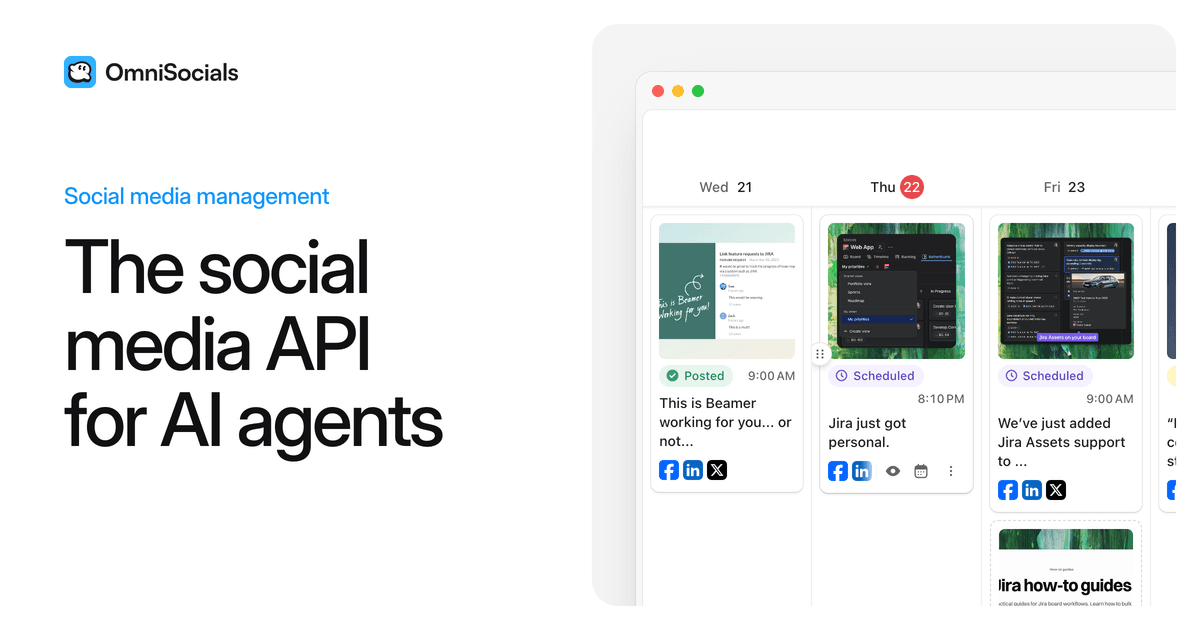
About this app
OmniSocials is a social media scheduler your AI agents can use. Connect Claude, ChatGPT or any agent through MCP, the API or the CLI, and it plans, writes and schedules posts across 13 platforms, including Instagram, LinkedIn, X, TikTok and YouTube. You stay in control from a visual calendar with drafts and approvals, plus a social inbox and analytics. One plan from $10 a month per seat, with a 14-day free trial.
Key features
- 1Agent-native scheduling via MCP, API, CLI and webhooks across 13 social platforms
- 2Visual calendar with drafts, approvals and a unified social inbox plus analytics
- 3One flat $10/seat/month plan with unlimited posts and full API access, 14-day trial
Target customer profile
Drawn from the product itself, not from a survey.
Demographic
Solo founders and small businesses
Pain points
Scheduling posts on every social network separately takes time
Primary needs
Let an AI agent plan and schedule posts on 13 platforms from one visual calendar
Demographic
Developers and AI-agent builders
Pain points
Every social network has its own API to integrate
Primary needs
One API, an MCP server, a CLI, webhooks and SDKs in 8 languages
Demographic
Agencies running client accounts
Pain points
Client posts need review before they go live
Primary needs
Drafts and approval workflows for team and client review
Scout Review
Written by AI from measured evidence, scored out of 100.
OmniSocials is a competent, actively maintained social scheduler with a genuinely interesting angle: it's built to be driven by AI agents through MCP, an API and a CLI, across 13 platforms, for a flat $10 per seat. The site is fast (Lighthouse 92), the pricing is refreshingly simple, and the changelog shows real shipping velocity. The weak spots are presentation and clarity — a hero screenshot too small to read, a blank section, a nearly invisible audience toggle, and messaging that can't decide if it's for developers or humans. Security is solid on headers but lacks published audits. A promising product that needs to tighten its front door.
Measure by measure
Usability
66One flat $10/seat plan with everything included, a 14-day trial, and 54 changelog releases in 2026 signal a maintained, low-friction product. Audience messaging is muddled between devs and humans.
Design
57Clean white-and-blue palette with a well-ranked CTA pair, but the hero screenshot is too small to read, a section renders blank, and an icon appears cut off. Polished bones, sloppy execution.
Speed
78Lighthouse desktop 92/100 with LCP 1.3s, CLS 0 and TBT 136ms — a genuinely snappy marketing site. Product app performance not independently measured.
Security
72HTTPS enforced with HSTS, frame protection, SPF and DMARC in place (9/12 checklist). CSP and Permissions-Policy missing, and no SOC 2, ISO or bug bounty claims found.
Accessibility
79Lighthouse accessibility 97/100 with a single failing contrast audit. No WCAG statement or multi-language support evidenced, but the automated baseline is strong.
Growth
58A real problem (multi-platform scheduling) with a genuine wedge: agent-native MCP/API/CLI access at a flat $10/seat. Crowded category, but the agent angle is specific and underserved.
Improvement areas
- Homepage execution: unreadable hero screenshot, blank section, cut-off icon
- Audience clarity: developer vs. human messaging and a near-invisible toggle
- Security transparency: missing CSP/Permissions-Policy and no published audits
- Accessibility: contrast failure and no WCAG statement or multi-language support
Design & Usability
The landing page has the bones of a professional product: a restrained blue-and-white palette, a clear primary CTA, and a pricing page that does something rare — one flat $10/seat plan with all 13 platforms, unlimited posts, inbox, analytics and MCP/API access, no feature gates. The changelog backs it up with 54 releases in 2026. Where it stumbles is execution and clarity: the hero screenshot is too small to read, a homepage section renders blank, an icon appears cut off, and the only audience toggle between 'developer' and 'human' is a faint grey control most visitors will miss. The messaging itself splits the difference — 'API for AI Agents' up top, 'calendar built for humans' below — leaving a first-time visitor unsure who this is for.
Speed & Security
Speed is a genuine strength: Lighthouse desktop scores 92/100 with LCP 1.3s, CLS 0 and TBT 136ms, so the marketing site loads fast and stable. Security is competent but not exceptional — HTTPS enforced with HSTS, frame protection, X-Content-Type-Options, Referrer-Policy, SPF and DMARC all present, landing 9/12 on the header checklist. The gaps are a missing Content-Security-Policy and Permissions-Policy, and there is no published SOC 2, ISO certification, pen-test summary or bug bounty to point to. For a tool that holds social account OAuth tokens and client content, those are the next things to add.
Accessibility & Growth
Accessibility scores well on automated checks — 97/100 on Lighthouse with a single failing contrast audit — but there's no WCAG conformance statement, no documented keyboard or screen-reader support, and no multi-language evidence. The contrast failure is telling: it's the same low-contrast styling that makes the developer toggle nearly invisible. On growth, the idea holds up. Scheduling across 13 platforms is a real, paid problem, and OmniSocials' wedge is specific: agent-native access via MCP, API, CLI and webhooks, at a flat $10/seat with everything included. The category is crowded — Buffer, Hootsuite, Later and a wave of AI schedulers — so the agent angle and flat pricing are the differentiators. Whether that wedge survives depends on whether incumbents bolt on MCP support before OmniSocials builds a moat.
Conclusion
If you're a solo founder, small agency or developer who wants your AI agent to handle scheduling across a dozen networks without per-channel fees, OmniSocials is worth the 14-day trial — the flat $10/seat plan and MCP access are the real draw. If you need enterprise compliance paperwork or a polished, self-explanatory marketing site, wait for a few more releases. The product is clearly being built; the storefront just hasn't caught up.
Suggestions for improvement
- Replace the tiny hero screenshot with a full-width, high-resolution calendar view that shows real posts and status chips legibly.
- Fix the blank second homepage section and the cut-off icon after 'AI Agents' — these read as rendering bugs to first-time visitors.
- Make the developer/human audience toggle high-contrast and prominent, or split the messaging into two clear paths.
- Publish a security page with CSP headers, a pen-test summary or SOC 2 roadmap, and an accessibility/WCAG statement.
Alternatives comparison
Named competitors, point by point. Nobody paid to appear here or to be left out.
 OmniSocials |  | |
|---|---|---|
| Pricing model | Flat $10/seat/month, all features included | Not provided |
| AI agent / API access | MCP server, API, CLI, webhooks, SDKs in 8 languages | Not provided |
| Supported platforms | 13 platforms incl. Instagram, LinkedIn, X, TikTok, YouTube | Not provided |
| Approval workflows | Drafts and approval workflows for team/client review | Not provided |
Comparing options? See OmniSocials alternatives, scored side by side
More Social Media apps
View all Social Media
Voqusa
89Transcribe social media video and audio links into text (free signup, 5 free credits, then pay-as-you-go)

TranscriptYou
88Free YouTube transcript generator with timestamps and AI ...

LurkAPI
88Public social media data as clean JSON, in one request

Evoriqa
88White-label AI customer service agent for small businesse...

TinyDesk-AI.fun
87Tiny Desk AI makes your own version of the viral "Outstanding" Tiny Desk meme. Add a photo to any of the five seats on the stage (lead mic, keys, two backing vocals, sax), from one person to the whole band, and get a fresh 19-second 9:16 720p clip cut like the original post, usually about 10 minutes after paying. $8.99 once, no account, no prompts. The MP4 is silent so you attach the licensed meme sound inside TikTok. Not affiliated with NPR.

ZombieTrend AI
87ZombieTrend AI turns two photos into an emotional zombie love story video with a heartfelt hug, memory flashback, sound, no watermark, and a free scene preview.

BlueVetaUpright
86API that detects product photo rotation and tells you how...

Music Visualizer
86Online music visualizer for audio-reactive videos.

Maeve Social
85Plan, approve, publish to nine social platforms, manage your inbox, and report from one social media workspace.

SnitchFeed
85AI-powered social listening for startups & SMBs to find h...

Xquik
85Search X tweets, export followers & monitor accounts through REST, MCP & SDKs.

CleanAudio AI
85Free AI background noise remover for audio and video with...


A platform dedicated to providing unbiased reviews of newly launched applications, analyzing everything from their features to their full potential.
info@scoutforge.net© 2026 Scoutforge. All rights reserved.
