Cycling through all six. Tap any point to stop.
Measured on six things
The coding agent that runs on its own AI models.
Growth
63Real, crowded category with a specific wedge: in-house models, free no-signup tier, cross-device /rc continuity, BYO keys and an MIT CLI. Differentiated, but the incumbents are enormous.
Screenshots
1 / 1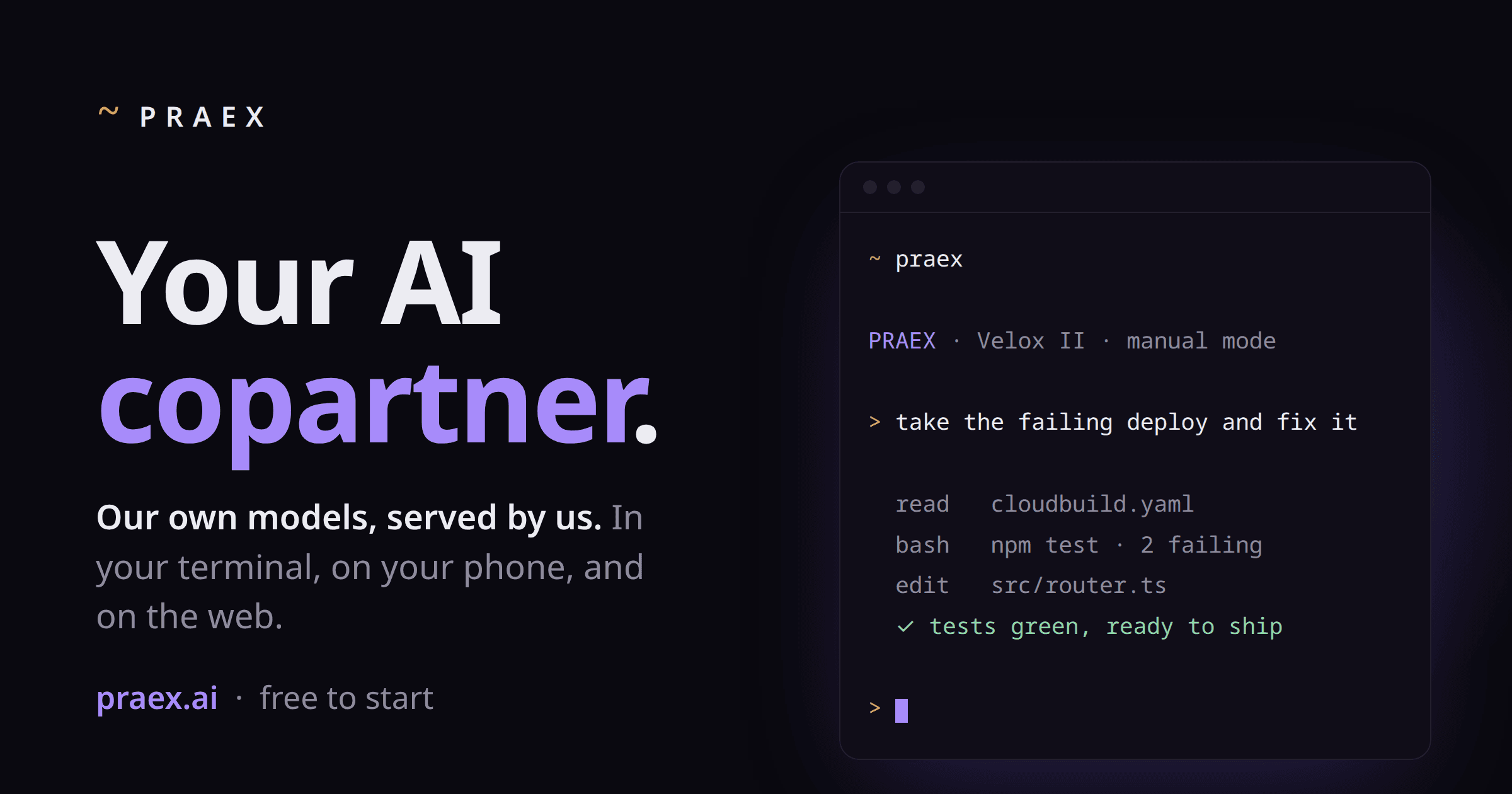
About this app
Praex is a coding agent that runs on its own AI models: Velox II, Faber II and Lucia II. Use it in the terminal, in the desktop app or in the browser at praex.ai, and pick up the same session from your phone with Remote Control (/rc). In the terminal, Praex works in your real repository: it reads the code, makes changes and runs commands with your approval. Velox II is free to start, and a first chat needs no sign-up. Pro ($20 a month) adds Faber II, a larger reasoning model, and Max adds Lucia II. The CLI is open source (MIT, built on opencode). You can also bring your own API keys or run models on your own hardware.
Key features
- 1Own in-house models (Velox III free, Faber II on Pro $20/mo, Lucia II on Max) served without a third-party API middleman
- 2Cross-device session continuity via Remote Control (/rc): start in terminal, approve from phone, chat on web
- 3Open-source MIT CLI (fork of opencode) with bring-your-own-keys or self-hosted hardware support
Target customer profile
Drawn from the product itself, not from a survey.
Demographic
Software developers
Pain points
Switching between chat, editor and terminal; losing context between sessions; paying for several AI subscriptions.
Primary needs
A coding agent that works in the real repo, asks before it acts, and keeps the same session across devices.
Demographic
Indie hackers and small startup teams
Pain points
Tight budgets, thin free tiers and lock-in to one vendor.
Primary needs
A capable free model, simple pricing, and the option to bring their own keys.
Demographic
Developers who prefer open tools
Pain points
Closed tools they cannot inspect or extend.
Primary needs
An open-source CLI, and their own keys or hardware when they want them.
Scout Review
Written by AI from measured evidence, scored out of 100.
Praex is an AI coding agent with a real point of view: run your own models, keep the CLI open source, let people start free without a sign-up, and follow the same session from terminal to phone to web. The marketing site is fast (100/100 Lighthouse), visually coherent, and honest about what it is. Security headers are strong; the compliance paper trail is thin. Documentation is the biggest gap — for a tool with a custom install script and a cross-device workflow, a proper docs site is table stakes. The idea is differentiated in a crowded category, but the execution needs to catch up to the ambition.
Measure by measure
Usability
64No-sign-up chat, one-line curl install, macOS download and a 74-second demo all sit in the hero — signup-to-value is basically zero. But there's no visible docs or help center in the fetched content.
Design
71Cohesive dark terminal aesthetic with a restrained purple accent and a convincing live terminal demo. Model cards read clearly. Dense small body text and tiny low-contrast footer badges hold it back.
Speed
88Lighthouse 100/100 on both mobile and desktop: LCP 990ms, CLS 0, TBT 0ms. A genuinely fast, lightweight marketing site with no measured lag complaints.
Security
74Strong header hygiene — HTTPS, HSTS, CSP, frame protection, SPF and DMARC all present (11/12). Permissions-Policy is the lone miss. No published SOC 2/ISO or audit page found; open-source MIT CLI helps inspectability.
Accessibility
68Lighthouse a11y 91/100, but three real fails: insufficient color contrast, non-sequential heading order, and no main landmark. No accessibility statement or WCAG claim found on the site.
Growth
63Real, crowded category with a specific wedge: in-house models, free no-signup tier, cross-device /rc continuity, BYO keys and an MIT CLI. Differentiated, but the incumbents are enormous.
Improvement areas
- No public documentation or help center — a real gap for a CLI with a custom install script and /rc workflow
- Accessibility fails on contrast, heading order and missing main landmark; no a11y statement or WCAG claim
- No SOC 2/ISO/audit page; security posture rests on headers and marketing copy rather than published compliance
Design & Usability
Praex's homepage is a confident, coherent piece of dev-tool marketing: near-black canvas, restrained purple accent, and a hero terminal window that actually shows the product doing work — reading cloudbuild.yaml, running tests, fixing route order. The three model cards (velox III, faber II, lucia II) separate tiers without clutter. The weak spots are typographic: feature-section body copy is small and dense, and footer badges are tiny and low-contrast. Usability is where the product shines on paper — no sign-up to chat, a one-line curl install, a macOS download and a 74-second demo all in the hero, plus Remote Control to move a session from terminal to phone. The gap is documentation: no help center or docs surfaced, which for a CLI with a custom install script and a /rc workflow is a real omission.
Speed & Security
Speed is the standout measured result: Lighthouse 100/100 on both mobile and desktop, LCP 990ms, CLS 0, TBT 0ms. Whatever the site is built on, it's light and it's fast, and no lag complaints turned up in the collected evidence. Security is solid on the transport and header layer — HTTPS enforced, HSTS, CSP, frame protection, X-Content-Type-Options, Referrer-Policy, plus SPF and DMARC, hitting 11 of 12 checklist points with only Permissions-Policy missing. What's absent is the compliance paper trail: no SOC 2, ISO or third-party audit page surfaced, and the privacy claim ('your work is not a data funnel') is marketing copy rather than a documented policy. The MIT open-source CLI is a genuine trust asset, since developers can inspect what runs locally.
Accessibility & Growth
Accessibility lands at a decent-but-imperfect 91/100 on Lighthouse, with three concrete fails: insufficient color contrast, headings out of sequential order, and no main landmark. There's no accessibility statement or WCAG claim on the site, and no multi-language support indicated — normal for an early-stage dev tool, but worth fixing since contrast and landmark issues are cheap wins. Growth is the interesting question: the AI coding agent category is crowded and well-funded (Claude Code, Codex CLI), but Praex names a specific wedge — its own models served in-house, a genuinely free no-signup tier, cross-device session continuity via /rc, bring-your-own-keys or hardware, and an MIT-licensed CLI. That's a differentiated position aimed at indie hackers and budget-conscious teams, though the domain is only 0.3 years old and the incumbents have distribution Praex can't match yet.
Conclusion
If you're a developer who wants a free, inspectable coding agent that doesn't lock you into one vendor's API, Praex is worth a curl and an afternoon. If you need SOC 2 paperwork or deep docs before you'll trust a CLI with your repo, wait a release or two. The bones are good; the scaffolding around them isn't finished.
Suggestions for improvement
- Publish a real docs site covering /rc, the install script, model tiers and the daily allowance — the homepage can't carry all of it.
- Fix the three Lighthouse a11y fails: contrast on footer text, heading order, and add a <main> landmark. Cheap wins.
- Add a security/compliance page: data handling, retention, and a roadmap toward SOC 2 if you want team adoption.
- Add the missing Permissions-Policy header to close out the 12/12 checklist and tighten the CSP story.
Alternatives comparison
Named competitors, point by point. Nobody paid to appear here or to be left out.
 Praex Praex |  Claude Code Claude Code |  Codex CLI Codex CLI | |
|---|---|---|---|
| Pricing model | Free tier (Velox III); Pro $20/mo (Faber II); Max tier (Lucia II) coming soon | Included with Claude Pro/Max subscriptions; usage-based API pricing also available | Open-source CLI; usage billed via OpenAI API or ChatGPT plan |
| Model ownership | Own models (Velox III, Faber II, Lucia II) served in-house; BYO keys or hardware supported | Runs exclusively on Anthropic Claude models | Runs on OpenAI models (GPT/o-series); configurable via API |
| Open source | CLI is MIT-licensed, fork of opencode | Closed source | Open source on GitHub |
| Cross-device session continuity | Yes — Remote Control (/rc) moves a session from terminal to phone to web | Terminal-first; web/mobile via Claude apps but not the same session | Terminal-focused; no cross-device session handoff |
| Sign-up required to try | No — first chat with Velox III needs no sign-up | Yes — Anthropic account and plan required | Yes — OpenAI account/API key required |
Claude Code
Anthropic's coding agent for the terminal, running on Claude models.
Codex CLI
OpenAI's open-source coding agent for the terminal, running on OpenAI models.
Comparing options? See Praex alternatives, scored side by side
More AI Chatbots apps
View all AI Chatbots
Notion
92All-in-one AI workspace for docs, projects, and knowledge...

Claw Messenger
88Claw Messenger is an iMessage API service that gives AI a...

MindMarks
88A free browser extension that organizes AI conversations ...

robodocxs.ai
87AI-agents work right inside your systems. You decide what they handle on their own and what your team approves.

Plori
87Cloud AI agents with persistent disk, memory, and real CL...

VibeBot
86AI-powered no-code Discord bot maker

Dardaris
85An AI property manager for private landlords. It handles rent, repairs, tenant messages and bookings, and only asks you when a decision needs you.

PromptTrace
85Free hands-on AI security labs for prompt injection and L...

Chatzy AI
85Chatzy.ai helps businesses automate customer interactions on WhatsApp, Web, Facebook, Instagram, Voice, and in-app channels using powerful AI agents.

Mortgage Tools by Jenny
85Free Canadian mortgage calculators and AI mortgage tools by Jenny Tate, a licensed Ontario mortgage agent.

Helpyly
84Helpyly is an AI-powered customer support platform that a...

linkwise.link
84LinkWise is an AI bookmark manager for people who save links they never find again. Paste any URL for a summary and keywords, then search by tags or m


A platform dedicated to providing unbiased reviews of newly launched applications, analyzing everything from their features to their full potential.
info@scoutforge.net© 2026 Scoutforge. All rights reserved.
