Cycling through all six. Tap any point to stop.
Measured on six things
A project planning app with interactive Gantt charts, iCloud sync, and professional reporting for Mac, iPad, and iPhone.
Design
46Judging the app UI: store screenshots show a dense but coherent Gantt/grid system with consistent WBS color coding. The marketing site is the weak link — four clashing image treatments and a green headline that appears nowhere else.
Screenshots
1 / 1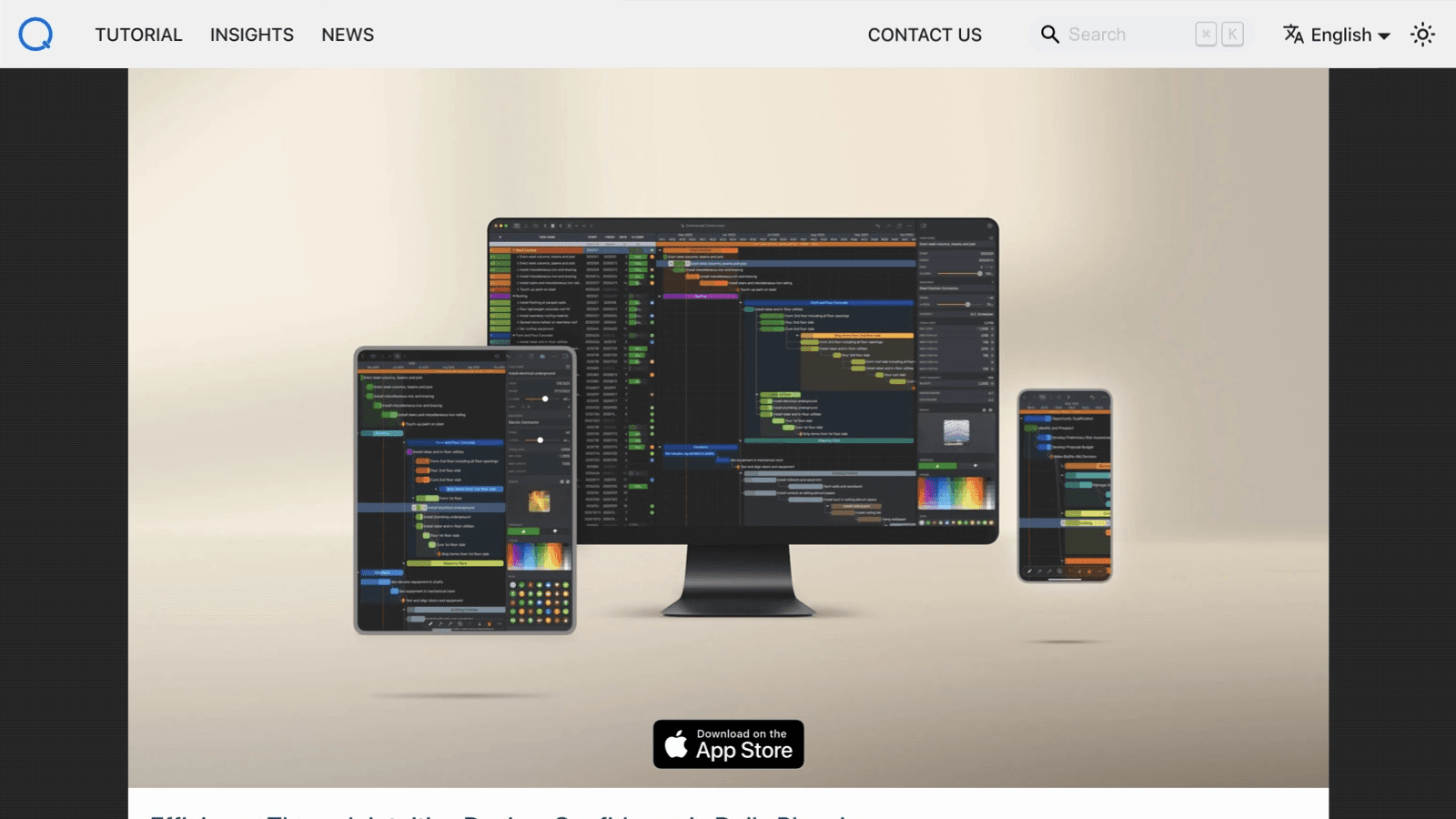
About this app
Create structured project plans, work breakdown structures (WBS), and interactive Gantt charts directly by touch, mouse, or keyboard. Switch fluidly between Table, Gantt, Tree, and Column views as your project plan evolves. Powered by Apple's CloudKit, changes to your project plans on one device update automatically on the others in the background. Export your entire project plan or selected WBS branches as high-resolution PDFs for printing, spreadsheet-ready CSVs for Excel, or crisp Gantt chart images for client and stakeholder reviews.
Key features
- 1Interactive Gantt charts with WBS, task dependencies, and critical path across Mac, iPad, and iPhone.
- 2Automatic iCloud/CloudKit sync keeping project plans updated across all Apple devices.
- 3Export to PDF, CSV, Gantt images, ICS calendars, plus CostX, MS Project XML, and OPML import/export.
Target customer profile
Drawn from the product itself, not from a survey.
Demographic
Project managers and team leads in small to mid-sized businesses
Pain points
Overwhelmed by complex, expensive project management software; need offline access and cross-device sync
Primary needs
Intuitive Gantt charts, task dependencies, and easy sharing of project plans with stakeholders
Demographic
Freelancers and consultants managing multiple client projects
Pain points
Struggle to track project timelines and resources across different tools; need professional reports
Primary needs
Affordable, all-in-one planning app with PDF/CSV export and iCloud sync for on-the-go updates
Demographic
Construction and engineering professionals using CostX estimates
Pain points
Manual data re-entry from estimates to schedules; difficulty collaborating with Windows-based teams
Primary needs
Direct import of CostX estimates, Microsoft Project XML exchange, and visual progress tracking
Scout Review
Written by AI from measured evidence, scored out of 100.
QuickPlanX is a competent native Apple project planner with a genuinely fast site, real documentation, and a sharp niche in CostX and MS Project XML exchange. The app UI holds up in store screenshots; the marketing site does not, with clashing imagery and buried CTAs. Security headers are thin and accessibility has concrete contrast and touch-target failures. The $15.99/year price against OmniPlan is a legitimate reason to look.
Measure by measure
Usability
63Docs ship a real Quick Start Guide, and the 10-day trial needs no payment details. But the iPhone toolbar is icon-only and the homepage's ghost 'View Details' buttons are easy to miss — the path to pricing is buried.
Design
46Judging the app UI: store screenshots show a dense but coherent Gantt/grid system with consistent WBS color coding. The marketing site is the weak link — four clashing image treatments and a green headline that appears nowhere else.
Speed
78Lighthouse desktop 100/100 and mobile 93/100 with zero layout shift and 73ms total blocking time. LCP at 3.2s on mobile is the only soft spot. Fast, static-feeling site that gets out of the way.
Security
52HTTPS is enforced and data stays in the user's own iCloud via CloudKit, which limits blast radius. But the probe found no HSTS, no CSP, no frame protection, and no SPF/DMARC — 4/12 checklist points, thin for a paid app.
Accessibility
68Lighthouse a11y 90/100 and the app is localized in 7 languages. But automated audits flag insufficient color contrast, links distinguishable only by color, and undersized touch targets — real issues for a touch-first planning tool.
Growth
58A real, specific niche: Apple-only planners who want native Gantt charts, CloudKit sync, and CostX/MS Project XML exchange at $15.99/yr. Clear wedge against OmniPlan's price and Smartsheet's cloud-only model.
Improvement areas
- Homepage design: unify imagery, fix the off-brand green headline, and add a clear primary CTA.
- Web security headers: add HSTS, CSP, frame protection, and SPF/DMARC records.
- Accessibility: raise color contrast, add non-color link cues, and enlarge touch targets.
- Onboarding clarity: label the icon-only iPhone toolbars and surface pricing more prominently.
Design & Usability
The app itself is the stronger half: store screenshots show a dense, legible Gantt and grid UI with consistent WBS color coding and a coherent dark iOS palette. The website is where it falls apart — stock desk photos, device renders, and UI crops in four different visual languages, plus a green hero headline that appears nowhere else in the brand. Usability is carried by real documentation: a Quick Start Guide covering project creation, task hierarchy, linking, and export, and a 10-day trial with no payment details. The friction is in discovery — icon-only iPhone toolbars and low-contrast ghost CTAs on the site make the pricing path easy to miss.
Speed & Security
Speed is the standout: Lighthouse desktop 100/100, mobile 93/100, CLS of zero, and 73ms total blocking time. The only blemish is a 3.2s mobile LCP. Security is the opposite story. HTTPS is enforced and the CloudKit architecture keeps project data inside the user's own Apple ID with no third-party accounts, which is a genuine privacy win. But the HTTP probe found no HSTS, no CSP, no frame protection, and no SPF/DMARC records — 4 of 12 checklist points. For a paid app handling client project schedules, the web layer is under-hardened.
Accessibility & Growth
Accessibility lands at 68: Lighthouse scores 90/100 and the app ships in 7 languages, but the failing audits are substantive — insufficient color contrast, links distinguishable only by color, and touch targets too small for a touch-first planning tool. Growth is a judgement on the idea, and the idea is specific: native Mac/iPad/iPhone Gantt planning with CloudKit sync, CostX estimate import, MS Project XML and OPML exchange, at $15.99/year. That undercuts OmniPlan on price and beats Smartsheet on native Apple experience. The wedge is real but bounded by the Apple-only audience; the construction/engineering angle is the most defensible part.
Conclusion
If you're an Apple-based planner who needs Gantt charts, WBS, and CostX or MS Project import without OmniPlan's price tag, QuickPlanX is worth the 10-day trial — it costs nothing to try and the docs are real. Go in knowing the web security posture is basic and the site undersells the product. Fix the homepage and the headers and this moves up several notches.
Suggestions for improvement
- Replace the four clashing homepage image treatments with one consistent visual system built from real, legible UI screenshots.
- Add HSTS, a Content-Security-Policy, frame protection, and SPF/DMARC records to the domain.
- Fix the failing accessibility audits: raise text contrast, add non-color link indicators, enlarge touch targets.
- Promote a single primary CTA (Start Free Trial) on the homepage and make the pricing link prominent.
Alternatives comparison
Named competitors, point by point. Nobody paid to appear here or to be left out.
 QuickPlanX |  Microsoft Project |  OmniPlan |  Smartsheet | |
|---|---|---|---|---|
| Native Apple app (Mac/iPad/iPhone) | Yes — universal app | No native Apple app | Yes — Mac/iPad | Web only |
| Pricing model | $15.99/yr or $3.99/mo | Subscription, higher tier | One-time purchase, higher | Per-user subscription |
| Gantt charts & WBS | Yes — Table/Gantt/Tree/Column | Yes — industry standard | Yes | Yes — Gantt view |
| CostX estimate import | Yes — direct import | No | No | No |
| Cross-device sync | iCloud/CloudKit | Cloud via Microsoft 365 | iCloud/Omni sync | Cloud-native |
| Export formats | PDF, CSV, image, ICS, MS Project XML, OPML | PDF, Excel, XML | PDF, CSV, MS Project | PDF, Excel, CSV |
Microsoft Project
Industry-standard project management software with robust Gantt charts and resource management, but complex and expensive for small teams.
OmniPlan
Mac-based project planning app with Gantt charts and resource scheduling, offering similar Apple ecosystem integration but at a higher price point.
Smartsheet
Cloud-based work management platform with Gantt views and collaboration features, but requires subscription and lacks native Apple app experience.
Comparing options? See QuickPlanX alternatives, scored side by side
More Project Management apps
View all Project Management
Notion
92All-in-one AI workspace for docs, projects, and knowledge...

QRBliss
91Branded QR codes with AI Brand Sync, 15 free dynamic code...

Vendor Space
88Vendor Space is an all-in-one vendor management platform ...

Cedric
87Cedric is the AI teammate for startups. He attends your meetings, presents your slides and handles the recurring work in 3,000+ tools.

Plori
87Cloud AI agents with persistent disk, memory, and real CL...

Nautis
87Nautis is an AI-native operating system that helps founders manage finance, fundraising, sales, teams, and operations with an AI Chief of Staff.

InviteVia
87InviteVia is a digital invitation platform for creating beautiful online invitations for weddings, birthdays, engagements, parties, and special events. Choose a template, customize your invitation, collect RSVPs, and share it instantly through WhatsApp, Instagram, SMS, or a simple link. No guest accounts or app downloads required.

TempGuru
87Managed event staffing across the US and Canada with loca...

Trac
87Local-first time tracker for freelancers with invoicing, ...

Zeno.PM
87Project portfolio management with built-in portfolio inte...

Voice Memo Exporter
87Export all your Apple Voice Memos to one text file.

GrantCue
86Grant discovery and management software: search federal, state and foundation grants, then track deadlines, tasks and awards with your team.


A platform dedicated to providing unbiased reviews of newly launched applications, analyzing everything from their features to their full potential.
info@scoutforge.net© 2026 Scoutforge. All rights reserved.
